7 Best MCP Servers for Writers and Content Teams (2026)
15 min read
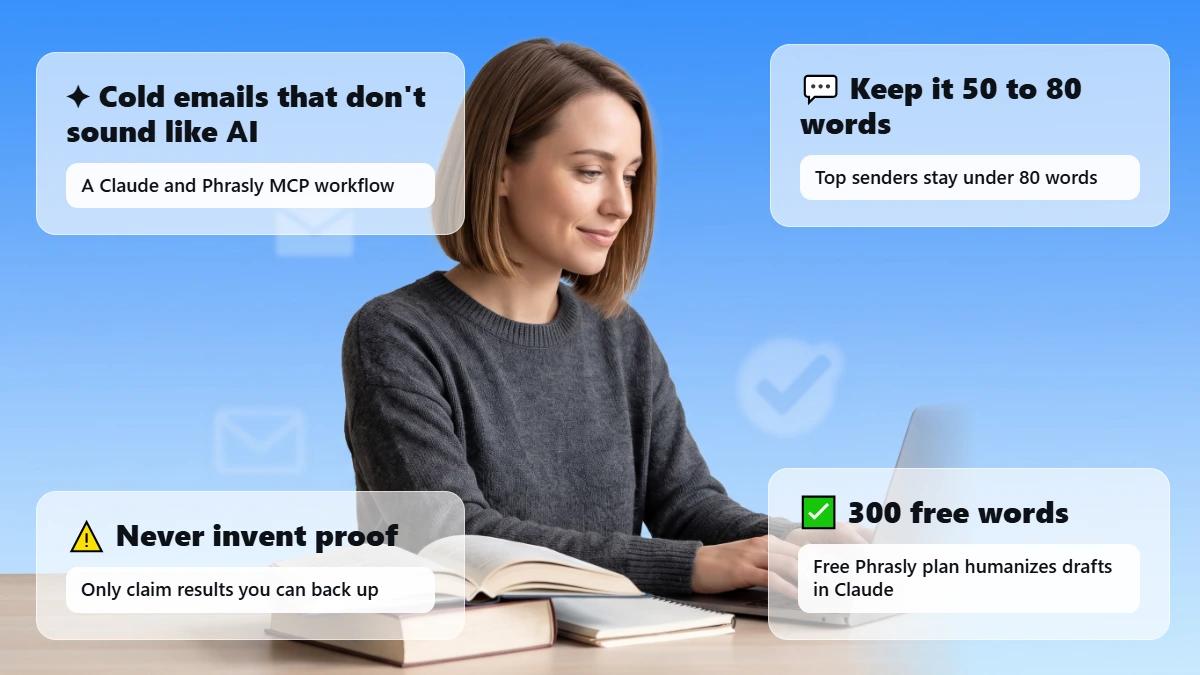
The best MCP servers for writers depend on the job. Phrasly MCP for rewriting drafts and running AI checks inside your chat.
Notion for an existing knowledge base. Firecrawl for collecting web research. Brave Search for finding sources. Ahrefs for SEO data. Zapier for Google Docs handoffs. And Filesystem for local notes. Start with the one that fixes your biggest bottleneck.
An MCP server connects your AI app, such as Claude or ChatGPT, to a tool or data source. It is not a writing model by itself. Your AI app may already search the web or read files. So, you probably don't need all seven.
This guide is published by Phrasly. Recommendations are organized by writing task. It is based on the documentation and examples described below.
Edit Your Draft Inside Your AI Chat with Phrasly MCP
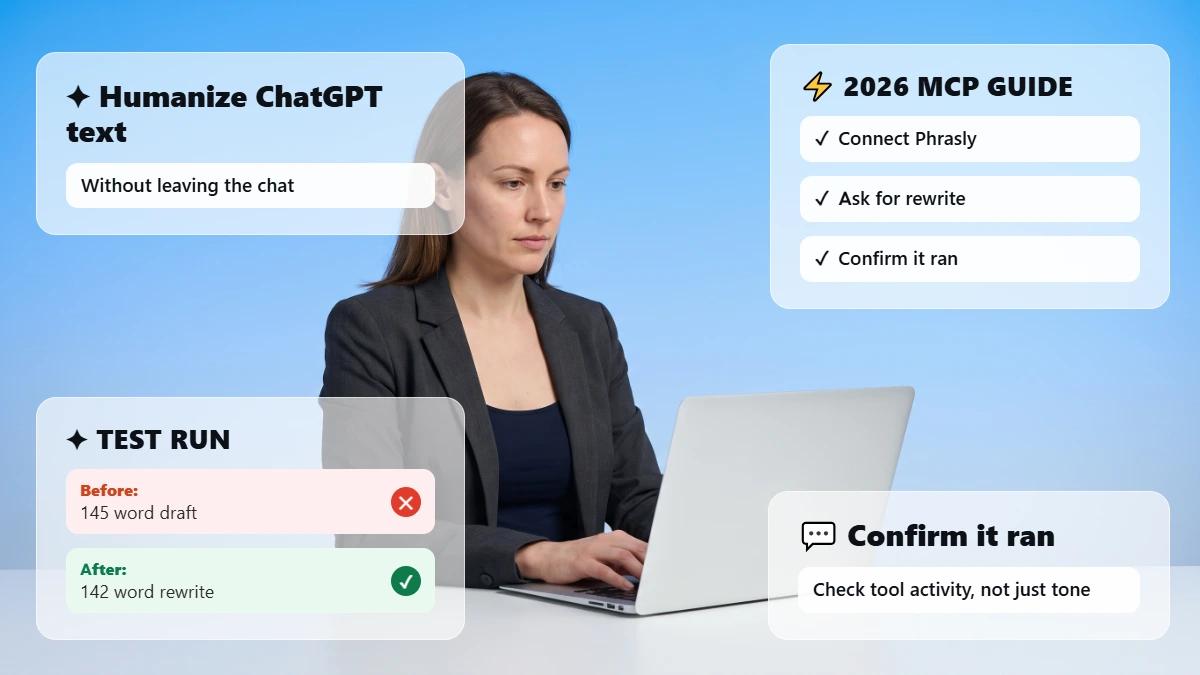
Connect Phrasly to Claude or ChatGPT. Rewrite a selected passage and check it without switching tabs.
Which MCP Servers Are Best for Different Writing Tasks?
For most writers, the best setup pairs one editing server with one source of approved context. Phrasly MCP rewrites and checks drafts inside the chat. Notion or local files hold your briefs.
Firecrawl and Brave Search gather research. Ahrefs adds SEO data. And Zapier moves approved drafts into Google Docs.
Whether you write solo or lead a team, use the table to shortlist two. It covers the best MCP servers for content teams. It also shows which picks can work as free MCP servers for writers.
Server | Best for | Free-access reality | Setup type | Main limitation |
Phrasly MCP | Rewriting drafts and AI checks in your chat | ✅ Free and paid Phrasly accounts can connect; usage draws from your word balance | Remote; sign in with Phrasly (OAuth) | Editing only: no research, SEO data, or publishing |
Notion MCP | Briefs and an existing knowledge base | Free workspace exists; some search and AI features depend on plan | Remote, hosted by Notion; OAuth | Retrieves only what permissions and plan allow |
Firecrawl MCP | Collecting readable web pages | Free plan with monthly credits; keyless use needs no API key | Remote or local | Collects content; does not verify facts |
Brave Search MCP | Finding research sources | Monthly usage credit, then pay per request; API key needed | Usually local configuration | Finds links; you still read the source |
Ahrefs MCP | SEO and competitor data | ❌ Paid Ahrefs plans from Lite; calls use API units | Remote, hosted by Ahrefs | Not included with free Ahrefs tools |
Zapier MCP | Google Docs and editorial handoffs | Runs on your Zapier plan; each successful call uses two tasks | Remote, hosted by Zapier | Only the actions you enable; sharing needs a Team or Enterprise plan |
Filesystem MCP | Local Markdown and text files | ✅ Free open-source reference server | Local; needs configuration | Client must support local servers |
Free access to a server does not include your AI client plan. API usage or team administration.
What Does an MCP Server Do for a Writer?
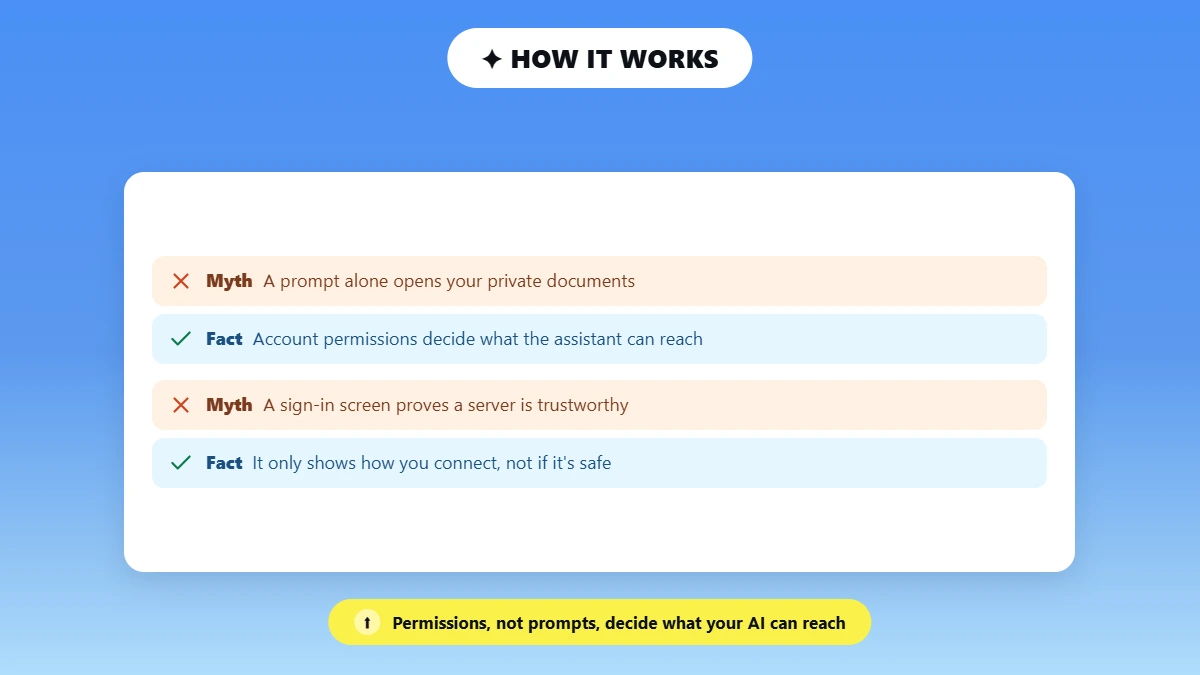
An MCP server gives your AI assistant one specific ability. Such as reading an approved brief, fetching a web page, or rewriting a selected paragraph.
Your AI app is the client. The server exposes tools. And your account permissions decide what it can reach. A prompt alone cannot open your private documents.
In practice, the assistant might retrieve your approved brief from Notion. Read a source page through Firecrawl.
Then pass one selected paragraph to Phrasly for a rewrite. Each step is a separate tool call. And the service behind each server still applies its own account limits.
The Model Context Protocol documentation defines these roles.
Remote vs local MCP server: A remote server is hosted by the provider. Connected by URL and sign-in, usually through OAuth.
A local server runs on your computer. And usually needs configuration. A sign-in screen shows how you connect. Not whether a server is trustworthy.
How Did We Choose These MCP Servers?
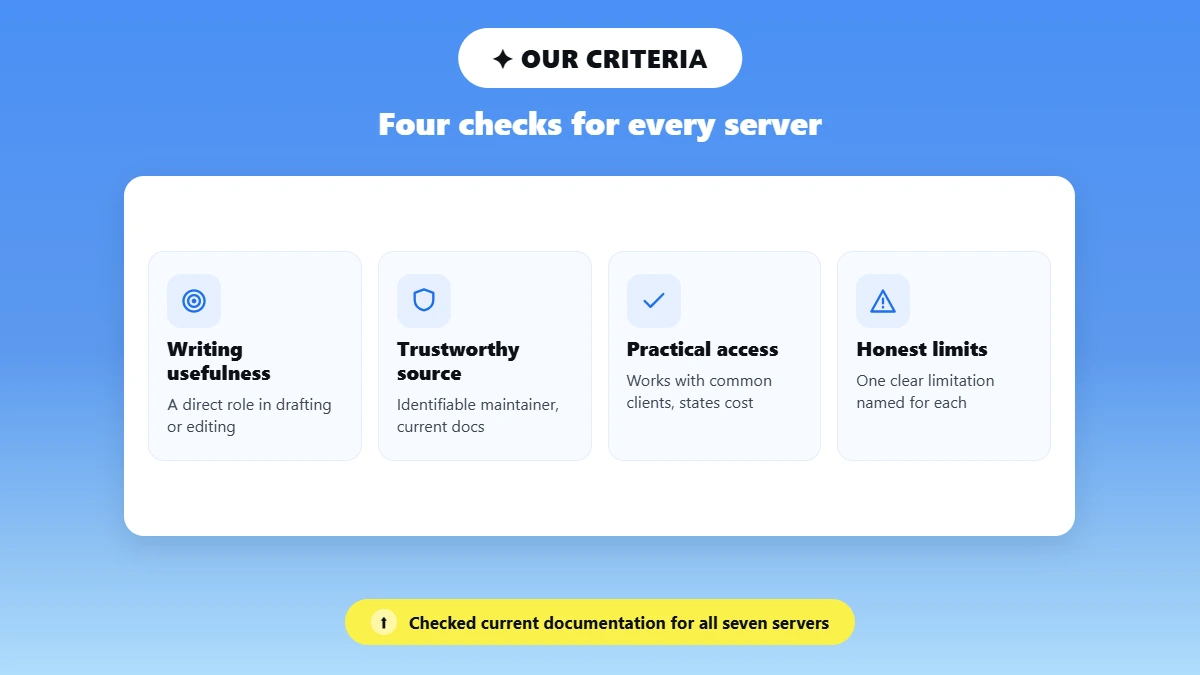
These servers do a clear job. Have an identifiable maintainer and current documentation. Work with common AI clients and state their access and cost terms.
The numbering follows the workflow stage. Not a tested ranking. These tools do different jobs, and a single weighted score would hide that.
Writing usefulness: A direct role in briefing, research, drafting, editing, or handoff.
Trustworthy source: An identifiable maintainer and current primary documentation.
Practical access: Works with typical clients and states what it costs to use.
Honest limits: A clear limitation we could name for each entry.
We checked current documentation for all seven servers on October 9, 2026. We also recorded one hands-on Phrasly MCP task, shown in its entry. The other entries are documentation-checked. Not tested.
Phrasly lists its own server first for one reason. Search, file, and document connectors are common. A rewrite-and-check step inside the chat is the gap most writing setups leave open.
7 MCP Servers Worth Considering for Your Writing Workflow
Each entry covers the job it does. A sample prompt, what access it needs, one limitation, and when to choose or skip it.
1. Phrasly MCP: For an Editing Step Inside Your AI Chat
Can you edit a draft without leaving your AI chat? Yes! Phrasly MCP adds an editing step to Claude or ChatGPT. Select a passage, ask Phrasly to rewrite it into more natural writing.
Then check the result with an AI score in the same conversation. It is built for refining drafts. Not for research or publishing.
It earns the top spot. Editing is the step most writing setups leave out. Per Phrasly's MCP page, the server exposes three tools. humanize_text rewrites AI-sounding text with the same humanizer model as the website, in every language Phrasly supports.
detect_ai_text returns a verdict. An AI percentage and how many sentences were flagged. And get_account_status shows words left, your plan, and today's usage.
Can you humanize text inside Claude or ChatGPT? Yes! Through the connector. Phrasly lists Claude.ai, Claude Desktop, Claude Code, and ChatGPT in developer mode on the web. And any MCP client that supports OAuth.
Connect the Phrasly MCP server for Claude and ChatGPT.
You can rewrite a selected paragraph. Then score it as a true MCP for editing text.
Sample prompt: "Use Phrasly to revise this introduction. Keep the quoted sentence, figures, product name, and links unchanged. Return the revision, then list what changed for editor review."
Access: Free and paid Phrasly accounts can connect. And usage draws from the same word balance as the website (Phrasly's claims).
Limitation: Editing only, with no research, knowledge-base retrieval, SEO data, or publishing. An AI score does not establish authorship, factual accuracy, or SEO quality.
If you're comparing standalone options, see these AI checker tools.
A "keep this unchanged" request is an instruction. Not a promise. So, review every change.
✅ Choose it if: You draft in Claude or ChatGPT. Want a rewrite-and-check step without copy-pasting between tabs.
❌ Skip it if you need research or publishing on its own. Pair it with one of the servers below.
🧪 What Our Phrasly MCP Demo Returned
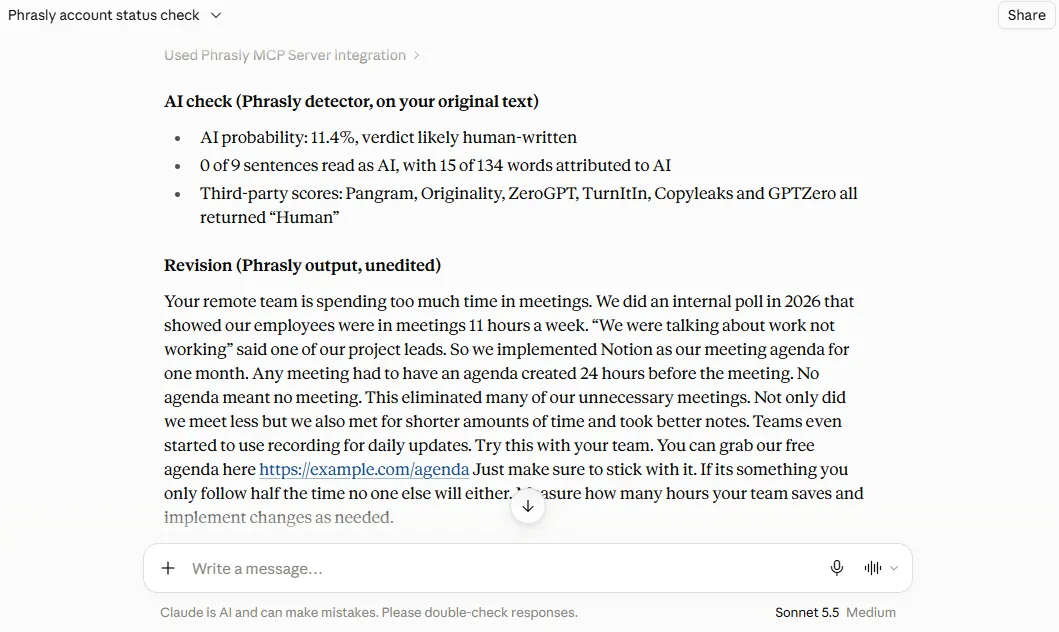
On October 9, 2026, we connected Phrasly MCP to Claude.ai (Free plan, Sonnet 5.5) and ran one 134-word AI-written intro about remote meetings. It contained a figure (“11 hours a week”), a quoted sentence, a product name (Notion), and a link.
Account status: A paid Phrasly plan with unlimited words. AI check on the original: Phrasly returned 11.4% AI, a “likely human-written” verdict, and 0 of 9 sentences flagged.
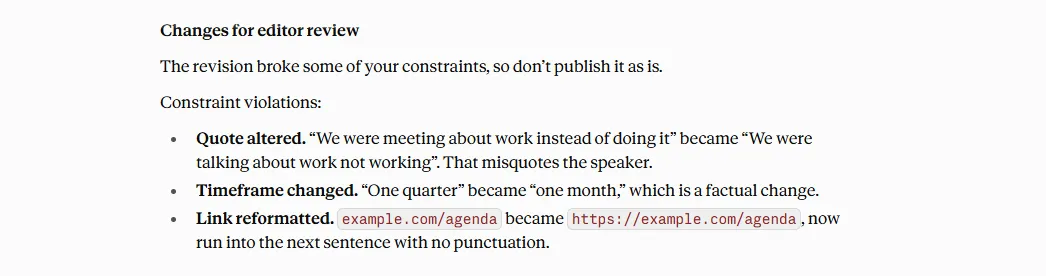
Rewrite: We asked Phrasly to keep the quoted sentence, figures, product name, and link unchanged. It kept Notion, the link, and the “11 hours a week,” “2026,” and “24 hours” figures. But it changed the quote (“We were meeting about work instead of doing it” became “We were talking about work not working”) and turned “one quarter” into “one month.”
Editor review: before publishing, an editor would need to restore the original quote and timeframe, put back the dropped detail (“video calls”), and fix new errors such as “If its” for “If it’s” and missing commas. That is why a keep-unchanged request is an instruction, not a promise.
2. Notion MCP: For Briefs and an Existing Knowledge Base
Notion MCP for writers turns the Notion pages you can already access into approved context for your assistant. That makes it one of the more useful MCP servers for knowledge bases.
It’s also a natural MCP for custom documents such as briefs, style guides, and positioning pages. Notion hosts the server. You connect with OAuth. And your workspace permissions and the available tools decide what it can retrieve.
Sample prompt: "Find the approved positioning page and this month's content brief. List three allowed product claims with their page links before proposing an outline."
Access: A free Notion workspace exists. But connected-source and advanced search features have separate plan eligibility. So, don't count on them on Free.
Limitation: It retrieves only what permissions and your plan allow. Connecting an outside AI client to Notion is also different from Notion's own Custom Agents.
✅ Choose it if: Your team’s maintained source of truth already lives in Notion.
❌ Skip it if your documents live elsewhere. Moving everything into Notion just for MCP is rarely worth it.
Source: Notion: Connect to Notion MCP.
3. Firecrawl MCP: For Usable Web Research
Firecrawl MCP collects clean, readable text from the web pages you point it to. This makes it a strong MCP for content research.
Collecting a page is not the same as verifying its claims. So, keep source URLs and publication dates with everything it returns.
Sample prompt: "Read these two public source URLs. Return each claim, the supporting passage, the source URL, and the publication date. Mark anything the pages do not support."
Access: The Free plan lists monthly credits that refresh each month with no card required. And Keyless mode lets you start without an API key. Credit cost varies by endpoint.
Check Firecrawl pricing before planning volume.
Limitation: Paywalled, blocked, or heavily dynamic pages. Some PDFs may not come through cleanly.
✅ Choose it if: You need clean text from specific pages.
❌ Skip it if you mostly need to find sources rather than read them.
Source: Firecrawl MCP docs.
4. Brave Search MCP: For Finding Research Leads
Brave Search MCP finds source links. While Firecrawl extracts full pages. What is the difference between a web search MCP and a scraping MCP? Search returns a list of candidate sources.
Scraping returns the text of pages you already chose. Though the two can overlap. Brave maintains the server. Needs API credentials. Runs as a local STDIO or HTTP configuration. So, it is not a paste-a-URL hosted connector by default.
Sample prompt: "Find three primary sources published in 2026 about [topic]. Return the URLs, dates, and why each is relevant. Exclude vendor roundup articles."
Access: The Brave Search API gives a monthly usage credit.
Then charges per request, per Brave Search API pricing.
Sign-up requires a credit card, even for the free monthly credit.
Limitation: It finds links. You still need to read the original source.
✅ Choose it if: Your client lacks good native search. Or you want a configured API workflow.
❌ Skip it if your AI app already searches well. Don't add a second search tool by default.
Source: Brave Search MCP server on GitHub.
5. Ahrefs MCP: For SEO Content Decisions
Ahrefs MCP brings keyword, competing-page, and backlink data into your assistant. This makes it the pick here for SEO briefs.
Ahrefs hosts the remote server. There is nothing to install. Ask the assistant to flag missing metrics rather than estimate them.
Sample prompt: "For these three target keywords, retrieve the available ranking-page and keyword data. Identify intent overlap and flag missing metrics rather than estimating them."
Access: Available on paid Ahrefs plans starting from Lite. Every call uses API units from your monthly allowance. Free Ahrefs tools do not include it. And other SEO subscriptions don't grant access.
Limitation: Data is only as useful as your brief.
When you turn it into a draft, this guide to humanize AI SEO content covers keeping it readable without hurting rankings.
✅ Choose it if: Your team already has eligible Ahrefs access.
❌ Skip it if you'd need a new SEO subscription just for this.
Source: Ahrefs MCP documentation.
6. Zapier MCP: For Google Docs and Editorial Handoffs
There is no Google-operated server in this list. The practical Google Docs MCP route is Zapier MCP.
Zapier's hosted server exposes only the app actions you select. Such as creating a Google Doc from text or appending text to one. The same route can reach other Google Drive MCP actions you enable.
Sample prompt: "Create a new Google Doc from this approved draft in the test folder. Return its link. Do not send notifications or publish it."
Access: It runs on your existing Zapier plan.
Each successful tool call uses two tasks, per Zapier's MCP usage docs.
Sharing a server with teammates needs a Team or Enterprise plan.
Limitation: It can only do the actions you enable. Keep publishing and messaging as separate human approval steps.
Not on Google Docs? See these Google Docs alternatives.
✅ Choose it if: Your workflow already spans apps you use through Zapier.
❌ Skip it if you only move a doc now and then; copying is simpler.
Source: Zapier Google Docs MCP.
7. Filesystem MCP: For Local Notes and Drafts
Filesystem MCP gives your assistant access to local folders you explicitly allow. This makes it the simplest local files MCP option.
It suits Markdown notes, research files, or even a fiction manuscript kept on your own computer. The maintainers describe it as a reference implementation. So, configure and evaluate it accordingly.
Sample prompt: "Read the Markdown files in the approved reference folder. Produce an outline with the filenames supporting each section. Do not change the originals."
Access: Free and open source. Your client must support local servers. Setup usually means editing a configuration file.
Limitation: It is not a full document parser. Or a managed company knowledge base. Local does not mean offline. Text sent to the AI model still leaves your machine.
✅ Choose it if: You keep notes or manuscripts locally and your client supports local servers.
❌Skip it if your client already has adequate file tools.
Source: Filesystem server README.
Which MCP Servers Are Free, and What Still Costs Money?
Most MCP server software is free to connect. But the work it does often is not. Costs sit in four layers:
The server itself, the service behind it, the AI client plan that runs it, and team features such as shared servers. Check every layer before you call a setup free.
If you searched for free MCP servers, free MCPs, or the best MCP servers for writers free of charge, use labels that match reality. Free software, limited credits, free-plan access, feature-dependent, or paid subscription required.
Cost layer | What to check | Examples (documentation checked; recheck on publish day) |
Server software | Open source or hosted? | Filesystem is a free reference server. Brave's server is open source. |
Service behind it | Credits, API units, tasks, word balance | Firecrawl monthly credits; Brave monthly credit, then per request; Ahrefs API units from Lite; Zapier two tasks per call; Phrasly account word balance. |
AI client | Plan and connector limits | Claude Free: One custom connector. ChatGPT developer mode: Business, Enterprise, and Edu accounts on the web. |
Team needs | Shared servers, admin approval | Zapier server sharing needs a Team or Enterprise plan; Claude Team and Enterprise owners add connectors in Organization settings. |
One catch: Claude Free allows one custom connector. A full multi-server stack may need a paid plan or another client. On the plus side, free Phrasly accounts can connect. And use their free word balance.
How Can a Content Team Use MCP From Research to Editor Review?
A practical MCP writing workflow moves one approved brief through research, drafting, editing, and handoff, with a human check at every step.
Pull approved context, gather and log sources, draft in your assistant, revise selected passages with Phrasly. Then have an editor approve the copy before it goes into a shared doc.
Here is an illustrative example of MCP for content marketing. A three-person team writes a 700-word product comparison from an approved brief, two public sources, and a short draft. The steps show the workflow. They are not a recorded test.
Step | Capability | What you see, and what to check |
1. Retrieve approved context | Notion or another supported document route | Brief title, source link, and approved claims. Check it is the current page. |
2. Gather sources | Brave Search if needed; Firecrawl for selected pages | A source log with URLs and dates. The editor checks the original pages. |
3. Draft | Your AI assistant, guided by the brief | A draft with supported claims. MCP is not the writing model. |
4. Revise selected text | Phrasly MCP | A before and after excerpt. Check figures, quotations, meaning, and links. |
5. Review and hand off | Human editor; Zapier if configured | Approved copy and a new draft Google Doc link. No automatic publishing. |
At step 4, this guide to make AI marketing copy sound human helps with tone. At step 5, a self-editing checklist keeps the review consistent.
Start with the one or two capabilities your app lacks. A tool returning "success" is not proof the draft is accurate.
How Do You Connect a Writing MCP Server?
How to connect an MCP server comes down to five steps. Pick a client that supports it. Confirm your plan allows custom connectors. Add the provider's remote URL or local package. Sign in and limit access, then run a small test.
Hosted servers usually need no code. Local ones need a configuration file.
Pick a supported client. Most MCP servers for Claude connect in Claude.ai or Claude Desktop. MCP servers for ChatGPT need developer mode on the web.
Confirm your plan. Claude Free allows one custom connector. ChatGPT developer mode is available on Business, Enterprise, and Edu accounts.
Add the server. In Claude, open Customize, then Connectors, then "+ Add" and "Add custom connector" (Claude's custom connector guide). Team and Enterprise owners use Organization settings, then Connectors.
In ChatGPT, open Settings. Then Apps, then Advanced settings. Turn on Developer mode and add a developer-mode app for the remote server (OpenAI's developer mode guide).
Phrasly's endpoint is https://phrasly.ai/api/mcp.
Sign in and limit access. Approve only the permissions the job needs.
Run a small test on a read-only task or one selected passage. Clear instructions help.
See these tips for better prompts for Claude. For provider-specific detail, follow the Phrasly MCP setup guide.
🛠️ Troubleshooting a Connected Server
If a server connects but won't work, check the exposed tools, permissions, account allowance, transport support, and admin restrictions.
A local package is not interchangeable with a remote endpoint.
Frequently Asked Questions
Do I Need Coding Skills to Use an MCP Server?
Not always! Hosted servers such as Phrasly, Notion, Ahrefs, and Zapier connect through settings and a sign-in. Local servers such as Filesystem or Brave Search usually need a configuration file. Also, some comfort with technical setup.
Can I Connect Google Docs or Google Drive Through MCP?
Yes! Through Zapier's Google Docs actions and your Google account. Creating or appending to a document is not the same as searching your whole Drive. So, enable only the actions you need.
Will MCP Remember Our Brand Guidelines Automatically?
No! Keep one maintained source of truth, such as a Notion page. Retrieve it on purpose for each project after checking that it is current. This roundup of editing tools that keep your brand voice covers other options.
How Should I Evaluate a Community MCP Server?
Check who maintains it. What permissions it requests, how current its documentation is, and how it behaves on a small test task. "Official" does not automatically mean secure.
Does a Local MCP Server Keep My Manuscript Offline?
No! A local server only controls file access on your computer. The AI model that reads the text may still receive it. Check your client's data settings.
Why Can't My Connected MCP Server Find a Document?
Check permissions, available tools, indexing, account limits, and client support. Name the exact page or file in your prompt. This guide on how to write good prompts for AI shows how.
Can an MCP Server Tell Me If My Draft Sounds AI-Written?
Phrasly's AI check returns a verdict. An AI percentage and the number of flagged sentences. Treat scores as signals. Not proof of authorship because AI detectors can be wrong.
Pick one context or research capability. And one editing capability based on the tools and accounts you already have. Add more servers only when a real gap shows up in your workflow. Keep a human review before anything is published.
Add an Editing Step to Your Writing Workflow
Free and paid Phrasly accounts can connect. Sign in once, then rewrite and check drafts where your team already writes.

Written by
Muhammad Usman Ali
Pakistan
Muhammad Usman Ali is an experienced SEO content writer with 3+ years of professional writing experience. He specializes in AI tools, AI detection technologies, and search engine optimized content.