
How to Write Good Prompts for AI (And Finally Get the Output You Actually Want)
Most people write AI prompts the way they type Google searches and wonder why the output disappoints. Here's what to do instead.
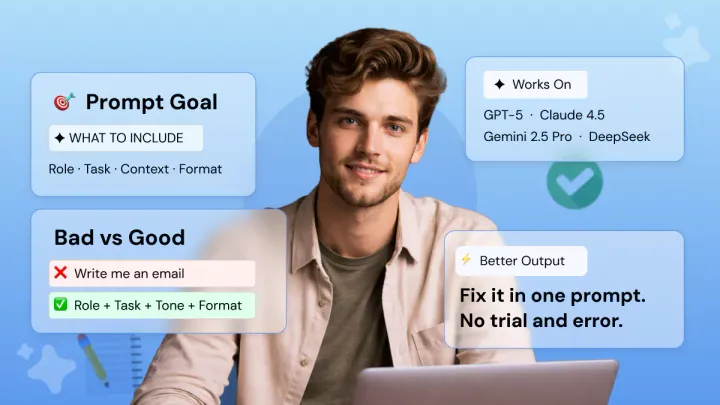
You open ChatGPT or Claude, type a question, press enter, and receive something vague, generic, and totally useless. Sound frustrating? It's not the AI's fault.
Most people don't know how to write good AI prompts, simply because nobody ever taught them how.
Get 7 actionable rules, actual before/after examples, and techniques that work on GPT-5, Gemini 2.5 Pro, Claude 4.5, and DeepSeek. No jargon and no framework memorization. Just reliable results every time.
What Makes a Good AI Prompt?
A good AI prompt contains clear, structured instructions that provide the model with the role, task, context, and format it needs to generate a useful response.
The difference between a good prompt and a bad one isn't length.
It's specificity and instruction following. Many prompts are written as someone would type into Google. Short phrases strung together with the hope that it knows what you mean.
A good prompt resembles more of a contractor brief: who you are, what you want, who it's for, and how it should look. Here's the difference in practice:
These four rules: role, task, context, and format, underlie every framework for prompt engineering. They apply to GPT-5, Gemini 2.5 Pro, and Claude 4.5 just the same.
The natural language input you write is just a structured instruction in plain English. No coding required.
Prompt Frameworks: Do You Actually Need Them?
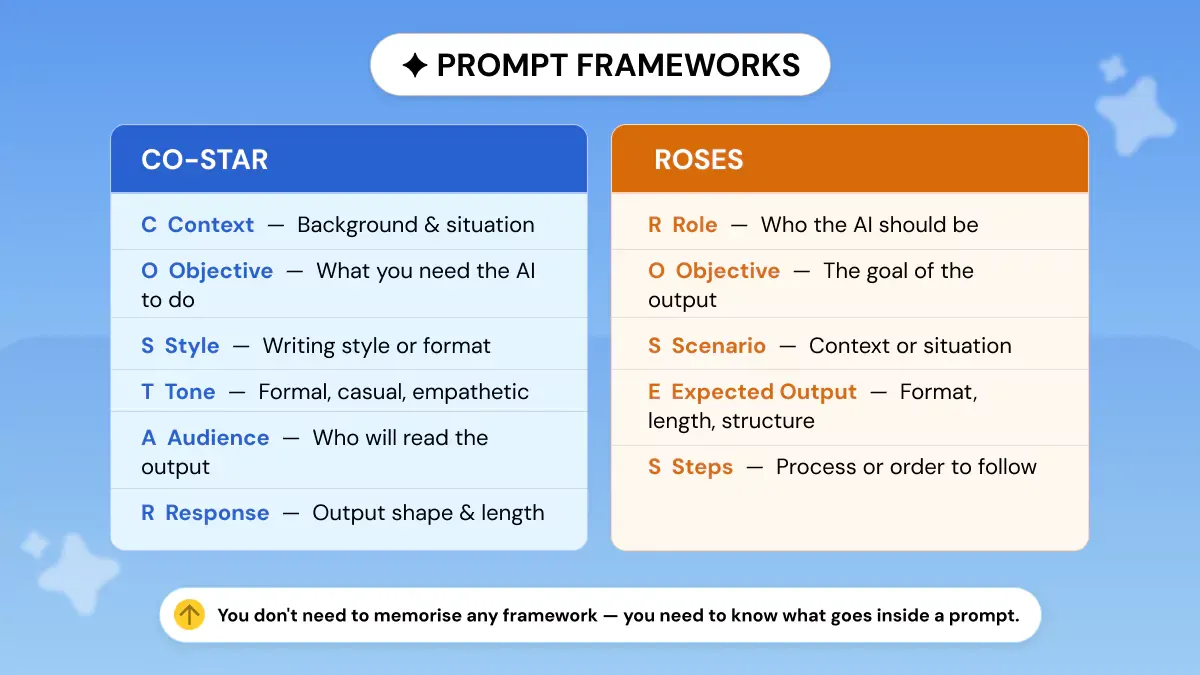
Frameworks like CO-STAR and ROSES just organize those same four ingredients differently.
CO-STAR: Context, Objective, Style, Tone, Audience, Response.
ROSES: Role, Objective, Scenario, Expected Output, Steps.
They're both useful checklists, but you don't need to memorize either of them. What you need to know is what goes into a prompt. Prompt engineering sounds complicated, but it's just careful instruction-writing.
Phrasly's AI Prompt Generator applies the right framework automatically based on your goal so you get a structured prompt template without thinking through the components yourself.
Skip the Frameworks: Generate Your Prompt Automatically 👇
Step 1: Define What Kind of Output You're Actually Asking For
This is the most skipped step in AI prompt writing.
Don't write until you know this: Are you creating something new, editing existing content, extracting data, or seeking a recommendation?
Every type of task requires a completely different prompt. If you try to make everything a "write this," you put the model in its blandest default mode, which is why so many AI-generated responses feel off-target.
The 4 Prompt Task Types and How They Change Your Approach
- Generation prompts: creating from nothing: blog posts, emails, social captions, proposals
- Transformation prompts: rewriting, summarizing, or translating existing content
- Extraction prompts: pulling specific information from a document or dataset
- Analysis / decision prompts: evaluating options, giving recommendations, critiquing work
Knowing which type you're writing changes how you structure the entire prompt.
Step 2: Write the Prompt Using the Right Structure for Your Task
Not every task needs the same prompt anatomy. Here's how to structure each of the four task types, with real professional examples.
For Generation Prompts: The 5-Part Build
Use this sequence: Role 🡪 Audience 🡪 Task 🡪 Constraints 🡪 Format.
For Transformation Prompts: Data First, Instructions Last
Always paste the content you want transformed before giving the instruction. This works because of how the context window processes input.
Models read everything before responding, so providing context first produces more accurate transformations.
For Extraction Prompts: Structure the Output Before You Ask
Before you ask your question, tell the AI what form the answer should take.
This will stop the model from summarizing when you want a table or telling a story when you want figures.
For Analysis Prompts: The Flipped Interaction Pattern
Don't try to anticipate the AI's information needs. Let the AI ask you. It's the least utilized professional prompting strategy, and it will yield the most precise, customized suggestions.
This works especially well for vendor decisions, strategy reviews, campaign planning, and creative direction calls.
Step 3: Test It Once Before You Rely On It
The majority of people will try out a prompt once, see subpar results, and either use it anyway or abandon it.
Consider your first run always as a diagnostic, rather than for evaluating output quality.
Try your prompt out, analyze the output, then tweak one variable until you're satisfied before running it at scale. Tweak one thing at a time, or you'll never know what solved your issue.
The 3-Question Output Audit
After any first run, ask yourself:
- Did it follow my format instructions exactly?
- Did it match the right audience and tone?
- Did it miss any key information I provided?
If the answer is no to any question, you have pinpointed precisely where you need to revise, and you don't have to rewrite the whole prompt.
Step 4: Fix a Failing Prompt Without Starting Over
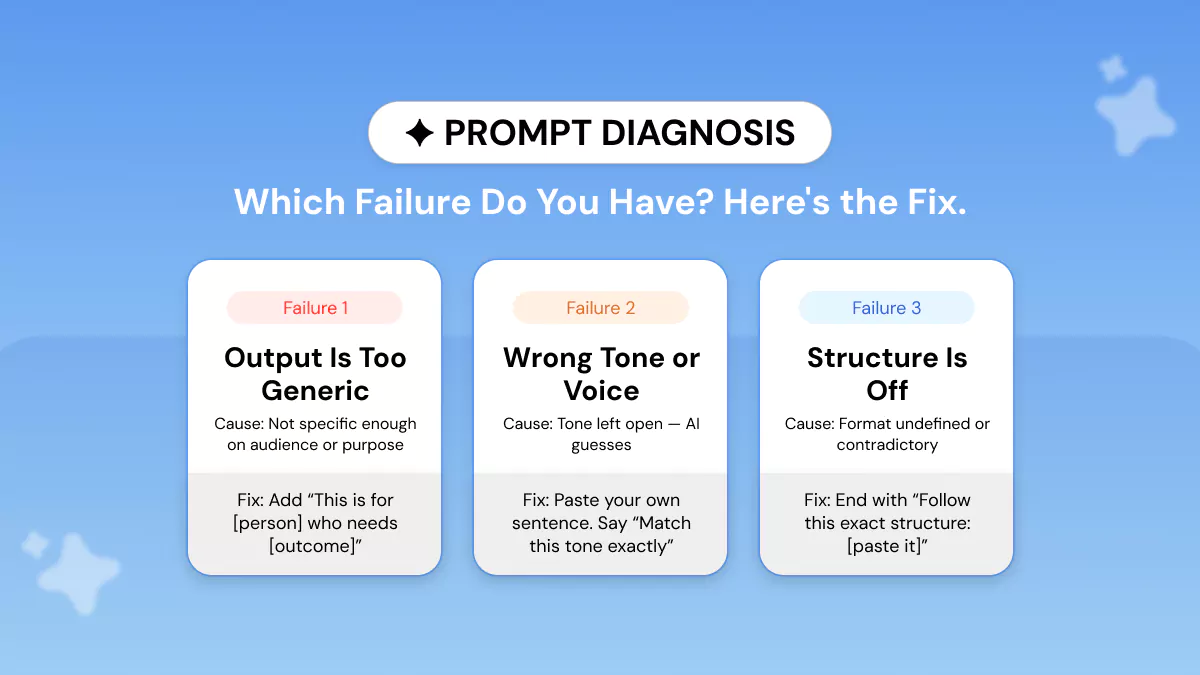
The first mistake people make when the output is incorrect is trying to rewrite the entire prompt. That is the slow solution. Figure out which of the three failure types below you're suffering from, then apply the targeted fix.
Failure Type 1: Output Is Too Generic
Cause: not enough specificity on the audience and purpose.
Fix: add "This is for [specific person] who needs to [specific outcome]." Change nothing else: isolate the variable, then test again.
Failure Type 2: Wrong Tone or Voice
Cause: tone was left undefined, so the model chose a generic default.
Fix: paste one sentence from your own writing and say: "Match this tone exactly: [your example sentence]." This is far more reliable than adjectives like 'conversational' or 'professional.'
Failure Type 3: Output Is Structurally Off
Cause: format was undefined or contradictory.
Fix: close your prompt with an explicit format block. "Your response must follow this exact structure: [paste structure here]." Models weigh the end of a prompt heavily, so placing format instructions last produces more consistent results.
Step 5: Build Prompts That Work Consistently, Not Just Once
Professionals don’t need one great piece of output. They need consistent output quality across 20 emails, 50 Facebook posts, or an entire quarter of content. This is where most prompt writing tips fall short.
Save Your Best Prompts as Templates with Variables
Once a prompt works, strip out the specifics and replace them with [VARIABLE] placeholders.
Example: a working LinkedIn post prompt turned reusable:
Phrasly's AI Prompt Generator does this automatically. It turns any working prompt into a reusable prompt template.
Reverse Prompting: Capture What Worked
Take your best AI output ever. Feed it back to the model with this instruction:
This lets you reverse-engineer success instead of guessing your way back to it. This technique is especially powerful when you produce great output by accident and want to replicate it systematically.
How Often Should You Refresh a Prompt?
Updates to models can cause well-working prompts to drift. GPT-5.4 updates, Gemini 2.5 Pro updates, new Claude 4.5 releases, etc. Re-run core templates after major model updates, particularly if your output requires specific tone or formatting.
The Perfection Loop: GPT-5 Trick
Add this to the end of any important prompt:
Write higher-quality first drafts with this popular GPT-5 prompting technique. It’s great for strategy memos, proposals, and other long-form content. You can also combine it with chain-of-thought prompting for analytical tasks.
Real Prompt Examples by Professional Use Case
Below are examples of the five-step process applied to four typical workplace tasks. Each pair includes a weak prompt and a strong prompt.
Writing a Professional Email (Generation)
Summarizing a Long Document (Transformation — Data First, Instructions Last)
Getting a Recommendation on a Decision (Flipped Interaction Pattern)
Writing Consistent Social Posts Across a Month (Few-Shot Prompting + Template)
This is where few-shot prompting providing examples of the style you want, combined with a prompt template, becomes a genuine professional multiplier.
Does the Same Prompt Work on GPT-5, Gemini 2.5 Pro, and Claude 4.5?
Yes! The four core ingredients (role, task, context, format) work universally across every major large language model (LLM). The same well-structured natural language input will outperform a vague prompt on any platform.
That being said, each model has quirks you should be aware of if you plan on tweaking your output to be of higher quality.
Quick Model-by-Model Prompting Notes
- GPT-5 / GPT-5.4: follows instructions very literally. Eliminate contradictions, be explicit about every constraint, and use the Perfection Loop for complex tasks.
- Gemini 2.5 Pro: benefits from format constraints alongside examples. Without guidance, it defaults to its own structure. Pair instructions with a desired output example. This dedicated guide on prompts for Gemini AI walks through this in detail.
- Claude 4.5: heavy context processor. Place background, examples, and documents before the task instruction. 'Data first, instructions last' is especially effective here. See this guide on how to write better prompts for Claude AI for model-specific tips.
- DeepSeek: responds well to structured, step-by-step instructions. Use numbered steps in your prompt for technical and analytical tasks.
Phrasly's AI Prompt Generator handles cross-model optimization automatically. Select your target model, and it adapts the prompt structure accordingly.
Generate Prompts with AI Prompt Generator
Good prompts follow the same four key components: role, task, context, and format, no matter what AI tool you work with. Don't try to memorize a new framework for every model.
Apply the best way to write AI prompts from this guide. Specify the task type, construct the proper structure, review the first output, and repurpose your success as a template.
Just follow those steps, and you'll eliminate the difference between your current AI results and its true potential.
FAQs
What makes a good AI prompt?
A good prompt provides four things to the model: a role to take on, a clearly defined task, the context it needs to do that task, and the output format you want.
When these are missing, the model just uses its built-in defaults, and AI-generated responses suffer from that.
How do I write a prompt for ChatGPT?
Use the 5-Part Build: Role, Audience, Task, Constraints, and Format. Start broad and add detail until the output matches what you need. For more professional use cases and examples, see this guide to the best ChatGPT prompts for professionals.
What is prompt engineering, and do I need to learn it?
Prompt engineering is the act of structuring instructions that will reliably yield high-quality outputs from AI. There's no need to study it all. The four ingredient framework covers 90% of real world scenarios.
If you want to go deeper, this guide on prompt optimization techniques covers advanced strategies worth bookmarking.
Does the same prompt work on ChatGPT, Claude 4.5, and Gemini 2.5 Pro?
Yes! All major large language models use this basic framework. Each model has slight stylistic biases (as mentioned above), but a good prompt will perform better than an ambiguous one on all models.
What is chain-of-thought prompting, and how do I use it?
Chain-of-thought prompting instructs the model to think through a problem step-by-step prior to answering.
Prefacing any analysis-style prompt with "Let's think step by step" yields better results than a straightforward answer, particularly with complex/multi-variable decisions.
For simpler tasks, zero-shot prompting giving the model a clear instruction with no examples, is often all you need.
Is there a tool that writes AI prompts for me automatically?
Yes! Phrasly's AI Prompt Generator builds optimized prompts based on your goal, audience, and target model. It applies the right structure automatically, so you don't have to think through the components every time.


Keep reading

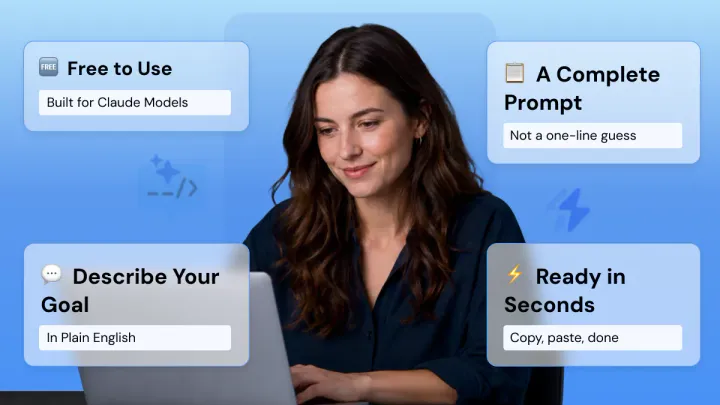
Claude Prompt Generator: Build Better Prompts for Claude AI (Free Tool)
Learn how a Claude prompt generator builds better prompts for every Claude model, from Sonnet 4.6 to Fable 5. Includes ready-to-use XML templates, effort levels, and a free tool.


50 Highest-Engagement AI Prompts for LinkedIn, Instagram, and X for marketers
Learn the prompt frameworks behind top-performing social posts, avoid common AI prompting mistakes, and use proven templates to scale your content creation across every platform.