6 AI Tools That Reduce Editing Time While Keeping Brand Voice
17 min read
The right AI tools that reduce editing time while keeping brand voice depend on the problem you need to fix. This comparison focuses on post-draft editing, not AI writing from scratch. A text enhancer is useful when your draft is already on-brand but needs clearer wording, smoother flow, or a tighter tone.
A humanizer is better when AI-generated copy sounds repetitive or formulaic. Brand voice platforms are useful when teams need saved voice profiles and shared writing rules. AI brand voice software can also help teams apply those rules more consistently across different writers, content types, and channels.
Whatever tool you choose, the goal is the same: edit faster without changing your meaning, terminology, keywords, or CTA. Your voice should remain consistent, while the tone can adapt to the audience and channel.
💡 Draft inside ChatGPT or Claude? Bring Phrasly's humanizer and AI detector into that same chat with the Phrasly MCP server 👇
Quick Pick: Which AI Editing Tool Fits Your Needs?
Your Need | Best Category |
|---|---|
Tighten clarity, flow, and tone in a draft you wrote | Text enhancer (Phrasly Text Enhancer) |
Make a formulaic AI draft sound natural | Humanizer (Phrasly Humanizer) |
Humanize and detect without leaving your AI chat | MCP server (Phrasly MCP) |
Use an AI writing editor for marketing with established brand rules | Brand Voice Platform |
Manage several formal brand profiles | Jasper |
Enforce terminology across an enterprise | Writer |
Get inline brand-tone guidance | Grammarly Business |
Apply voice inside your marketing platform | HubSpot |
Connect voice with GTM workflows |
Why Faster AI Editing Can Still Create More Work
AI editing can reduce repetitive work, but faster rewriting does not always mean less editing overall. Aggressive edits can flatten distinctive phrasing, alter meaning, or replace brand-specific language with generic copy. The result may look polished while still being off-brand, creating hidden rework for editors.
A light AI edit works best when a draft already has the right message and voice. It can improve clarity, flow, and repetition without changing the substance. The risk increases when a tool rewrites too aggressively and starts making decisions that should belong to the writer or editor.
First Page Sage's 2026 research found that 41% of marketing teams spend 5 to 20 minutes reviewing AI drafts, while another 15% spend 20 minutes or more on deep revision. Only 9% publish AI-generated content without human edits. AI can speed up content production, but teams still spend time reviewing and revising the output before it is ready to publish.
For example, a tool might replace an approved product term with a more common phrase, turn a specific CTA into generic copy, or rewrite a claim in a way that changes its meaning. These changes can be easy to miss because the final copy may sound smoother.
💡 The aim is to edit AI content faster without losing what makes the brand recognizable. Your core voice should stay stable, while tone can adapt to the audience, channel, and context.
What Should an AI Editing Tool Preserve?
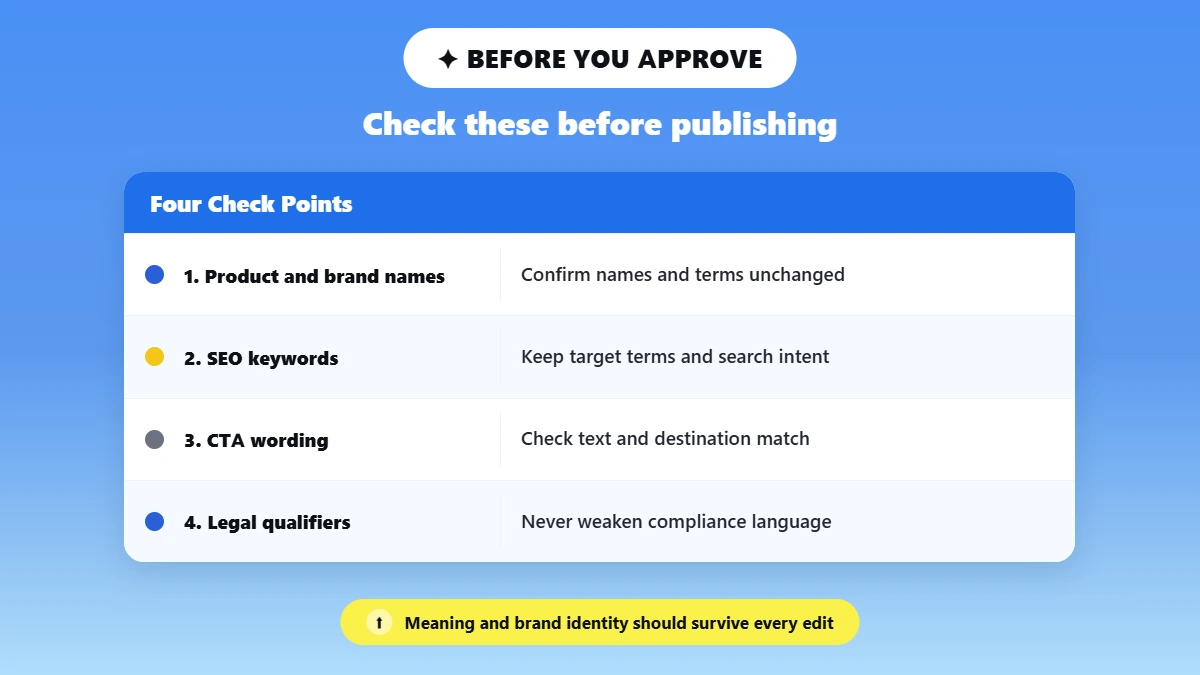
An AI editing tool should preserve the parts of your content that carry meaning and brand identity, including your core claims, terminology, product names, keywords, CTA, point of view, and important qualifiers. It can improve clarity, flow, and tone, but the edit should not create meaning drift or remove details your team needs to keep consistent.
Before approving an AI-edited draft, check these elements:
Core claim and meaning: Make sure the original message and intended claims remain accurate. A final claim accuracy check is especially important when AI changes sentence structure or qualifiers.
Product and company names: Check that names, titles, and branded terms have not been changed.
Approved terminology: Keep the words your company has chosen to describe products, services, features, and processes. Maintain these terms in a shared term bank so writers and editors can check them consistently.
SEO keywords: Confirm that important target terms have not been removed or replaced unnecessarily. Keyword retention matters when an AI edit changes phrasing for readability but the original search intent still needs to be preserved.
CTA wording and destination: Make sure the CTA still says what you intended and points readers to the correct destination. This CTA integrity check should happen after every substantial AI rewrite.
Brand point of view: The edit should still reflect how your company communicates and what it stands for.
Sentence rhythm: Watch for rewrites that make distinctive phrasing sound generic or overly uniform.
Channel-appropriate formality: A LinkedIn post, landing page, email, and sales document may need different tones without changing the underlying voice.
Legal or compliance qualifiers: Never let an edit remove or weaken wording that qualifies an important claim.
Statistics: Recheck every number, percentage, date, and factual claim after editing.
Small Brand Voice Example
A simple voice card might include brand voice examples that define the brand as clear, confident, and conversational, while avoiding language that sounds overly corporate, exaggerated, or generic.
A more detailed guide can include preferred terminology, prohibited phrases, the desired point of view, and the exact CTA that must remain unchanged. Brand voice guide template examples can help teams structure these rules, while brand tone of voice examples can show how the voice adapts across different channels.
When an AI edit leaves behind repetitive wording or filler, a tool from our list of best AI text cleaners can help with that specific cleanup task.
6 AI Tools for Faster Editing Without Losing Brand Voice
The right AI editing tool depends on what is slowing down your editing process. Some tools are built for quick post-draft refinement, while others focus on persistent brand voice, terminology, or team-wide content governance.
For a broader comparison of editing tools, see our guide to best AI tools for editing writing.
We reviewed each option based on its documented use case and features rather than treating every tool as interchangeable. The goal is to match the editing problem to the tool that is actually designed to solve it.
Verification note: Feature availability and vendor claims were checked against official product documentation on September 9, 2026. Features, plans, and capabilities can change, so confirm current details on the linked vendor pages before making a purchasing decision.
1. Phrasly: Best for Fast Post-Draft Refinement
Phrasly is a strong fit when you already have a draft and want to improve its clarity, tone, vocabulary, or flow without turning the editing process into a full rewrite. Its tools address different editing problems, so you can choose based on what the draft actually needs.
Text Enhancer: Use this when the draft is already close to your intended voice but needs refinement. Phrasly Text Enhancer offers Easy, Medium, and Aggressive enhancement levels and provides five versions of the enhanced text. Easy works best for light polish, while Medium is better when clarity, phrasing, or structure needs more work. Avoid Aggressive when exact wording or meaning matters most.
For a broader comparison of tools in this category, see our guide to best AI text enhancers.
Humanizer: Use this when an AI-generated draft sounds repetitive, stiff, or formulaic. The Humanizer restructures sentence patterns and phrasing to make AI-generated writing sound more natural. It offers Easy, Medium, and Aggressive modes and includes an integrated AI detector. This makes it useful when you need more natural-sounding marketing copy without changing the substance of the draft.
In your AI chat (MCP): If you draft inside Claude or ChatGPT, the Phrasly MCP server connects the same humanizer and AI detector to your chat window and other MCP-compatible clients. It runs on the same engine and word limits as the website, and your results still save to your Phrasly document history
Do not automatically run every draft through both tools. Choose the tool that matches the problem, keep the original version available, and check locked claims, keywords, product names, and CTAs after editing.
💡 Dealing with a robotic or formulaic AI draft? Make it read naturally with Phrasly AI Humanizer 👇
2. Jasper: Best for Dedicated Multi-Brand Management
Jasper is better suited to teams that need brand voice and style rules to carry across content creation at scale. According to Jasper, its Brand Voice can analyze uploaded writing samples to create a personalized voice, while its Style Guide can apply rules covering grammar, punctuation, and branded terminology.
Jasper also supports multiple Brand Voices and style guides for different brands, audiences, or projects. That makes Jasper a strong option for teams that need a saved brand voice profile and multiple voices rather than someone who simply wants to polish one existing draft.
The limitation: its broader brand intelligence and governance features can be more platform than a solo writer needs for occasional post-draft editing.
3. Writer: Best for Enterprise Terminology and Governance
Writer is designed for teams that need tighter control over terminology, style, and brand voice. According to Writer's documentation, style guides, approved terms, and voice profiles can be connected so its agent applies those rules to generated content. Teams can also manage term banks with approved, restricted, and carefully used terms, with controls that can be applied across the organization or specific teams.
This makes Writer particularly relevant when terminology governance matters as much as writing quality, especially when multiple teams need to follow the same product names, CTAs, and terminology rules.
The limitation: this level of enterprise setup can be overkill for a writer who only needs a quick editing pass on an individual draft.
4. Grammarly Business: Best for Inline Brand-Tone Guidance
Grammarly Business helps teams keep writing consistent across the apps they use every day. Its Brand Tones feature lets teams create custom tone profiles and provides real-time suggestions to help writers adjust their tone for different audiences or situations. Grammarly also supports company style guides with real-time suggestions.
This makes Grammarly useful when your team wants inline guidance while writing and editing, rather than a separate post-draft workflow.
The limitation: Grammarly is stronger at inline, sentence-level guidance than deep structural revision, so teams needing substantial rewriting may need a different editing layer.
5. HubSpot Brand Voice: Best for Teams Already in HubSpot
HubSpot's Brand Voice is built for teams that create and manage marketing content inside HubSpot. According to HubSpot, its AI can analyze existing writing samples to understand personality and tone, then apply the configured brand voice to blogs, pages, marketing emails, social posts, and other supported content. Teams can also define terms to avoid and set different tones for individual channels.
That makes it useful when brand voice needs to live inside the same platform as the marketing workflow, rather than in a separate editing tool.
The limitation: its value is closely tied to the HubSpot ecosystem, so it may not make sense for teams that do most of their editing elsewhere.
6. Copy.ai: Best for GTM Workflows and Multiple Voices
Copy.ai's Brand Voice can analyze existing on-brand content to create a reusable voice for AI-generated content. Teams can also define Brand Voices manually and create different voices for authors or target audiences, making the feature useful for varied go-to-market messaging. Copy.ai also connects Brand Voice with workflows that can automate GTM processes.
This makes Copy.ai a good fit when brand voice is part of a broader GTM workflow, rather than the only editing problem you need to solve.
The limitation: its broader GTM platform can be more than a team needs if the immediate goal is simply to polish an existing draft.
AI Humanizer vs Text Enhancer: Which Should You Use?
Use a humanizer when the draft is clear but reads robotic or formulaic, because it rebuilds rhythm and phrasing. Use a text enhancer when the draft sounds human but is wordy or awkward, because it sharpens clarity, tone, and flow. If the logic or claims are weak, fix that with a human editor first.
Starting problem | Use | Why |
Clear but sounds robotic or formulaic | AI Humanizer | Rebuilds rhythm, phrasing, naturalness |
Human-sounding but wordy or awkward | Text Enhancer | Sharpens clarity, tone, vocabulary, flow |
Weak logic or unsupported claims | Human editor first | Neither tool should invent the thinking |
Must follow detailed company terminology | Brand-profile platform | Persistent rules fit better |
Crisis, legal, or executive communications | Human-led editing | Judgment matters more than speed |
When Should You Use an AI Humanizer?
Choose a humanizer when the content is mostly sound but the writing has obvious signs of formulaic AI output. Sentences may follow the same rhythm, transitions may feel predictable, or the copy may sound polished without sounding like something your team would actually publish.
A humanizer is a naturalness-focused editing step. A tool like the Phrasly AI Humanizer can help when you need to humanize AI marketing content with more varied phrasing and a less mechanical reading experience.
You should still compare the output with the original and check whether important claims, terminology, keywords, and CTAs have changed. This is especially important when you need to rewrite AI text without changing meaning.
When Should You Use a Text Enhancer?
A text enhancer is a better starting point when the draft already sounds like your brand but needs refinement. You might have a good idea expressed in unnecessarily long sentences, inconsistent wording, weak transitions, or awkward phrasing.
The goal is to improve the existing draft rather than completely change its character. For marketing teams, this makes a text enhancer useful for post-draft polishing, especially when the message, positioning, and CTA are already established.
When keywords or conversion language are important, preserve keywords while rewriting and preserve CTA during AI editing by comparing the revised copy with the original.
What If Neither Tool Solves the Problem?
Some editing problems are not really writing problems. If the argument is weak, a claim is unsupported, or the strategy behind the copy is unclear, rewriting the sentences will not fix the issue. A human editor should resolve the underlying problem first.
The same applies to content with strict terminology or sensitive messaging. A brand-profile platform may be more appropriate when persistent company rules need to be applied across many writers, while crisis, legal, and executive communications should receive human-led review.
A Five-Step Workflow for Faster, On-Brand Editing
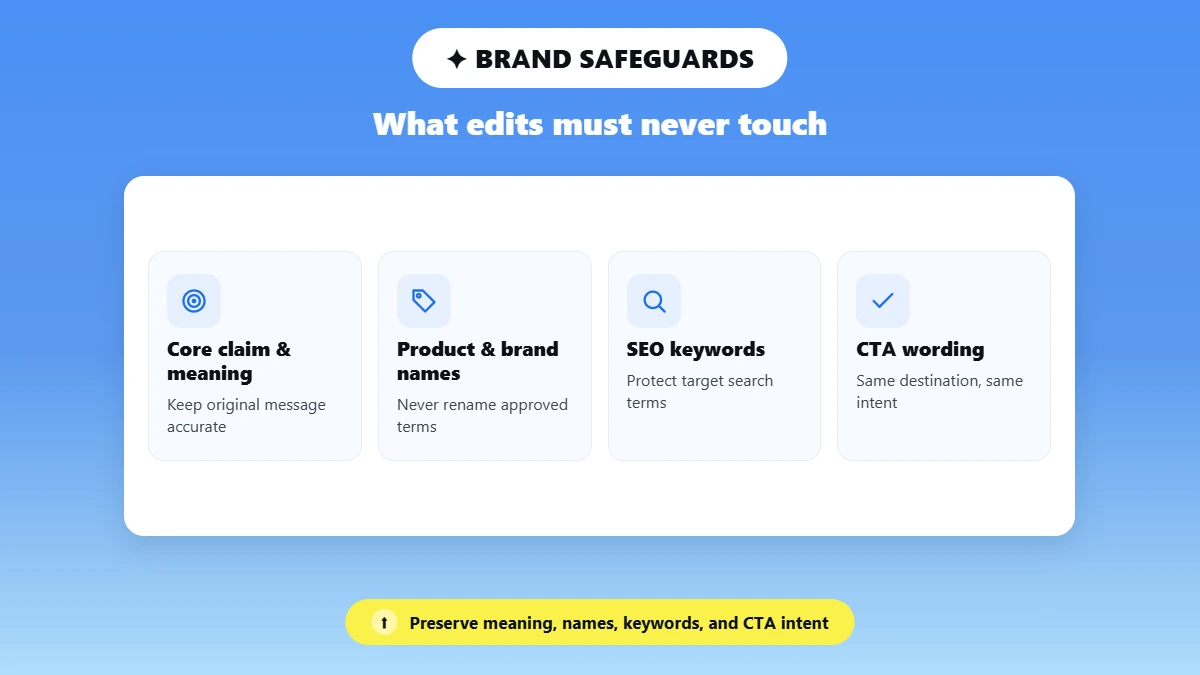
A faster editing workflow starts by separating what AI can safely change from what it must preserve. Lock your claims, keywords, terminology, and CTA first, then choose one editing job, use the lightest effective edit, compare the result with the source, and finish with a human brand review. This reduces unnecessary rewrites while protecting your brand voice.
Step 1: Lock What Cannot Change
Before opening an AI editing tool, create a short checklist of anything that must remain unchanged. Copy in product names, key claims, SEO keywords, legal qualifiers, statistics, and CTA text. This gives you a reference point for checking the edited version later.
For marketing content, this step is especially important because an edit that sounds better can still create problems if it removes a target keyword, changes an approved product term, or weakens the intended CTA. Locking these elements first helps preserve keywords while rewriting and makes it easier to preserve CTA during AI editing.
Step 2: Choose the Editing Job
Decide what the draft actually needs before choosing a tool. Is the problem grammar, clarity, structure, tone, naturalness, or brand-rule enforcement?
Do not ask one tool to solve everything at once. A draft that needs smoother sentences does not necessarily need a complete rewrite. Similarly, content that sounds robotic may need a humanizer rather than another round of structural editing.
💡 This simple diagnosis helps prevent unnecessary changes and keeps the editing process focused.
Step 3: Use the Lightest Effective Edit
Start with the smallest intervention that can solve the problem. A light edit generally carries less risk of voice drift, meaning changes, or unnecessary rewrites than an aggressive transformation.
If the draft is already clear and on-brand, there is little reason to rewrite every sentence. Run a light pass first and move to a stronger rewrite only when the content genuinely needs it. If you draft inside an AI chat, the Phrasly MCP server keeps this light pass in the same window, so you can humanize and detect without breaking your flow.
Step 4: Compare the Revision With the Source
Never approve an AI-edited version without comparing it against the original. Look beyond grammar and readability and ask what actually changed.
Check:
What disappeared?
What was added?
Did the original claim change?
Were product names or keywords replaced?
Did the CTA become weaker or less specific?
Does the revised copy still sound like your brand?
Would a competitor plausibly publish the same wording?
That final question is useful because technically polished copy can still lose the distinctive language that makes a brand recognizable.
Step 5: Do One Human Brand Pass
The final editorial review should be human. Restore the details that AI may smooth away, including specific examples, opinions, customer language, signature phrasing, and distinctive points of view.
Read the copy aloud. If it sounds technically correct but unlike something your team would actually say, revise it manually. This human-in-the-loop approach keeps AI responsible for repetitive refinement while the final brand judgment stays with an editor.
For a practical line-level process, see our guide to make AI marketing copy sound human.
For agencies, the same principle applies when preparing client deliverables. Keep each client's terminology, preferences, and distinctive voice visible throughout the editing process. Our guide to rewriting AI drafts without losing your voice covers that workflow in more detail.
How to Measure Whether AI Actually Reduced Editing Time
Measure AI editing by tracking how long content takes to move from first draft to approved draft. Compare your normal process with your AI-assisted process using similar types of content, and track both editing time and rework. More content produced does not automatically mean less editing time.
Track these metrics for each asset:
Manual editing minutes per asset: How long editing takes without AI assistance.
AI-assisted plus review minutes: Time spent using the tool plus checking and correcting its output.
Approval rounds: How many review cycles are needed before approval.
Terms manually restored: Product names, terminology, keywords, or phrases you had to put back after AI editing.
CTA or keyword changes: Whether the tool altered important conversion or SEO elements.
First-pass approval rate: Percentage of assets approved without another editing round.
Rework requested: How often stakeholders ask for changes after the AI-assisted edit.
The most useful comparison is first draft to approved draft, not words produced per hour. Also compare setup time vs revision time to see whether a tool reduces total editing effort or simply shifts more work into review.
For a reliable baseline, track these metrics across similar content types, such as blog sections, landing pages, emails, or social posts. Then compare average time to approval before and after introducing AI. This shows whether the tool is genuinely removing editing work or simply moving that work into review.
When AI Should Not Lead the Final Edit
AI can assist with clarity, but a qualified person should own the final judgment when content carries significant legal, reputational, ethical, or personal risk.
Use human-led editing for:
Crisis communication
Legal or regulated claims
Layoff or personnel announcements
Customer complaints
Founder thought leadership
Sensitive cultural or political subjects
Confidential unpublished material
In these situations, AI can help improve readability, but it should not make the final call on what the organization says, how it says it, or what risks the wording creates.
The right AI editing tool depends on where your editing bottleneck sits. Brand-profile platforms are better suited to organizations that need shared voice rules, terminology, and enforcement across teams.
Phrasly is a better fit when you already have a draft and want faster post-draft refinement. The Text Enhancer is useful for improving clarity, tone, vocabulary, and flow, while the Humanizer is designed for AI writing that sounds robotic or formulaic.
The best AI tools that reduce editing time while keeping brand voice should reduce the work required to reach an approved draft, not simply produce a faster rewrite. Start with the smallest effective edit, protect your non-negotiable terms and CTAs, compare the revision with the source, and finish with a human brand pass.
💡 Skip the copy-paste. Humanize and check your text right inside ChatGPT or Claude with the Phrasly MCP server 👇
FAQs
What AI Tools Reduce Editing Time While Keeping Brand Voice?
The best AI tools that reduce editing time while keeping brand voice fall into four main categories: text enhancers for clarity and flow, AI humanizers for robotic or formulaic AI writing, brand-profile platforms for enforcing shared voice rules, and AI writing assistants for broader editing support. Choose based on the specific problem in your draft rather than using the same tool for every edit.
Can AI Editing Tools Learn a Company Brand Voice?
Some AI editing platforms can learn or apply a company’s brand voice through saved voice profiles, writing examples, style guides, or terminology rules. However, not every AI editor works this way. Text enhancers and humanizers typically focus on improving the draft rather than maintaining a persistent company voice profile, so check the tool’s current documentation before relying on it for brand enforcement.
What Is the Difference Between an AI Humanizer and a Text Enhancer?
An AI humanizer focuses on naturalness, making AI-generated writing sound less robotic, repetitive, or formulaic. A text enhancer focuses on clarity, flow, vocabulary, and tone in a draft that may already sound natural. If the writing feels machine-generated, use a humanizer to make AI writing sound more human. If it simply needs polishing, use a text enhancer. See the AI Humanizer vs Text Enhancer section above for the full decision framework.
How Do I Stop AI From Changing My CTA, Keywords, or Product Names?
Lock important elements before editing by putting your CTA, SEO keywords, product names, claims, and legal qualifiers into a checklist. Then use the lightest effective AI edit and compare the result with the original. Check every locked element after rewriting and restore anything that changed unnecessarily. This makes it easier to benefit from AI editing without introducing meaning drift or losing important brand terminology.
Can ChatGPT Edit Content in My Brand Voice?
ChatGPT can edit content toward a specified brand voice when you provide detailed instructions, examples, terminology, tone preferences, and phrases to avoid. However, a prompt is not the same as persistent brand-rule enforcement. You should still review the output for terminology, claims, CTA wording, and voice consistency. For repeatable team workflows, a platform with saved brand profiles and style rules may provide stronger controls.
Can AI Editing Tools Replace a Human Editor?
AI editing tools can reduce repetitive editing work, but they should not replace the final human review. A human editor is still needed to check meaning, claims, brand-specific language, context, and whether the finished copy actually sounds like the organization. Our guide on how to humanize AI text can help you with this process. The final pass should restore specific examples, opinions, customer language, and signature phrasing where AI has made the writing too generic.
Is It Safe to Upload Confidential Brand Guidelines to an AI Tool?
Do not assume that confidential brand guidelines are safe to upload simply because a tool offers brand-voice features. Check the tool’s current privacy, data retention, training, and security terms before uploading unpublished or sensitive material. For confidential content, follow your organisation’s approved AI policy and avoid sharing information that the tool is not authorized to process. Privacy and retention terms can vary between tools and plans.

Written by
Hasnain
Karachi, Pakistan
I help businesses grow with SEO-friendly blog posts, landing pages, and long-form content. With 3+ years of experience, I deliver clear, original, and well-researched writing that drives results.