How to Check a PDF for Plagiarism: Upload, OCR and Free Limits
11 min read
If you’re wondering whether a PDF can be checked for plagiarism, the answer is yes, as long as the checker accepts PDFs and can read the file’s text. A text PDF from Word or Google Docs usually uploads as is.
When it comes to scanned or photographed PDFs, each page is an image, so they need OCR (optical character recognition) first. Below, you’ll learn how to check text and scanned PDFs, what free checks include and how to read the report.
Want to check yours now? Phrasly scans 50 to 5,000 words at a time, and only your first similarity score is free, with no signup. A score shows where to look; the matched sources show whether anything needs fixing.
Check Your PDF With Free Plagiarism Checker 👇
Before You Upload: Is Your PDF Ready to Check?
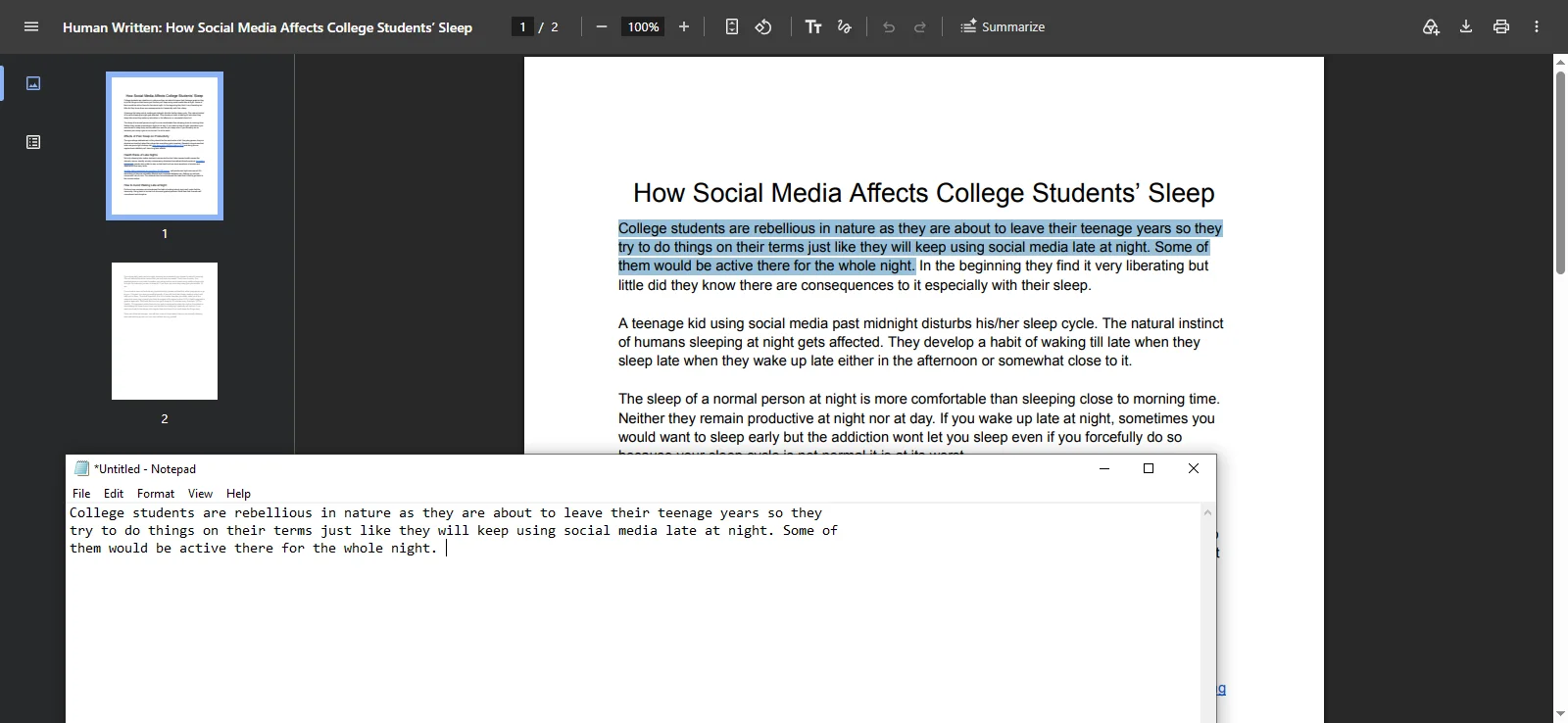
A PDF is ready to check when you can select a full sentence, paste it into a plain-text app and read it in the right order. Test more than one page, because some PDFs mix real text with scanned pages. If nothing pastes, the file is image-only and needs OCR first.
Use Notepad or TextEdit, because a plain-text app shows the words a checker would pull from the file. Turnitin’s file requirements describe this test, so run it before you check a PDF file for plagiarism.
Two things can mislead you:
Your PDF viewer may read the picture for you. In our test, Chrome’s viewer let us select text in an image-only file, while Adobe Reader did not.
A locked PDF can look like a scan. If the owner blocked copying or added a password, the real text won’t select.
Next, check the length; each plagiarism checker sets its own PDF upload limits. Phrasly accepts PDF, DOCX, TXT and PPTX files up to 50 MB, with 50 to 5,000 words and 300 to 37,500 characters per scan.
💡 Is it safe to upload a PDF with unpublished research or confidential work? Read the tool’s storage and deletion terms first. If a tool saves scans to your account, check whether you can delete them.
Pick your next step from this table:
What you see | What it means | Next step |
|---|---|---|
Text selects and pastes in a readable order | The text layer is fine | Check the length, then upload directly |
Nothing selects, or only a block of the page | Image-only scan | Run OCR or get the typed source file |
Words paste out of order or with broken characters | Messy text layer from columns, hyphens or fonts | Use the original DOCX or Google Doc, or fix the extracted text |
A password prompt, or copying is blocked | Locked file | Ask the owner for an unlocked copy |
The document is longer than the checker allows | Over the per-scan limit | Choose access that covers it, or plan section scans (see the long-document section below) |
How to Check a PDF for Plagiarism, Step by Step
To check a PDF for plagiarism, confirm the text is selectable, open a PDF plagiarism checker, upload the file, confirm the word count it found, then run the scan and review every matched source. If the upload shows too few words or messy text, check the original draft instead of the PDF.
Run the readiness test above and note your word count.
Open the checker at the top of this page. Any plagiarism checker that lets you upload a PDF works the same basic way.
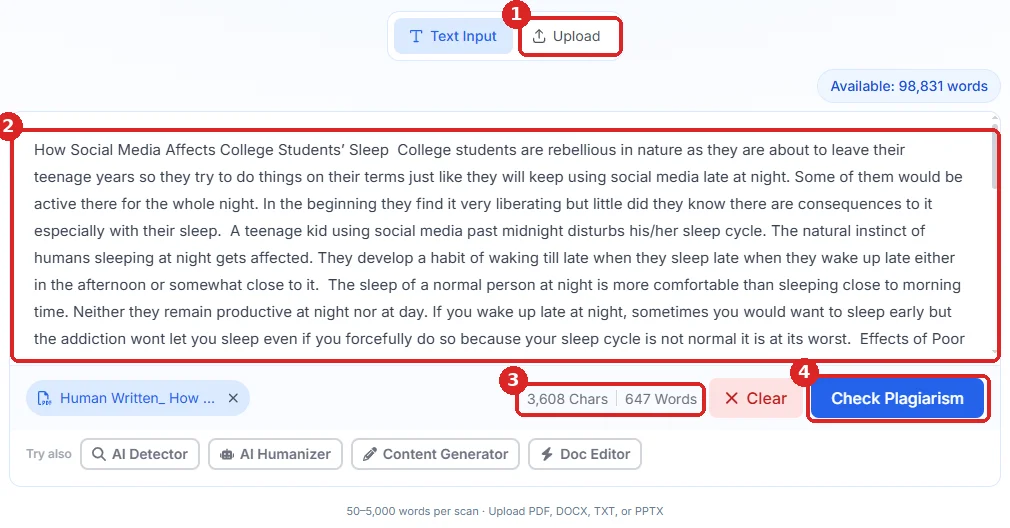
Choose Upload and select your PDF. Phrasly takes PDF, DOCX, TXT and PPTX files up to 50 MB.
Check the text and counter. Phrasly shows the text it pulled from your file, with a word and character count, before you scan. Our two-page PDF showed 647 words, the same as the original document. If the count is far below your document’s length, some pages are image-only or locked, so go back to the readiness test.
Click Check Plagiarism.
Read the similarity score. On your first scan, create a free account to unlock the highlighted matches, source links and PDF report. Our text PDF came back 100% original, with 0 of 26 sentences matched.
Fix real issues in the original draft, then export a new PDF and check it again. A recheck uses another scan.
Method 1: Upload a PDF With Selectable Text
A text PDF does not need converting to Word. If you’re asking, “Can I check my PDF for plagiarism as is?”, the answer is yes. Converting can scramble columns, footnotes and tables, adding errors the original file never had.
Keep your quotes, citations and reference list in the file, because they are part of what you submit. A checker reads the text layer only. Charts, handwriting and words inside images are not checked. In our test, a PDF exported from Google Docs uploaded and scanned in one step.
Method 2: Copy the Text or Use the Original Draft
Use this route when the upload fails or the extracted text looks wrong. The original file is the cleanest source, so check that instead. See our guides to the plagiarism checker for Microsoft Word and how to check for plagiarism in Google Docs.
If you must paste from the PDF, fix line breaks, split words, missing letters and column order first. In Phrasly, switch to Text Input and paste the cleaned text; the same 50 to 5,000-word limit applies. The goal is to repair extraction errors, not to delete cited material to lower a score.
Your PDF has selectable text? Upload it as is.
Check it with Phrasly before you submit and review each match.
How to Check a Scanned PDF Using OCR
A scanned PDF is a picture of text, so a plagiarism checker cannot read it. Run OCR to turn the picture back into text, proofread the result against the original pages, then upload the new PDF or paste the corrected text.
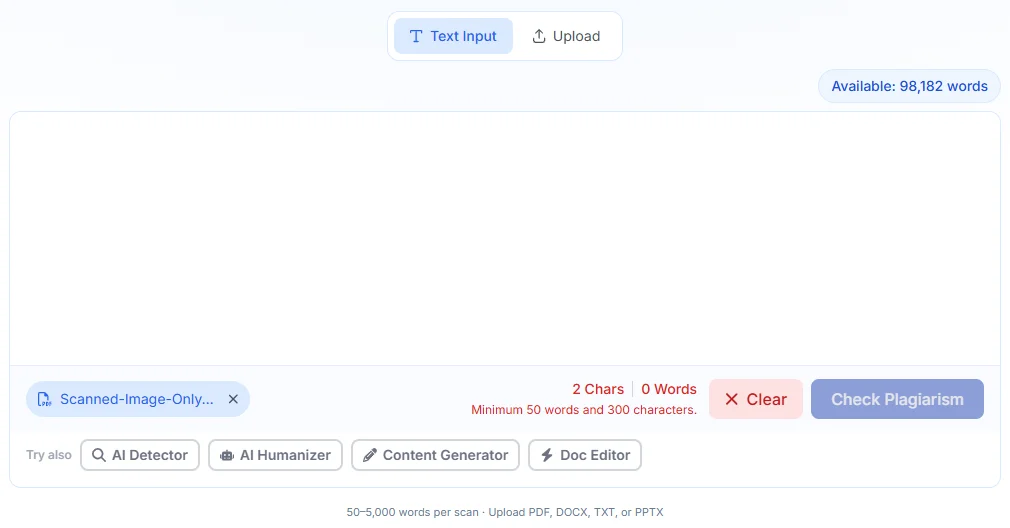
Our test showed why. Phrasly accepted an image-only PDF but found 0 words, so the scan could not run. It does not run OCR itself, so you can’t scan a PDF for plagiarism like this until the text is recovered.
Keep a copy of the original scan, then run OCR in one of two ways:
Google Docs (free): upload the PDF to Google Drive, open it and choose Open with Google Docs. Then use File > Download > PDF Document.
Adobe Acrobat: go to All tools > Scan & OCR > In this file > Recognize text, pick the document language and save. Older versions show Scan & OCR in the right-hand Tools pane. See Adobe’s guide to recognizing text in scanned documents. Acrobat’s OCR may need a paid plan.
In our test, Google Docs recovered all 647 words, and the new PDF scanned normally.
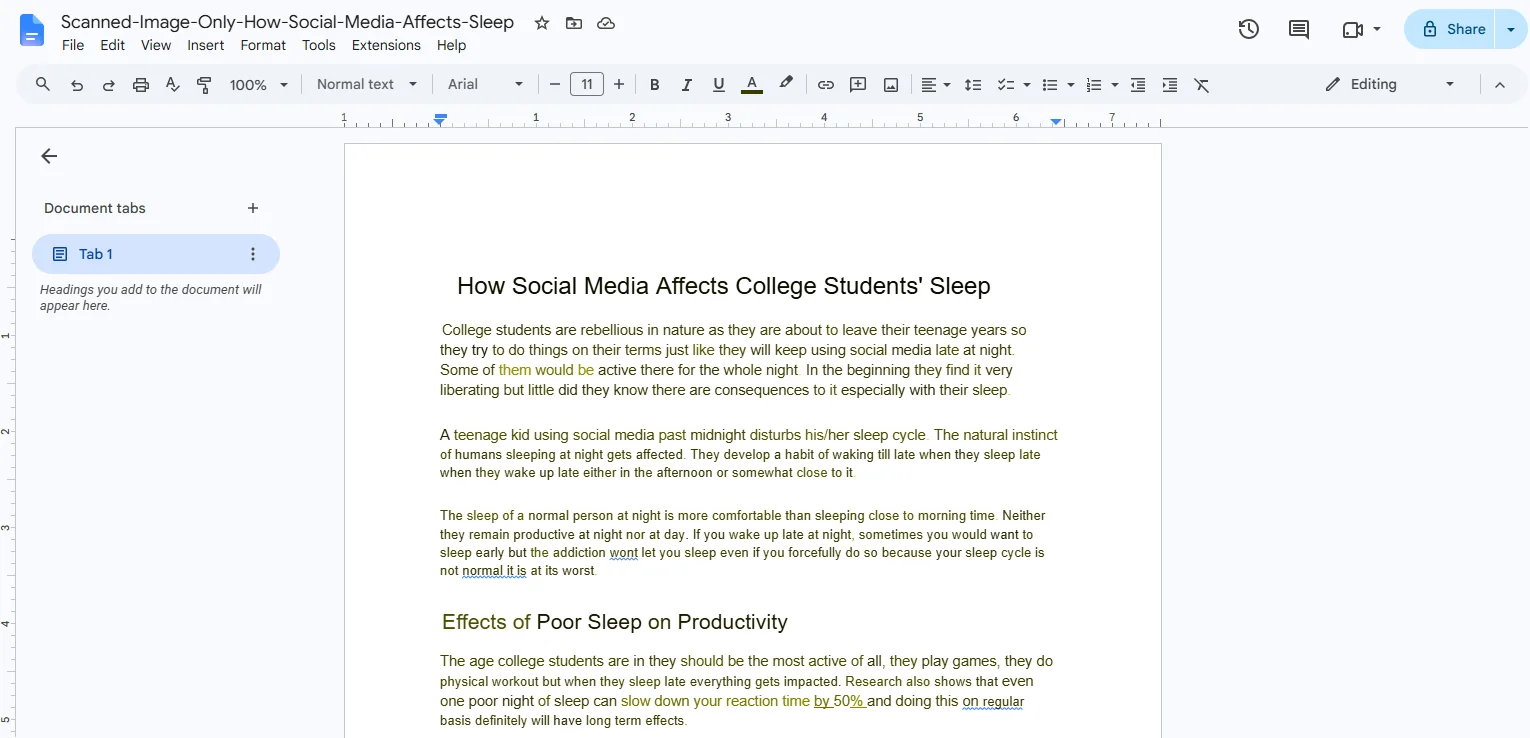
Always proofread the result. Even our clean file changed in three ways:
Curly quotation marks and apostrophes became straight ones.
A page break split one sentence, so “pm.” became its own paragraph.
Extra spaces appeared where lines used to end.
Small errors matter: a misread word can hide a real match or break a quotation. Adobe also explains how to fix scanned text after OCR. For mixed files, confirm the scanned pages now select too.
For handwriting, equations, unusual fonts or blurry photos, OCR is less reliable. Get a typed draft, or check key passages by hand.
What Is Free, and What Are the PDF Scan Limits?
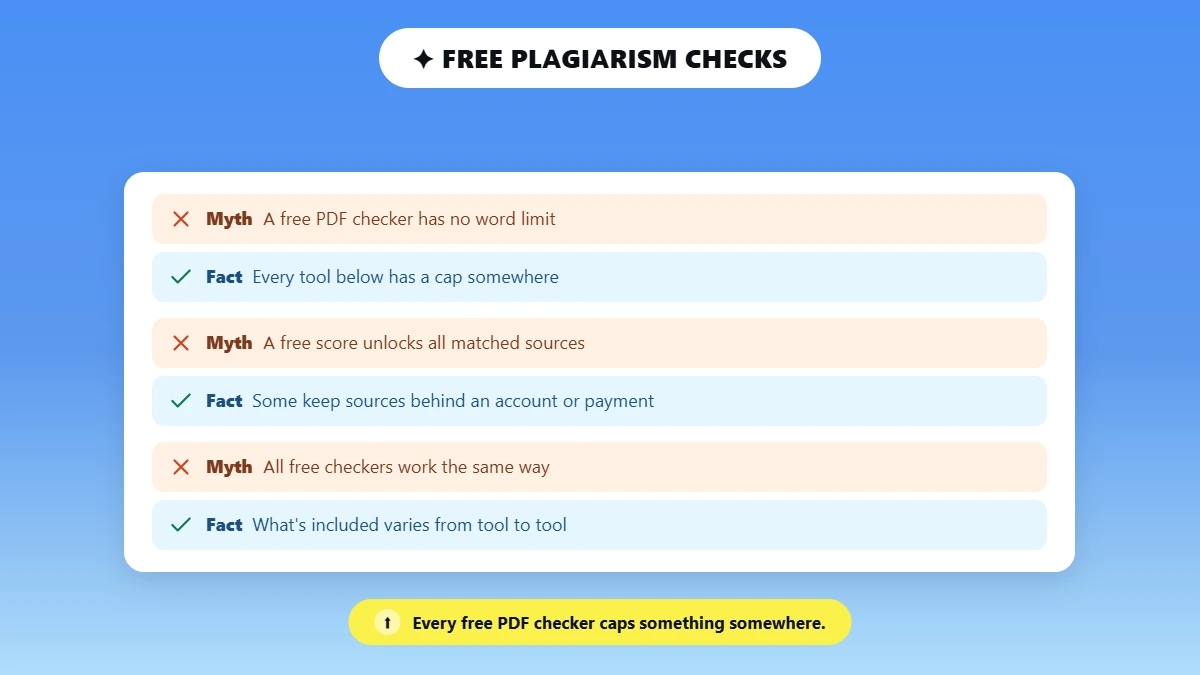
Most free PDF checks limit something: words or characters per scan, file size, the number of scans or access to the full report. On Phrasly, your first similarity score is free with no signup, and later scans use credits or a purchase. A free account unlocks that first report’s sources.
What a “free” PDF plagiarism checker includes varies from tool to tool, so check which limit applies before you upload a long file. Some show a free score but keep the matched sources behind an account or payment.
If you’re hoping for a free PDF plagiarism checker with no word limit, every tool below has a cap somewhere, so compare what you actually get.
For student-specific options, see our free plagiarism checker for students guide.
Here is how four PDF-friendly checkers compare (vendor claims checked October 14, 2026):
Tool | PDF input | What is free | Allowance type | Detailed report |
|---|---|---|---|---|
Phrasly | PDF, DOCX, TXT, PPTX up to 50 MB; selectable text only | One guest similarity scan per network, no signup | 50 to 5,000 words per scan | First report’s sources and PDF unlocked with a free account; later scans use credits |
Scribbr | Word, PDF and ODT | A limited free plagiarism risk check | Premium checks priced per document by word count | Paid Premium report |
DupliChecker | PDF, DOCX, TXT and more | Free checks; the input box shows a 10,000-character counter | The page also claims up to 25,000 words per search | Some scan modes are paid |
QuillBot | PDF, DOCX, TXT, HTML | Not free; Premium required | 25,000 words per month with Premium | Premium only |
Checking a Long PDF or a 20,000-Word Thesis
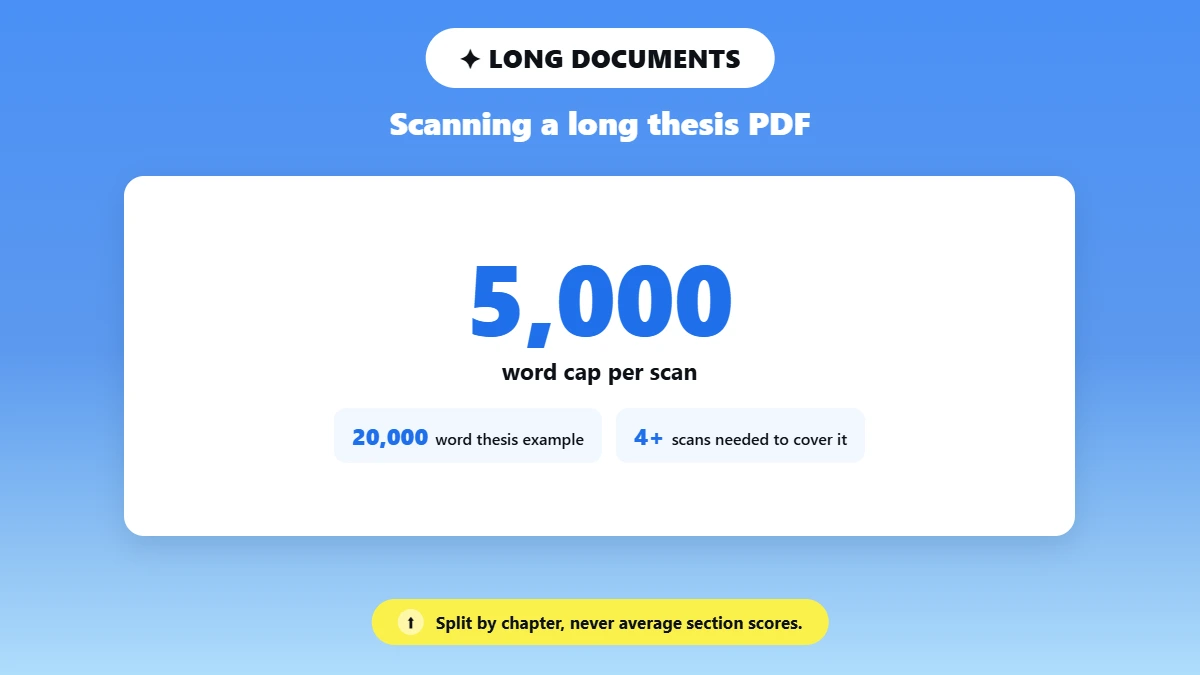
At Phrasly’s 5,000-word cap, a 20,000-word thesis needs at least four scans, and each scan after the free one uses credits. For a full PDF plagiarism check of a thesis, your university’s own checker or a plan that covers the whole document is usually the better choice.
If you do scan in sections, keep a log of which pages each scan covered. Split at chapter breaks so no passage is cut in half. Do not average section percentages into one “whole document” score.
How to Read the PDF’s Similarity Report
A similarity report shows which passages match other sources and links to each one. Open every match, compare the wording, and check whether it is quoted and cited. A high score is not proof of plagiarism, and a low score is not proof that every source was found.
Most matches fall into one of three groups:
A quoted and cited passage: usually fine, as long as the formatting is correct.
A close paraphrase: rewrite it in your own structure or add a citation. Not sure where the line falls? Read is paraphrasing plagiarism.
Common phrasing or a reference entry: often harmless, but check it.
Turnitin’s guide to understanding the similarity score notes that a high score does not always mean plagiarism, and cited quotes can still match. The reverse is true too.
📌 In our test, a short cited quotation from UCLA Health was not matched at all, so a 0% result does not mean every source was checked.
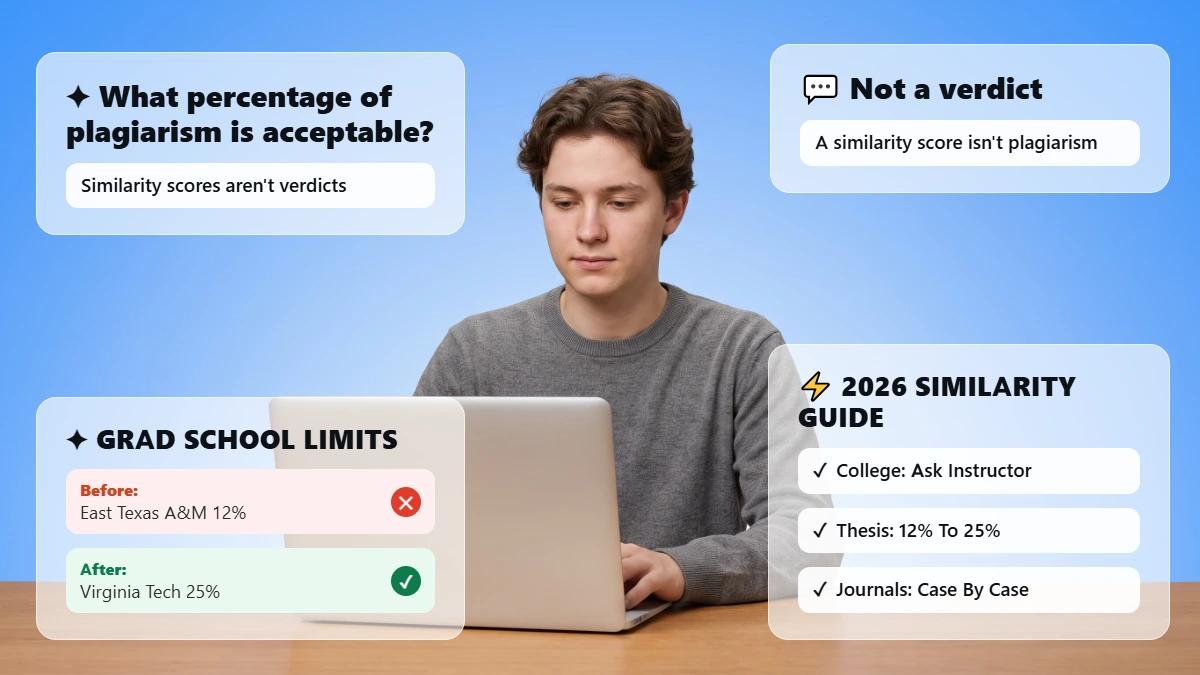
So what similarity percentage is acceptable? There is no universal safe number.
Your course or journal policy sets the threshold, and our guide on what percentage of plagiarism is acceptable explains why.
Two features are easy to mix up. Uploading a PDF is about the file you check. A plagiarism checker with a PDF report lets you download the result. Phrasly offers both, and our sample’s report was a three-page PDF with the score and the word count.
When you revise, edit the original draft, not the PDF, then export a new file.
If your score is high, follow our steps to lower a high similarity score. A recheck may use another scan.
A score alone will not tell you what to fix.
Phrasly links each highlighted passage to its source, and a free account unlocks your first full report.
Why Won’t My PDF Upload or Scan Correctly?
If your PDF won’t upload to a plagiarism checker, the problem is usually the file, not the tool. Common causes are a scanned file with no real text, a file that is too large or too long, a locked PDF, or jumbled column text.
A failed scan does not mean your work is original, so fix the file and check again.
Symptom | Likely cause | Fix |
|---|---|---|
PDF shows no text, or the file attaches with 0 words | Image-only scan | Run OCR or use the typed source file |
Very few words detected | Mixed pages, some text and some images | Test each page, then OCR the image pages |
“Minimum 50 words and 300 characters.” | Too little readable text | Check that the text selects, or add the missing pages |
File too large | Over Phrasly’s 50 MB limit | Compress images, or paste the text instead |
Too many words or characters | Over Phrasly’s 5,000 words or 37,500 characters per scan | Scan sections with credits, or use access that covers the full document |
Password prompt or copying blocked | Locked PDF | Ask the owner for an unlocked copy |
Garbled order or split words | Columns, hyphenation or unusual fonts | Use the original draft, or clean the text first |
Free scan already used | One guest scan per network | Sign in; later scans use credits or a purchase |
Before You Submit Your PDF
Confirm your PDF has readable text and a word count that matches your document. Then open every match and check its source before you submit, because the evidence behind a score matters more than the number.
FAQs
Can a PDF Be Checked for Plagiarism Without Converting It to Word?
Yes. A checker that accepts PDFs can scan a file with selectable text directly. Convert it or run OCR only when the PDF is an image-only scan or the extracted text comes out garbled. Phrasly accepts text PDFs up to 50 MB but cannot read image-only files.
Is There a Free PDF Plagiarism Checker With No Word Limit?
The free offers we checked all had limits on words, characters, scans or report access, even when the headline only said “free.” Phrasly gives one free similarity score per network for 50 to 5,000 words. Compare what each free tier includes before you upload.
Can I Check a Scanned PDF for Plagiarism?
Yes, once the writing is turned into readable text with OCR, or through a service that explicitly offers OCR. Proofread the recovered text first, since OCR errors change what gets matched. Phrasly does not run OCR, but read all 647 words of our scanned PDF after free Google Docs OCR.
Can Teachers or D2L Check PDF Assignments for Plagiarism?
Teachers can check PDFs that contain selectable text. In D2L Brightspace, a similarity report depends on your school’s Turnitin integration and whether it is turned on for that assignment, not on the PDF format alone. Ask your instructor, or see how a Canvas plagiarism checker works.
Can I Compare Two PDFs for Plagiarism Against Each Other?
Only with a service that offers direct document-to-document comparison. A normal scan checks your text against its own source collection, which may not include a second, unpublished PDF. If you need a two-file comparison, look for that feature by name before you upload.
Is a Plagiarism Report in PDF Format the Same as Checking a PDF?
No. Checking a PDF means the file you upload is a PDF. A PDF report is the result you download afterward. A tool can offer one without the other, so confirm both if you need both. Phrasly supports PDF uploads and downloadable PDF reports.
Will a PDF Plagiarism Check Show the Same Score as Turnitin?
Not necessarily. Checkers use different source collections, settings and matching methods, so scores often differ. Review the matched passages and follow your school’s rules instead of chasing one number. If your school uses it, here is how to check plagiarism in Turnitin.

Written by
Hasnain
Karachi, Pakistan
I help businesses grow with SEO-friendly blog posts, landing pages, and long-form content. With 3+ years of experience, I deliver clear, original, and well-researched writing that drives results.