How to Rewrite an Email Professionally: 12 Before-and-After Examples
18 min read
You don’t have to start with a blank page to sound more professional. To rewrite an email professionally, keep the facts, request, and deadline intact, then adjust the tone.
Tighten the structure, and delete anything vague/blunt/too-emotional. Whether you call it polishing, how to rephrase an email professionally, or cleaning up a draft before you send it, we all want the same thing.
A message that's clear, courteous, and easy to follow. And professional doesn't have to mean stiff.
If all you want is to make this email sound better without rewriting it from scratch, the six steps below are the fastest route. You are editing a draft you already have, not starting over.
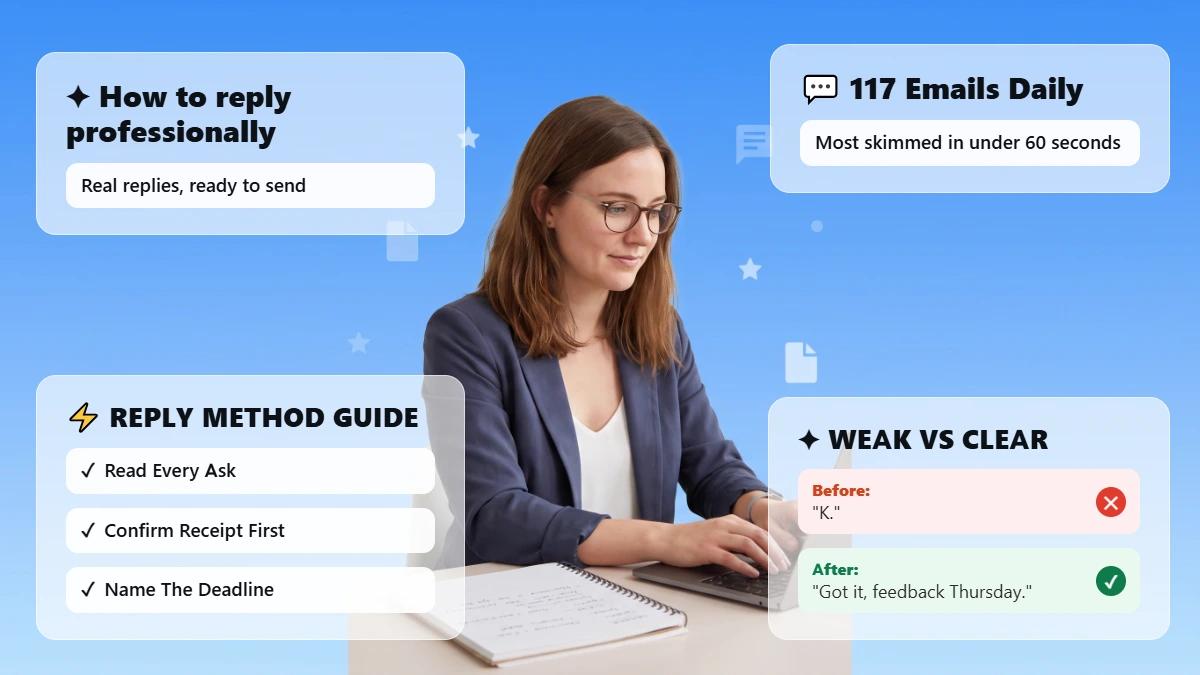
Most are scanned in less than 60 seconds. That's why clear wins over formal.
Already have a draft?
Paste it into Phrasly Formalizer, pick Professional, Friendly, or Concise, and check the details before you send.
How Do You Rewrite an Email Professionally?
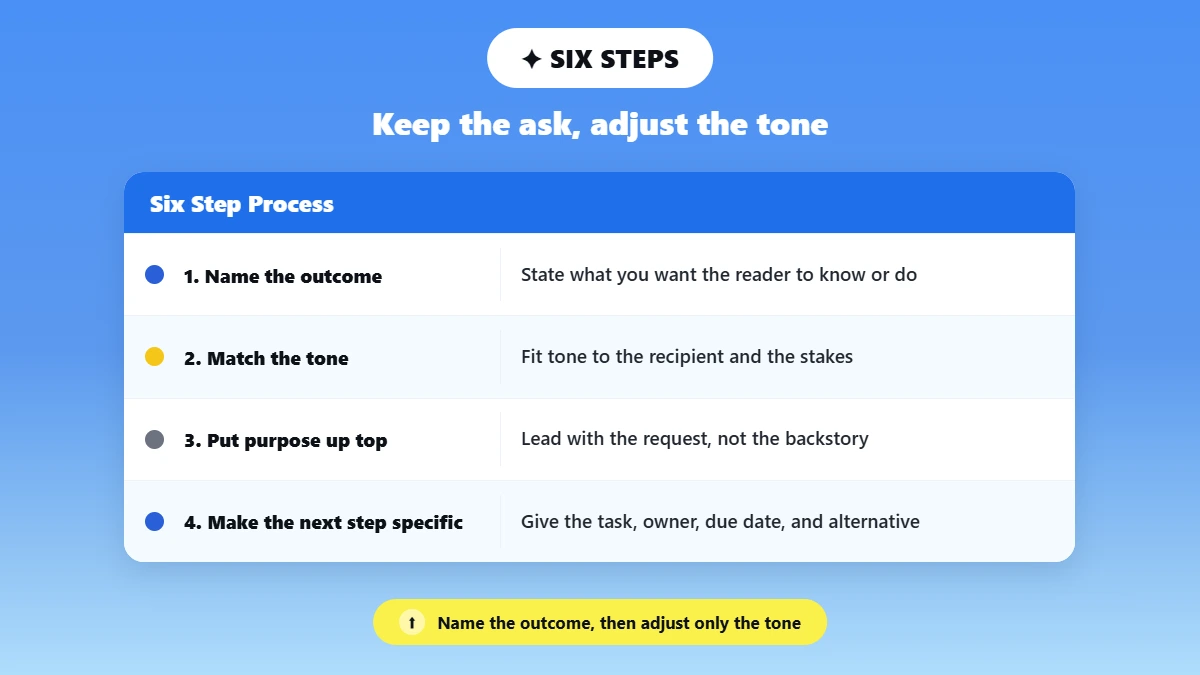
To rewrite an email professionally, name the outcome you want first, match your tone to the recipient and the stakes. Move the purpose near the top, and replace vague or emotional language with clear wording.
Make the next step specific, and proofread names, dates, and attachments before you send.
Here is how to rewrite email drafts in six steps. Each step stands on its own, so you can run just the one your draft needs.
Write the outcome you need: Reduce your draft down to one sentence: what do you want the reader to know or do?
Example: “I need approval by Friday so production can start Monday.” Preserve the real ask instead of softening it into vague politeness.
If you cannot write that sentence, the draft is not ready to rewrite yet. Fix the thinking first, then the wording.
Match the tone to the recipient and stakes: Typically, your client or senior leader will require more context and more respectful distance. A peer/close colleague can stay warm and direct.
A status update to your busy manager should be short and action-focused. Professional doesn't always mean formal.
The table in the next section but one maps common recipients and stakes to the tone that usually fits, so you are not guessing.
Put the purpose near the top: One sentence of context, then the request.
If you specifically need help with openers, see these tips for writing professional emails for the broader method.
This guide stays focused on the rewrite itself.
Microsoft's special report on their annual 2025 Work Trend Index entitled “Breaking Down the Infinite Workday” revealed that employees receive an average of 117 emails daily.
If the context runs past two sentences, move the detail below the request or into an attachment. Most readers decide whether to act from the first screen on a phone.
Replace friction, not personality: Ditch the blame, sarcasm, weird slang, and piled-on apologies. Keep the natural contractions and genuine warmth. Transform an accusation into something that can be observed.
Turn frustration into impact. Change a wishy-washy ask into a definitive action.
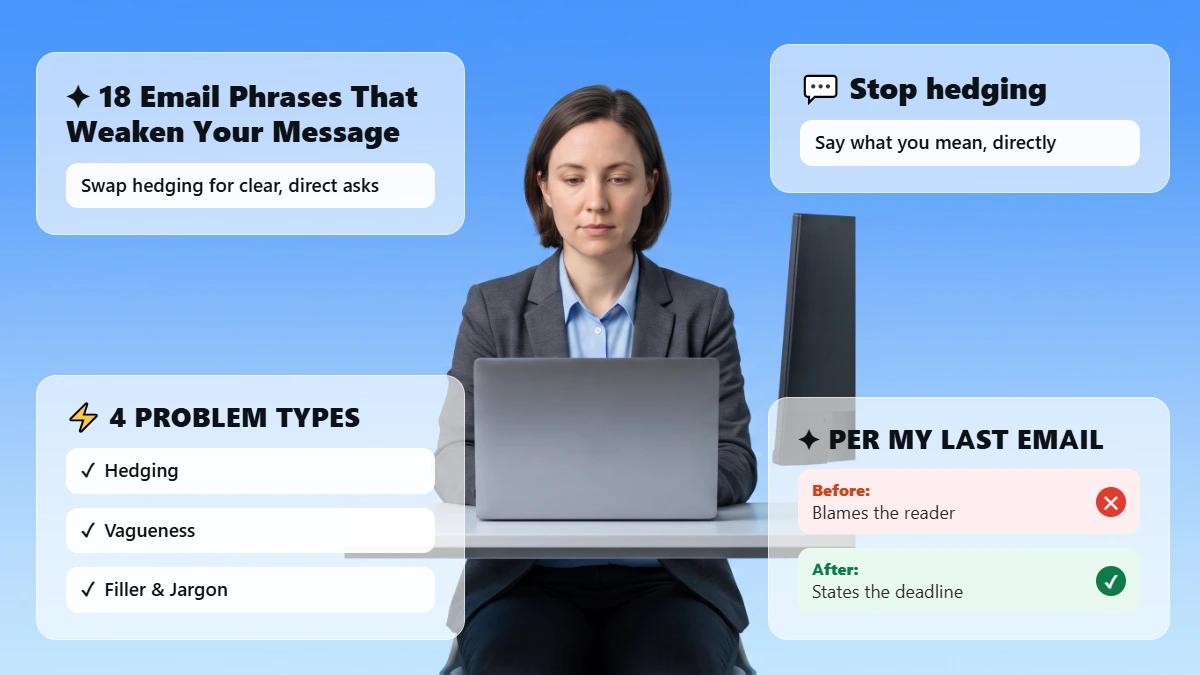
See this breakdown of email phrases that weaken your message.
Hedges stack quietly. “I just wanted to maybe check whether possibly” usually collapses into “Could you confirm.”
Make the next step specific: Specify the task, who is responsible, due date, and alternative. Don't use "ASAP" or "when you can" if you have an actual date.
Check meaning and mechanics before sending: Spell-check your original and rewrite side-by-side. Check names, numbers, dates, links, attachments, recipient list, and reply path.
Read the rewrite once as the recipient rather than as the author. Anything that reads as a new promise, a softened deadline, or a fact you never supplied has to come out before you send.
What Should Change, and What Must Stay the Same?
Rewrites may include a different tone, words, sentence structure, and salutation. Rewrites should almost never include different facts, requests, deadlines, or responsible parties. Approach each rewrite as an edit, rather than a new message.
The rewrite MAY change | The rewrite MUST preserve |
Tone and level of formality | Names and roles |
Sentence order and paragraph breaks | Dates, times, numbers, and prices |
Slang, filler, repetition, and hedging | The actual request and deadline |
Greeting or sign-off style | Promises, responsibility, and urgency |
Word choice for clarity and courtesy | Links, attachments, and technical terms |
A smoother sentence is not a better rewrite: if it obscures responsibility, adds false context, or alters the decision you're requesting.
If you're unsure how to open or close your rewritten email, see this guide to professional email greetings for options that fit different tones and recipients.
For general guidance on audience, context, request, and timing, the University of Kansas Writing Center keeps a practical professional email resource.
Which Tone Fits Which Recipient?
Tone follows two things: who is reading, and how much is at stake. A routine note to a peer can stay warm and short.
A message to a client, an executive, or a legal contact needs more context, plainer wording, and a second human read before it leaves your outbox.
Recipient | Stakes | Tone that usually fits | What to add or remove |
Close colleague or peer | Routine: file request, quick question | Friendly and direct | Keep contractions. Cut the preamble. |
Manager or team lead | Routine: status, reminder | Concise and action-led | Lead with the decision or the blocker. Drop the backstory. |
Manager or team lead | High: missed deadline, escalation | Professional and neutral | Add the fact and the impact. Remove blame and hedging. |
Client or external partner | Routine: scheduling, update | Professional and warm | Add one line of context. Keep the ask in its own sentence. |
Client or external partner | High: delay, error, money | Professional and formal | Add the new date and the repair. Cut repeated apologies. |
Senior leader or executive | Any | Concise and formal | Put the ask in the first sentence. Cut what they already know. |
HR, legal, or compliance | High | Formal, factual, unembellished | Remove opinion and tone words. Get a qualified review first. |
Stakes matter more than seniority. A billing correction to a peer deserves the same care as a status update to a director, because the cost of a misread is higher.
If the draft isn’t an email at all, the broader method for how to make this sound professional across reports, messages, and documents is covered separately.
12 Before-and-After Professional Email Rewrites
Below are 12 professional email correction examples based on typical workplace scenarios. All names, companies, and numbers are fictional.
1. Asking a Colleague to Send a File
Situation: You need a file from a teammate who has not replied.
Rough draft: "hey did u ever send that file? kinda need it"
Professional rewrite: "Hi Sam, could you send the Q3 budget file when you get a chance today? I need it to finish the report by 3 PM."
What changed: the purpose moved up, the deadline became specific, and the friendly tone stayed intact.
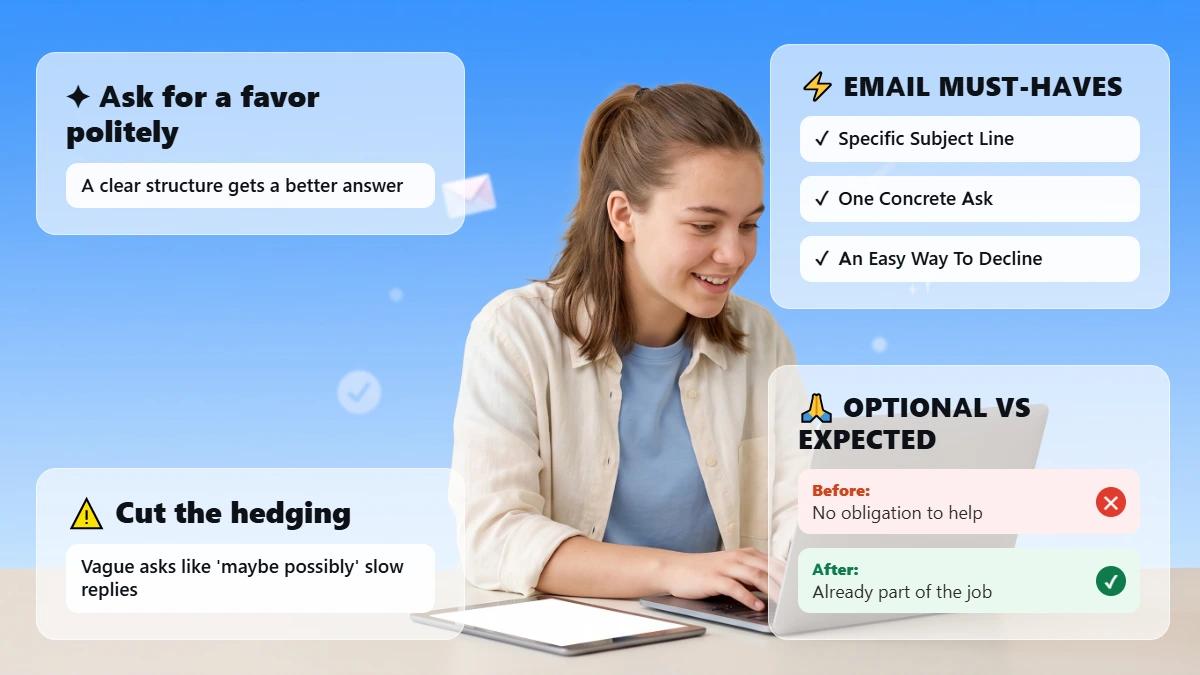
For more scenarios like this, see this guide on how to politely ask for a favor in an email.
What to verify: The file name and the 3 PM time match what you actually need.
2. Following Up After No Reply
Situation: A client has not responded to your proposal.
Rough draft: "just checking if u saw my last email???"
Professional rewrite: "Hi Dana, following up on the proposal I sent last Tuesday. Happy to answer any questions before you decide. Would Thursday work for a quick call?"
What changed: The vague nudge became a dated reference plus a concrete next step, and the ask stayed a single question.
Want more guidance on this specific scenario? See this full guide on how to write a follow-up email for more examples and timing tips.
What to verify: The send date and that Thursday is genuinely open.
3. Reminding a Teammate About a Deadline
Situation: A teammate's deliverable is due tomorrow.
Rough draft: "reminder ur part is due tmrw dont forget"
Professional rewrite: "Hi Jordan, quick reminder that the design assets are due tomorrow at noon. Let me know if you're blocked on anything."
What changed: The warning became a specific deliverable and time, and an offer of help replaced the scolding.
What to verify: The noon deadline and the asset list against the project plan.
4. Giving a Client a Delayed-Project Update
Situation: A project is running two weeks behind schedule.
Rough draft: "so things are kinda behind, sorry, we'll get to it"
Professional rewrite: "Hi Priya, the migration is currently two weeks behind the original date because of a vendor delay. Our revised delivery date is November 14, and I'll send weekly updates until then."
What changed: the vague apology became a fact plus a new date, and the underlying commitment stayed the same.
What to verify: That November 14 is a date you can actually commit to, and that the vendor cause is accurate.
5. Disagreeing with a Proposed Approach
Situation: You think a colleague's plan has a flaw.
Rough draft: "i dont think this will work tbh"
Professional rewrite: "I see a risk with this approach: it doesn't account for the API rate limit we hit last quarter. Could we discuss an alternative before Friday's review?"
What changed: The flat objection became a named, checkable risk plus a request to talk, so the disagreement stayed about the work.
What to verify: The rate-limit detail and the review date before you cite them.
6. Apologizing for an Error and Naming the Repair
Situation: You sent a client the wrong invoice.
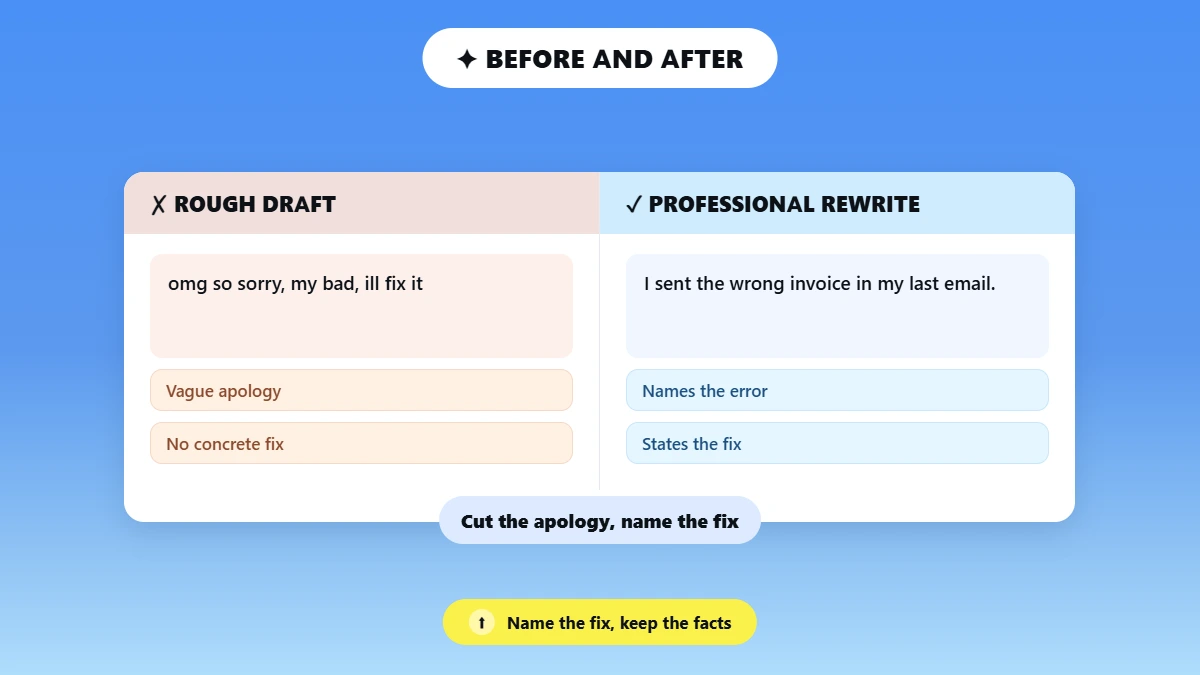
Rough draft: "omg so sorry, my bad, ill fix it"
Professional rewrite: "I sent the wrong invoice in my last email. The correct version is attached, and I've updated our records so this doesn't happen again."
What changed: The apology stayed short, a concrete repair replaced repeated self-criticism, and the facts were unchanged.
What to verify: That the correct invoice really is attached before this one goes out.
7. Declining a Request Without Sounding Dismissive
Situation: A colleague asks you to take on extra work you cannot fit in.
Rough draft: "cant do it, too busy rn"
Professional rewrite: "I can't take this on this week given my current deadlines. I can start Monday, or Alex may have capacity sooner if it's urgent."
What changed: The refusal kept its clarity but gained a reason and two alternatives, so it reads as triage rather than a brush-off.
What to verify: That Monday is genuinely free, and check with Alex before naming them.
8. Asking for Clarification Without Implying Fault
Situation: Instructions from a manager were unclear.
Rough draft: "this doesnt make sense, what do u actually want"
Professional rewrite: "I want to make sure I build the right thing. Should the report group results by region or by product line?"
What changed: The implied criticism became a specific either-or question, which is far quicker to answer.
What to verify: That the two options you offer are the real options.
9. Giving Constructive Feedback
Situation: A draft needs significant revision.
Rough draft: "this isnt good, needs a lot of work"
Professional rewrite: "The structure is strong, but the data section needs updated numbers and one more example. Can you revise by Wednesday so I can review before the client call?"
What changed: The judgment became specific, actionable feedback with a deadline and a reason behind it.
What to verify: The Wednesday date against the client call in your calendar.
10. Requesting an Overdue Payment Update
Situation: A client has not paid an invoice due two weeks ago.
Rough draft: "u still havent paid, whats going on"
Professional rewrite: "Invoice #4521 for $2,400 was due on October 1 and remains outstanding. Could you confirm the payment status or a new date this week?"
What changed: The accusation became a record of fact plus a request for status, which is also the version you would want on file.
What to verify: The invoice number, the amount, and the due date against your own records.
11. Moving or Scheduling a Meeting
Situation: A conflict came up for a scheduled meeting.
Rough draft: "cant make it 2day, lets just push it"
Professional rewrite: "A conflict came up for today's 2 PM meeting. Could we move to tomorrow at the same time, or would Thursday morning work better for you?"
What changed: The cancellation became a reschedule with two named options, so the other person has something to say yes to.
What to verify: That both proposed slots are actually free in your calendar.
12. Escalating a Blocked Issue Without Sounding Accusatory
Situation: A dependency from another team is blocking your work.
Rough draft: "ur team is holding everything up, this is a problem"
Professional rewrite: "The launch is blocked until the API access request is approved. Could we get a status update today so we can protect the November 1 date?"
What changed: blame turned into a shared deadline risk, and the request became specific and actionable.
What to verify: The November 1 date and exactly which request is outstanding.
How to Rewrite an Email with Phrasly Formalizer?
Once you know what to change, the tool handles the tone step for you. Paste your rough draft in. Choose a tone that fits your reader. Then compare the result against your original before anything is sent.
Write the facts, request, and deadline in your own rough draft first.
Remove any information your employer does not allow you to paste into an external tool.
Paste the draft into Phrasly Formalizer.
Choose Professional, Friendly, or Concise based on the recipient and the stakes.
Compare the returned options against your original draft.
Restore any missing detail, then personalize the greeting and sign-off before sending.
A rewriter works from an email you’ve already written. A generator, such as Phrasly’s AI Email Generator, builds from instructions to create an entirely new email.
That is different work from what an email rewriter or AI email rewriter is designed to do.
Turn a rushed draft into something you'd send to a client, in one paste.
We Ran Three Rough Drafts Through Formalizer
We pasted three deliberately awkward emails into the live Formalizer on 22 September 2026. And recorded what came back. The facts survived in almost every case. What degraded was tone.
The wording that carried warmth, restraint, or precision. That is the part you still have to check yourself.
Draft | Setting | What improved | What was still wrong | Human edit before sending |
1. Blunt deadline request (31 words) | Professional, Balanced | Thursday survived. “The third time I’m asking” became the neutral “the third request.” No apology was invented. | The hostile closer survived and was amplified to “Please JUST do it.” The March 3 install slot became a double conditional that no longer says what the original said. | Cut the closing line. Restore the March 3 slot wording. Add a greeting and a sender line. |
2. Defensive disagreement (53 words) | Concise, Balanced | Q3 survived. The vague closing complaint became a specific request for how the risk would be avoided. | No compression at all: 53 words in, 53 words out on a Concise setting. The defensiveness sharpened. “API rate limit” became “API call limit,” altering a technical term the message depends on. | Restore “rate limit.” Cut “I mean” and the “why are we having this argument” clause. Halve the length by hand. |
3. Friendly internal note (40 words) | Friendly, Balanced | “No rush” survived as “No hurry,” so no false urgency appeared. The Friday build, the ticket and QA came through unchanged, with no sign-off bolted on. | “Genuinely saved us” flattened into “That really helped us out.” “Jumping on that bug” became “getting that bug,” shifting responsiveness into completion. | Restore “genuinely saved us” and “jumping on.” Send otherwise as returned |
What the Three Runs Have in Common
Dates and numbers held. Thursday, Q3, March 3, and the Friday build all came through. The one factual slip was structural rather than numeric: March 3 stopped being the date of the install slot and became something you had to do by then.
Tone-carrying words did not hold. A hostile closer came back louder, a passive-aggressive aside came back as a direct challenge. And a specific thank-you came back generic.
If you only check the facts before sending, you will miss the part most likely to have changed.
Concise did not shorten. On the one draft where length was the problem, the output matched the input word for word. Do not promise readers that a Concise setting cuts length.
The Three Runs
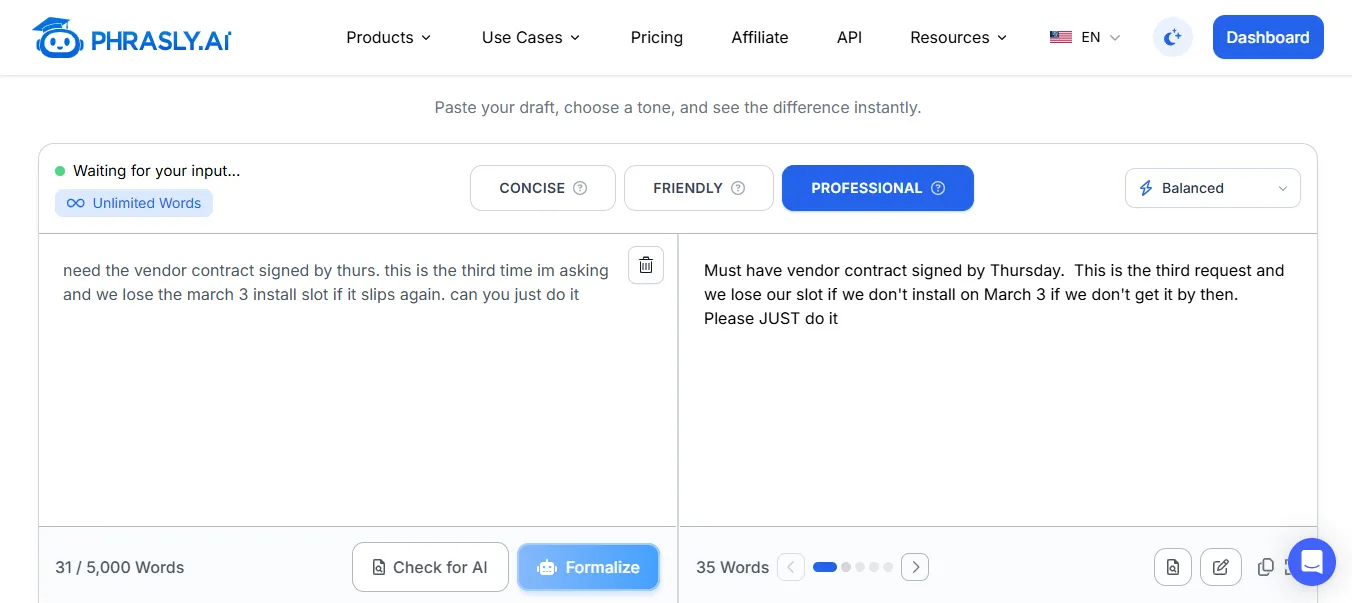
Sample 1, Professional at Balanced. The deadline and the escalation count survive, but “can you just do it” returns as “Please JUST do it” and the March 3 install slot is rewritten into two stacked conditionals.
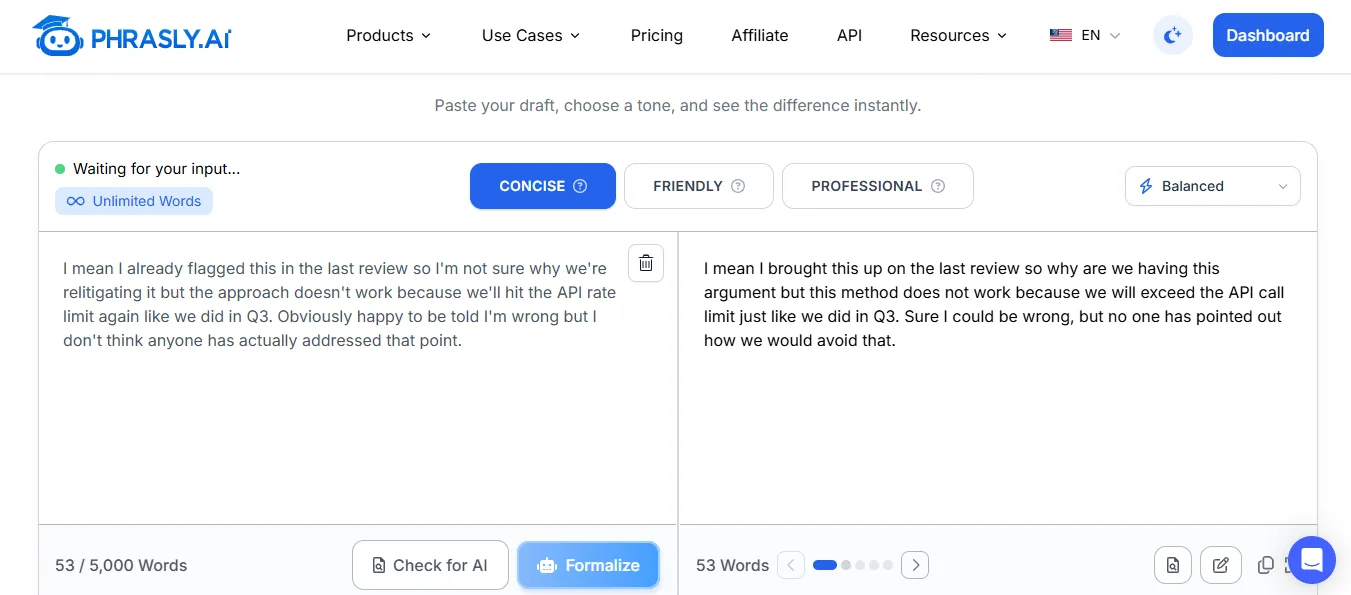
Sample 2, Concise at Balanced. The word counters read 53 in and 53 out, and “API rate limit” has become “API call limit.”
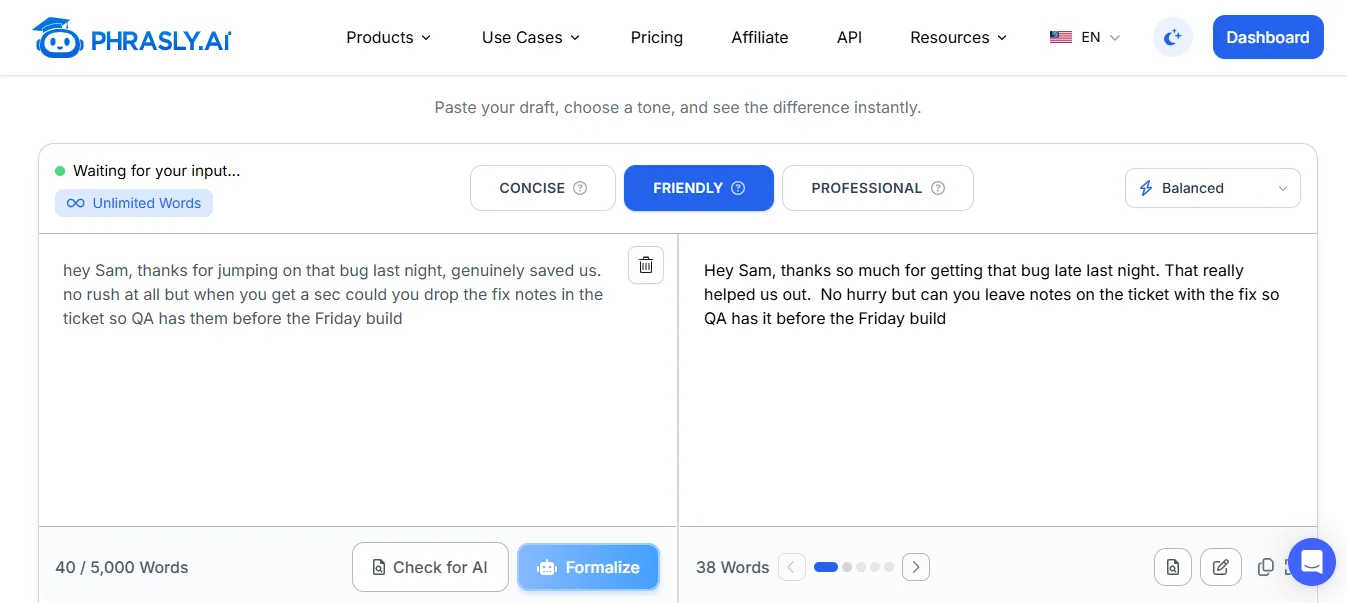
Sample 3, Friendly at Balanced. The deadline and the “no rush” qualifier both survive, but “genuinely saved us” flattens into “That really helped us out.”
How We Tested, and What This Does Not Show
Run on 22 September 2026 on an unlimited-word account. So the counter showed 5,000 words. A free-tier reader may see a lower cap.
Every run used the Balanced strength setting. With the tone named in the table. No other strength was tested.
Each conversion returned five versions. The figures and quotations above come from version one in each case. Later versions may handle these drafts differently.
This is exactly why the steps above tell you to compare them rather than take the first.
Three drafts are a small sample chosen to stress specific failure modes. Not a benchmark. We report no percentages and no time saving.
“Results may change as the product is updated. Tested September 2026.”
Professional Does Not Mean Cold or Robotic
Professional email shouldn't sound robotic. Retain natural contractions. Match your reader's expectations rather than replacing every casual word with business speak.
See this guide on how to make text sound more professional with AI without losing your voice.
Keep the Human Part
Keep one acknowledgment when it adds sincerity or clarity, e.g., apologizing for how the delay impacted the reader. Don’t try to emulate slang if your coworker uses it.
You should sound like a well-thought-out version of yourself, not another person altogether.
If you want a tool built specifically to sharpen tone and clarity across any kind of message, not just email, AI message enhancer is worth a look.
A note on the research: In Playful AI in Professional Email, a July 2026 arXiv preprint that has not been peer-reviewed, Ziv Ben-Zion and Teddy Lazebnik tracked 121 employees across six companies over three weeks.
Covering 16,880 real work emails. Rewriting a message in a professional tone measurably lowered its emotional positivity. And rewriting it in a playful tone raised it, but neither condition on its own changed open rates, reply rates, or response times.
What tracked with more opens and replies was positivity coming from the sender rather than from a tone setting. That is a correlation, not proof that warmth causes replies. And one unreviewed study is not a reason to change how you write.
It is a reason not to over-formalize a message that is already landing well.
For more on email tone and reply rates, see this related guide.
When Should You Not Use an AI Email Rewriter?
Leave Formalizer (Phrasly's or any AI's) out of anything that requires a human judgment call first: sensitive data, legal info, terminations/disciplinary actions, or something a phone call would take care of quicker and safer.
Follow Your Employer's Policy
❌ Passwords, credentials, or private customer records.
❌ Regulated health, legal, financial, or government information without an approved workflow.
❌ Layoff, disciplinary, crisis, or legally binding messages without qualified human review.
❌ A situation where a quick call would resolve ambiguity more safely than an email.
Adhere to your employer's data policy and the tool's terms of service as they are written today before pasting sensitive content. If unsure, type it yourself and have someone review it.
Two further limits are worth naming. A rewriter cannot tell you whether a message should be sent at all. If you are angry, the fix is usually a delay, not a tone setting.
And anything that will be read as a commitment, a legal position, or a decision about someone’s employment needs a named human reviewer before it leaves your outbox.
When you cannot tell which category a message falls into, treat it as the higher-stakes one.
30-Second Pre-Send Checklist
Before you hit send, run your rewrite through this quick pass. It takes less time than a re-read of the whole email.
Is the purpose clear in the first two sentences, and is the requested action obvious?
Are the deadline and urgency unchanged from your original draft?
Are all names, numbers, links, and attachments correct?
Does the tone fit this specific recipient, not just a generic “professional” voice?
Did the rewrite add any fact, promise, or certainty that wasn't in your draft?
Is the right person in To, Cc, and Bcc?
Would you still be comfortable if this message were forwarded to someone senior without your explanation attached?
Give your draft the tone you intended, then check every detail before you send.
Frequently Asked Questions
Can you rewrite this email to sound more professional?
Yes! Start from the draft you already have. Leave the facts, the ask, and the deadline intact, then pick a tone and compare what comes back.
The same applies when someone asks whether you can make this email sound more professional. The job is editing tone and structure, not inventing new content. Whatever tool you use, review the result against your original before sending.
What is the difference between rephrasing and rewriting an email?
Rewording typically involves substituting words and phrases. Editing may include altering sentence structure and rewriting the overall message.
However, both rewording and rewriting should maintain the same meaning, facts, and intent of the original sentence or passage, whether manually or through a reword email tool.
Should a professional email always sound formal?
No! Professional means appropriate to the reader and the stakes, not stiff by default.
An update to a colleague can be friendly and conversational. A message to your CEO or General Counsel may require more polish and editing.
If you find yourself replacing every ordinary word with a longer one, you have gone past professional and into stilted.
Can AI rewrite an email without changing its meaning?
It may strive to maintain meaning, and there are tools such as Formalizer that attempt to leave the facts and intent intact. But there is no tool that will ensure perfect preservation.
Curious whether AI or human replies perform better on cold outreach. Always review your rewritten text against your original draft prior to sending.
Is it safe to paste a confidential work email into an AI rewriter?
Not necessarily! Be sure to follow your company's data policies as well as any applicable terms of service for the tool you are using.
Filter out protected/highly sensitive data first. And route layoffs, legal matters, and crisis communication to a qualified human reviewer instead.
Is it better to rewrite the whole email or just the awkward sentences?
Fix only the lines that feel wrong if the structure and facts are sound. Rewrite the whole message when the tone or flow is inconsistent throughout.
A useful test: If you can explain what each paragraph is for, keep the structure and fix the sentences. If you cannot, start the structure again. Either way, compare the result against the original before you send it.

Written by
Muhammad Usman Ali
Pakistan
Muhammad Usman Ali is an experienced SEO content writer with 3+ years of professional writing experience. He specializes in AI tools, AI detection technologies, and search engine optimized content.