Make This Sound Professional: AI Rewriter + Real Examples
13 min read
Paste your text below to make it sound more professional while keeping your meaning. Choose a professional, friendly, or concise tone, then review the rewrite before you send it.
Paste Your Text and Make It Sound Professional 👇
❌ "hey can u send me that file when u get a sec, no rush"
✅ "Hi, could you send me that file when you have a moment? No rush at all."
Every example on this page follows the same idea: keep what you meant to say, upgrade how it sounds.
Make This Sound Professional: Before-and-After Examples
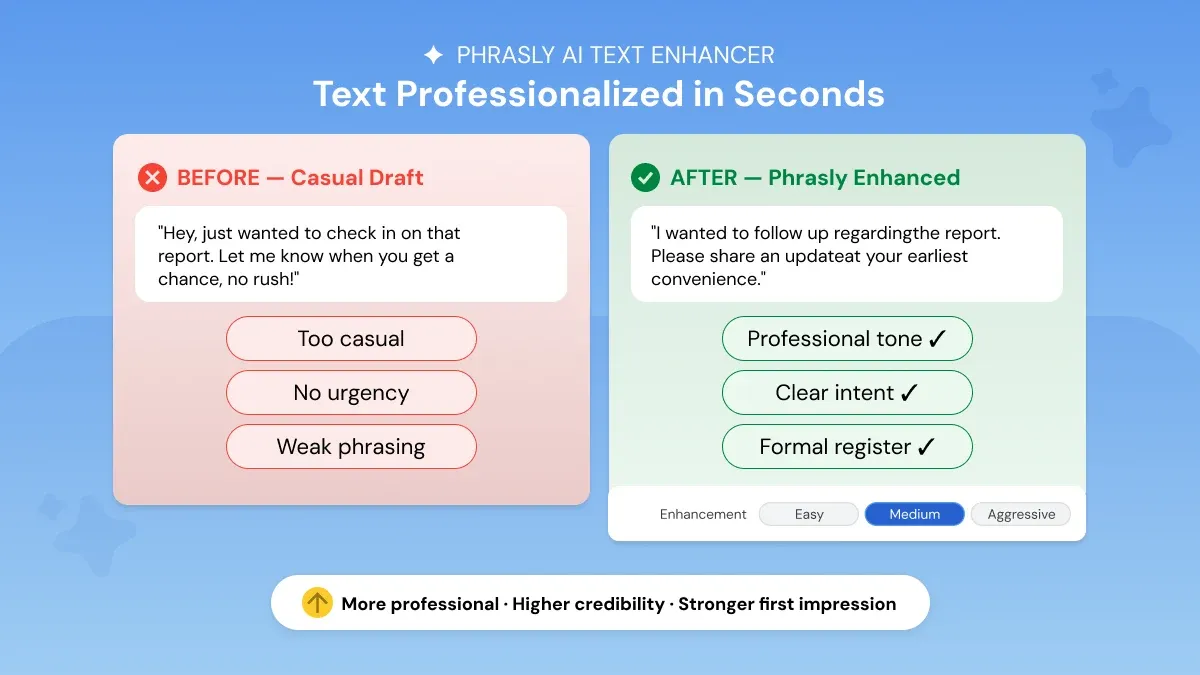
Here's what a professional rewrite looks like across the messages people write most often.
Situation | Rough version | Professional version |
Request | Send this today please | Could you send this today so we can stay on schedule? |
Follow-up | Any update? | Could you share an update when you have a moment? |
Disagreement | I don't think this will work | I have some concerns about whether this approach will achieve the intended outcome. |
Deadline | Need this ASAP | Could you please send this by 3 PM today? |
Apology | Sorry, my bad | I apologize for the oversight. I have corrected it and attached the updated version. |
Each rewrite keeps the original request. But adds the context, the clear ask, or the acknowledgment that makes a message read as considered rather than dashed off. The same upgrade holds at longer lengths. As these four common formats show.
Professional Email
Before: "Hey Sarah, hope you're doing good! So I wanted to reach out because we sent over that proposal like last week or maybe the week before and we haven't really heard anything back yet which is fine obviously no pressure but we were just kind of curious where things stand. We put a lot of work into it and think it's a pretty solid fit for what you guys are looking for. Would love to chat if you have time sometime this week or next, just let us know what works!"
After: "Dear Sarah, I hope this message finds you well. I am writing to follow up on the proposal we submitted approximately two weeks ago. As we have not yet received a response, I wanted to check whether you had an opportunity to review it. We are confident the proposal addresses your requirements effectively and would welcome the chance to discuss it further. Please let me know your availability for a brief call this week or next at your convenience."
According to a Belkins 2025 cold email benchmark study, concise emails perform best: messages with around 6 to 8 sentences (under about 200 words) generated the strongest engagement, with reply rates of roughly 6 to 7%.
Business Report Paragraph
Before: "So Q3 was actually pretty good for us all things considered. The sales team really hustled and it kind of showed in the numbers. We beat what we did last quarter which was cool and the new product launch stuff seemed to go over well with customers. There were some hiccups along the way obviously but nothing too crazy. Going into Q4 we're feeling pretty optimistic if the market keeps doing what it's doing and the team stays on track like they have been."
After: "Q3 delivered strong results across key performance indicators. The sales team demonstrated consistent effort, driving measurable improvement over the previous quarter. Customer response to the new product launches was broadly positive, contributing to overall revenue growth. While isolated operational challenges were encountered, none materially impacted performance. Looking ahead, Q4 projections remain favorable, contingent on sustained market conditions and continued team performance."
Student Essay Opening
Before: "In this essay I'm going to be talking about climate change and why I think it's honestly one of the biggest problems we're dealing with right now. A lot of scientists have been saying for ages that it's a really serious issue and I totally agree with them. There's like a ton of evidence out there showing that temperatures are going up and weather is getting more extreme and stuff like that. I think it's really important that people start taking this more seriously because if we don't do something soon things could get really bad for basically everyone on the planet."
After: "Climate change represents one of the most pressing challenges of the contemporary era. The scientific consensus on this issue is unequivocal: mounting evidence demonstrates a consistent rise in global temperatures alongside an increasing frequency of extreme weather events. Despite the overwhelming body of research urging immediate action, public and institutional responses have remained insufficient. This essay argues that a more coordinated and urgent global response is not merely advisable but essential to safeguarding the long-term wellbeing of both current and future generations."
A recent analysis in Computers and Education: Artificial Intelligence of 4,820 undergraduate reports found that students' writing became more formal after the launch of ChatGPT, even though those stylistic shifts did not automatically improve grades, a reminder that register alone is not the whole story in academic evaluation.
LinkedIn Message
Before: "Hey [Name]! Hope you're doing well. So I came across your profile the other day and honestly your work in [field] looked really cool, especially that recent project you posted about. I work in marketing and have been doing this kind of stuff for a few years now and I just figured it might be worth reaching out because I feel like there could maybe be some interesting overlap between what you're working on and what we do. No pressure at all but would love to chat sometime if you're around, just let me know what works for you!"
After: "Hi [Name], your recent post on [project] genuinely stood out, particularly the way you approached [specific element]. I work in marketing and have spent the past few years on similar problems, which is why I wanted to reach out directly. If you're open to it, I'd welcome a brief conversation to compare notes and see whether there's a useful overlap. Happy to work around your schedule if next week suits you better."
A 2025 Belkins LinkedIn outreach study analyzing roughly 20 million messages found that AI-assisted first messages achieved a 4.19% reply rate, compared with 2.60% for messages sent without AI, a 61% lift driven by how the message was written.
What Does 'Professional' Writing Actually Mean?
Professional writing is clear, precise, and confident enough that the reader understands your point immediately. It makes them know what to do next. Four things make it work:
Precision: Your word choice leaves no room for misinterpretation.
Credibility: Confident, accurate phrasing signals you know the subject.
Context-awareness: A client proposal reads differently than an internal memo.
Clarity: Structured and logical, so the reader finds the point fast.
Professional doesn't mean cold. The best business writing is warm enough to build rapport. It is precise enough to be taken seriously.
Make This Sound Friendly and Professional
Want your message to sound professional without sounding stiff?
Keep your original warmth. Only upgrade the vocabulary, filler, and structure around it.
Professional but warm: Acknowledge the reader before you get to the ask. In short, that is how you make this sound professional and friendly, or make this sound nice and professional, without losing your voice.
Professional but not robotic: Keep natural phrasing where it doesn't undercut clarity.
Professional but direct: State the ask in the first sentence. Then add context.
Professional but concise: Cut the sentence that repeats what you already said.
❌ "Hey! Just checking in on this, no worries if not!"
✅ "Hi, just checking in on this when you get a chance. No rush at all."
Phrasly's AI Formalizer includes a Friendly tone option built for exactly this kind of message, alongside Professional and Concise.
Common Things That Make Writing Sound Unprofessional
A few patterns show up again and again in casual writing:
Filler words: "just wanted to," "kind of," "basically," "you know."
Hedging: Burying the ask behind "no pressure but" or "not sure if this makes sense but."
Vague asks: "let me know what works" instead of naming a day and time.
Wrong formality: texting register in an email to a client or manager.
Each pattern is fixable on its own. Fixing all four at once is what a full register upgrade actually does.
How to Make Something Sound More Professional (5 Steps)
Make the request clear. Lead with what you need, not the backstory. This is the same five-step process behind requests like "make the following sound more professional."
Remove filler and unnecessary apologies. Cut "just wanted to," "sorry to bother you," and similar phrases.
Replace vague language with specifics. Use numbers, dates, and named outcomes instead of "soon" or "good."
For a deeper look at sentence-level upgrades, see this guide on how to enhance your sentences with AI.
Match formality to the reader. A client proposal, an internal memo, and a LinkedIn DM each call for a different register.
Check the rewrite didn't change meaning or urgency. A professional tone should never soften a real deadline.
❌ "The team have completed its review of the proposal; however, we still need client approval before moving forward."
✅ "The team has completed its review of the proposal. Client approval is required before we can proceed."
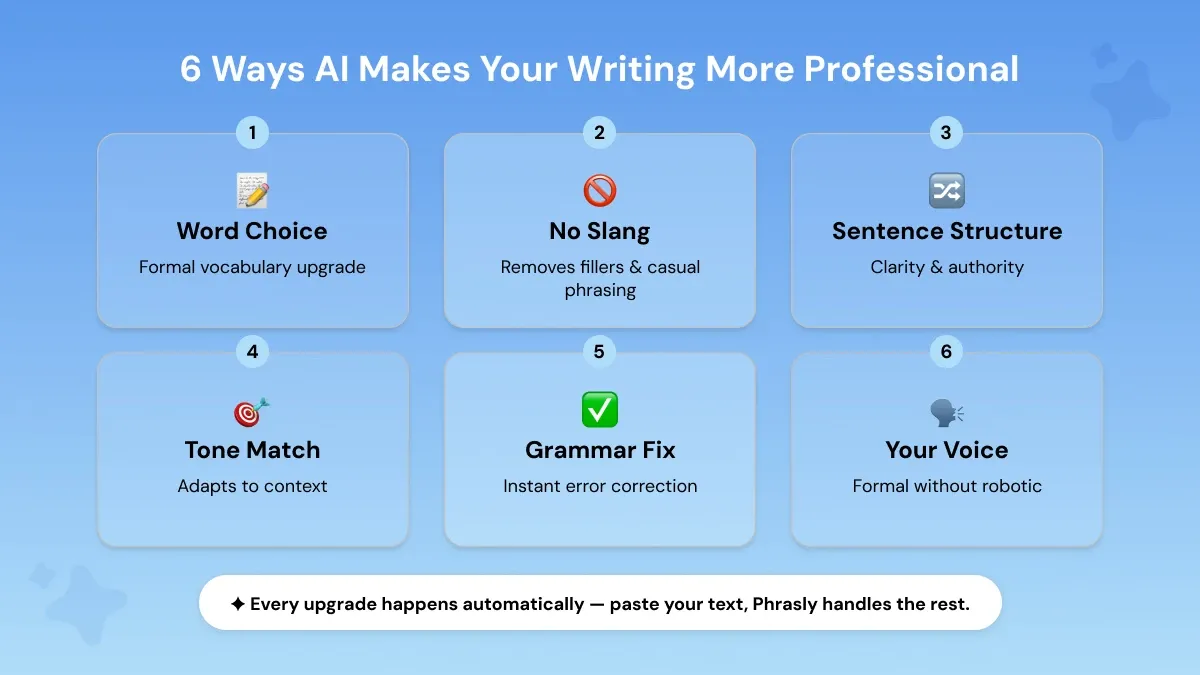
An AI text enhancer runs all five steps in a single pass. It swaps casual vocabulary for precise alternatives. Cuts filler, restructures rambling sentences, and adjusts tone, all without changing what you meant.
How to Sound Professional Without Sounding Robotic
Over-formal writing can sound just as off as under-formal writing. The fix is usually to keep one or two natural phrases. Cut only what's genuinely vague or filler.
❌ "Pursuant to our prior correspondence, please be advised that the undersigned shall proceed accordingly."
✅ "Following up on our last conversation, I'll go ahead and move forward as discussed."
If a sentence would sound strange read aloud to a colleague, it's probably too formal. Not too professional.
If you want to go further, this guide on how to rewrite sentences for clarity and impact covers the next level of refinement.
Prompts to Make Text Sound More Professional with AI
If you're using ChatGPT, Gemini, or Copilot directly, a reusable prompt formula gets more consistent results. Than "make this sound professional" on its own:
More professionals are turning to AI for exactly this kind of writing task at work.
People increasingly type the more specific "make this sound more professional AI" when they want the AI tool by name.
Rewrite this for [audience]. Make it professional but [friendly/direct/concise]. Preserve [facts/deadline/request/uncertainty]. Do not add new commitments or information.
"Rewrite this for a client. Make it professional but warm. Preserve the delivery date."
"Rewrite this for my manager. Make it professional but direct. Preserve the concern about the timeline."
"Rewrite this for a recruiter on LinkedIn. Make it professional but friendly. Preserve my interest in the role."
General AI assistants can rewrite tone when given a good prompt. A dedicated formalizer removes the prompt-writing step.
It gives predefined tone controls and multiple versions to compare. This helps when you don't want to write and test a prompt every time.
For techniques that hold up across drafts, see this guide on best ChatGPT prompts for professionals.
If you write prompts for marketing campaigns specifically, this guide on AI prompts for marketing covers approaches that scale across campaigns.
What AI Should Not Change When Professionalizing Your Text
A good rewrite raises the register without touching the substance. It should never change:
Dates, numbers, and deadlines
Commitments you already made
Levels of uncertainty (a "might" should not become a "will")
Who owns the next step?
Urgency
Factual meaning
The underlying relationship tone
Meaning preservation is the standard every rewrite should meet. The facts, the stakes, and the relationship stay exactly as you wrote them. If a rewrite changes any of these, treat it as a draft to edit. This is not a final version to send.
We Tested Professional Rewrites Across Real Messages
Here's the same upgrade applied consistently across ten everyday messages. Covering follow-ups, requests, sensitive conversations, client updates, and status reports.
Category | Original | Professional rewrite |
Follow-up | "just checking if you saw my last email" | "Following up on my previous email. Please let me know if you have any questions." |
Follow-up | "any word yet?" | "Could you share an update when you have a chance?" |
Request | "can you get this to me by tmrw" | "Could you send this over by tomorrow?" |
Request | "need the slides asap" | "Could you send the slides as soon as possible? We need them for tomorrow's meeting." |
Sensitive | "this isn't working, we need to talk" | "I'd like to discuss some concerns about how this is progressing. Do you have time this week?" |
Sensitive | "not happy with how this turned out" | "I have some concerns about the outcome and would like to discuss next steps." |
Client | "hey just wanted to check in on the project" | "I wanted to check in on the project's progress and see if you have any questions." |
Client | "we might be a bit late, sorry" | "The delivery may be delayed slightly. I'll confirm the updated timeline by end of day." |
Status update | "things are going ok, few hiccups" | "The project is progressing well overall, with a few minor issues currently being resolved." |
Status update | "almost done, just need to double check stuff" | "The work is nearly complete. We are finalizing a review before delivery." |
Across all ten, the rewrites do three things consistently. Name the ask directly, replace vague timing words with concrete ones, and remove the apology or hedge that softened the original point.
None of them add a new fact, change a deadline, or increase the level of commitment beyond the original. This is the standard any professional rewrite should meet.
How Phrasly Makes Text Sound Professional
When tone, vocabulary, structure, and grammar all need attention at once, a dedicated AI text enhancer, sometimes called an AI tone rewriter, handles all of it in one pass.
Paste your draft, pick a tone (Professional, Friendly, or Concise). Review the rewrite before you send it. The tool preserves your original meaning and voice. The output is a more polished version of what you wrote, not a replacement for it.
For more on this, see this guide on how to improve AI text readability and tone.
This works the same way whether your draft is a human-written message that came out too casual. Also for the AI-generated text that needs a professional layer on top.
FAQs
Can it make text in other languages sound professional?
Some AI text enhancers support multiple languages. Check the specific tool's language list before pasting non-English text. Since tone and formality conventions vary by language.
What is the difference between professional and formal writing?
Professional writing is clear, precise, and toned appropriately for the audience. It can still be warm. Formal writing is a stricter register. It is used in legal or academic contexts, that avoids contractions and colloquial phrasing altogether.
Most workplace writing calls for professional, not maximally formal. Most workplace writing calls for professional, not maximally formal. For more on the distinction, see this guide to formal and informal writing.
How do I make a sentence sound more professional?
Swap casual words for precise alternatives. Cut filler, and lead with the main idea instead of burying it.
"The sales numbers were really good" becomes "Sales performance exceeded quarterly targets."
Can you make this sound more professional?
Yes! Paste your text into an AI text enhancer. Choose a professional tone, and review the rewrite. It adjusts vocabulary, structure, and tone. It keeps your original meaning and facts unchanged.
Whether you ask "please make this sound more professional" or just "make more professional," the tool works the same way.
You can also explore our guide on 7 ways to use an AI paragraph generator to elevate your writing for a more detailed breakdown of the process.
How do I make something sound professional but friendly?
Keep your original warmth (contractions, direct address). Upgrade only the vocabulary, filler, and structure around it. A tone rewriter with a "Friendly" setting does this automatically.
That is the fastest way to get a friendly professional tone without hand-editing every line. You can also do it manually by cutting hedges and vague asks while keeping your natural phrasing.
What prompt should I use to make text sound more professional?
Try: "Rewrite this for [audience]. Make it professional but [friendly/direct/concise]. Preserve [facts/deadline/request]. Do not add new commitments or information."
This gives a general AI assistant clearer instructions than "make this sound professional" alone.
How do I make a message professional without sounding robotic?
Keep one or two natural phrases. Cut only what's genuinely vague or filler. If a sentence would sound strange read aloud to a colleague, it's usually too formal rather than too professional.
Can AI rewrite text professionally without changing the meaning?
Yes, when it's built to preserve meaning by design. Also when you review the output. A good rewrite should never change dates, numbers, commitments, urgency, or who owns the next step. Treat the first version as a draft to check. Not a final one to send.

Written by
Obaid Ahsan
Content Lead · Pakistan
Obaid Ahsan is a Content Lead with 5+ years of experience in SEO, content strategy, and AI-focused publishing. At Phrasly, he leads content development with a focus on accurate research, search performance, and useful, trustworthy information for readers.