Professional Email Greetings: 30+ Examples for Every Situation
14 min read
The right professional email greeting takes three seconds to pick when you know the person well. It takes a lot longer when you don't.
A greeting that reads friendly to a coworker can read as careless to a hiring manager. The same greeting that feels respectful to a professor can feel stiff to a client you email every week.
Most of your email can open with "Hi [First Name],". This guide is about the rest: a decision table by recipient, more than thirty examples sorted by situation, and the openers worth avoiding.
Already have a draft you want to fix? Phrasly's AI Formalizer adjusts tone in seconds. Open the Formalizer here.
TL;DR: For most professional emails, "Hi [First Name]," is a safe and friendly default. Use "Hello [Name]," when you want a little more formality, and "Dear [Title] [Last Name]," for official messages or a formal first contact. For groups, use "Hello everyone," or "Hi [Team Name] team,". Match the greeting to your relationship and to the stakes of the message.
What Is the Best Professional Email Greeting?
The best professional email greeting for everyday work mail is "Hi [First Name],". It reads warm and competent at once. No single greeting works for every message you send, so the more useful question is which default fits the situation in front of you.
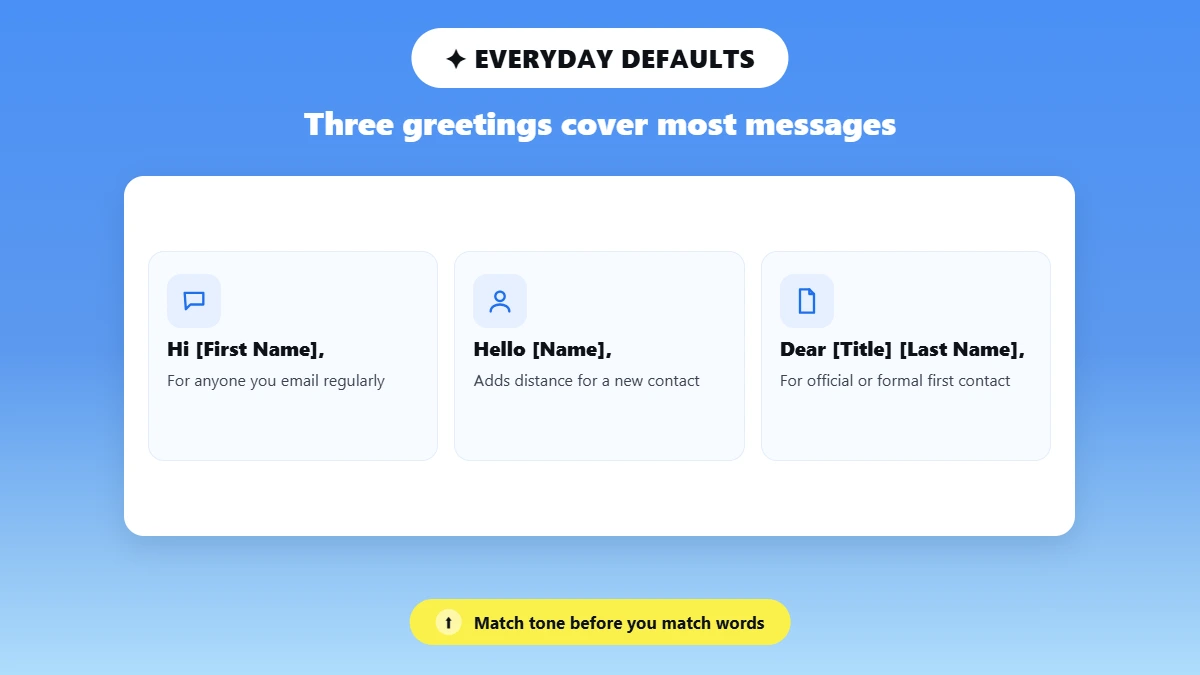
Three defaults cover almost everything you send:
👋 "Hi [First Name]," works for anyone you already email regularly.
🤝 "Hello [Name]," adds a little distance. It helps when you and the recipient have never met.
📄 "Dear [Title] [Last Name]," belongs on official requests, messages to professors, and formal first contact.
Four things move the answer between them. Your history with the recipient, the setting you both work in, the habits visible in their own signature, and the seriousness of what you're writing about.
💡 Want to sound professional without sounding stiff? Use a first name with "Hi" or "Hello," then get straight to the point. Formality comes from your wording rather than from a longer salutation.
How Do You Choose the Right Email Greeting?
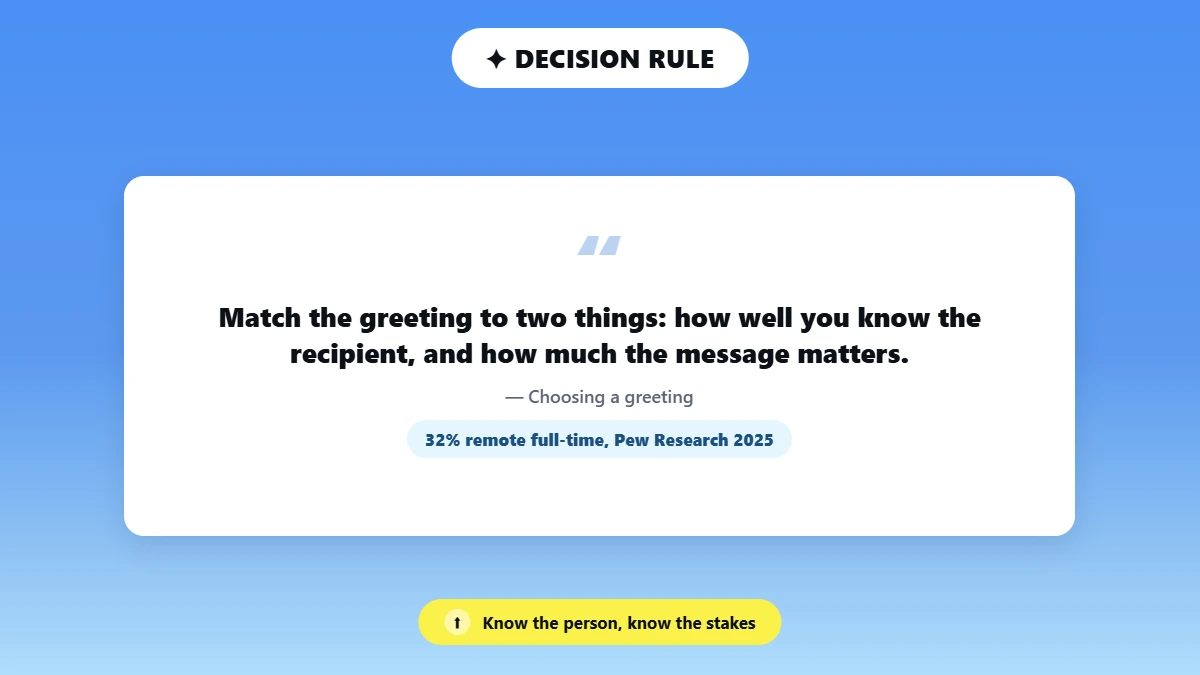
Match the greeting to two things: how well you know the recipient, and how much the message matters. A known colleague plus a routine request takes "Hi [First Name],". A stranger plus a formal request takes "Dear [Title] [Last Name],". Almost every other situation falls between those two points.
Situation | Start with | Why it works |
Everyday coworker or known client | Hi [First Name], | Professional without sounding stiff |
First contact | Hello [Name], | Neutral and respectful |
Formal or official message | Dear [Title] [Last Name], | Creates the right professional distance |
Professor or faculty member | Dear Professor [Last Name], | Respects the role without guessing the degree |
Named recruiter | Hello [First Name], or Dear [Full Name], | Depends on how formal the company is |
Unknown recruiter | Dear Hiring Manager, | Specific and gender-neutral |
Department or support team | Hello [Department] Team, | Names a real function instead of nobody |
Two or three recipients | Hi [Name], [Name], and [Name], | Addresses everyone directly |
Larger group | Hello everyone, or Hi [Team Name] team, | Inclusive and easy to scan |
International or cross-time-zone | Hello [Name], | Can't arrive at the wrong time of day |
Fast-moving reply chain | Mirror the recipient's formality | Keeps the exchange feeling natural |
Most professional relationships now live entirely in writing, which puts more weight on the greeting than it used to carry. Per Pew Research Center's 2025 report, 32% of US workers with teleworkable jobs work from home all the time. When you never meet someone in person, your greeting is often the only tone signal they get from you.
Five questions settle most cases before you write a word:
❓ Have the two of you emailed each other before?
❓ Is this message routine, sensitive, or official?
❓ Do you know the name and title the person actually uses?
❓ Are you writing to one person, a few, or a whole department?
❓ Does their workplace or their country lean formal?
Talaera's guidance treats role, relationship, purpose, and culture as the four variables that move the answer. Read culture as a tendency rather than a rule, because individual people inside any country vary more than the country averages suggest.
Have you picked your greeting? Let’s make the rest of the email match it. 👇
Dear, Hello, or Hi: Which One Should You Use?
Use "Dear" for formal and official email, "Hello" for neutral professional email, and "Hi" for everyday work mail. All three are correct in the right place. The only thing that changes between them is how much distance you signal to the person reading.
Greeting | Formality | Best for | Main caution |
Dear [Name], | Formal | Applications, official requests, professors, senior stakeholders | Can feel stiff in routine internal mail |
Hello [Name], | Neutral-professional | First contact, unfamiliar recipients, clients | Slightly distant in an established casual relationship |
Hi [Name], | Friendly-professional | Coworkers, existing clients, most ordinary work email | May be too casual for a formal first contact |
Hey [Name], | Casual | Close colleagues who already use it | Avoid it for a formal first contact |
Good morning / afternoon [Name], | Polite and contextual | Local or same-time-zone recipients | May be wrong by the time they read it |
Greetings, | Neutral but impersonal | Broad or unknown audiences, in limited cases | Often sounds generic |
To Whom It May Concern, | Highly formal and impersonal | Formal documents with no specific reader | Poor default for a person-directed email |
"Dear" still works fine in 2026. The opener that reads dated is the impersonal one, like "Dear Sir or Madam,". Grammarly's guide to starting an email calls "Dear [Name]," appropriate for formal correspondence, and describes "Hello [Name]," as the greeting that works in most situations.
Professional Email Greeting Examples by Situation
Professional email greetings sort cleanly by who receives them. Ten groups handle nearly every message you'll write, from a first contact to a whole department.
Each group gives you three to five greetings, the situations they fit, and the one mistake worth avoiding. These are greetings only, not full email templates.
Greetings for a new professional contact
Hello [First Name],
Dear [Full Name],
Dear [Title] [Last Name],
Good morning [Name],
Best for: a first message where you want to sound respectful without assuming you're already on friendly terms.
⚠️ Use the person's full name when you can't confirm their honorific. Add a title only after you've verified it on a company page.
Greetings for a manager or senior executive
Hi [First Name],
Hello [First Name],
Dear Ms./Mr./Mx. [Last Name],
Dear [Professional Title] [Last Name],
Best for: internal mail to your own leadership, and a first message to a senior contact elsewhere. For a senior executive you've never emailed, "Dear [Title] [Last Name]," is the safer opening until they reply with something warmer.
⚠️ Not every manager expects a title. Watch how they sign their own replies, then follow that.
Greetings for a client or customer
Hello [First Name],
Hi [First Name],
Dear [Full Name],
Good afternoon [Name],
Best for: account updates, project check-ins, and warm greetings in email to clients you work with regularly.
⚠️ A customer complaint is the exception. Open with "Hello [First Name],", skip the extra warmth, and address the problem in your first sentence.
Greetings for coworkers and teams
Hi [First Name],
Hello [First Name],
Hi team,
Hello everyone,
Hi [Department] team,
Best for: the everyday business email greeting you need for scheduling, handoffs, and status updates.
⚠️ "Hey" isn't automatically unprofessional. It fits when your relationship and your workplace already use it.
Greetings for recruiters and job applications
Dear Hiring Manager,
Hello [Recruiter's First Name],
Dear [Full Name],
Dear [Title] [Last Name],
Best for: job applications, referrals, and replies to a recruiter who contacted you first.
⚠️ With no name available, write to the role instead. "Dear Hiring Manager," is both specific and gender-neutral. Check the job posting and the company's team page before you settle for it, because a real name always works better than a role.
Should you use a first name in a job application email?
Yes, when the recruiter gave you their first name or signed their message with it. "Hello [First Name]," is the right call in that case. When all you have is a full name and no signal about how formal the company is, "Dear [Full Name]," is the safer choice. What you send after the application is covered in our guide on how to follow up after an interview.
Greetings for professors and academic staff
Dear Professor [Last Name],
Hello Professor [Last Name],
Dear Dr. [Last Name],
Best for: a first email to faculty, advisors, and department offices. Stanford's advising handbook tells students to "address your recipient by title and last name."
⚠️ Don't assume that every instructor holds a doctorate. Check the faculty page before you write "Dr."
How do you greet a professor who doesn't have a PhD?
Use "Dear Professor [Last Name],". It recognizes the person's teaching role without claiming a degree they may not hold. For a lecturer or a teaching assistant, "Dear Ms./Mr./Mx. [Last Name]," works just as well. Your department's faculty directory will confirm which one applies in under a minute.
Greetings for two or more recipients
Hi Maya and Daniel,
Hello Maya, Daniel, and Priya,
Hi everyone,
Hello team,
Dear Project Committee,
Best for: small groups addressed by name, and larger groups addressed by team, department, or committee.
⚠️ When three people hold different titles, either name all three or use one collective greeting. Skip "Hi guys," "Gentlemen," "Ladies," and "Dear Sirs,". Each of those can exclude or misidentify part of your audience. Grammarly recommends neutral group openers like "Hi everyone," or "Hi team," instead.
Greetings when you don't know the recipient's name
Look for a named contact first. When you can't find one, address their role, then the department or team that owns the inbox. A neutral greeting is the last resort.
Dear Hiring Manager,
Hello Customer Support Team,
Dear Admissions Committee,
Hello Accounts Payable Team,
Good morning,
Best for: job applications, support requests, and messages sent to a shared inbox.
⚠️ Mail.com's 2026 guidance calls "To whom it may concern" impersonal. It points readers toward the department or the job title instead.
Greetings when you don't know someone's title or pronouns
Hello [First Name],
Dear [First Name Last Name],
Hello [Full Name],
Best for: any recipient whose honorific you can't confirm. A gender-neutral professional email greeting pairs the full name with no Mr., Ms., Mrs., or Mx. in front of it.
⚠️ Never guess an honorific from a name. Nearly one in five US workers is foreign born, per the Bureau of Labor Statistics, and naming conventions differ widely between countries.
Greetings across time zones and cultures
Hello [Name],
Hi [First Name],
Dear [Title] [Last Name],
Best for: distributed teams and international clients. The safest greeting for an international business email is "Hello [Name],", because it can't land at the wrong time of day the way "Good morning," can.
⚠️ Treat cultural norms as tendencies rather than fixed rules. Once the other person replies, mirror the style they used, unless the thread stays official.
Is your draft ready? Formalize the body so it matches the greeting you chose. 👇
Which Professional Email Greetings Should You Avoid?
Avoid greetings that guess at someone's gender, address nobody in particular, or sound casual before the relationship supports it.
"Dear Sir or Madam," and "To Whom It May Concern," are the two that break a proper email greeting most often.
Neither one is grammatically wrong. Both are poor defaults for a message aimed at a specific person.
Avoid or use carefully | Why it causes problems | Better alternative |
Hey! | Too familiar for many first contacts | Hello [Name], |
Dear Sir or Madam | Assumes gender and sounds impersonal | Dear [Role or Department], |
To Whom It May Concern | Broad and distant | Dear Hiring Manager, |
Hi guys | Not inclusive for every group | Hello everyone, |
Name only | Can sound abrupt | Hi [Name], |
Greetings, [Name] | Unnatural in everyday US business email | Hello [Name], |
Good morning to an international list | May not match your recipients' time zones | Hello everyone, |
Misspelled name | Signals that you didn't check | Verify the spelling before sending |
Wrong professional title | Can read as disrespectful | Check the org chart or faculty page |
Multiple exclamation marks or emojis | Too casual for a first contact | Use a comma and neutral wording |
⚠️ The costliest mistake here is also the cheapest one to fix. A misspelled name or the wrong professional title tells your reader that you didn't check before writing. Copy the spelling directly from the person's email signature or their company page.
What Is the Difference Between a Greeting and an Opening Line?
A greeting is the salutation at the top of your email. An opening line is the first sentence underneath it. A purpose sentence states why you wrote, and it usually follows the opening line.
📌 Greeting: "Hello Priya," names the person and sets the formality.
📌 Opening line: "Thank you for sharing the updated timeline." acknowledges context.
📌 Purpose sentence: "I'm confirming Friday's deadline." states what you need.
Most competing guides label all three of these as greetings, which is why their example lists run so long. Readers judge the three parts separately, and only the first one is a greeting.
The greeting is step one. For the structure of the whole message and what to send afterward, see our guide on how to write a follow-up email.
How Can You Make the Rest of the Email Match Your Greeting?
You match the rest of the email to your greeting by fixing the body's tone after you've chosen the salutation. A correct greeting can't rescue a message that reads blunt or over-casual underneath it. Verify the recipient's name and title yourself, then run a formalizer for work over the wording that follows.
An AI tool has no way to know your recipient's preferred title, their position in the hierarchy, or what their workplace expects from you. That part stays yours.
Phrasly's Formalizer page lists Professional, Friendly, and Concise as its tone options, and states that every conversion returns five rewrites so you can compare them before sending.
Our roundup of the best AI text enhancers scores the Formalizer against rival tools, and Phrasly vs Grammarly runs the closest head-to-head comparison.
Here's an illustrative edit, not a guaranteed output:
Rough draft | More professional version |
hey maya need the final numbers today thx | Hi Maya, could you send the final numbers today, please? Thank you. |
Illustrative edit only. Phrasly returns five rewrites per conversion, so your output will differ.
The greeting in that rewrite now matches a colleague the sender already knows. The request and the deadline both survive unchanged, the slang is gone, and the ask stays polite without turning stiff. More before-and-after pairs are in our guide to make this sound professional. Because a tone tool preserves meaning rather than checking it, you still have to review names, dates, and requests yourself.
🚫 No tool can promise you replies. A July 2026 arXiv preprint studied 16,880 workplace emails written by 121 employees across six companies. Rewriting those emails into playful or professional tones did not change open rates, reply rates, or response times. Our breakdown of AI vs human cold email reply rates reaches the same conclusion from a different dataset.
Compare a rushed message against a formalized version of the same message. 👇
Professional Email Greeting Checklist
Ten checks catch the greeting errors that readers actually notice, and each one takes seconds to run.
✅ Is the recipient's name spelled correctly?
✅ Have you verified their professional title?
✅ Are you assuming an honorific or a pronoun?
✅ Does the greeting match your relationship with this person?
✅ Does it match how serious the message is?
✅ Have you addressed everyone the email is going to?
✅ Is a time-based greeting right for where they are?
✅ Does the body of the email match the greeting's tone?
✅ Have you reviewed any AI-assisted rewrite before sending it?
✅ Have you removed sensitive or regulated information before pasting into an external tool?
Two details are fully in your control: how you spell the name, and which title you attach to it. Confirm both against a signature or a company page before you send anything.
The greeting itself is a judgment call about the person and the occasion. Make that call yourself, then use Phrasly to make the rest of the draft match it.
Make your next message sound the way you meant it to sound. 👇
Frequently Asked Questions
Q1. What is the best greeting for a professional email?
"Hi [First Name]," is the safest everyday choice, because it sounds friendly while still reading as competent. Step up to "Hello [Name]," when the recipient is new to you, or to "Dear [Title] [Last Name]," when the message is formal. Your history with the person and the formality of what you're asking will settle which one fits.
Q2. Is "Hi [Name]" professional in an email?
Yes. "Hi [First Name]," is widely accepted in professional email, especially with coworkers, existing clients, and anyone you've written to before. It reads as competent rather than careless. Save "Dear" for official requests, senior contacts you've never met, and first messages where you want the extra polish.
Q3. Should I use "Dear" or "Hello" in a professional email?
Use "Dear [Title] [Last Name]," for applications, professors, senior stakeholders, and a respectful first contact. Reach for "Hello [Name]," when a neutral professional tone suits the message better than formality does. Both are correct, and both are common in US business email. They differ only in the amount of distance each one puts between you and your reader.
Q4. How do I start a professional email when I don't know the recipient's name?
Start by hunting for a named contact in the job posting, on the company's people page, and in any signature you already have. When nothing turns up, a role-based greeting works well: "Dear Hiring Manager," or "Hello Customer Support Team,". Both of these beat "To Whom It May Concern," because they name a real function. Fall back to "Good morning," only when no role or team fits.
Q5. How should I address someone if I don't know their title or pronouns?
Write out their full name and drop the honorific entirely, as in "Hello Jordan Lee," or "Dear Jordan Lee,". That choice avoids guessing between Mr., Ms., Mrs., and Mx., and it avoids assuming a gender you haven't confirmed. Once the person replies or you confirm their preference another way, switch to the title or first name they use themselves.
Q6. What is a professional email greeting for multiple recipients?
Name two or three people directly, as in "Hi Maya, Daniel, and Priya,". Larger groups take a collective opener instead, like "Hello everyone," or "Hi [Team Name] team,". Dated group openers such as "Hi guys," and "Dear Sirs," leave some of your recipients out, so skip them. Our message enhancer AI guide covers group messages in more detail.
Q7. Is "Good morning" appropriate in a professional email?
Yes, when you know the message will arrive close to the time you send it, which is usually the case with local colleagues. It adds a bit of warmth to an ordinary email. For international recipients or scheduled sends, "Good morning," can land at completely the wrong hour, so "Hello [Name]," is the safer pick there.
Q8. Should every reply in an email chain include a greeting?
Not always. The first message in a thread needs a full greeting. In a fast same-day exchange, a short "Hi [Name]," or no greeting at all is normal, and it mirrors what the other person is already doing. Formal threads and replies that come after a long gap should go back to a proper greeting.

Written by
Alina Shah
SEO Content Specialist · Karachi, Pakistan
She writes about AI so you don't have to guess. 8+ years in content strategy and editing. Now she puts AI writing tools and detection systems through real tests and shares what actually works.