9 Prompt Optimization Techniques for LLMs (2026 Guide)
17 min read
Prompt optimization techniques are the methods you apply to revise and test an existing AI prompt. So it returns more accurate, consistent, and usable output. You are not retraining anything. Just changing the input.
The techniques that work do one of six things. Clarify the task, supply context, constrain the output, show examples, break the work into steps, or check the result against a standard.
Most guides skip the last one. A prompt is not optimized because it is longer. It is optimized when the new version beats the old one on real inputs.
Below: A one-minute checklist, nine techniques with before-and-after examples, a testing loop. And what to do when a better prompt is no longer the answer.
Have a prompt that is not working? Describe the task in plain language. The generator below returns a structured prompt with role, context, format, and constraints already set. Then read on and test it.
The Prompt Optimization Checklist
Run any prompt through these five checks first. Most weak prompts fail on the first or last row.
Check | Ask yourself | Weak sign | Fix |
Goal | What exact result do I need? | "Help with marketing" | Name the deliverable and the outcome |
Context | What must the model know? | No audience, no source data | Add only the facts that change the answer |
Format | What should the answer look like? | No structure specified | Set sections, length, or schema |
Examples | What does good look like? | Style described, not shown | Show one to three examples |
Test | How will I judge success? | "Make it better" | Write criteria and pick test inputs |
What is Prompt Optimization?
Prompt optimization is refining an existing prompt. So an existing model produces better output. You change wording, structure, context, and constraints. Then test whether the change helped.
Nothing inside the model changes. This is why it works in minutes. Needs no datasets, compute budget, or machine learning background. This is the core of AI prompt optimization, also spelled prompt optimisation in UK English.
If you are new to writing instructions for a model at all, start with what a prompt is in writing, then come back.
Prompt Engineering Vs Prompt Optimization
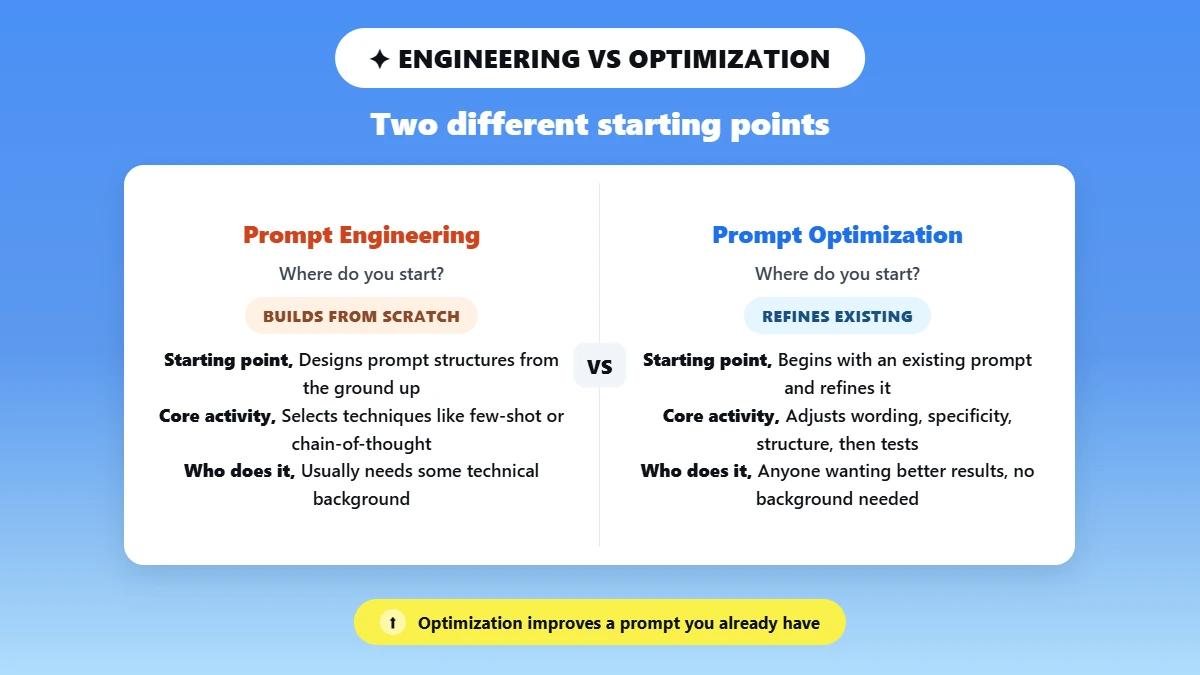
Aspect | Prompt engineering | Prompt optimization |
Starting point | Designs prompt structures from the ground up | Begins with an existing prompt and refines it |
Core activity | Selecting and architecting techniques such as few-shot or chain-of-thought | Adjusting wording, specificity, and structure, then testing the result |
Who does it | Usually people with some knowledge of how models process instructions | Anyone who wants better results, no technical background needed |
In practice, most people do both in one sitting. The useful distinction is the starting point. Engineering builds a prompt. Optimization improves one you already have.
Prompt Optimization Vs Fine-Tuning Vs Prompt Tuning
Aspect | Prompt optimization | Prompt tuning | Fine-tuning |
What changes | The text of your prompt | A small set of learned parameters added to the input | The model's internal weights |
What you need | No datasets or compute | Training data and some ML tooling | Labeled datasets, compute, ML workflows |
Speed | Minutes | Hours | Hours to days |
Who it suits | Almost everyone | Teams with repeatable tasks and data | Teams with a stable, high-volume use case |
IBM's explainer on prompt optimization is a useful overview. Cites published research on structured formats such as chain-of-thought. Read it as a synthesis of other people's findings. Not as an IBM experiment.
How to Optimize an AI prompt, Step by Step?
Define what success means. Build test inputs. Run your current prompt as a baseline. Change one thing, then compare. The loop matters more than any individual technique. It is the only way to know an edit helped.
Skipping it is how people end up with elaborate prompts. They perform worse than the short version they started with.
Define success criteria. Write down what a good answer contains before touching the prompt. Required facts, format, tone, length, and what counts as failure.
Anthropic's guidance on defining success criteria puts it well. Make them specific enough to check.
Build representative test inputs. Three to five test cases. One normal case, one hard case, one edge case that has burned you before. Optimizing against a single easy input is how prompts get brittle.
Run the baseline and save the outputs. Run each test input more than once. Models are probabilistic. One output tells you little about reliability.
Change one important thing. The format constraint, or the examples, or the role. Not all three. Or you learn nothing about which one did the work.
Score, compare, decide. Keep the new prompt only if it beats the baseline on the same criteria without introducing a new failure. Two or three passes capture most of the available gain.
Turn a rough idea into a structured prompt. Add your task, context, and target AI. Phrasly's free AI Prompt Generator builds a ready-to-use prompt you can copy and test.
The 9 Prompt Optimization Techniques
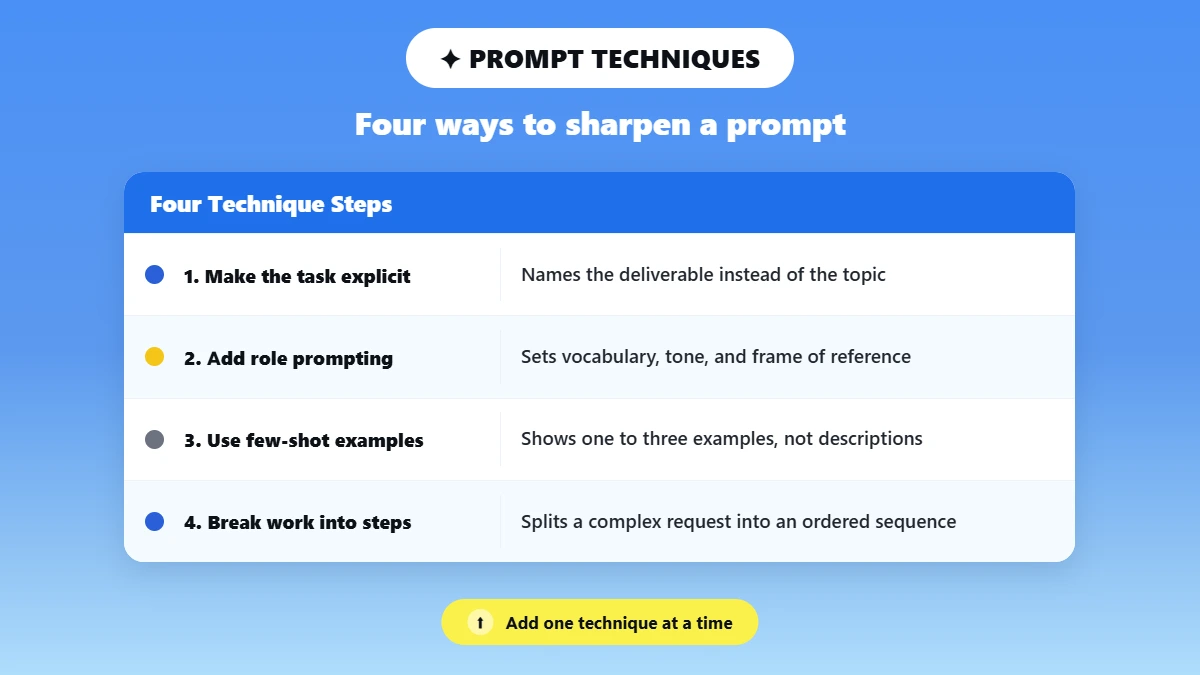
Each one follows the same shape. What it changes, when to use it, a before and after, and the limitation. These prompt optimization methods, or prompt optimization strategies, stack. But add them one at a time.
1. Make the Task and the Outcome Explicit
Replaces an open-ended topic with a named deliverable. Use it first, on almost every prompt. Most generic output comes from underspecified prompts. Not a weak model.
Before: "Write a marketing email about our AI tool"
After: "Write a 120-word marketing email for marketing managers at B2B SaaS companies. Lead with the pain point of wasted writing time. Tone: direct and confident. Include a subject line. No bullet points."
Limitation: Specificity is not length. Detail that does not change the answer costs tokens. Can crowd out the instruction that matters.
2. Role Prompting
Sets vocabulary, tone, and frame of reference before the instruction. Use it when a request could be answered by a generalist or a specialist. And you want the specialist.
Before: "Rewrite this landing page headline"
After: "You are a conversion copywriter who specializes in SaaS landing pages. Rewrite this headline for a marketing manager audience. Lead with the business outcome, not the feature. Under 10 words."
Limitation: The observed effect is on register and framing. A role adds no knowledge and will not stop invented facts. It is a tone control, not an accuracy fix.
3. Few-Shot Prompting
Shows one to three examples instead of describing the target output. Use it for brand voice, formatting, and classification. Use it where consistency beats novelty.
Before: "Write 5 ad headlines for our AI tool"
After: "Here are 2 ad headlines we've used: [example 1], [example 2]. Write 5 more in the same style: punchy, benefit-first, under 8 words for our AI writing tool."
Limitation: Examples cost tokens. Near-identical ones teach copying rather than the pattern.
This few-shot prompting guide covers how many to use.
Scope note: LangChain's 2025 benchmark reported gains of up to roughly 200% over naive baseline prompts. Few-shot is the most consistent performer across the five datasets tested.
That is a 2025 result on specific models and tasks. Not a general promise.
4. Break the Work into Steps
Splits a complex request into an ordered sequence. Use it for analysis, multi-step decisions, and research synthesis. Skip it for short factual questions.
Before: "What's the best positioning for our tool?"
After: "We're positioning an AI writing tool for marketing teams. Work through audience pain points, then the competitive landscape, then messaging angles. Give a final positioning recommendation at the end."
Limitation: Asking for steps does not force reasoning. Visible steps are not proof the answer is sound. Most 2026 flagship models reason internally by default. So the gain now comes from decomposition and from checking each stage.
A "think step by step" line is often redundant now.
5. Constrain the Output
Removes default formatting choices by specifying length, structure, and shape. Use it for reports, extraction, and anything feeding another process.
Before: "Summarize this report."
After: "Summarize the following report in 5 bullet points for a CMO audience. Focus on business impact and revenue implications. Each bullet under 20 words. No technical jargon."
A checklist we use at Phrasly is RTCFC: Role, Task, Context, Format, Constraints. A practical memory aid rather than an industry standard.
One of several prompt optimization frameworks people use. Keep it as a reusable prompt template. Use delimiters such as triple quotes or XML tags to separate your instructions from the source text.
Limitation: Constraints conflict. "Be comprehensive" and "under 50 words" pull against each other. And the model silently picks one. Read them back as a set.
6. Meta-Prompting
Asks a model to diagnose and rewrite your prompt instead of you guessing. Use it when a prompt underperforms. And you cannot tell why.
Example: "Here is my current prompt: [paste prompt]. Rewrite it to be more specific, define the output format, and reduce ambiguity. Keep the same goal. List what you changed and why."
Asking for the list of changes is the part people miss.
Rule of thumb: After two manual attempts that do not move the result. Switch to meta-prompting.
Limitation: Suggestions skew toward how that model likes to be prompted. Still need testing against your baseline.
7. Targeted Iterative Refinement
Fixes one named weakness instead of regenerating everything. Use it when the draft is 80% right. And you can name the 20% that is wrong.
Example: "The opening line is too generic. Rewrite only the opening line to start with a counterintuitive claim about marketing ROI. Leave the rest unchanged."
Limitation: Iterating against one output overfits to it. Check the fix holds on your other test inputs.
Scope note: The SELF-REFINE study on OpenReview found that letting a model critique and revise its own output improved results by roughly 5 to 40 percentage points across the tasks tested.
The spread is wide because the gain depends on task type. The work predates the current model generation.
8. Add a Verification Step
Asks the model to check its draft against your criteria and return a corrected version. Use it for rule-bound output. Going out without a human review pass.
Example: "Before your final answer, check the draft against these rules: every figure appears in the source, no claim is added that the source does not support, under 200 words. List any rule that failed, then give the corrected version."
Limitation: Self-checking catches rule and format violations far more reliably than factual errors. A model that invented a statistic will often confirm it.
9. Automatic Prompt Optimization
Moves optimization from something you do by hand to something a system does against a dataset and a grader.
These are the LLM prompt optimization techniques used in production workflows.
Three levels:
Ask a model to improve one prompt. Meta-prompting, where most people should stop.
Generate candidates and test them. Several variants, same test inputs, keep the winner. Worth doing by hand for a prompt you will reuse hundreds of times.
Full automatic optimization. A system searches possible prompts against graders and a dataset.
The arXiv survey of automatic prompt optimization maps the field, covering textual gradients, evolutionary search, and frameworks like DSPy.
AWS documents the same shift in its prompt optimization guidance.
Note also that OpenAI's dataset-backed Prompt Optimizer is being retired with the Evals platform. Read-only from October 31, 2026, shutting down November 30, 2026, per OpenAI's documentation. Do not build a workflow around it.
Which Prompt Optimization Technique Should You Use?
Compare prompt optimization techniques by the failure each one fixes. Generic output needs specificity. Inconsistent formatting needs constraints or examples. A prompt failing for reasons you cannot name needs meta-prompting.
Automate only when the prompt runs at volume.
Prompt Optimization Technique | Best for | Effort | Main risk |
Explicit goal and context | Most one-off prompts | Low | Padding with irrelevant detail |
Output constraints | Reports, extraction, structured text | Low | Conflicting or brittle rules |
Few-shot examples | Style, labeling, format | Medium | Token cost, overfitting |
Prompt Chaining (Task decomposition) | Complex multi-step work | Medium | Errors carry forward between steps |
Targeted iteration | Fixing one known issue | Medium | Over-fits a single output |
Verification step | Rule-bound or client-facing output | Low | Weak at catching invented facts |
Meta-prompting | Diagnosing an unclear prompt | Medium | Suggestions skew model-specific |
Automatic optimization | Repeated production workflows | High | Cost, and gaming the metric |
How Do You Test Whether an Optimized Prompt is Actually Better?
Hold everything constant except the prompt. Run both versions on the same inputs several times. And score against criteria written in advance. Same model, same settings, same inputs.
Change the model and the prompt together and you learn nothing about either.
Which metrics matter depends on the job:
Accuracy: Are facts and figures right, and traceable to the source?
Completeness: Does it cover everything the criteria require?
Format adherence: Does it match the structure, length, and schema asked for?
Consistency: Run it five times. How much does the output vary?
Hallucination rate: How often does it add what the source does not support?
Human edit time: The most honest metric for content work.
Cost and latency: Marginally better and three times longer is not always worth it.
A simple Scorecard
Score each output 0, 1, or 2 per criterion. 0 fails, 1 is usable with edits, 2 needs nothing. Total the baseline and the new prompt across all test inputs.
A prompt that wins on total but scores 0 where the baseline scored 1 has introduced a regression. Fix that before adopting it. No public prompt optimization benchmark settles this for you. In 2026, the only benchmark that counts is your own test set.
The mistake to avoid is judging from one lucky output. Models vary between runs on identical input. A single impressive result proves nothing.
Do These Techniques Work the Same Across ChatGPT, Claude, and Gemini?
The principles transfer. The ideal level of detail does not. Clear goals, relevant context, explicit format, and examples help on every current model.
What varies is how much structure each needs. How literally it follows constraints, and how it handles reasoning by default.
Prompt optimization in large language models depends on how each one was trained and instruction-tuned. Token efficiency and instruction-following sensitivity vary by model. Test on the model you actually use.
Model line-up verified September 2026. And it moves fast: OpenAI released GPT-6 Astra on September 3, 2026. Retires GPT-5.5 from ChatGPT on October 14, 2026.
Anthropic released Claude Fable 5.1 on September 1, 2026. Google's reasoning flagship is Gemini 3.1 Pro. Gemini 3.8 Flash has been GA since September 2, 2026. Check the official docs before relying on any version number below.
ChatGPT
GPT-6 Astra at the frontier. The GPT-5.6 tiers (Sol, Terra, Luna) underneath. GPT-5.5 retires from ChatGPT in October 2026.
State the outcome first. Let the model choose the route: context, goal, constraints. Set the reasoning level yourself for hard analysis. ChatGPT no longer escalates automatically on paid plans.
See this ChatGPT prompt generator guide.
Claude
Claude Fable 5.1 above the Opus tier. Then Opus 5, Sonnet 5, and Haiku 4.5.
Put data and context first. Instruction last. Be explicit about format and length. Constraints are followed literally. Adaptive thinking is on by default across current tiers. An explicit chain-of-thought instruction is usually unnecessary.
The guides on prompting Claude and the Claude prompt generator go deeper.
Gemini
Gemini 3.1 Pro as the reasoning flagship. With Gemini 3.8 Flash for fast and agentic work.
Keep instructions tight. Verbose prompts add latency on the Flash line. Structure multi-step work as a chain. Context, plan, execute, verify. Pair examples with explicit format rules. Or Gemini drifts back to its house style.
Google's own prompt design strategies give the same advice: put long context first and the instruction last.
See this Gemini prompt generator guide and best prompts for Gemini AI.
Model family | Prompt shape that works | Watch out for |
ChatGPT (GPT-6 Astra, GPT-5.6) | Outcome first, context before constraints | Set reasoning level yourself; it no longer escalates automatically |
Claude (Fable 5.1, Opus 5, Sonnet 5) | Data first, instruction last, explicit format | Constraints are followed literally, so conflicting rules show |
Gemini (3.1 Pro, 3.8 Flash) | Concise task chains, examples plus format rules | Drifts to default style without format constraints |
"AI readability" means two different things. In this guide it means prompting a model to return output that is clear and usable. Without heavy editing.
If you mean making a website show up inside AI-generated answers, that is usually called AEO or GEO. It is a different job from prompt optimization.
Worked Example: From a Vague Request to a Testable Prompt
The loop on one task. Summarizing customer interview notes for a product team.
The starting prompt: "Summarize these customer interviews."
Baseline failures: Across three sets of notes, it produced a different structure each time. Ran between 200 and 600 words. And once attributed a complaint to a customer who had not made it.
Criteria, written before editing: Every theme traceable to a quote in the source. No claim absent from the notes. Under 250 words. The same five sections every time.
The optimized prompt:
"You are a product researcher summarizing customer interviews for a product team. Using only the notes below, produce: (1) three recurring themes, each with one supporting quote and the participant number; (2) two disagreements between participants; (3) one thing that surprised you; (4) what is missing from these notes; (5) one recommended next question to ask. Under 250 words total. If something is not in the notes, write 'not covered' rather than inferring it. Before finalizing, check every quote appears verbatim in the source."
Each part does a job. The role sets register. Numbered sections fix structure. "Using only the notes below" and "not covered" attack the invented-attribution failure. And the last line is technique 8.
Result on the same three sets of notes: Structure held every run. Length stayed inside the limit. The attribution error did not reappear across five runs. Scored 0 to 2 on the four criteria. The baseline averaged 4 out of 8. The revision averaged 7.
Remaining limitation: It still sometimes promotes a one-off remark to a "recurring theme." The next revision defines recurring as mentioned by at least two participants. That is the loop. One fix, one test, one new thing to fix.
Build an optimized prompt for your own task. Describe what you need in plain language, generate a structured prompt, then test it in ChatGPT, Claude, or Gemini.
Common Prompt Optimization Mistakes
Adding words instead of information. If a sentence does not change the output, cut it.
Conflicting instructions. "Be thorough" and "keep it short" in the same prompt means the model picks one for you.
Changing several things at once, then not knowing which helped.
Optimizing for one lucky run. Test more than once on more than one input.
Near-identical few-shot examples, which teach copying instead of the pattern.
Ignoring cost and latency. A 10% quality gain for triple the tokens is not always a win.
Assuming a prompt ports between models without retesting it.
Optimizing the prompt when the workflow is the problem. No prompt fixes missing data.
When Prompt Optimization is Not Enough
If two or three careful rounds stop producing gains, the prompt is not the constraint. Prompting cannot supply information the model never had. Or make an undersized model reason beyond its capability. The fix is structural.
AWS makes the same point in its Bedrock prompt engineering guidance, recommending retrieval rather than more prompt tuning once hallucinations are the limit.
It lacks the facts: Add retrieval so it works from your documents, not memory.
It needs live or exact data: Give it tools or function calls instead of asking it to recall.
Format keeps breaking: Use structured output or schema enforcement, not more instructions.
The reasoning is not there: Move up a tier before you write a longer prompt.
One prompt is doing five jobs: Split it into a chain with a checkpoint between steps.
Consistent tone at high volume: The one case where fine-tuning earns its cost.
Applying These Techniques Automatically
Working through nine techniques by hand takes time. Phrasly's AI Prompt Generator handles the structural part.
Describe the task in plain language. And it returns a prompt with role, context, format, and constraints already in place. Ready to paste into ChatGPT, Claude, or Gemini. It is a starting point, not a replacement for testing.
You still run it against your own inputs. And decide whether it beats what you had.
Frequently Asked Questions
What are the best prompt optimization techniques?
The highest-return ones are making the task and outcome explicit. Constraining the output format, showing one to three examples, and adding a verification step. Start with those four, in that order, one at a time.
To understand the baseline they improve on, see this zero-shot prompting guide.
Does a longer prompt always give a better answer?
No! Detail helps only when it changes the answer. Beyond that, extra words add cost. And a higher chance of burying or contradicting the instruction that matters.
The test: remove a sentence and see whether the output gets worse. If it does not, leave it out.
Why does the same prompt give different outputs?
Language models are probabilistic. They sample from a distribution of likely responses rather than returning one fixed answer. Settings like temperature widen or narrow that spread. Judge a prompt across several runs. Never one output.
How many few-shot examples should I use?
One to three covers most cases. More helps mainly for classification or rigid formats. Variety beats volume. Since three examples that differ meaningfully teach the pattern while near-identical ones teach copying. Add them until the output stabilizes. Then stop.
Should I still tell the model to think step by step?
Often not! Most 2026 flagship models reason internally by default. With configurable effort or thinking levels. So the instruction can be redundant and add cost. What still helps is decomposition. Splitting a task into stages you can check separately.
Is prompt optimization the same as prompt engineering or fine-tuning?
No! Prompt engineering designs a prompt from scratch. Optimization improves an existing one through testing. Fine-tuning retrains the model's weights on labeled data. Needs compute and ML expertise.
Optimization changes only the input. So results arrive in minutes.
Can one optimized prompt work across ChatGPT, Claude, and Gemini?
Usually with adjustments. The structure transfers. But each family wants a different level of detail. And handles constraints differently. Expect to retest and tweak format instructions. Rather than paste the same text everywhere.
This guide to AI prompt generators compares how tools handle this.
When should I switch models instead of optimizing the prompt?
When two or three careful revisions stop improving results. The failures are about reasoning depth or missing knowledge rather than clarity. If the model is guessing at facts it was never given, retrieval or a tool is the fix.
If it cannot hold the task together, move up a tier.

Written by
Muhammad Usman Ali
Pakistan
Muhammad Usman Ali is an experienced SEO content writer with 3+ years of professional writing experience. He specializes in AI tools, AI detection technologies, and search engine optimized content.