Is DeepSeek Detectable? What AI Detectors and Turnitin Can Tell
9 min read
Yes, DeepSeek AI is detectable: its text can be flagged as likely AI-written. Turnitin names DeepSeek V3.2 in its English AI detection model list, and in our test, Phrasly AI Detector flagged two DeepSeek essays as 100% AI. Still, a flag is not guaranteed on every draft, no detector can prove DeepSeek wrote the text, and newer versions are not on Turnitin’s list. Treat any score as one signal.
Worried your DeepSeek draft will get flagged? We explain what detectors can and can’t tell, whether Turnitin can catch it, what our test found, and how to check your draft.
Check Your DeepSeek Draft With Phrasly’s Free AI Checker 👇
Can AI Detectors Identify DeepSeek Text?
AI detectors can detect DeepSeek text as likely AI-generated, but they cannot confirm that DeepSeek wrote it. A detector compares the writing with patterns it learned from human and AI text, then estimates how likely it is to be AI. It does not see your DeepSeek account, your chats, or the model’s hidden reasoning.
That difference matters when a result is questioned. A flag says the text resembles AI writing, and naming the model behind it is a separate task, as our guide on what AI detectors can tell about the source model explains.
Even Turnitin, which lists the models its detector covers, reports text as likely AI-generated rather than naming the chatbot that wrote it. Polished grammar, formal wording, a common phrase, or non-native English are not proof of AI use on their own.
To see which signals these tools weigh, read how AI detectors work.
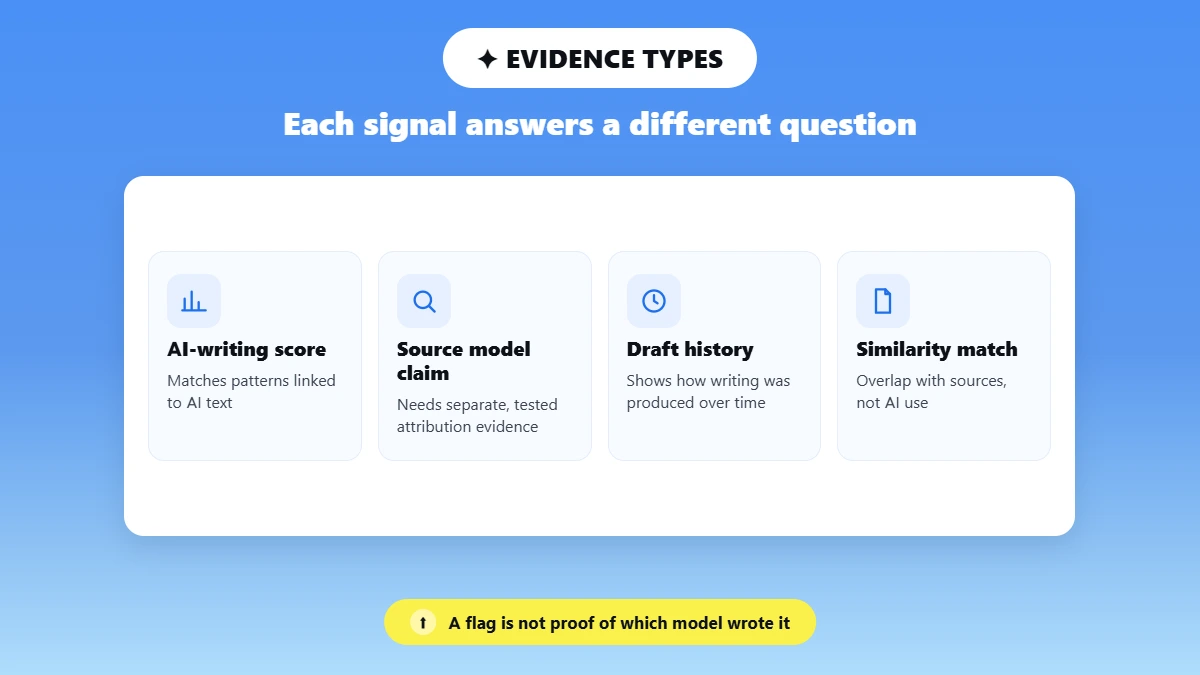
In DeepSeek AI detection, each kind of evidence answers a different question:
Evidence | What it shows |
|---|---|
AI-writing score | Whether the text matches patterns the tool links to AI |
Claim about the source model | Needs separate, tested attribution evidence |
Draft and version history | How the writing was produced over time |
Similarity match | Overlap with existing sources, not AI use |
Is DeepSeek Detectable by Turnitin?
Yes, Turnitin can detect DeepSeek text. Its English AI writing FAQ, updated October 7, 2026, lists Deepseek-v3.2 among the models its detector covers, along with tools built on them. Later releases such as V4.1-Flash are missing from that list, but that only shows what Turnitin has documented, not what it will miss.
Turnitin also says its AI indicator covers text that was likely changed by an AI paraphraser or bypasser tool.
The report shows likely AI writing, but Turnitin states that it does not decide misconduct and that the percentage should not be the only basis for action.
A DeepSeek essay only gets an AI Writing Report when three conditions are met:
Access: Your school must license Turnitin’s AI detection and turn it on.
File: The AI Writing Report guide requires 300 to 30,000 words of long-form prose, in a .docx, .pdf, .txt or .rtf file under 100 MB.
Review: An instructor reads the report and decides what it means.
Two details often confuse students. The similarity score looks for text that matches other sources, while the AI score looks for likely AI writing, and neither affects the other.
📍 Also, scores from 1% to 19% show only as an asterisk (*%), with no number or highlights. That 20% cutoff is a display rule to reduce misreading, not an allowed amount of AI.
We did not run a Turnitin scan, and a Phrasly score cannot predict a Turnitin score.
If your own writing was flagged, see why Turnitin can mistake human writing for AI.
Does the DeepSeek Version Change What the Evidence Means?
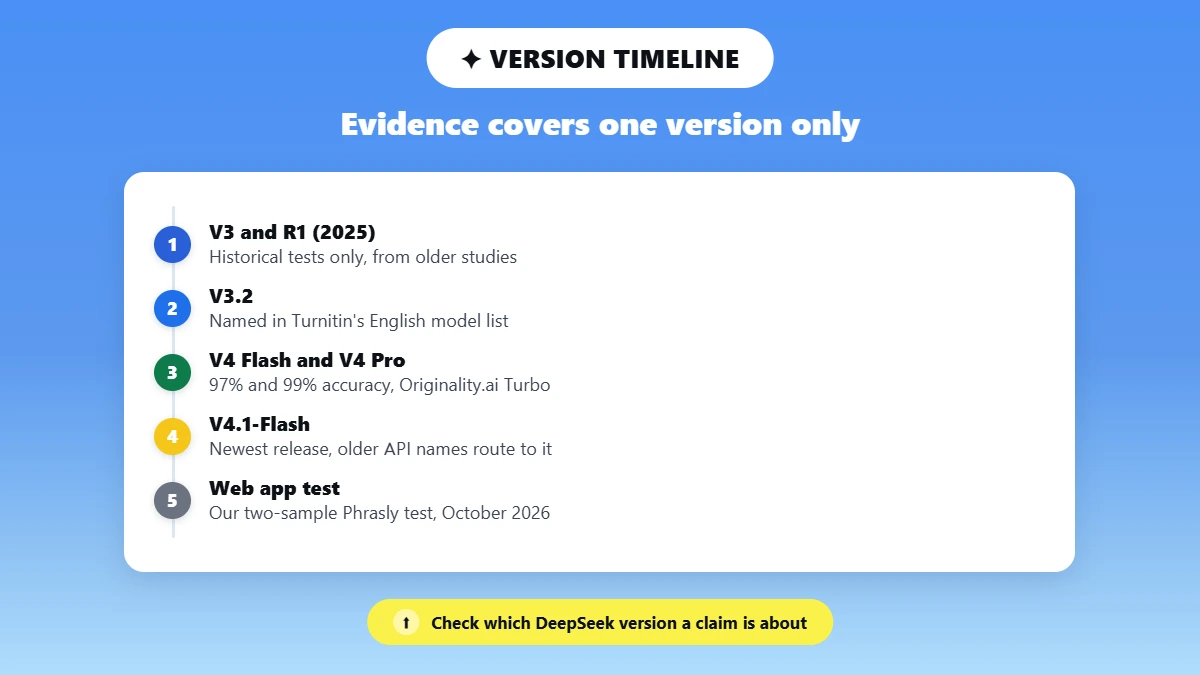
Yes, because each detection result applies only to the DeepSeek version that was tested. Evidence that DeepSeek R1 was detectable in 2025 says little about today’s model. Turnitin names V3.2, a vendor study covers V4, and the newest release is V4.1-Flash, so check which version a claim is about before trusting it.
Here is what the evidence covers, from DeepSeek V3.2 detection onward:
DeepSeek version | What the evidence says | Source |
|---|---|---|
V3 and R1 (2025) | Historical tests only | Older studies, including a 2025 preprint |
V3.2 | Named in Turnitin's English model list | Turnitin FAQ, October 2026 |
V4 Flash and V4 Pro | 97% and 99% accuracy with Originality.ai's Turbo model | Originality.ai vendor study, August 2026 |
V4.1-Flash | Newest release; older API names now route to it | DeepSeek release notice, September 2026 |
Web app, DeepThink off and on | Our two-sample test below | Phrasly test, October 11, 2026 |
DeepSeek’s V4.1-Flash release notice says older API names, including deepseek-v4-pro, now route to V4.1-Flash, so the name in a request may not match the model that answered.
🚨 No published test yet shows whether DeepSeek V4.1-Flash is detectable. The web app shows no version either. To see whether DeepThink changed anything, check our test results below.
What Happened When We Tested DeepSeek on Phrasly AI Detector?
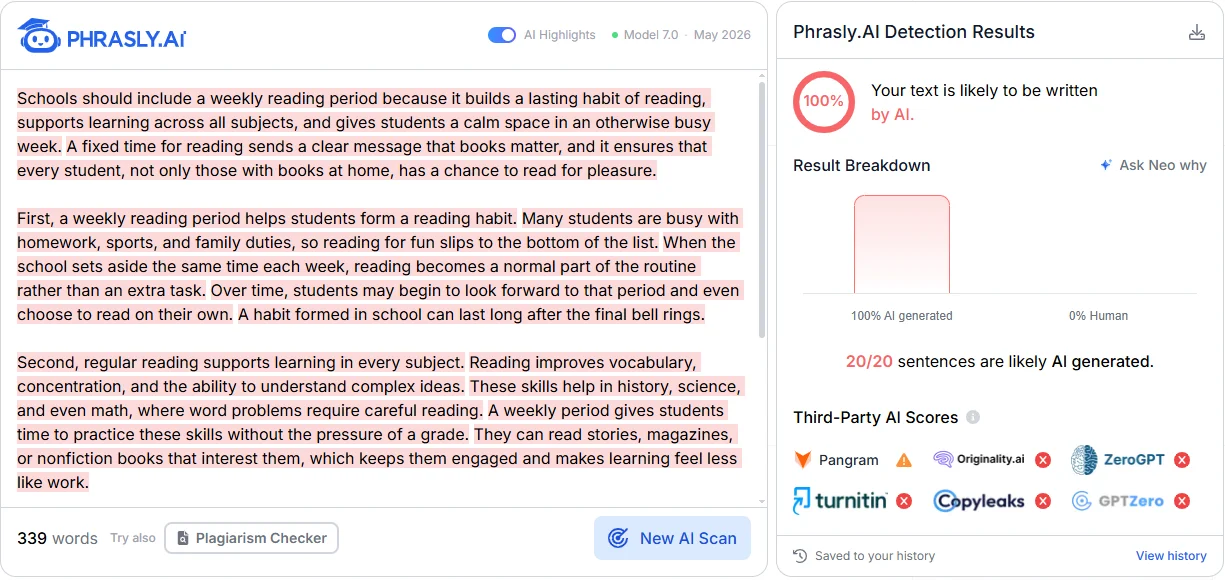
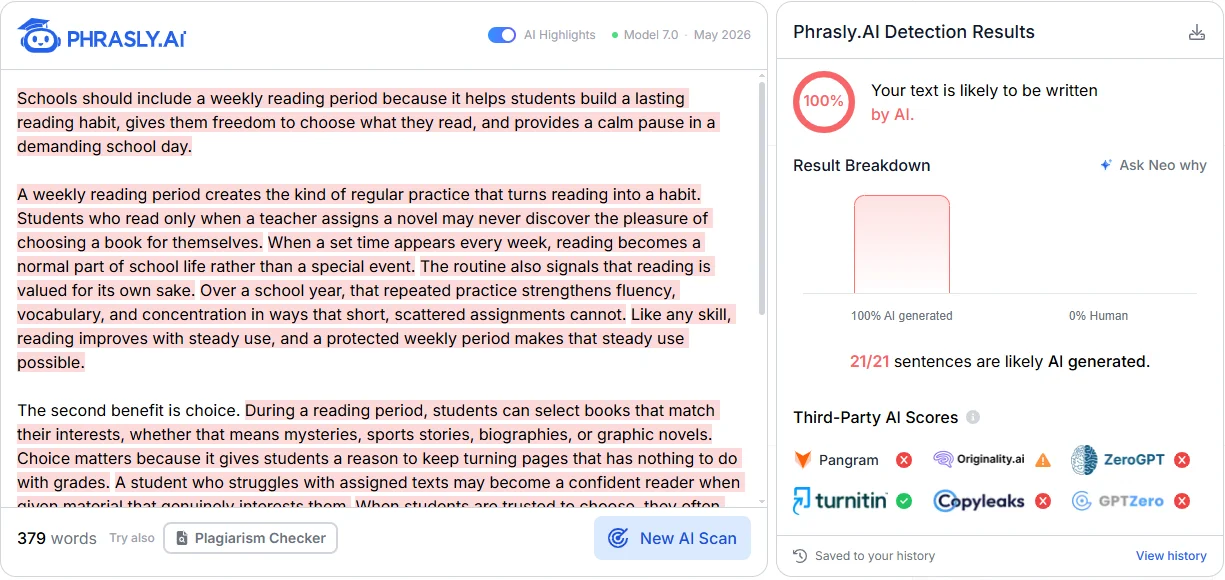
Both DeepSeek essays we tested were flagged as 100% AI. On October 11, 2026, we ran one prompt in the DeepSeek web app with DeepThink off and then on, and scanned each essay once in Phrasly AI Detector (Model 7.0, May 2026). Both got the label “Your text is likely to be written by AI.”
We planned four samples across the Instant and Expert modes DeepSeek added in April 2026. On test day, the app showed a banner saying those modes were now unified, so we tested the two settings it offered.
The prompt asked for a 380-word explanatory essay on a weekly school reading period, in plain prose with no headings or citations. Search stayed off, and each sample started in a new chat.
We copied only the final answer with DeepSeek’s copy button, never the thinking text, and did not edit it.
These were the results:
Sample | DeepThink | Words | Phrasly AI score | Detector label | Flagged as AI? |
|---|---|---|---|---|---|
1 | Off | 339 | 100% AI | Your text is likely to be written by AI | Yes |
2 | On | 379 | 100% AI | Your text is likely to be written by AI | Yes |
Sentence highlights matched the scores: 20 of 20 sentences in Sample 1 and 21 of 21 in Sample 2, with 0% marked as human in both. The only unhighlighted line was the five-word sentence “The second benefit is choice.”
So, does thinking mode affect detection? Not in this test. DeepThink made no difference to the result, but one essay per setting cannot show whether it ever does.
Phrasly publishes this article and makes the AI Detector used in this test. Each sample was scanned once. We did not test Turnitin.
Two samples cannot give an accuracy rate or show that DeepSeek is easier or harder to detect than other models.
Other tools may score the same essays differently, as our guide on why AI detector scores disagree explains, so no single DeepSeek AI checker result should settle the question.
Check DeepSeek text for AI with Phrasly AI Detector before you submit your draft.
Read the result next to your notes and writing history.
How Should You Check and Revise a DeepSeek-Assisted Draft?
Start by confirming that AI help is allowed, then save your draft history, run one detector check, and fix the content before the wording. A humanizer can improve flow in an allowed draft, but you still need to check facts, add your own thinking, and decide when the work is ready.
Here is how to edit a DeepSeek draft, step by step:
Keep Your Records: Save the original DeepSeek output, your prompts, your sources, and each revised version.
Run One Check: Scan the draft with a free AI checker for DeepSeek writing to get a classification signal. Note the tool, date, score, label, and the text you scanned, and look at highlighted sentences if your account shows them.
Fix the Content: Verify every claim and source, and replace generic paragraphs with your own analysis and examples.
Refine the Wording: If AI help is permitted, humanize DeepSeek text for a first pass on wording and flow, then compare each change with what you meant to say.
Make the Final Call: Judge the draft by quality and honesty, not a target score, and disclose AI help where it is required.
Skip tricks like adding deliberate errors, switching models, or rescanning until the number drops. They make the writing worse and do not change where it came from.
For more editing methods, see how to humanize AI text.
Use Phrasly AI Humanizer to smooth stiff wording in an AI-assisted draft you are allowed to use.
Review every change for meaning, facts, and your own voice.
What Should You Do After an Unexpected AI Flag?
Gather evidence before you respond. If you wrote the work yourself, keep your notes and version history and ask for a human review. If DeepSeek helped, check whether that help was allowed, disclose it where required, and revise the work properly instead of chasing a lower score.
The right next step depends on your situation:
Situation | Useful next step |
|---|---|
Your own writing is flagged | Keep the original, your notes, and version history, then ask for a human review |
An AI-assisted draft is flagged | Check the rules, verify the content, disclose help where required, and revise it properly |
A raw AI draft scores low | It is still AI-written; do not describe it as your own writing |
Two tools disagree | Compare what each score means, the text or file you checked, and the date before reading the numbers |
The tool gives no report | Check the word count, file type, account access, and whether the service is working |
Our test used only AI-written essays, so it says nothing about how often human writing gets flagged. A flag is a reason to look closer, not proof of misconduct.
Our guide on protecting yourself from AI detector false positives shows how to document your writing process.
Final Verdict
DeepSeek text can be flagged, but a score is only the start of the story. What protects you is a clear record of how the draft was made and honest revision where AI helped.
Check the rules, keep your history, and let the quality of the work, not the number, decide when it is ready.
FAQs
Can GPTZero or Copyleaks Detect DeepSeek Text?
They have caught DeepSeek text in research, but results depended on how it was changed. A 2025 arXiv preprint on DeepSeek output found Copyleaks near-perfect on original and paraphrased text, while humanized text cut accuracy to 71% for Copyleaks and 52% for GPTZero. It is a preprint on an older model, so it says nothing firm about today’s versions. See Copyleaks and GPTZero compared.
Is DeepSeek Harder to Detect Than ChatGPT or Claude?
No reliable ranking exists yet. A fair comparison would need the same topics, lengths, model versions, detector versions, score thresholds, and human-written control samples. Our two DeepSeek essays in one detector cannot rank DeepSeek against other models. Single-model tests like our GPT-6 detection test show the same limit: detectors flag likely AI text without saying which model produced it.
Can Humanized DeepSeek Text Still Be Flagged?
Yes. Rewriting does not guarantee any result. In the 2025 preprint above, humanizing lowered detector accuracy but did not stop detection, and results varied by tool. Our own test scanned raw DeepSeek output only, so it says nothing about humanized text. A lower score also does not make a draft human-written or give you permission to submit it.
Does DeepSeek Leave a Text Watermark?
Not that we could find. We found no official DeepSeek watermark for plain text and no public tool to check for one. That does not prove DeepSeek never marks its output; it only means no such scheme was documented when we checked. An ordinary AI-writing score cannot tell you whether a watermark exists either, because it judges writing patterns, not hidden markers.
Does Copying DeepSeek Text Into a Document Prove AI Use?
No. Copying and pasting is an action in a document, not proof of where the words came from. A fair reviewer weighs the writing itself along with any draft history you can show, like notes and earlier versions. Some monitored editors record how text was entered, but that is separate process evidence, and most AI detectors only score the final text you submit.

Written by
Hasnain
Karachi, Pakistan
I help businesses grow with SEO-friendly blog posts, landing pages, and long-form content. With 3+ years of experience, I deliver clear, original, and well-researched writing that drives results.