What Is Turnitin Clarity? How It Tracks Your Writing Process (2026)
10 min read
Turnitin Clarity is a writing space that records how your draft grows inside its own editor. Your instructor reviews that record after you submit. It doesn't record your screen or webcam, it only checks for AI when your school also pays for Turnitin's AI detection.
We checked each feature against Turnitin's own help guides in November 2026, so you'll see what your instructor sees and what stays private.
Check Your Draft for AI-Flag Risk Before You Submit
What Is Turnitin Clarity? Myth vs Reality
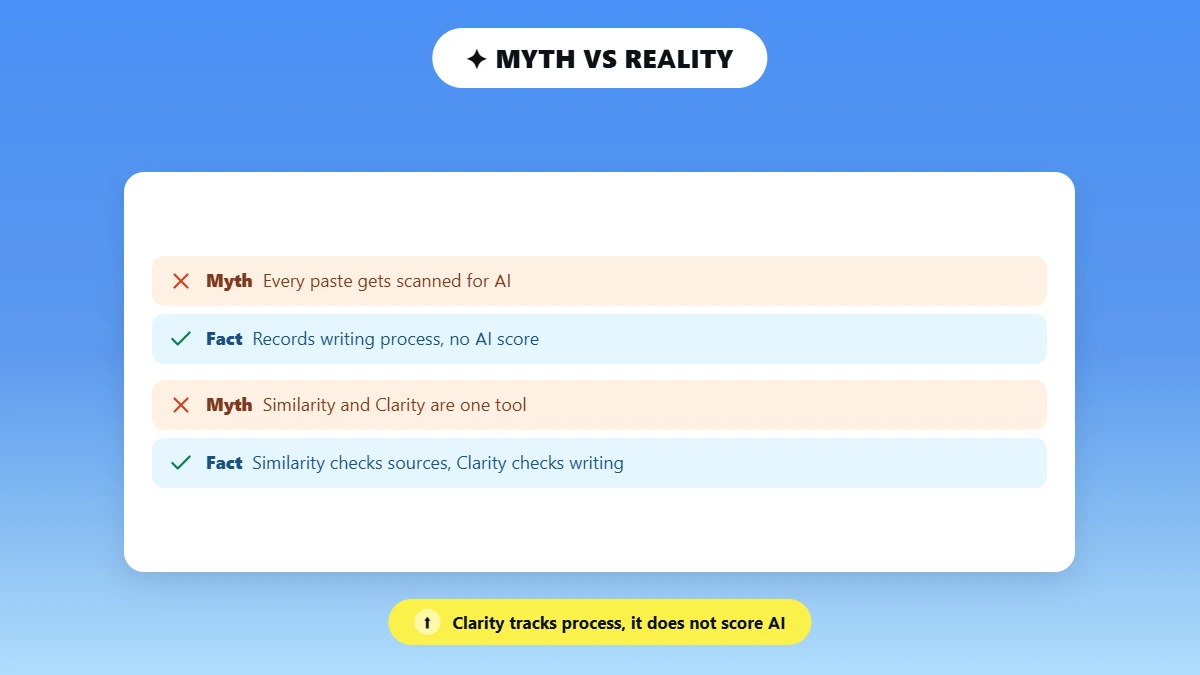
Turnitin Clarity is a paid writing space that schools add to Turnitin Feedback Studio, and you write and submit your assignment inside it. Turnitin Similarity checks your finished paper against other sources, while Clarity records how you wrote it.
🗓️ March 4, 2025: Turnitin announced Clarity at SXSW EDU, an education conference in Austin.
🚀 July 15, 2025: Clarity became generally available to schools, which is its official release date.
📱 September 9, 2026: the writing space started working on phone-sized screens.
Clarity saves your work every 5 seconds while you type nonstop. Its AI assistant works in English and 19 other languages, while grammar and citation checks stay English only.
For a Turnitin Clarity student, that record also helps, because Turnitin describes the writing space as a way to show the originality of your work.
The Myth: Clarity Is Just Another AI Detector
Many students assume Clarity scans every paste and edit for AI. The mix-up makes sense, because Turnitin also updated its separate AI detector in August 2025, one month after Clarity launched.
The Reality: A Separate Writing-Process Product
Clarity's core job is to record how your document develops rather than to score your text for AI. It builds a document timeline and revision history that your instructor reviews after you submit.
Clarity vs Similarity: Where Does AI Detection Actually Live?
Turnitin Clarity can't detect AI on its own. AI detection comes from Turnitin Originality, a separate add-on, and Turnitin's admin FAQ says the Writing Report shows no AI results without it.
When a school licenses both, Clarity checks every pasted block of 300 or more words with Turnitin's AI model, per Turnitin's Writing Report guide. Schools buy the two separately, and how much Turnitin's AI detection license costs explains why some courses have only one.
Why Clarity Is Not an AI Detector by Itself
Clarity alone gives no AI percentage score, and its own flags describe your process instead:
⏱️ Writing time: you wrote unusually fast for the paper's length.
✏️ Minimal revision: you made few changes compared with your final word count.
📋 Pasted text: pasted words make up more than 50% of your final paper.
Clarity's AI settings work as policy tiers, where instructors choose which kinds of help the assistant gives, and your school's academic integrity policy decides what any flag means.
How Schools Combine Clarity With an Originality License
Schools combine the two by buying both add-ons or Turnitin's Clarity Suite bundle. That bundle adds AI writing detection and similarity checking, which is the plagiarism checker behind your originality report.

Does Turnitin Clarity Record Your Screen, Webcam, or AI Chats?
Turnitin Clarity never records your screen or webcam. Turnitin's student FAQ says the writing space is not a proctoring tool, and your professor sees AI chat history only from Clarity's own assistant.
What Clarity Does Not Record
Clarity's autosave feature builds your timeline from activity inside the editor only. Turnitin's student FAQ rules out:
❌ Screen recording or video of you
❌ Webcam use or live supervision
❌ Activity in other apps, websites or tabs
⚠️ One Thing Clarity Does Log
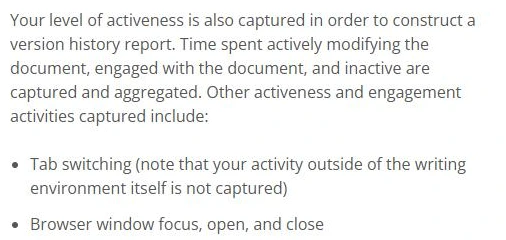
Clarity notes when you switch tabs and when its window gains or loses focus. It records the switch itself and never what you did in the other tab.
What Happens If You Use the Optional AI Writing Assistant
The Turnitin Clarity AI assistant appears only when your instructor turns it on. If you use it, Turnitin's AI tools guide says your instructor sees every chat in the Writing Report after you submit. If you never open it, there is no chat history to review.
📊 Most Students Skip the Assistant
In Turnitin's Q3 2026 Learning Integrity Insights data, 66% of students finished their Clarity assignments without using the AI assistant at all.
These limits settle the surveillance side of most Turnitin Clarity privacy concerns, and data storage is the part you still need to ask your school about.
Inside the Writing Report: What You See vs What Your Instructor Sees
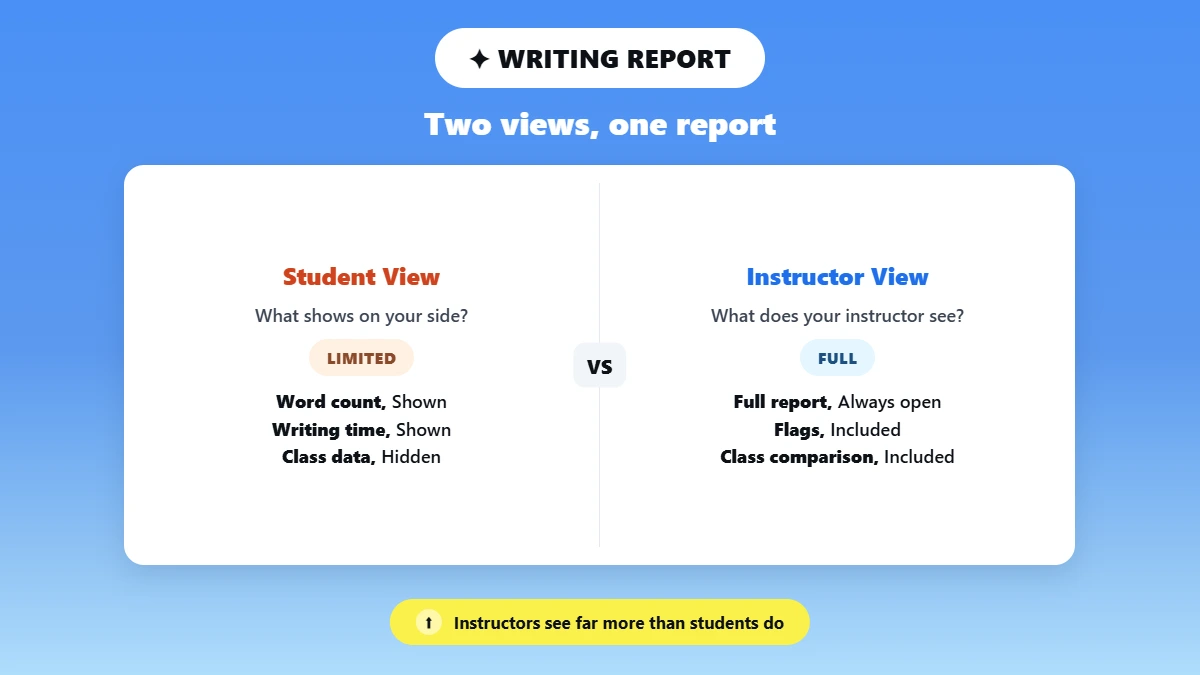
The Turnitin Clarity Writing Report shows how you wrote your paper, with a writing process replay your instructor can play at up to 10× speed. Your instructor gets the full report, and you see a shorter version only if they share it.
Questions about whether Turnitin Clarity is accurate often concern Turnitin's AI score, because the Writing Report records events and makes no judgment.
📊 Turnitin's Accuracy Claim
Turnitin's May 2026 model update says its AI detector keeps a false positive rate below 1%. That claim applies to documents with over 20% AI writing. It covers the separate AI detector only.
What Shows Up on Your Side
Your version shows your own word count, writing time, sessions, pastes and playback. It never shows class averages or other students' data.
What Your Instructor Can Review
Your instructor opens the full report from the instructor dashboard and also gets the flags and your writing time compared with the class. Clarity captures every insertion and deletion, which is the data behind keystroke logging, and Turnitin's Writing Report guide describes no raw keystroke file for instructors.
Feature | Student View | Instructor View |
|---|---|---|
Document timeline | ✅ Own playback, if shared | ✅ Full playback with session timestamps |
Paste events (300+ word AI check) | ✅ Each paste marked Changed or Unchanged | ✅ Paste cards with source matches, plus AI results when Originality is licensed |
AI Writing Assistant transcript | ✅ If the assistant was enabled | ✅ Summary and full history, if enabled and used |
Keystroke and autosave logging | Summary numbers only | Playback and summary numbers; no raw keystroke file |
AI writing score | ❌ Not made by Clarity alone | ❌ Needs Originality or the Clarity Suite |
Features checked against Turnitin's guides in November 2026. Turnitin updates Clarity often, so each view can change.
Pricing, Canvas Access, and Privacy: What Students Should Know
Students don't pay for Turnitin Clarity, because Turnitin licenses it only to schools as a paid add-on to Feedback Studio. You can't buy a personal account, so your access depends on whether your school turned Clarity on for your course.
Many US schools are still testing it. UCLA explored Clarity in its Winter and Spring 2026 terms, while CU Boulder's spring 2026 pilot ended without enough evidence for campus-wide use.
Who Actually Pays for Clarity
Your school pays per full-time-equivalent student (FTE), and admins decide which courses get Clarity. A public OMNIA Partners price list shows Turnitin Clarity pricing and compares it with Turnitin's other licenses:
Product | AI Detection | List Price per FTE |
|---|---|---|
Turnitin Feedback Studio | ❌ | $5.40 |
Feedback Studio Essential | ✅ | $6.70 |
Clarity Suite (Clarity, AI detection, similarity) | ✅ | $8.95 |
List prices from the OMNIA Partners contract 159581 price list (July 2026), checked November 2026. Higher-education orders start at 1,000 FTE, discounts apply by FTE, and prices can change.
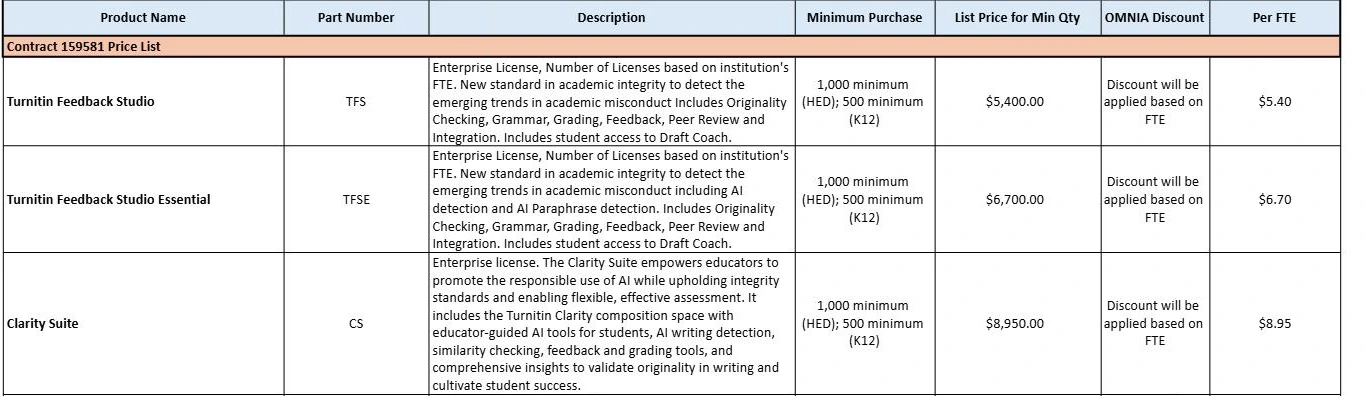
At the 1,000-FTE minimum, the Clarity Suite costs $8,950 before discounts, and Phrasly's breakdown of Turnitin's per-FTE license prices covers the rest.
Canvas Integration and PDF Uploads
A Turnitin Clarity assignment in Canvas opens like any other, and Turnitin recommends an LTI 1.3 connection for the best Canvas LMS integration. Turnitin's student start guide lists three steps:
Select the Assignments tab in your Canvas course.
Select the assignment name.
Select Start Writing to open the writing space.
Can You Upload a PDF to a Clarity Assignment?
You can't submit a PDF or Word file as a Clarity assignment, because all writing and submission happen in the writing space. You can still download your draft as a PDF, and text copied from a PDF reader counts as a paste.
What to Ask About Data Retention
Turnitin states it is fully compliant with FERPA, the US law that protects student records, and that students keep ownership of their work. Its guides give no retention period for Clarity drafts, so ask your instructor or registrar:
🗂️ How long does the school keep my drafts and Writing Report?
🔐 Who other than my instructor can request my Writing Report?
Got a Large-Paste Flag? What It Means and What To Do Next
A large-paste flag means a big block of outside text entered your draft, and your instructor reviews it as evidence together with your writing history. The simplest way to use Turnitin Clarity without anxiety is to draft inside it from the start, because a long, honest history protects you.
If you were wrongly flagged for using AI, your sessions, outlines and saved notes are your strongest evidence.
Why a Large Paste Gets Flagged
The 300-word line is about block size, so the topic of the text makes no difference. Honest habits trigger large pastes all the time:
📄 Quotes from a PDF article you're citing
🗒️ Notes pasted from another document
💻 A section you drafted first in Google Docs
Steps to Take Before You Submit
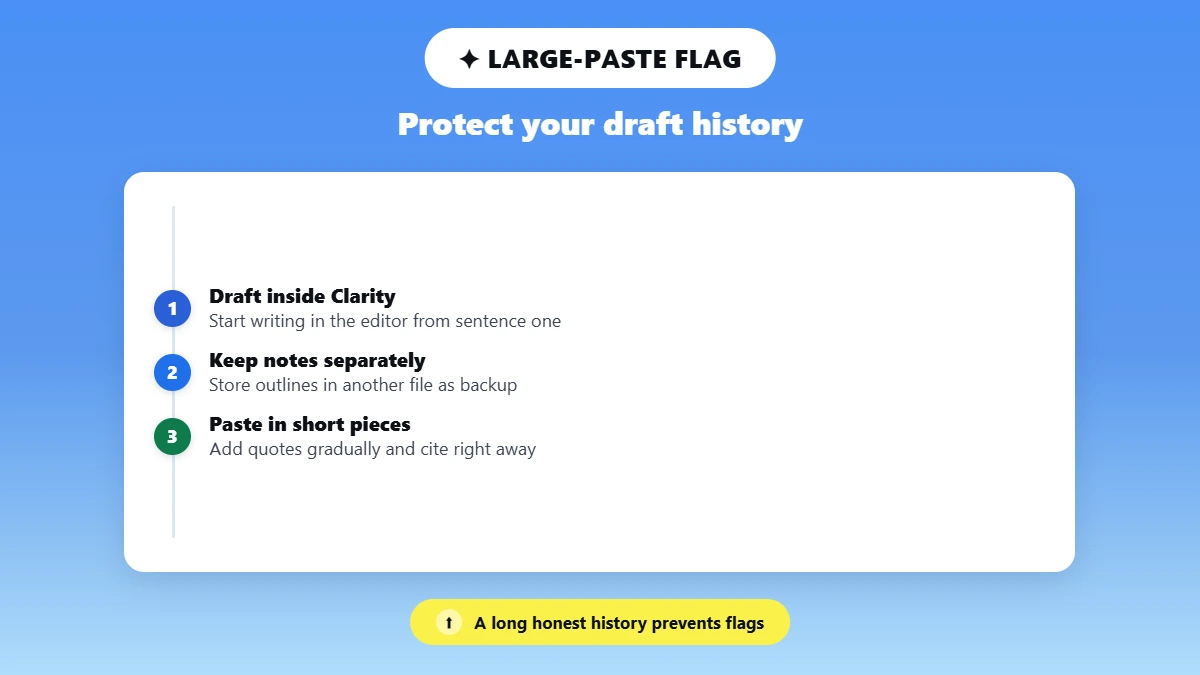
✍️ Draft in Clarity from the first sentence, so your draft history shows the real work.
🗂️ Keep your notes and outlines in a separate file you can show if asked.
✂️ Paste quotes in short pieces and cite each one right away.
🔍 Run your draft through an AI checker to catch flaggable patterns early.
Check which sentences read as AI before your instructor's report does with this quick AI scan.
Turnitin Clarity vs Grammarly Authorship: Quick Comparison
Turnitin Clarity and Grammarly Authorship both record how you write, and the biggest difference is who controls the report. Your instructor sees a Clarity report automatically, while you decide who sees your Grammarly Authorship report.
Score-based detectors judge only finished text, so how Turnitin's AI detector compares to GPTZero matters more if your school relies on an AI score.
Where the Two Tools Overlap
Plagiarism Today called the two tools "very similar" when Clarity launched. Both replay your writing process and give a reviewer authorship verification evidence. Each also comes with built-in writing assistant tools.
Where They Differ
Clarity needs a school license and its own writing space, while Authorship works with any Grammarly account in Google Docs or Microsoft Word.
Feature | Turnitin Clarity | Grammarly Authorship |
|---|---|---|
Access model | School license only | Any Grammarly account, Free or Pro |
Where you use it | Clarity writing space via Canvas or another LMS | Google Docs, Microsoft Word, Grammarly Editor |
What it tracks | Typing, pastes, tab switches, writing time | Typed, pasted and AI-assisted text, web sources |
Who sees the report | Your instructor, automatically | Only people you share it with |
Language support | Any language; AI chat in 20; grammar in English | Not listed on Grammarly's page |
Primary audience | Instructors reviewing assignments | Writers documenting their own process |
Features from Turnitin's guides and Grammarly's Authorship page, checked November 2026. Plans, prices and features can change.
Turnitin Clarity works in your favor when you write inside it, because every honest session adds to your evidence. Turnitin changes Clarity every few months, so check recent Turnitin policy updates before each new semester.
Phrasly's AI Detector highlights sentences that read as AI and shows how six other detectors, Turnitin included, label your text.
FAQs
How Does Turnitin Clarity Work?
Turnitin Clarity records your edits, pastes and active writing time inside its writing space, then builds a Writing Report your instructor opens after you submit. Clarity makes no judgment itself. Your instructor reads that timeline with any Similarity or AI results, the same signals behind what instructors actually look for.
Is Turnitin Clarity Accurate?
Turnitin Clarity's Writing Report records events, so its accuracy depends on how your instructor reads it. Flags can come from honest habits, such as pasting your own outline from Google Docs. Turnitin publishes no error rate for Clarity's flags, and its stated rate below 1% covers only the AI detector.
What Does Turnitin Clarity Track?
Turnitin Clarity tracks typing, deletions, pastes, copy and cut events, active writing time and sessions inside its writing space. It also logs tab switches and window focus, but it captures nothing you do in other tabs or apps, and it has no webcam or screen recording.
Does Turnitin Clarity Detect AI?
Turnitin Clarity spots AI writing only if your school licenses Turnitin Originality too or buys the Clarity Suite. Without that license, a large-paste flag shows how much text you pasted and says nothing about AI. If a flag worries you, check your own draft for AI patterns before you submit.
Can Turnitin Clarity See My AI Chat History?
Turnitin Clarity can't read your ChatGPT, Claude or Gemini history, because it only records activity inside its own writing space. If you paste AI output into your draft, Clarity logs the paste and never the conversation behind it. Your instructor can review chats with Clarity's built-in assistant only.

Written by
Alina Shah
SEO Content Specialist · Karachi, Pakistan
She writes about AI so you don't have to guess. 8+ years in content strategy and editing. Now she puts AI writing tools and detection systems through real tests and shares what actually works.