How to Use AI for Content Creation: 10 Ways to Work Faster Without Losing Your Brand Voice
16 min read
Generative AI has made creating large quantities of content effortless. But producing content was never the issue for marketers.
The key is how to properly use AI for content creation that still sounds like your brand instead of another lost voice in pages upon pages of generic AI-generated content fighting for the top spot in search results.
Writing effectively with AI isn’t about being smart with prompts. It’s about what you put into them.
We’ve divided the process into 10 actionable, repeatable steps, from transforming your customer feedback into blog ideas to polishing your final draft before publication.
Each activity includes inputs to feed the model, safety checks that protect your voice, and a human checkpoint to keep you accountable.
You will also create a reusable brand voice card and an easy three-tool workflow you can refer back to for any project. At its core, using AI for content creation this way is just learning how to use AI to create content that still sounds like your brand, not someone else's.
Would rather start drafting than keep reading? Jump straight into a first draft.
How Do You Use AI for Content Creation?
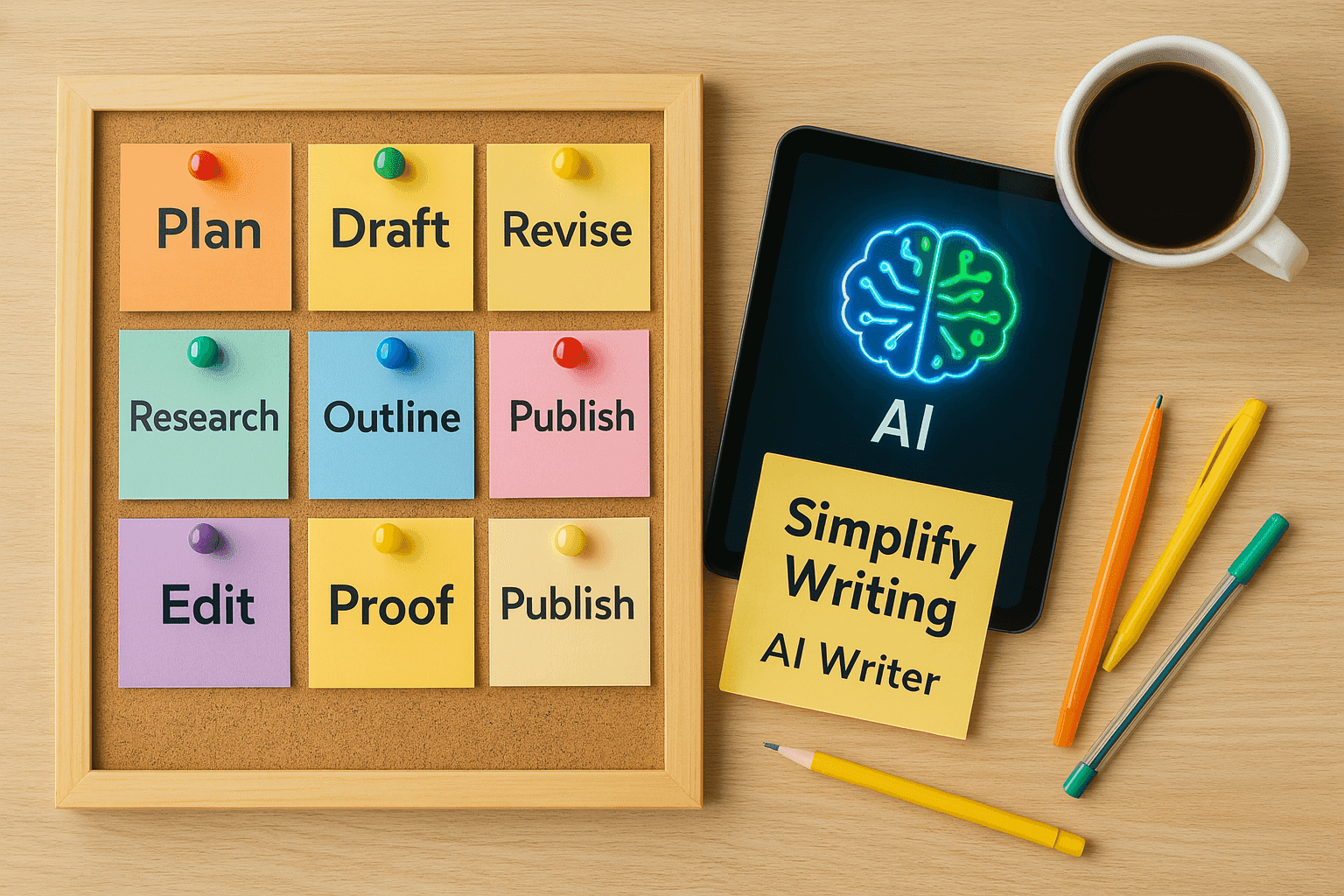
You tell AI for content creation tasks. Research & synthesis, ideation, outlining, drafting, repurposing, editing.
Give it trusted sources, audience context, a specific goal, rules that define your brand's voice (written), then fact-check every claim yourself, add human experience and judgment, review the finalized message, then you hit publish.
Selecting appropriate AI tools for content creation (and AI content creation tools) for each stage is just as important as crafting the prompt itself.
Call them content creation AI tools, AI-powered content creation tools, or AI content creation platforms. The goal is finding the best AI for content creation at each stage, not one tool for everything.
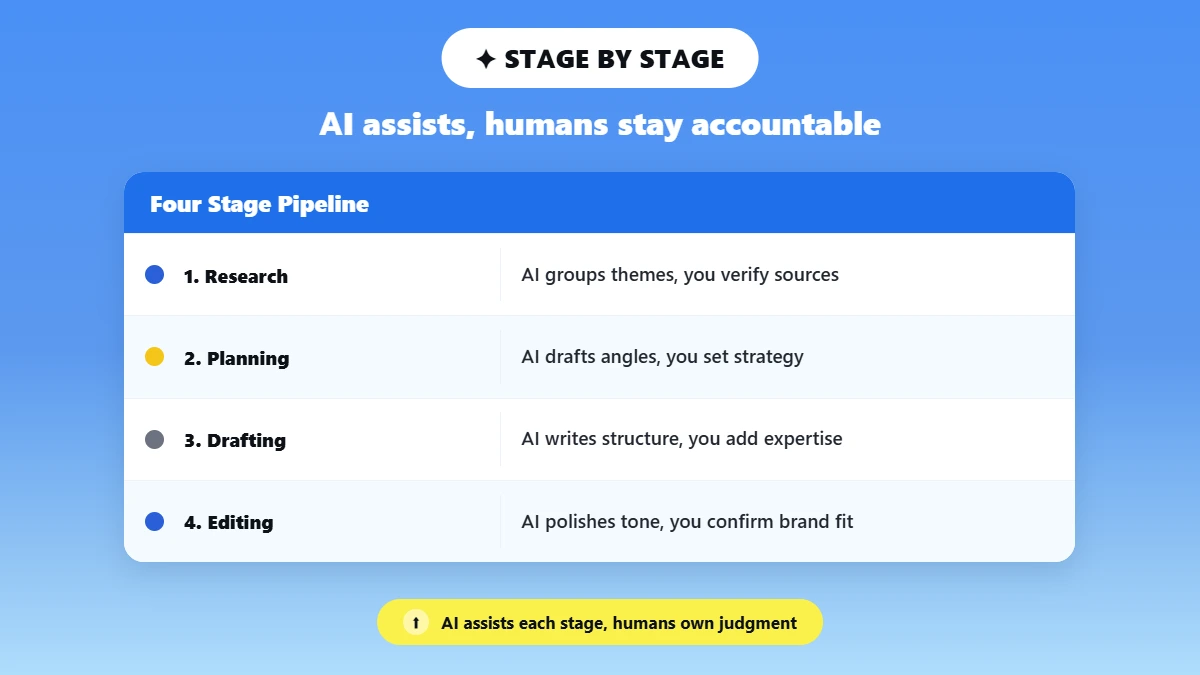
The table below maps what to hand off and what to keep, stage by stage.
Stage | AI assists with | Human owns |
Research | Summarizing supplied material, grouping themes | Source selection, verification, interpretation |
Planning | Ideas, angles, outlines | Strategy, priority, point of view |
Drafting | Structure and first-pass copy | Expertise, examples, claims, originality |
Editing | Clarity, tone variants, repetition | Brand fit, nuance, final wording |
Distribution | Repurposing and channel variants | Approval, timing, performance decisions |
Notice a trend through each row? AI excels at rearranging information you provide. But it isn't equipped to decide what's true, what matters to your audience, or what your brand actually believes. That distinction is why the next section treats AI strictly as an assistant.
Why Use AI as an Assistant, Not an Autopilot?
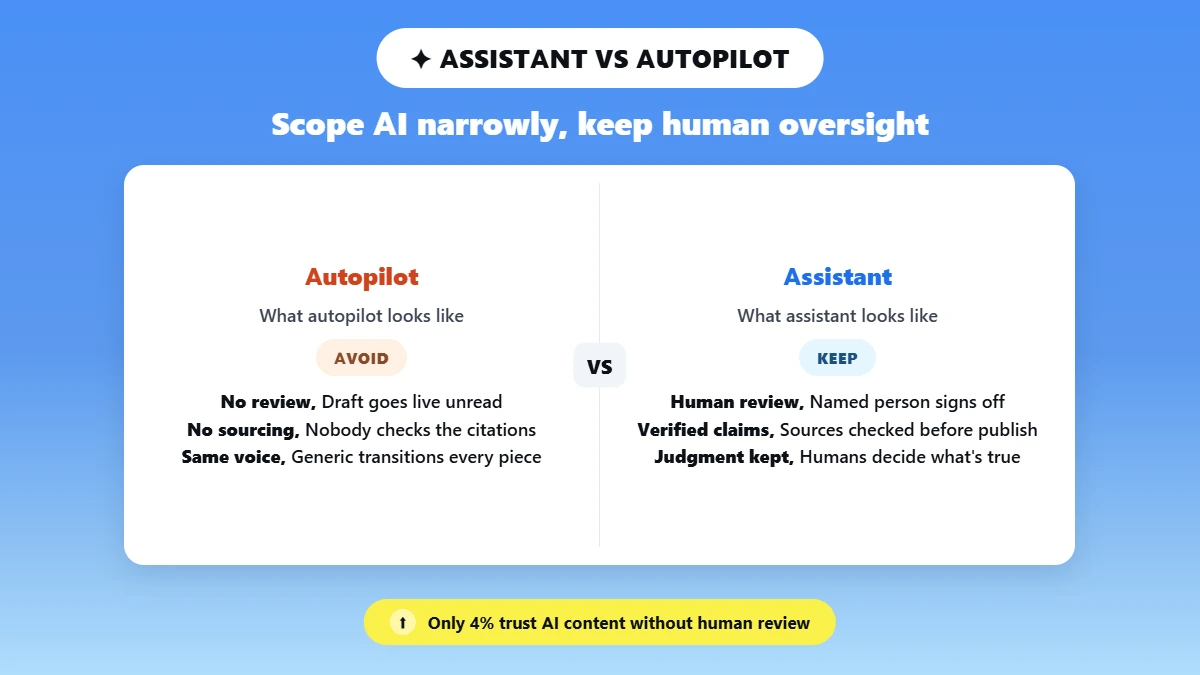
Approach AI like a tool. Repeatable tasks performed at machine speed free you up to provide thought leadership, because only humans can provide judgment and accountability.
AI’s ability to produce and rearrange content at scale can lead to fabrication of information and dilution of a distinct perspective. Editorial control by humans ensures quality, authenticity, and your customers’ trust in your brand.
That is the real story of AI in content creation. AI-powered content creation moves fast, but only human oversight keeps it credible.
Within CMI's B2B Content Marketing 2025 research survey of marketers currently utilizing generative AI, 51% of respondents said generative AI reduced repetitive tasks, 45% of respondents said it streamlined their workflow, and 42% of respondents said it enhanced content optimization.
In fairness, just 4% rated their trust in AI-generated content as "high", compared to 67% who rated their trust as medium and 28% as low.
That disconnect between "it saves time" and "I trust it unsupervised" is why there needs to be mandated human review before anything goes live. Google has also been clear about where it draws the line.
While its guidance acknowledges AI can legitimately be used to assist with research, structure, and drafting, it will continue to take enforcement action on low-value content created at scale, no matter the tool used to produce it.
AI for content creation should be narrowly scoped to a task. Don't give it your entire job. Eliminate unnecessary friction for your writers. Don't eliminate the writer.
4 signs you've slipped from assistant to autopilot:
❌You publish a draft without opening a single source it cited.
❌Nobody on the team can say which lines came from real customer language versus a guess.
❌ The same generic transitions and structure show up across every piece, regardless of topic.
❌No named person signs off before the piece goes live.
Build a One-Page Brand Voice Card Before You Prompt AI
Your brand voice card is a one-page cheat sheet you paste into any AI tool, so its responses actually sound like you.
It should include your audience, brand promise, point of view, tone, real customer language, proven and approved proofs, and locked elements.
Style rules and forbidden language, two examples of approved writing, and one example of writing that was rejected. Prompt notes from most brand voice guidelines end with something like “add your style guide”.
But what does that mean specifically in a prompt? A card you can actually use answers that question with ten specific fields.
Audience: Who they are, what they already know, what they need next.
Brand promise: One sentence that sums up your value.
Point of view: Three beliefs your brand consistently expresses.
Tone: Three “sound like” traits and three “never sound like” traits.
Customer language: Five phrases real customers actually use.
Proof bank: Approved claims, product facts, and source links.
Locked elements: Product names, numbers, quotes, legal wording, CTA destinations.
Style rules: Sentence length, contractions, jargon, capitalization.
Forbidden language: Clichés, unsupported superlatives, competitor references.
Samples: Two approved writing samples, and one rejected example, with a reason.
What This Card Should Never Claim
Copy-pasting your brand voice card into your prompt provides context to the model for that session, or for a configured custom version.
It does not permanently retrain one of the public AI models to be your brand. No legitimate guide is going to tell you that it will.
Maintain that separation with your team, and expectations around content governance will be realistic.
For more on why input quality matters more than prompt tricks, see make AI marketing copy sound human.
10 Practical Ways to Use AI for Content Creation
Follow this template for each of the scenarios below: provide the model with actual inputs, implement a single mitigation strategy, and deliver the output to a specific person's workstation prior to proceeding.
Each of these ten methods creates content with AI correspond to phases in a typical content brief and editorial workflow as well. Regardless of whether you refer to it as content creation with AI or AI for content generation internally, the guidelines remain consistent.
Whichever phrase you use, and whichever AI tool for content creation you reach for, the same rule holds. Create content with AI, then let a human sign off on it.
1. Turn Customer Insights into Useful Content Questions
Use AI to: Segment live customer feedback into common issues and questions.
Give it: Valid survey answers, support topics, interview summaries, or scrubbed sales-call notes.
Example prompt: “Here are anonymized support tickets and survey answers. Group them into the recurring problems and questions customers raise. Do not invent pain points that aren't in this text. Return each theme with the number of quotes that support it.”
Protect your voice: Require every theme to trace back to a real quote in the source. Nothing invented.
Human checkpoint: Verify each theme actually exists in the source. Strip any sensitive or identifying details before it goes further.
2. Generate Topic Angles from a Real Audience Problem
Use AI to produce: Produce differentiated angles, not just title variations.
Give it: The audience persona, funnel stage, business goal, and the proof you already have.
Example Prompt: “Audience: [X]. Funnel stage: [Y]. Goal: [Z]. Proof we can cite: [list]. Give me eight differentiated content angles. Each angle must connect to one of these brand beliefs or proof points, and state which one.”
Protect your voice: Have each angle link back to a single declared brand belief or original piece of evidence.
Human checkpoint: Delete any angle that merely restates a competitor or that you won't be able to factually support.
Stuck for a starting point? Try the free AI content idea generator.
3. Build a Content Brief and Outline
Use AI to: AI can write a detailed content brief for you. Including search intent, potential reader questions, what each section should do, what evidence/examples it should include, and the logic behind its call-to-action.
Give It: All you need to provide it is the target keyword and audience. It will not attempt to guess information about search volume and competitors.
Example prompt: “Target query: [X]. Audience: [Y]. Draft an outline with the search intent, the question each section answers, the evidence each section needs, and where a CTA belongs. Flag any claim that will need a source.”
Protect your voice: Ensure the brand’s unique perspective remains present in the outline so that it doesn’t slip into a listicle format by default.
Human checkpoint: Delete any point that isn’t directly helping the reader accomplish their goal.
For more prompt structures across this stage, see AI prompts for marketers.
4. Produce a Source-Grounded First Draft
Use AI to: Write an organized first draft based on an approved outline and sources.
Give it: The outline, your approved sources, desired tone, and word count goal, along with the prompt context that serves as the model's grounding.
Example prompt: “Using this outline and only these sources, write a first draft in a [tone] voice for [audience]. Keep every claim tied to the sources provided. Mark anywhere you're unsure so I can verify it.”
Protect your voice: Set the tone and supply the sources yourself. So the draft starts on-brand and grounded, not generic.
If you provide the angle and research/sources yourself, your draft will begin on-brand and on solid ground, rather than starting as something bland and generic.
Human checkpoint: Fact-check every claim and citation at the original source before anything moves forward.
That habit of fact-checking is what turns a fast AI draft into something you can stand behind publicly.
Why Source Grounding Matters for AEO
Answer engines and AI Overviews prefer pages that sound like first-hand, fact-checkable expertise. Not buzzword-posting programmer sales fluff. That difference comes down to source grounding during the drafting process.
If a model only has access to information you've provided yourself, its output will be grounded enough that you can check it line by line.
Rather than having to rewrite the whole thing. For a fuller walkthrough of this stage, see how to write a blog post with an AI writer.
This is where Phrasly AI Writer fits best.
Select writing style, tone, citation format, enter your own topics & sources (or let Phrasly use AI-generated topics & citations), then export to Word / Google Docs or PDF with citations and bibliography already formatted.
As it’s all know AI generated citations and factual claims should still be verified against your source prior to publishing.
This is merely to assist you with generating a rough draft, not a completed article.
5. Create Titles, Hooks, Summaries, and SEO Elements
Use AI to: Generate title, meta description, summary, and social-hook options tied to a defined intent.
Give it: Provide a content promise, search intent, and desired conversion goal.
Example prompt: “The page promises [X] for [audience] with search intent [Y]. Give me six title options, three meta descriptions under 155 characters, a two-sentence summary, and three social hooks. No clickbait; each must match what the page actually delivers.”
Protect your voice: Don’t spoof your users with clickbait; titles or meta descriptions that promise your page has information that it does not.
Human Checkpoint: Verify title and meta descriptions are correct for the page. Re-use approved brand terminology.
6. Repurpose One Approved Asset into Several Formats
Use AI for: Content repurposing, turning one approved asset into a newsletter section, a LinkedIn post, short captions, or a video script.
Give it: The approved master asset and a brief list of unchangeable facts and claims.
Example prompt: “Repurpose this approved blog post into a newsletter section, one LinkedIn post, three short captions, and a 45-second video script. Do not change these locked facts: [list]. Keep the same core message.”
Protect your voice: Lock the claims. Enter facts, numbers, quotes, offers, links that cannot change between versions.
Human checkpoint: Verify every spin-off cross-referenced to the original, particularly statistics, intended meaning of quotes, offers, links.
7. Adapt the Same Message for Each Channel
Use AI for: Channel adaptation, reshaping one message for each platform without just shortening it.
Give it: Channel norms, your desired action, character limit, audience's current state of mind.
Example prompt: “Adapt this message for [channel]. Audience is [state]. Desired action is [X]. Respect [channel] conventions and a [N]-word limit. Keep the same central promise and point of view; change only format and pacing.”
Protect your voice: Maintain the core promise and perspective across channels; alter the presentation, not the message.
Human checkpoint: Ensure each adaptation of the channel delivers the singular promise and has the proper call to action.
For tone examples across channels, see make this sound professional.
8. Personalize Content for a Defined Audience Segment
Use AI for: Personalization to a specific segment that you have defined and for which you have data.
Give it: Actual segment data along with known issues, objections, and where they are in the lifecycle. Do not allow it to make up sensitive attributes or mimic behavior.
Example prompt: “Segment: [defined]. Known problems: [list]. Objections: [list]. Lifecycle stage: [X]. Rewrite this content for that segment using only these inputs. Do not assume demographics or invent behavior we haven't observed.”
Protect your voice: Personalization is only as good as the inputs. Forbid invented insights and sensitive inferences.
Human Checkpoint: Ensure each personalized statement references actual segment information instead of presuming it does.
HubSpot’s recent State of Marketing in 2026 report showed that nearly half of marketers (49%) currently use AI to create personalized content. 91% of those marketers say that personalization led by AI has increased engagement.
This is where AI and content creation research agrees. Personalization doesn't work automatically. It works when the underlying data is real and specific. Not inferred.
9. Improve Clarity, Tone, Flow, and Vocabulary
Use AI to: Tighten a draft that already has the right message.
Give it: A draft with the correct facts and argument already in place.
Example prompt: “Improve the clarity, flow, and word choice of this draft for [audience]. Keep the meaning, the claims, the links, and the calls to action exactly as they are. Return a few options so I can compare.”
Protect your voice: Compare versions instead of accepting the biggest rewrite; keep the message you already approved.
Human checkpoint: Confirm claims, CTA meaning, brand terms, links, and SEO terms all survived the rewrite.
Phrasly AI Text Enhancer features 3 different modes: Easy is for minimal enhancements that stay true to your wording. Medium transforms the tone, structure, and vocabulary of your writing.
Aggressive completely rewrites your text. It gives you back five improved variations so you can compare rather than blindly accept a rewritten version. When your original message is correct, Easy or Medium will most likely get it right.
Comparing options first? See best AI text enhancers.
10. Fix Robotic or Formulaic Phrasing Before Final Approval
Use AI to: Polish natural flow; reduce repetition, stiff language, and robotic cadence in copy that is otherwise factually correct.
Give it: A draft that's already factually correct and strategically sound.
Example prompt: “This draft is accurate but reads mechanically. Vary the sentence rhythm and replace stiff, repetitive phrasing while keeping every fact, claim, link, and call to action unchanged.”
Protect your voice: Read it aloud afterward and restore your own distinctive phrasing. The tool should smooth rhythm, not erase your voice.
Human checkpoint: Revalidate all claims and CTAs, then make sure it sounds like a human wrote it.
Phrasly AI Humanizer turns robotic-sounding sentences, overused transitions, and stilted language into fluid writing. There’s a free tier and a higher-tier option available per use.
Run your text through it last, once your copy is correct and on-brand. That step assumes you've already created an AI-assisted draft on your own and are now manually polishing it before getting it reviewed by another human.
AI detection tools aren't the goal here.
To do more line-by-line polishing, see how to make AI writing sound more human.
A Simple Phrasly Workflow from Blank Page to Final Copy
Begin with your brief & brand voice card. Write with AI Writer (use approved source(s) & have a clear goal). Input personal experience, examples, and point of view. Edit for clarity & tone with Text Enhancer.
Only use Humanizer if there are leftover formulaic patterns. Fact-check, compare, read aloud & approve.
Create the brief and brand voice card.
Draft with Phrasly AI Writer using approved sources and a clear content goal.
✊ Add original experience, examples, proof, and point of view. This step stays human-owned, always.
Refine clarity and tone with Phrasly AI Text Enhancer; use Humanizer only if formulaic patterns remain.
Fact-check, compare against the brief, read it aloud, and approve manually.
Final Quality Checklist for AI-Assisted Content
Use this checklist each time you create content for quality assurance checklist in AI-assisted content creation, whether it’s blog posts or anything else. Print it out and review it before you publish anything that utilized AI.
✅ Does the piece answer the actual search or audience intent?
✅ Is every factual claim supported by a credible, current source?
✅ Were all statistics, quotations, names, and dates checked at the source?
✅ Does it include firsthand experience, analysis, or a useful original framework?
✅ Does the opening make a specific promise?
✅ Does the copy use approved customer language and brand terminology?
✅ Are point of view, tone, and CTA consistent with the brand voice card?
✅ Did any rewrite alter product facts, legal language, links, keywords, or offers?
✅ Is private or confidential information removed?
✅ Is the content original and compliant with your AI disclosure rules?
✅ Has a named human approved the final version?
Legally speaking, according to the U.S. Copyright Office report on Copyright and Artificial Intelligence, Part 2, issued in January 2025, copyright protects expression contained in a work that is created by a human author, even if the work also contains material generated by AI.
Purely AI-generated material, or material without sufficient human control, isn't protected.
That's not legal advice; that's just a heads-up that this is one more reason you should not be skipping the checkpoints above.
Frequently Asked Questions
What is AI for content creation?
It means using generative AI to assist specific tasks. Such as research synthesis, ideation, drafting, editing, and repurposing. A human supplies judgment, proof, source verification, and final approval before anything is published.
Some teams call it AI for content generation. The rules are the same either way.
How can beginners use AI for content creation?
Ask it to complete one assignment at a time: an outline, perhaps, or a first draft. Provide the model with actual input and sources instead of just a topic, and be sure to fact-check and edit the output before hitting "publish."
What types of content can AI help create?
Blog drafts, outlines, summaries, titles and metadata, newsletters, social posts, channel variants.
Modules are all constructed from approved inputs that are sent to a human for review before publishing. Ensures editorial review remains consistent across formats.
How do you keep your brand voice when using AI?
Create a brand voice card detailing audience, promise, point of view, tone, customer language, locked words/phrases, and banned words/phrases.
Edit every AI write-up through that card instead of accepting the first output. See make AI marketing copy sound human for line-level examples.
Is AI-generated content good for SEO?
Google cares about usefulness and policy compliance, not whether something was generated with AI. Content that was researched and structured with AI assistance can be beneficial.
However, automatically generated pages that lack significance and are produced at scale may breach Google's scaled-content abuse policies no matter what tool is used to create them.
See humanize AI SEO content without hurting rankings for more detail.
Can AI replace content writers?
No! AI can accelerate repeatable tasks such as writing and rewriting, organizing, etc. Humans are still the ones contributing knowledge, unique experience, discernment, and responsibility that AI cannot autonomously create.
Can AI-generated content be published without editing?
Drafts shouldn't have to be. Even an informed draft still requires someone to fact-check source material, ensure brand voice, and take accountability for published material. That's why human oversight is a step, not an add-on.
How do I guide an AI tool to follow my brand voice?
Include your written brand voice card (target audience, tone, words you always use, words you never use, example copy) at the beginning of each session. Edit it back when it goes off course instead of waiting for it to learn your brand itself.
The Bottom Line
AI speeds up the repeatable tasks of AI content creation: research synthesis, organization, first drafts, format adaptation for each channel.
Humans provide the knowledge, original research, discretion, and final sign-off that make content worthwhile reading. Content creation using AI is only successful when you can name a human who has the final say.
By itself, the three-tool roadmap is easy: write first with Phrasly AI Writer, clean up with AI Text Enhancer, then hit just those spots that still need it with AI Humanizer.
Ready to put this into practice? Draft, refine, and humanize your next piece with Phrasly, start to finish.

Written by
Muhammad Usman Ali
Pakistan
Muhammad Usman Ali is an experienced SEO content writer with 3+ years of professional writing experience. He specializes in AI tools, AI detection technologies, and search engine optimized content.