Grammarly AI Humanizer Review (2026): We Tested It on 3 Drafts
18 min read
Grammarly's AI Humanizer rewrites stiff AI text so it reads more like a person wrote it, and Grammarly charges nothing for the web version. For this Grammarly AI Humanizer review, we ran three short drafts through the free tool in October 2026. ChatGPT wrote two of the drafts, and we wrote the third one ourselves.
The tool kept every fact and date in our drafts and made the client email read more naturally. It did less for the blog paragraph, and it made our own writing sound stiffer.
Grammarly offers the humanizer in two ways. You can paste text into the free web tool, or you can open the Humanizer agent, an assistant in a free Grammarly account. Grammarly's AI Humanizer page says the tool improves clarity and is not intended to get text past AI detectors.
Compare the Same Paragraph in Phrasly 👇
Grammarly AI Humanizer at a Glance: What Do You Actually Get? 🔎
Grammarly has an AI text humanizer, and it comes in two forms. The free web tool gives a basic rewrite on a public page. The Humanizer agent works in Grammarly docs, Grammarly's own AI document editor, and in Superhuman Go, its AI assistant for the browser. Free, Plus, and Pro accounts all include the agent, and it adds voice options.
🌐 Free web tool | 🤖 Humanizer agent | |
|---|---|---|
Where you use it | Grammarly's AI Humanizer page | Grammarly docs and Superhuman Go. Enterprise, Business, and Education accounts get it in Grammarly docs only. |
Account needed | ❌ Not for the first rewrite. The page asked us to sign in on the second one. | ✅ A free Grammarly account |
Voice controls | None shown on the page | 5 preset voices: The Naturalist, The Precisionist, The Everyday Voice, The Executive, and The Scholar. You can also build a custom voice from a writing sample of 200+ words. |
Languages | Tested in English only | 6: English, Spanish, French, German, Portuguese, Italian |
Limits we observed | 3 rewrites in one day, then a daily free limit message. No word limit shown. | Not tested in this review |
Best fit | A quick, one-off rewrite | Writers who already draft in Grammarly docs and want a set voice |
Main caveat | Grammarly calls it "basic humanization" | Described from Grammarly's guide and not scored here |
The agent details come from Grammarly's Humanizer guide and our own account. Grammarly's AI Humanizer page mentions four preset voices, but our account showed five in October 2026, with The Naturalist marked as new. We did not score the agent, because our test covered the web tool only.
How We Tested Grammarly's AI Humanizer
All three drafts went through Grammarly's free AI Humanizer on the same day in October 2026. Each draft got one run on the default setting, and we left every output unedited. We then checked four things in each rewrite.
📝 The three drafts
Sample 1: ChatGPT wrote a 189-word blog paragraph about the Eiffel Tower. It holds three facts we could check: the year 1889, the 1889 World's Fair, and a height of about 330 meters.
Sample 2: ChatGPT wrote a 122-word client email. The email moves a deadline from Friday, October 16 to Wednesday, October 21 and asks the client to confirm by Tuesday, October 13.
Sample 3: We wrote a 175-word paragraph ourselves, with no AI help.
✅ The four checks
Does the rewrite read more naturally?
Does the meaning stay the same?
Does every fact, date, and name survive?
How does the word count change?
📊 Half of U.S. employees now use AI in their jobs. Gallup's Q1 2026 survey of 23,717 U.S. employees found that 50% use AI at work at least a few times a year, and 13% use it daily. Our two AI drafts are the same kind of work writing: a blog paragraph and a client email.
Three drafts make this a small hands-on test, and a benchmark would need far more text. The results show how the tool handled these drafts, and whether AI humanizers actually work on your writing depends on the text you start with. You can read every original and every output under each result below.
Does Grammarly's AI Humanizer Work? Our Results
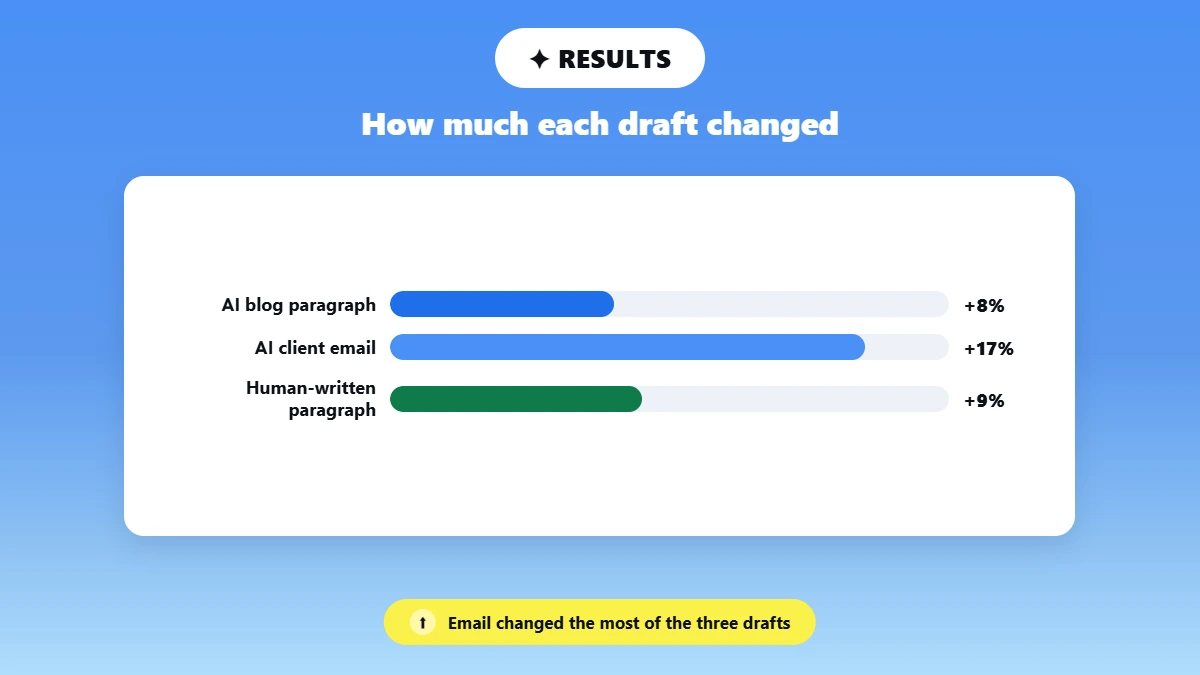
Grammarly's AI Humanizer is good at keeping facts, and it kept all 3 facts in the blog paragraph and both dates in the client email. Of the three, the client email improved the most. The blog paragraph improved only somewhat, and our own paragraph read worse than the original.
Sample | Words before / after | Reads more naturally? | Meaning kept? | Details kept | Most notable change |
|---|---|---|---|---|---|
1. AI blog paragraph | 189 / 204 | Somewhat | Mostly | ✅ 3 of 3 facts | "gradually became" changed to "soon became" |
2. AI client email | 122 / 143 | Yes, except the closing line | Yes | ✅ Both dates and the request | The closing line became awkward |
3. Human-written paragraph | 175 / 191 | No, the original read better | Mostly | ⚠️ "weekend" changed to "week" | "Yesterday" changed to "The day before" |
What Grammarly Changed in the Blog Paragraph
Grammarly swapped words in almost every sentence of the blog paragraph and kept the sentence order the same. The three facts survived, and one time word changed the meaning.
Before (ChatGPT) | After (Grammarly) |
|---|---|
Although some artists and intellectuals initially criticized its appearance, the Eiffel Tower gradually became a beloved Parisian landmark. | Even though a number of artists and intellectuals at first disliked its look, the Eiffel Tower soon became a cherished landmark in Paris. |
At the time, its height and unusual iron design attracted enormous attention from visitors and critics. | At that time, both its height and its strange iron design drew huge attention from visitors and critics. |
The tower stands about 330 meters tall, including its antennas | It is about 330 metres tall, including the antennas |
How Each Draft Came Out
See the original and Grammarly's output
Sample 1, AI blog paragraph: The rewrite kept all 3 facts: 1889, the World's Fair, and 330 meters. It read somewhat more naturally, because Grammarly swapped stiff words for common ones, such as "well-known" for "recognizable". Some AI patterns stayed, such as sentences that list three ideas in a row ("creativity, engineering, and culture"). One swap also changed the meaning, because the tower "gradually became" a landmark in the original and "soon became" one in the rewrite.
ChatGPT prompt: Write a 200-word blog paragraph about the history of the Eiffel Tower. Include these three facts: it was completed in 1889, it was built for the 1889 World's Fair in Paris, and it stands about 330 meters tall.
Original
The Eiffel Tower is one of the most recognizable landmarks in the world and a symbol of France’s creativity, engineering, and culture. Its history began in the late 19th century when French engineer Gustave Eiffel and his team designed the enormous iron structure for the 1889 World’s Fair in Paris. The fair was organized to celebrate the 100th anniversary of the French Revolution and showcase France’s industrial achievements. Construction began in 1887 and progressed remarkably quickly for such an ambitious project. The Eiffel Tower was completed in 1889, just in time for the opening of the exhibition. At the time, its height and unusual iron design attracted enormous attention from visitors and critics. The tower stands about 330 meters tall, including its antennas, and was the tallest man-made structure in the world for many years. Although some artists and intellectuals initially criticized its appearance, the Eiffel Tower gradually became a beloved Parisian landmark. Over the decades, it has welcomed millions of visitors from around the globe. Today, the tower remains an important part of Paris’s identity and continues to represent innovation, history, and the lasting appeal of French architecture.
Grammarly output
The Eiffel Tower is one of the most well-known landmarks in the world and stands as a symbol of France's creativity, engineering, and culture. Its history goes back to the late 19th century when the French engineer Gustave Eiffel and his team designed the huge iron structure for the World's Fair held in Paris in 1889. The fair was set up to mark the centenary of the French Revolution and to display France's industrial accomplishments. Construction started in 1887 and moved with remarkable speed considering the scale of the project. The tower was finished in 1889, in time for the opening of the exhibition. At that time, both its height and its strange iron design drew huge attention from visitors and critics. It is about 330 metres tall, including the antennas, and was the tallest man-made structure in the world for a long time. Even though a number of artists and intellectuals at first disliked its look, the Eiffel Tower soon became a cherished landmark in Paris. Over the years it has received millions of visitors from all over the world. Now, the tower remains an important element of Paris's identity and keeps on representing innovation, history, and the enduring charm of French architecture.
Sample 2, AI client email: The email read more naturally than the ChatGPT version, and it kept both dates and the request to confirm by Tuesday, October 13. The closing line became a bit awkward to read, though. "Thank you for your continued cooperation" became "Thank you for having continued to co-operate".
ChatGPT prompt: Write a 120-word email to a client saying the project deadline is moving from Friday, October 16 to Wednesday, October 21, and ask them to confirm by Tuesday.
Original
Dear Ross,
I’m writing to let you know that the project deadline has been moved from Friday, October 16, to Wednesday, October 21. This additional time will allow us to complete the remaining work thoroughly and ensure the final deliverables meet the expected quality standards.
Please review the updated timeline and confirm that the new deadline works for you by Tuesday, October 13. Your confirmation will help us keep the project on schedule and coordinate the remaining tasks accordingly.
We appreciate your flexibility and understanding regarding this change. If you have any questions or concerns about the revised timeline, please feel free to let us know, and we’ll be happy to discuss them.
Thank you for your continued cooperation.
Best regards,
Jacob.
Grammarly output
Dear Ross,
I'm informing you that the project deadline is being changed from Friday, October 16, to Wednesday, October 21. The extra time will enable us to carry out the remaining work thoroughly and make sure that the final deliverables meet the quality standards that were expected.
Could you please look over the revised timeline and let us know by Tuesday, October 13 whether the new deadline suits you? Once you've confirmed it, it will enable us to stick to the project schedule and allow us to arrange the other tasks accordingly.
We thank you for being flexible and for understanding this change. Should you have any questions or concerns concerning the new timeline, please don't hesitate to contact us, and we will be more than happy to go over them with you.
Thank you for having continued to co-operate.
Best regards,
Jacob.
Sample 3, human-written paragraph: Our original paragraph read more naturally than the rewrite. Grammarly swapped words that needed no change, such as "died" for "gone dead" and "getting lower" for "decreasing". It also added formal phrases like "in order to" and "therefore", so the casual voice was lost. Two details changed as well: "Yesterday" became "The day before", and "the last train of the weekend" became "the last train of the week".
Topic: A first-person story about walking to catch the last train home as it starts to rain.
Original
Yesterday, I found a dog barking on the street. I wondered what his reason could be for barking so loudly at this hour. I was walking towards the metro station to catch the train that would probably be the last train of the weekend. So my mind was constantly struggling with how I would possibly reach home if I missed this train. Private transport is quite heavy on the pocket these days, and my mother would be waiting for me for dinner. So the barking of this dog was disturbing my thoughts. However, after I had walked constantly for about a mile, the noise was getting lower and my thoughts became uneasy again. Then, after a moment, it began to rain, which increased my trouble. "Is there anything left to cause me trouble?" my mind thought. If those last customers hadn't done those things, I might have been sitting at home and having my dinner. My phone had also died, and I wasn't able to inform my mother. She might have been waiting for me.
Grammarly output
The day before, I saw a dog barking on the street and asked myself what possible reason it could have for barking so loudly at that time. I was on my way to the metro station in order to catch the train which would probably have been the last train of the week. My mind was therefore continually working over the question of how I could possibly get home if I missed that train. Nowadays, private transport is a heavy expense and my mother was going to be waiting for me to eat dinner. The barking of the dog was therefore disturbing my thoughts. But after having walked on for about a mile, the noise was decreasing and my thoughts once again became uneasy. Then, after a short while, it started to rain, which only added to my difficulties. "Is there anything left that could cause me trouble?" my mind asked itself. If those last customers hadn't done those things, I might have been at home having my dinner. My phone had also gone dead and I wasn't able to let my mother know. She might have been waiting for me.
⚠️ The outputs used British spelling in our test. "Meters" became "metres" and "cooperation" became "co-operate", so US writers should check the spelling after each rewrite.
💡 One limit applies to every review like this one. Forum anecdotes and vendor tests, including ours, cannot predict what the tool does to your text.
Paste the same draft into a second humanizer and compare which version keeps your facts and your voice. 👇
Is Grammarly's AI Humanizer Free? Limits and Paid Plans
Grammarly's AI Humanizer is free on its public web page, and you don't need Grammarly Pro to use it. Grammarly describes the free version as basic humanization. In our October 2026 test, the free tool gave us three rewrites in one day before it showed a daily free limit.
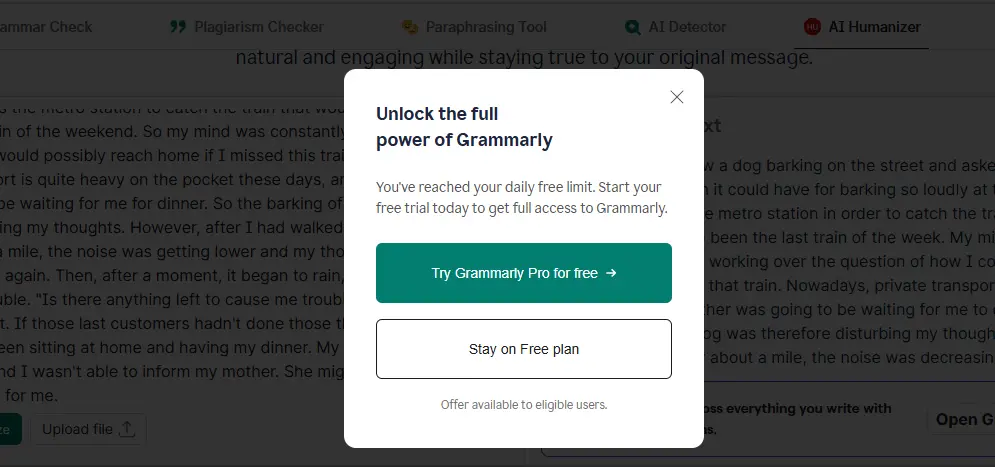
Each access level works as follows, as of October 2026:
🌐 Free web tool: The page humanized our first draft with no account and asked us to sign in on the second. It showed no word limit.
👤 Humanizer agent: A free Grammarly account opens the agent in Grammarly docs.
⭐ Grammarly Pro: Grammarly says Pro unlocks "the full Humanizer experience" together with its advanced writing features.
Plan | Price | AI prompts per month | Humanizer access |
|---|---|---|---|
Free | $0 | 100 | Web tool and Humanizer agent |
Pro | $12 per month on a 12-month plan, $20 on a 3-month plan, $30 on a 1-month plan | 2,000 per member | Web tool and Humanizer agent, plus the full writing suite |
Enterprise | Contact sales | Unlimited per member | Humanizer agent in Grammarly docs only |
Pricing is accurate as of the date this article was written and is subject to change. Confirm the current price on the tool's official pricing page before purchasing. We checked these prices at Grammarly's checkout in October 2026.
Pro starts with a free trial, and Grammarly sends a reminder 2 days before the trial ends, according to Grammarly's plans page .
⚠️ Some reviews say Grammarly's free plan has no humanizer. Grammarly's own page states that the web tool is free to use.
Phrasly's AI Humanizer starts with a free account that humanizes up to 300 words on its standard Balanced model. A 3-day trial allows 800 words per request, and the paid Unlimited plan allows 5,000 words per request.
How to Use Grammarly to Humanize AI Text
You can humanize AI text in Grammarly in two ways. The free web tool returns a quick rewrite after you paste your text and click Humanize. The Humanizer agent in Grammarly docs gives you more control, because you pick a voice and review each suggestion before you apply it.
Free Web Tool: A Quick Rewrite
Open Grammarly's AI Humanizer page.
Paste your text, or upload a document.
Click Humanize.
Sign in with a free account if the page asks you to.
Read the rewrite against your original, then copy it.
Humanizer Agent in Grammarly Docs
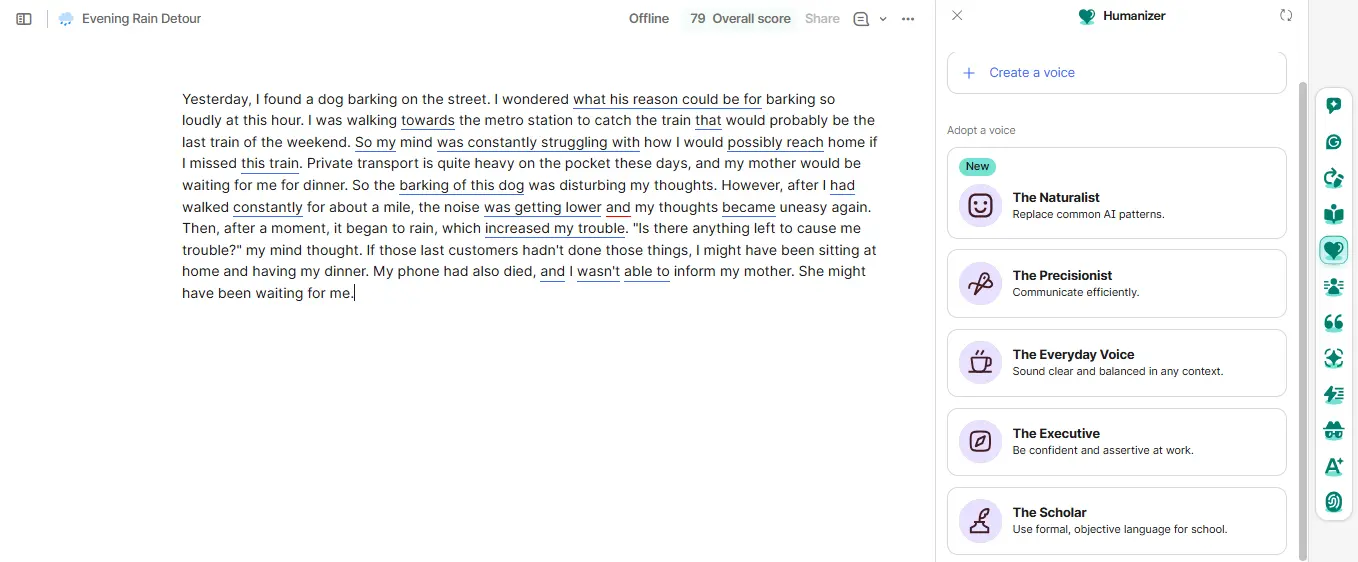
The Humanizer agent opens from the agents tab on the right side of a Grammarly doc. Grammarly's Humanizer guide gives these steps:
1. Open a document in Grammarly docs.
2. Click the Humanizer agent icon on the agents tab.
3. Choose one of the available voices.
4. Hover over the bars on the left side of your text to read the feedback.
5. Apply the changes you agree with.
How Do You Create a Custom Voice?
A custom voice needs a name and a writing sample of 200 words or more. Click Create a voice, name it, and add your sample as the style reference.
💡 Recheck every number, date, and name after you humanize. A rewrite can change a detail while it smooths the sentence.
A tool is one way to do this job. Our full guide to how to humanize AI text also covers five manual edits. ChatGPT can do a first pass with these prompts to humanize AI text.
Will Grammarly's Humanized Text Be Flagged as AI? 🚩
Text from Grammarly's humanizer can still be flagged as AI. Grammarly's AI Detector guide says rewrites from the Grammarly, Paraphraser, and Humanizer agents "come from our LLM". An LLM is a large language model, the type of AI system that writes text. The guide adds that Grammarly's detector will likely flag text rewritten by those agents.
Grammarly flags its own humanizer for a plain reason: the rewrite is AI-written text. The same guide says the detector "is not 100% accurate and should not be used as a definitive assessment."
We pasted each Grammarly output into four AI detectors in October 2026. Each figure is the share of the text that the detector marked as AI.
Detector (% AI) | Sample 1 output | Sample 2 output | Sample 3 output |
|---|---|---|---|
Phrasly AI Detector | 71% | 100% | 12% |
GPTZero | 94% | 38% | 0% |
Copyleaks | 100% | 100% | 0% |
Grammarly AI Detector | 0% | 64% | 0% |
Each figure is one reading on one draft, checked in October 2026.
💡 Checking a humanized draft? Use a detector from a different company than your humanizer. Grammarly's own detector scored its rewrite of our blog paragraph at 0% AI, while Phrasly's AI Detector flagged the same text at 71%. Phrasly also scored the rewrite of our own paragraph at just 12%, so it caught both AI drafts without flagging the human-written one.
A separate post answers is Grammarly considered AI and lists the features that get flagged. We also stress-tested Grammarly's AI checker accuracy, and our explainer on how AI detectors work covers the signals they read.
Grammarly vs Phrasly: Which Fits Your Writing Task?
Grammarly fits writers who want their editing and humanizing in one tool. Phrasly fits writers who want humanization as a separate step for longer drafts or more languages. We tested only Grammarly in this review, so the Phrasly column lists Phrasly's own stated features.
Grammarly AI Humanizer | Phrasly AI Humanizer | |
|---|---|---|
Free access | Free web tool for basic rewrites, plus the Humanizer agent on a free account | Free account, up to 300 words on the Balanced model |
Paid access | Pro: wider writing suite and 2,000 AI prompts per member each month | 3 Day Access trial, then the Unlimited plan |
Words per request | Not published. Our longest draft was 189 words. | 800 on the trial, 5,000 on the Unlimited plan |
Languages | 6 | 20+ (Phrasly's stated figure) |
Voice or model controls | 5 preset voices, plus a custom voice from a 200+ word sample | Model menu: Phrasly Ultra on paid plans and the trial, Balanced on free accounts |
Where you use it | Web page, Grammarly docs, Superhuman Go | phrasly.ai in a web browser |
Tested here | ✅ Kept every fact and date in 3 drafts, and improved the email most. | ❌ Not tested in this review |
Best for | A quick polish on AI-written emails when the facts must stay the same | A separate humanization step for longer drafts and more languages (Phrasly's stated features) |
Plan limits were checked on each tool's live pages in October 2026 and can change.
For a long draft, Phrasly's paid plan takes more text per request. Grammarly doesn't publish a word limit for its humanizer, so the table shows the longest draft we tried.
✅ Grammarly is the better pick if you:
already write in Grammarly docs
want grammar suggestions and a voice pass in one place
write in one of its six languages
Phrasly vs Grammarly writing tools compares the two full suites feature by feature. Our tested list of the best AI humanizer tools covers more options.
Does the first rewrite still sound generic? Run the same text through another humanizer and keep the version that preserves your meaning. 👇
Should You Use Grammarly's AI Humanizer?
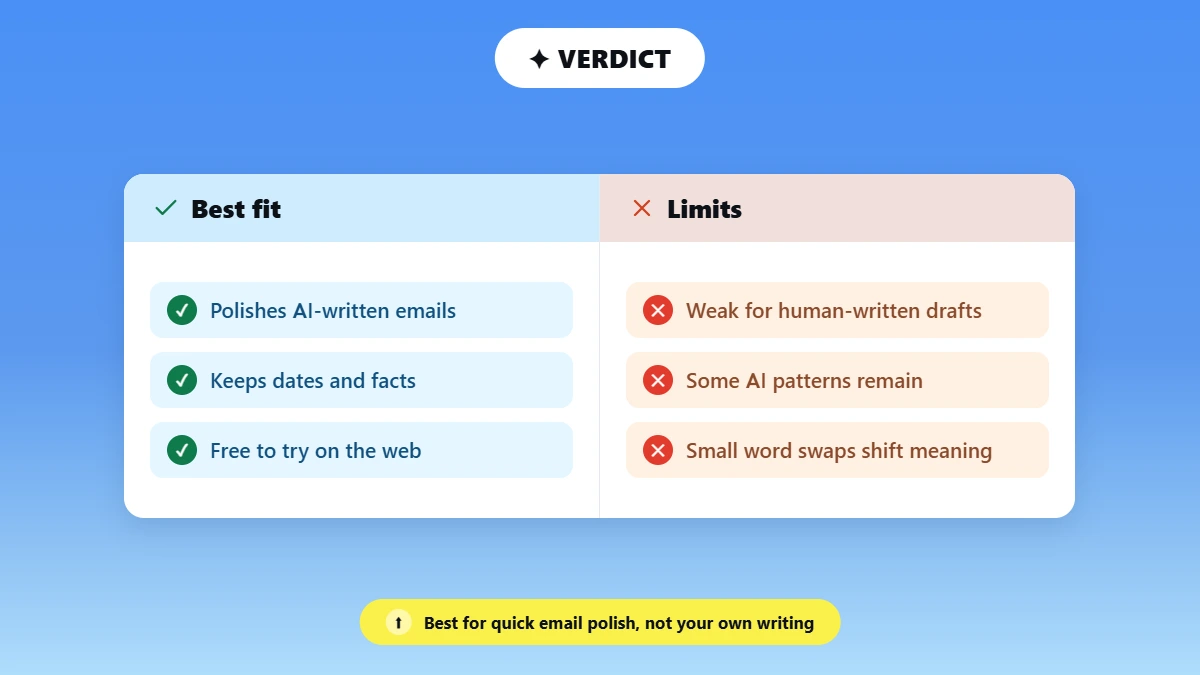
Grammarly's AI Humanizer is worth using for a quick polish on AI-written emails and short drafts whose facts must stay the same, and it costs nothing to try on the web. It is a weak fit for text you wrote yourself, because it made our own paragraph sound stiffer.
👍 Best fit: Writers who already use Grammarly and want AI-written emails to sound more natural without losing dates or numbers.
⚠️ Limits we found: Some AI patterns stayed in the blog paragraph, and small word swaps changed the meaning in two of three drafts.
➡️ Next step: Compare the rewrite with your original line by line, and follow the AI rules your publisher or school sets.
Frequently Asked Questions
Can Grammarly Humanize ChatGPT Text?
Grammarly can humanize ChatGPT text. Paste the text into the free humanizer page, or open it in Grammarly docs and use the Humanizer agent. In our test, both ChatGPT drafts kept their facts and dates, and the rewrite made the email smoother than the ChatGPT version. Check each detail afterward anyway. A smoother rewrite leaves the authorship unchanged and cannot predict a detector result.
What Is the Difference Between Grammarly's Humanizer and Paraphraser?
The Humanizer moves AI-sounding text toward a natural voice, and the Paraphraser rewords a document toward a style you choose. Grammarly's Paraphraser guide lists six preset styles, including Academic and Simple. The two agents share your custom voice profiles. Our comparison of AI humanizer vs paraphrasing tools explains the wider difference.
Does Grammarly's Humanizer Change Your Meaning?
Grammarly's humanizer kept the main meaning in all three drafts and changed small details in two of them. "Gradually became" turned into "soon became" in the blog paragraph, and "weekend" turned into "week" in our own paragraph. Every number and date survived. Read both versions together before you publish or send the text.
Can I Use Grammarly's Humanizer for an Academic Essay?
You can use it for an essay or research paper only if your school or instructor allows AI assistance. Use it as a clarity pass on your own draft, and keep your argument and citations as they are. Disclosure matters to readers too: in Pew Research's 2025 survey, 76% of U.S. adults said it is extremely or very important to know whether AI or a person wrote a text. Our guide to an AI humanizer for academic writing covers citations and tone.
Does Grammarly's Humanizer Work in Google Docs?
Grammarly's humanizer works in Google Docs through the Superhuman Go browser extension. Grammarly's Humanizer guide lists Superhuman Go as one place to use the Humanizer agent, and Grammarly says the Superhuman Go extension stays active in Google Docs. You can also humanize text in Grammarly docs and paste the result back.

Written by
Alina Shah
SEO Content Specialist · Karachi, Pakistan
She writes about AI so you don't have to guess. 8+ years in content strategy and editing. Now she puts AI writing tools and detection systems through real tests and shares what actually works.