The Best Prompts to Humanize AI Text (ChatGPT and Academic Examples)
12 min read
A good prompt to humanize AI text tells the model four things. Who the reader is, what tone to use, what must stay exactly as written, and what to fix. Miss any of those, and you get the same flat, careful prose you started with.
Start with this humanizing prompt:
Rewrite the text below for [audience] in a [tone] tone. Keep every fact, number, name, and citation exactly the same. Replace stiff or repetitive phrasing with clear, natural language, and flag anything that looks wrong instead of guessing.
Text: """[paste your text]"""
This guide has the humanizer prompts and prompts to humanize AI text we actually use. A master prompt and a ChatGPT version with a worked example. A voice-matching add-on, a drafting prompt, plus blog, social, and academic variants.
The goal is not beating a detector. It is writing people want to read.
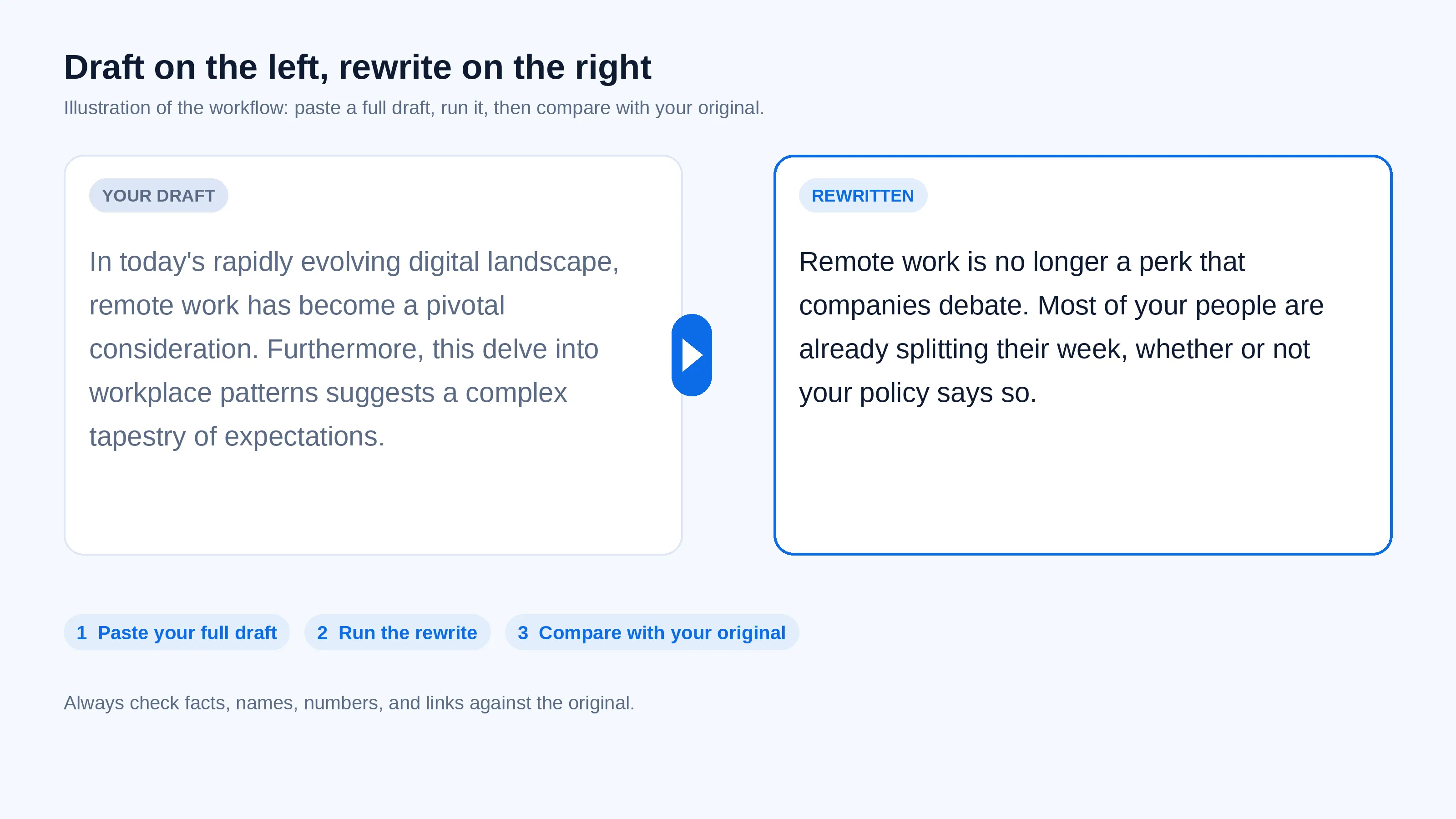
Already have a draft? Paste it below and compare the result with your original.
What Is the Best Prompt to Humanize AI Text?
There is no single magic wording. The best AI humanizer prompt gives the model four things. Your reader, your tone, a list of what must not change, and what you want fixed. Any prompt for humanizing AI text that skips one of those will drift.
Paste the master prompt below and fill in the brackets. Then compare the output with your original line by line.
The master humanizer prompt (copy and paste)
Rewrite the text below so it reads as if a knowledgeable person wrote it for [audience].
Keep: every fact, number, name, date, quote, link, and citation exactly as written. Keep my main point and conclusion.
Change: vague or repeated phrasing, stiff transitions (furthermore, moreover, in conclusion), filler, and runs of sentences that all feel the same length.
Style: [friendly / formal / plain] tone, [first / second] person. Prefer active voice where it reads better. Use contractions only if they fit the tone.
Do not: add new facts, examples, or sources. If something is unclear or looks wrong, flag it in [brackets] instead of guessing.
Output: the rewritten text, then a short list of anything you flagged.
Text: """[paste your text]"""
Customize it in 3 steps.
Fill in the brackets. "Marketing managers, plain and direct" beats "professional."
Paste your text between the triple quotes. They stop the model from treating your content as instructions.
Compare with the original. Check facts, names, numbers, and links first. Then read for voice.
Why this works: Most AI drafts fail on three things at once. The phrasing is generic. The sentences all run the same length. The tone belongs to nobody. A working humanize AI prompt names all three.
The keep list stops the model from rewriting your facts while it fixes the style.
What Prompt to Give ChatGPT to Humanize Text?
The ChatGPT prompt to humanize text below gives ChatGPT a role, your reader, your tone, a list of things it must not change. And your text inside quote marks. Then ask for the rewrite plus a short note on anything it could not verify.
That last instruction is what stops ChatGPT from quietly changing facts. While it improves the sentences.
ChatGPT humanizer prompt
You are an experienced editor. Rewrite the text between the triple quotes so it sounds like a real person wrote it for [audience]. Tone: [warm and direct].
Keep all facts, numbers, names, dates, links, and citations unchanged. Keep my conclusion.
Cut filler and stock phrases, vary sentence length naturally, and use plain words where a simpler word works. Do not add information.
After the rewrite, list any claims you could not verify or that seem unclear.
"""[paste your text]"""
How to prompt ChatGPT to humanize text in 3 steps
Paste the prompt into a new chat.
Replace [audience] and [tone]. Then paste your draft between the quote marks.
Read it against your original, checking facts, names, numbers, and links.
The same prompt works in Gemini, Claude, and Copilot. Though results vary by model.
For more on structure, see this guide on how to write good prompts for AI.
A Real Before and After
The prompt running on a paragraph with a date, a figure, and a named source.
Before
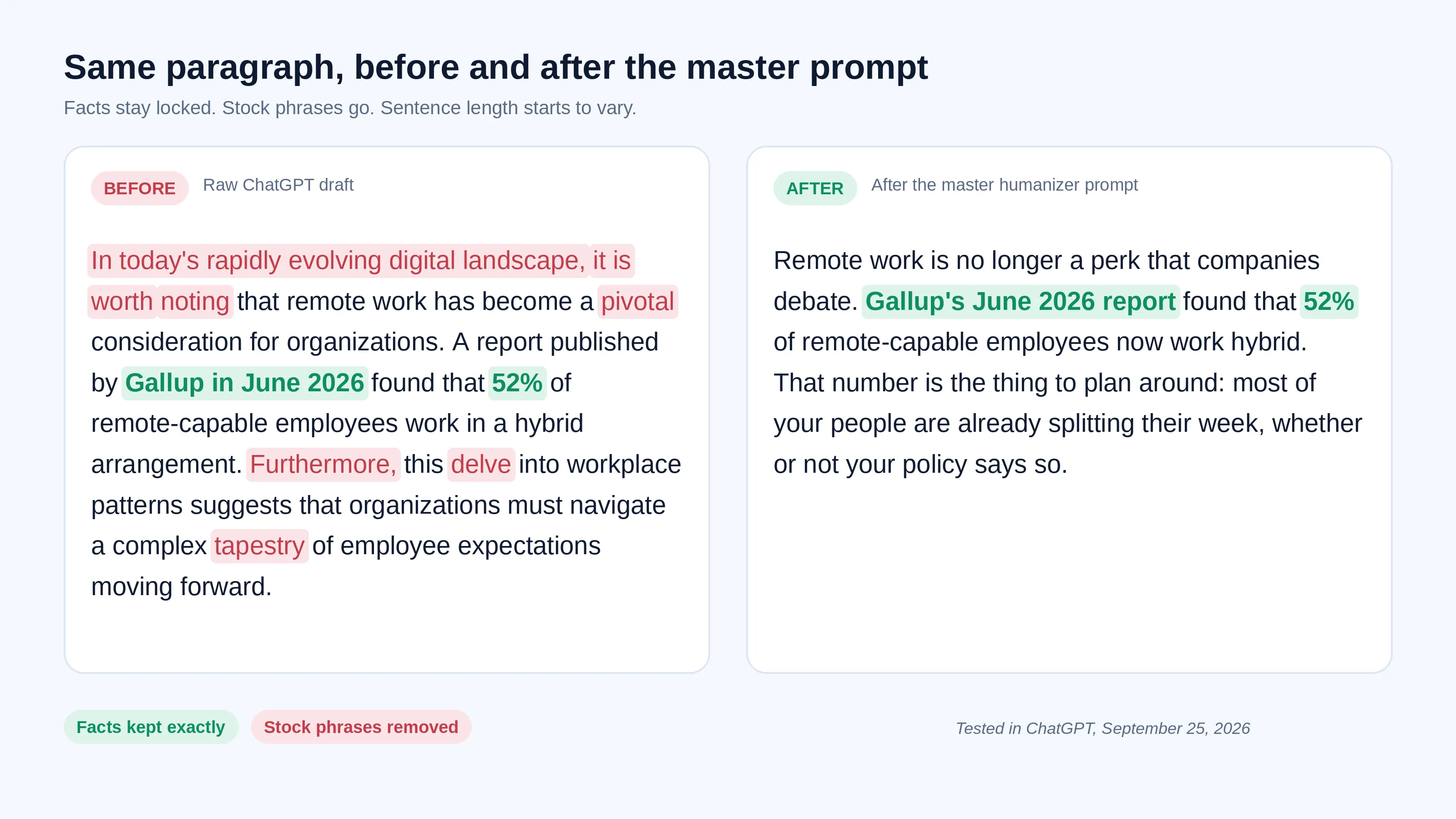
In today's rapidly evolving digital landscape, it is worth noting that remote work has become a pivotal consideration for organizations. A report published by Gallup in June 2026 found that 52% of remote-capable employees work in a hybrid arrangement. Furthermore, this delve into workplace patterns suggests that organizations must navigate a complex tapestry of employee expectations moving forward.
After
Remote work is no longer a perk that companies debate. Gallup's June 2026 report found that 52% of remote-capable employees now work hybrid. That number is the thing to plan around: most of your people are already splitting their week, whether or not your policy says so.
What stayed the same: Gallup, June 2026, and the 52% figure, all unchanged.
What improved: The stock phrases went (delve, tapestry, pivotal, furthermore, it is worth noting). And the sentence lengths now vary.
What we still edited by hand: The closing line. ChatGPT's version restated the statistic instead of saying what to do with it.
Tested in ChatGPT on September 25, 2026. Your output will differ.
How to Make ChatGPT Match Your Own Writing Style
Paste a sample of your own writing. Roughly 150 to 300 words, and tell ChatGPT to copy its rhythm, word choice, and tone rather than its content. Add this block under either prompt above. A real sample beats any description of your voice.
Here is a sample of my own writing. Match its sentence length, word choice, and tone. Do not reuse its content.
Sample: """[paste 150 to 300 words you wrote]"""
Use only writing you own. Do not paste confidential work, client material, or someone else's text without permission.
Prompt to Make ChatGPT Write Like a Human from the Start
A rewrite prompt fixes a draft. A drafting prompt prevents the problem. Before ChatGPT writes anything, tell it the reader, the format, and the point of view. And what to avoid. It doubles as a prompt to make AI sound more human before you have written a word.
And you will spend less time humanizing afterwards.
Write a [600-word blog intro] about [topic] for [audience].
Write like an experienced [role] explaining this to a colleague: plain words, one clear point of view, specific examples, and a mix of short and longer sentences.
Skip generic openers and summary endings. Avoid: delve, tapestry, pivotal, moreover, in conclusion.
If key facts are missing, ask me up to 3 questions before writing.
Need a prompt for a specific audience or tone? Describe what you want and Phrasly's free AI Prompt Generator turns it into a ready prompt for ChatGPT, Gemini, or Claude. It writes the instruction, not the finished text. Review it before you paste it in.
Example input: "Rewrite a project update for clients in a warm, concise tone. Keep dates and figures unchanged."
Prompts for Blog Posts and Marketing Content
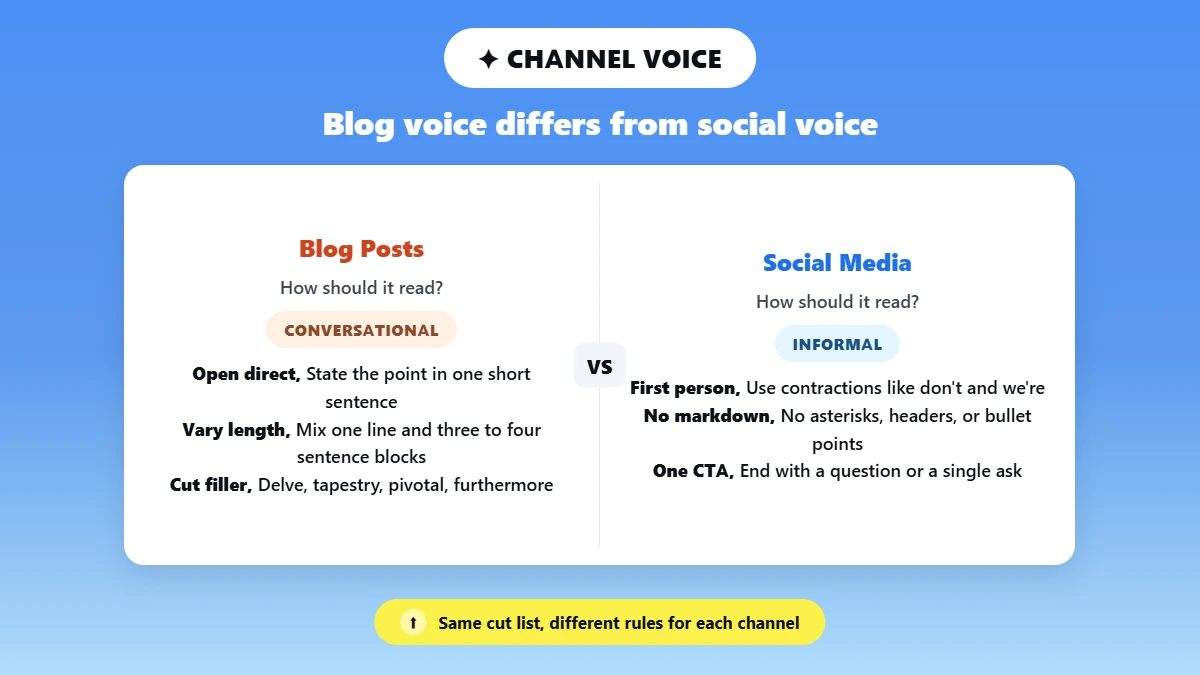
Blog posts need rhythm, a voice, and varied paragraph length. Not just varied sentences. The master prompt works here with one tweak. Tell the model to write like it is explaining something to a smart friend. Not filing a report.
Blog post humanization prompt
Rewrite this blog post draft so it reads like a knowledgeable writer with a clear point of view. Not an AI assistant.
Open with a short sentence that states the point directly.
Vary paragraph length. Mix one-sentence paragraphs with 3- to 4-sentence blocks.
Prefer active voice.
[Use second person if it fits your brand.]
Cut: delve, tapestry, pivotal, furthermore, moreover, in conclusion, it is worth noting.
Use plain transitions that fit the brand voice.
Keep all facts, statistics, and links exactly as they are.
This targets conversational tone and sentence variety. The two changes that do the most work.
For edits beyond prompting, this guide on how to humanize AI text covers the manual passes.
Prompts for Social Media
Social content is shorter and more informal. The biggest wins are removing markdown. Use contractions and write in first person.
Rewrite this social media post so it sounds like a real person wrote it. Not a content brief.
Write in first person.
Use contractions naturally (don't, I've, we're).
No markdown: No asterisks, headers, or bullet points.
Keep it under [X words].
Cut: Furthermore, moreover, pivotal, delve, in conclusion.
End with a direct question or a single clear call to action. Not both.
For LinkedIn, keep the professional tone. Hold onto first person and contractions. That is what separates readable posts from thought-leadership wallpaper.
This post on 7 ways to craft better AI-generated responses has more on tone control.
Prompts for Academic Writing
A prompt to humanize AI text for academic writing has to work differently. The job is not making formal prose casual. It would be wrong for the genre. It is improving clarity and letting sentence length vary naturally.
Keep claims precise, and leave every citation untouched.
Formal, hedged, heavily structured writing can read as machine-like to readers. And to some detectors, even when a person wrote every word. A prompt built for blog copy will damage an academic draft. Use this one instead.
Academic humanization prompt
Rewrite this academic text so it reads as if a fluent human scholar wrote it. Not an AI assistant.
Vary sentence length naturally. Do not leave four sentences of similar length in a row.
Remove passive voice where the agent is identifiable. Keep passive constructions where convention requires them (for example, "The samples were collected...").
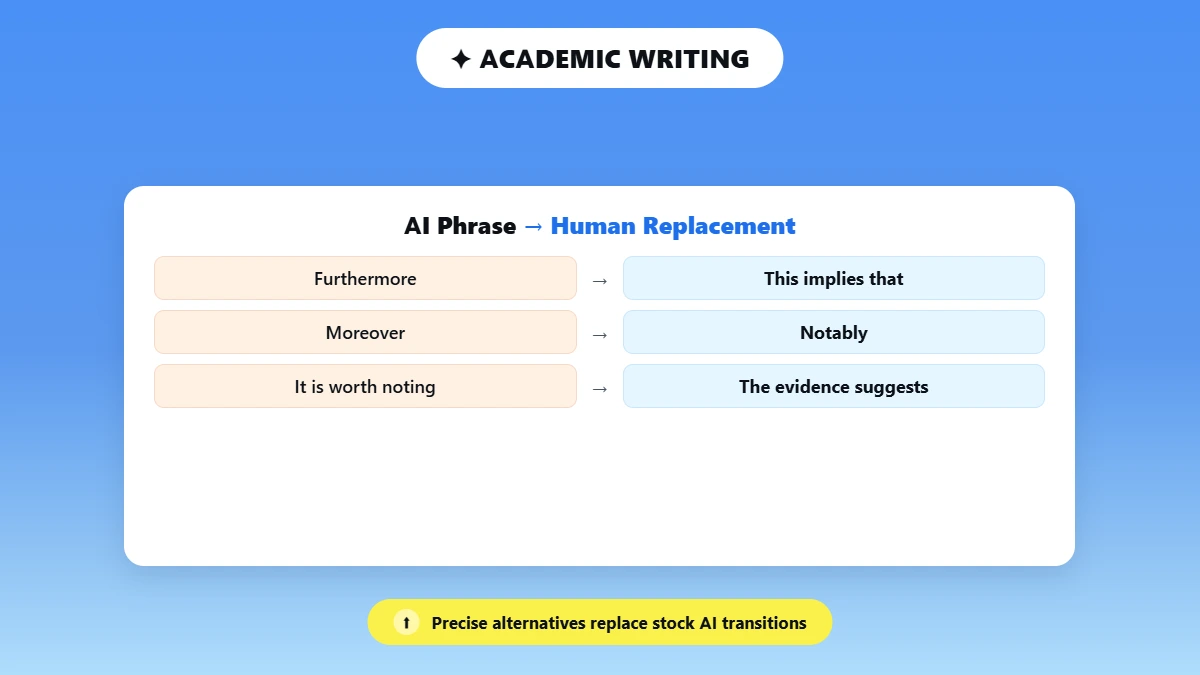
Replace AI transition phrases (furthermore, moreover, it is worth noting) with precise academic alternatives: "This implies that", "Notably", "The evidence suggests", "A key distinction here is".
Do not invent examples, data, or citations. Insert [ADD EXAMPLE] where a real one is needed.
Keep the original level of certainty. Do not make claims stronger or weaker.
Do not make the writing casual. Maintain formal register throughout.
Preserve all citations, statistics, and technical terminology exactly.
What it keeps
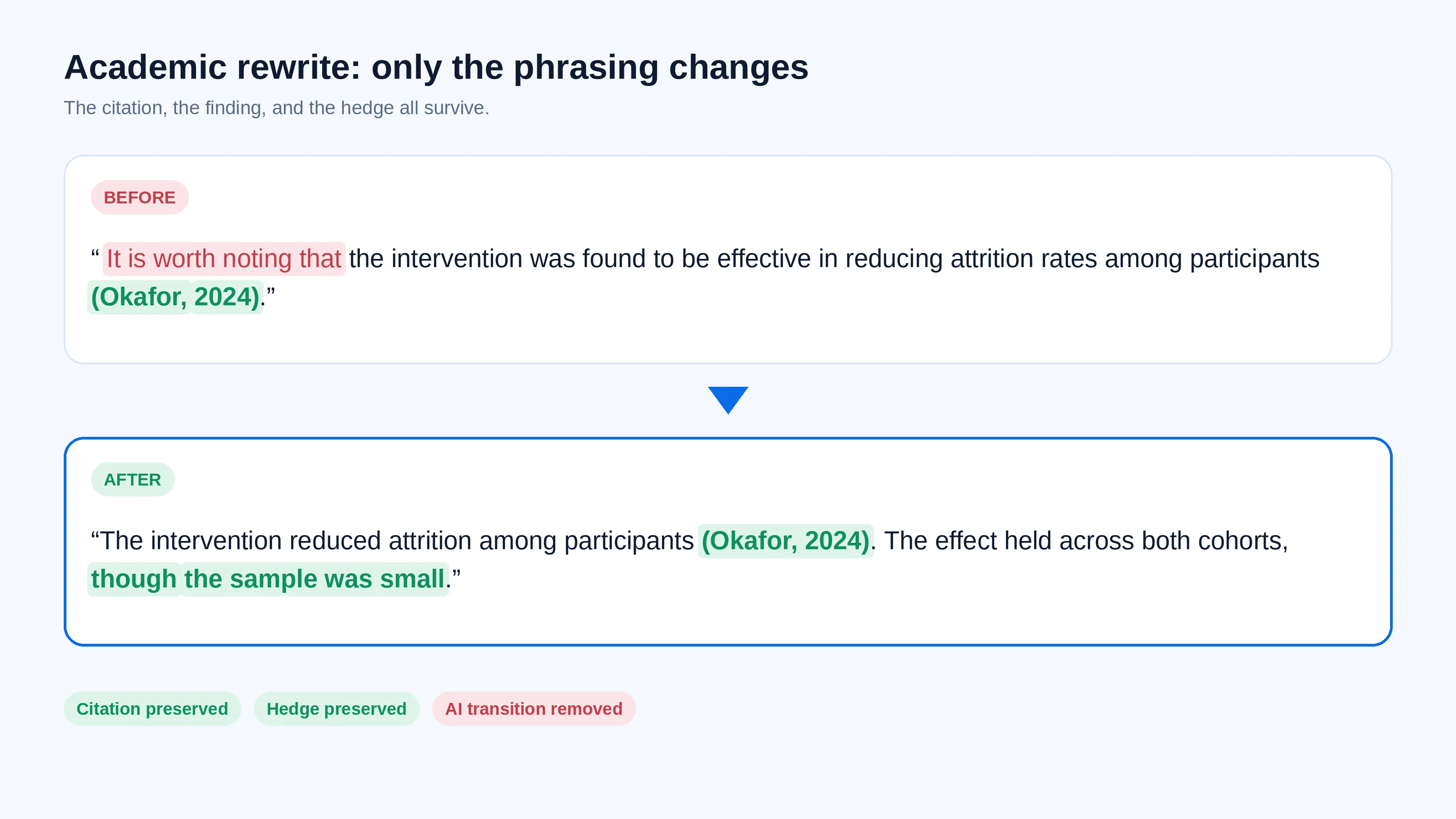
Before: "It is worth noting that the intervention was found to be effective in reducing attrition rates among participants (Okafor, 2024)."
After: "The intervention reduced attrition among participants (Okafor, 2024). The effect held across both cohorts, though the sample was small."
The citation, the finding, and the hedge all survive. Only the phrasing changed.
This matters more for some writers than others.
Liang and colleagues, writing in Patterns in 2023, found that several GPT detectors frequently misclassified essays by non-native English writers as AI-generated.
If English is not your first language, a clearer draft helps you. But no prompt fixes a biased classifier.
Check your school's or journal's AI-use. And disclosure rules before running any AI rewrite on work you will submit.
This guide to the AI humanizer for academic writing covers protecting meaning, citations, and tone across a longer paper.
Why Does AI Text Still Sound Robotic After a Prompt?
Usually the prompt is missing context. Not magic words. The model does not know your reader, your voice, or what must stay fixed. It falls back on safe, generic phrasing. Add those details and loosen any rigid rules.
And edit the few sentences carrying your argument yourself.
AI writing tends to choose common, predictable wording. Two terms describe this. Perplexity is how predictable the word choices are. Burstiness is how much sentence length varies.
Human writing usually scores higher on both. Though detectors weight the signals differently.
Problem | Likely cause | Fix |
Still sounds generic | No reader named | Name the audience and what they already know |
Does not sound like you | No voice sample | Add the voice add-on with your own writing |
Facts or numbers changed | No keep list | Add a keep list, then compare with the original |
Choppy or awkward | Too many rigid rules | Loosen sentence-length and passive-voice rules |
Second pass sounds the same | Re-running the same prompt | Edit the key sentences by hand |
Common AI phrases to watch
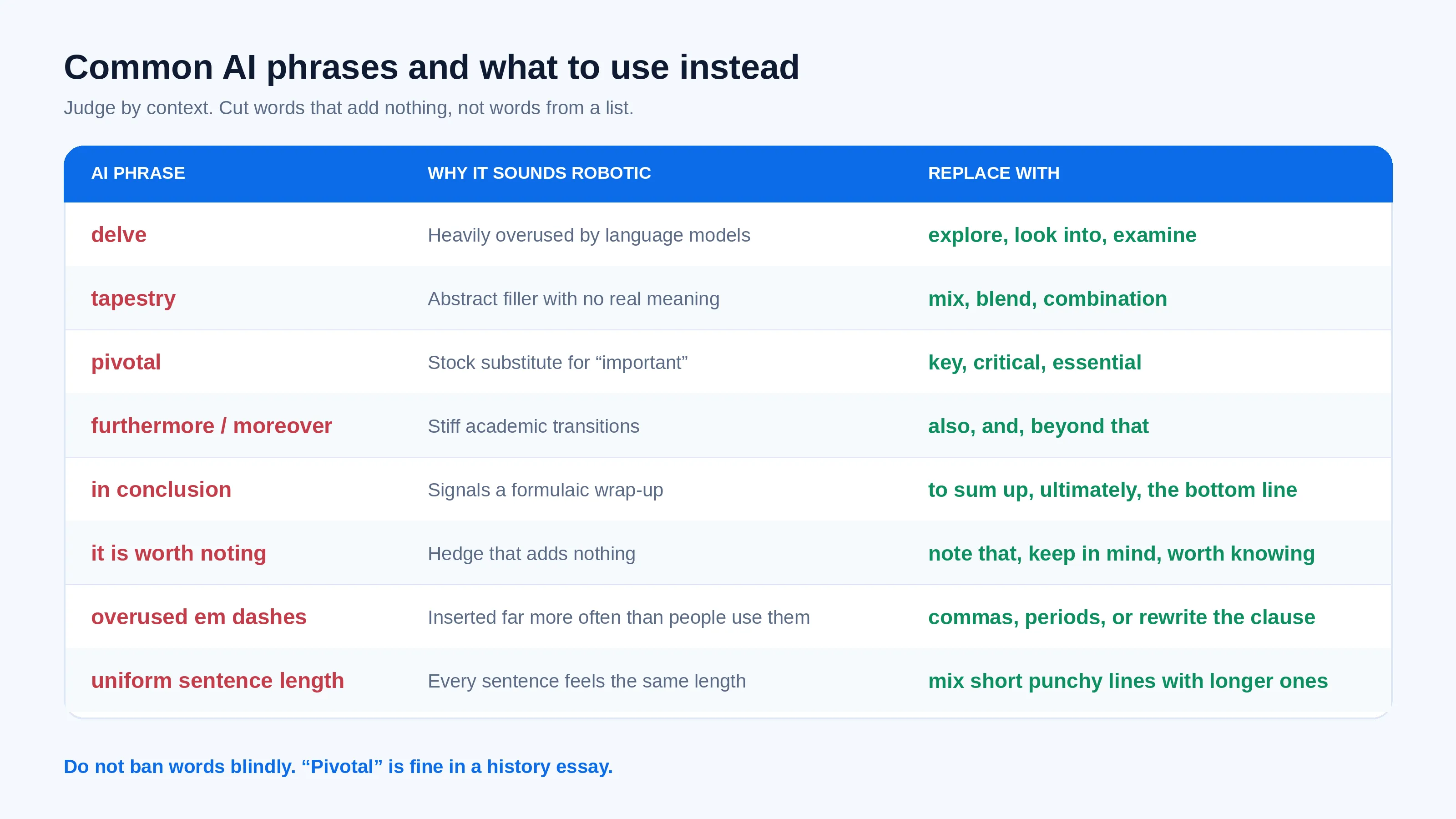
AI phrase | Why it sounds robotic | What to replace it with |
delve | Heavily overused by language models | explore, look into, examine |
tapestry | Abstract filler with no real meaning | mix, blend, combination |
pivotal | Stock substitute for "important" | key, critical, essential |
furthermore / moreover | Stiff academic transitions | also, and, beyond that |
in conclusion | Signals a formulaic wrap-up | to sum up, ultimately, the bottom line |
it is worth noting | Hedge that adds nothing | note that, keep in mind, worth knowing |
Overused em dashes | Inserted far more often than people use them | commas, periods, or rewrite the clause |
Uniform sentence length | Every sentence feels the same length | mix short punchy lines with longer ones |
Do not ban words blindly. "Pivotal" is fine in a history essay. Cut words that add nothing. Not words from a list.
For manual fixes, see how to make AI writing sound more human.
Prompt or AI Humanizer: Which Should You Use?
Use a prompt when you want full control. And you’re editing something short. Use an AI humanizer when you have a full draft. And want a faster first pass. Either way, check the result against your original before it goes anywhere.
| Prompt in ChatGPT | AI Humanizer |
Best for | Short pieces you will edit yourself | Full drafts you want rewritten quickly |
Control | High. You set every instruction | Lower. You choose settings, not wording |
Speed on long drafts | Slower. Long inputs need several passes | Faster on a whole document |
Setup | Paste the prompt, or save it once | Paste and run |
Cost | Included with your chatbot | Free to try, paid for full use |
What you still must do | Review against the original | Review against the original |
Have a full draft that still sounds stiff? Try it in Phrasly AI Humanizer, then compare it with your original for meaning and voice.
An honest breakdown
Long documents need several passes. Models lose instruction adherence on long inputs.
Prompt output still needs manual editing to catch what the model missed.
Results vary across models and model versions.
Worth reading before you commit: Whether AI humanizers actually work and the case for why AI humanizers don't work as a standalone fix.
The workflow that holds up: Prompt while drafting. Humanizer for a final pass. Then your own read-through.
FAQs
What is the best prompt to humanize AI text?
One that names your reader. Set a tone, list what must stay unchanged, and say what to fix. Add a line asking the model to flag anything it cannot verify. The master prompt above is the version we use most.
What should I tell ChatGPT to keep unchanged?
Facts, numbers, names, dates, quotes, links, citations, and your conclusion. Spell them out as a keep list rather than assuming. Then ask ChatGPT to list any claim it could not verify. So you know where to look first.
How do I make ChatGPT sound more human?
Give it a specific reader. Paste a sample of your own writing to match, and use a drafting prompt instead of fixing things afterwards. Vague instructions produce vague prose. This collection of AI prompt examples shows the pattern across other tasks.
What words should I tell ChatGPT to avoid?
The usual stock phrases: Delve, tapestry, pivotal, furthermore, moreover, in conclusion, it is worth noting. Judge by context rather than banning them outright. Any of these can be the right word in the right sentence.
Can I use a humanizing prompt for academic essays without changing citations?
Yes, if the prompt says to keep citations, figures, and the original level of certainty unchanged. And not to invent sources. Check every citation afterwards anyway. Also check your institution's AI rules first. See these ChatGPT prompts for students for more.
Can I save a humanizing prompt in ChatGPT so it always applies?
Yes! On the web, add it under Settings. Then Personalization and then Custom Instructions. For one body of work, add it to a Projects workspace as project instructions instead.
Menus change. Check the current setting names in your account.
Do humanizing prompts guarantee a detector result?
No! A prompt can make writing clearer and more natural. No prompt or tool can guarantee any detector score. Detectors disagree with each other and change often. Write for your reader. Treat any detector reading as one opinion.

Written by
Muhammad Usman Ali
Pakistan
Muhammad Usman Ali is an experienced SEO content writer with 3+ years of professional writing experience. He specializes in AI tools, AI detection technologies, and search engine optimized content.