
Phrasly vs Grammarly: Which AI Writing Tool Actually Improves Your Writing?
Phrasly and Grammarly both improve your writing but they solve completely different problems. Here's which one you actually need.
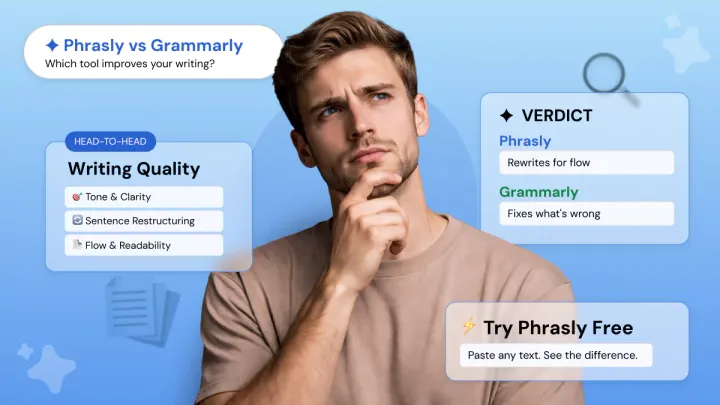
You have proofread it twice. The grammar is fine. But something still feels off.
Stiff sentences, flat tone, ideas that do not quite land the way you meant them. A grammar checker will not fix that.
This piece breaks down two of the most popular AI writing tools, Phrasly and Grammarly, to help you figure out which one actually solves your problem:
- A full feature breakdown of what each tool does and where it stops
- A real head-to-head test with the same paragraph run through both tools, outputs unedited
- A clear verdict on which tool to pick based on your actual goal
Quick Comparison — Phrasly vs Grammarly
Both tools improve your writing, but they're built on completely different philosophies.
If you're evaluating the best AI text enhancers on the market, the core difference comes down to philosophy:
- Grammarly sits inside the apps you already use and catches problems as you type.
- Phrasly works differently. You bring your text to it, and it rewrites the whole thing for better flow, tone, and readability.
Phrasly's Approach to Writing Improvement
Grammarly is built to help you spot problems as you write.
It highlights grammar issues, awkward phrasing, tone mismatches, and clarity concerns so you can clean up a draft without leaving your workflow.
That makes it a strong editing layer, especially when you want accuracy, consistency, and fast inline feedback.
Phrasly takes a different approach entirely. Instead of flagging problems for you to fix, it rewrites the whole thing and hands you back a better version.
That shift in philosophy changes what the tool is actually useful for. If your writing is technically correct but still feels stiff, flat, or hard to follow, that is exactly the problem Phrasly is built to solve.
Improve Your Text with Phrasly 👇
How Phrasly Improves Writing Quality
Phrasly is not a word-swapper. It does not just replace synonyms or lightly tweak phrasing.
Instead, it analyzes the full context of your writing, identifies where clarity breaks down, and rebuilds sentences so ideas are expressed more directly and naturally.
It restructures sentences, adapts tone, and rewrites for natural flow and clarity, which is what makes it a genuine sentence restructuring tool rather than a basic paraphraser.
The enhancement models are trained on over 1 million real human articles, and that is what separates the output from the mechanical rewrites you get from generic AI tools.
It transforms awkward or overly complex sentences into cleaner, more readable versions, improving how the entire piece connects from one idea to the next.
You choose your enhancement level depending on how much work the draft needs:
- Medium gives you a balanced upgrade across tone, vocabulary, and structure
- Aggressive is a full register overhaul, useful when a draft needs serious improvement, not just light polishing
If you want to enhance text with AI and actually feel the difference in writing flow improvement, the level control is one of the more useful settings Phrasly offers.
Key Features That Make Phrasly Different
- Tone adaptation: Choose from formal, conversational, persuasive, or professional. Phrasly rewrites the entire piece to match, not just individual words or phrases.
- SEO keyword integration: Feed in your target keywords and Phrasly weaves them into the enhanced text naturally, without making the copy feel stuffed or forced.
- Full sentence restructuring: Awkward phrasing, passive voice, overly complex sentences. Phrasly rewrites them into cleaner, more direct versions rather than just flagging the issue.
- Multi-language support: Supports 20+ languages including Spanish, French, German, Italian, Portuguese, Chinese, Russian, Japanese, and Dutch.
- AI Humanizer: Choose from voice templates like Neutral, Concise, Formal, or Clear, or train it on your own writing samples for output that matches your natural voice.
- AI Detector: Before you publish, Phrasly checks your writing against billions of web pages so you know exactly where it stands.
Who Phrasly's Writing Improvement Tool Is Designed For
Phrasly works best for people who produce a lot of written content and need consistent quality across all of it, not just occasional grammar fixes.
- Content writers and bloggers who need every piece to hit the same tone and readability standard
- Marketers adapting one core message across different platforms and audiences without rewriting from scratch
- Students and academics who want cleaner flow and clarity without changing their core argument
- SEO specialists who need keywords integrated naturally into readable, well-structured copy
Grammarly's Approach to Writing Improvement
Grammarly takes the opposite approach to Phrasly. It is built for writers who want immediate feedback while they work, especially when the goal is to catch mistakes early and keep moving without stopping to rewrite an entire draft.
That makes it especially useful for emails, reports, assignments, and day-to-day communication where speed and accuracy matter.
It works as a real-time grammar and style improvement layer that sits inside the tools you already use, catching issues as you write rather than after.
Its core strength is coverage. Whether you are writing an email, a Google Doc, a Slack message, or a Word document, Grammarly is already there.
That always-on presence is what most of its 40 million users rely on every day.
How Grammarly Improves Writing Quality
Grammarly provides real-time inline suggestions across 1 million+ apps and websites, covering grammar, spelling, punctuation, tone detection, and readability improvement.
You are improving clarity, tightening sentences, and correcting tone in the moment, which helps you build better writing habits over time rather than relying on full rewrites later.
Pro users also get access to GrammarlyGO with 2,000 AI prompts per month for full-sentence rewrites and deeper writing clarity improvements.
Does Grammarly actually rewrite your sentences or just flag errors?
It does both, but the emphasis matters. In most cases, Grammarly highlights issues and offers suggestions you can accept, reject, or tweak, keeping you in control of the final output instead of replacing your writing entirely.
Grammarly Pro adds full-sentence rewrites and tone adjustment, but those are suggestions you accept or reject, not a wholesale transformation of your writing style the way a rewrite-first tool works.
For grammar and style improvement, it is hard to beat. For changing how your writing fundamentally reads and flows, it has limits.
Key Features That Make Grammarly Stand Out
- Real-time inline corrections: Works inside Gmail, Google Docs, Microsoft Word, Slack, and 1 million+ other apps. Corrections appear as you write, not after you finish.
- Tone detector: Grammarly analyzes your word choice, phrasing, punctuation, and capitalization to show how your message is likely to land before you hit send. A genuinely useful writing tone checker for professional communication.
- AI rewrites and generative help: Free users get 100 AI prompts per month. Pro users get 2,000 prompts per month for rewrites, tone shifts, and on-demand drafting help.
- Plagiarism detection (Pro): Checks your writing against billions of web pages and ProQuest academic databases, useful for students and anyone publishing original content.
Who Grammarly Is Best For
Grammarly works best for people who need accurate, readable writing across multiple tools and platforms without switching context to a separate editor.
- Professionals and teams who write across email, docs, and messaging apps and need inline corrections without breaking their workflow
- Students who need a reliable grammar checker and plagiarism detection tool for academic submissions
- ESL writers who benefit from the Fluency feature for natural-sounding, grammatically clean English
- Businesses managing brand style guides that need consistent writing standards enforced across an entire team
If you have been using Grammarly for a while and your writing still feels stiff or flat, that is not a Grammarly failure.
Grammarly is built to make your writing correct, polished, and consistent, which is exactly why it works so well for everyday editing. But when a draft already has the right meaning and still does not sound engaging, the issue is usually not accuracy. It is an expression.
If the structure is technically fine but the voice feels robotic or the sentences lack rhythm, that is exactly where a rewrite-first tool like Phrasly is worth trying.
Phrasly is better suited for turning a draft into something that reads more naturally, with stronger flow and a more intentional tone, rather than simply refining what is already there.
Head-to-Head Writing Test: Same Paragraph, Phrasly vs Grammarly
To evaluate real writing improvement, not just surface-level edits, I ran the exact same paragraph through both tools using comparable settings.
The idea was to keep the test fair and practical, using settings that reflect how a real writer would actually use each tool rather than pushing either one into an extreme mode.
- Phrasly (Professional mode): Phrasly was set to a professional tone so the output would show how well it handles business-style writing, not just casual paraphrasing. That matters here because the question is not whether it can change words, but whether it can make a draft read cleaner, more polished, and more coherent without sounding mechanical.
- Grammarly Pro (rewrite enabled): Grammarly Pro was used in rewrite mode so the comparison would reflect its strongest writing-improvement features, not just basic grammar correction. Grammarly’s current plans say Pro includes full-sentence rewrites, tone adjustment, and writing support across 1 million+ apps and websites, which makes it a strong benchmark for everyday editing and workflow-friendly improvement.
The goal was to test how each handles clarity, flow, tone, and structure, not just grammar.
Here are the actual outputs, unedited.
Original Paragraph
Phrasly Output (Professional Mode)
Grammarly Output (Rewrite Enabled)
What the Results Show
Phrasly takes a rewrite-first approach. It restructures sentences, breaks up repetitive patterns, and pushes the draft toward a more natural, human-sounding flow. The rhythm improves, and the writing feels less mechanical. However, it can overcorrect.
At times, the rewrite becomes a little too aggressive, and the result loses some of the original precision in exchange for a more stylized voice.
Some phrasing becomes slightly forced or stylistically awkward, which affects polish.
Grammarly focuses on refinement over transformation. It cleans grammar, improves clarity, and smooths transitions while keeping the original structure largely intact.
The result is more consistent and professional, but also less dynamic. It is the kind of edit that makes a draft safer and cleaner without changing its personality very much.
It reads better, but not fundamentally different.
So, which AI writing tool gives better output quality? It depends on your goal.
If you want the stronger rewrite and a more noticeable change in how the text reads, Phrasly has the edge. If you want a cleaner version that stays close to the original and preserves your voice, Grammarly is the steadier choice.
- For text flow improvement and stronger rewriting, Phrasly performs better. It is more likely to turn a flat or awkward draft into something that feels smoother, clearer, and more readable in one pass.
- For accuracy, stability, and a clean professional tone, Grammarly is stronger.
What This Test Reveals About Each Tool’s Philosophy
Phrasly rewrites for readability and flow. The output feels like a human actively reshaped the content, prioritizing clarity and engagement.
Grammarly corrects for accuracy. The output stays close to the original but removes friction and improves readability without altering the core voice. Both are effective. They solve different writing problems.
Verdict — Which Tool Should You Use?
The test makes the distinction clear. One tool rewrites your content to improve how it reads, while the other refines what is already there to make it correct and polished.
Choose Phrasly if...
- You want to improve the overall readability, tone, and flow of your writing, not just fix grammar errors
- You need a dedicated text quality enhancer that reshapes tone, flow, and clarity in one pass, not just a grammar fixer
- You create SEO content and want keywords integrated without breaking readability
- You need to adapt one draft into different tones or audiences quickly
- You write in multiple languages and want writing enhancement beyond English
Choose Grammarly if...
- You write across multiple platforms like email, Slack, Google Docs, and need real-time inline corrections
- You want a cleaner, safer edit that preserves your original voice rather than rewriting it heavily
- You need plagiarism detection and grammar support in one tool
- You work in teams that rely on consistent style, tone control, and writing standards
- You are an ESL writer who benefits from structured grammar and clarity feedback
Based on the actual test, the difference is practical, not theoretical. Phrasly improved flow and made the writing feel more human, but it occasionally overreached. Grammarly produced a cleaner and more stable version, but stayed close to the original.
In some cases, that conservative approach can also be a limitation, the writing ends up feeling safe and predictable, without adding much personality or improving the overall rhythm of the piece.
If improving how your writing reads, its clarity, tone, and natural flow, is your main goal, Phrasly is the better choice. Grammarly is the tool for fixing what is technically wrong.
Phrasly is the tool for making what is technically fine actually read well.
FAQ’s
Does Grammarly have a free AI sentence rewriter?
Yes. Grammarly now offers a free AI sentence rewriter and paragraph rewriter, so users can rewrite text without upgrading immediately. The free plan also includes basic writing help, while Pro adds fuller rewrites and more advanced AI features.
Does Phrasly offer a free way to test writing improvements?
Yes. Phrasly AI has a free AI text enhancer, and its current pages position it as a quick way to paste text and improve clarity, tone, and flow before committing to a paid plan.
Which tool is better if I want stronger sentence rewriting?
Phrasly is the stronger choice for rewriting because it is positioned around clarity, flow, and sentence-level enhancement, while Grammarly is more focused on correction, tone guidance, and polished editing.
Grammarly can rewrite sentences too, but its output is usually closer to the original draft. If you want to go deeper into how rewriting works in practice, here is a guide on how to enhance your sentences with AI.
Can Grammarly replace a human editor?
Multiple 2026 reviews confirm that Grammarly cannot replace human proofreaders and misses contextual issues that a human eye catches.
This is a top recurring question in Grammarly reviews and is directly relevant to anyone comparing it with a deeper rewrite tool like Phrasly.
Does Grammarly work on mobile and across all devices?
Grammarly works across 1 million+ apps and is SOC 2 compliant, making it safe for corporate use, but users frequently ask whether it works consistently across browsers, mobile, and desktop apps. This is a practical decision-stage question.
Which tool is better for non-English writers?
Phrasly claims support for 20+ languages, though accuracy in non-English languages is noted as lower due to less training data, while Grammarly is primarily English-focused. This gap comes up frequently in 2026 comparisons and is not addressed directly in the article.
