Are MCP Servers Safe? Security and Privacy Basics
13 min read
Model Context Protocol (MCP) servers are as safe as the access you give them when you click Connect. That access can let a server read your files and take actions in your accounts. It also sees the parts of your chat that the AI sends to it.
Because of that reach, MCP security now matters to writers and content teams as much as to engineers. The good news is that you can check a server's access in about five minutes, before it touches any of your files.
We read the official MCP rules and recent security research, then connected a server to Claude and ChatGPT to see what each one shows you. You'll learn what a server can access and the exact checks to run before you connect.
Use an MCP Server for Writing Tasks 👇
What Is MCP and Why Security Matters Now
The Model Context Protocol (MCP) is the open standard that connects AI clients like Claude and ChatGPT to outside tools and data. MCP security means you control what each connected server can reach and do. It matters for AI agents because they use that access to act for you.
Why it matters now:
💬 Before MCP, AI chat tools could only read what you pasted and reply with text.
⚡ With MCP, an AI agent can act for you, such as sending an email or editing a Google Drive file.
⚠️ A badly built or harmful server can misuse that power.
Who runs MCP:
🗓️ Anthropic launched MCP in November 2024.
🏛️ In December 2025, Anthropic gave MCP to the Agentic AI Foundation, part of the Linux Foundation, as Anthropic's announcement explains.
📊 How Widely MCP Is Used
Anthropic counted more than 10,000 active public MCP servers in December 2025. ChatGPT, Gemini and Microsoft Copilot all support MCP.
What Can an MCP Server Actually Access?
An MCP server can access whatever its tools are built to reach, within the permissions you approve, and that access falls into reading data and taking action. You can see it in the tool list and the approval prompts your AI client shows when you connect the server.
For writers, a Google Drive server can read your draft documents, and a CMS server can publish posts for you. Some servers stay narrow and only check the text you send, while others ask for full file system access. Broad access also raises the cost of credential leakage, because a compromised server exposes every account its login tokens can open.
Our roundup of the best MCP servers for writers and content teams shows narrow and broad options side by side, with what each one can reach.
📖 Reading Data vs Taking Action
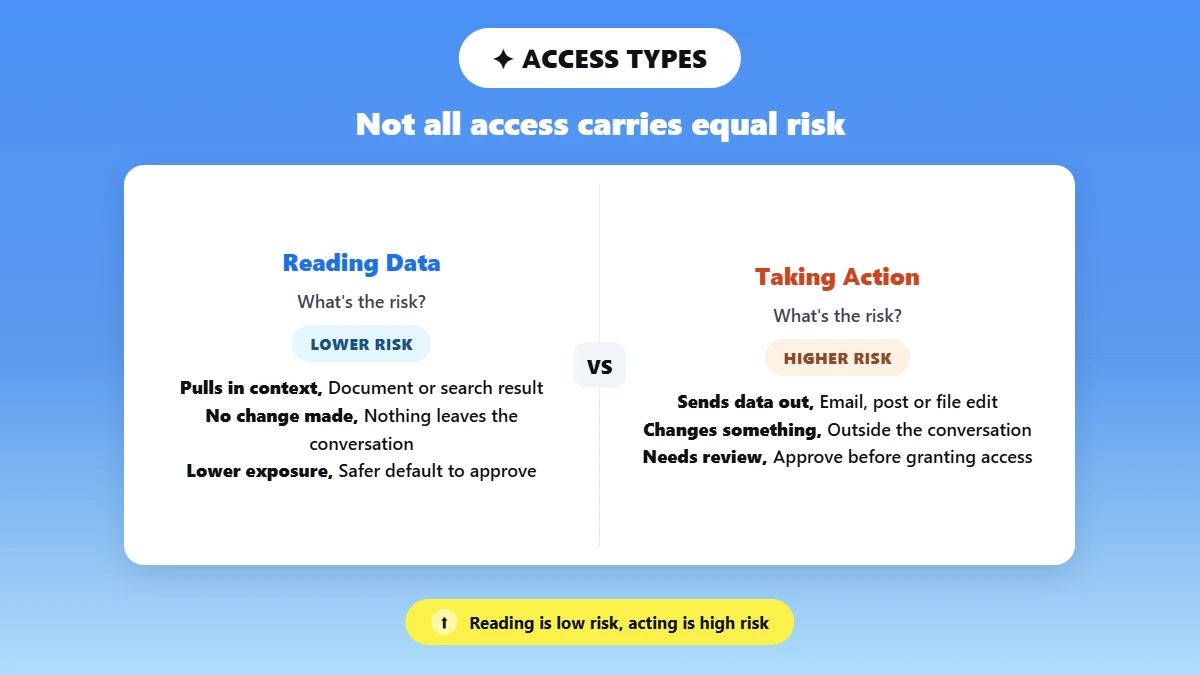
Reading data carries lower risk than taking action, because an action changes something outside the conversation.
📖 Reading: the server pulls in context, such as a document or a search result.
✍️ Taking action: the server sends an email, posts content or modifies a file.
❓ Your test: ask whether the task needs the server to act or only to read, and grant reading alone when that covers the job.
That test applies least privilege, the rule of giving a tool only the access its task needs.
⚙️ Where Permissions Are Set (Client Settings, Scopes)
Permissions are set in your AI client's connector settings and on the approval screen a remote server shows when you connect it. That screen handles MCP authentication, usually through OAuth, a standard way apps ask for login permission. It also lists the server's scopes, the named permissions it requests, such as read or write access to files.
These settings are your main access control, so look for separate read and write options instead of one all-or-nothing switch. If a client or server never shows what you granted, treat that as a reason to stop until you can find out.
How Do Claude and ChatGPT Show What You Allowed?
Claude: you add custom connectors in Settings under Connectors, then set each tool to run freely, ask before it runs, or stay blocked. Anthropic's connector guide advises letting a tool run without asking only for servers and tools you trust.
ChatGPT: you add a custom MCP server from the Add menu on the Plugins page in Settings, and ChatGPT warns that "an untrusted server may access or steal information shared through app use." Each plugin then gets one permission setting that decides when ChatGPT asks before using it, such as allowing low-risk tools without asking.
The Main MCP Security Risks to Know
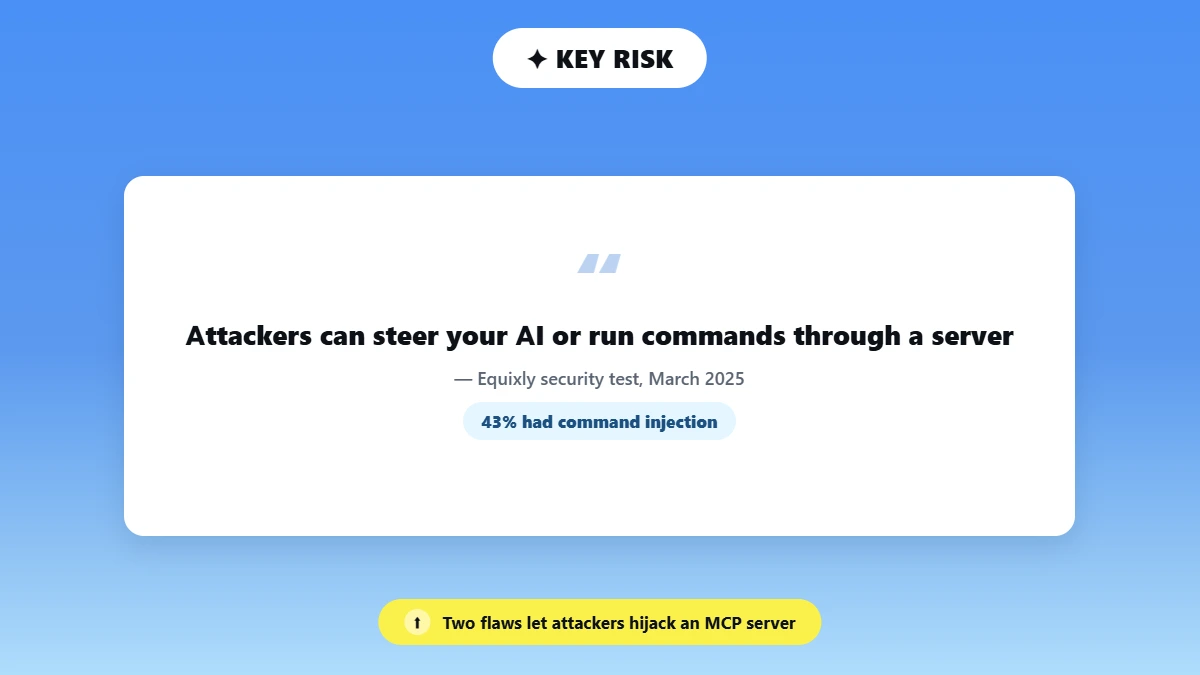
The biggest MCP server vulnerabilities let an attacker steer your AI or run commands through a server, and both have appeared in shipped MCP software. Security firm Equixly tested popular MCP servers in March 2025 and reported three common coding flaws.
📊 What Equixly Found in Popular MCP Servers
43% had command injection flaws, which let an attacker run system commands.
30% allowed unrestricted URL fetches, a flaw known as SSRF (server-side request forgery).
22% let users read files outside their intended folders.
🎯 Prompt Injection and Tool Poisoning
Prompt injection hides instructions in content the AI reads, such as a web page or a GitHub issue, and those instructions redirect what the AI does next. Tool poisoning puts the hidden instructions in a tool's own description, so the AI trusts a tool that behaves differently from what it claims.
Researchers who studied 1,899 open-source MCP servers found tool poisoning in 5.5% of them.
In May 2025, researchers showed that a malicious issue in a public repository could make an agent leak private repository data through GitHub's MCP server. In November 2025, researchers showed an attack on a WhatsApp MCP integration in which poisoned tool descriptions sent message histories to an attacker's number, as Checkmarx's incident list documents.
🔑 Credential Leakage and Token Passthrough
Token passthrough happens when a server accepts a login token issued for a different service and forwards it to another API. The MCP security best practices forbid it, because one stolen token can then open several connected services, a pattern that leads to confused deputy attacks.
Known security bugs get a public ID called a CVE, and CVE-2025-69196 showed a related flaw in FastMCP, a Python framework for building MCP servers. Its OAuth proxy issued tokens that other MCP servers on the same login service would accept. Version 2.14.2 fixed it in March 2026, according to the GitHub security advisory.
Servers built on older spec versions also face session hijacking, where an attacker reuses a stolen session ID. The July 2026 spec revision removed protocol-level sessions, which takes that ID out of servers built to the new version.
📦 Supply Chain and Untrusted Servers
Supply chain security covers where a server's code comes from and who changed it along the way. Open-source MCP servers can be forked, changed and re-shared, so a flaw or a hidden change spreads before anyone notices.
The mcp-remote package, which connects AI clients to remote MCP servers, was downloaded more than 558,846 times between January and July 2025, according to npm-stat figures cited in Docker's MCP security review. CVE-2025-6514 later showed that mcp-remote could run commands sent by an untrusted server, and JFrog rated the flaw 9.6 out of 10.
In September 2025, a fake email package called postmark-mcp secretly copied every outgoing email to an attacker's address. Code quality adds to the risk, since the same 1,899-server study found critical or blocker-level code smells, signs of rushed or fragile code, in 66% of servers.
MCP Security vs Traditional API Security: What Is Different
MCP security differs from traditional API security because an AI model picks which tool to call by reading each tool's plain-language description, while an API only runs calls a developer wrote and reviewed. That gives a misleading description room to change what the AI does.
Point | Traditional API | MCP |
|---|---|---|
Who picks the call | A developer hardcodes it | The AI model chooses while it works |
How actions are defined | Fixed endpoints with set scopes, reviewed before launch | Tool descriptions written in plain language |
What one approval covers | The calls the developer coded for that permission | A chain of tool calls the agent decides on |
Main added risk | Leaked keys and broken login checks | Misleading descriptions and prompt injection |
With a traditional API, a person approves an app, and the app makes only the calls its developer coded. An MCP agent can chain several tool calls after one approval, including actions you never reviewed one by one.
Many remote MCP servers also act as an OAuth proxy, a middle layer that signs you in to a third-party service and passes your requests along. That proxy adds one more party you have to trust.
💡 What the Permissions Screen Can and Can't Tell You
The permissions screen shows what a server is allowed to do. The server's maintainer, code and tool descriptions show whether it will use that access safely, so vet the server itself as well as the permissions it asks for.
Check an MCP Server Before You Connect It
You secure an MCP server connection by checking who maintains it, what it asks to reach and where it sends your data before you click Connect. The check takes about five minutes and needs no security training.
Broad access is common. A July 2025 study of 2,562 MCP servers found that 1,438 of them use network resources. Its authors warn that any plugin can inherit broad system privileges with minimal isolation.
Popularity is no safety signal either. Anthropic's own SQLite MCP server carried a SQL injection flaw. Trend Micro found it had been forked or copied more than 5,000 times before Anthropic archived it in May 2025, and no patch is planned.
If Phrasly won't connect while you test it, Phrasly's setup guide covers the common fixes.
✅ Questions to Ask Before Connecting
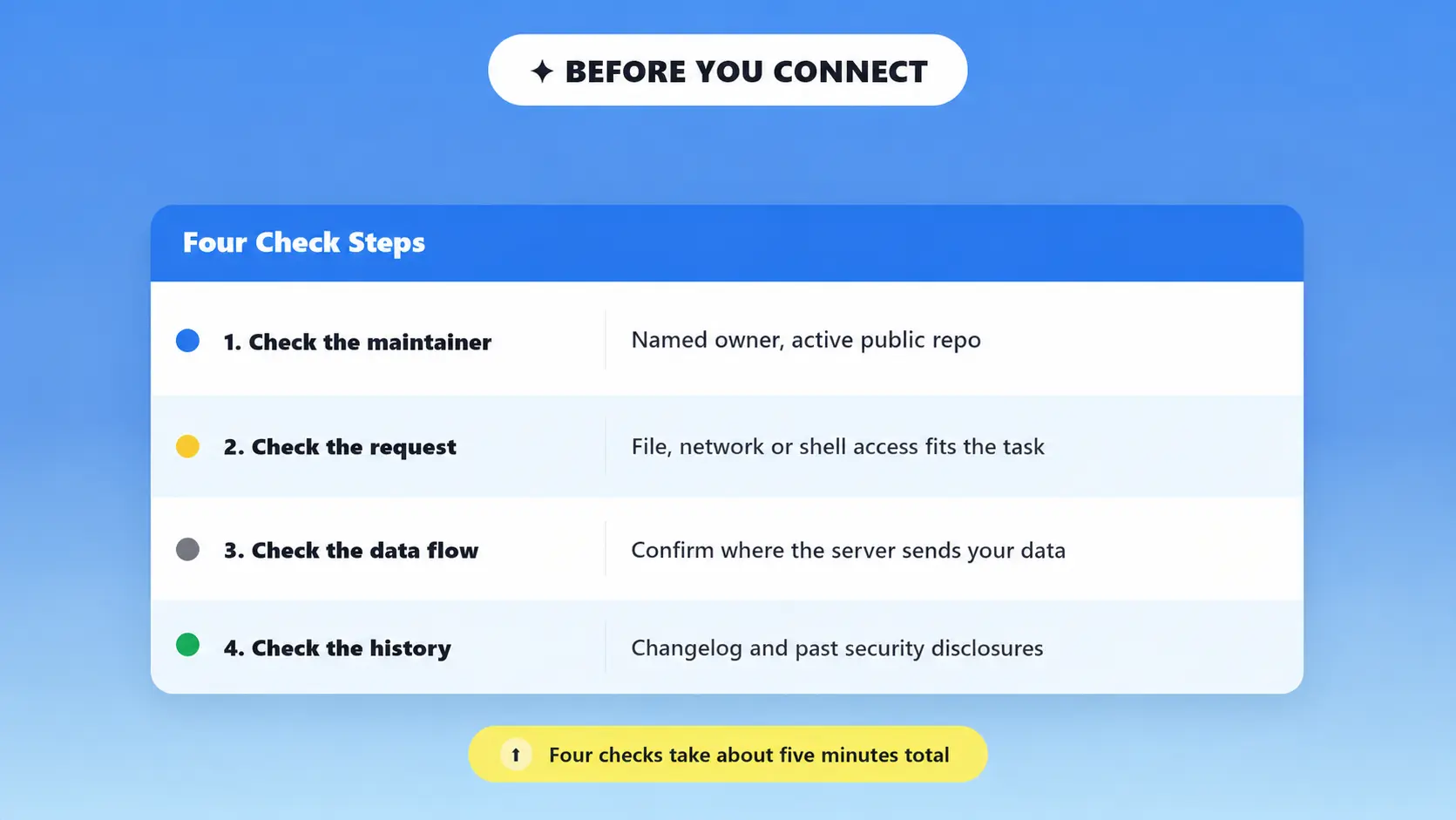
Who maintains it? Look for a named maintainer and a public repo with recent commits.
What does it request? Check for file system, network or shell command access, and whether each request fits the task.
Where does my data go? Find out whether it logs or sends your data anywhere outside the AI client. ChatGPT, for example, may share relevant memories and chats with a connected app.
What is its security history? Look for a changelog and past security disclosures.
🚩 Red Flags to Walk Away From
❌ No listed maintainer, no README, or a repo with zero stars and no activity.
❌ Unrestricted file system or URL access for a task that doesn't need it.
❌ Code copied from an archived or flagged repo, such as forks of the old SQLite server.
❌ No way to review what data the server sends back to its host.
Run the same check on every third-party integration, including servers a teammate installs for the whole team.
Check | What to look for | Why it matters |
|---|---|---|
Maintainer and repo activity | Active commits, public issues, real username | Abandoned repos rarely get security patches |
Permission scope | Requests match the stated purpose | Broad access increases what a breach can expose |
Data handling | Clear statement on what is logged or sent | Avoids silent data collection |
Known vulnerabilities | Search the server name plus "CVE" or "vulnerability" | Flags forked or copied insecure code |
Install source | Official npm, GitHub, or vendor site | Reduces risk of tampered packages |
MCP Security Best Practices for Teams and Enterprises
Teams running MCP in production should give each server the smallest access it needs, then contain and record everything it does.
A sandbox isolates each server, for example in a container, so a compromised server cannot reach the rest of your system. Command injection was the most common flaw in Equixly's tests, and a sandbox limits what an injected command can touch. The MCP specification recommends launching servers with restricted access to the file system and network.
Least Privilege and Zero Trust Basics
Zero trust architecture grants no trust based on network location, so every MCP request proves its identity and permissions first, as NIST's zero trust guide defines the model. Applied to MCP, zero trust and least privilege turn into three habits:
🔒 Grant read-only access by default, and add write access only when a task requires it.
🪪 Require authentication on every request, which the MCP spec already demands for every HTTP request to a protected server.
🔄 Rotate API keys and OAuth tokens on a schedule instead of leaving long-lived tokens in place.
Monitoring and Audit Logging
Audit logging records each tool call a server makes, so your team can review what happened later.
📝 Log every tool call with its inputs and outputs.
🚨 Set alerts for unusual patterns, such as a sudden spike in file reads or outbound requests.
🔁 Review logs on a schedule, because code smells in two-thirds of studied servers mean a one-time review misses problems.
Governance and Compliance: What SOC2 and GDPR Mean for MCP
MCP itself holds no SOC 2 or GDPR status because it is a protocol, so compliance duties fall on the servers, the clients and the data they touch. Zero trust helps here, because checking identity and permissions on every MCP request produces the access records auditors ask for.
SOC 2 reports, defined by the AICPA, assess a service provider's controls, including security and privacy. For MCP, auditors look for documented access controls, audit trails and an incident response plan, which map to the least privilege and logging steps for teams.
GDPR asks three things of any MCP server that processes personal data:
Data minimization: process only the personal data a task needs (Article 5).
Records of processing: document what personal data each server processes and where it is stored or sent (Article 30).
Processor contracts: sign a data processing agreement with any vendor that handles personal data for you (Article 28).
A server that fetches any URL or reads files outside its folder makes both SOC 2 evidence and GDPR data mapping harder, because you cannot show where the data went.
✅ Questions to Raise Before Securing MCP Servers in the Enterprise
Does the vendor offer a data processing agreement or security documentation?
Which personal data will the server touch, and where is it stored?
Who reviews the tool-call logs, and how often?
Try Phrasly's MCP Server for Safer AI Writing
Phrasly's MCP server is a lower-risk choice for writers because it has only three tools and uses a standard sign-in. Any server that passes the five checks is fine, and fewer tools give attackers fewer ways in.
📊 Why Fewer Tools Matter for MCP Security
Equixly found command injection in 43% and unrestricted URL fetches in 30% of the MCP servers it tested.
What Phrasly's server can do:
Tool | What it does |
|---|---|
✍️ Humanize text | Rewrites AI text so it sounds human |
🔍 Detect AI-written text | Checks a draft and flags AI sentences |
📊 Get account status | Shows your plan and words left |
What it can't do:
❌ Read your files
❌ Open web links
❌ Run commands
How you stay in control:
🔐 You sign in with OAuth, so there's no API key to copy.
✅ The approval screen asks for these three permissions only.
🔌 You can disconnect anytime from your Phrasly account.
📁 Your humanized drafts are saved in your Phrasly document history.
You can try the server with a free Phrasly account, which gives you 300 words to humanize one time. On a paid plan or trial, the humanize tool uses Phrasly Ultra, Phrasly's newer humanizer model with five rewrite modes.
Our Phrasly Ultra vs Phrasly Humanizer comparison shows when to use each model.
Our Claude and Phrasly MCP cold email workflow shows the humanize step on real drafts. If you also need grammar help, how Phrasly compares to Grammarly shows which tool handles which task.
Before you connect any MCP server, match its tool list and approval screen to the job you need done. Connect it only when the access fits the task and you know who maintains it.
Connect Phrasly to Claude or ChatGPT and see its three tools and approval screen for yourself. 👇
FAQs
Can MCP Servers Be Exploited for Prompt Injection Attacks?
Attackers can exploit MCP servers for prompt injection by hiding instructions in tool descriptions or tool responses, which the AI follows as if you asked. You reduce the risk when you treat every server response as untrusted input, sanitize tool outputs and keep each tool's scope narrow. Our roundup of MCP servers for writers and content teams compares tool sets.
What Authentication Standard Does MCP Use for Securing Servers?
MCP uses OAuth 2.1 for remote servers, though its specification still lists authorization as optional. Gaps in OAuth proxy setups create the confused deputy problem, so enforce token scoping and verify each client's identity instead of trusting default flows. Phrasly's MCP server, for example, uses OAuth sign-in with no API key.
Does MCP Traffic Need to Be Encrypted With TLS?
Any MCP connection that crosses a network needs TLS, the encryption behind HTTPS. Remote servers use the Streamable HTTP transport, which replaced the older HTTP+SSE transport in March 2025, and the spec requires HTTPS for production authorization servers. Local stdio servers talk to the client on your own computer, and mTLS adds identity checks on both sides of internal connections.
How Do Audit Trails and Logging Help Secure MCP Deployments?
Audit trails record every tool call an agent makes, with its inputs and outputs, so your team can trace an incident back to the request that caused it. A full record of agent actions also supports compliance reviews such as SOC 2 audits, which ask for evidence of access controls. Store logs where the MCP server itself cannot edit them.
What Is the Confused Deputy Problem in MCP Security?
The confused deputy problem is an authorization flaw where an MCP server, acting for a client, uses its own trusted access for an action the user never approved. The MCP spec describes attackers stealing authorization codes this way through proxy servers that skip per-client consent. Explicit consent prompts and scope checks before privileged actions prevent it.

Written by
Alina Shah
SEO Content Specialist · Karachi, Pakistan
She writes about AI so you don't have to guess. 8+ years in content strategy and editing. Now she puts AI writing tools and detection systems through real tests and shares what actually works.