Phrasly Ultra vs Phrasly Humanizer: What's New and Which Model to Use
12 min read
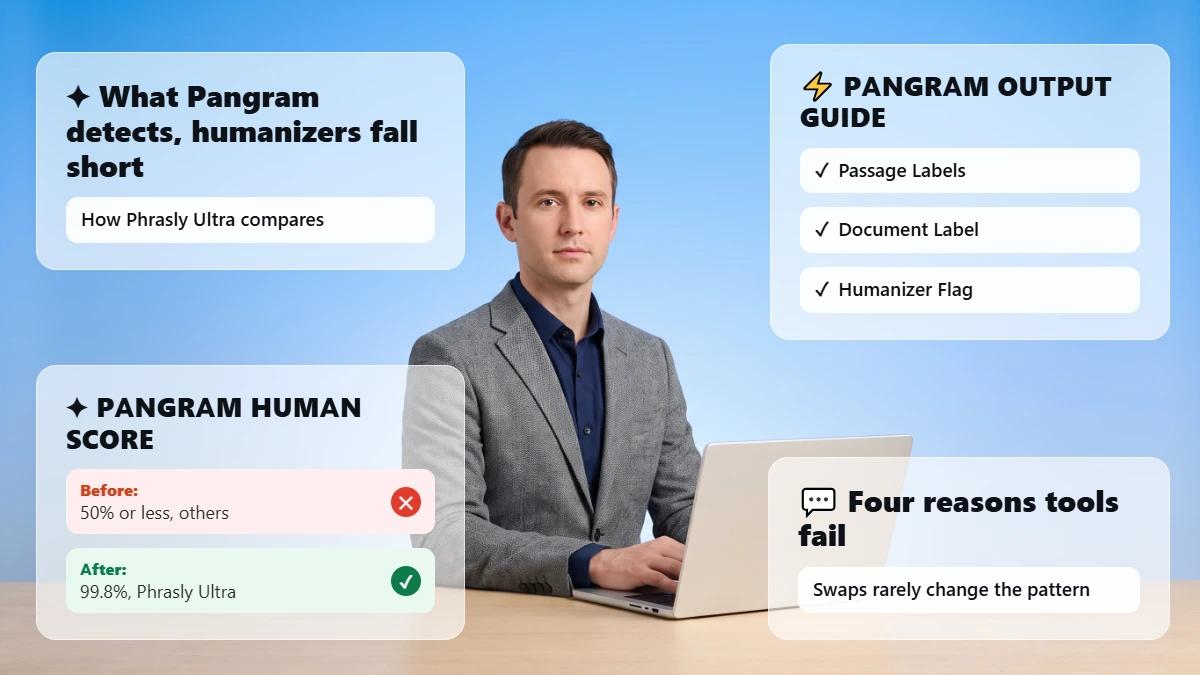
The Phrasly AI Humanizer is the writing tool, and Phrasly Ultra is the newest premium model within it, picked from the model menu.
Free accounts run on the standard Balanced model, while Ultra is included with every paid plan and the trial.
The short rule: stay on the standard Balanced model when free access covers what you need, and switch to Ultra when you want Phrasly's newest benchmarked model and finer control over how much your text changes.
On Ultra, start in Balanced mode and move toward Max only when a text needs a stronger rewrite. Whichever model you pick, you still need to check facts, citations, and wording, and detector results vary by text.
Get More Natural Rewrites With Phrasly Ultra 👇
Phrasly Ultra vs Phrasly Humanizer: The Quick Answer
The Phrasly Humanizer is the workflow. The standard Balanced model and Phrasly Ultra are two engines you can run inside it. Free users get the standard Balanced model with three rewrite levels. Trial and paid users also get Ultra, which offers five modes for finer control over how much your text changes. For most trial and paid users, Ultra Balanced is the right default.
Decision factor | Standard Balanced model | Phrasly Ultra |
|---|---|---|
What it is | The standard default model inside the Humanizer | Phrasly's newest premium model inside the same Humanizer |
Access | Free accounts (300 words to try the workflow) and paid plans | Every paid plan and the 3 Day Access trial |
Workflow | Paste, humanize, review | Same flow; select Ultra in the model menu |
Rewrite controls | Three levels: Easy, Medium, Aggressive | Five modes from Gentle to Max; Balanced is recommended |
Best for | Trying Phrasly free, or writers happy with its output | Trial and paid users who want the newest model and finer control |
Main caution | Fewer steps to fine-tune rewrite strength | Results vary; multilingual not fully tested; review factual details |
If you are comparing Phrasly with other tools rather than its own models, our roundup of the best AI humanizer tools covers that category.
First, the Humanizer Is the Tool and Ultra Is a Model
Phrasly Ultra is Phrasly's newest premium humanization model, selected from the model menu inside the Phrasly AI Humanizer. It is not a separate product. The Humanizer is where you paste, humanize, and review text, and the model menu decides which engine does the rewriting.
Ultra is one option in that menu. "Balanced" is the other option, and it is also a setting inside Ultra.
Here Is How the Pieces Fit
The Humanizer is the tool and workflow: text box, Humanize button, AI check, and output panel.
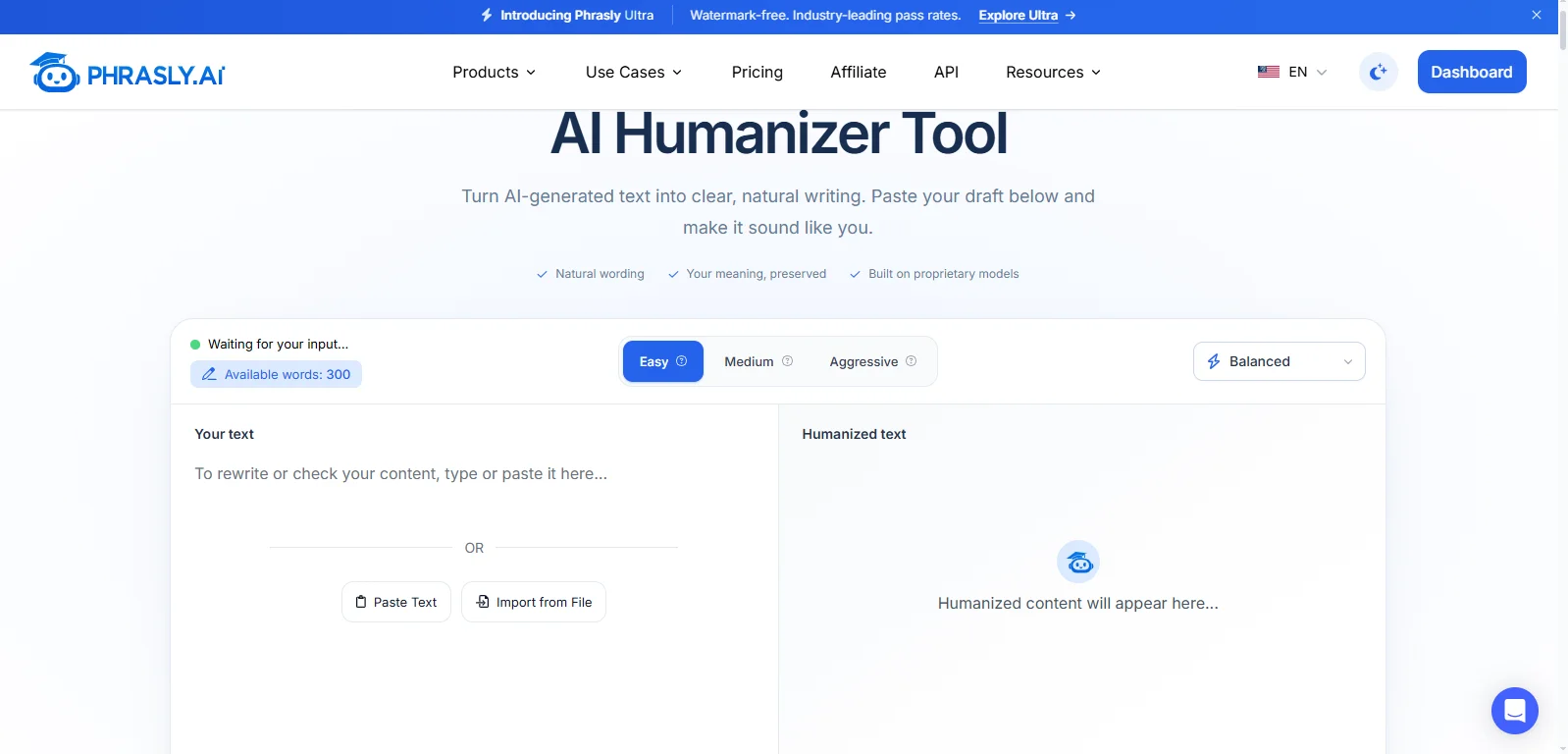
The model menu ("Choose your model") lists two engines: Phrasly Ultra and the standard Balanced model.
The standard Balanced model is the default for free accounts, with Easy, Medium, and Aggressive levels.
Phrasly Ultra is the premium model for trial and paid users.
Ultra's mode slider sets how much Ultra changes your text, and its recommended setting is also called Balanced.
🔔 Two things are called Balanced. In this guide, the standard Balanced model means the default model that free accounts use. Ultra Balanced mode means the recommended middle setting on Ultra's slider. Choosing "Balanced" in the model menu gives you the standard model, not Ultra.
What's New in Phrasly Ultra?
Phrasly Ultra is a new model, not a redesign of the workflow. It adds five rewrite modes from Gentle to Max, ships with a published Pangram benchmark, and runs in more of Phrasly than the Humanizer alone. You still paste, humanize, and review exactly as before.
A Newer Model, Trained and Served by Phrasly
Ultra launched on September 15, 2026. Phrasly starts with an existing foundation model and adapts it for humanization using Phrasly-developed datasets, fine-tuning, evaluation, and reinforcement learning.
📌 Detector feedback is one signal alongside meaning, grammar, natural flow, and writing quality. Production humanization runs on models Phrasly deploys and manages rather than sending text to another provider's LLM API.
Five Rewrite Modes on One Slider
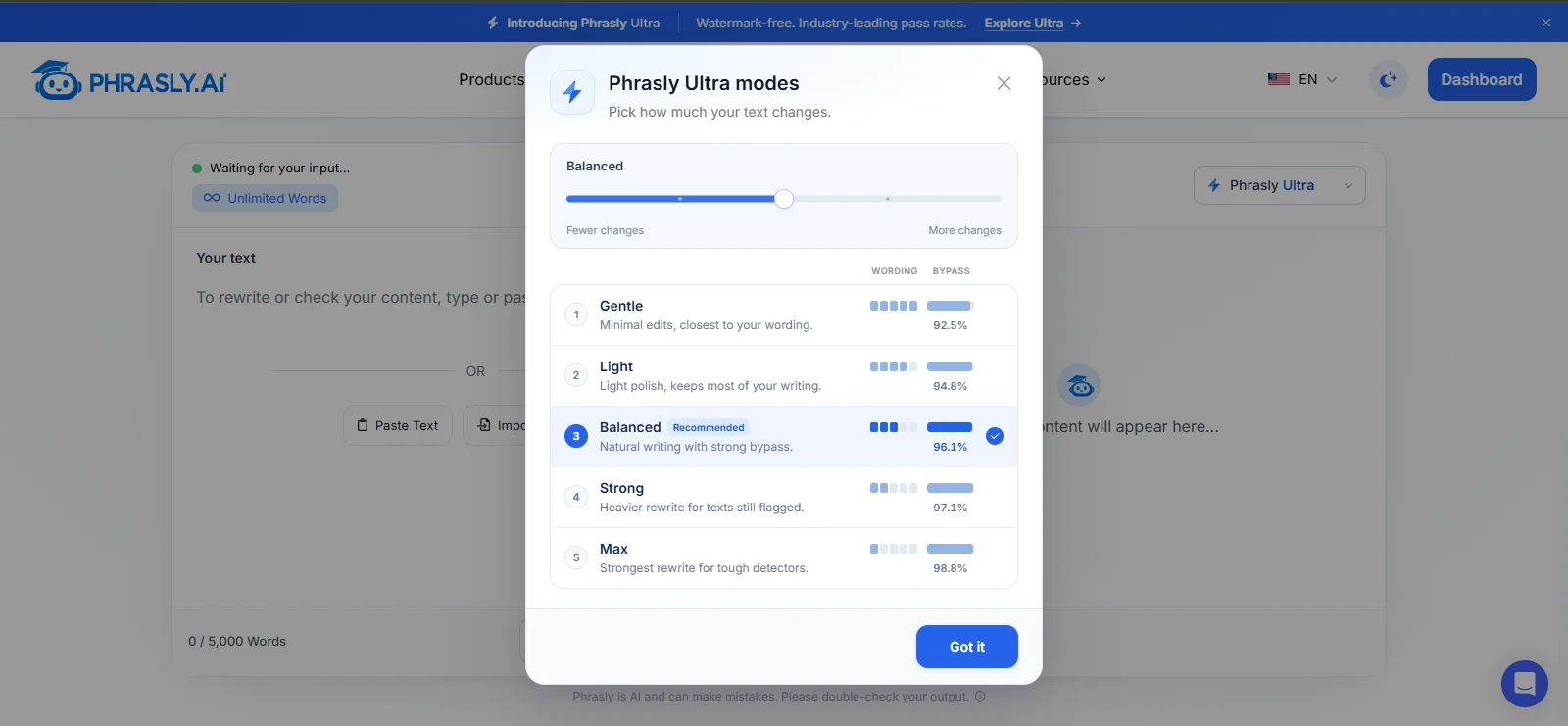
Ultra's slider runs from fewer changes to more changes. Here is what each mode does:
Gentle: Minimal edits, closest to your wording.
Light: Light polish, keeps most of your writing.
Balanced (Recommended): Natural writing with strong bypass.
Strong: Heavier rewrite for texts still flagged.
Max: Strongest rewrite for tough detectors.
Balanced is the default. Results can vary by text. The changelog notes that your choice is remembered between sessions in your browser.
Published Benchmark Evidence
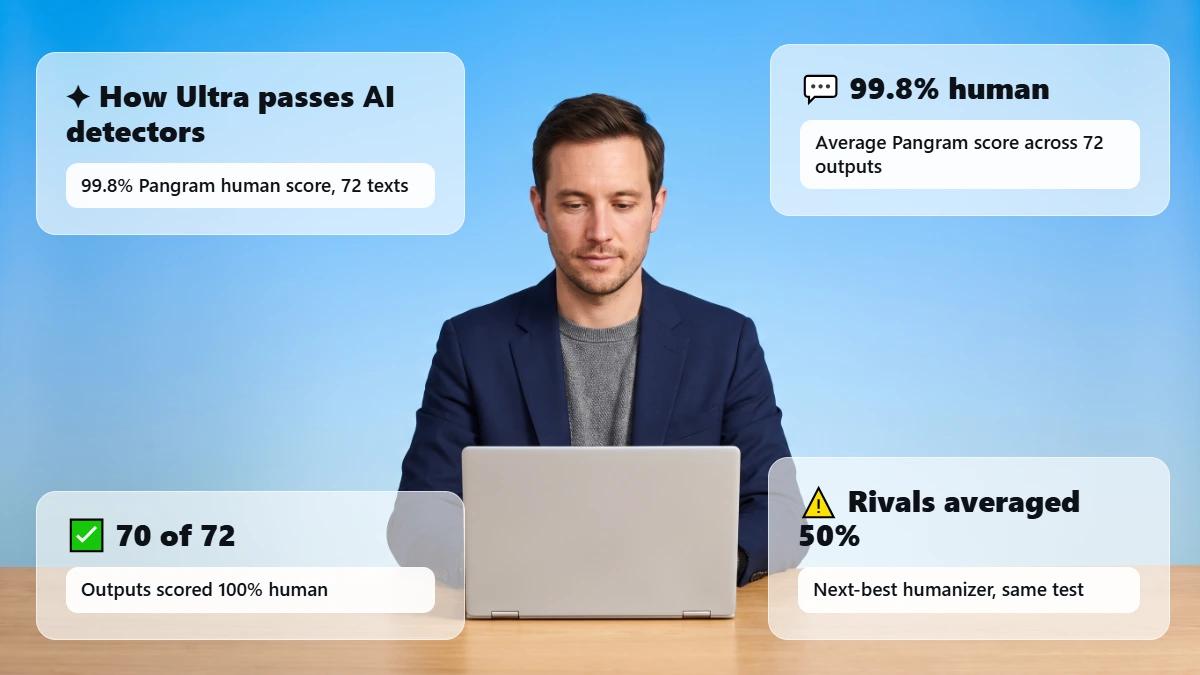
In Phrasly's own September 2026 benchmark, Ultra averaged a 99.8% Pangram human score across 72 texts, and 70 of 72 outputs were rated 100% human. Results vary by text. See the benchmark method for details.
The Same Workflow You Already Know
There's no new tool to learn. Just pick Ultra in the model menu and everything else stays the same.
Ultra is still a humanizer, so it rewrites for natural flow and meaning instead of just swapping words the way a paraphraser does.
If you're unsure how the two differ, our guide to AI humanizer vs paraphrasing tools breaks it down.
Ultra Beyond the Humanizer
Ultra also runs in Phrasly's document editor, Content Generator, and MCP server. Places without a model picker use Ultra Balanced mode automatically.
See how the Humanizer works first. You can pick a model later.
What Does the Ultra Benchmark Prove, and Not Prove?
Phrasly's benchmark shows Ultra scored strongly on one defined sample of 72 long English texts checked with Pangram. It does not prove that every output passes every detector, or that Ultra beats Phrasly's own standard Balanced model by any measured margin.
In its September 2026 humanizer benchmark, Phrasly ran four humanizers on the same 72 AI-generated English texts, each 604 to 900 words, and scored every output with Pangram's pangram-4 model. Our Pangram AI detector review explains how that detector works.
💡 Ultra averaged a 99.8% Pangram human score, and Pangram rated 70 of 72 Ultra outputs as 100% human. Phrasly ran this test and scored its own model, and results vary by text. A detector score is a classification, not proof of authorship.
The benchmark also counted meaning problems. Ultra averaged 0.85 unsupported factual additions or changes per output, and 35 of 72 outputs were recorded as hallucination-free. That means 37 outputs had at least one unsupported change.
There Are a Few Limits Worth Knowing
Phrasly ran the test on its own model, using long English texts and only one detector.
The test didn't record which Ultra mode was used.
The free standard Balanced model wasn't tested, so there's no direct Ultra vs Balanced comparison.
The rewritten texts aren't public, but each one has a published digital fingerprint (SHA-256), and the texts can be requested.
The benchmark supports Ultra's place as Phrasly's premium model, but any Ultra vs Balanced comparison stays qualitative until Phrasly publishes a same-input test. For a broader hands-on look at the platform, see our Phrasly AI review.
Which Phrasly Model Should You Use?
If you have trial or paid access, start with Ultra Balanced mode for most text. Use the standard Balanced model when free access decides it, or when you already like its results.
📢 Step Ultra up to Strong, then Max, only if Balanced falls short, and recheck meaning after every stronger rewrite.
Your situation | Recommended choice | Why | Final check |
|---|---|---|---|
Testing Phrasly with free account | Standard Balanced model | It is the model on free accounts | Start the trial when you want Ultra |
Trial or paid, everyday writing | Ultra Balanced mode | Phrasly's recommended balance of meaning and pass rates | Compare the output with your source |
A detector still flags the Ultra Balanced result | Step up to Strong, then Max | Stronger modes change more of the text | Recheck names, figures, citations, tone |
Legal, medical, financial, or safety-critical claims | Gentle or Light, plus expert review | Lighter modes stay closest to your wording | Validate against the authoritative source |
Citations or quotations present | Gentle or Light, or Ultra Balanced with a line review | No model can verify attribution | Lock quotes; confirm every citation |
Marketing or SEO copy | Ultra Balanced after locking claims, keywords, CTAs | Flow matters, but the offer and CTA must not drift | Confirm names, offer, CTA, target terms |
Non-English text | Ultra, in the language you supply | Ultra rewrites in the input language | Not fully tested; use a fluent reviewer |
You already like the standard result | Stay on the standard Balanced model | Ultra is optional, not a forced replacement | Switch when a specific need justifies it |
Use it responsibly. Use humanization to improve clarity and make an AI-assisted draft reflect your own thinking. Follow your institution's, employer's, publisher's, or client's AI-use and disclosure rules. See Phrasly's responsible-use guidance.
Besides, If you're a marketer who wants to keep your brand voice consistent and you're looking for a go-to humanizer, check out our guide to the best AI humanizer for marketing content.
How to Switch from Phrasly Humanizer to Phrasly Ultra
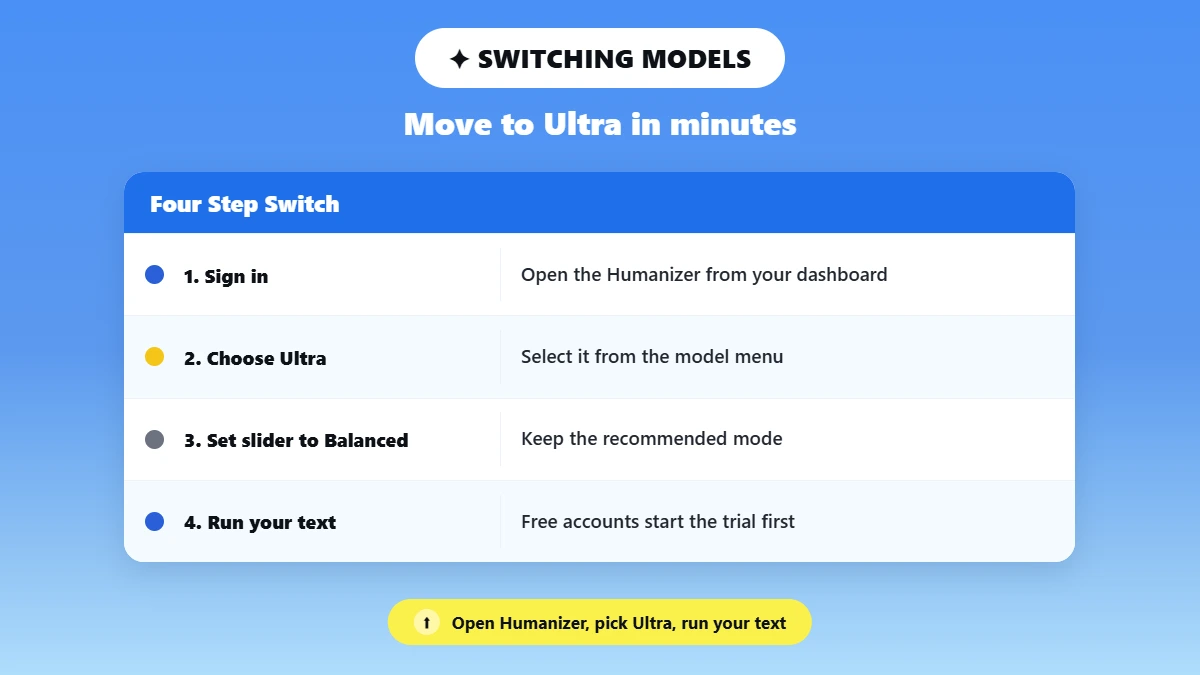
Switching to Ultra takes less than a minute. Open the Humanizer, choose Phrasly Ultra from the model menu, leave the slider on Balanced, and run your text.
If you're on a free account, you'll need to start the trial or a paid plan first, since Ultra isn't part of the free plan.
Sign in and open the Phrasly AI Humanizer from your dashboard. Free accounts start on the standard Balanced model.
On a free account, start the trial or a paid plan to unlock Ultra. Ultra is included with the trial and every paid plan.
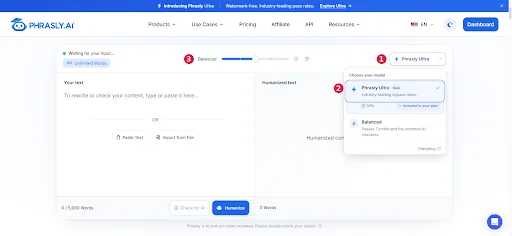
Open the model menu in the top right corner and select Phrasly Ultra. It's listed first.
Leave the slider on Balanced for your first run. It's the recommended starting point.
Paste your text, click Humanize, and compare the result with your source for meaning, facts, and citations.
If a detector still flags the result, move the slider one step at a time toward Strong, then Max, and recheck the text after each run.
💡 Your model and mode choice is remembered between sessions in your browser, so Ultra stays selected next time. If Ultra isn't visible, confirm your trial or paid access is active, then refresh the page.
Is Phrasly Ultra Free? Access, Trial, and Paid Use
Phrasly Ultra is included with every paid plan and the 3 Day Access trial. It is not part of the free plan. Free accounts use the standard Balanced model with 300 words to try the workflow, so you can test the Humanizer first and unlock Ultra through the trial when you are ready.
Plan | What you get | Ultra access |
|---|---|---|
Free account | The standard Balanced model with Easy, Medium, and Aggressive levels, plus 300 words to try the full workflow | Not included; one trial away |
3 Day Access ($2.00) | Three days of Ultra with unlimited humanization words (up to 50 uses per day), 800 words per process, and early upgrade any time | Included |
Unlimited ($10.99/month, billed annually, save 45%) | Unlimited humanizations, up to 5,000 words per process, and 100,000 plagiarism-check words per month | Included |
Pricing is accurate as of the date this article was written and is subject to change. Confirm the current price on the tool's official pricing page before purchasing.
Both paid plans come with no hidden fees, and you can cancel anytime. For the latest details, see current plans and trial terms or visit the Phrasly Ultra page.
What to Review After Either Model Rewrites Your Text
Always check a rewrite against your original text before you use it, no matter which model or mode you picked. Passing an AI detector doesn't mean the text is right.
A rewrite can pass the check and still have a wrong number, a missing word like "may," or a citation that no longer matches. These seven checks help you catch those mistakes.
Names, dates, numbers, and units match the source.
Claims keep the same strength and evidence.
Citations, quotations, and URLs are intact.
Negations and qualifiers such as "may," "can," and "not" survived the rewrite.
Brand and product terms, SEO keywords, and CTA text are unchanged.
Tone, reading level, and audience fit still suit the reader.
Your institution's, employer's, or client's AI-use rules are followed.
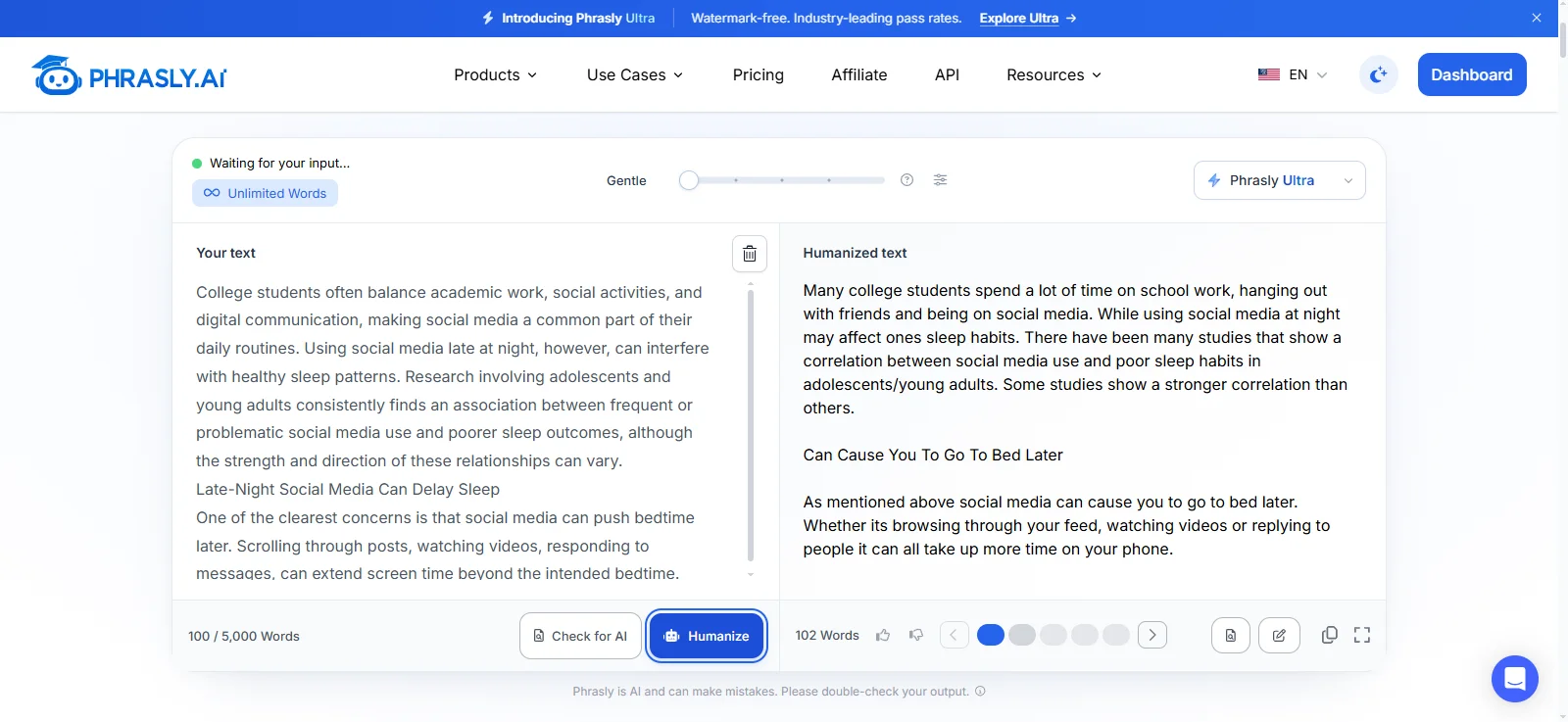
We tested this ourselves on September 23, 2026. We ran a short 100-word paragraph about social media and sleep through Ultra's Gentle mode. The important facts stayed the same, and careful words like "may affect" were kept.
But one small detail went missing: the original said the link between social media and sleep can work both ways, and the rewrite dropped that.
It also made two small spelling mistakes ("ones" instead of "one's," and "its" instead of "it's").
All of these took seconds to fix, and the checklist above would have caught every one. This was just one test, so treat it as an example, not a promise.
This isn't unique to Phrasly. Tom's Guide's August 2026 test found that several humanizers made writing sound awkward and changed facts along the way.
If you'd rather polish your draft by hand first, our prompts to humanize AI text are a good place to start.
Passing an AI detector doesn't prove your text is good. Publish the version that is accurate, clear, and sounds like you.
The Decision, in One Place
If you are on a free account, start with standard Balanced. It is the default model, and it lets you learn the workflow before you pay for anything. If you have the 3 Day Access trial or a paid plan, make Ultra Balanced your first choice.
🎯 Phrasly Ultra is the newer premium model, so it is worth using when you already have access. Treat Max as a step up, not a starting point. Switch to it only when Ultra Balanced does not get the draft where you need it.
Both models need human review. Read the output before you publish, check the facts, fix anything that changed, and make sure it still sounds like you.
Got the trial or a paid plan? Don't let Ultra sit unused. Try your next draft in Phrasly Ultra and see how it reads.
Frequently Asked Questions
Is Phrasly Ultra a separate product?
No. Phrasly Ultra is a model inside the Phrasly AI Humanizer, not a separate app. You select it from the model menu in the top right corner of the Humanizer, and the paste, humanize, and review workflow stays the same. Ultra also runs in Phrasly's document editor and Content Generator.
Does Ultra replace the standard Balanced model?
No. The standard Balanced model stays in the model menu and remains the default for free accounts. Ultra is an added option for trial and paid users, who can switch between the two at any time. The model Phrasly retired on September 15, 2026 was the older Legacy model, not Balanced.
What is the difference between Balanced and Ultra Balanced?
The standard Balanced model is one of the two models in the Humanizer's menu, with Easy, Medium, and Aggressive levels. Ultra Balanced is a mode: the recommended middle setting on Phrasly Ultra's five-step slider. One is a model you choose; the other is a setting inside a different model.
Is Phrasly Ultra free?
Phrasly Ultra is not part of the free plan. It is included with every paid plan and the 3 Day Access trial, which is a paid trial. Free accounts use the standard Balanced model with 300 words to try the workflow. Check current plans and trial terms before you buy.
Which Ultra mode should I use?
Start with Balanced for most text. If a detector still flags the result, step up to Strong, then Max, and recheck meaning, facts, citations, and tone each time. For text where facts must stay exact, try Gentle or Light first, since those modes stay closest to your original wording.
Is Ultra better than the standard Humanizer?
Ultra is Phrasly's newer premium model, with five modes and a published September 2026 benchmark. Phrasly has not published a same-sample test of Ultra against the standard Balanced model, so there is no fair numeric gap to quote. The practical test is running your own draft through both. For general technique, see how to humanize AI text.
Does Ultra always pass AI detectors?
No outcome is guaranteed. In Phrasly's own September 2026 benchmark, Ultra averaged a 99.8% Pangram human score across 72 English texts, but results vary by text and detectors keep changing. Treat any score as a snapshot. Our guide on how to make AI writing sound more human covers manual fixes that help too.
Does Ultra work in languages other than English?
Ultra rewrites in the language you supply, but Phrasly says multilingual support is not yet official or fully tested across every language, so results may vary. The benchmark used English texts only. For non-English work, keep a fluent reviewer involved and check meaning line by line.

Written by
Hasnain
Karachi, Pakistan
I help businesses grow with SEO-friendly blog posts, landing pages, and long-form content. With 3+ years of experience, I deliver clear, original, and well-researched writing that drives results.