How Phrasly Ultra Makes Your AI Writing Sound Human (and Like You)
15 min read
An AI draft can pass every grammar check and still sound like nobody in particular wrote it. Phrasly Ultra is Phrasly's newest humanizer model, and it makes that draft sound more human by reshaping predictable phrasing and rhythm while keeping your original meaning at the center. The writing becomes yours only through your opinions and experiences, and those still have to come from you.
Human-sounding writing and writing that sounds like you are separate goals. Start with Ultra's Balanced mode, the setting Phrasly recommends for most text, then put back your real examples and preferred wording before you publish.
This guide explains how Ultra rewrites a draft and walks through a six-step workflow that protects both your meaning and your voice.
Make This Draft Sound More Like You With Phrasly Ultra 👇
🎯 The Quick Answer: Human-Sounding and "Sounds Like You" Are Not the Same
Human-sounding writing reads naturally to any reader, while writing that sounds like you also carries your own word choices and experiences only you have had. Phrasly Ultra improves the first and protects the meaning underneath it. You keep the second by starting from your own ideas and reviewing the rewrite as its author.
Human-sounding text usually shows these traits:
Varied rhythm: short and long sentences mixed on purpose.
Natural phrasing: wording a person would actually use with this audience.
Useful specifics: a concrete detail where an AI draft would stay general.
Text that sounds like you adds a second set of traits:
Your stance: a clear opinion on the question you are answering.
Your habits: the words and sentence patterns you use most often.
Your evidence: examples taken from your own work or life.
Ultra changes how a draft is delivered and gives priority to your intent. It cannot supply a memory or a belief you never gave it, so a draft with no point of view comes out smoother and still without a point of view.
💡 Formal writing can sound human too. A report or a client email reads as naturally as a casual post when its wording fits the reader.
🤖 Why AI Writing Sounds Robotic, or Polished but Generic
AI writing sounds robotic because language models tend toward safe, average patterns, so sentences come out at similar lengths and the tone stays neutral on every question. The draft ends up grammatically clean, yet nothing in it points to a specific writer or a specific reader.
Five patterns cause most of the problem:
Uniform sentences: similar lengths and structures, paragraph after paragraph.
Formulaic transitions: openers such as "Additionally" and "In conclusion" that announce every move.
An over-balanced tone: both sides get equal weight, and the writer never takes a position.
Vague claims: statements with no number, name, or example behind them.
Missing context: no named audience, purpose, or lived experience shapes the choices.
📊 The neutral-tone effect shows up in research. A March 2026 preprint, How LLMs Distort Our Written Language, found that heavy LLM use led to a nearly 70% increase in essays that stayed neutral on the topic question. Significantly more heavy users also said the writing was less creative and not in their voice. The paper has not yet been peer reviewed.
Microsoft's Copilot guide to humanizing text lists redundant phrasing and vague language among the common signs of AI text. Treat all of these patterns as editing signals, because none of them proves that AI wrote a passage, and a single habit such as frequent dashes tells you nothing on its own.
The guide on how to make ChatGPT sound more human walks through a manual fix for each pattern if you prefer to edit by hand.
⚙️ How Phrasly Ultra Changes the Writing Without Losing the Point
Phrasly Ultra, the humanizer model Phrasly released on September 15, 2026, rewrites the way a draft reads and is built to keep the intent of the original text. It changes sentence shape and flow and keeps your argument the same.
An AI humanizer is a tool that rewrites AI-assisted text so it reads naturally while it keeps the intended message. The explainer on what an AI humanizer is covers how the category works. Ultra has four main features:
✍️ It changes the wording and keeps the assignment. Ultra reshapes sentence structure and word choice, and Phrasly sums up the goal in its own tagline: "New expression. Original meaning." The model is built to keep your claim and your conclusion, and you still check both after each run.
📏 It is judged on more than a detector score. Phrasly's technology page shows how Phrasly trains and evaluates its models: evaluation agents check whether each rewrite keeps its meaning and reads naturally, and detector feedback counts as one signal among several. Phrasly builds Ultra from an existing foundation model and adapts it with training datasets its own team develops. Fine-tuning and reinforcement learning, a method that improves a model through feedback on its outputs, then shape how it rewrites.
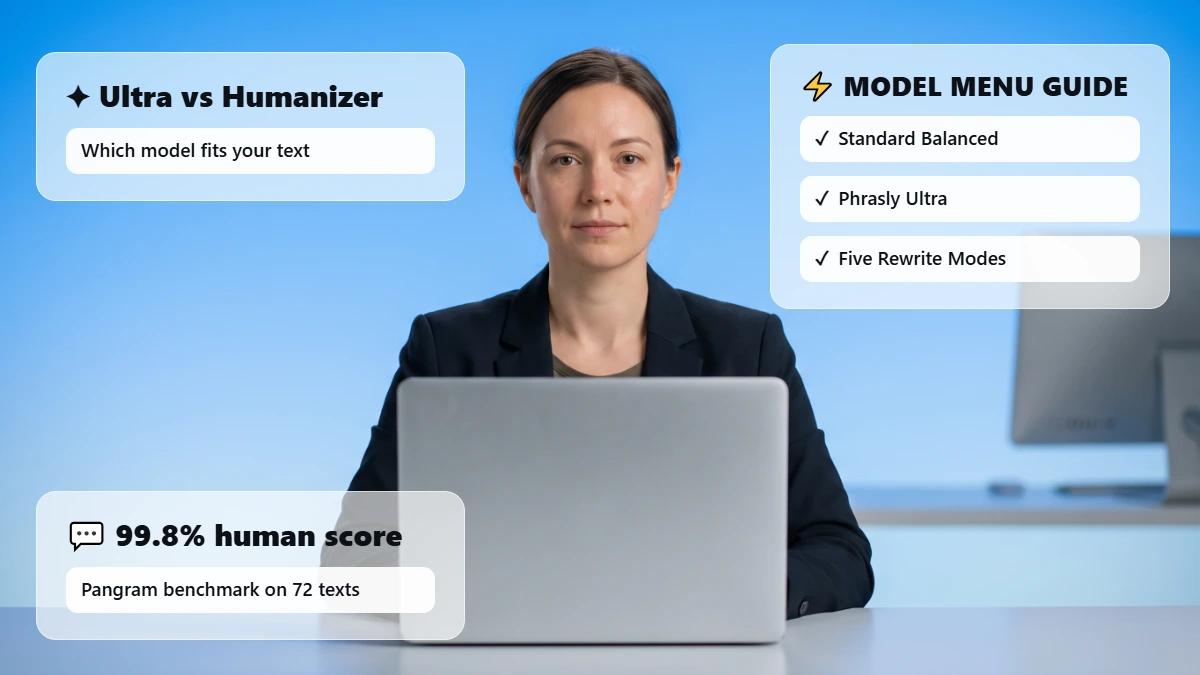
🎚️ It gives you control over rewrite strength. Ultra offers five rewrite approaches on a slider, from Gentle to Max. Balanced, Ultra's default mode, is the recommended place to start.
🧭 You pick it from the Humanizer's model menu. Paid subscribers and trial users open the Phrasly AI Humanizer and choose Phrasly Ultra, the first option in the model menu. Free accounts use Phrasly's standard Balanced model, which is a separate model from Ultra's Balanced mode.
Phrasly deploys and manages the models that process every rewrite, so your text is not sent to another company's language model, such as OpenAI's, for humanization. Phrasly also says Ultra returns rewrites in moments and adds no AI watermark to its output by default.
🔍 See what Ultra changes and what it keeps.
Run one paragraph in Balanced mode, then compare the result with your source
🧩 Use the Human / You / True Framework
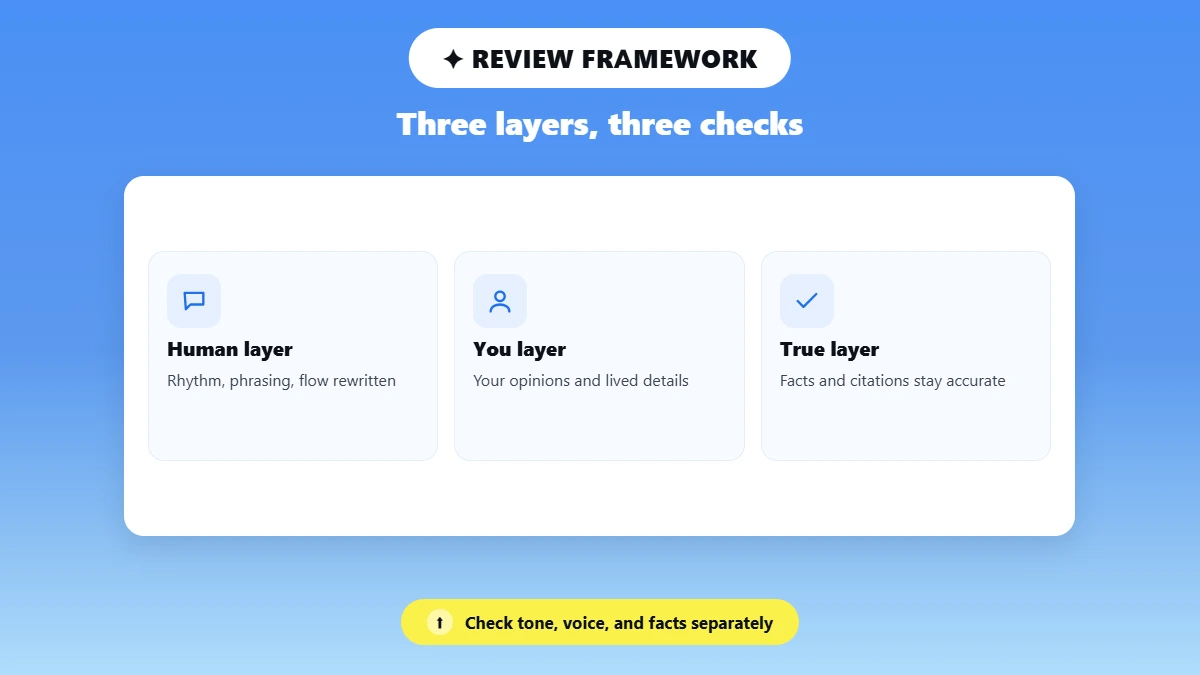
The Human / You / True framework splits an AI-assisted draft into three layers you check separately: how it reads, whose it is, and whether it is accurate. Ultra works directly on the Human layer and is designed to protect the True layer. You own the You layer.
Layer | What it contains | Who is responsible | Review question |
|---|---|---|---|
🗣️ Human | Rhythm, phrasing, sentence variety, transitions, flow | Ultra, then your review | Does this read naturally for the audience? |
👤 You | Opinions, lived details, familiar vocabulary, deliberate quirks | You | Would someone who knows my work recognize the point of view? |
✅ True | Facts, meaning, citations, names, quotations, technical terms | Ultra is built to preserve intent; you verify | Is every important claim still accurate and supported? |
Each layer catches a different kind of mistake, so strength in one layer cannot make up for a loss in another. Natural prose that changes a fact is worse writing, and accurate prose that erases your point of view is no longer fully yours.
💡 The safest way to humanize AI writing is to improve the delivery, keep the facts true, and leave the final review with the writer.
🛠️ A Six-Step Ultra Workflow for Writing That Still Sounds Like You
The way to make AI writing sound more human and still like you is to humanize a draft built on your own ideas and keep Ultra on Balanced mode. Then check the result against your source before you publish. Each step below protects one layer of the Human / You / True framework.
Step 1: Start From Your Own Ideas
Ultra does its best work on text that already holds your point of view. Notes, an outline, or a rough paragraph you wrote all give it something personal to keep. If a chatbot wrote the first draft, add the audience, the purpose, and verified context before you humanize it.
Prompts to humanize AI text can shape a chatbot's first draft. Ultra takes over once the draft exists, when the wording needs to change and the meaning needs to stay.
Step 2: Lock What Must Not Change
Mark every element that must survive the rewrite word for word before you paste the draft:
Facts and names: people, products, dates, and numbers.
Quotations and citations: direct quotes, references, and page numbers.
Fixed terms: technical terms, SEO phrases, legal qualifiers, and product claims.
Deliberate wording: phrases you chose on purpose, such as a tagline.
Keep the original open in a second window so you can check each item afterward. Marketing teams also need to lock offers and calls to action, which the checklist for keeping AI marketing copy on-brand covers.
Step 3: Choose Ultra and Start With Balanced
Select Phrasly Ultra in the Humanizer's model menu and leave the slider on Balanced. Phrasly recommends Balanced because it keeps your meaning closest to the original while it still performs well against AI detectors. Move toward a stronger setting only for a specific reason, since every extra change gives you one more thing to verify.
Step 4: Compare the Rewrite With the Source
Read both versions side by side and check substance before style. Confirm that these details survived the rewrite:
The main claim and your stance on it
Every number, name, and citation
Hedges such as "may" or "in most cases"
The call to action, if the piece has one
A rewrite that reads more smoothly but drops a hedge has changed your meaning.
Step 5: Put the "You" Layer Back In
Restore any signature phrase Ultra changed, and add one genuine detail, observation, or opinion to each major section. Delete anything that describes an experience you never had, then read one paragraph aloud and rewrite any line you would never say.
📊 Editing helps, and it has limits. Baumler et al.'s ACL 2026 study, a preregistered study of 81 participants, found that post-editing an LLM draft moved the text closer to each person's own style. The edited text still stayed closer to the LLM's style than to what participants wrote without help, even though participants rated their edits as true to their style. The study tested manual editing of chatbot drafts and did not test Ultra.
Should You Add Typos or Slang to Sound More Human?
Typos and slang added on purpose make a draft weaker and no more personal. A real example or a firm opinion makes the writing yours. Five sentence-level techniques to improve AI text readability and tone fix rhythm without adding errors.
Step 6: Do the Final Trust Check
The last pass confirms that the piece is accurate and allowed:
Verify every fact against its source.
Check that each quotation matches the original word for word.
Confirm the tone fits the reader and the occasion.
Treat any detector result as one signal, since a score does not prove who wrote a text.
⚖️ Whether humanizing AI writing is appropriate depends on authorship, disclosure, and copyright, and on the rules of your school, workplace, client, or publisher. Ultra improves how text reads, and you remain responsible for how you use it.
✅ Before you publish
☐ My draft started from my own ideas, audience, and purpose.
☐ Facts, names, quotes, citations, and fixed terms are marked.
☐ Ultra ran in Balanced unless I had a clear reason to go stronger.
☐ The claim, numbers, and hedges match my source.
☐ Each major section has a real detail from me, and nothing invented.
☐ Every fact is verified, and I followed the AI-use rules that apply to me.
🔄 Before and After: From Generic AI to Natural, and Then Personal
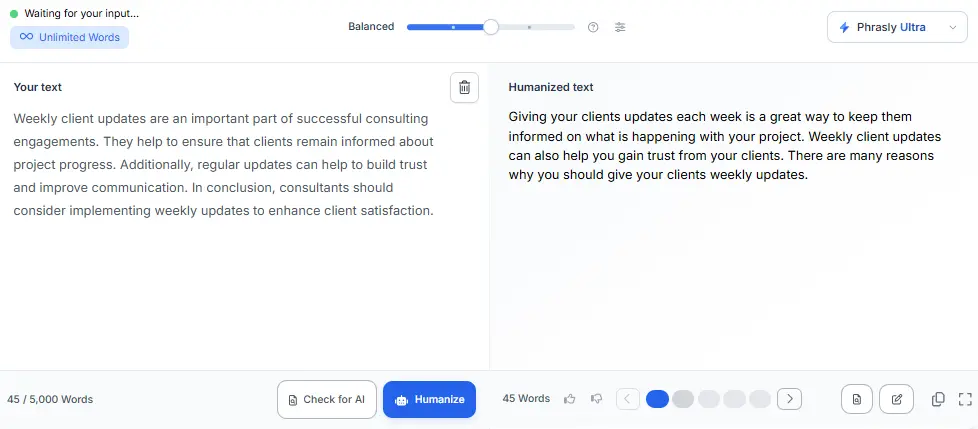
The example below takes one paragraph through three stages: a raw AI draft, a Balanced rewrite, and the writer's final pass. The labels show which layer of the framework each change belongs to. The consultant is fictional, and Version 2 is actual Ultra output captured in September 2026.
Version 1: Raw AI draft
"Weekly client updates are an important part of successful consulting engagements. They help to ensure that clients remain informed about project progress. Additionally, regular updates can help to build trust and improve communication. In conclusion, consultants should consider implementing weekly updates to enhance client satisfaction."
Problem: four sentences of similar length, two stock transitions, and no stance or example.
Version 2: Phrasly Ultra, Balanced mode (actual output, captured September 2026)
"Giving your clients updates each week is a great way to keep them informed on what is happening with your project. Weekly client updates can also help you gain trust from your clients. There are many reasons why you should give your clients weekly updates."
🗣️ Human: "Additionally" and "In conclusion" are gone, and the text now speaks to the reader directly as "you."
✅ True: the two main points survived, since weekly updates still keep clients informed and build trust.
⚠️ Check needed: the rewrite dropped two supporting points, better communication and client satisfaction, and its last sentence adds no information. A side-by-side comparison with the source catches both problems.
Version 3: Writer's final pass
"Giving your clients updates each week is a great way to keep them informed on what is happening with your project. I send a five-line update every Friday, and my clients trust me more because of it. Regular updates also make our calls easier and keep clients satisfied with the work."
🗣️ Human: the first sentence stays exactly as Ultra wrote it.
👤 You: the second sentence adds the writer's own habit, a five-line update every Friday, which Ultra could not have supplied.
✅ True: the last sentence replaces Ultra's vague line with the two points it dropped, easier communication and client satisfaction. No statistic or outside fact was added.
✍️ Your draft already holds the most important part: your meaning. Run it through Ultra, then use the Human / You / True check before you publish
🎚️ Which Phrasly Ultra Mode Should You Use?
Start with Balanced, Ultra's default mode, for almost any text. Move toward Max only when you need a stronger rewrite and will compare the result line by line, because each step up the slider changes more of your wording.
What you need | Starting point | Why | Review required |
|---|---|---|---|
Light polish where exact wording matters | Gentle or Light | Makes the fewest changes | Check flow and deliberate wording |
An everyday article, email, report, or post | Balanced | Phrasly's recommended balance of natural flow and meaning | Standard comparison with your source |
A stronger transformation | Strong | Changes more of the expression | Line-by-line check of facts, terms, and tone |
A detector still flags a Balanced result | Max, only if needed | Phrasly advises Max only for this case | Full fact and meaning review; results still vary |
Mode guidance checked on Phrasly's Ultra page and changelog in September 2026. Product features and plan access can change, so confirm them on phrasly.ai before relying on them.
From left to right, the slider's five modes are Gentle, Light, Balanced, Strong, and Max. Ultra remembers your chosen mode between sessions in the same browser, so you only set it once.
🛡️ Does More Human Writing Guarantee a Detector Result?
More human-sounding writing does not guarantee any detector result, because a reader's sense of natural writing and a detector's classification measure different things. No honest tool can promise the same outcome for every text and every checker, and that includes Ultra.
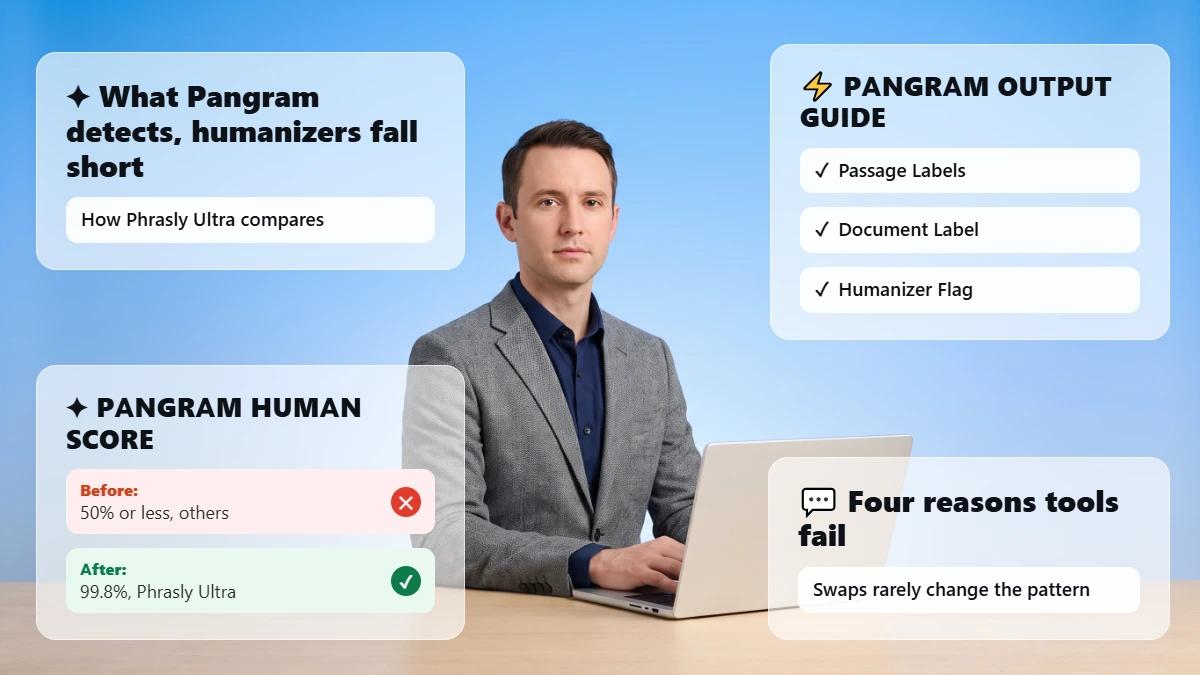
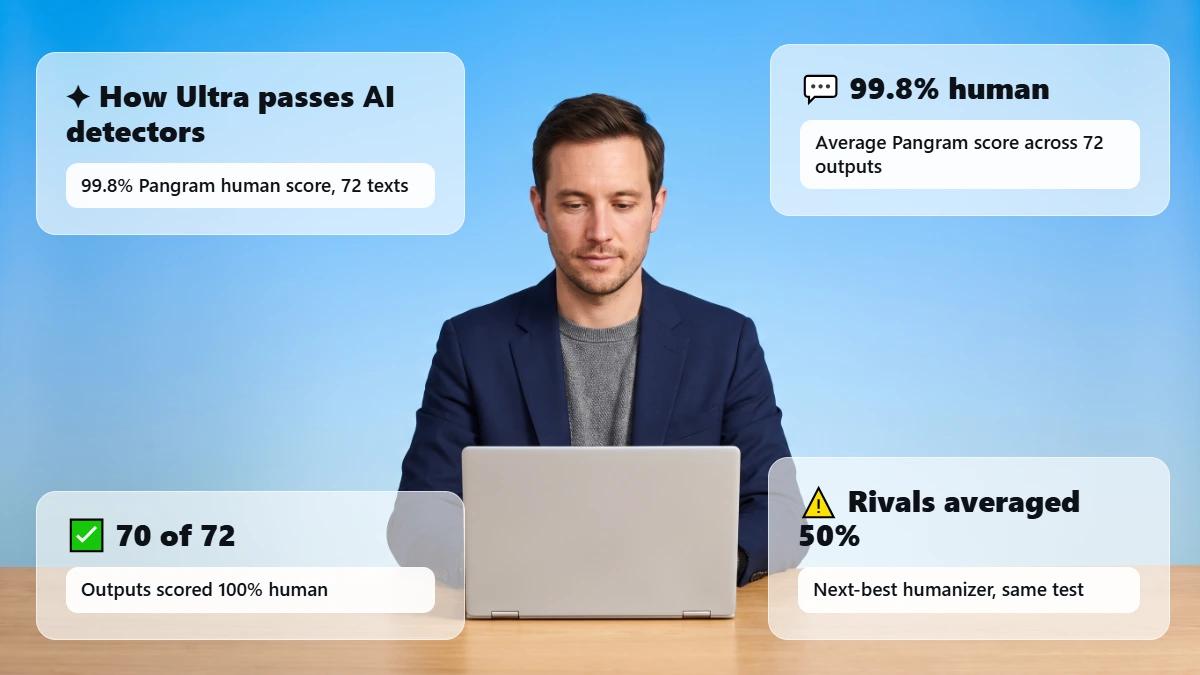
📊 Phrasly's September 2026 humanizer benchmark found that Ultra averaged a 99.8% Pangram human score across 72 long AI-generated English texts, and 70 of 72 outputs were rated 100% human. Ultra outscored the three other humanizers Phrasly tested on every published measure, scored with Pangram's pangram-4 detector model.
Read those numbers with their limits:
Phrasly ran and published the benchmark, which includes its own product.
The sample held 72 English texts, with one output per tool for each text.
Phrasly did not record which Ultra mode produced the outputs.
The test did not compare Ultra with Phrasly's standard Balanced model.
The same benchmark counted hallucinations, meaning unsupported factual additions or changes. Ultra averaged 0.85 hallucinations per output, and 35 of its 72 outputs had none, so a fact check stays part of every run.
Readers comparing the best AI humanizer options beyond one benchmark can find five tools tested hands-on in Phrasly's roundup of the best AI humanizer tools. The goal stays the same with any tool: accurate meaning and your own contribution, written within the rules that apply to you.
⚠️ When to Keep the Rewrite Conservative
Keep the rewrite conservative whenever exact wording carries weight, because a small change in those texts can change what they commit you to. These types of writing call for the lightest useful setting:
Citation-dense academic or research writing
Legal, medical, financial, or compliance language
Direct quotations
Technical specifications and code documentation
Regulated product claims, prices, guarantees, or eligibility rules
Sensitive personal messages where the tone must be exact
Pick the least aggressive setting that solves the problem, and lock exact language before the run. Have a qualified person review the result when the stakes are high. The guide to AI humanizers for academic writing explains how to check citations section by section in papers and theses.
🏁 The Takeaway
Ultra can remove the even rhythm and stock phrasing that make a draft feel machine-made, and it aims to keep the point you intended. Your perspective, your experience, and your judgment remain your part of the work.
Run all three checks on every piece: does it read naturally, does it sound like you, and is every claim still true? The strongest AI-assisted writing leaves the writer visible and gives their meaning a more natural way to reach the reader.
Frequently Asked Questions
Can Phrasly Ultra Make AI Writing Sound Like Me?
Phrasly Ultra makes a draft sound more natural and keeps its meaning close, but the part that sounds like you comes from your own words, examples, and opinions. Give Ultra writing that already carries your ideas, then add your personal details during review. Ultra does not learn or copy a personal voice.
Does Phrasly Ultra Learn My Writing Style?
Phrasly's current Ultra materials describe a model that improves natural expression and keeps meaning close, and they mention no personal voice profile. Each run works only from the text you paste. To keep your style, start from your own draft and restore your preferred wording after the rewrite.
Which Ultra Mode Best Preserves My Meaning?
Phrasly recommends Balanced, the default Ultra setting, for keeping your original point intact, and it still performs strongly against AI detectors. When exact wording matters more to you than any detector score, begin toward the Gentle side and check the output against your source.
Will Ultra Change Facts, Quotations, or Citations?
Any rewrite can alter a detail, so lock facts, quotes, and citations before you run Ultra and verify them afterward. Phrasly trains and evaluates Ultra for meaning and writing quality, and its September 2026 benchmark still counted an average of 0.85 hallucinations per rewrite. The writer stays responsible for accuracy.
Can Ultra Humanize Text From ChatGPT, Claude, or Gemini?
Ultra works on any text you paste into the Phrasly Humanizer, so a draft from ChatGPT, Claude, or Gemini follows the same workflow. Confirm that you have the right to use the material and follow any disclosure rules. Phrasly's complete guide to humanizing AI text covers manual methods for each chatbot.
Does Ultra Work in Languages Other Than English?
Ultra rewrites text in the language you wrote it in, and Phrasly says it works with virtually any language. Phrasly also states that multilingual coverage is not yet fully tested across every language, so results vary by language and text. Ask a fluent speaker to review any non-English output before you publish it.
Is Phrasly Ultra Free?
Phrasly Ultra comes with every paid plan and with 3 Day Access, Phrasly's trial plan, and free accounts cannot use it. A free account gets 300 words on the standard Balanced model. The trial allows 800 words per process, and the Unlimited plan allows 5,000 words per process with unlimited humanizations. Check the pricing page before you sign up, because plans can change.
Does Phrasly Ultra Guarantee Detectors Will Mark My Writing as Human?
Phrasly Ultra carries no detector guarantee. Phrasly reports strong Pangram results from its September 2026 benchmark, but scores vary by text and by detector, and that benchmark scored Pangram only. A detector score can inform your review, but it cannot prove who wrote a piece.

Written by
Alina Shah
SEO Content Specialist · Karachi, Pakistan
She writes about AI so you don't have to guess. 8+ years in content strategy and editing. Now she puts AI writing tools and detection systems through real tests and shares what actually works.