6 Best AI Humanizer APIs for Developers in 2026
17 min read
Developers choosing an AI text humanizer API need three things: a documented endpoint, rewrites that keep names, numbers and links intact, and a predictable monthly bill.
With several vendors selling humanizer APIs, picking one gets confusing, and the best AI humanizer API depends on what you are building.
For a simple production setup with humanization and optional AI detection on one key, Phrasly is our top pick.
For free prototypes, async job queues or Markdown content, WriteHuman, Walter Writes, Undetectable AI, Rephrasy or ToHuman may fit better.
We compared all six on documented features, pricing and limits, then added monthly cost estimates from published prices and a step-by-step Phrasly setup in JavaScript and Python, so you can judge for yourself.
What Is an AI Humanizer API?
An AI humanizer API lets your app hand AI-written text to an outside service and receive a more natural version back. Each call goes through a documented endpoint and needs an API key. It only rewrites normal text, such as blog posts and emails. It cannot run or fix code.
In most apps, an AI writes the draft, the humanization API rewrites it, a person checks the facts, and the app publishes or sends it.
A consumer subscription to an AI humanizer does not automatically include API access. Also, a humanizer is not a paraphraser. Our humanizer vs paraphrasing tool guide explains the core difference, which applies to both tools and APIs.
Best AI Humanizer APIs at a Glance
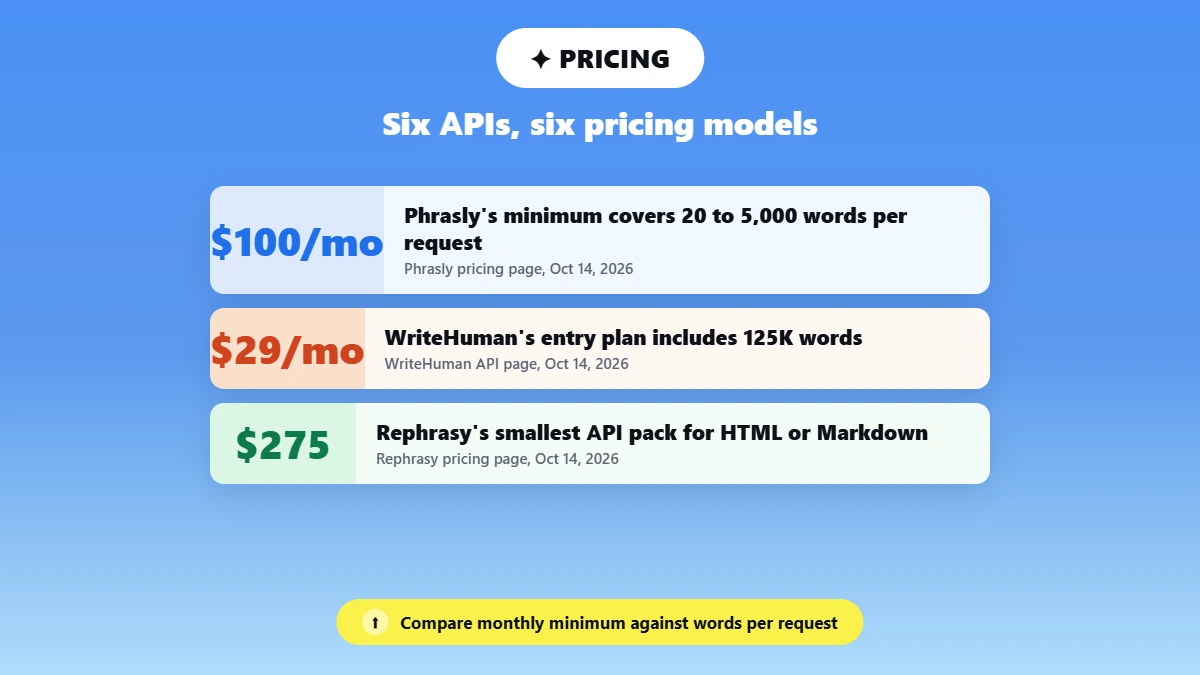
If you want the best AI humanizer with API access, six options stand out in 2026: Phrasly, WriteHuman, Walter Writes, Undetectable AI, Rephrasy and ToHuman. All six publish developer docs and API prices. The biggest differences are the monthly minimum, how many words one request takes, rate limits, and whether results come back instantly or as async jobs.
Prices and limits below were checked on each vendor’s official API or pricing page on October 14, 2026.
API | Best for | Entry API price | Words per request | Auth | Response |
|---|---|---|---|---|---|
Phrasly | Straightforward production workflows | $100/mo minimum (includes $100 credits) | 20 to 5,000 | x-api-key header | Plain text |
WriteHuman | Lower starting commitment | $29/mo for 125K words | 2,000 (Standard); 4,000 to 6,000 (Premium) | Bearer token | JSON |
Walter Writes | Asynchronous jobs | $49/mo for 300K credits | 50 to 2,000 | X-API-Key header | JSON |
Undetectable AI | Broader API suite | $29/mo for 72,500 words | Min 50 characters; no max published | apikey header | JSON (async, poll) |
Rephrasy | HTML and Markdown content | $275 smallest API pack | 12,000 chars plain; 200,000 chars HTML or Markdown | Bearer token | JSON |
ToHuman | Small free evaluations | Free (2,500 words/mo); Pro $19/mo | 2,000 (sync) | Bearer token | JSON |
⚠️ Pricing is accurate as of the date this article was written and is subject to change. Confirm the current price on the tool’s official pricing page before purchasing.
🔍 How We Picked: We chose APIs with public developer documentation, clear pricing, real integration controls and signs of production readiness, and this shortlist is not exhaustive. This guide is published by Phrasly; we compared documentation and pricing as of October 14, 2026, did not run benchmark tests, and the order is editorial, not a ranking.
Looking for a browser tool instead of an API? See our list of the best AI humanizer tools.
How Do You Choose an AI Humanizer API?
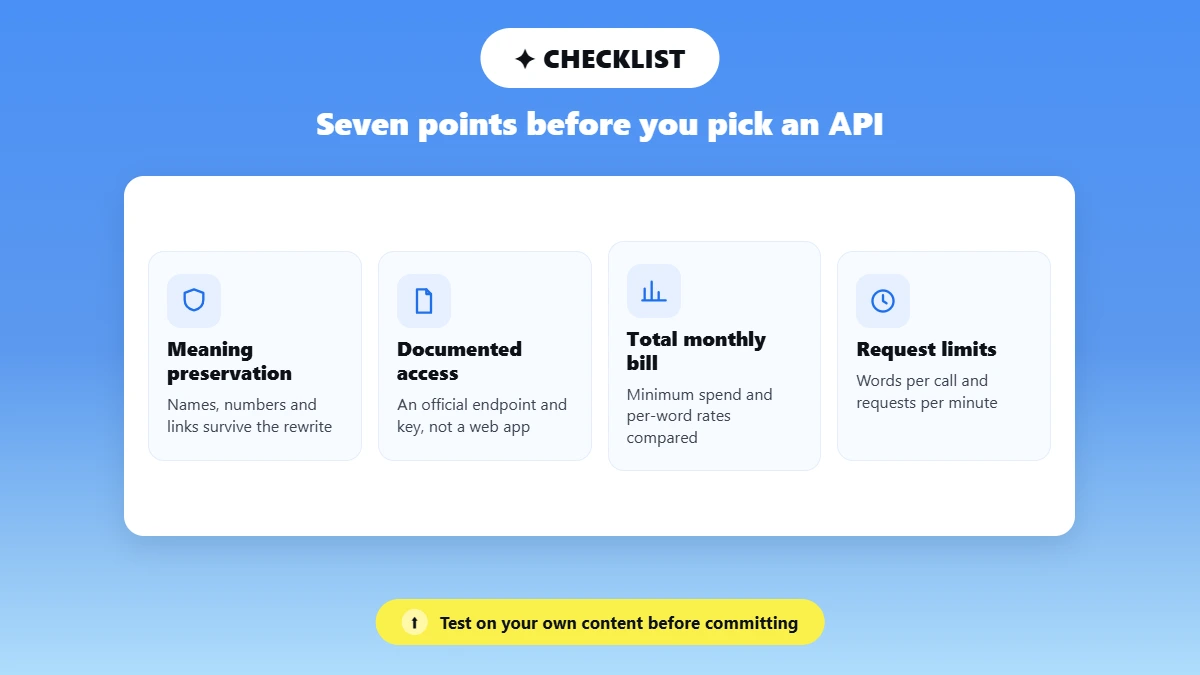
To find the best AI humanizer with API access, test each option on your own content first, then compare documentation, cost, limits and data terms. An affordable AI humanizer API has a low monthly minimum and few rewrites to redo, not just a cheap per-word rate.
Check these seven points:
Meaning Preservation: Names, numbers and links survive the rewrite.
Documented Access: An official endpoint and key, not one pulled from a web app.
Total Monthly Bill: Minimum spend, included words and per-word rates, compared together.
Request Limits: Words per call and requests per minute that cover your peak load.
Response Format: Plain text, JSON or variants your code can parse.
Privacy and Retention: What the vendor stores, for how long, and whether it trains on it.
Redistribution Rights: Terms that allow output inside a product you sell.
For startups, the right AI humanizer API depends on stage. A free allowance suits a prototype; production needs predictable billing and limits.
If your team publishes a lot of content and needs a humanizer for that volume, see our guide to AI humanizers for SEO content teams.
💡 Quick Rule: Add a specialist humanizer only when testing shows it clearly improves your output.
The 6 Best AI Humanizer APIs for Developers
Each profile below covers who the API suits, what its documentation confirms, what it costs and where it falls short. Facts come from each vendor’s official API, docs or pricing page, checked October 14, 2026.
1. Phrasly: Best for Straightforward Production Workflows
Best For: SaaS teams and agencies running steady volume that want humanization plus optional AI detection on one key.
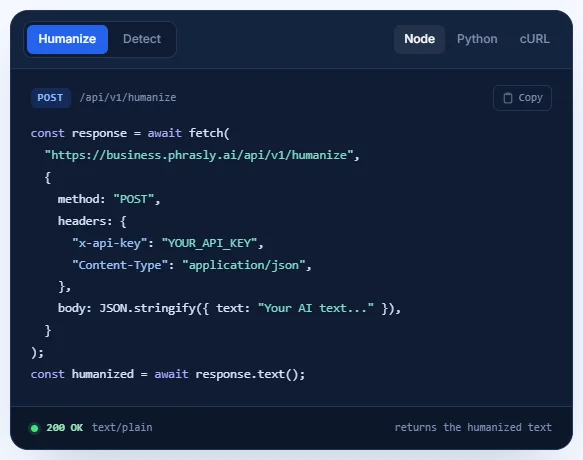
Phrasly’s Business API accepts a POST request at https://business.phrasly.ai/api/v1/humanize, with your key in an x-api-key header. Each request takes 20 to 5,000 words and returns plain text, so long documents need fewer chunks and no polling loop.
The rate limit is 5 requests per second per key, per endpoint, and humanization and detection share one credit pool.
Cost: $100 monthly minimum, including $100 of credits. Humanization costs $0.14 per 1,000 words and detection $0.02, so the minimum covers about 714,000 humanized words. Unused credits do not roll over, and autopay top-ups come with an optional monthly cap.
⚠️ Pricing is accurate as of the date this article was written and is subject to change. Confirm the current price on the tool’s official pricing page before purchasing.
🔒 Privacy: Phrasly’s Business privacy policy says it does not use your input or output to train models, and deletes temporary billing or debugging copies within 30 days.
Limitation: The $100 floor is more than a low-volume prototype needs, and there is no official SDK or native no-code connector. Phrasly Ultra rewrite modes are arranged through sales.
🚀 Humanizing a Whole Content Library?
With up to 5,000 words per request, the Phrasly API for bulk humanization lets you queue long documents and review the output before it goes live.
2. WriteHuman: Best for a Lower Starting Commitment
Best For: Prototypes and small production apps that want a low monthly entry.
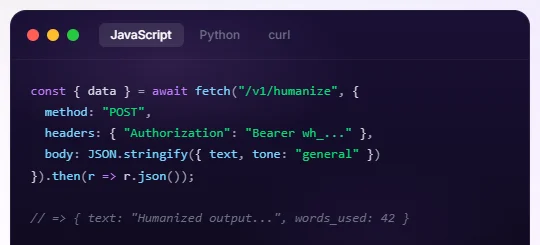
WriteHuman uses Bearer authentication with up to five revocable keys, and each JSON response shows your remaining words. Standard allows 2,000 words per call at 40 requests per minute.
Premium 400K allows 4,000 words at 120 per minute, and higher Premium tiers allow 6,000 words at 160 per minute. Every Premium plan returns three rewrites per call, each with a vendor-defined score from 0 to 1.
Cost: Standard is $29 a month for 125,000 words; Premium starts at $69 a month for 400,000 words. Extra words can be added with 100,000-word top-up packs for $25, which never expire.
⚠️ Pricing is accurate as of the date this article was written and is subject to change. Confirm the current price on the tool’s official pricing page before purchasing.
Limitation: Standard’s 2,000-word cap means more chunking for long documents, and multiple variants need Premium. Our WriteHuman review covers the tool in more depth.
Source: WriteHuman API page, checked October 14, 2026.
3. Walter Writes: Best for Asynchronous Jobs
Best For: Queued jobs where a webhook beats waiting on each call.
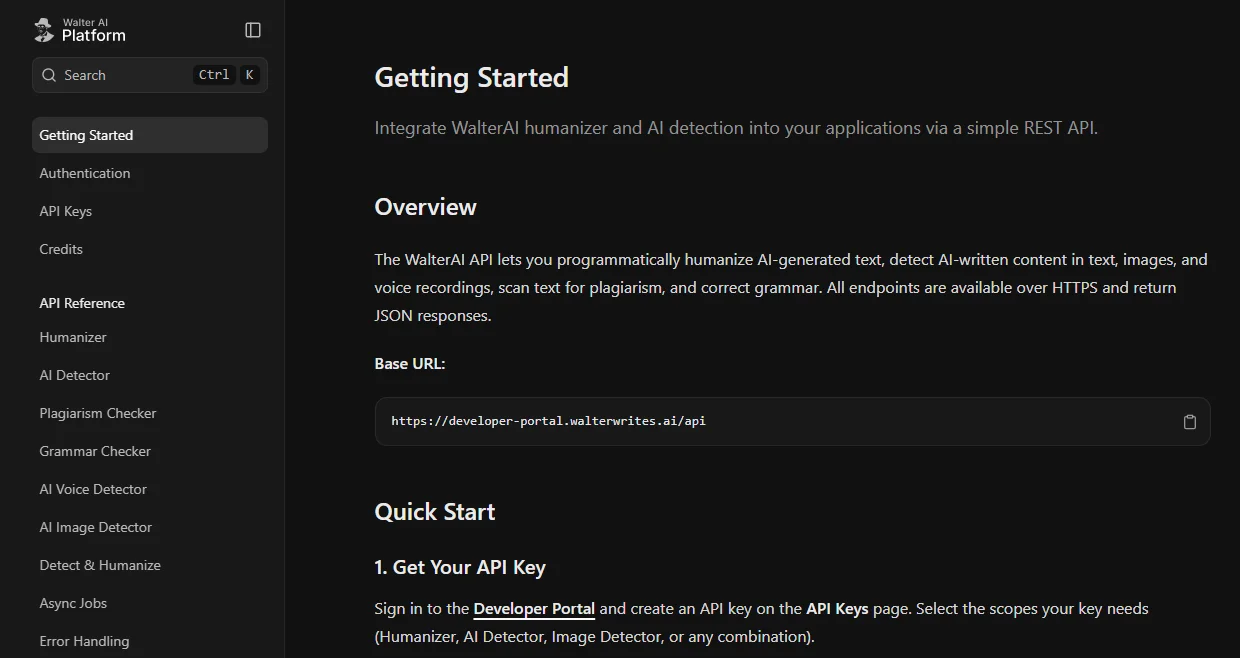
Walter Writes uses an X-API-Key header and returns JSON. You can call it synchronously, or submit async jobs and get results through a callback_url webhook or by polling. Each call takes 50 to 2,000 words.
📌 Note: Older comparison pages that say Walter Writes has no public API are outdated.
Cost: $49 a month for 300,000 credits or $129 for 1 million (about one credit per word). Credits do not roll over; a 5-day trial includes 2,000.
⚠️ Pricing is accurate as of the date this article was written and is subject to change. Confirm the current price on the tool’s official pricing page before purchasing.
Limitation: Sync calls are capped at 3 requests per minute per user (limits may vary by plan), so real throughput depends on the async flow.
Source: Walter Writes API page and developer docs, checked October 14, 2026.
4. Undetectable AI: Best for a Broader API Suite
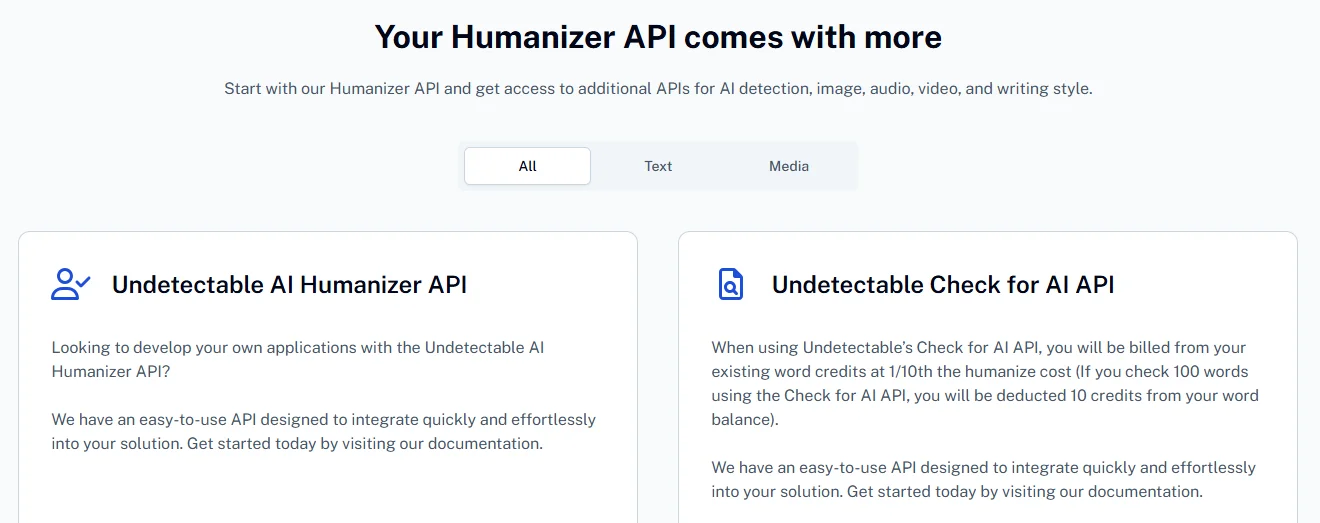
Best For: Buyers who want humanization plus detection APIs for text, image, video and audio, and writing style replication, from one vendor.
Undetectable AI uses an apikey header, with an optional short-lived token. Humanization is async only: you submit text, then poll for the result every 5 to 10 seconds.
Cost: Starter $29 a month for 72,500 words ($0.40 per 1,000 extra); Growth $49 a month for 245,000 words ($0.20 per 1,000 extra).
⚠️ Pricing is accurate as of the date this article was written and is subject to change. Confirm the current price on the tool’s official pricing page before purchasing.
Limitation: Polling adds logic to every call, and the default rate limit is 3 requests per second per IP. See Phrasly vs Undetectable AI for a side-by-side look.
Source: Undetectable AI developer page, checked October 14, 2026.
5. Rephrasy: Best for Structured HTML and Markdown Content
Best For: CMS pipelines that send HTML or Markdown without stripping markup first.
Rephrasy uses Bearer authentication, returns JSON and accepts HTML or Markdown through an input format option. Plain text requests take up to 12,000 characters; HTML or Markdown requests take up to 200,000. The vendor also says there are no rate limits.
Cost: The headline rate is from $0.10 per 1,000 words, but API credits come in packs, and the smallest is 5,000 credits for $275. HTML or Markdown input costs 2.5 times more.
⚠️ Pricing is accurate as of the date this article was written and is subject to change. Confirm the current price on the tool’s official pricing page before purchasing.
Limitation: The upfront cost is high, and the credit math on Rephrasy’s own page does not add up, so check the real cost per request before comparing.
Source: Rephrasy API page, checked October 14, 2026.
6. ToHuman: Best for Small Free Evaluations
Best For: Solo developers testing an integration before paying anything.
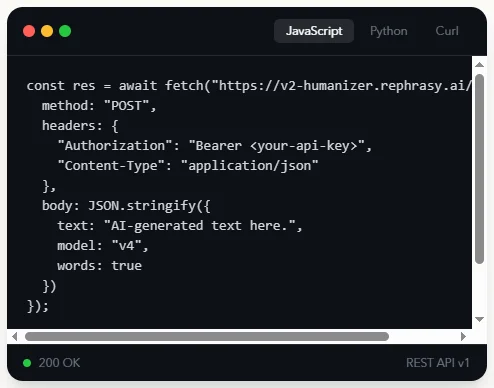
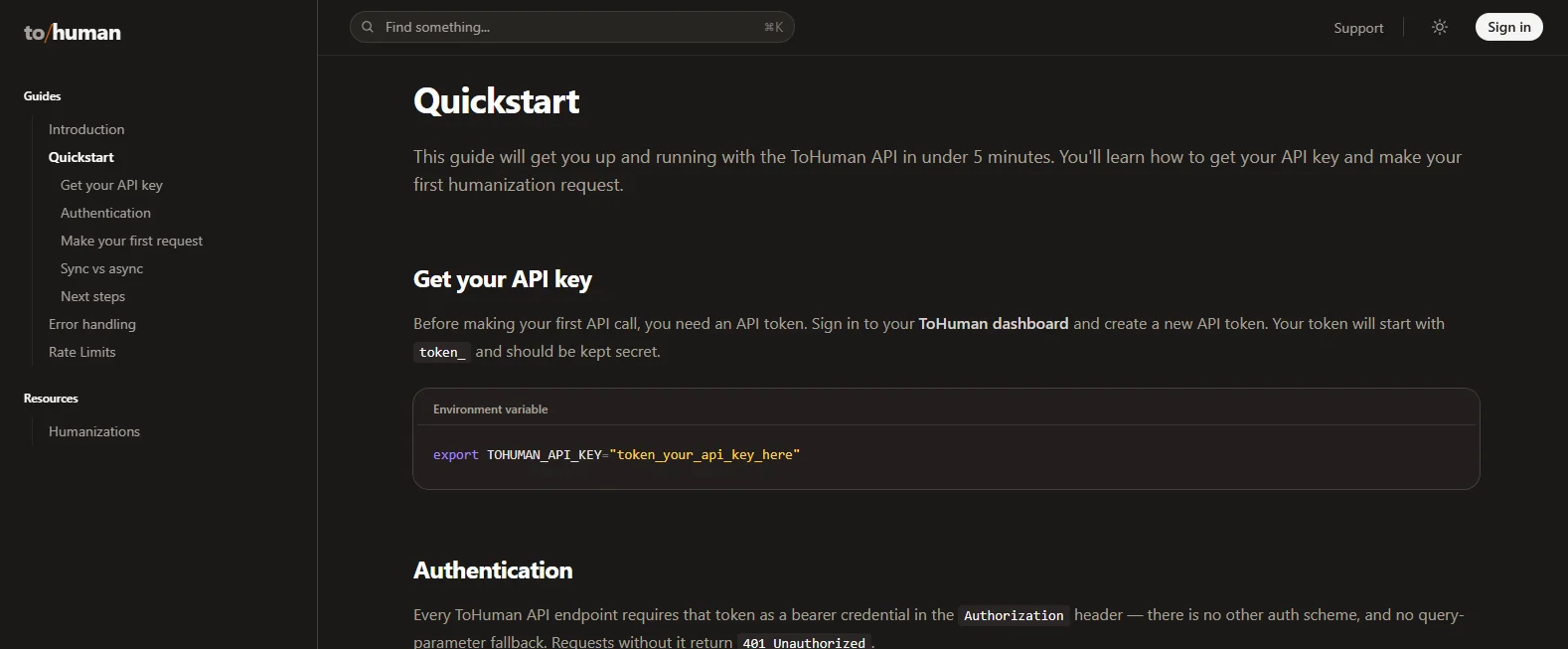
ToHuman’s free plan includes API access: 2,500 words a month at 60 requests per minute. It uses Bearer authentication, with a sync endpoint for up to 2,000 words and an async endpoint with an optional webhook.
Cost: The free tier costs nothing. Pro is $19 a month for 100,000 words at 300 requests per minute, and a one-off 50,000-word pack is also listed.
⚠️ Pricing is accurate as of the date this article was written and is subject to change. Confirm the current price on the tool’s official pricing page before purchasing.
Limitation: The free allowance suits testing, not production volume, and sync calls stop at 2,000 words.
Source: ToHuman pricing and API pages, checked October 14, 2026.
How to Use the Phrasly Humanizer API
To humanize AI text with an API on Phrasly, you need a Business plan and an API key from your dashboard. Keep the key on your server, then POST your text as JSON with the key in an x-api-key header. The response comes back as plain text, ready to use.
Here is how to set up the Phrasly humanize AI text API in six steps:
Subscribe and Sign In: Subscribe to the Business plan. Your login details arrive by email.
Generate Your Humanize AI API Key: Open the dashboard and create a key. Treat it like a password and never ship it in front-end code.
Store the Key on Your Server: Keep it in an environment variable or a secrets manager. The OWASP Secrets Management Cheat Sheet covers safe storage.
Send Your First Request: POST your draft to the humanize endpoint, as in the examples below. Keep each request between 20 and 5,000 words, and split longer documents at paragraph breaks.
Read the Response as Text: Check the HTTP status first. On success, read the body as text, not JSON.
Connect It to Your Workflow: In n8n or Make, use a standard HTTP request node with the same URL, header and body. There is no native connector, but plain HTTP works from any tool or language.
Humanizer API Node.js Example
const draft = "Your AI-generated text goes here...";
const response = await fetch("https://business.phrasly.ai/api/v1/humanize", {
method: "POST",
headers: {
"x-api-key": process.env.PHRASLY_API_KEY,
"Content-Type": "application/json",
},
body: JSON.stringify({ text: draft }),
});
if (!response.ok) {
const error = await response.text();
throw new Error(`Phrasly error ${response.status}: ${error}`);
}
const humanized = await response.text(); // plain text, not JSON
Python Example
import os
import requests
draft = "Your AI-generated text goes here..."
response = requests.post(
"https://business.phrasly.ai/api/v1/humanize",
headers={
"x-api-key": os.environ["PHRASLY_API_KEY"],
"Content-Type": "application/json",
},
json={"text": draft},
timeout=60,
)
response.raise_for_status()
humanized = response.text # plain text, not JSON
💡 Response Note: The humanize endpoint returns plain text on success. Calling response.json() on it throws a parse error. Error responses can carry a message body, so log the status code and body before deciding whether to retry.
Optional AI detection: The same key also works with Phrasly’s detect endpoint, /api/v1/detect, which bills against the same credit pool at $0.02 per 1,000 words. Detection requests accept 50 words up to 15,000 characters. Treat any score as one signal for review, not proof of who wrote a text.
⚠️ Pricing is accurate as of the date this article was written and is subject to change. Confirm the current price on the tool’s official pricing page before purchasing.
Accounts with Phrasly Ultra access can also choose between rewrite modes, which are arranged through Phrasly’s sales team.
🚀 Put the Integration Into Your Workflow
Run one of your own drafts through a single request, check the response and estimate your monthly usage, then add Phrasly’s humanization API to your app.
How Much Does an AI Humanizer API Cost?
AI humanizer API pricing ranges from free monthly allowances to paid plans with included words or prepaid credits. On Phrasly, humanization costs $0.14 per 1,000 words, with a $100 monthly minimum that comes back as $100 of credits, enough for roughly 714,000 humanized words.
To compare fairly, look at what you would actually pay for the same workload. These estimates use each vendor’s published rates as of October 14, 2026:
Provider | About 100K words a month | About 1M words a month |
|---|---|---|
Phrasly | $100 (minimum) | $140 |
WriteHuman | $29 (Standard) | About $179 (Premium 800K plus two 100K top-up packs) |
Walter Writes | $49 | $129 |
Undetectable AI | About $40 (Starter plus overage) | About $200 (Growth plus overage) |
Rephrasy | $275 minimum pack | Depends on credits per request |
ToHuman | $19 (Pro) | Not covered by Pro |
⚠️ Pricing is accurate as of the date this article was written and is subject to change. Confirm the current price on the tool’s official pricing page before purchasing.
These are estimates, not invoices. At about 100,000 words a month, Phrasly costs more than four alternatives because of its $100 floor. At about 1 million words, Phrasly sits close to Walter Writes and below WriteHuman and Undetectable AI, while allowing larger requests and detection on the same balance.
For an affordable AI humanizer API, watch these cost factors beyond the headline rate:
Minimum Spend: The monthly floor applies even in a quiet month, and Phrasly’s unused credits do not roll over.
Autopay and Caps: Phrasly tops up credits automatically; set the optional monthly cap to avoid surprise bills.
Repeat Processing: Every rerun uses more words, so cost per approved output matters more than cost per word.
Detection Charges: Phrasly bills detection at $0.02 per 1,000 words from the same pool.
Word Counting: Check whether a vendor bills input words, output words or both.
Taxes: Prices exclude taxes and custom or enterprise terms.
🧮 Budget Formula (Estimate): Usage = humanized words × $0.14 per 1,000 + detected words × $0.02 per 1,000, with $100 as the monthly floor. For example, 500,000 humanized and 1 million detected words come to about $90, so you would pay the $100 minimum.
⚠️ Pricing is accurate as of the date this article was written and is subject to change. Confirm the current price on the tool’s official pricing page before purchasing.
How Should You Test Humanizer API Output Before Production?
Test a humanizer API by sending one representative draft at default settings and saving the input, output, settings, status code and billed usage.
Then check that names, numbers, links and claims survived the rewrite. Treat detector scores as a limited secondary signal, never as the main measure of quality.
📢 Developers already check AI output this way. In the Stack Overflow 2026 Developer Survey, 76.5% of respondents chose “run it locally” as a next step after an AI response (they could pick more than one answer).
A simple check takes four steps:
Pick a Realistic Draft: Include a product name, a price, a usage limit and a cancellation line.
Send It Once at Default Settings: Change nothing, so the result is repeatable.
Check the Facts: Compare every name, number and link line by line; one changed price fails the test.
Read It as a Customer Would: Is the rewrite clearly better than your draft, or just different?
If you also note AI detector results, record the tool, version and score definition. Scores vary by model, language and text type, so read how AI detectors work first, and see what Pangram detects for one detector’s approach.
Production Checks and Common API Errors
A humanizer API that works in testing can still fail in production. Store the key server-side, check input length before sending, push bulk work through a queue, and put limits on retries and spending.
A 429 needs a closer look: it may signal throttling or an empty balance, and only throttling is worth retrying.
Here is what each Phrasly status code means and what to do about it:
Status | What it means | What to do |
|---|---|---|
400 Bad Request | Invalid payload or input length | Keep humanize requests between 20 and 5,000 words, then resend |
401 Unauthorized | Key missing, wrong or revoked | Check the key, the x-api-key header name and Content-Type |
402 | Access suspended after failed payments (listed in Phrasly’s machine-readable reference) | Fix billing before retrying |
403 Forbidden | No active subscription | Activate the Business plan |
429 (rate limit) | More than 5 requests per second per key, per endpoint | Honor Retry-After and back off within a fixed retry budget |
429 (credits exhausted) | Balance is empty | Top up or turn on autopay; retrying will not help |
503 Service Unavailable | Temporary failure | Retry a few times with growing waits (Phrasly suggests 2, 4 and 8 seconds) |
🚨 Before You Retry: Phrasly’s docs pages describe 429 slightly differently, so read the error body first. MDN’s reference on 429 Too Many Requests explains the Retry-After header.
A few more checks keep a humanizer API safe in production:
Queue Bulk Jobs: There is no native batch endpoint, so queue requests from your own worker and split long documents at paragraph breaks.
Protect Non-Prose Content: Keep code, URLs, IDs and templates out of the text you send.
Cap Retries: Never retry in an unbounded loop. No idempotency support is documented, so a blind resend can bill twice.
Limit Spend: Set per-user quotas in your app and Phrasly’s autopay cap.
Log Carefully: Store request metadata, not raw customer text.
Keep a Human Review Step: Have a person check output before it goes out.
Adding humanization to a SaaS product? Phrasly says redistribution options are available by agreement, so confirm the terms for your use case before launch.
Final Verdict
Pick a documented service, verify one real request on your own content, estimate your monthly workload and keep a human review step.
For steady production volume, Phrasly is a strong fit: one key, humanization plus optional detection from one credit pool, and up to 5,000 words per request.
For a free prototype, start with ToHuman.
Frequently Asked Questions
What Is the Best AI Humanizer API for Developers?
For a simple production workflow, our editorial pick is Phrasly, because one key handles humanization and optional AI detection. The right choice still depends on your volume, so compare documentation, monthly cost, request limits, privacy terms and how each API handles your own content.
Is There a Free AI Humanizer API?
Yes, some providers offer one. ToHuman’s free plan currently includes API access with 2,500 words a month. Before you build on any free tier, confirm it covers the developer API and check its reset date and rate limits. A free website tool does not mean free API access.
How Do I Use an AI Humanizer API in Python or JavaScript?
Store your API key on the server, then send your draft in an authenticated POST request. Check the HTTP status before reading the body, and parse it the way the docs describe; Phrasly, for example, returns plain text. Have a person review the output before customers see it.
Which AI Humanizer API Is Best for a Startup?
It depends on stage. A free allowance or cheap entry plan is enough for a prototype. Once real users arrive, look for predictable billing, enough request capacity and rewrites that keep your facts correct. Compare what you would actually pay each month, not just per-word rates.
Can an AI Humanizer API Guarantee a Detector Result?
No. Detectors vary by model, language, text type and version, so no small test can speak for all of them. If you do note detector results, name the tool and its score definition. Readability, meaning and accuracy are better measures. See our guide to AI detector false positives.
Is a Humanizer API the Same as an MCP Integration?
No. A direct API is called by your own application. An MCP server gives tools to an AI client that supports it, such as Claude or ChatGPT. Plans can treat the two differently, so check which one you are paying for. See the best MCP servers for writers.

Written by
Hasnain
Karachi, Pakistan
I help businesses grow with SEO-friendly blog posts, landing pages, and long-form content. With 3+ years of experience, I deliver clear, original, and well-researched writing that drives results.