AI Creative Writing Prompts: 100+ Copy-Paste Templates for Stories, Blogs & Social Media Bloggers & Content Creators
34 min read
Last Updated September 25, 2026
This page gives you 100+ copy-ready AI creative writing prompts, starting with AI story writing prompts for premises, characters, plots, scenes, and dialogue, followed by templates for blogs, social media, and professional writing.
Every prompt works in ChatGPT, Gemini, and Claude. Pick one, replace the [brackets] with your details, and paste it in.
Not only that, you also get a master story template: fill in the blanks once, and turn any story idea into a detailed prompt.
Prompt 1: Quick-Start Story Premise (Generate Mode)
Give me three original short-story premises in [genre], set in [place]. For each one, include a protagonist who wants [goal], an obstacle that makes that goal costly, and one consequence the protagonist does not see coming. Keep each premise under 80 words. Avoid [cliché, e.g. "chosen one" or "it was all a dream"].
You get three distinct story seeds you can compare side by side. Pick the one that pulls at you and move on to the character and plot prompts below.
If you have a story idea but no prompt, describe it below to get one for ChatGPT, Gemini, or Claude. 👇
Best AI Prompts for Storytelling and Story Writing
The best AI prompts for storytelling and fiction writing cover five basics: the genre, a main character who wants something, what stands in their way, where the story happens, and what you want back. Find your task in the table below, swap in your details, and paste the prompt into ChatGPT, Gemini, or Claude.
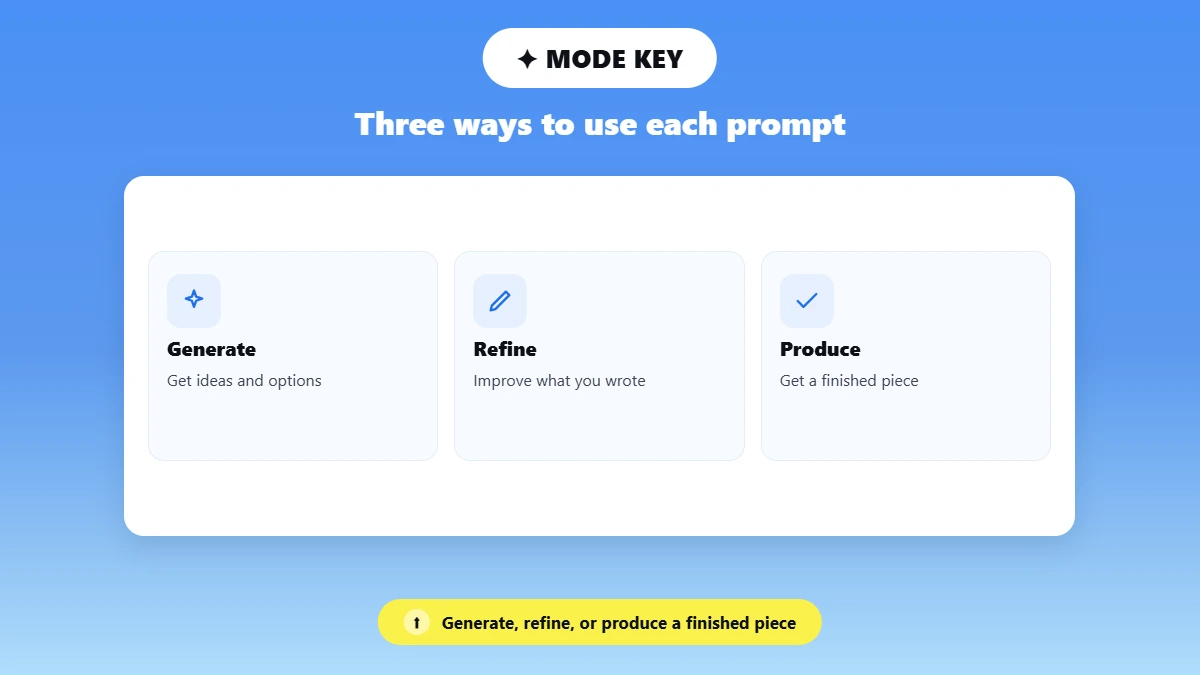
Mode Key
Generate = Get ideas and options.
Refine = Improve something you already wrote.
Produce = Get a finished piece.
(Full explanation below.)
I need... | Start with | What to change |
|---|---|---|
A story idea from nothing | Prompt 1 (Quick-Start Premise) | Genre, place, and the cliché to avoid |
A plot for my idea | Prompts 26 and 27 (three-act or chapter outline) | Your premise and chapter count |
A short story in one sitting | Prompts 20 to 24 (Short Story Prompts) | Word count and the ending you want |
A character with depth | Prompts 2 and 6 (backstory, fatal flaw) | Profession, genre, and goal |
A strong opening | Prompts 7 to 16 (genre starters) | The genre and the inciting event |
Better dialogue | Prompt 31 (subtext conversation) | The surface topic and the real issue |
A world or setting | Prompt 37 (world rules) | The impossible thing that becomes possible |
To fix a scene I already wrote | Prompts 38 to 41 (scene revision) | Paste your scene and name one fix |
A Gemini workflow | Prompts 42 to 47 (Gemini section) | Your story bible and uploaded chapters |
Writers are already doing this. A University of Cambridge study published on November 20, 2025 surveyed 258 published novelists and found that a third of them (33%) use AI in their writing process, mainly for "non-creative" tasks such as information search. AI works best as a brainstorming partner; the writer shapes the story.
Character Development Prompts
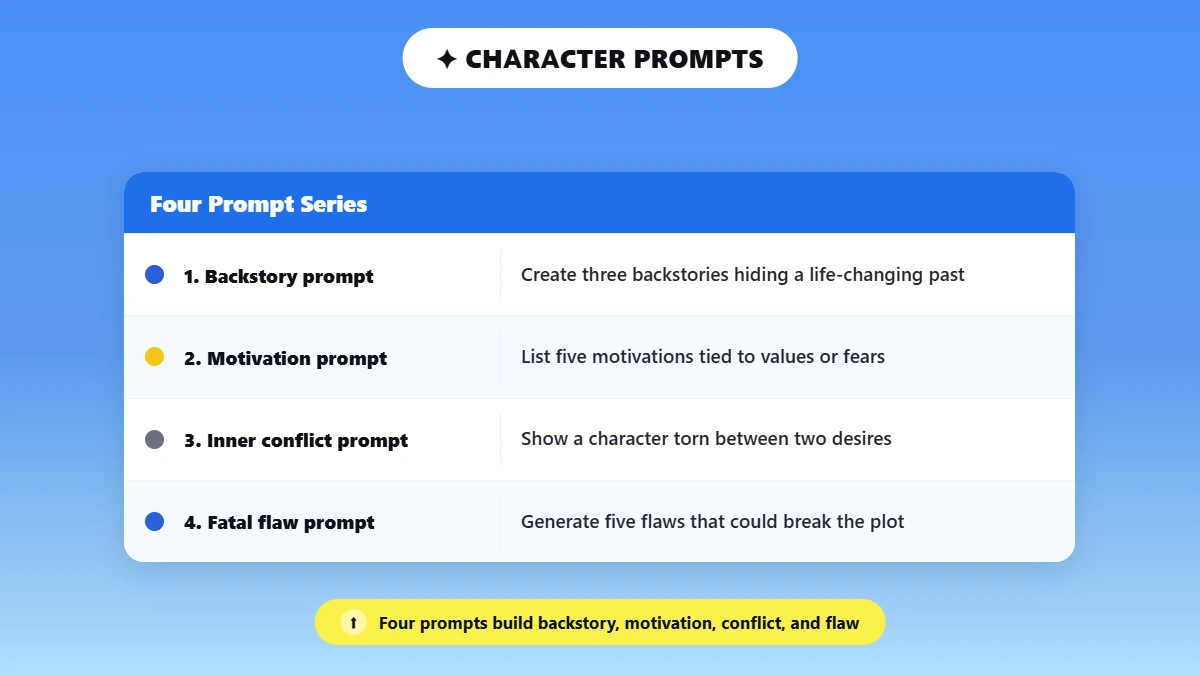
Use these prompts to dig into backstory, motivation, and inner conflict so your characters come alive.
Prompt 2: Character Backstory (Generate Mode)
Create three possible backstories for a character who works as a [profession] but secretly hides a life-changing past event. Each backstory should explain how that past shaped their personality and current decisions.
Push further: Ask the AI to pick the most interesting backstory and expand it into a detailed timeline of the character's life.
Prompt 3: Core Motivation (Generate Mode)
List five different motivations for a protagonist in a [genre] story who is trying to achieve [goal]. Each motivation should reveal something deeper about the character's values or fears.
Push further: Ask the AI to identify which motivation would create the strongest internal conflict.
Prompt 4: Inner Conflict (Produce Mode)
Write a short scene showing a character torn between two competing desires: [desire 1] and [desire 2]. Focus on the character's internal thoughts and emotional tension.
Push further: Ask the AI to rewrite the scene with the opposite choice winning.
Prompt 5: Distinct Character Voice (Produce Mode)
Write a first-person monologue from a character who grew up in [environment]. Their voice should reflect their upbringing, education level, and personality.
Push further: Request a second version where the same character speaks 10 years later after life has changed them.
Prompt 6: Fatal Flaw Exploration (Generate Mode)
Generate five possible fatal flaws for a protagonist in a [genre] story. For each flaw, explain how it could cause problems in the plot.
Push further: Ask the AI to build a short character arc where the flaw leads to a critical turning point.
Plot & Story Starter Prompts
These prompts take you straight into a story. Each one has enough constraint built in to create something specific rather than generic.
Prompt 7: Thriller Story Starter (Produce Mode)
Write the opening scene of a thriller where a journalist discovers a piece of information that someone powerful desperately wants to keep hidden.
Prompt 8: Romance Story Starter (Produce Mode)
Create the first scene of a romance story where two strangers meet during an unusual situation that forces them to work together.
Prompt 9: Sci-Fi Story Starter (Produce Mode)
Write the beginning of a science fiction story where humans discover a technology that allows them to communicate with an unknown intelligence.
Prompt 10: Literary Fiction Starter (Produce Mode)
Write a reflective opening scene about a character returning to a place from their past that holds unresolved memories.
Prompt 11: Horror Story Starter (Produce Mode)
Write the opening of a horror story where a seemingly ordinary object begins behaving in ways that gradually reveal something deeply unsettling.
Prompt 12: Fantasy Story Starter (Produce Mode)
Write the opening 500 words of a fantasy story in a world where magic only works when the user gives up a [memory / sense / year of their life]. Show the cost of one spell within the first 300 words, through action rather than explanation. Do not open with a prophecy or a map description.
Prompt 13: Historical Fiction Starter (Produce Mode)
Write the first scene of a historical story set in [place, year], told by an ordinary [job, e.g. baker, dock worker, telegraph clerk] rather than a famous figure. Use period-accurate detail and no modern slang. End the scene with a small event that hints at a larger historical change.
Prompt 14: Dystopian Story Starter (Produce Mode)
Open a dystopian story on the day [new rule or law] takes effect. Tell it through a character who genuinely agrees with the rule and believes it will make life better. Let the reader notice what is wrong before the character does.
Prompt 15: Comedy Story Starter (Produce Mode)
Write the opening scene of a comedy where a [job] must hide [absurd secret] during [high-stakes event, e.g. a wedding toast, a job interview, a royal visit]. Get the humor from the situation, not one-liners. End the scene just as the secret is about to slip out.
Prompt 16: Children's Bedtime Story (Produce Mode)
Write a 400-word bedtime story for children aged [4 to 6] about a [animal] who learns [value, e.g. sharing, patience, courage]. Use simple words, one repeated phrase the child can say along, and a calm, gentle ending with no scary moments.
A simple story-starter prompt is often enough to begin:
Prompt 17: Mystery Starter (Produce Mode)
Write the opening scene of a mystery story where the main character receives a message meant for someone else.
Prompt 18: Hidden Room Starter (Produce Mode)
Start a short story about a character who discovers a hidden room in their home.
Prompt 19: Time-Stop Starter (Produce Mode)
Write the first paragraph of a sci-fi story where time suddenly stops for everyone except one person.
Short Story Prompts
A good AI short story prompt sets three limits: the length, the turning point, and the kind of ending you want. Without them, the model wanders and pads. For anything over 1,000 words, ask for a beat outline first, approve it, then request the draft. The prompts below cover flash fiction, twist endings, real-time scenes, and message-only stories.
Prompt 20: Flash Fiction With a Twist (Produce Mode)
Write a [300]-word flash fiction story in [genre]. It must end with a twist that changes the meaning of the first paragraph. Plant the clue to the twist in paragraph one, in plain sight. No dream endings and no "it was all a simulation."
Prompt 21: Three-Beat Short Story (Generate, then Produce Mode)
I want a [1,500]-word short story about [premise]. First, outline it in three beats: the beginning (what the character wants), the turning point (what changes everything), and the ending (what they gain or lose). Stop after the outline and wait for my approval. Once I approve, write the full story in [POV] and [tense].
Prompt 22: Story Told Only Through Messages (Produce Mode)
Write a short story told only through [text messages / voicemail transcripts / emails] between [character A] and [character B] over [time span]. No narration at all. Reveal the central conflict, and how it ends, only through what they say, what they avoid saying, and the gaps between messages.
Prompt 23: One Scene, Real Time (Produce Mode)
Write a short story that takes place in one location, [location], over exactly [30] minutes of real time. [Character] must decide whether to [choice] before the time runs out. Keep the clock visible to the reader.
Prompt 24: Micro to Short (Generate, then Produce Mode)
Write 10 six-word stories about [theme]. Then pick the one with the most unanswered questions, explain your choice in one sentence, and expand it into a 500-word short story that answers those questions.
Rather have AI write the whole story for you? Try Phrasly's AI Short Story Generator, which turns your idea into a complete first draft.
How to Use AI to Write an Entire Story, Not Just a Single Scene
The best way to prompt AI to write a story for you is in stages, not one long request. Start with a premise, then shape the main character, add the conflict, and plan the ending before drafting scene by scene. Checking each stage keeps you in control, so the finished story follows your plan instead of the AI's defaults.
The Four Stages of a Story Chain
Scene creation: Generate a rough opening scene or concept.
Character depth: Expand the main character's motivations and conflicts.
Conflict development: Introduce obstacles or complications.
Resolution planning: Shape how the story might resolve.
Prompt 25: Story Prompt Chain (Generate to Produce Mode)
We are going to build a story in four steps. Complete only one step per reply, then stop and wait until I say "next."
Step 1: Generate a short opening scene for a story about [topic].
Step 2: Expand the main character's background and motivations.
Step 3: Introduce a major conflict that complicates the character's goal.
Step 4: Suggest three possible endings that resolve the conflict in different ways.
Paste the whole chain once. After each step, give feedback or say "next" to move on.
Prefer to plan the whole story before writing a single scene? Start with one of the outline prompts below.
Prompt 26: Three-Act Outline (Generate Mode)
Turn this premise into a three-act story outline: [premise]. For each act, give the protagonist's goal, the main obstacle, and the turning point that pushes the story into the next act. End Act 3 with a resolution that costs the protagonist something. Use bullet points, no prose.
Prompt 27: Novel Chapter Outline (Generate Mode)
Create a [12]-chapter outline for a [genre] novel about [premise]. Give one line per chapter describing what happens and one line describing what changes for the protagonist by the end of it. Mark the midpoint twist and the darkest moment. Do not resolve the main conflict before the final two chapters.
Prompt 28: Subplots That Mirror the Theme (Generate Mode)
My story is about [one-line summary] and its theme is [theme]. Suggest two subplots that reflect the theme from different angles, one hopeful and one cautionary. For each, explain which secondary character carries it and the exact point where it crosses the main plot.
Prompt 29: Plot-Hole Check (Refine Mode)
Here is my story outline: [paste outline]. List every plot hole, character motivation gap, and convenient coincidence you can find. Rank them from most damaging to least, and suggest one fix for each. Do not rewrite the outline.
Dialogue Writing Prompts
Dialogue prompts concentrate on conflict, subtext, and character development instead of narration. Effective dialogue reveals personality and conflict through spoken words and the words left unsaid.
Prompt 30: Hidden Tension Dialogue (Produce Mode)
Write a conversation between two characters who appear polite on the surface but are secretly competing for the same opportunity.
Prompt 31: Subtext Conversation (Produce Mode)
Write a dialogue scene where two characters discuss something trivial, but the real issue is an unresolved argument between them.
Prompt 32: Emotional Revelation (Produce Mode)
Create a dialogue where one character slowly reveals a secret they have been hiding for years.
Prompt 33: Conflict Escalation (Produce Mode)
Write a tense conversation where a misunderstanding gradually escalates into a major conflict.
Dialogue prompts differ from narrative ones because they must encourage subtext and emotional tension, not just information exchange.
World-Building Prompts
Fictional worlds contextualize characters and plot. These prompts help you develop the setting, atmosphere, and internal rules of your story's universe.
Prompt 34: Setting Creation (Generate Mode)
Describe a fictional city where a unique technology or magical rule shapes daily life.
Prompt 35: Atmospheric Detail (Produce Mode)
Write a vivid description of a location that creates a strong mood, such as tension, wonder, or unease.
Prompt 36: Sensory Environment (Produce Mode)
Describe a scene using sensory details (sounds, smells, textures, and visuals) to bring the environment to life.
Prompt 37: World Rules (Generate Mode)
Create the basic rules of a fictional world where something normally impossible is suddenly possible.
AI writes generic output when given generic input. The more particular you are with your mode, constraints, and overall guidance, the better your output will be.
Scene Revision Prompts (Refine Mode)
Scene revision prompts get better results when they set limits: paste your scene, pick one problem to fix, like slow pacing or flat dialogue, and list what the AI must leave alone, such as plot events and your narrator's voice. That way it polishes what you wrote rather than replacing it with its own version.
Prompt 38: Lock the Plot, Improve One Thing (Refine Mode)
Here is a scene from my story: [paste scene]. Improve the [pacing / dialogue / tension] only. Do not change any plot events, the ending, character names, or the narrator's voice. After the revision, list the three biggest changes you made and why.
Prompt 39: Show, Don't Tell (Refine Mode)
Read this scene: [paste scene]. Find the five lines that tell the reader an emotion directly (for example, "she was angry"). Rewrite each one to show that emotion through action, body language, dialogue, or sensory detail. Show the original line and your rewrite side by side.
Prompt 40: Pacing Check (Refine Mode)
Analyze the pacing of this scene: [paste scene]. Mark each paragraph where the pace drags, explain in one sentence why it drags, and suggest what to cut or compress. Do not rewrite the scene. I will make the changes myself.
Prompt 41: Switch the Point of View (Refine Mode)
Rewrite this scene from [other character]'s point of view: [paste scene]. Keep every event the same, but change what gets noticed, what gets misread, and what this character cares about. Use [first / close third] person.
Gemini AI Prompts for Creative Writing
Gemini AI prompts for creative writing are built like any strong story prompt, with four parts: a role, a task, context, and a format. Google suggests the same four parts for Gem instructions. Inside a Gem, you can also add your story bible and old chapters as files, and set Canvas as the default tool for editing scenes.
Three Gemini tips for story writers:
Save your story bible as a Gem. Google's tips for creating custom Gems say instructions can cover Persona, Task, Context, and Format, and that "you can add files to give your Gem more context." Prompt 42 below gives you ready-made instructions.
Upload instead of retyping. Attach earlier chapters or a photo of a setting with Upload files or Add from Drive, so Gemini works from your material.
Revise a scene in Canvas. Google says Canvas editing tools "help you expand key sections, adjust tone, and get insightful feedback on your draft."
Prompt 42: Story Bible Gem Instructions (Produce Mode)
You are my story editor for a [genre] novel titled [title]. Use the uploaded story bible as the source of truth for character names, ages, relationships, the timeline, and the rules of the world. Flag continuity errors first. Keep my voice: [three adjectives, e.g. dry, precise, warm]. When I ask for ideas, give three options. When I ask for edits, change only what I name.
Prompt 43: Premise Comparison Table (Generate Mode)
Give me five premises for a [genre] story about [theme]. Present them in a table with these columns: premise in one sentence, hook, central conflict, likely ending, and an originality score from 1 to 5 with a one-line reason. Then recommend the premise with the most room for a strong character arc.
Prompt 44: Continuity Check From Uploaded Chapters (Refine Mode)
I have uploaded chapters 1 to [n] of my manuscript. List every fact stated about [character]: appearance, age, backstory, relationships, and skills. Flag any contradictions between chapters, with chapter references for each.
Prompt 45: Canvas Dialogue Pass (Refine Mode)
In the selected section only, tighten the dialogue. Cut filler words, remove lines where characters explain things they both already know, and give each speaker a more distinct rhythm. Keep every plot event, the order of the scene, and my narrative voice exactly as they are.
Prompt 46: Photo as Setting (Produce Mode)
Use the uploaded image as the setting for the opening scene of a [genre] story. Include three specific sensory details you can see or infer from the image, plus one detail that could be hiding just out of frame and becomes important later. Keep it under 400 words.
Prompt 47: Character Interview (Generate Mode)
Stay in character as [name], the [role] from my story. I am going to interview you. Answer every question in their voice, with their vocabulary, opinions, and blind spots. If a question touches something they would lie about or avoid, dodge it the way they would, and do not break character.
Every story prompt above also works in Gemini as written; the Gemini-specific gain is context (Gems and uploads) and editing (Canvas). For Gemini prompts beyond fiction, such as research, email, and images, see our guide to the best prompts for Gemini AI.
Creative Prompt Templates for Stories (Fill in the Blanks)
Creative prompt templates are reusable prompts with blanks for the parts of your story that change, like the genre, main character, conflict, setting, tone, and the format you want back. You keep the wording, swap in your details, and get a clear, detailed prompt every time. Each template below works in ChatGPT, Gemini, and Claude.
Prompt 48: Story Prompt Template (Master Template)
Act as a [role, e.g. story editor or fantasy novelist].
[Brainstorm / outline / draft / revise] a [length] [genre] story for [audience].
The protagonist wants [goal] but [obstacle].
Set it in [setting]. Write in [POV], [tense], with a [tone] tone.
Include [must-have element] and avoid [cliché].
Return [number] options as [format].
Here is how the template lines up with the four areas Google recommends in its tips for creating custom Gems:
Template field | Google's area |
|---|---|
Act as a [role] | Persona |
Brainstorm / outline / draft / revise a [length] [genre] story | Task |
Protagonist, goal, obstacle, setting, POV, tone, must-have, avoid | Context |
Return [number] options as [format] | Format |
Optional fields: audience, tense, and must-have element. Drop anything you would not miss. The fields you should never skip are the goal, the obstacle, and the cliché to avoid.
Before and after:
Vague prompt:
Write a mystery story.
The same idea, run through the template:
Act as a novelist who writes cozy mysteries. Outline a 3,000-word mystery for adult readers. The protagonist, a retired piano tuner, wants to prove her neighbor did not steal from the church fund, but the only witness is her own estranged son. Set it in a small coastal town in late autumn. Write in first person, past tense, with a wry, warm tone. Include a clue hidden in a piece of sheet music and avoid a last-minute confession. Return three outline options as bullet points.
The vague prompt makes the AI guess, so it returns the most average mystery it knows. The filled version supplies a character, a personal stake, a clue, and a banned cliché, so every outline is specific to your story.
Prompt 49: Character Template (Generate Mode)
Create a character profile for [name], a [age] [role] in a [genre] story. Include what they want, what they fear, a secret they keep, one contradiction in their personality, a speech habit, and how they change by the end of the story. Return it as a two-column table.
Prompt 50: Scene Template (Produce Mode)
Write a scene where [character] wants [scene goal] from [other character] in [location]. The scene turns when [event]. End on [emotion or cliffhanger]. Keep it under [word count] words and write in [POV].
Prompt 51: Dialogue Template (Produce Mode)
Write [number] lines of dialogue between [character A] and [character B]. On the surface, they are talking about [surface topic]. The real issue is [hidden conflict]. Neither of them names it directly. Use minimal dialogue tags and no narration beyond short action beats.
Prompt 52: Creative Content Template (Produce Mode)
Write a [format, e.g. blog intro, LinkedIn post, video script] for [platform / audience] about [topic]. Open with a [hook type: question, story, bold claim, statistic]. Use a [tone] tone, end with [call to action], and keep it under [length].
Don't want to fill in the blanks? Type your idea, and we'll build the prompt for you.
How to Build and Improve Your Own Creative Writing Prompt
A good creative writing prompt does three things: it tells the AI what kind of help you need (ideas, edits, or a finished piece), it gives story details like character, conflict, and voice, and it says what shape the answer should take. Start loose, then add detail once you pick an idea.
Creative prompts are different from prompts for emails or spreadsheets, because they ask the AI to make choices about voice, tone, emotion, and how the story flows.
For the fundamentals, see our guide on how to write good AI prompts. Then use this five-step flow:
Choose the task (the mode). Are you exploring, fixing, or finishing?
Add the story specifics. Protagonist, conflict, and setting.
Set the form and voice. Length, POV, tense, and tone.
Ask for two or three alternatives. Options beat a single answer.
Refine the best one. Follow up instead of starting over.
Match Your Prompt to the Stage You Are At
The most common mistake is not bad structure. It is choosing the wrong mode for the task. Using a produce-mode prompt while you are still ideating is a leading cause of stilted, generic AI text.
Mode | Use it when | Signal words | Example (topic: remote work productivity) |
|---|---|---|---|
Generate | You are facing a blank page and want options | "Give me 10 ideas for...", "List all possible angles for..." | Prompt 53 |
Refine | You have a draft and want it better | "Rewrite this to sound more...", "Cut this down to 150 words..." | Prompt 54 |
Produce | You know exactly what you want | "Write a 300-word...", "Draft a short story with..." | Prompt 55 |
Prompt 53: Generate Mode Example
Give me 10 creative angles for writing about remote work productivity.
Prompt 54: Refine Mode Example
Rewrite this paragraph about remote work productivity to sound more engaging and conversational.
Prompt 55: Produce Mode Example
Write a 400-word blog section explaining how remote work improves productivity, including two real-world examples.
The topic stays the same, but the output changes completely depending on the mode. For more ways to fit AI into each stage, see 12 ways to simplify the writing process with an AI writer.
Fill in the Brackets, Then Refine
Every prompt in this guide is model agnostic. Brackets mark the parts you change:
Prompt 56: Placeholder Demo (Produce Mode)
Write a short story about [topic].
Change the bracket and you can reuse one template hundreds of times. Google's own prompt design guide puts it plainly: "Prompt engineering is iterative." Rather than restarting, switch modes in a follow-up:
Prompt 57: Refine Follow-Up
Now switch to refine mode and tighten the opening paragraph. Make the tone more conversational and engaging.
If your output feels stale, the answer is usually not a different tool. It is a different mode. Go back to generate mode and ask for ten angles before choosing one.
Zero-Shot vs. Few-Shot for Creative Writing: Which Gets Better Results?
Zero-shot prompting gives the AI instructions with no examples, which is best for fast brainstorming and rough drafts. Few-shot prompting adds one or two examples of the voice or structure you want, which is best for matching a style and keeping quality consistent. Use zero-shot for volume and exploration, and few-shot when the voice matters.
Google's guide goes further and recommends including few-shot examples in prompts by default. For a deeper walkthrough, see our guide to few-shot prompting.
Feature | Zero-Shot Prompting | Few-Shot Prompting |
|---|---|---|
Definition | Instructions only, no examples | Instructions plus one or more examples to follow |
Best for | Brainstorming, idea generation, quick drafts | Matching tone, style replication, polished drafts |
Level of control | Low to moderate | High control over tone, voice, and formatting |
Example prompt | "Write a short horror story about an abandoned house." | "Here are two short horror paragraphs. Write a new story using the same tone and pacing." |
Prompt 58: Few-Shot Voice Template (Produce Mode)
Act as a creative writer. Here are two examples of the style I want:
Example 1: [Insert a short paragraph that represents the tone or style you want]
Example 2: [Insert another paragraph with a similar voice or structure]
Now write a new piece about [topic] using the same tone, pacing, and style as the examples above.
AI Creative Writing Prompts for Bloggers & Content Creators
Blog writing is creative writing with a deadline and an algorithm, and the same is true for any content creator. The prompts below cover hooks, opinion pieces, how-to guides, and ways to turn one post into content for other platforms. Each sets the length, tone, and structure, so the AI returns something you can use.
For prompts beyond creative content, browse our 50+ AI prompt examples for work and marketing.
Blog Post Hook & Intro Prompts
These Produce-mode prompts create introductions using popular hook types.
Prompt 59: Surprising Statistic Hook (Produce Mode)
Write a 120-word blog introduction about [topic]. Open with a surprising statistic related to the topic, then explain why the statistic matters and transition into the main idea of the article.
Prompt 60: Personal Story Hook (Produce Mode)
Write a 120-word blog intro about [topic] that begins with a short personal story or relatable moment. Keep the tone conversational and end with a transition that introduces the main point of the article.
Prompt 61: Contrarian Statement Hook (Produce Mode)
Write a blog post introduction about [topic] that starts with a bold contrarian statement challenging common advice. Use 120 words and guide the reader into the core argument of the article.
Prompt 62: Direct Question Hook (Produce Mode)
Write a 100 to 120 word blog intro about [topic]. Start with a direct question the reader is likely asking, then briefly explain why the answer isn't as simple as it seems.
Prompt 63: Bold Claim Hook (Produce Mode)
Write a blog introduction about [topic] that begins with a bold claim or prediction. Use around 120 words and create curiosity that leads into the main discussion of the article.
"Can AI help me come up with ideas for my blog post?" Yes, but use Generate mode, not Produce mode.
Prompt 64: Blog Brainstorming (Generate Mode)
Give me 15 blog post ideas about [topic]. Include different angles such as tutorials, opinions, case studies, and myths.
Prompt 65: Blog Drafting (Produce Mode)
Write a 1,000-word blog post about [specific idea] with a clear introduction, subheadings, and actionable advice.
Generate mode gives you options; produce mode commits to one. Many writers jump to drafting too soon instead of brainstorming for a few minutes first.
Thought Leadership & Opinion Piece Prompts
These prompts produce opinion-driven pieces rather than bland summaries.
Prompt 66: Industry Myth Breakdown (Produce Mode)
Write a 700-word thought leadership article about [industry topic]. Challenge a widely believed myth and present a stronger alternative perspective.
Prompt 67: Future Trend Analysis (Produce Mode)
Write a 600-word opinion piece predicting how [industry/topic] will change over the next five years. Use a confident tone and explain the reasoning behind the prediction.
Prompt 68: Contrarian Industry Take (Produce Mode)
Write a sharp LinkedIn-style article arguing against common advice in [industry/topic]. Use a confident tone and structure the argument with three supporting points.
Prompt 69: Lesson from Experience (Produce Mode)
Write a 600-word thought leadership article about a lesson professionals should learn about [topic]. Focus on insight and practical implications rather than surface-level advice.
💡 Tip: To avoid generic AI opinions, include your own perspective or argument in the prompt. AI produces stronger thought leadership when it has a clear stance to build around.
Listicle & How-To Content Prompts
Scannable, actionable articles in one prompt.
Prompt 70: Step-by-Step Guide (Produce Mode, Authoritative Tone)
Write a structured how-to guide explaining how to [task]. Include an introduction, 5 to 7 clear steps, and a concise conclusion. Use an authoritative tone.
Prompt 71: Beginner's Listicle (Produce Mode, Conversational Tone)
Create a listicle titled "7 Practical Ways to Improve [topic]." Use a conversational tone and include a short explanation for each tip.
Prompt 72: Problem-Solution Guide (Produce Mode)
Write a blog post explaining the most common mistakes people make when trying to [task]. Provide practical solutions for each mistake.
Prompt 73: Expert Resource List (Produce Mode)
Create a list of the best tools, strategies, or resources for [topic]. Include brief explanations of why each item is useful.
How to Make AI-Generated Blog Content Sound Like You Wrote It?
Use voice priming: paste two or three samples of your own writing before the task, then ask the AI to match their tone, pacing, and clarity. Real examples teach the model your patterns far better than adjectives like "casual" or "witty." After the draft comes back, cut common AI filler so the final piece sounds unmistakably like you.
After the AI drafts the article, remove common AI filler such as:
Overly formal opening lines
Excessive hedging ("it is important to note that...")
Repetitive transition phrases
Prompt 74: Voice-Match Template (Produce Mode)
Study the writing style in the three samples below.
Sample 1: [Paste your writing]
Sample 2: [Paste your writing]
Sample 3: [Paste your writing]
Now write a blog post about [topic] using a similar tone, pacing, and level of clarity as the samples.
Content Repurposing Prompts
Turn one piece of content into several new assets.
Prompt 75: Blog to Social Posts (Produce Mode)
Turn this blog article into five short social media posts. Each post should highlight one key idea and be written in an engaging, conversational tone.
Prompt 76: Report to Narrative Article (Produce Mode)
Convert the key findings from this report into a narrative-style article that explains the insights in clear, engaging language.
Prompt 77: Data Point to Story Angle (Generate Mode)
Take this statistic or data point and turn it into a compelling story angle for a blog post. Explain why the data matters and what readers should take away from it.
AI Creative Writing Prompts for Social Media
Social media is the hardest form of creative writing, because you usually have a single sentence to hook people before they scroll away. Each platform has its own voice, rhythm, and audience expectations, so generic "shareable content" prompts fall flat. The prompts below are written for LinkedIn, Instagram, and Twitter/X specifically, to fit how people read on each.
LinkedIn Creative Writing Prompts
LinkedIn content performs best when it combines professional insight with human storytelling. Posts that feel honest and specific usually outperform polished corporate writing.
Prompt 78: Personal Story Post (Produce Mode)
Write a LinkedIn post about a lesson learned while working on [topic or experience]. Start with a short personal moment, explain the mistake or realization, and end with one practical takeaway for professionals.
Prompt 79: Contrarian Opinion Post (Produce Mode)
Write a LinkedIn post challenging a common belief about [industry/topic]. Begin with a bold statement, explain why the common advice is flawed, and offer a more useful perspective.
Prompt 80: Carousel Hook (Produce Mode)
Write a LinkedIn post introducing a carousel titled "5 Lessons I Learned About [topic]." The hook should create curiosity and make readers want to swipe through the slides.
Prompt 81: Open-Ended Question Post (Produce Mode)
Write a LinkedIn post about [industry topic] that ends with an open question encouraging professionals to share their experiences or opinions in the comments.
Note: LinkedIn rewards specific experiences and vulnerability more than perfectly polished writing.
Instagram & Short-Form Caption Prompts
The best captions feel personal, visual, and conversational. Emojis are optional.
Prompt 82: Product Launch Caption (Produce Mode)
Write an Instagram caption announcing the launch of [product or service]. Keep the tone energetic and concise, highlight the main benefit, and end with a call to action.
Prompt 83: Lifestyle Moment Caption (Produce Mode)
Write a short Instagram caption describing a lifestyle moment related to [topic]. Make it feel personal, relatable, and natural.
Prompt 84: Behind-the-Scenes Caption (Produce Mode)
Write an Instagram caption sharing a behind-the-scenes moment while working on [project or activity]. Keep it casual and authentic.
Prompt 85: Motivational Caption (Produce Mode)
Write a short motivational Instagram caption about [topic]. Keep it punchy, optimistic, and under 80 words.
Use platform-specific prompts rather than generic ones:
Prompt 86: LinkedIn Platform Example (Produce Mode)
Write a LinkedIn post sharing a personal lesson learned from working on [topic]. Start with a short story and end with a practical insight for professionals.
Prompt 87: Instagram Platform Example (Produce Mode)
Write a short Instagram caption about [moment or topic]. Make it personal, energetic, and under 80 words.
Twitter/X Thread Starter Prompts
Threads work best when the opening tweet raises intrigue and promises value later in the thread.
Prompt 88: Lesson Thread Opener (Produce Mode)
Write a Twitter/X thread opener introducing "7 lessons I learned about [topic]." The first tweet should create curiosity and encourage readers to continue reading.
Prompt 89: Story Thread Opener (Produce Mode)
Write the opening tweet for a thread telling a short story about [experience]. The first tweet should hint at a surprising outcome.
Prompt 90: Insight Thread Opener (Produce Mode)
Write the first tweet of a thread explaining a key insight about [industry/topic]. Make the hook strong enough to encourage readers to follow the full thread.
AI Creative Writing Prompts for Professional & Academic
Professional creative writing applies story tools, such as voice, structure, and a clear arc, to real-world content like bios, case studies, and academic papers. You are not writing fiction. You are using narrative technique to communicate, persuade, or build a reputation while keeping every fact accurate. The prompts below bridge that gap for professional and academic work.
If you are new to AI writing, start with our explainer, What Is a Prompt in Writing, for a basic understanding of how prompts shape AI responses.
Professional Bio & About Page Prompts
Narrative framing tells readers who you are and why they should care.
Prompt 91: Short Professional Bio (Produce Mode)
Write a 100-word professional bio for [name or role]. Focus on one defining professional strength, one key achievement, and the type of impact this person aims to create.
Prompt 92: Long Professional Bio (Produce Mode)
Write a 250-word professional bio for [person]. Include their professional journey, key milestones, and the values or expertise that define their work.
Prompt 93: Brand or Company About Page (Produce Mode)
Write a 300-word "About Us" page for a company in [industry]. Start with the problem the company set out to solve, describe its mission, and highlight how its approach is different from competitors.
Example: flat vs. narrative bio
Flat bio: John is a marketing consultant with 10 years of experience in digital strategy and brand growth.
Narrative bio: John started his career helping small businesses survive their first year online. A decade later, he is still focused on the same mission: helping brands grow with strategies that actually work in the real world.
The difference is subtle but powerful. One lists credentials; the other tells a story.
Case Study & Success Story Prompts
Case studies are far more compelling when structured as a story of transformation rather than a collection of statistics. A proven structure is: Situation → Struggle → Solution → Result.
Prompt 94: Client Success Story (Produce Mode)
Write a case study about how [company/client] solved [problem]. Structure the story using four sections: situation, struggle, solution, and measurable result.
Prompt 95: Product Impact Case Study (Produce Mode)
Write a case study explaining how a product or service helped a client improve [metric or outcome]. Focus on the journey from challenge to result.
Prompt 96: Data-to-Narrative Case Study (Produce Mode)
Turn the following data points into a narrative case study explaining the challenge, the strategic response, and the outcome.
Academic & Research Writing Prompts
Use these prompts to introduce research in a more engaging way.
Prompt 97: Essay Introduction with Narrative Hook (Produce Mode)
Write an academic essay introduction about [topic]. Begin with a short narrative or real-world example that illustrates the importance of the issue before introducing the thesis.
Prompt 98: Research Abstract Framing (Produce Mode)
Write a concise research abstract for a study about [topic]. Clearly explain the research question, methodology, and the main contribution of the findings.
Prompt 99: Literature Review Angle (Produce Mode)
Write a literature review introduction explaining the main debates and perspectives surrounding [topic]. Highlight gaps in existing research.
Before you use AI for coursework, check your course or institution's AI policy, and verify every fact and citation the AI produces.
AI Prompts to Break Through Writer's Block
Writer's block rarely means you have no ideas. It usually means you are stuck at one specific point: the opening line, the middle, the ending, or the angle. Instead of general "beat writer's block" advice, the ten micro-prompts below target those exact moments, so you can get unstuck in one message and get back to writing.
Prompt 100: When You Have an Idea but Can't Find the Opening Line
Give me 10 different opening lines for an article about [topic]. Include different styles such as a question, bold claim, story opener, and surprising statement.
Prompt 101: When You Started Writing but Lost the Thread
Here is the draft I've written so far: [paste text]. Identify the main idea and suggest three possible directions the article could logically continue.
Prompt 102: When the Draft Feels Flat and Boring
Rewrite this paragraph to make it more vivid and engaging. Add stronger imagery, clearer emotion, or a sharper point while keeping the core idea intact.
Prompt 103: When You Don't Know How to End the Piece
Give me five different ways to end an article about [topic]. Include options such as a reflective ending, a call to action, a surprising insight, and a thought-provoking question.
Prompt 104: When You Need a Completely Different Angle
List 12 unexpected angles or perspectives for writing about [topic]. Focus on unusual viewpoints or overlooked ideas.
Prompt 105: When the Idea Is Clear but the Structure Isn't
Create a simple outline for an article about [topic] with an introduction, three key sections, and a conclusion.
Prompt 106: When You're Overthinking the First Draft
Write a rough first draft about [topic] in a casual tone. Focus on getting ideas down rather than perfect structure or wording.
Prompt 107: When a Section Feels Too Generic
Rewrite this section with a stronger perspective or opinion. Make the argument clearer and more distinctive.
Prompt 108: When You Want to Add a Story or Example
Suggest three short story examples or scenarios that could illustrate the main idea of this article about [topic].
Prompt 109: When You're Completely Stuck
Ask me five questions about my topic that would help clarify what I actually want to say.
5 Creative Prompting Mistakes That Kill Good AI Output
Most weak AI creative writing comes from five prompting mistakes: skipping the mode decision, writing for the AI instead of the reader, leaving out sensory or emotional detail, accepting the first output, and overloading one prompt with instructions. Fix these and even a short prompt starts returning writing you can actually use.
Skipping the Mode Decision
Jumping straight into Produce mode means you write your first idea, not your best one. Generate angles first, then produce the strongest.
Writing for AI Instead of for Your Reader
Technical prompts yield mechanical prose. Write prompts with your reader in mind: tone, emotion, and clarity.
No Sensory or Emotional Anchor
Abstract prompts get abstract writing. Adding an emotion, a sense, or a physical detail (a specific moment, the place your story is set, the challenge your character faces) grounds the AI and creates more memorable writing. Also name one cliché to avoid, like the "avoid [cliché]" field in the master template. It is the fastest way to push the AI off its default path.
Treating the First Output as Final
Treat the first response as a draft, then use Refine mode prompts to polish wording, tone, and structure. Our guide to prompt optimization techniques covers more ways to improve results over several rounds.
Overloading the Prompt with Instructions
Too many instructions clutter the request. Begin with your primary constraint, then request style, tone, and formatting changes in follow-up prompts. The simpler you start, the better and more unexpected the results.
Creative Writing Prompt Generator: Turn Your Story Idea Into a Custom Prompt
A creative writing prompt generator turns a rough idea into a structured prompt you can paste into any AI tool. Phrasly's free AI Prompt Generator rewrites a messy idea into a clear, specific, ready-to-use prompt. Use a ready-made template when your task is common, and the generator when your idea is niche, specific, or keeps coming back bland.
Use a template when... | Use the generator when... |
|---|---|
The task is common (a premise, an outline, a blog intro) and you want to learn the structure | The idea is niche, the voice is specific, or re-running a template still gives bland output |
When you cannot phrase an idea precisely enough for the AI, that is a prompt-structure problem, not a creativity problem. Enter your rough idea, get a structured prompt, and paste it into ChatGPT, Gemini, or Claude.
Real demo (tested September 24, 2026):
We typed this rough idea into the generator:
Create a prompt I can paste into Gemini that asks for three original mystery-story openings in a rainy port city, with an unreliable narrator and no detective clichés.
It returned this ready-to-paste prompt:
Generate three original mystery-story openings set in a rainy port city, featuring an unreliable narrator and avoiding common detective clichés.
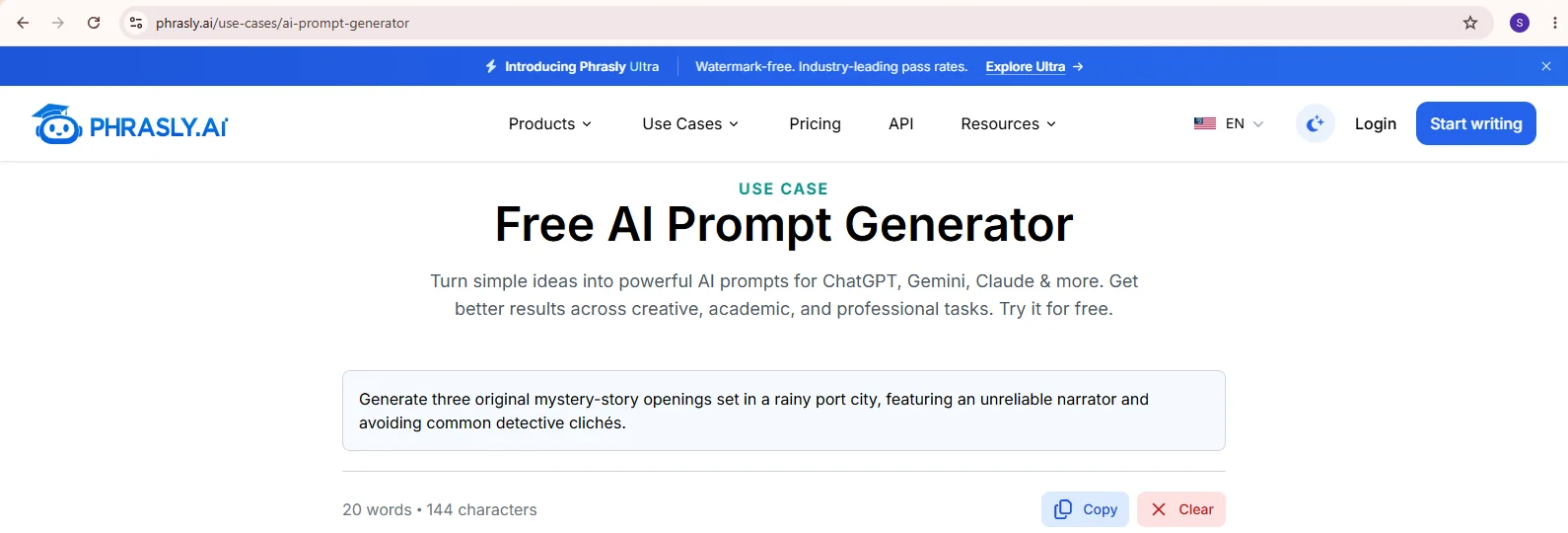
What to expect: a clean, direct prompt that keeps every constraint from your idea (three openings, the setting, the unreliable narrator, no clichés). Paste it into Gemini as is, or add fields from the master template, such as POV, tone, and length, to push it further.
Comparing tools? See our roundup of the best AI prompt generators.
Free to use, no credit card. Turn your rough idea into a reusable prompt. (To generate multiple prompts, sign up for a free account.)
FAQs
How do I write a good creative prompt for AI?
Choose a mode first (generate, refine, or produce), then add the specifics: genre, character, conflict, setting, tone, and format. Ask for two or three options instead of one answer, and refine the best result with follow-up prompts rather than starting over.
What are the best AI prompts for storytelling?
The best storytelling prompts give the AI a character, a goal, an obstacle, and a format. For example: "Write a short scene where [character] must choose between [option A] and [option B], and either choice costs them something." Use the selection table above to match a prompt to your task.
Can AI really help with creative writing?
Yes! AI can be particularly helpful when brainstorming ideas, overcoming writer's block, and producing first drafts at hyper speed. It's most effective when used collaboratively, not substitutionally.
How do I use ChatGPT for creative writing?
Paste any prompt from this guide into ChatGPT, replace the brackets, and ask for several options. Then refine your favorite in follow-up messages. For more ready-made prompts, see our list of the best ChatGPT prompts for professionals.
Can I use these prompts on Gemini and Claude, not just ChatGPT?
Yes. Every prompt here is model agnostic. Gemini adds useful extras like Gems, file uploads, and Canvas; see the Gemini section above. For Claude-specific tips, read our guide to Claude prompting techniques.
What should I include in an AI story-writing prompt?
Include the genre, a protagonist with a goal, the obstacle in their way, the setting, the point of view and tone, one cliché to avoid, and the output you want, such as three premises or a 500-word scene. Drop anything you would not miss.
How do I prompt AI to write a story for me?
Work in steps. Ask for three premises, pick one, request a beat outline, approve it, then have the AI draft one scene at a time. A single "write me a story" prompt usually returns a generic plot you cannot steer.

Written by
Muhammad Usman Ali
Pakistan
Muhammad Usman Ali is an experienced SEO content writer with 3+ years of professional writing experience. He specializes in AI tools, AI detection technologies, and search engine optimized content.