Does Copilot Leave Watermarks in Your Text? What Microsoft Actually Does in 2026
12 min read
Short answer: not from Microsoft itself, in most cases.
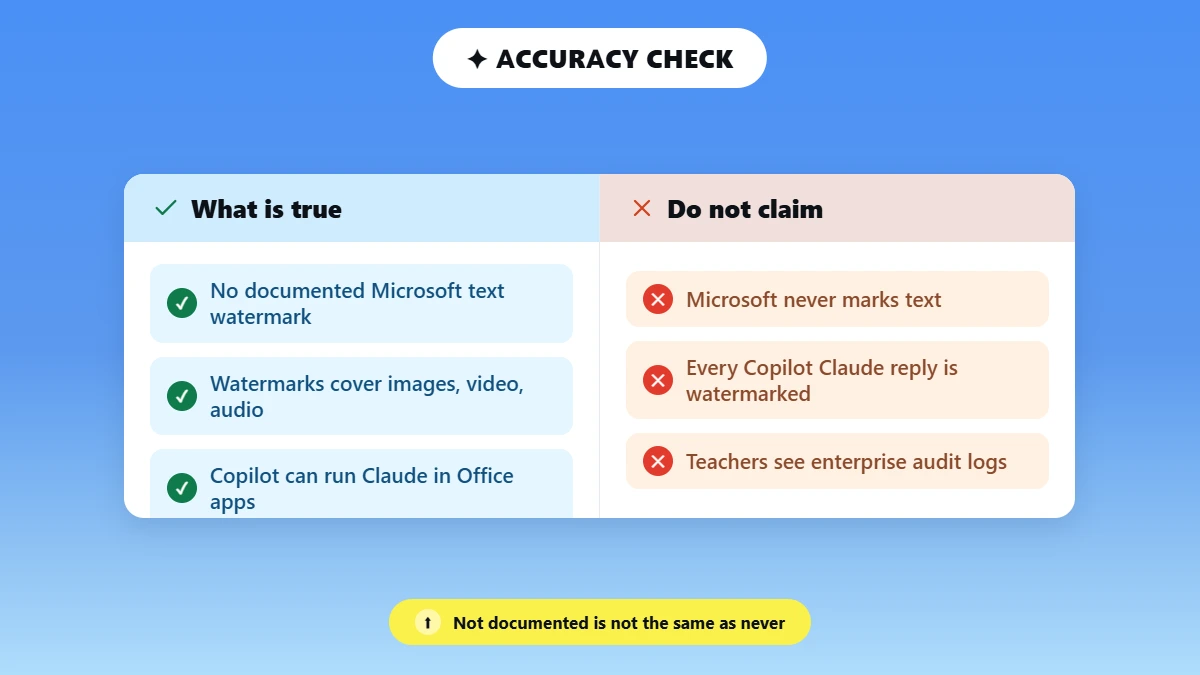
Microsoft has not publicly documented a native text watermark that Copilot adds to regular writing it creates. Microsoft has a watermarking system for content it generates from its AI-powered image, video, and audio products.
The paragraphs that Copilot writes in Word, Outlook, Teams, or Chat are not currently included. The single real exception to date has been in 2026: Microsoft 365 Copilot can run third-party models, such as Anthropic's Claude.
Supported Claude models now have their own invisible, model-level text Watermark embedded.
So does Copilot leave watermarks in your text? It depends on which model actually wrote it. Whether Copilot leaves watermarks really comes down to which AI model actually generated the text.
Anthropic has stated that all Claude models dated August 2, 2026 or later watermark the text they produce with an invisible statistical watermark, a move TechCrunch reported is tied to EU transparency rules.
This guide covers four different things people mix up. Microsoft's text watermarks, Claude's built-in model watermark, invisible Unicode symbols, and detecting AI-written text.
Got an AI-generated draft you'd like polished to look and read like it was crafted by a human? Paste it here, and we'll remove weird formatting characters and tighten up the phrasing before you go live.
Does Microsoft Copilot Leave a Watermark in Text? ✅❌
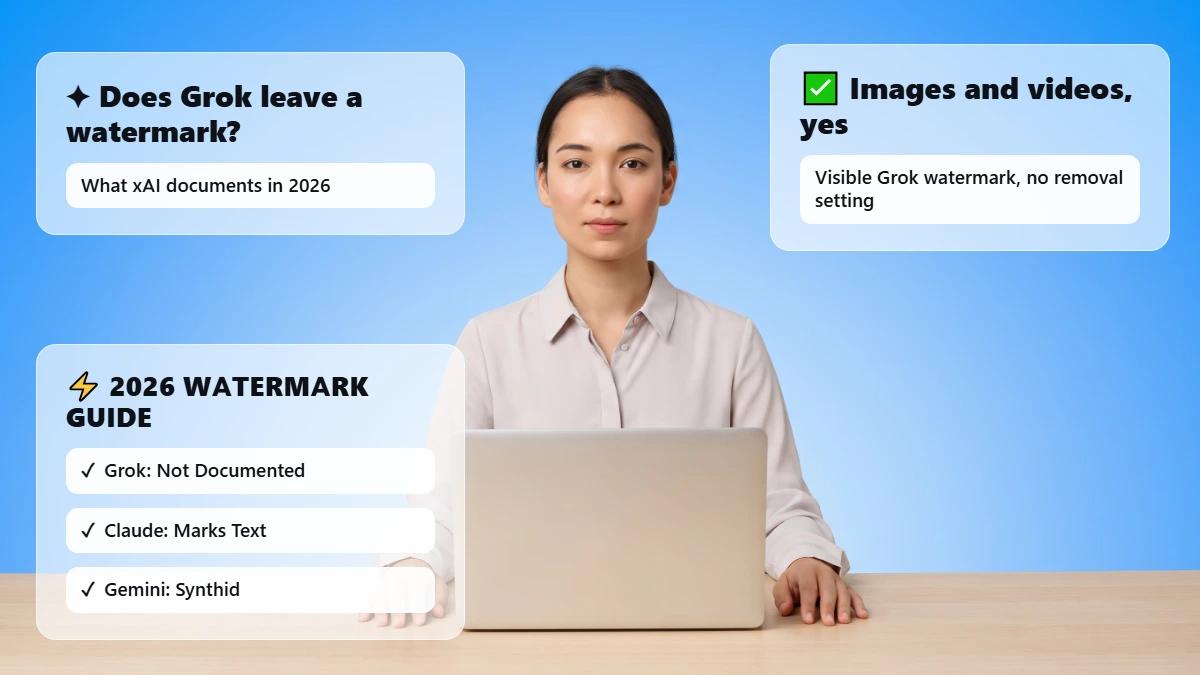
Not directly from Microsoft. As of August 2026, Microsoft Watermarks AI-generated images, video, and audio but lacks a native watermark system for regular Copilot text outputs.
The one exception is the underlying model used for Copilot. Text may be watermarked at the AI model level by Anthropic's new Watermark if it was generated by a Claude model that supports the feature.
This is independent of any Microsoft Watermark.
Microsoft Does Not Currently Document a Native Copilot Text Watermark
Microsoft's 2026 watermark documentation discusses images, video, and audio.
However, it doesn't mention that regular Copilot-generated paragraphs have a Microsoft Copilot watermark.
That being said, “not documented” does not equal “never.” With the current regulatory transition taking place with the EU AI Act through 2026, that may soon change.
But the AI Model Behind Copilot Can Change the Answer
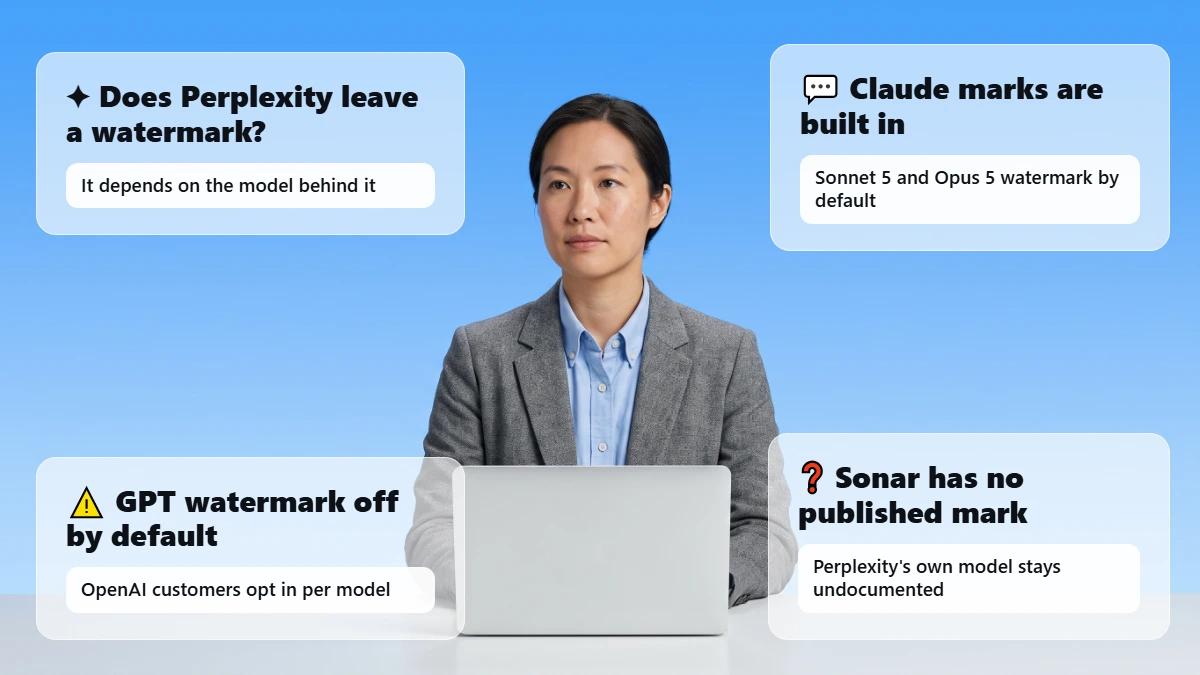
Microsoft 365 Copilot is now powered by multiple models. Word, Excel, PowerPoint, and Copilot Chat can create content with OpenAI models or Anthropic's Claude models.
You can choose your model using a model picker, or an IT admin can configure your tenant default. Microsoft documents this directly in its "Copilot in Microsoft 365 apps with Anthropic models" guidance.
If Copilot Uses a Watermarked Claude Model
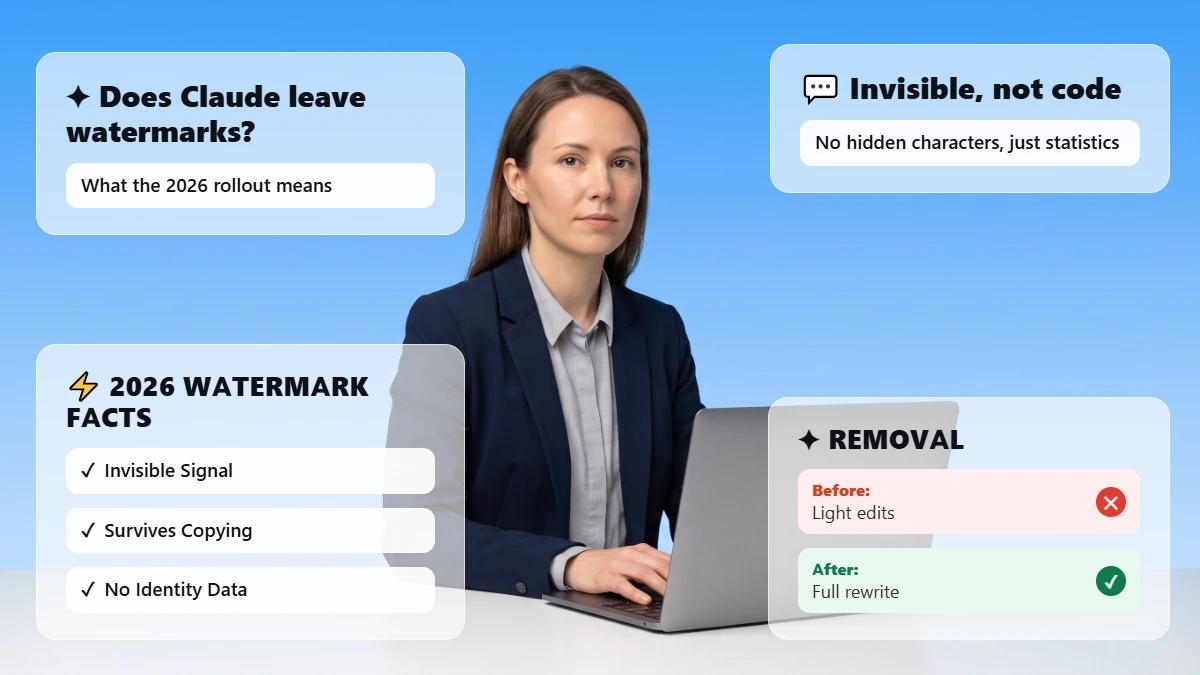
Anthropic has stated that all Claude models dated August 2, 2026 or later watermark the text they produce with an invisible statistical watermark.
This watermark will be added to any usage of Claude, including uses of Claude through Microsoft Foundry. Microsoft 365 Copilot will be able to leverage Claude models within Word, Excel, PowerPoint, and Chat.
This means that a Copilot response authored by one of the supported Claude models may contain Anthropic's watermark, rather than Microsoft's.
The bottom line: The watermark, when present at all, is Claude's Watermark from Anthropic, not a Microsoft Copilot watermark.
Whether a Copilot response is Watermarked depends on which model actually served the response, which can vary by surface, tier, and routing.
There is no published statement from either company that definitively confirms that does Copilot uses a Claude Watermark is always true, so let's leave this statement conditional rather than definitive. 👊
What Content Does Microsoft Copilot Actually Watermark?
According to Microsoft's own watermarks on AI-generated content documentation, Microsoft adds watermarks to AI-generated images, video, and audio (but not text) created in Microsoft 365.
Image watermarks can be controlled by the user. Video and audio watermarks are disabled by default and must be enabled by an organization's admin. Microsoft adds provenance metadata to supported media types.
This metadata can include the model used, the app used to create it, and when it was created.
AI-Generated Images
A user-controlled switch turns on or off adding an "AI-Generated" or Copilot mark to images that Microsoft 365 knows were created or modified with AI.
It's available in Microsoft account privacy settings. This won't happen by default for every image.
AI-Generated Video and Audio
Supported AI video may include a visual Watermark. AI-generated audio summaries may include an audible "This audio is generated by AI" disclaimer. Admin controls both using Cloud Policy.
By default, both are turned off. Neither's text can be customized.
AI Metadata is Not the Same as a Text Watermark
Microsoft's Copilot embeds C2PA provenance metadata into supported media (what model was used, what app was used, when it was created). That is separate from hiding a signal in the language used in an essay, email, or report.
So, consider Microsoft 365 copilot watermark claims regarding media and claims regarding text to be two different inquiries. Whatever AI wrote your first draft, the solution for AI-style text is identical: edit it until it sounds like you did.
Phrasly's watermark remover tool cleans formatting artifacts and rewrites stiff wording so your own AI-enhanced draft sounds human, or try editing by hand for a non-watermarked option.
Does Copilot Put Hidden Characters in Your Text?
Discovering a zero-width space or unusual Unicode character in Copilot text doesn't necessarily demonstrate an intentional AI watermark.
Microsoft doesn't list zero-width characters as a watermark for Copilot-generated text, and Office apps and copy-paste can generate formatting characters for benign reasons.
An actual statistical watermark such as Anthropic's works based on patterns of word choice, not invisible characters.
Hidden Unicode Characters Are Not Automatically AI Watermarks
Zero-width spaces, non-breaking spaces, word joiners, stray formatting characters, and similar odd characters do appear in Copilot output occasionally.
There are many "Watermark remover" websites and Reddit posts that claim these are evidence of AI use.
However, Microsoft has not documented these as an intentional "does Copilot add invisible characters" Watermark.
Just because there is a weird character does not inherently mean Microsoft sent a signal. ❌
A Real Statistical Text Watermark Works Differently
Claude is explicitly described as the example output in 2026. Anthropic makes it clear that their watermark doesn't add any hidden characters.
Rather, it subtly shifts probabilities between plausible words to produce a statistically detectable pattern given the correct key. According to Anthropic's own follow-up post, their method is a form of Google DeepMind's SynthID-Text.
If you want a deeper breakdown of how these systems work in general, see this guide on what AI text Watermarks are.
Why Removing Invisible Characters Does Not Prove a Watermark is Gone
Cleaning up stray formatting characters and removing a statistical model watermark are not the same task. Erasing an accidental zero-width space cleans up your formatting.
It has no effect on a Watermark embedded in patterns of word choice.
If you want your writing to read cleanly regardless of what's underneath it, that's where a tool like Phrasly's watermark remover comes in. It focuses on tightening the prose itself.
This is a formatting/re-writing step, not a way to get around academic detection.
The useful habit is understanding what your text actually contains, not chasing a false sense of "cleaned."
Can Copilot-Generated Text Still Be Detected as AI?
Yes, Watermark detection is not the same as AI writing detection. The absence of a Microsoft text watermark does not mean Copilot writing can't be detected.
For a full breakdown of the methods involved, see how to detect an AI watermark.
AI detectors attempt to determine if writing is consistent with patterns commonly found in AI text, and this determination is made with or without a watermark.
Therefore, text can appear AI-generated to a detector even if there is no watermark present.
AI Detection and Watermark Detection are Different
Watermark detection searches for an intentionally added signal from the model/provider. AI writing detection predicts if language is likely AI-generated based on stylistic/probability patterns.
Most important takeaway: Just because there is no Microsoft writing watermark, doesn’t mean Copilot created text can’t be detected. That one line is the takeaway sentence if you’re searching “is copilot text detectable”.
Curious where your own draft stands? Try Phrasly's free AI detector to check before you publish.
Can Turnitin Detect Microsoft Copilot?
Turnitin's AI writing report highlights text its model believes to have been AI-written, including text altered by AI, but does not verify that a text passage originated from Microsoft Copilot specifically.
Effective August 4, 2026, Turnitin consolidated its report into one unified highlight and stopped attempting to indicate which tool/workflow generated the text.
Can Turnitin detect Copilot? Can teachers detect Microsoft Copilot? Turnitin can detect patterns of writing common in AI-generated text. Pointing to Copilot by name as the origin, however, is not a function that Turnitin claims.
Since detection focuses on writing style rather than tool origin, tightening your phrasing with something like Phrasly's watermark remover is a more reliable fix than worrying about which app you used.
For more information on how it works, check out this related article: Does Turnitin detect ChatGPT?
Does Copilot Leave Metadata or a Record That You Used AI?
Maybe, but not with a watermark in the text itself. Microsoft is embedding C2PA provenance metadata into supported AI-generated media, and enterprise-controlled Microsoft 365 installations can audit/log Copilot use via their compliance tools.
Therefore, "the text has no watermark" and "no one can know you used Copilot" are two different claims.
A Word Document is Different from Copilot's Text Itself
Microsoft's published AI-generated media metadata should not be thought of as a hidden text watermark embedded within each paragraph.
Standard DOCX metadata does not recognize each sentence as Copilot-created unless Microsoft explicitly states such functionality,
And for “does Copilot watermark Word documents” made with Copilot, the answer as of now for plain body text remains no.
Work and School Accounts may Have Separate Copilot Activity Records.
Microsoft offers auditing for Copilot and AI apps in organization-managed scenarios.
Copilot actions can be logged in Microsoft Purview, and admins with proper permissions can audit AI usage through the compliance tools. The text will not contain a visible Watermark or other indication that Copilot was used.
That is a real and separate channel from any text watermark question. It covers does Copilot leaves metadata in the fuller sense of the term.
"Copilot doesn't leave a watermark on your text" does not mean "there is no way your organization can know you used Copilot".
There's no automated link between personal Microsoft accounts and a teacher's or employer's records. Enterprise-classified audit logging only applies to tenants managed by organizations, not a regular document sent from your personal account.
Why Is AI Watermarking Happening in 2026?
The EU AI Act Transparency Rules
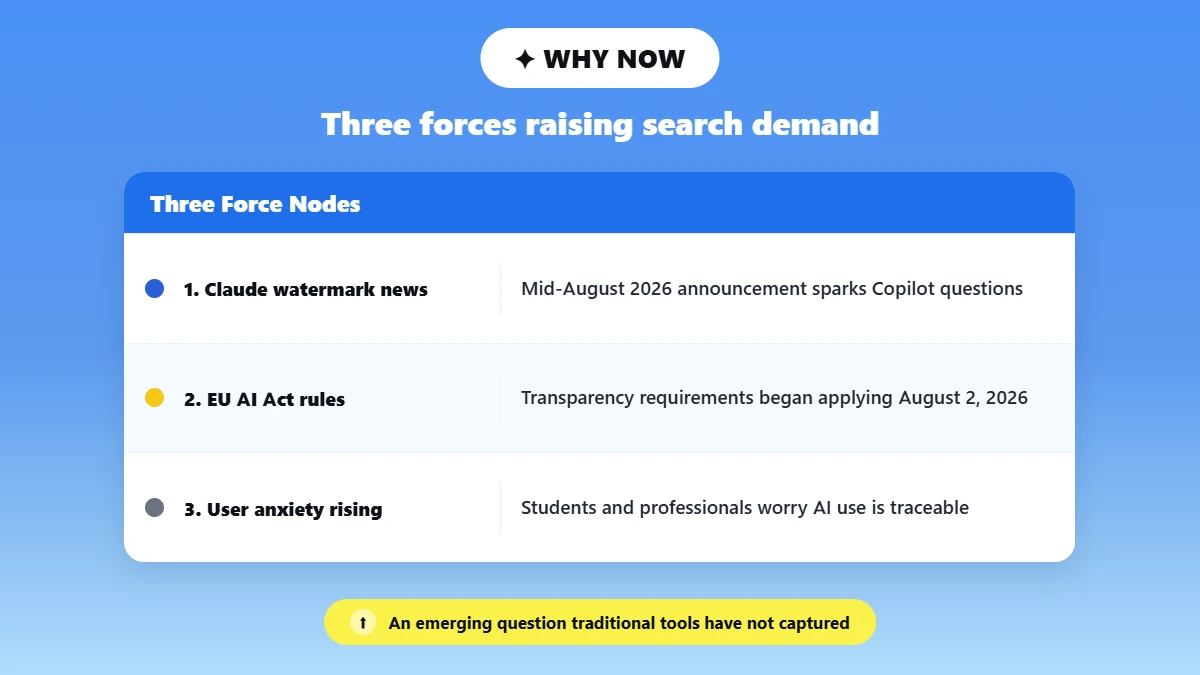
Article 50 transparency obligations of the EU's AI Act went into effect on August 2, 2026, mandating providers to label AI-generated content in machine-readable format.
The framework behind this is the Code of Practice on Transparency of AI-generated Content.
The European Commission states that approximately 190 entities had signed up to it by late July 2026. Penalties for non-compliance can be up to €15 million or 3% of annual global turnover, whichever is greater.
Important clarification: Signing the Code does not magically imply every Copilot text response is already watermarked: the existing Microsoft doc still stands as evidence for what is actually deployed as of today.
Microsoft (Anthropic) is a verified signatory; "the companies that have joined the Code" should be treated as such until you verify that the company's name is on the signer list prior to directly naming them.
Why Microsoft's Approach Could Change
Watermarking technology is advancing rapidly throughout the industry. This article is based on Microsoft's published implementation as of August 15, 2026.
Considering how rapidly Anthropic, OpenAI, and others are releasing Watermarking updates, you may want to double-check Microsoft's documentation yourself before assuming anything here is permanent.
What Should Students and Professionals Know Before Using Copilot Text?
For Students:
Check your institution's AI-use rules first, since policies differ widely between schools and even between courses.
Remember AI detection and watermarking are separate. A detector score is not proof that a Microsoft Watermark was found.
Keep drafts and writing-process evidence where appropriate. In case you need to show your process. If a Turnitin AI detector flags your writing incorrectly, you'll have this evidence to show.
Don't treat Phrasly or any tool as a way to pass academic integrity checks. Use it only for checking and refining your own writing.
For Professionals
Review AI-generated content for accuracy before it goes out under your name or your company's.
Know your employer's Copilot and disclosure policies before relying on AI drafts for client work.
Remember, enterprise Copilot activity can be subject to organizational logging and compliance systems.
Whichever tool drafted your first version, the solution to uncannily AI-like text is the same:
Edit it until it sounds like you did. Phrasly's watermark remover tool strips formatting debris and rewrites stiff wording so your AI-assisted draft sounds natural, and its built-in detector helps you know where you stand before you go live.
Quick Comparison: Watermarks vs. Hidden Characters vs. Detection
Four things get confused constantly in this conversation. Here is how they actually differ:
| Microsoft Text Watermark | Claude Model Watermark | Hidden Unicode Characters | AI Detection (e.g. Turnitin) |
Documented by Microsoft? | ❌ Not for ordinary Copilot text | N/A (Anthropic's mark) | ❌ No Microsoft documentation | N/A (third-party tool) |
What it marks | Images, video, audio | Text generated by supported Claude models | Nothing deliberate; formatting artifact | Writing style/patterns |
How it works | Visible/audible tag + C2PA metadata | Invisible statistical word-choice pattern | Zero-width space, non-breaking space, etc. | Probability model / classifier score |
Survives copy-paste? | Media only | ✅ Yes, and may survive editing | Often lost when reformatting | N/A re-re-analyze’s new text |
Proves you used Copilot? | ❌ No | Only if a watermarked Claude model wrote it | ❌ No | ❌ No; Flags style, not the tool |
Frequently Asked Questions
Does Microsoft Copilot Watermark Text?
No, not originally. Microsoft documents AI Watermarks for images, video, and audio content. Regular Copilot text doesn't have them.
The text was generated by one of the Claude models Microsoft supports; then there may be Anthropic's model-level Watermark embedded. It would be Anthropic's Watermark, not Microsoft's. ❌➡️✅
Does Copilot Add Invisible Characters to Text?
Zero-width/hide Unicode characters have not been documented by Microsoft as a Copilot hidden watermark.
Characters like that can appear for regular reasons (normal formatting, etc). An effective statistical watermark like Anthropic's cannot be made with hidden characters, but rather word-choice patterns.
If you'd rather just clean up stray formatting characters and odd phrasing yourself, see this roundup of the best AI text cleaners.
Can Turnitin Detect Text Written by Copilot?
Turnitin AI writing report detects when text may have been likely written by AI; it will not definitively identify use of a specific tool like Copilot.
Turnitin is not a Copilot watermark reader; it is an AI-style classifier. See does Turnitin detects ChatGPT for further clarification.
Does Copilot Leave a Watermark in Word?
Normal text created by Copilot in Word does not appear to have a Microsoft-native text watermark documented as of yet. Media created by Copilot can be watermarked differently, though.
Images, video, and audio can have watermarks applied to them, and supported media has provenance metadata attached to it.
Does Microsoft Copilot Use Claude's Watermark?
Conditionally! Microsoft 365 Copilot can be powered by Claude models, and Anthropic has said that supported Claude models insert model-level watermarks.
Therefore, a Copilot response originating from Claude may include Anthropic's watermark when the feature is supported.
Whether or not Copilot responses are watermarked depends on which model wrote the response.
Can someone tell that I used Copilot to write a document?
It’s not just from a text watermark provided by Microsoft. AI detectors can also determine if writing appears AI-written.
Microsoft 365 environments managed by an organization can keep records of Copilot activity using compliance tools.

Written by
Muhammad Usman Ali
Pakistan
Muhammad Usman Ali is an experienced SEO content writer with 3+ years of professional writing experience. He specializes in AI tools, AI detection technologies, and search engine optimized content.