Does Canvas Have a Plagiarism Checker? What It Uses, How It Works & What Students Should Do
Canvas has no built-in plagiarism checker. It relies on instructor-enabled tools like Turnitin or Copyleaks. Learn how scanning actually works, whether Canvas detects AI writing (ChatGPT, Claude, Gemini), and how to check your paper for plagiarism and AI content before you submit.
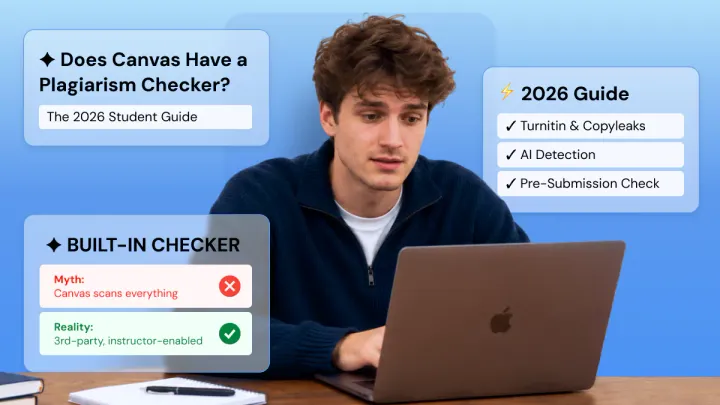
You're about to submit a paper on Canvas and want to know exactly what happens next. Canvas does not have a built-in plagiarism checker.
It uses third-party tools that each institution decides to integrate into particular assignments. In this guide, we will explain what tools Canvas uses, how scanning technology works, and whether Canvas detects AI writing.
Check your paper with Phrasly before you submit to Canvas 👇
Does Canvas Automatically Check for Plagiarism?
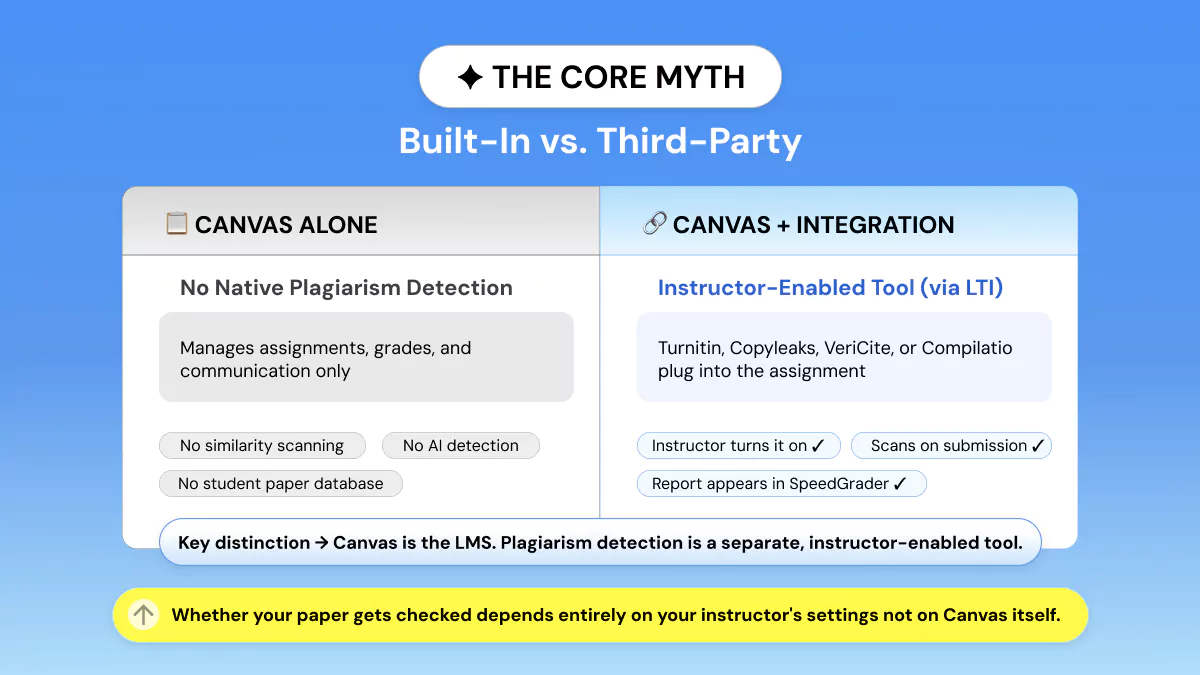
No! Canvas does not automatically check for plagiarism. Canvas is a Learning Management System created by Instructure. Its purpose is to track assignments, grades, and communication.
It is not designed to perform a Submission check for originality. Plagiarism detection occurs if and only if these two statements are both true:
- An instructor manually turned on the plagiarism review tool for that assignment.
- This assignment has “Text Entry” or “File Uploads” as the submission type.
Discussion boards created in Canvas are not scanned automatically. Instructors must export the text from a discussion they suspect of containing an issue and run the tool themselves.
While you may have heard that Canvas automatically checks for plagiarism. The truth is a bit more specific. An individual assignment must have had a Plagiarism detection software integration switched on by your professor.
Only then will your submission be checked.
What Plagiarism Checker Does Canvas Use?
Canvas doesn't have a detection engine of its own.
Three tools comprise nearly all of the Canvas Turnitin plagiarism or Canvas Copyleaks integration setup utilized currently.
Turnitin: The Institutional Standard
Turnitin is by far the most commonly used LMS integration tool, with integrations in over 15,000 institutions in 140 countries worldwide.
Turnitin compares submitted student work to billions of web pages, academic journals, published books, and its student papers database (which no web-text similarity checker can match).
Instructors view a color-coded similarity report complete with percentage match and clickable links to sources within Canvas SpeedGrader itself.
AI Detection in Turnitin
Turnitin introduced AI content detection in 2023, and it has been updated since then, with the latest version being in 2026. This detection reportedly has over 95% accuracy when it comes to content that was written entirely by AI.
This is different from your similarity score, and it will specifically indicate if certain parts of your text may have been written by ChatGPT, Gemini, or Claude.
Copyleaks: The Growing LTI Alternative
Starting in 2026, Canvas started moving schools from their old plagiarism system into their new LTI Asset Processor standard. Copyleaks made sure its Canvas integration kept up with these changes.
That is why Copyleaks is one of the fastest growing Turnitin Canvas integration 2026 alternatives. Copyleaks scans trillions of web pages. It has built-in AI content detection.
VeriCite & Compilatio: Other Institutional Options
- VeriCite: Utilized by a number of institutions in the U.S. as an institutional plagiarism checker. Offers comparable web-database coverage to Turnitin but lacks AI detection.
- Compilatio: Popular in European (particularly Francophone) universities. Includes dedicated pedagogical citation education modules.
A side-by-side comparison of the four options within Canvas in 2026:
How Does Canvas Plagiarism Checking Actually Work?
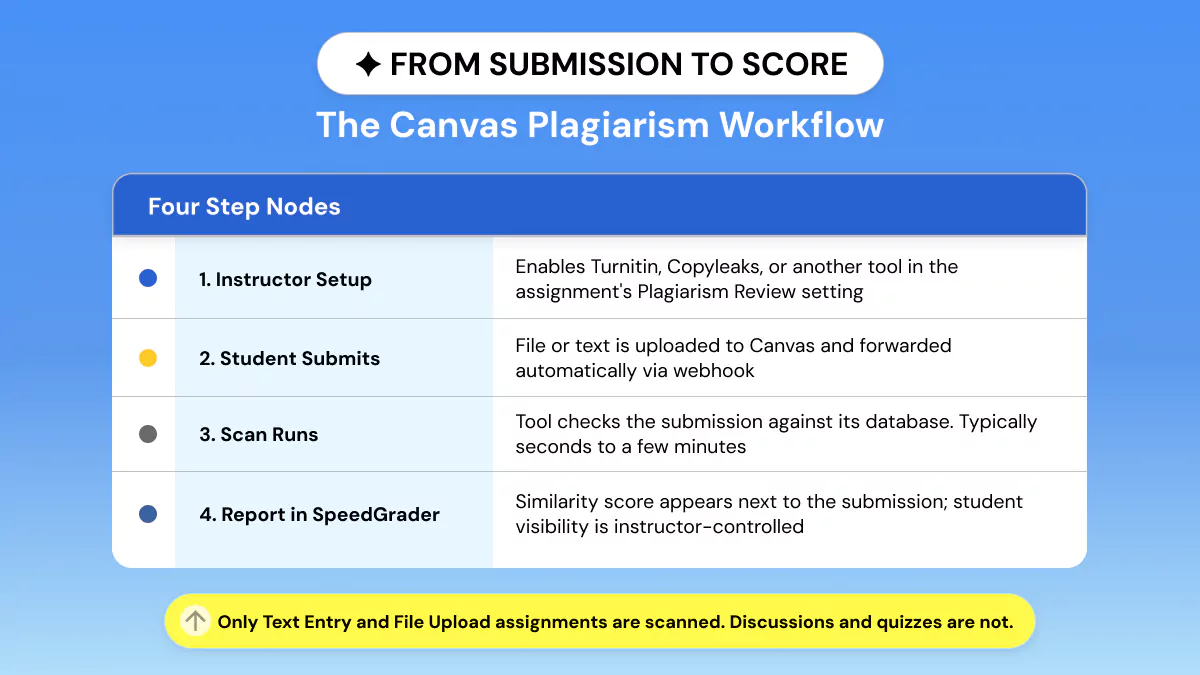
Few students (or even instructors) realize what goes on behind the scenes. Let us walk you through the submission-report workflow:
- Setup by Instructor: An instructor sets up an assignment and selects "File Upload" or "Text Entry" as the Assignment Submission Type.
Then, a "Plagiarism Review" dropdown lets them activate Turnitin, Copyleaks, or whatever other institutional plagiarism checker.
- Student submits: Your file is uploaded to Canvas, which automatically sends it to the connected tool as a "third-party tool integration handoff."
- Scan runs: The engine compares your paper to its database and produces a similarity report. This can take anywhere from a few seconds to a few minutes.
- Report shows up in SpeedGrader: Your originality score will be visible next to your submission in SpeedGrader. Your instructor's settings will determine if you can see it or not.
These Submission checks only apply to Text Entry and File Upload assignments. Quizzes, multimedia assignments, and discussion posts are not automatically included.
If you do not see that box, then nothing will be checked automatically, regardless of what your classmates may think "Canvas does."
Can Canvas Detect AI Writing Like ChatGPT?
Canvas does not have built-in AI content detection. The only way Canvas can detect AI writing is if your school has enabled Turnitin and Turnitin has AI detection enabled.
- Turnitin: Yes, Turnitin began flagging text from ChatGPT, Gemini, Claude, etc., with its own AI writing score, separate from the similarity score, in 2023.
- Copyleaks: Yes! Copyleaks AI detection is built right into every scan. It works on mixed human and AI writing or fully generated text.
The actual student issue is accessibility. Most students do not have the ability to run their own paper through Turnitin before submission to Canvas.
You won't know whether Canvas detects AI writing until after your professor has already viewed it, and you have no opportunity to edit before. It's not a small risk.
Turnitin has a 3.8% false-positive rate itself in 2026. That's better than the industry standard, but not zero. Canvas tracks behavioral metadata as well.
Paste rates, tab-switching, and submission times are recorded even if no plagiarism detection tool is turned on. Another red flag instructors can use to identify abnormal writing behavior.
If you believe an AI flag on your own paper is wrong, don't wait for an academic-integrity meeting to make that case. Check your paper yourself with a separate scan first, save the report, and prove your writing reads as human.
Does Submitting to Canvas Add My Paper to a Plagiarism Database?
This varies entirely based on what tool your institution uses and how your assignment is set up.
By default, when you submit a paper to Turnitin, it will be stored in Turnitin's database of student papers. This means your paper can be used to detect other students' papers as matches in the future.
Your instructor has the ability to turn this storage option off, so review your syllabus or assignment instructions if you're unsure.
Copyleaks is GDPR compliant and SOC 2 compliant, and it uses encrypted storage. However, if student papers are saved still depends on how your institution has it configured.
It is never added to any student paper database or shared with your school.
How to Check Your Paper Before Submitting to Canvas?
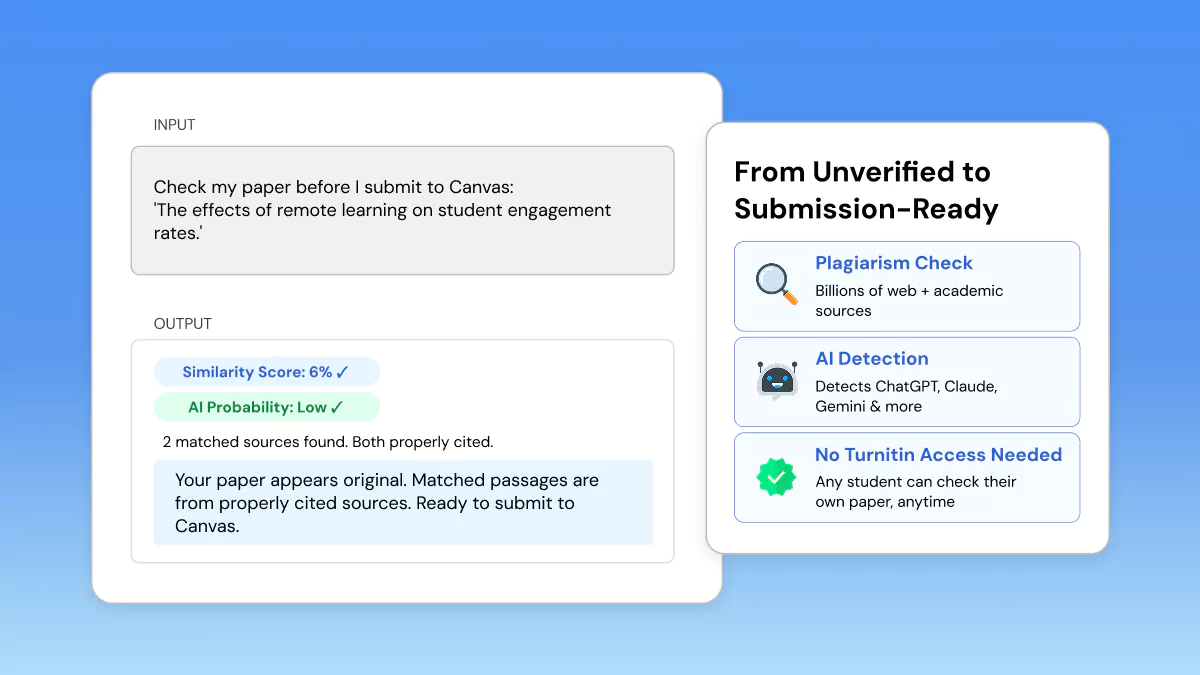
The majority of students who submit assignments through Canvas will never view a plagiarism report until their professor does. Here’s how to find a Canvas plagiarism checker alternative that gives you the report first.
Phrasly: Check Plagiarism + AI Before Canvas Submission
Phrasly plagiarism checker checks your writing for plagiarism against billions of web sources, while also identifying AI-generated text, all in the same pass with no institutional Turnitin access needed.
You get the same kind of before-you-submit originality score your professor's plagiarism checker would give you, except you get to see it first.
How to Use Phrasly in 4 Steps?
- Paste or upload your document into Phrasly.
- Run the combined plagiarism + AI detection scan.
- Review the similarity report with matched sources highlighted.
- Revise flagged sections, then submit to Canvas with confidence.
Pricing: Members receive 20,000 words per month in plagiarism checker credits as part of their subscription. The pay-per-scan option is $5 for 1,000 words. It's not free.
It's affordable for checking a single paper before a deadline, and considerably cheaper than the cost of an academic-integrity investigation.
Other Student-Accessible Options
- Quetext: The free plan has word count limits. Quetext has a large web database, but it has no AI detection.
- Grammarly Premium: Offers Grammar checking as well as plagiarism checks against the web and ProQuest academic databases. Requires a monthly/annual subscription; No AI detection.
- Copyleaks (Individual plan): AI Detection and Plagiarism scan in one, supports over 100 languages, per-page pricing for individuals.
Looking for a plagiarism checker for students free? Quetext offers a free plan, which is the best match on this list, but its coverage and word count capabilities are much more limited than paid options such as Phrasly or Copyleaks.
Key Takeaways Before You Submit
- Canvas does not come with a built-in plagiarism checker. All plagiarism checks are done through an instructor-enabled third-party tool integration (e.g., Turnitin, Copyleaks).
- Canvas does not scan your assignments. Only your instructor can turn on scanning for your assignments.
- AI detection is only as good as the tool behind it. False positives are real, especially for non-native English writers.
- Checking your own paper before submission is the only way to see a report before your professor does.
FAQs
Does Canvas automatically check for plagiarism?
No! Canvas is an LMS system that tracks assignments and grading. It is not a plagiarism detector. Plagiarism is only checked when an institution turns on a third-party tool such as Turnitin or Copyleaks for that one assignment.
You can, however, run your own paper through Phrasly plagiarism checker yourself before submitting it, if you'd like extra assurance.
What plagiarism checker does Canvas use?
Turnitin is by far the most prevalent integration, being used by over 15,000 institutions globally. Copyleaks is quickly becoming the most popular alternative in 2026 due to Unicheck’s discontinuation in January 2025.
Some schools use VeriCite or Compilatio instead. Check your course syllabus to confirm which one applies to you.
Does Canvas detect AI-generated writing like ChatGPT?
Canvas doesn't detect AI on its own. Turnitin is the most prevalent Canvas integration, and they do AI writing detection, marking ChatGPT, Claude, and Gemini submissions with a distinct AI score.
Copyleaks detects AI as well, but not every course uses Turnitin or Copyleaks.
Can I see my plagiarism report on Canvas?
It varies by instructor. Turnitin allows instructors to display students' similarity reports immediately, after the due date, or not at all.
Many instructors hide it until they grade the assignment, so look at your assignment settings or ask your instructor.
Does submitting to Canvas add my paper to Turnitin's database?
By default, yes! If your school uses Turnitin, your paper joins its student paper repository and could later flag future students' work.
Instructors can disable storage. Checking your work with an independent tool like Phrasly plagiarism checker first adds nothing to any database.


Keep reading

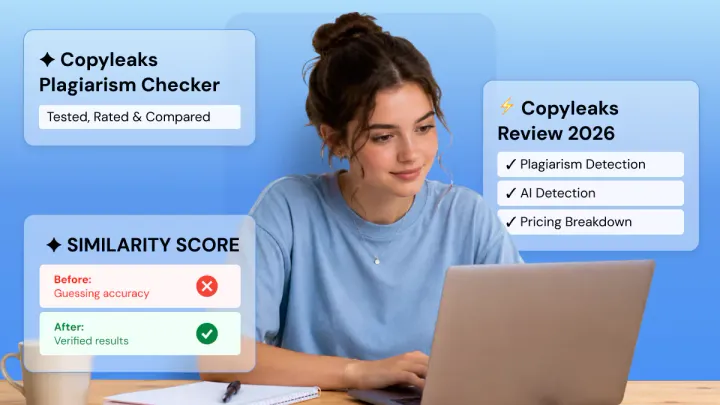
Copyleaks Plagiarism Checker: Tested, Rated & Compared
Copyleaks Plagiarism Checker review: we tested verbatim, minor-change, and paraphrased content to see how its 3-layer detection performs. See pricing, AI-detection accuracy (77%-96%), free plan limits, and how it compares to Phrasly in a head-to-head scan before you subscribe.

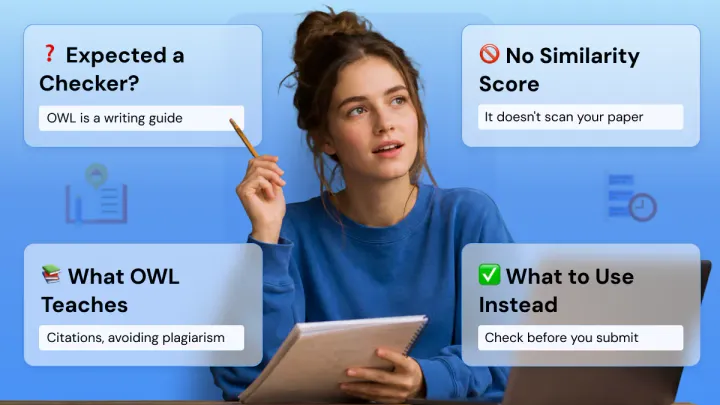
Does Purdue OWL Have a Plagiarism Checker? What It Offers (and What Students Actually Need)
Purdue OWL does not have a plagiarism checker. Here's what the writing lab actually offers, and what students should use to check their papers before submitting.