Best AI Tools for College Students in 2026: Picked by Task
15 min read
There's no single best AI tool for college students. There's a best tool for each job.
If you search for "best AI tools for college students", you'll see pages of results. Everyone claims their app will save you hours on every assignment. The reality is more complicated.
No app does well at studying, researching, writing, crunching problem sets, transcribing lectures, and making slides.
Few schools have implemented wide-reaching policies dictating when AI can and cannot be used. This guide to the best AI tools for college students in 2026 skips the typical "top-10 things" list and instead pairs each tool with the job it needs to do.
Proofreading your notes, researching sources, solving equations, handwriting neatly, or reviewing a final draft before turning it in.
👊 Build your tiny stack specific to the task at hand. You don't need to install everything.
Just a note on scope: All the tools discussed here are intended to help you learn/workshop/organize/research/self-review your own writing, not to hide things you were supposed to write yourself.
Already have a finished draft? You can jump straight to a free, no-signup check with Phrasly's AI Detector. Everyone else, keep reading to find the right tool for the job in front of you right now.
Quick Answer: What is the Best AI Tool for College Students?
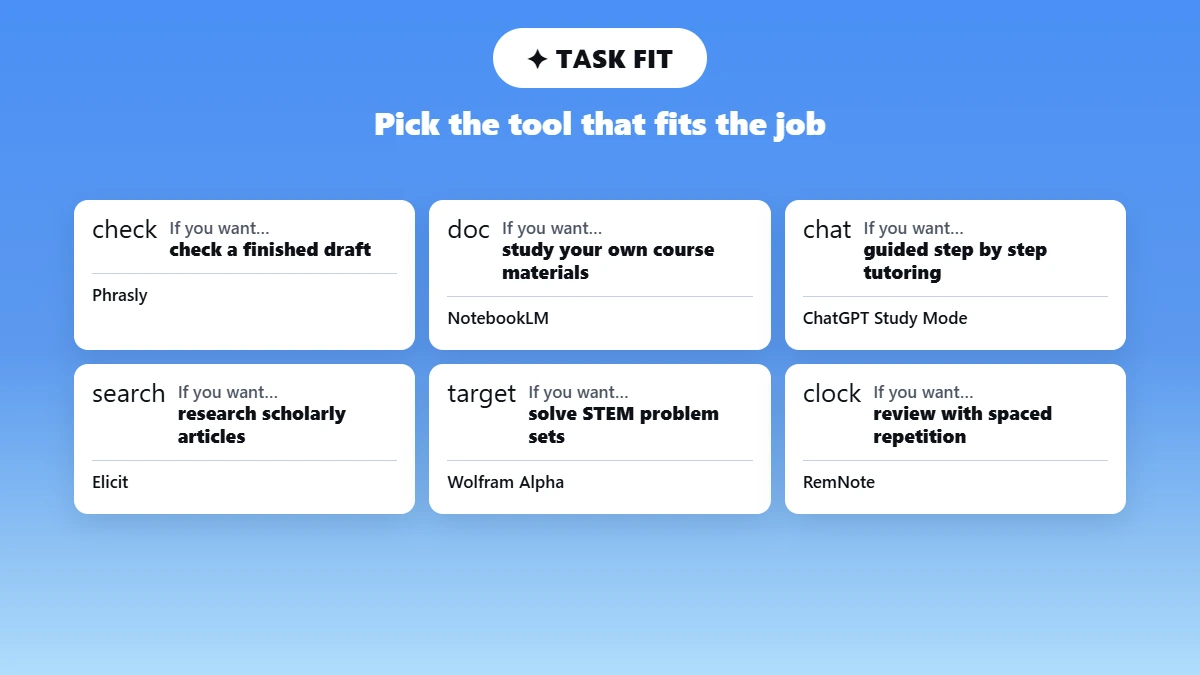
There are no outright winners for what is the best AI tool for college students. Phrasly is best overall at editing a complete draft for AI-likeness and originality.
If you want to compare it against other options, this list of best AI checker tools breaks down how they differ.
NotebookLM works best with your own course materials. ChatGPT Study Mode is good for having questions answered like a tutor would. Elicit works best for scholarly articles.
Wolfram Alpha works great for STEM course problem sets. RemNote works best for reviewing for exams with spaced repetition.
In the Lumina Foundation-Gallup’s recent 2026 State of Higher Education Study, 57% of students attending college in the U.S. reported using artificial intelligence weekly or more often to complete coursework, and nearly 1 in 5 students use AI daily.
Best AI Tools for College Students Compared
Most AI programs for students are built around one job rather than all of them. This table compares eleven AI tools for college students across the same criteria, even highlighting which ones offer a truly helpful free option.
When searching for the best free AI tools for college students, begin your search in the Free option column, then read the honest limitation beside it before investing time in a tool.
Tool | Best for | Free option | Main limitation to state honestly |
Phrasly | Final-draft AI-likelihood and originality checks | Free AI Detector (no sign-up); Plagiarism Checker on a free-trial-then-paid model | Detection results are signals, not proof of authorship |
NotebookLM | Studying from your own class materials | Free with a Google account: 100 notebooks, 50 sources each, 3 audio overviews a day | Quality depends on the sources you upload |
ChatGPT Study Mode | Guided, step-by-step tutoring | Free on the logged-in Free tier, alongside Plus, Pro, and Team | Can still make mistakes; check against course material |
Perplexity | Current web research with citations | Free tier with unlimited basic search and a small daily allowance of deeper Pro Searches | You must open and verify the original sources |
Elicit | Academic literature reviews | Free Basic plan with a limited one-time credit allowance | Not every paper or extraction will be complete |
Wolfram Alpha | Math and quantitative subjects | Free tier covers core computations; full step-by-step needs Pro | Full step-by-step solutions sit behind the paid tier |
RemNote | Long-term memorization (spaced repetition) | Free plan with unlimited notes and flashcards plus a monthly AI-credit allowance | AI allowances on the free plan are limited |
Otter.AI | Searchable lecture transcription | Free plan: 300 transcription minutes a month, 30-minute cap per session | Needs permission to record; accuracy still needs review |
GitHub Copilot | Coding assignments and practice | Free for verified students through GitHub Education (new sign-ups have been paused at times, so confirm current status) | Generated code may be wrong or insecure |
Grammarly | Proofreading and clarity | Free tier with core grammar, spelling, and a monthly cap on AI prompts | Suggestions can flatten your own voice |
Canva | Presentations and visuals | Free plan for individuals; Canva for Education is free but limited to K-12 | AI visuals and facts still need review |
Prices were accurate at the time of writing. Please double-check the price on each tool's product page before buying.
How We Selected These Tools?
Before the recommendations, here's the method. We weighed each tool against seven criteria.
Relevance to a specific college problem, learning value, accuracy and source traceability, usefulness of the free plan, ease of use and accessibility, privacy and data transparency, and fit with common academic-integrity policies.
For a closer look at how the checking tools themselves stack up, see this test of free AI checkers for students.
1. Phrasly: Best for Final-Draft AI and Originality Checks
Best for: A final quality-control pass on an essay you have already written and revised.
Student Problem: You finished and revised a paper and want one last check before you submit it.
How does the Workflow Actually Work?
Put your completed draft through Phrasly’s AI detector for college students and review highlighted sections.
Do not treat the flag as a judgment. If something is flagged as unclear or too formal, try to rephrase it in your own words.
Use the Phrasly AI plagiarism checker for students to run a separate check. Plagiarism similarity and AI-likeness answer two separate questions.
If you want to see how different tools stack up on this front, this roundup of best plagiarism checkers is a useful comparison.
Maintain your drafts/revisions so you can demonstrate your own progress if ever needed.
Where Phrasly Fits, and Where It Doesn't?
Phrasly's AI Detector is free to use directly on the site. The Plagiarism Checker runs on a free-trial-then-paid model. Confirm the current access model on Phrasly's own pages before you rely on either one, since free-tool terms shift.
If you want to tidy your own permitted draft before that final check, the AI writing suite covers editing and enhancement in one place.
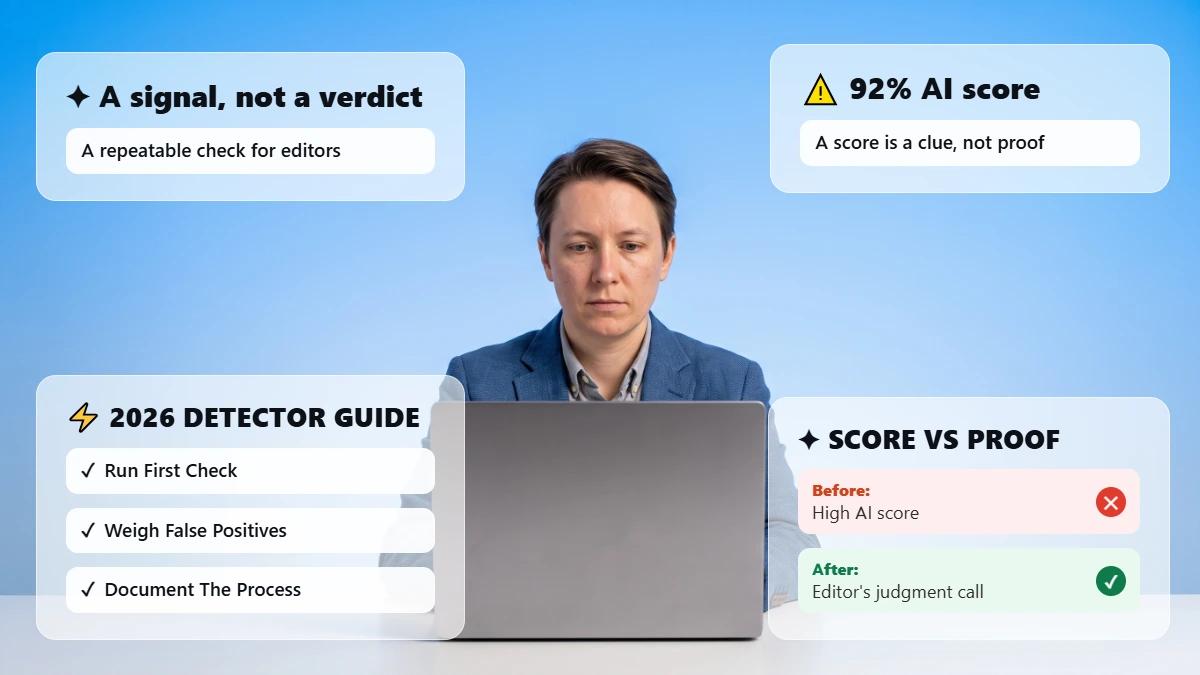
Limitation, Stated Plainly: No AI detector can definitively know who wrote something.
❌Your results are indicators for you to review, not validation that an essay passes or fails a particular professor's rule.
If you're curious how accurate these tools actually are and how different checkers compare, see AI detection accuracy: which checkers work.
Verdict: Most useful as a pre-submission self-review step. ✅ Not really as a determination that a paper complies with some instructor's guidelines.
Don't use the result of a detector to "prove" either that your work is or isn't acceptable. Use it to help you determine what needs revision.
Already have a draft? Check the passages that may need another look with Phrasly's AI Detector, then apply your own judgment and your course's rules.
2. NotebookLM: Best for Studying from Your Own Sources
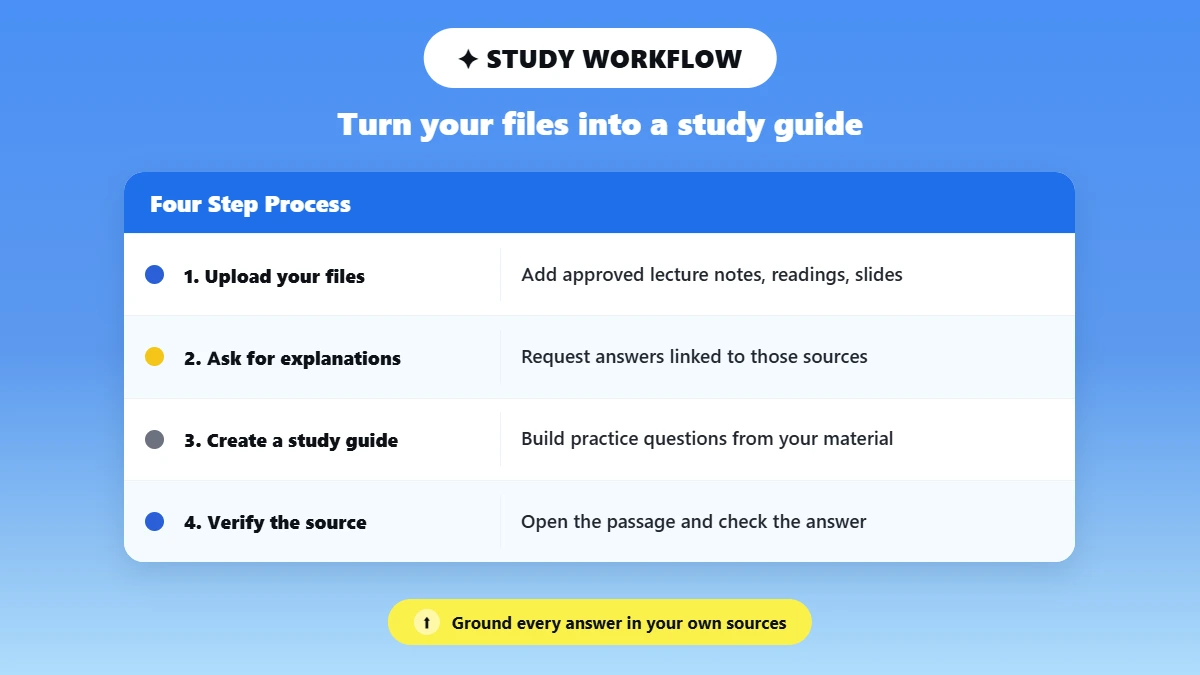
Best for: Converting your own lecture notes, readings, slides, etc. into a tool you can take a practice quiz against. As an AI study tool, it bases every answer on the documents you provide it instead of relying on information from around the web.
A Practical Workflow: Upload your approved course files, request explanations linked directly to those sources, create a study guide or practice questions, open up the referenced passage, and verify the answer yourself.
NotebookLM’s free plan uses a Google account and presently lets users create up to 100 notebooks with 50 sources each, as well as a few audio overviews daily.
Paid plans grouped into Google's AI plans increase those limits and unlock additional functionality such as slide-deck creation.
Honest Point: source grounding reduces, but does not eliminate, the need to verify answers yourself.
3. ChatGPT Study Mode: Best AI Tutor for Guided Explanations
Best for: Students who prefer to be walked through a concept instead of getting a quick answer.
Highly reputable choice for best AI-powered tutoring tools for college students that's free, as Study Mode is offered on ChatGPT's free version as well as its Plus, Pro, and Team plans.
Study Mode uses Socratic questions, step-by-step explanations, knowledge checks, and variable depth rather than simply providing a final answer.
Study Mode is an AI tutor for college students, and it's most effective when used alongside your actual course materials. Have it explain a concept in your textbook and then verify its explanation against your class notes.
For everyday AI study help, this is the tool most students reach for first.
If you're not sure how to phrase your questions to get better step-by-step answers, this list of ChatGPT prompts for students is a good starting point.
Honest Caveat: Even OpenAI's guidelines don't get it right all the time. Always check answers against your class lecture or textbook instead of relying on one definitive response.
4. Perplexity: Best for Finding Current Web Sources
Best for: Finding recent, citeable articles about topics you don't know much about. One of the most source-transparent AI research tools for students out there, the answer provides numbered citations you can click on for every answer.
Use Cases: Devising better search queries, quickly skimming an unfamiliar topic, and locating sources newer than a chatbot's knowledge cutoff.
Perplexity's free tier offers unlimited basic search and a limited daily quota of more in-depth "Pro" searches; the Pro subscription costs approximately $20/month, with a reduced student price of about $10/month with verification.
Pricing is accurate as of the date this article was written and is subject to change. Confirm the current price on the tool's official pricing page before purchasing.
Warning to Remember: ❌ Don't cite the AI summary as a substitute for opening and reading the original source.
5. Elicit: Best for Academic Literature Searches
Best for: Locating papers by starting with a research question, extracting study-level information, and creating an initial map of the literature.
Choose this if you are looking for AI tools for research papers related to a field of science, social science, or health.
Elicit's Basic tier is free. Limited to a one-time allowance of credits rather than an ongoing monthly reset. It suits an occasional literature search better than daily use. Paid tiers unlock unlimited paper queries and automated reports.
Honest point: It accelerates discovery; it does not replace actually reading the paper.
6. Wolfram Alpha: Best for Math and Science
Best for: Algebra checking, function exploration, unit conversion, statistics, and chemistry or physics equations. No more guessing with a chatbot attempting arithmetic.
The free version answers most explicit computation questions. Complete step-by-step solutions, photo input, and long computation times are part of Wolfram Alpha Pro, which has a discounted student price.
Prices were accurate at the time this article was published but may change over time. Check the tool's pricing page for the most recent price before making any purchasing decisions.
Honest point: The free version does not allow you to do every step-by-step feature you'd want for a proof-based course.
7. RemNote: Best for Retaining Material Before Exams
Best for: Long-term memorization through spaced repetition. This solves a different problem than summarizing. It's one of the more complete AI flashcard maker tools. Built specifically around best AI study tools for college students’ workflows.
Recommended workflow: Make cards about the information as you learn it, then review a bit each day for many days instead of cramming hundreds of cards the night before class.
RemNote's free plan includes unlimited notes and flashcards, a handful of annotated PDFs, and a monthly AI-credit allowance. Paid tiers raise the PDF and AI limits.
Honest point: The free plan has restricted AI allowances. Frequent AI users will likely reach this ceiling soon.
8. Otter.AI: Best for Searchable Lecture Notes
Best for: Live transcription, speaker detection, searchable transcripts of lectures or study-group calls. It's the best practical lecture transcription AI and is one of the best usable AI note-taking tools for students out there, due to its free plan.
The free account comes with 300 minutes of transcription minutes per month, capped at 30 minutes per session. The Pro account (about $8-17/month depending on billing cycle) bumps that up to approximately 1,200 minutes per month.
Pricing is accurate as of the date this article was written and is subject to change. Confirm the current price on the tool's official pricing page before purchasing.
Add a visible warning: ✅ Get instructor and participant permission before recording a class or a call. Review the transcript for accuracy before you rely on it.
9. GitHub Copilot: Best for Coding Students
Best used for: Walking through unfamiliar code, creating test cases, proposing debugging avenues, and comparing implementation styles.
It's by far the most transparent example of AI coding tools for students made available to students for free.
Students who verify their status have access to Copilot for free via the GitHub Student Developer Pack.
Please note that GitHub has periodically suspended new registrations for certain plans throughout 2026 while allowing current students to remain enrolled. Be sure to check enrolment status if you plan on using it for a semester.
Discourage: The urge to paste generated code without reading or testing it first. Treat the tool as your collaborator, not a replacement for understanding what your code is doing.
10. Grammarly: Best for Proofreading
Best for: Catching grammar and spelling mistakes, improving clarity, and having someone else read on tone before you publish writing.
It is one of the more dependable AI tools for academic writing, as long as you treat it as an editor rather than a writer.
Core grammar and spelling checks, tone detection, and a monthly allotment of AI prompts are included on the free version. Longer, full-sentence rewrites, plagiarism detection, and higher AI prompt allowance are Pro features.
Distinguish proofreading from ghostwriting: ✅ Judge each edit rather than implementing all markup; otherwise your voice won't make it through the revision process.
11. Canva: Best for Presentations
Best for: Slide layout, visual hierarchy, and accessible presentation design for a classroom presentation.
Not gimmicks for the sake of being different. Canva's personal
Free plan is sufficient for most students’ presentations. Canva for Education is really free. However, it's only for K-12 teachers and students.
College students typically opt for either the regular Free plan or the Pro plan. Some students receive Canva Pro free for one year via GitHub Student Developer Pack.
Honest point: ❌ Students still need to fact-check the information/images/references generated by AI.
Best Free AI Stack for College Students
When putting together a free AI tools stack for students rather than spending money, this is a sensible lineup by position. Free-plan caps can and will change, so double-check caps every semester.
Every pick below sits among the free AI tools for students that stay usable without an upgrade, and most are AI websites for students that run in the browser, so there is nothing to install.
Reading and research: NotebookLM + Elicit + Perplexity.
Learning and recall: ChatGPT Study Mode + RemNote.
Writing and final review: Grammarly + Phrasly's free AI Detector for a final check.
STEM and coding: Wolfram Alpha + GitHub Copilot (with student verification).
Presentations: Canva.
How to Use College AI Tools Responsibly?
A short checklist, no moralizing:
✅ Check the rules for your course and the specific assignment before you use any AI tool on it.
✅ Use AI for explanation, feedback, and practice, not automatically for a final answer.
✅ Open and verify every important source and citation yourself.
❌ Don't upload private or identifiable material without checking the platform's data policy first.
✅ Disclose or cite AI use when your instructor requires it.
✅ Keep your notes, drafts, and version history as your own record of the work.
For an institutional view, Princeton's guidance tells students to confirm what each instructor permits. Disclose permitted AI use rather than cite it as a source.
Cornell's guidance goes further on detection specifically, advising that automated AI-detection results are not reliable enough to serve as the sole evidence in an academic-integrity case and should only supplement other evidence.
Which AI Tool Should You Choose?
Have course PDFs or lecture notes: NotebookLM.
Need scholarly papers: Elicit.
Need recent web sources: Perplexity.
Need guided tutoring: ChatGPT Study Mode.
Need math or science calculations: Wolfram Alpha.
Need coding help: GitHub Copilot.
Need exam retention: RemNote.
Need lecture transcription: Otter.AI.
Need presentation design: Canva.
Need a final-draft integrity check: Phrasly.
The one idea worth repeating: 👊 A small, task-specific stack beats installing every app on this list. Most students end up with two or three tools they actually open every week, not eleven.
If you take one thing from this guide to the best AI tools for college students 2026, make it that.
If your research and draft are already complete, run a final AI-likelihood and originality review with Phrasly's AI Detector before submitting, then apply your own judgment and your course's rules.
Frequently Asked Questions
What is the Best AI Tool for College Students?
There is no "one size fits all" solution. Phrasly is good for a final draft AI-likelihood/originality check.
NotebookLM if you want to study your own notes, ChatGPT Study Mode if you want step-by-step tutoring, Elicit if you want to write research papers, Wolfram Alpha if you're doing STEM-related work, and RemNote for studying for exams.
What Are the Best Free AI Tools for College Students?
NotebookLM, Perplexity AI's free search, Wolfram Alpha's free tier, RemNote's free flashcard plan, and Phrasly's free AI Detector all offer actually usable free access plans. Limits vary and change over time.
Which AI is Best for Studying?
NotebookLM is ideal when studying from your personal lecture notes and readings, as it grounds answers in your uploaded sources.
ChatGPT Study Mode may be preferred if you're looking for a more guided explanation versus a source-grounded summary.
Can College Students Use AI for Assignments?
It really depends on the class and the assignment. Many schools have policies against the use of AI for coursework. Some professors explicitly forbid it. So read your syllabus and ask your professor instead of assuming something is allowed.
If you're weighing the risk, it's worth knowing whether can university professors detect ChatGPT before you decide.
Which AI Tool is Best for Research Papers?
Elicit is designed around locating and pulling information out of scholarly articles, making it ideal for literature reviews. Perplexity excels with more general, current-events-style research with fact-checkable citations.
Is ChatGPT or Gemini Better for College Students?
They are both competent general-purpose assistants, and it often just comes down to which services your school’s accounts are already packaged with.
ChatGPT, however, has the Studying Mode feature, which is specifically beneficial for guided learning. If you do lean on Gemini, this guide to best prompts for Gemini AI can help you get more useful, guided answers out of it.
If you're relying on ChatGPT for coursework, it's worth understanding can schools detect ChatGPT use before you submit anything drafted with it.
Are AI Study Tools Accurate?
It's still possible for one of these tools to get something wrong, not enough to bypass fact-checking. Source-based ones like NotebookLM can prevent mistakes by referencing your own notes/articles, but verify answers with your course materials.
Can Colleges Detect AI-Written Work?
AI detectors can identify text that was probably generated by AI, but no detector can authoritatively determine authorship.
Cornell's own Academic Integrity response kit tells faculty not to use detector results as conclusive evidence in an integrity incident. For a closer look at what schools actually do to flag AI use, see do colleges check for AI.
How Can Students Use AI Without Cheating?
Let the AI help you understand concepts, revise your own work, and organize research. Don't let the AI write the final answer that you submit as if you worked alone.
If your course allows AI assistance, you must disclose that you used it. You should fact-check and cite all information yourself.
Do AI Tools Store Uploaded Essays or Lecture Recordings?
Platforms usually keep uploaded data based on their internal data policies. This varies from tool to tool and depending on whether you're using a free plan or paid plan.
Be sure to review each platform's privacy policy if you intend to upload private or identifying information.
Is NotebookLM Better Than ChatGPT for Studying?
NotebookLM is better when you desire answers that are tailored specifically to your own course materials with source citations.
ChatGPT Study Mode is better when you seek a more guided, socratic-style walkthrough of a concept that you don't yet understand.
What AI Tools Are Free for Verified College Students?
GitHub Copilot is available for free to verified students as part of the GitHub Student Developer Pack.
The student pack has also previously included free Canva Pro subscriptions for one year. Perplexity and Wolfram Alpha both offer discounted student pricing rather than fully free tiers.

Written by
Muhammad Usman Ali
Pakistan
Muhammad Usman Ali is an experienced SEO content writer with 3+ years of professional writing experience. He specializes in AI tools, AI detection technologies, and search engine optimized content.