AI Document Editor Vs Google Docs: Which Wins in 2026?
10 min read
✅Google Docs remains the superior free collaborative word processor, and yes, it just got AI with Gemini. But if you want to draft with AI and still need a document that looks like a person wrote it in the final product, you want an AI document editor.
It can proofread your draft for AI too, humanize your writing so it doesn’t get flagged as AI, and actually build citations for you right inside the editor.
Google Docs doesn’t do any of that today, and theirs requires a paid plan to access the AI. Here’s the transparent breakdown, feature by feature, where each actually excels.
Prefer to just try it? Start free with the Phrasly AI Document Editor and write with AI that reads human.
Quick Verdict: AI Document Editor Vs Google Docs at a Glance
Google Docs is great for collaboration in a group setting. But it wasn't designed to handle AI detection, humanizing a draft, or creating real citations. An AI document editor can fill that gap perfectly.
Capability | Google Docs (+ Gemini) | AI Document Editor (Phrasly Docs) |
Core editor price | ✅ Free | ✅ Free tier; paid plan removes limits |
AI writing / “Help me write” | ✅ Yes, via Gemini, needs an eligible paid plan | ✅ Yes, included: AI autocomplete (Tab), AI commands, AI chat agent |
Rewrite, change tone, summarize | ✅ Yes (Gemini quick actions) | ✅ Yes (AI commands: summarize, rephrase, expand) |
Built-in AI detector | ❌ No | ✅ Yes, check text for AI before you submit |
AI humanizer (reduce false flags) | ❌ No | ✅ Yes, humanize AI-assisted drafts |
Citations (APA / MLA / Chicago) | ❌ Basic citations tool only | ✅ Yes, millions of sources, multiple styles |
Export to Word / PDF | ✅ Yes | ✅ Yes (PDF + Word) |
Real-time collaboration | ✅ Yes, best in class | ✅ Yes, invite collaborators |
Offline access | ✅ Yes | ✅ Yes (offline sync) |
Languages supported | ✅ Many | ✅ 30+ |
Best for | ✅ Everyday docs + team collaboration | ✅ Drafting with AI that must read human and pass checks |
There are things like an AI detector, humanizer, and real citations on top of AI writing that an AI document editor like Phrasly Docs can provide that Google Docs and Gemini simply do not have yet.
Does Google Docs Have AI?
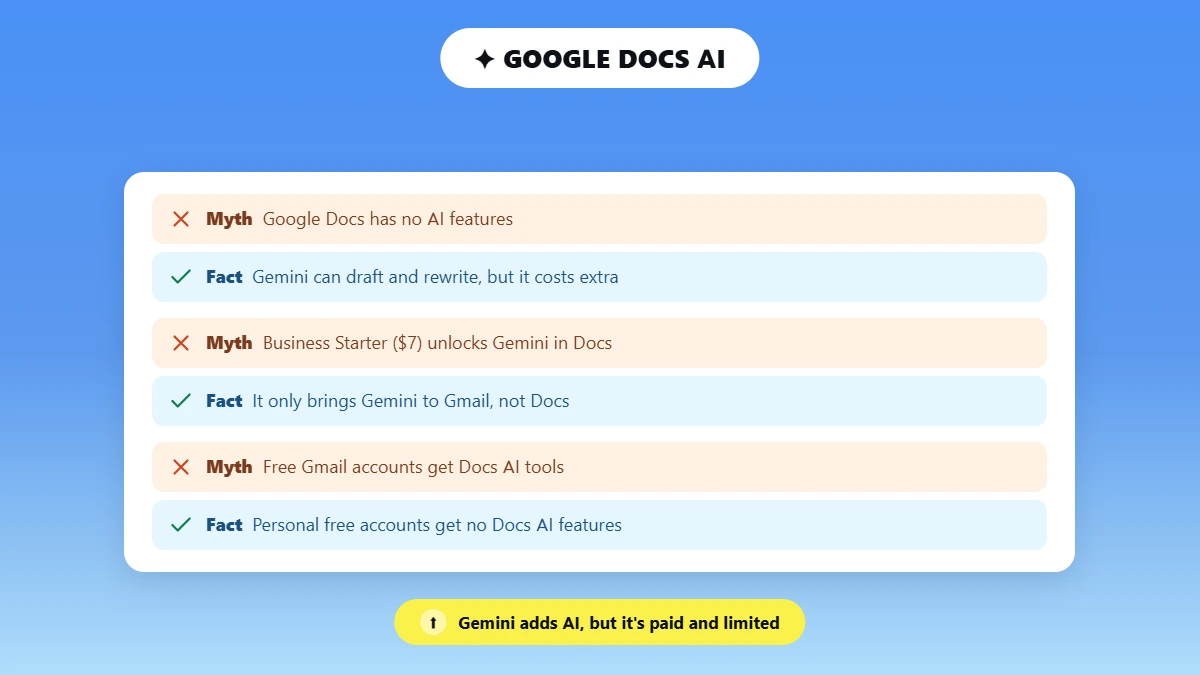
Yes! Google Docs is powered by AI through Gemini, including its "Help me write" tool, which can write, rewrite, shorten, expand, summarize text, and adjust its tone.
Google continues rolling out new capabilities regularly. See the latest Workspace feature updates for what's shipped most recently.
For the full rundown of what's available, see Google's own guide on how to write and edit with Gemini in Docs.
However, Gemini for Docs requires a user to be on an eligible paid plan. It also still lacks a built- in AI detector or a way to humanize text from AI and avoid false AI flags.
Google changes the specific product names frequently, so this may change by the time you read this.
At the time of this writing, Personal accounts require a Google AI Pro subscription ($19.99/month or part of Google One AI Premium plans) to enable Gemini within Docs.
Business customers require at least Google Workspace Business Standard ($ ~14/user/month).
Entry-level Business Starter ($ ~7) only brings Gemini to Gmail; it's not included in Docs, Sheets, or Slides.
Personal free Gmail accounts get no Google Docs AI writing features. Prices are accurate as of the time this post was published and are subject to change.
Please double-check pricing with Gemini and Google Workspace's official sites before you budget for it. No, the truthful answer isn’t “Google Docs doesn’t have any AI features.”
The truthful answer is that Gemini has help me write tools called draft and rewrite, but they don’t proofread your draft with AI, and they’re not free.
What Is an AI Document Editor?
AI document editor (sometimes found via document editor AI) is a word processor that has artificial intelligence built into the document itself, not in a separate sidebar add-on.
An AI document editor:
Writes and autocompletes text for you
Rewrites and summarizes text with one-click buttons
Proofreads the document with AI for human-friendly edits
Constructs citations automatically, right inside the same window
That last piece is what separates it from just being an AI word editor that simply rewrites sentences.
An AI document editor actually allows you to write, edit, and cite as one fluid process instead of three separate applications that you have to copy/paste through.
Some people search for the same idea as an AI document maker or an AI document writer. The tool itself is the same thing: software that drafts, edits, and cites for you inside one document.
Where Google Docs Still Wins (the Honest Case)?
Fair comparison must start with this: Google Docs became the default word processor for much of the world, and one single AI feature won't undo that overnight.
Why Docs Remains the Default?
Free, unlimited core editor with no AI paywall for basic writing, formatting, or sharing.
Easily collaborate in real-time with teammates using comments, suggested edits, and version history, all built on Google Drive and Workspace.
Mobile apps, browser-based offline access, and deep integrations across Gmail, Sheets, Slides, and Calendar.
Massive scale and ubiquity: Google Docs counts over 1 billion monthly active users. Google Workspace overall serves more than 3 billion users (2025 estimates). So almost every collaborator already has an account.
The honest takeaway: Use Google Docs for collaboration, but add an AI document editor to draft with AI. They each serve different purposes.
👊 Where an AI Document Editor Pulls Ahead?
This is the real gap the comparison table pointed to. Four concrete, provable items that Gemini and Google Docs are lacking.
Detects and humanizes AI-flagged writing before submission
Usable on a free plan (no paywall like Gemini)
Built-in citations in APA, MLA, and Chicago
AI lives in the writing surface, not a separate bolt-on panel
1. You Can Write with AI Without Getting Flagged
The real 2026 problem isn't drafting with AI; it's what you do after you hit send or publish. Google Docs and Gemini have no detector + no humanizer, leaving you in the dark.
An AI document editor scans your draft for AI, and humanizes AI text before you submit, right inside the tab you wrote in.
And the stakes are real and getting higher by the minute.
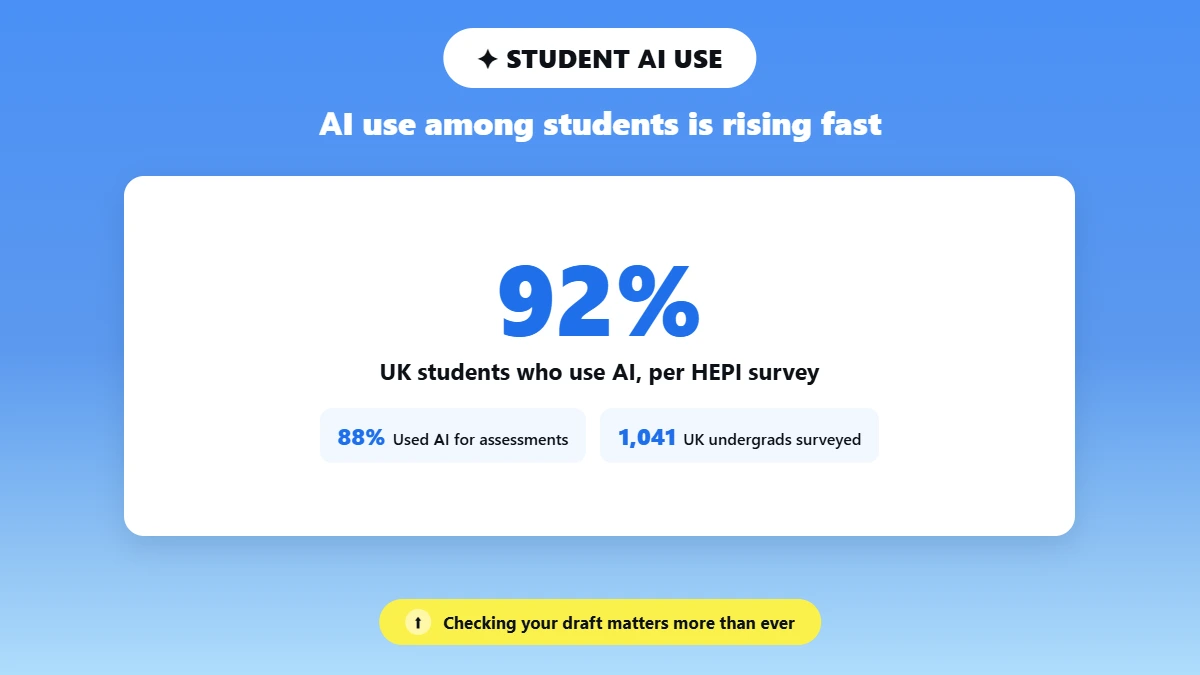
HEPI's latest Student Generative AI Survey, conducted by Savanta among 1,041 UK undergraduates, found that 92 % of students currently use some form of AI and 88 % have used generative AI for assessments, both significantly higher than last year.
AI-generated writing at that scale is precisely why editing and humanizing your draft before submission matters.
Though not all checkers perform equally, it's worth knowing which AI checkers actually work before you rely on one.
2. The AI Is Usable on a Free Plan
Gemini in Docs requires a paid Google AI or Workspace plan, as mentioned above.
Luckily, there is an alternative AI document editor free called Phrasly Docs that provides you with AI writing.
Phrasly gives you AI writing, an AI detector, and a humanizer on a free tier, with a paid plan available once you need unlimited usage.
So, to answer the question of whether there is a free alternative to Gemini in Docs.
Yes, there is. It's just not made by Google.
3. Citations Are Built In
Docs' citation tool is rudimentary: it places a source into your paper.
An AI document editor that finds you sources from millions of academic papers and websites and automatically formats them correctly into APA, MLA, or Chicago style saves real, repeatable time for students and researchers everywhere.
Plus, it eliminates a frequent cause of last-minute formatting mistakes.
4. AI Is in the Writing Surface, not a Bolt-On
What Lives in the Writing Surface?
Autocomplete on Tab, built-in AI commands like Detect AI and Summarize, and a brainstorming chat agent all live where you're already typing, instead of in a separate panel you have to switch into.
That’s the difference between an AI document editor vs. a normal word processor with an AI button added on top. The AI is part of the page, not a visitor to it.
If you want to try that experience yourself, Phrasly's AI writer is built the same way.
🎓 AI Document Editor Vs Google Docs for Students
For students, an AI document editor for students beats plain Google Docs when the essay has to read as your own work.
Use AI to draft, humanize your writing, run your AI-humanity check, and easily create citations prior to handing your paper in. Google Docs works great for collaboration and formatting, but won't check or humanize your writing.
Note: This is only how to check your own AI-edited work and prevent false positives from Turnitin, not how to beat academic integrity.
If you've ever wondered why Turnitin's AI detector mistakenly flags human work as AI, running your draft through a detector first is your safety net, not a workaround.
See whether Turnitin detects ChatGPT and the free AI checker built for students for more on how these checks actually work.
The Best AI Document Editor to Pair With (or replace) Google Docs
Phrasly Docs is the easy choice if you write with AI and want your writing to sound human and pass AI checks.
See our full Phrasly AI review for a deeper breakdown.
Phrasly Docs has AI writing (autocomplete on Tab, AI Commands, and an AI chat agent) built into an AI Detector and Humanizer.
Phrasly Docs features:
Citations in APA, MLA, and Chicago from millions of sources
Export to Word and PDF
Real-time collaboration
Offline sync
Support for 30+ languages
Dark mode
It also starts as free, whereas Gemini for Docs requires a paid plan.
If you want to weigh Phrasly against other options first, this roundup of best AI humanizer tools is a good place to start.
✅ Fair concession: If you need 100% team collaboration & deep Google Drive integration, Google Docs still has you covered.
Users will likely use Docs for collaborating and Phrasly Docs for the bulk of the AI drafting/reviewing.
❌That isn't a win or loss for either tool; they simply serve different purposes.
How to Use Both (or Switch from Google Docs)
Want the best of both: Create and polish drafts in the AI editor, then export your document to Word or PDF or copy and paste your perfected, plagiarism-checked draft into Google Docs for team collaboration.
Prefer to stay inside Docs to do your writing? Run each draft through some AI content humanization techniques before publishing.
Prefer to stay inside Docs to do your writing? Proof each draft with an AI proofreader/humanizer before publishing.
Want your actual typing to appear more human as you write? Check out something like the Human Auto Typer for Google Docs.
If you're evaluating the wider field of Docs replacements rather than just the AI layer, the 12 Best Google Docs Alternatives guide covers that ground in full.
Frequently Asked Questions
Does Google Docs have an AI detector?
No! Google Docs and Gemini can assist you with writing, but they don't have a built-in AI detector feature. If you want to scan a draft document for AI before submitting it, you'll need a separate program or an AI document editor with detection included.
Is Google Docs' AI (Gemini) free?
Not fully! Gemini's “help me write” tools for Google Docs need an active paid Google AI or Workspace plan.
There are free-tier AI document editors like Phrasly Docs that provide AI writing tools. Check Google's pricing pages for the latest details, as this can change.
Can Google Docs or Gemini writing be flagged as AI?
Yes! AI detectors penalize AI-written text no matter who wrote it. So, text composed with Gemini can still be flagged.
That's why the editor side matters, which can check and humanize the draft. See can AI detectors be wrong for false-positive risks specifically.
Is there a free AI document editor?
Yes, Phrasly Docs is a free-to-use AI document editor, which includes AI writing, a detector, humanizer, and citations.
There are no usage limits with paid plans.
What is the best AI document editor for students?
The ideal solution for students allows you to write with AI, proofread with AI, and humanize the text.
And generate citations so your final paper sounds like it's genuinely yours. Phrasly Docs does all four seamlessly in one editor, which Google Docs doesn't.
Can I use an AI document editor with Google Docs?
Yes, write and edit in the AI editor, then download to Word/PDF or copy/paste to Google Docs for collaboration. Lots of folks save Docs for collaboration and use an AI document editor to write.
The Bottom Line
✅Google Docs is how teams write together. An AI document editor is how you write with AI and polish it until it reads like a human. The two don't fully replace each other just yet, and that's fine.
✅ Use Docs for collaborating, and use an AI alternative to Google Docs like Phrasly Docs for the drafting, checking, and citing.
Try the Phrasly AI Document Editor free. See the difference the first time you humanize a draft instead of just hoping it passes.

Written by
Muhammad Usman Ali
Pakistan
Muhammad Usman Ali is an experienced SEO content writer with 3+ years of professional writing experience. He specializes in AI tools, AI detection technologies, and search engine optimized content.