How to Use AI to Edit a Document: Word, Docs & PDF (2026)
12 min read
To use AI to edit a document, open your file in an editor with AI built in: Google Docs with Gemini, Microsoft Word with Copilot, or an all-in-one AI editor. Highlight the text you want changed, give a plain instruction like “make this more concise,” then review each edit and export.
Open your document in a tool with AI editing built in.
Select the sentence, paragraph, or section you want changed.
Instruct it in plain words: shorten this, fix the grammar, make it formal.
Review every suggestion, then save or export the file.
Editing a long document by hand is slow. AI can rewrite a clumsy paragraph, tighten a wordy section, fix grammar, or turn a wall of text into bullets in seconds. You still decide what stays.
Every step below was checked against Google's and Microsoft's own support pages in August 2026.
This guide covers Google Docs, Word, ChatGPT and Claude, all-in-one editors, and PDFs, plus the two worries people bring:
Is my document safe to upload
Will the edited text read as machine-written
If you'd rather not bounce between a writing app, a grammar checker, and a detector, an AI document editor keeps all of it in one tab. Everything that follows stays tool-agnostic, so use whatever you already have.
💡 If you'd rather not bounce between a writing app, a grammar checker, and a detector, an AI document editor keeps all of it in one tab. Everything that follows stays tool-agnostic, so use whatever you already have.
What editing a document with AI actually means
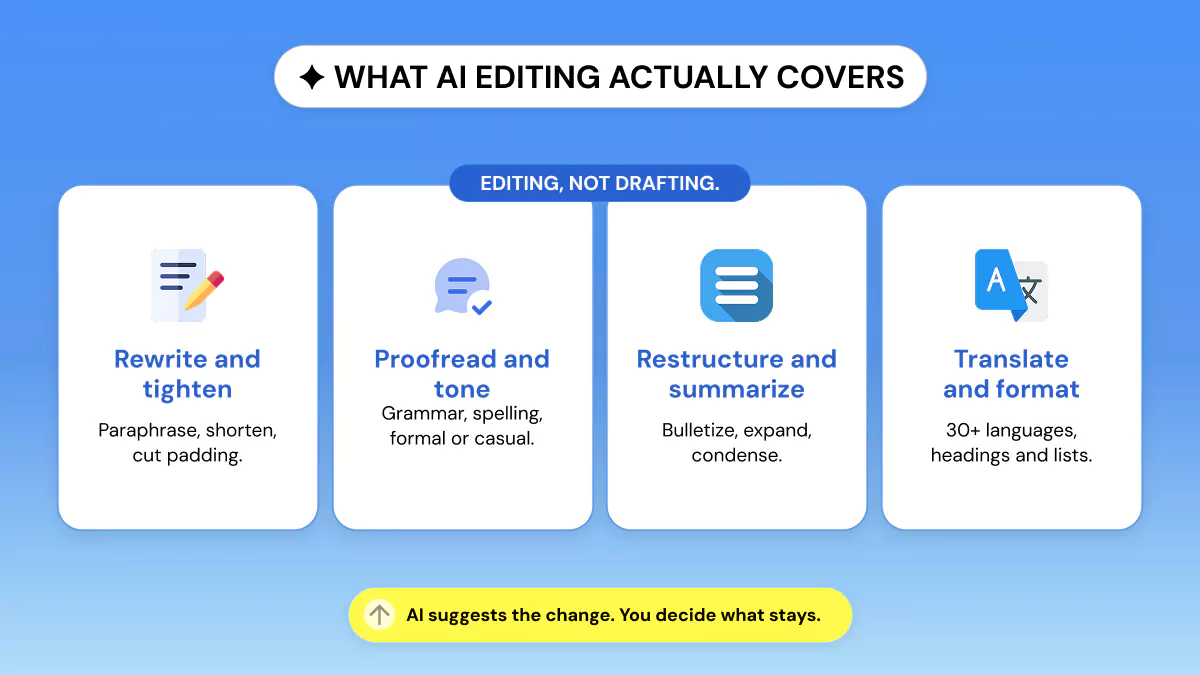
Editing a document with AI means refining text you already have: rewriting, tightening, proofreading, shifting tone, summarizing, expanding, restructuring, bulletizing, translating, and light formatting. Drafting from a blank page is a different job.
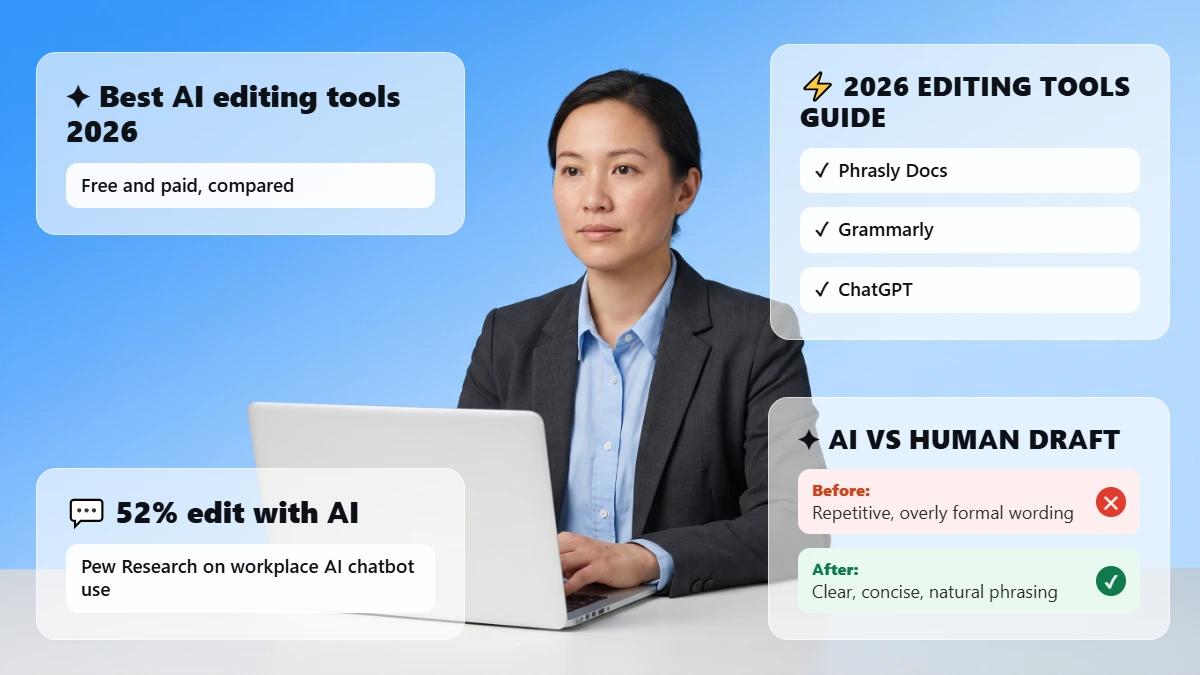
Editing is also what people reach for first. Among US workers who have used AI chatbots on the job, 52% used them to edit written content, per Pew Research Center's 2025 survey. Cleanup outranks blank-page work in real use.
One quick clarification: if you came here hoping to edit an Adobe Illustrator .ai vector file, that's a different kind of file. This guide covers text documents in Word, Google Docs, PDF, and plain text.
How to use AI to edit a document in Google Docs (Gemini)
In Google Docs, select your text, click Refine on the floating toolbar and pick an action, or open the Gemini panel and type an instruction.
Open the document and click Ask Gemini at the top right.
Select text, then use the Refine bar for quick actions: Rephrase, Shorten, Elaborate, Bulletize, Summarize, or a tone change to More formal or More casual.
Or type a prompt in the panel, such as “Make the introduction more concise and professional.” Gemini can pull context from your Drive, Gmail, and Chat files.
Review the suggestions inline, then click Accept suggestion, Accept all, or Reject all.
One caveat before you go looking for the button: Gemini editing in Docs needs a paid Google plan, so it isn't part of a standard free Google account.
Google's Write & edit with Gemini in Docs page lists the eligible Workspace and AI subscriptions, and our roundup of Google Docs alternatives covers editors that ship with AI built in.
How to use AI to edit a Word document
Word gives you two routes: Microsoft 365 Copilot for full rewrites, and the built-in Editor for grammar and clarity with no extra license.
Open the Copilot pane in Word and ask it to rewrite a passage, adjust tone, summarize, or shorten. Microsoft's Copilot in Word page says it needs an eligible Microsoft 365 subscription or a Copilot license, and can draw on your files and emails.
Word's built-in Editor skips Copilot entirely: basic spelling and grammar checks come with Word, and Microsoft says clarity, conciseness, formality, and vocabulary suggestions need a Microsoft 365 subscription.
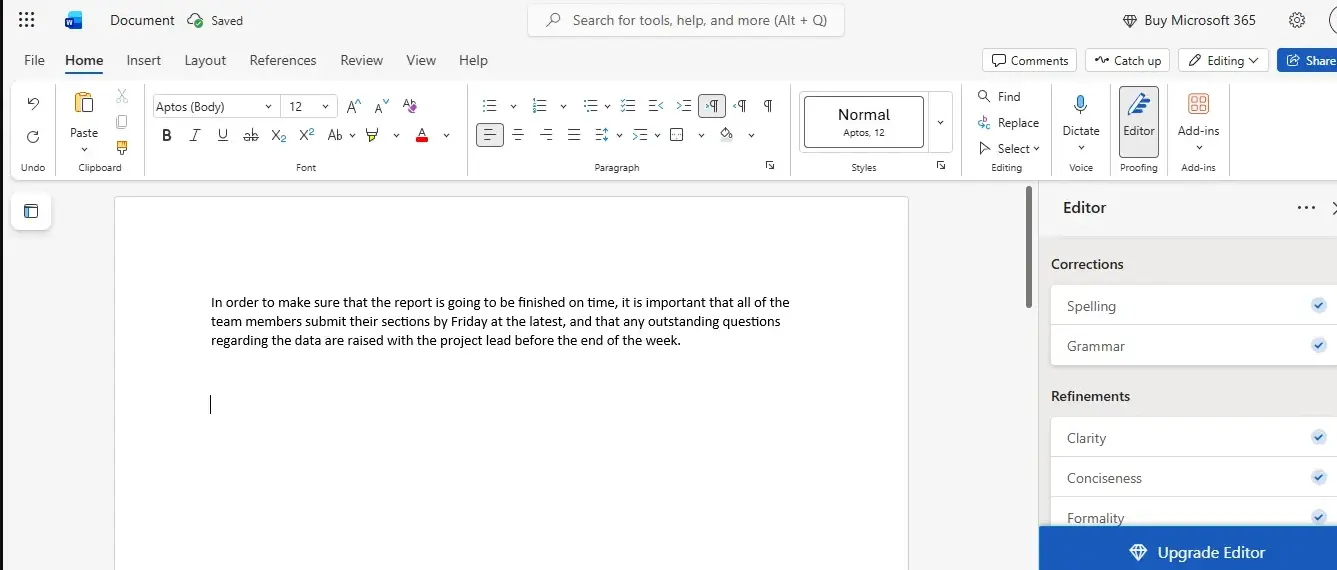
💡 Accept edits one at a time on anything that matters. Accept all is faster, and it's how a changed number or a dropped citation slips through.
When to use a dedicated AI Word document editor
An AI Word document editor is worth it when your third route is to edit elsewhere and paste the text back. That round trip is where formatting breaks, since pasted text loses heading styles, list levels, and spacing. An editor that exports straight to .docx skips the repair.
How to edit a document with ChatGPT or Claude
Upload the file or paste the text, give one specific instruction, then copy the result back into your document.
Upload your PDF or Word file, or paste the text into the chat.
Give a clear instruction: “Tighten this to 300 words, keep the meaning, fix grammar, don't change the citations.”
Copy the revised text into your document, then check the formatting.
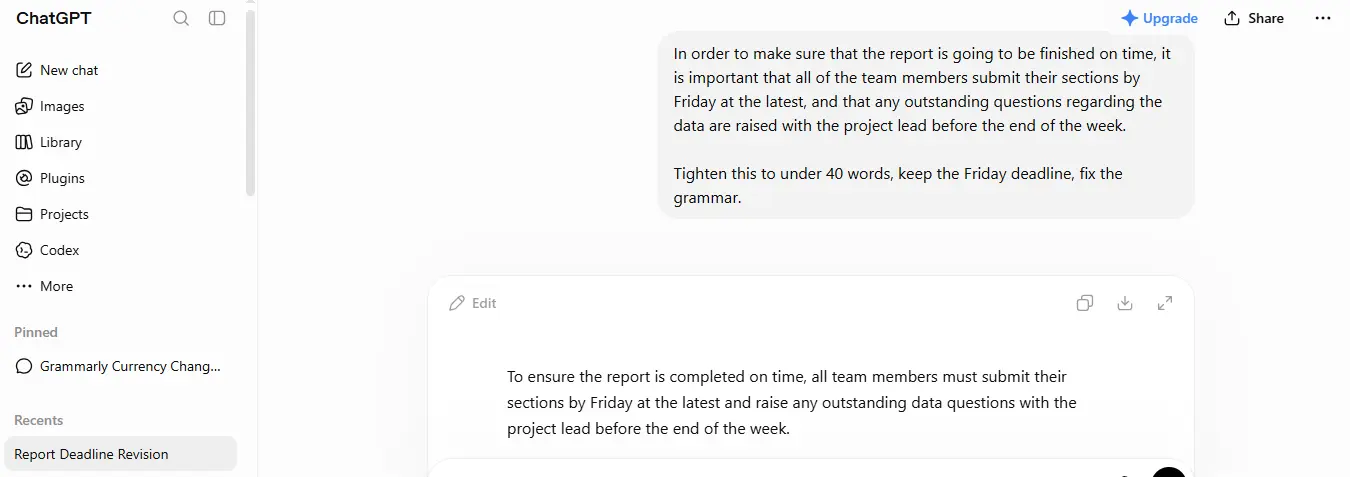
Here's the catch that trips people up: chat assistants analyze and suggest, and in the standard chat interface they usually can't write back into your file. You move the edits over yourself, and formatting and citations drift. Newer agentic tools do edit files directly, so check your plan.
How to use an all-in-one AI document editor
An all-in-one AI document editor keeps writing, editing, citing, and checking in one workspace instead of three tools. US Census Bureau data from late 2025 found writing, document analysis, and information search are the leading generative AI uses at work, so those jobs land on one file anyway.
Honest options
Search document editor AI and most of what comes back is product pages, so here are four AI powered document editors and the job each does best.
🧩 Phrasly Docs, best for editing AI-assisted drafts that must read as human.
✍️ type.ai, best for long-form and creative writing, since it handles book-length documents.
⚡ HyperWrite, best for quick AI rewrites inside a lightweight editor.
🎓 Wordvice AI, best for academic proofreading with formatting kept intact.
All four run online in the browser, where a free AI document editor usually means a limited tier rather than unlimited use. Most need an account before you can save, so a tool sold as no signup is often a one-off text box.
Phrasly Docs: edit, cite, and check in one editor
Phrasly Docs combines AI writing and editing with an AI detector and humanizer in the same window.
All this along with an AI chat agent, AI commands, autocomplete, and automatic citations in APA, MLA, and Chicago.
You also get an outline builder, a table of contents, over 30 languages, autosave with offline sync, and live collaboration, with one-click export to Word or PDF.
How to use the Phrasly Doc editor
Four steps take a document from prompt to exported file.
Start with a prompt or a blank document. Tell Phrasly what you're writing, then pick No Outline, Standard Headings, or Creative Headings. Already have a draft? Paste it straight into the editor.
Write and edit with AI. Press Tab to autocomplete your next line. Use AI Commands or the Chat Agent to rewrite, summarize, or refine any passage without leaving the page.
Humanize and review. Run robotic passages through the Humanizer, then check the revised text with the built-in AI Detector. Review the score and the highlighted sentences, and edit until it reads right.
Add citations and export. Find academic and web sources, insert citations in your required style, then export the finished document as Word or PDF.
The detector panel also shows how five third-party checkers rated the same passage, including Turnitin, Originality.ai, and GPTZero.
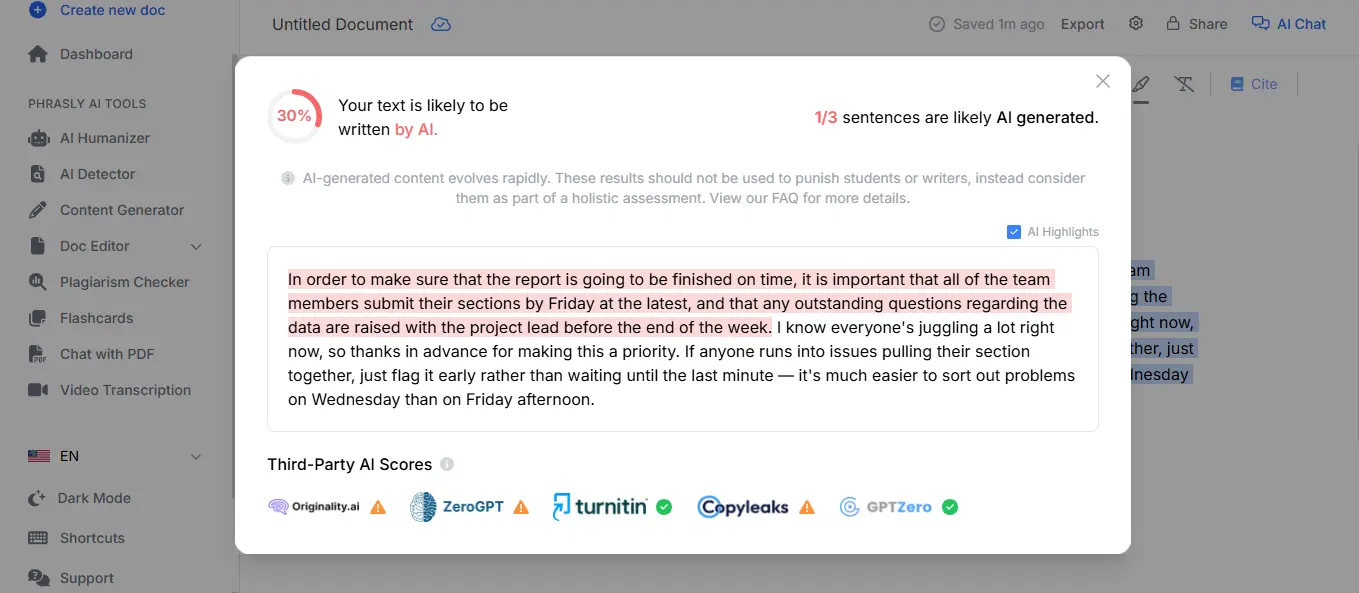
Where a simpler tool wins: a one-off grammar pass is a job for Word's built-in Editor. Phrasly Docs earns its place on AI-assisted drafts that must read naturally, and drafting from scratch runs through the AI writer.
Phrasly Docs keeps write, edit, cite, and check in a single window. Start a document and edit as you write.
How to edit a PDF with AI
PDFs need one extra step: turn the locked text into editable text first, then edit it like any other document.
🔍 Run OCR. Optical character recognition reads the characters in a scanned PDF and turns them into text you can select and edit.
✏️ Rewrite the text. Once the words are selectable, an AI editor can reword passages, then export back to PDF when you're done.
💬 Or analyze and apply. Upload the PDF to ChatGPT or Claude, ask which sections read unclearly, then apply the fixes in your own editor, since chat tools usually can't write back into the PDF.
📄 Read the OCR output before you edit. Scanned tables and multi-column layouts often come out scrambled, and an AI rewrite preserves the scramble.
Dedicated PDF tools such as Smallpdf and Lumin PDF handle in-place text edits and form fields. Use those when the layout is the problem, a writing editor when the words are.
Which AI method should you use?
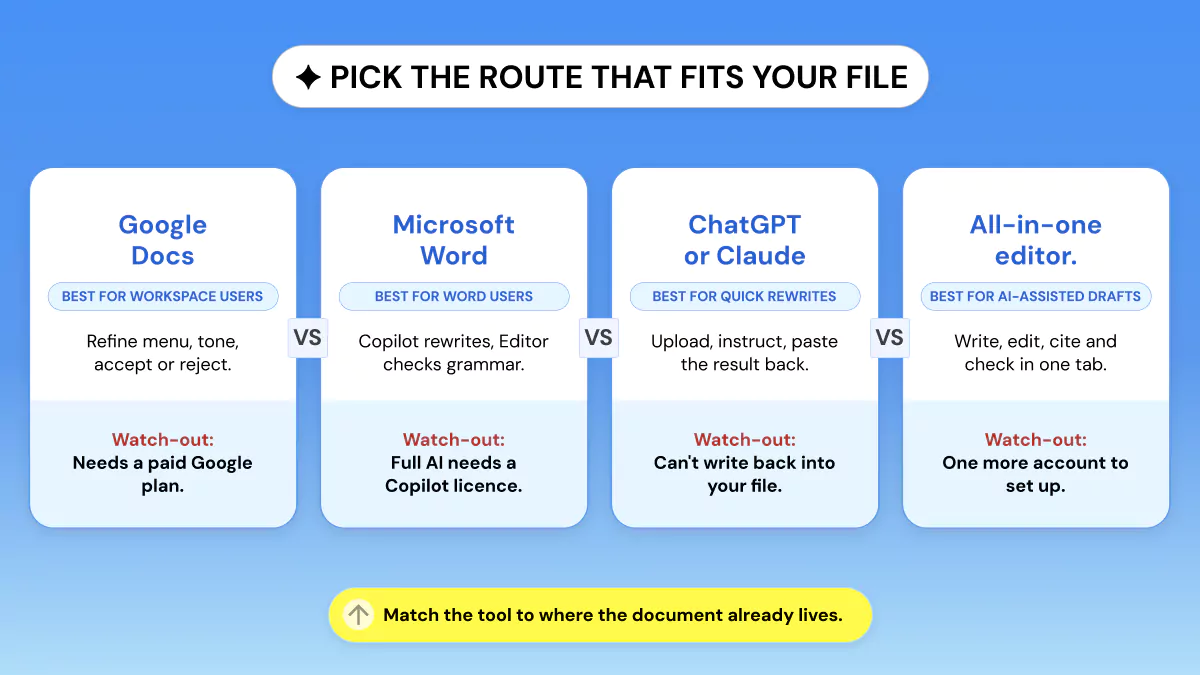
Pick the method that matches where your document already lives, then read the watch-outs column.
Method | Best for | Key edit features | Free option? | Watch-outs |
✍️ Google Docs (Gemini) | People already in Google Workspace | Rephrase, Shorten, Bulletize, tone, accept/reject | No, needs a paid Google plan | AI features sit behind a paid tier |
📘 Word (Copilot or Editor) | Word users and offline-ish drafting | Copilot rewrite and summarize; Editor grammar and clarity | Editor yes; Copilot no | Full AI rewriting needs a Copilot license |
💬 ChatGPT or Claude | Ad-hoc rewrites and feedback | Upload or paste, rewrite, tighten, critique | Free tiers exist | Usually can't write back to your file |
🧩 All-in-one editor (Phrasly Docs) | Editing AI-assisted drafts end to end | Write, edit, cite, detect, humanize, export | Free to start with an account | One more account to set up |
📄 AI PDF editors (Smallpdf, Lumin PDF) | Locked or scanned PDF files | OCR, in-place text edits, form detection | Limited free use | Better for layout than deep rewriting |
Plan and access details reflect providers' live pages as of August 2026 and can change. Check before you buy.
Is it safe to upload your document to an AI editor?
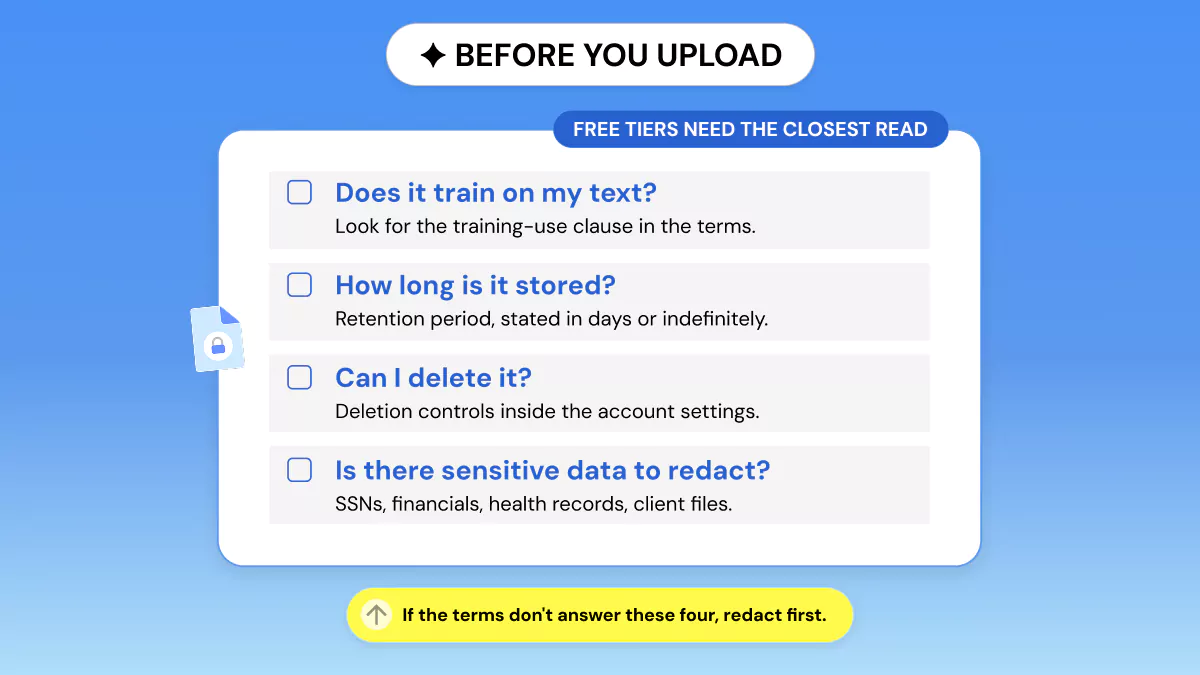
It's safe when the tool tells you what happens to your upload, and risky when it doesn't. Read three things in the terms first: whether it trains on your text, how long it stores it, and whether you can delete it.
Free tools deserve the closest reading, since a free tier is often funded by the data it collects, which makes the training-use clause the line that matters most.
This isn't a hypothetical risk. In the University of Melbourne and KPMG 2025 study of AI at work, 44% of US employees who use AI said they had used it in ways that break their organization's policies. The global report describes staff uploading financial and customer information to public AI tools.
🔒 A quick test: if you wouldn't email the document to a stranger, don't paste it into a free AI tool before reading its terms.
Redact sensitive personal data (Social Security numbers, financials, health records, client files) before you upload, or use a zero-retention option. As of August 2026, enterprise tiers and API access generally exclude your data from training, while consumer free tiers vary.
The FTC has warned AI companies that quietly changing privacy commitments to train on customer data can be unfair or deceptive. NIST's voluntary AI Risk Management Framework is what most organizations use to write their upload rules.
Will AI-edited text get flagged as AI-written?
Sometimes. Light edits rarely move a detector's score. Heavy AI rewriting can, since it flattens sentence rhythm into the uniform patterns detectors are trained to spot.
A 2026 study in the International Journal for Educational Integrity measured that on hybrid papers, where AI passages sat inside human writing: GPTZero flagged 0% and Turnitin flagged 60%. The same study found false positives on fully human text were rare, so a clean human draft is unlikely to be wrongly accused.
Phrasly's analysis of 50 AI-flagged samples found the same tells repeat: recycled words like landscape, seamless, and foster, plus the “not just X, but also Y” sentence shape. The full list sits in our report on 15 common AI phrases.
💡 A detector score is a signal, not proof. Use it to find passages worth rereading, and follow your school's or employer's disclosure policy.
If your work will be checked by Turnitin, GPTZero, or an internal policy, run the edited text through an AI detector first, then rework the passages that read as machine-generated. A humanizer helps you rewrite a flagged paragraph in your own voice.
An originality check is a separate scan. The Phrasly plagiarism checker compares your text against published sources, and doesn't test for AI.
Phrasly's AI document editor puts the detector and the humanizer in the same window as your draft. You can check a passage, then refine what reads as machine-written.
Use it to make AI-assisted drafts sound like you, within your institution's policy.
Tips to get better edits from AI
The instruction you write does most of the work. Five habits raise the quality of what comes back.
Be specific. Name the goal, length, tone, and what to leave alone: “keep every citation and all numbers exactly as written.”
Edit in sections. A paragraph at a time makes voice shifts easy to catch.
Protect the facts. Tell it to preserve meaning, then check names, dates, and figures yourself.
Keep your formatting. Ask it to preserve headings and lists, or export to your target format.
Read the result out loud. Keep the edits that sound like you and reject the rest.
The payoff is real and modest: St. Louis Fed researchers found US workers using generative AI reported saving 5.4% of their work hours, roughly 2.2 hours a week on a 40-hour schedule.
On a phone, Copilot works inside the Word apps for iPhone, iPad, and Android, and the ChatGPT and Claude apps handle paste-and-rewrite. Google lists Gemini editing in Docs as desktop only, so that route waits for a laptop.
For drafts that came out of a chatbot in the first place, our guide to tools that clean up AI-generated text goes deeper.
Curious how your edited draft reads to a detector? Check a passage right here 👇
Pick the route your document already lives in
Gemini handles Google Docs, Copilot or the built-in Editor handles Word, OCR plus a rewrite handles PDFs, and an all-in-one editor covers the chain when you want fewer tabs. Review every change, keep sensitive files out of tools whose terms you haven't read, and check anything that gets scanned.
Frequently asked questions
Can AI edit my document for me?
Yes. AI can rewrite, shorten, proofread, restructure, and summarize text you already have. It works as assisted editing: the AI suggests, and you accept, reject, or refine each change.
What's the best free AI to edit documents?
Word's built-in Editor covers free grammar and spelling checks, and free tiers of ChatGPT and Claude handle rewrites. Phrasly Docs is free to start once you create an account, and our roundup of Docs alternatives with AI built in covers more options.
Can ChatGPT edit a Word document directly?
No. ChatGPT can read an uploaded Word file and suggest edits, and in the standard chat interface it usually can't write changes back into the file. You copy the text over, then fix the formatting.
How do I use AI to edit a document without changing the meaning?
Tell the AI to preserve the meaning and keep all facts, names, numbers, and citations unchanged. Edit in small sections, then reread and fact-check every figure.
How do I edit a PDF with AI?
Run OCR to make a scanned PDF editable, then use an AI tool to reword the text and export back to PDF. Chat assistants can suggest fixes, and usually can't edit the file in place.
Is it safe to upload documents to an AI editor?
Check the terms first. Look for whether the tool trains on your uploads, how long it stores them, and whether you can delete them. Redact sensitive data, and use zero-retention options for confidential files.
Will AI editing get my essay flagged as AI-written?
Sometimes. Light edits rarely do, and heavy rewriting can. If your work will be checked, run it through Phrasly's AI detector first, then rewrite the machine-sounding passages in your own voice.
How do I edit an Adobe Illustrator (.ai) file?
Open it in Adobe Illustrator (the native app) or a free alternative like Inkscape or Affinity Designer, then use the type or selection tools to edit text, paths, and colors.

Written by
Alina Shah
SEO Content Specialist · Karachi, Pakistan
She writes about AI so you don't have to guess. 8+ years in content strategy and editing. Now she puts AI writing tools and detection systems through real tests and shares what actually works.