
Can NoRedink Detect AI? Here's What Teachers and Students Should Know
NoRedink doesn't detect AI. It only tracks copy-paste behavior through Originality Insights. Learn the key difference between paste detection and true AI detection, and what it means for students and teachers.
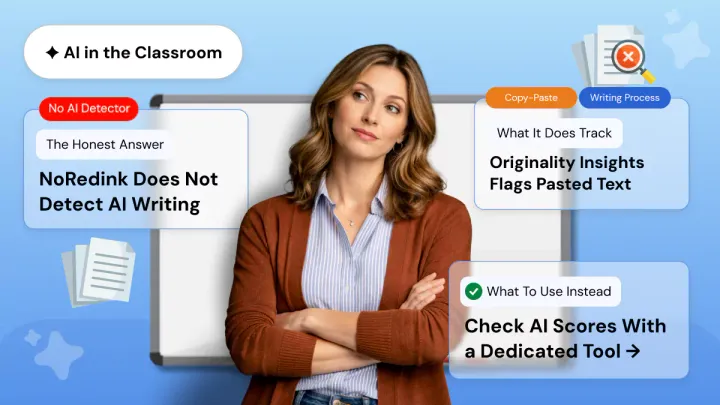
Can NoRedink detect AI? No! But that doesn't mean it can't flag your work. Before you assume you're in the clear, there's an important distinction every student and teacher needs to understand about how NoRedink actually monitors submissions.
AI writing tools are now so prevalent in students’ lives that learners and educators alike are frantically googling what their school LMS can and cannot detect. NoRedink is not an AI detector.
However, NoRedink does flag certain types of behavior, so it’s important to know exactly what that means whether you’re a student or teacher.
Does NoRedink Have an AI Detector?
No! Currently, NoRedink does not feature an AI detection tool. It does not scan content for AI telltale signs as Turnitin, GPTZero, or Copyleaks might.
NoRedink doesn't provide an AI probability score, language model fingerprinting, or database comparing against corpora of AI written text. What NoRedink actually has is something called Originality Insights and this is where much of the confusion stems from.
Originality Insights tracks how text is entered into the editor. Whether it was typed out incrementally or whether entire passages were copied and pasted. Originality Insights is a tool for tracking copy/paste, not an AI content detector.
They are very different tools, and misunderstanding the distinction leads to misconceptions. If someone copied text from ChatGPT and then pasted it into NoRedink's editor character by character Originality Insights would not detect it.
Originality Insights can't tell if text was written by AI. It can only detect how the text was placed in the editor.
What Is NoRedink Originality Insights?
Originality Insights is a writing process monitoring tool that keeps track of what percentage of your text was pasted into the editor versus typed.
If a student opens an assignment and pastes a chunk of writing instead of gradually composing it, Originality Insights will capture a high paste percentage and flag that information for the teacher in a report.
Timestamps are also recorded such as when the student opened the assignment, when they typed, and how the draft progressed. It was built to alert you when students copy content from elsewhere and paste it into their answer.
If a student copies ChatGPT, reads what it says, and types something similar into the editor, Originality Insights won't be triggered.
What Can NoRedink Actually Flag?
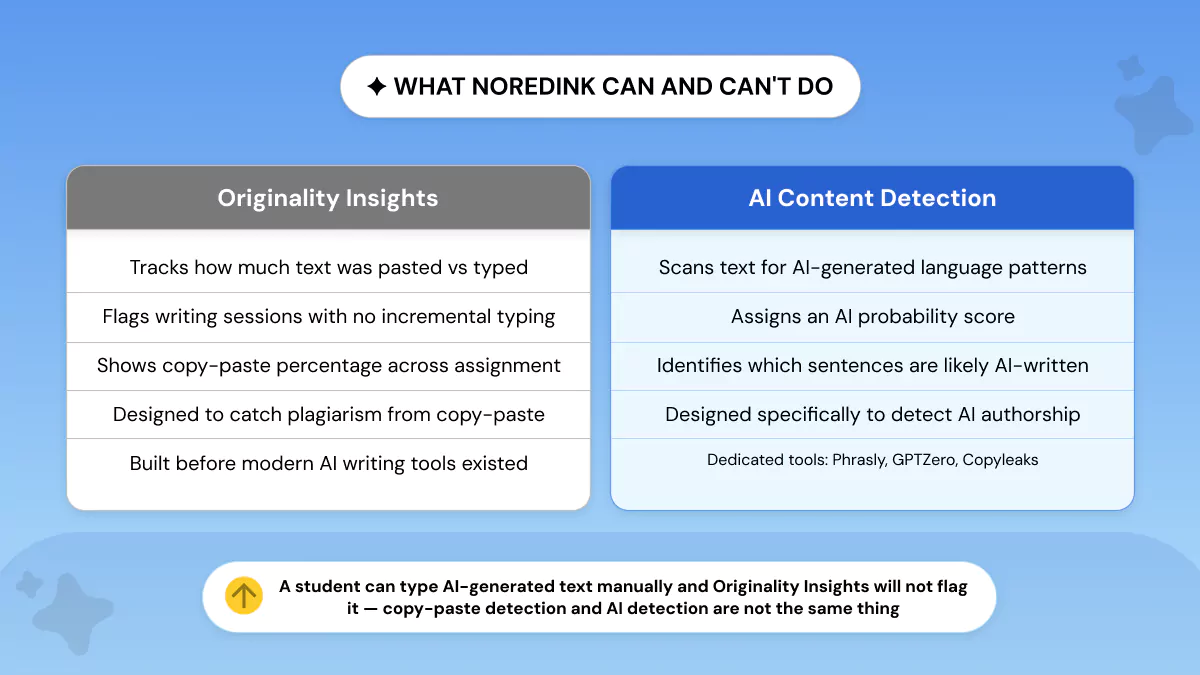
This question is worth answering precisely. Is it possible to detect AI in papers? Yes! But not via NoRedink. Here’s what NoRedink’s Originality Insights can and can’t detect.
Copy-Paste Detection
These are some of the things Originality Insights will catch:
- Large blocks of text dropped into the editor at one time
- Text that appears suddenly in the document without keystrokes leading up to it
- Submissions where the writing session indicates the document was opened and then not touched until submission. Pasting and submitting frequently leave this trace
- Extremely high paste percentages relative to the total word count
This catches a specific form of academic dishonesty such as copying and pasting from websites, other documents, or external sources.
For a broader picture of how institutions are catching AI-assisted work beyond copy-paste, see how schools detect ChatGPT across different platforms.
What It Misses?
Originality Insights will not detect:
● Text copied from ChatGPT (or elsewhere) and typed manually into the editor
● AI-generated text that was lightly edited elsewhere, then copied and pasted
● AI-generated text that has been run through a paraphrasing tool before being copied and pasted
● Any AI-generated text that a student rewrote from memory or by hand
Originality Insights was designed before modern AI writing tools existed. According to NoRedink's own Grading Assistant documentation, the platform's AI features are focused on grading assistance not AI content detection.
This is confirmed in NoRedink's official Originality Insights documentation, which makes no mention of AI content detection capabilities.
The platform has not been rebuilt as an AI detector, and its documentation does not claim otherwise.
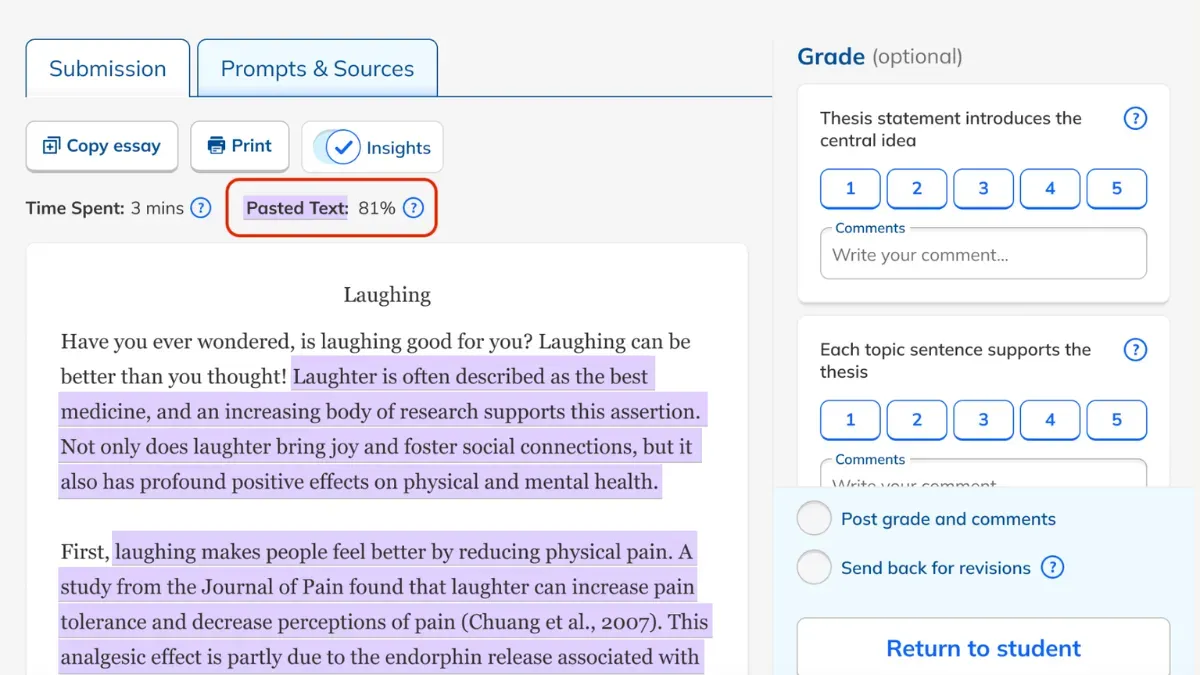
Can NoRedink Detect AI?
NoRedink detects copy-paste plagiarism. It does not detect whether your writing was AI-generated. To check your true AI likelihood score before submission, you'll need a specialized tool. Use Phrasly to Check Before You Submit.
NoRedink tracks copy-paste not AI content. Check your actual AI score with Phrasly in seconds.
How Do Teachers Use NoRedink to Spot AI Use?
In education, teachers shouldn't use NoRedink as a standalone AI detector and understanding how the platform is actually used in context matters for teachers and students alike.
A high paste percentage in Originality Insights is a signal for further investigation, not pass judgment. If a teacher sees an essay report where 90% of the text was pasted rather than typed, they’ll certainly want to ask some questions.
But that flag alone isn’t evidence of AI, plagiarism, or cheating.
What Teachers Should Use Alongside NoRedink?
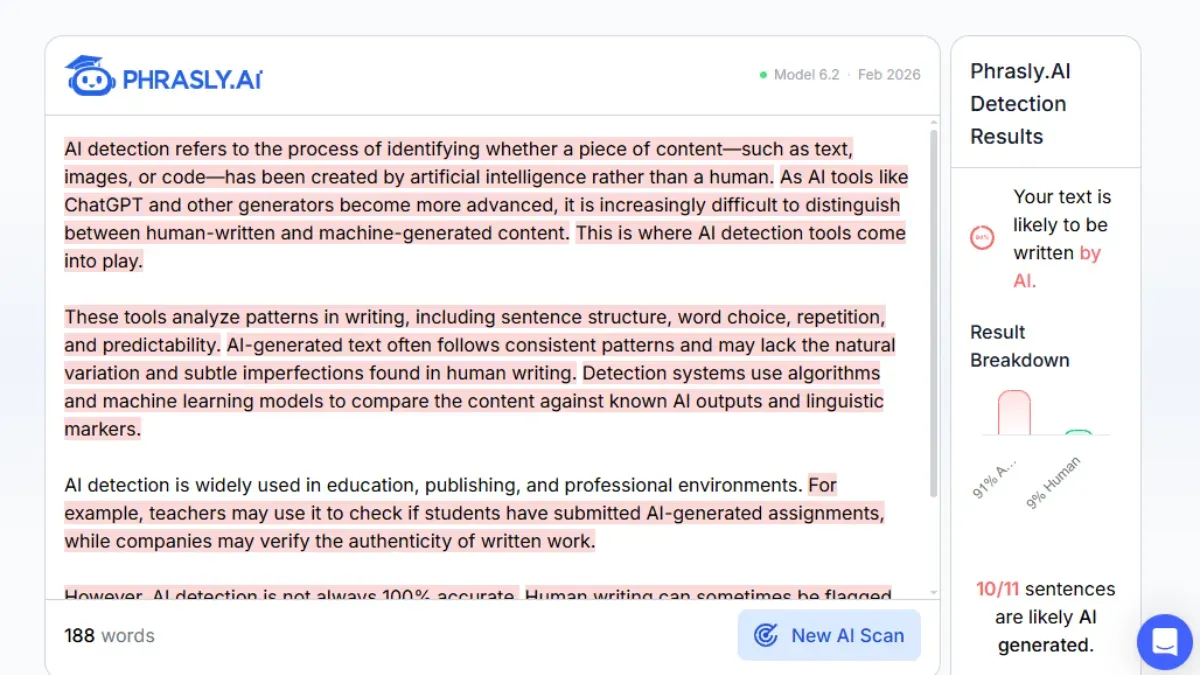
Dedicated detectors such as Phrasly's AI Detector provide a true AI probability score based on the linguistic features of the submitted text. That is what NoRedink does not do. Use both to get a clearer picture.
Originality Insights can tell you how the work was submitted, while a dedicated detector can analyze what the text itself indicates about its origin. Not all dedicated detectors perform equally, though.
It's worth understanding Copyleaks accuracy before deciding which tool to rely on alongside NoRedink.
If you're wondering how other platforms handle this, you can read more about Turnitin AI Detection to see how a purpose-built detection system works differently from NoRedink's copy-paste monitoring.
NoRedink does not natively include an AI detector. Tools such as Phrasly AI Detector analyze text outside of the platform. The student or teacher pastes/upload the submitted text and gets a score separately.
There are also add-ons in the Google Workspace Marketplace that integrate into Google Docs for Google Workspace users. These are separate third-party tools, not built into Classroom natively.
What Should Students Do If NoRedink Flags Their Work?
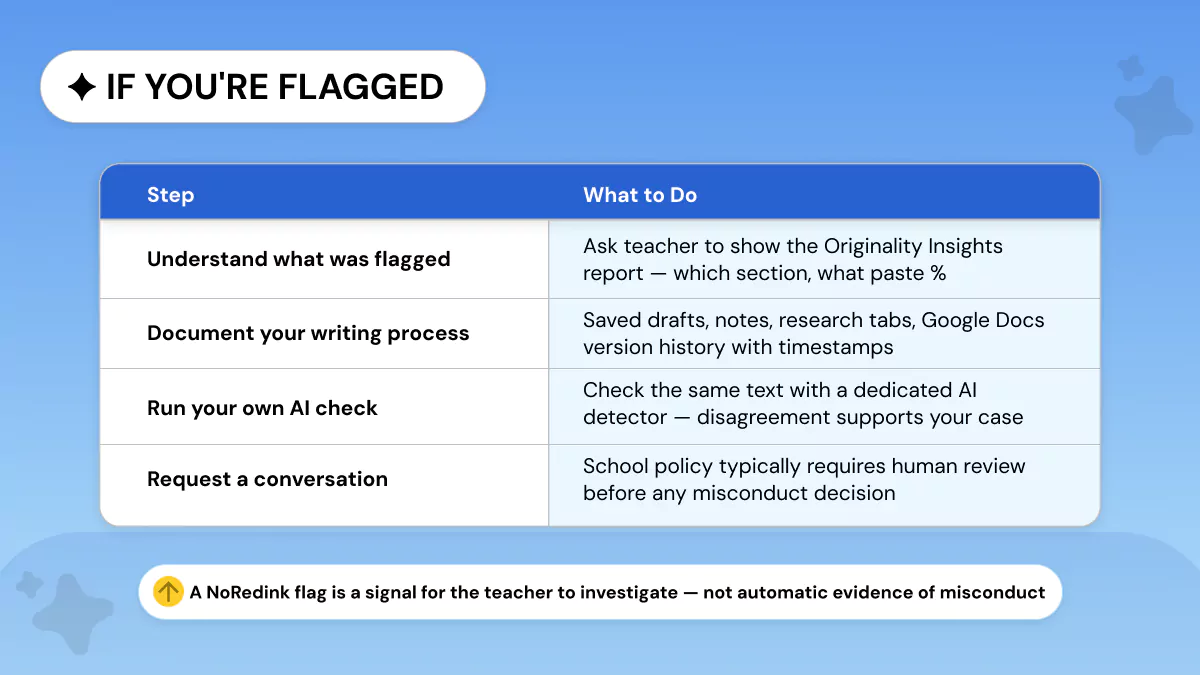
If NoRedink flags your writing, that flag is not an accusation of misconduct. It's a request for your teacher to investigate further. NoRedink's Originality Insights generates a data report.
Your teacher will make the human judgment. If that happens to you, here's what you should do.
Step 1: Know exactly what was flagged. Ask your instructor to show you the Originality Insights report. How much of your text was flagged as pasted? What sections?
You need to know these things first before you can effectively address anything.
Step 2: Keep track of your writing process. Compile any materials that provide context as to how the work devolved such as past drafts you saved, outlines, notes you made, web history of your research, timestamps within any documents you edited.
Evidence of your writing process is the strongest defense against a copy/paste flag.
Step 3: Check yourself. Run text you’ve submitted through Phrasly’s AI Detector to see your own AI probability score.
If Phrasly yields a low AI probability for writing NoRedink detected as pasted say you copied and pasted from your own previous draft notes.
You can use that data as part of your explanation.
Step 4: Request for a meeting with your instructor. Policies at most schools and universities mandate an in-person meeting and human review prior to escalating a finding of academic misconduct.
A flag from Originality Insights is not automatically a disciplinary action. Go into your meeting prepared with your documentation, remain calm, and trust the process.
FAQs
Can NoRedink detect AI?
No! NoRedink has no built-in AI detector. Originality Insights tracks copy-paste actions. It doesn't score text for AI patterns or provide probability of AI.
Does NoRedink have AI detectors?
NoRedink does not have an AI detector. The platform's Originality Insights feature monitors how text enters the editor typed versus pasted. This is copy-paste detection, not AI content detection.
What does NoRedink Originality Insights detect?
Originality Insights detects how much content was copied and pasted into the writing editor versus typed. Originality also logs timestamps for writing sessions and drafting behavior.
Is 20% AI detection bad?
The severity of a 20% AI score depends heavily on what tool you're using and your context. Most standalone AI detection tools consider scores under 20–25% to be low-risk.
Scores over 40–50% will generally raise flags for further inspection. Keep in mind that threshold recommendations will vary by institution. Refer to your school's academic integrity policy to see if they give further guidance.
What is the 30% rule for AI?
The "30% rule" for AI use means AI should perform 30% of the work (generally rote/repetitive or first-draft tasks) and humans should perform the other 70% that requires discretion/contextualization/oversight.
Can NoRedink detect copy and paste?
Yes! It identifies text that was pasted into the editor all at once versus typed out slowly. Teachers also get a paste percentage breakdown for each submitted assignment.
What AI detector should teachers use alongside NoRedink?
For actual AI content detection, teachers need a dedicated tool. This free AI detector for teachers produces an AI probability score in seconds. Paste or upload student text and get results without a signup.
You can also review AI detection false positives to understand how to interpret scores accurately before acting on them.
NoRedink does not detect AI. It detects copy/paste & tracks writing process. Those are valuable signals, but they're not AI detection. Equating them is misleading, unfair to students, and unhelpful to teachers.
Detecting real AI-written content requires a specialized tool. Get your AI Probability score with Phrasly AI Detector in seconds.


Keep reading

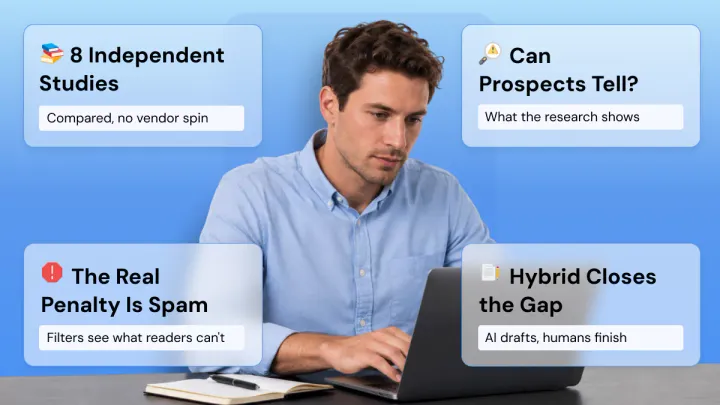
AI vs Human Cold Email Reply Rates: What 150M+ Emails Across 8 Studies Actually Show (2026)
AI cold emails get 1% fewer replies but 3x more spam flags. We compared 8 studies covering 150M+ emails, including peer-reviewed research, to show what actually works in 2026 and the fix that closes the gap.
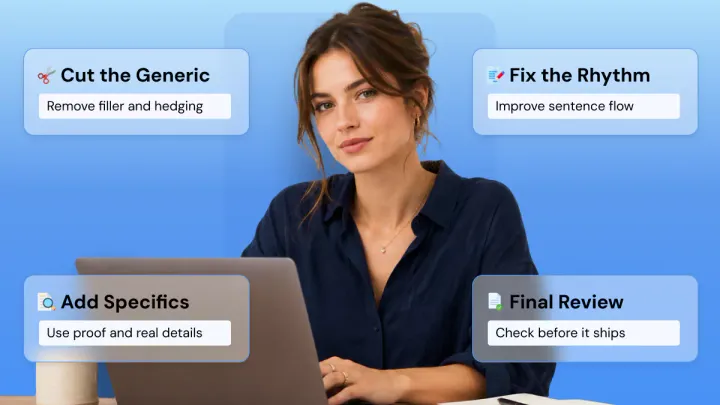
The Self-Editing Workflow That Makes Writing Read Human
A 5-pass self-editing checklist for copywriters: fix structure, cut generic filler, add proof and voice, improve rhythm, and verify facts before your copy ships.