
10 Best AI Prompt Generators in 2026 (Free and Paid)
The best AI prompt generators in 2026 do the hard work of prompt engineering for you. Here's how 10 top free and paid tools actually compare.

Better prompts get better results, but writing them from scratch every time is a hassle. The good news is there are tools that do it for you. You describe what you need, and they build a clear, structured prompt in seconds.
This guide covers the 10 best AI prompt generators in 2026, from free AI prompt generator options with no signup required to paid tools built for teams.
If you are using newer models like GPT-5.4, Gemini 3.1, or Claude Opus 4.6, there is a dedicated section for that as well. No prompt engineering knowledge needed. Just pick the tool that fits how you work.
Use the Free AI Prompt Generator 👇
Prompt Generator vs Prompt Optimizer: What’s the Difference?
Many people use these terms interchangeably, but a prompt generator and a prompt optimizer serve different purposes in AI workflows.
A generator fills in what you instinctively skip: the role, the tone, the format, the context. The result is a prompt that gives the AI enough direction to actually deliver what you had in mind.
These tools are best when you are starting with only an idea or need help structuring instructions.
It identifies weak spots, vague language, missing constraints, unclear output expectations, and tightens them.
This is especially valuable with newer reasoning models like Claude Sonnet 4.6 or GPT-5.4 Thinking, where a sharper prompt directly translates to sharper, more reliable results.
Here is the simplest way to understand it:
- Prompt Generator = Creation → builds prompts from zero
- Prompt Optimizer = Improvement → upgrades existing prompts
This distinction matters because modern prompt engineering depends on clear inputs to guide AI models effectively. Better prompt structure often leads to stronger reasoning, clearer formatting, and more reliable results across large language models.
When to use each:
- Use a prompt generator when brainstorming ideas, writing content, or starting a new task.
- Use a prompt optimizer when AI responses feel vague, inconsistent, or incomplete.
Many advanced users combine both approaches.
They generate an initial prompt first, then optimize it to get higher quality outputs from advanced models like GPT-5.4 Thinking or Claude Sonnet 4.6.
What to Look for in the Best AI Prompt Generator
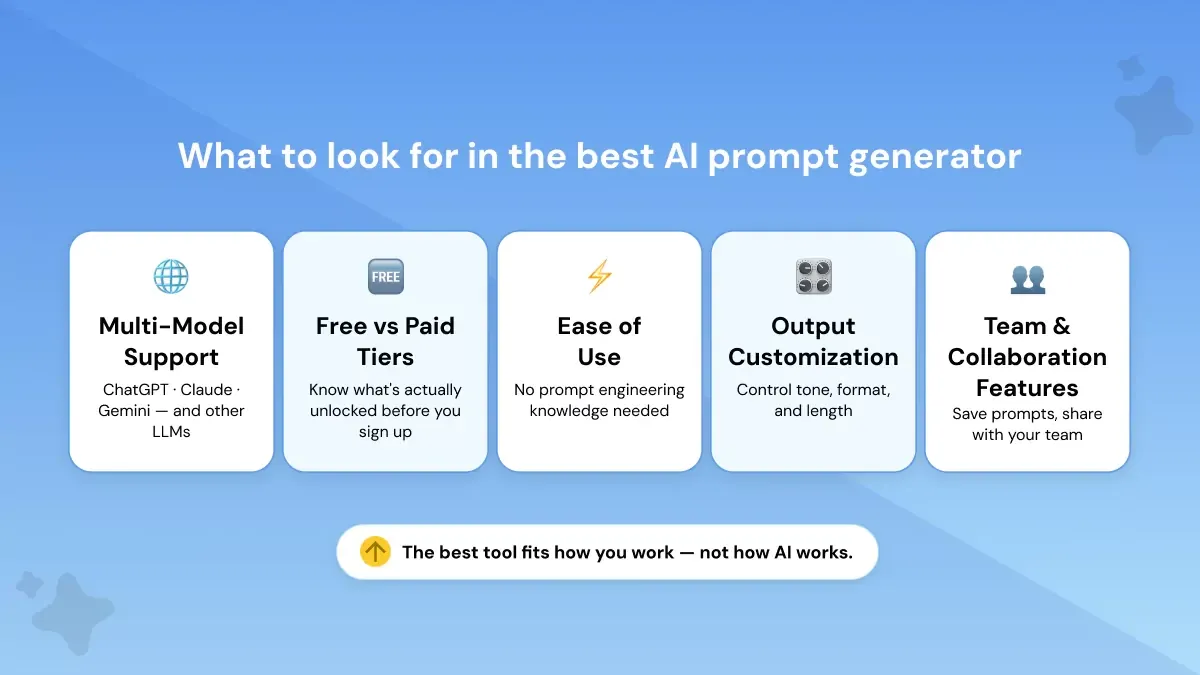
The best AI prompt generator should save time, work across the tools you already use, and make prompt writing feel simple instead of technical.
A strong tool helps you turn rough ideas into structured prompts that consistently produce better AI outputs.
- Multi-model support: Choose a generator that integrates with ChatGPT, Claude, and Gemini so you’re not locked into a single ecosystem. Modern workflows often switch models depending on the task.
- Free vs. paid tiers: Check what the free plan actually unlocks. Some tools limit prompt runs, while others reserve advanced optimization or team features for paid plans.
- Ease of use: The best generators transform a simple idea into a clear, optimized prompt in seconds.
- Customization and output control: Look for tools that let you adjust tone, structure, format, and task instructions for consistent results.
- Prompt saving & collaboration: Saved prompt libraries and sharing features are valuable if you reuse workflows across projects or teams.
The impact of structured prompts is measurable. You notice it quickly. The same task, run through a well-structured prompt, comes back cleaner, more complete, and closer to what you actually needed.
That difference compounds across a workday, especially for teams running the same types of tasks repeatedly.
5 Best AI Prompt Generators (Free)
These tools are organized by use case, so whether you're starting a prompt from scratch or refining one that isn't quite working, you'll find the right fit quickly. Some tools are built for speed, others for flexibility, and a few for specific models or content types. Knowing which one fits your workflow saves you from testing five tools to land on the right one.
Quick Comparison: Free AI Prompt Generators
1. Phrasly AI Prompt Generator
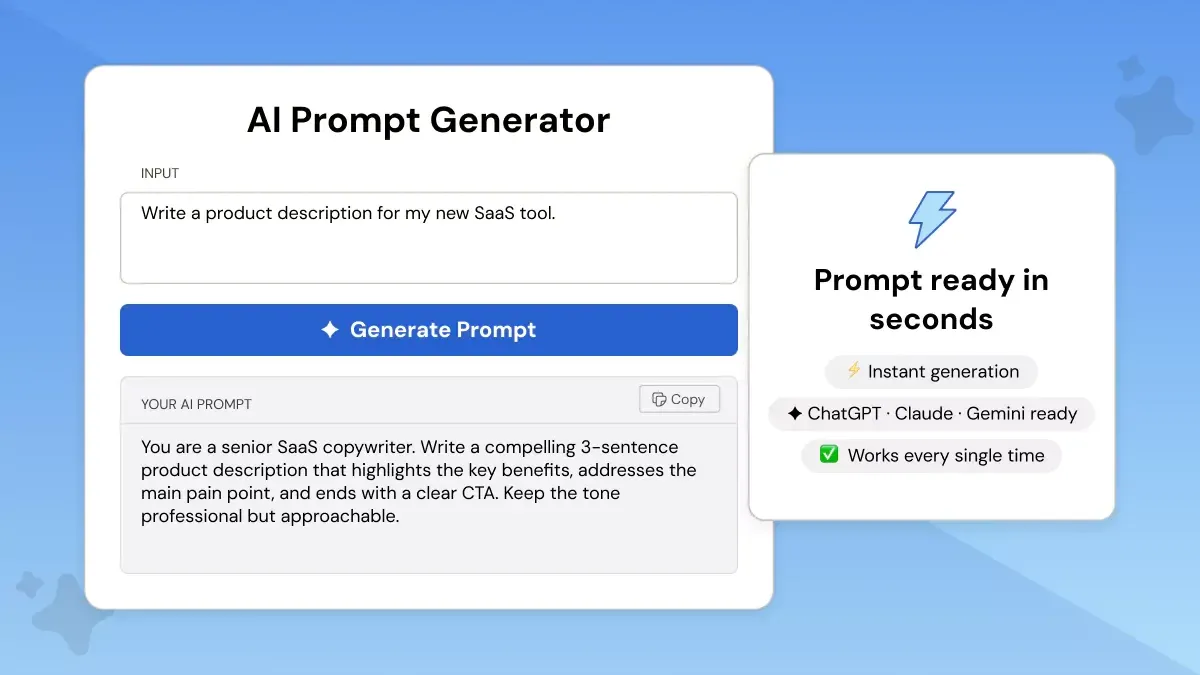
If you've ever stared at a blank prompt box and typed something vague like "write me a blog post," you know the problem.
The issue is not that you don't know what you want. It's that translating what you want into something an AI can act on is its own skill. Most people skip the context, the tone, the format, and the output reflects exactly that.
The AI gives you something generic but Phrasly's AI Prompt Generator is built to fix exactly that.
You describe your idea in plain language. Phrasly expands it with context, structure, and clarity.
It's purpose-built for writers, marketers, and content creators who want better outputs without spending time learning prompt engineering.
It works across all major LLMs, ChatGPT (including GPT-5.4), Claude (including Sonnet 4.6), Gemini (including Gemini 3.1), and other AI tools.
Different models handle instructions differently, and a prompt that works well in ChatGPT does not always land the same way in Claude or Gemini.
Phrasly accounts for that, so you are not rewriting the same prompt from scratch every time you switch tools.
Best for: Writers, marketers, content creators
Free tier: Yes
Supports: ChatGPT, Claude, Gemini, and other LLMs
Key Features
- Turns rough ideas into ready-to-use prompts in seconds
- Works for creative, academic, and professional tasks
- Compatible with all major LLMs including ChatGPT, Claude, and Gemini 3.1.
Free Trial Limit
Phrasly is free to use with a free sign up . You get one trial right away without signing up. After that, creating a free account unlocks unlimited prompt generation.
2. QuillBot AI Prompt Generator
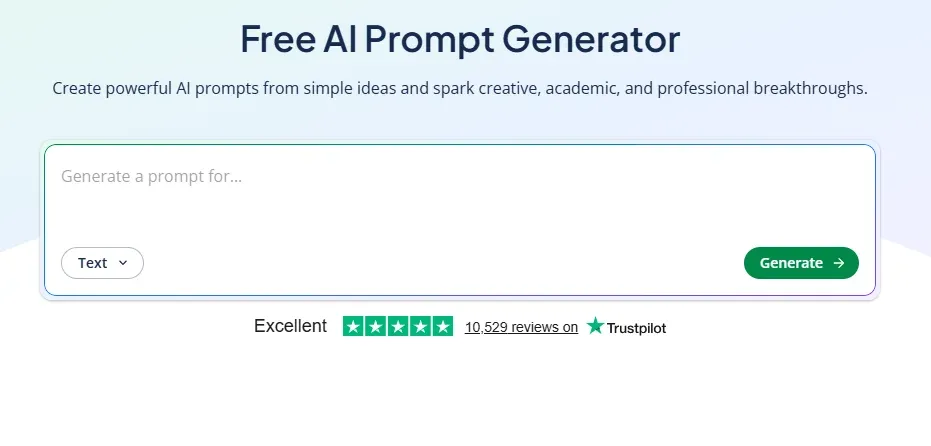
QuillBot is already a familiar name for writers who use its paraphrasing and grammar tools.
Its AI Prompt Generator fits naturally into that same workflow. Most people already have QuillBot open while writing.
Adding prompt generation to that same tab means one less tool to juggle, and the output quality stays consistent with the writing-focused experience QuillBot is known for.
Take a basic task or goal, hand it to QuillBot, and get a structured, detailed prompt back.
QuillBot is one of the cleaner tools that automatically improves your prompts because that's essentially what it does. You don't rewrite your prompt manually.
You describe what you want, and the tool builds a polished version for you.
It's a solid pick for anyone who wants fast, general-purpose prompt creation without switching between multiple tools.
Best for: Everyday users who want a quick, clean prompt without manual refinement
Free tier: Yes
Supports: ChatGPT, Gemini, Claude, and other LLMs.
Key Features
- Converts a basic idea into a detailed, tailored prompt
- Works across professional, academic, and creative use cases
- Designed for non-technical users
Free Trial Limit
Free to use. There is no usage cap on the free plan.
3. Prompt Builder
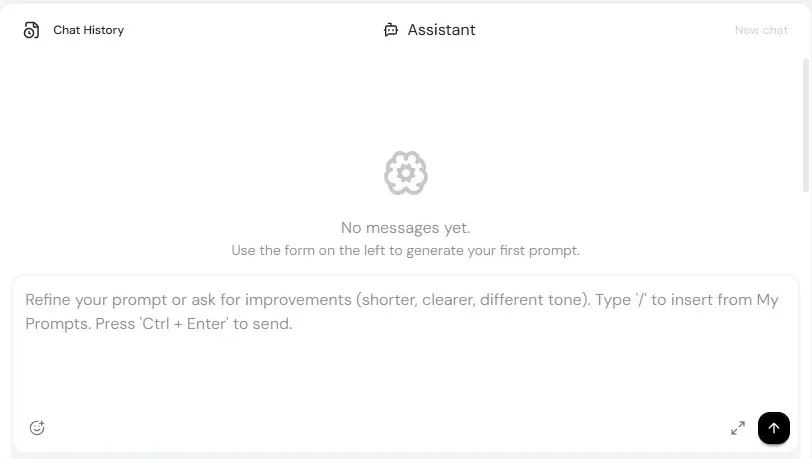
Prompt Builder is the best free option if you want prompts tuned to a specific model. Most free generators produce one-size-fits-all prompts.
Prompt Builder lets you choose your target model first, then builds the prompt around how that model actually processes instructions.
It supports an unusually wide range of models for a free tool: GPT, Claude, Gemini, Llama, Mistral, DeepSeek, Perplexity, Grok, and Cohere. That range also means you can compare how different models would handle the same task.
Run the same goal through a Claude-optimized prompt and a GPT-optimized one, and you will often get meaningfully different outputs.
If you're the type of user who switches between models depending on the task, this flexibility makes it genuinely useful.
You can also save and reuse prompts, which is something most free tools skip entirely.
Best for: Users who want model-specific prompt generation and a prompt library
Free tier: Yes
Supports: GPT, Claude, Gemini, Llama, Mistral, DeepSeek, Perplexity, Grok, Cohere
Key Features
- Generates prompts optimized for your chosen model
- Built-in workspace for prompt refinement and testing
- Save and reuse prompts in a personal library
Free Trial Limit
25 assistant requests per month on the free plan. No credit card required.
4. Feedough AI Prompt Generator
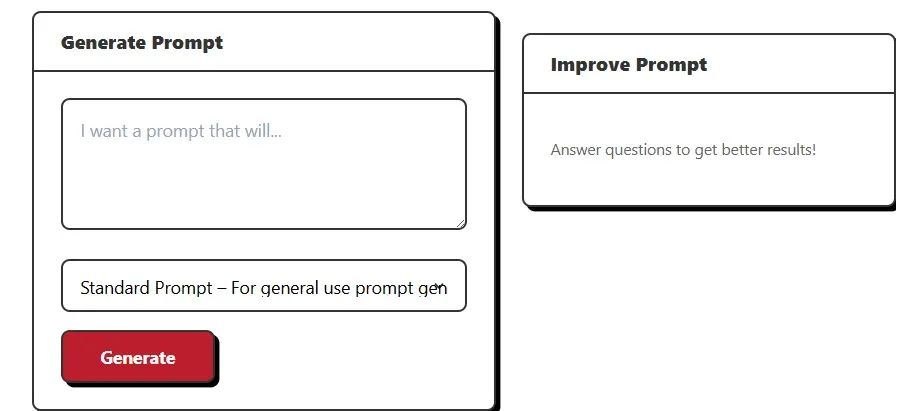
If you want unlimited prompt generation with zero friction, Feedough is worth bookmarking.
There's no login required, no usage cap, and no credit card. You paste in a rough idea and get a clear, detailed prompt.
What makes Feedough stand out is how broad its model coverage is. Beyond text prompts for ChatGPT, Claude, and Gemini, it also has dedicated prompt generators for Midjourney, Stable Diffusion, Copilot, Sora, Runway, VEO 3, and Flux.
Most free tools treat image and text prompting as separate problems. Feedough puts both in one place, which saves time if your work regularly crosses between written content and visual generation.
That makes it one of the few free tools that handles both text and image workflows in a single place, depending on the task.
Best for: Users who want unlimited, no-login prompt generation for text and image AI
Free tier: Yes, unlimited
Supports: ChatGPT, Gemini, Claude, Midjourney, Stable Diffusion, DeepSeek, Copilot, Sora, Runway, VEO 3, Flux, and more
Key Features
- Unlimited prompt generations with no account required
- Covers both text and image prompt types in one tool
- Includes a separate AI Prompt Optimizer for refining existing prompts
Free Trial Limit Unlimited prompt generations. No login required.
5. Originality.ai Prompt Generator
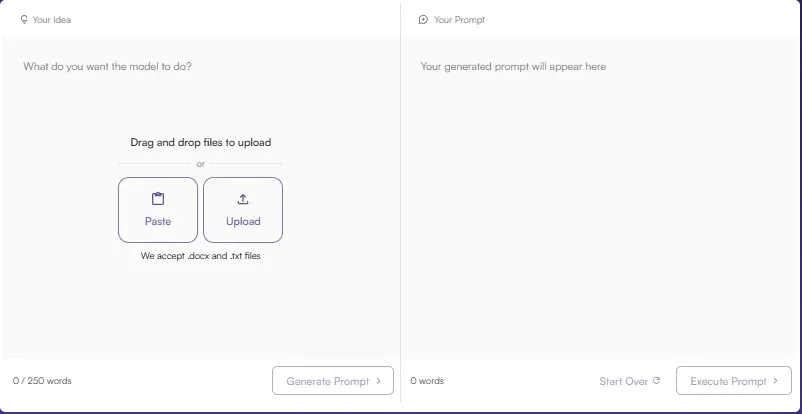
Originality.ai is best known as a plagiarism and AI detection tool, but its Prompt Generator is an underrated free option for anyone who cares as much about which model they're using as the prompt itself.
Most generators give you a prompt and leave the model choice to you.
Originality.ai recommends models based on your use case, choosing from OpenAI, Gemini, Mistral, Anthropic, and Amazon AI. That extra layer of guidance is useful if you're not sure which model handles your task best.
It also supports both writing prompts and image prompts, with a fine-tuning step built into the workflow.
Best for: Users who want both writing and image prompts with model recommendations
Free tier: Free to try on the page
Supports: OpenAI, Gemini, Mistral, Anthropic, Amazon AI models
Key Features
- Generates both text and image prompts in one tool
- Recommends the best model for your selected use case
- Includes prompt fine-tuning before you run it
Free Trial Limit
Free to try directly on the page. Premium prompt generation costs 1 credit per generation.
5 Best AI Prompt Generators (Paid)
Just like the free tools, these paid options are organized by use case so you can match the right tool to how you actually work.
Free tools cover a lot of ground, but they tend to hit a ceiling.
Once you are running the same prompts across a team, managing brand voice, or building repeatable workflows, a paid tool earns its cost quickly.
Some are better for managing prompt libraries across a team, while others focus on brand control, prompt refinement, or model-specific generation.
Quick Comparison: Paid AI Prompt Generators
1. AIPRM: Best for Prompt Libraries and Reusable Workflows
AIPRM is one of the most established paid AI prompt generator tools on this list, and it earns that spot because it does something most tools skip. It combines prompt creation with a large, community-driven prompt library.
Instead of building every prompt from scratch, you can browse verified templates built for SEO, marketing, content, and other related task.
That's a real time-saver for teams running the same types of prompts repeatedly.
The community library is one of AIPRM's strongest selling points. Templates are created and refined by real users across industries, so you are not starting from a generic base.
It supports ChatGPT, Claude, Gemini, Midjourney, and GPT Image, which covers most standard workflows.
The free version is available for unlimited use, so you're only paying once you need the more advanced library and team features.
Best for: Marketers, SEO teams, and power users who want proven prompt templates
Free plan: Yes, free version available for unlimited time
Paid: Plus starts at $10/mo; Pro starts at $33/mo
Supports: ChatGPT, Claude, Gemini, Midjourney, GPT Image, and more
Key Features
- Large community and verified prompt library built for real workflows
- Strong fit for SEO, content marketing, and structured team use
- Prompts are saved, organized, and reusable, not one-off outputs
Pricing
AIPRM Plus starts at $10/month and Pro starts at $33/month. Annual billing includes two free months.
2. Jasper: Best for On-Brand Marketing Prompts
Jasper is the go-to paid option for marketing teams that need more than a generic prompt box. It's built around brand voice, meaning it factors in your tone, audience, and content guidelines before generating anything.
Over 100,000 businesses use Jasper, which gives some signal about how well it holds up at campaign scale.
It's less of a standalone prompt generator and more of a full marketing AI platform, which is exactly what makes it valuable for teams producing high volumes of on-brand content.
If you're a solo creator, the price point may feel steep. But for marketing teams where consistency matters, it's one of the stronger paid options available.
Best for: Marketing teams that want on-brand content and guided AI workflows
Free plan: 7-day free trial on Pro
Paid: Pro from $59/mo (billed yearly) or $69/mo (billed monthly); Business is custom pricing
Supports: Brand voice, knowledge assets, and multi-modal content workflows across major LLMs
Key Features
- Brand voice and knowledge assets keep prompts and outputs consistent
- Built for marketing campaigns, team collaboration, and repeatable content
- Strong choice when output quality and brand alignment matter more than price
Pricing
Pro is $59/month billed yearly or $69/month billed monthly. Business pricing is custom.
3. Copy.ai: Best for GTM Workflows and Sales-Marketing Teams
Copy.ai works best for teams that want prompt generation embedded inside a broader business workflow, not just a standalone tool you open when you need a better prompt.
It's built around GTM (go-to-market) use cases, covering sales, marketing, and operations teams that run the same prompt-driven processes repeatedly.
The Chat plan supports OpenAI, Anthropic, and Gemini models and includes unlimited words in chat, unlimited projects, and up to five seats.
That makes it a practical option for small teams who need a shared prompt workflow without jumping straight to enterprise pricing.
Best for: GTM teams, sales, and marketing teams with workflow-heavy needs
Free plan: Yes, free plan available
Paid: Chat plan from $24/mo (billed yearly) or $29/mo (billed monthly); Growth from $1,000/mo
Supports: OpenAI, Anthropic, and Gemini models
Key Features
- Workflow-based AI built for prompt-driven business tasks at scale
- Supports OpenAI, Anthropic, and Gemini in the base Chat plan
- Strong fit for teams that want repeatable, process-driven prompt outputs
Pricing
Chat plan is $24/month billed yearly or $29/month billed monthly. Growth starts at $1,000/month.
4. PromptPerfect: Best for Prompt Optimization Across Many AI Tools
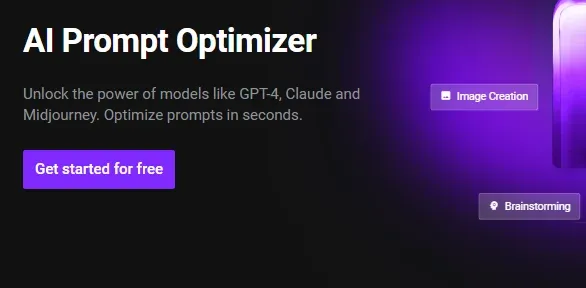
PromptPerfect does something slightly different from the other tools on this list.
Rather than helping you create a prompt from scratch, it takes a prompt you already have and makes it better, cleaner, more structured, and more likely to get a useful response.
It works via a Chrome extension across a wide range of platforms: ChatGPT, Gemini, Claude, Copilot, DeepSeek, Sora, Grok, NotebookLM, AI Studio, and Perplexity.
That's one of the broadest compatibility lists of any prompt tool available. If you regularly switch between AI tools, PromptPerfect travels with you.
Best for: Users who want to refine and optimize existing prompts across multiple AI platforms
Free plan: Yes, 3 prompts per day on the free plan
Paid: $9.50/mo or $95/year; 3-day free trial on upgrade
Supports: ChatGPT, Gemini, Claude, Copilot, DeepSeek, Sora, Grok, NotebookLM, AI Studio, Perplexity
Key Features
- One-click prompt optimization across all major AI platforms
- Chrome extension works directly inside your existing AI tools
- Built for writers, researchers, developers, and professionals
Pricing
The free plan includes 3 prompts per day. Paid plan is $9.50/month or $95/year, with a 3-day free trial on upgrade.
5. Prompt Builder (Paid): Best for Model-Specific Prompt Generation
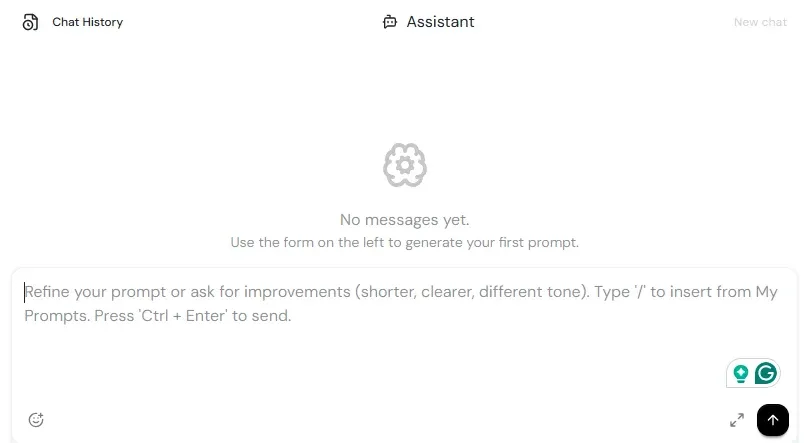
Prompt Builder appears in both the free and paid sections of this list for good reason.
The free tier gives you 25 assistant requests per month, which is enough to test it properly, and the paid upgrade unlocks more requests starting from just $9/month.
What sets it apart is model-specificity. Most prompt generators give you a generic output and leave the model choice to you.
Prompt Builder lets you select your target model first, from ChatGPT, Claude, Gemini, Grok, Mistral, DeepSeek, or Perplexity, and builds the prompt around how that model processes instructions.
For users who care about getting the most out of a specific LLM, that distinction matters.
Best for: Users who want prompts tailored to a specific AI model with a reusable prompt system
Free plan: Yes, 25 assistant requests/month, no credit card required
Paid: Plans from $9/month
Supports: ChatGPT, Claude, Gemini, Grok, Mistral, DeepSeek, Perplexity, and other LLMs
Key Features
- Model-specific prompt generation, not one-size-fits-all outputs
- Save and refine your best prompts for reuse across projects
- Works well for marketing, SEO, coding, support, and research prompts
Pricing
The free tier includes 25 assistant requests per month. Paid plans start from $9/month.
Best AI Prompt Generators for the Newest AI Models (2026 Edition)
The AI model landscape changed fast in 2026.
New releases like GPT-5.4, GPT-5.4 Thinking, Gemini 3.1 Pro, and Claude Opus 4.6 are built for deeper reasoning, longer context, and more complex tasks. That means a vague or poorly structured prompt will cost you more than it used to.
Each model has different strengths worth knowing before you pick a prompt generator:
- Claude Sonnet 4.6 excels at structured reasoning and long-form writing tasks
- GPT-5.4 Thinking is built for multi-step tasks and agentic workflows
- Gemini 3.1 and Gemini 3 Flash handle speed and multimodal inputs, making them strong for visual or mixed-content tasks
- Claude Opus 4.6 is the go-to for coding, long-context reasoning, and agent planning
Getting the most out of any of these models starts with giving them the right prompt structure from the beginning.
Which Prompt Generator Works Best With Each Model?
If you are working with a specific AI model in 2026, here is a quick reference to match it with the right prompt tool.
For Claude Opus 4.6 and Sonnet 4.6, the best prompt generator is one that keeps your request structured and tone-aware:
Use Phrasly if you are starting from scratch; it supports Claude directly and is built for writing-heavy use cases
Use PromptPerfect if you already have a draft prompt and want it tightened before you run it
For vibe coding with GPT-5.4 Thinking, the right approach is to give the model:
- A clear goal and defined constraints
- An expected output format upfront
- A step-by-step structure the model can follow
That matches GPT-5.4 Thinking's reasoning and planning behavior, and it lines up well with LangSmith's prompt-testing workflow and AIPRM's template-based prompt library.
Build Your Own Prompt in Seconds
You've seen what the best AI prompt generators can do. Now it comes down to picking the one that fits how you actually work.
If you want to start right now, Phrasly's free AI Prompt Generator is the quickest way to do it. Just describe what you need in plain language, and it builds a clear, structured prompt for you in seconds.
No prompt engineering knowledge needed. No learning curve.
FAQs
What is an AI prompt generator?
An AI prompt generator is a tool that turns your rough idea into a clear, structured instruction for AI models like ChatGPT, Claude, or Gemini.
Instead of writing prompts from scratch, you describe what you need and the tool builds a ready-to-use prompts. For better results, pairing it with techniques like few-shot prompting can take your AI outputs even further.
Can I use the same prompt on ChatGPT, Claude, and Gemini?
Yes, but results may vary because each model interprets prompts differently. Small adjustments often improve performance for each platform.
Are AI prompt generators safe to use?
Yes, as long as you use trusted tools and avoid sharing sensitive or confidential information. Always review a tool’s privacy policy before entering important data.
What is the best free AI prompt generator in 2026?
Phrasly is a strong free option for writers and marketers because it supports multiple AI models and allows prompt creation without complex setup. QuillBot is another popular free alternative.
Do I need coding knowledge to use an AI prompt generator?
No. Most prompt generators are designed for everyday users and work with plain language input, so no programming skills are required.
How often should I update my prompts?
Update prompts whenever your goal changes, outputs decline in quality, or new AI models are released. Regular refinement helps maintain consistent results.
Does Gemini 3.1 Pro need a special prompt generator?
No special generator is required. Any tool that supports structured prompts and clear formatting works well with Gemini 3.1 Pro.
Does Gemini 3.1 Pro need a different type of prompt than GPT-5.4?
Not a completely different type, but it does benefit from a slightly different emphasis.
Gemini 3.1 Pro is tuned for complex, multimodal tasks, while GPT-5.4 and GPT-5.4 Thinking are optimized for broader professional work and deeper reasoning, so your prompt should match the model’s strengths.
What is Nano Banana 2 and do I need a special prompt generator for it?
Nano Banana 2 is Google’s Gemini 3.1 Flash Image, a fast image-generation and editing model designed for high-volume visual tasks. You do not need a special generator, but you should use an image-focused prompt or prompt builder.
How do I write a good AI prompt?
Be clear about the task, include context, specify the output format, and add examples when needed. Specific and structured instructions usually produce better AI results. For a practical breakdown, this guide on prompt optimization techniques covers the key steps in detail.


Keep reading

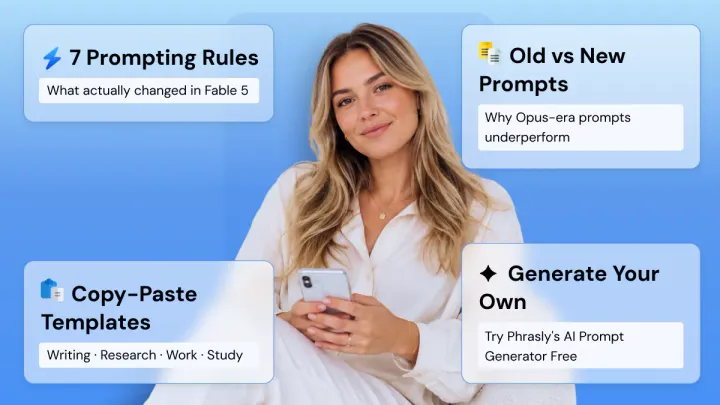
How to Prompt Claude Fable 5 (With Copy-Paste Prompts)
Claude Fable 5 doesn't respond like older Claude models. Get 7 prompting rules from Anthropic's own docs, copy-paste templates for writing, research, and work, plus current pricing and plan access after the July 20 change.

Claude Prompt Generator: Build Better Prompts for Claude AI (Free Tool)
Learn how a Claude prompt generator builds better prompts for every Claude model, from Sonnet 4.6 to Fable 5. Includes ready-to-use XML templates, effort levels, and a free tool.