
Does SafeAssign Have an AI Detector? What Students and Teachers Need to Know
SafeAssign checks for plagiarism not AI. A 0% score doesn't mean your work is AI-free. Learn what SafeAssign actually detects, why it misses ChatGPT, and what tools like Copyleaks really do.
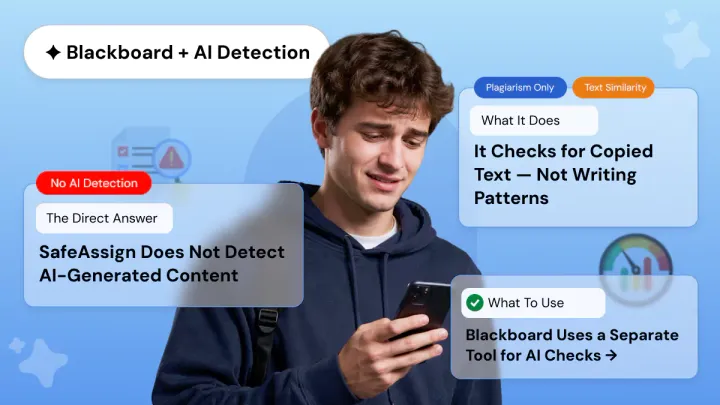
If you are a student using Blackboard and wondering whether SafeAssign will flag your submission as AI-generated, the short answer is: no, it will not.
If you are an educator wondering whether SafeAssign's AI detector capabilities are sufficient for your course's academic integrity policy, the answer is the same.
SafeAssign is a plagiarism checker, not an AI detection tool, and these two functions are fundamentally different.
This article explains exactly what SafeAssign checks, why it cannot detect AI-generated content, and what Blackboard uses instead.
Does SafeAssign Have an AI Detector?
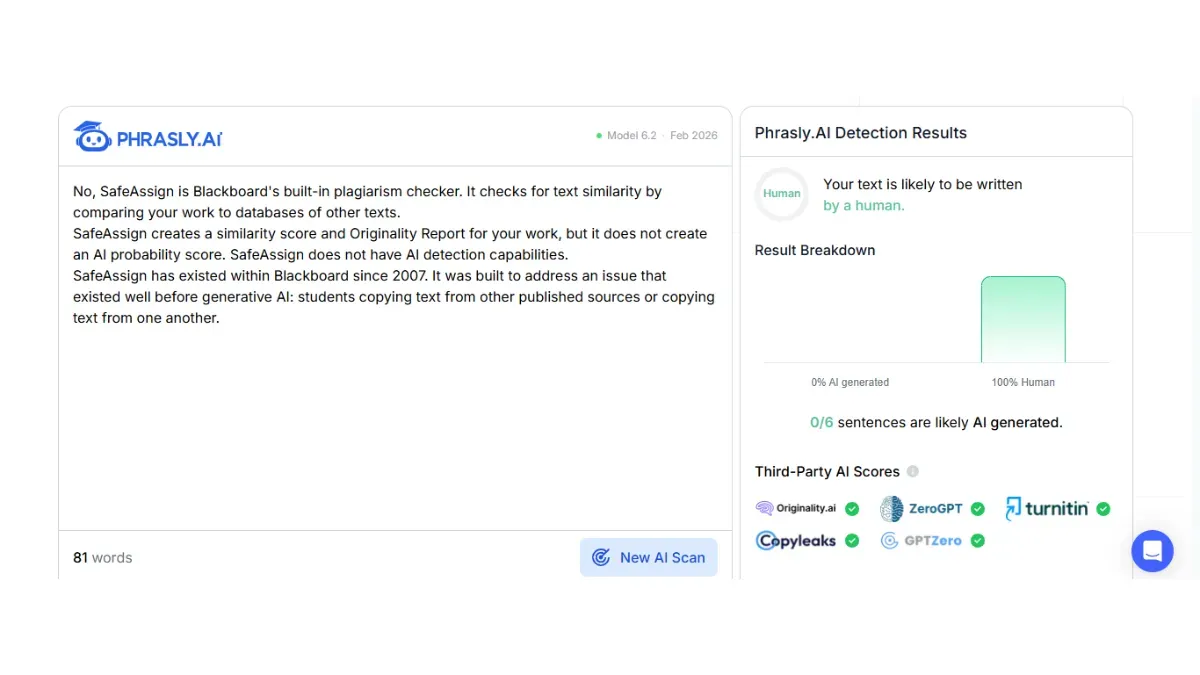
No, SafeAssign is Blackboard's built-in plagiarism checker. It checks for text similarity by comparing your work to databases of other texts.
SafeAssign creates a similarity score and Originality Report for your work, but it does not create an AI probability score. SafeAssign does not have AI detection capabilities.
SafeAssign has existed within Blackboard since 2007. It was built to address an issue that existed well before generative AI: students copying text from other published sources or copying text from one another.
Plagiarism detection and AI detection are two entirely different issues that need entirely different technical solutions.
SafeAssign never asks whether a human or a machine wrote the content. If you turn in an entirely AI-written essay with no plagiarized text, SafeAssign will likely give you a score very close to 0% because it can find nothing that matches its database of texts.
It is also worth knowing that even dedicated AI detectors are not infallible. AI detector false positives can and do occur, meaning a tool may flag human-written work as AI-generated in some cases.
Why Can't SafeAssign Detect AI Writing?
SafeAssign's algorithm breaks submitted text into tokens and creates overlapping strings of words known as shingles. Those shingles are then compared against the tool's reference databases.
SafeAssign is designed to detect copies of extant source material. When SafeAssign detects that a phrase, sentence, or paragraph matches something in its databases, the tool flags the match.
One weakness this architecture has is that it can only detect text that already exists within its databases. AI-generated text, by definition, is new text. There's no "copy" to detect so SafeAssign skips right over it.
An actual AI detector (Copyleaks, Turnitin's built-in AI detection layer, etc.) has a classifier model that's been trained on millions of samples of both human and AI-written text.
It looks at statistical patterns throughout your paper: perplexity (how predictable each word choice was), burstiness (does your sentence length vary like a human's would), vocabulary distribution, and more.
These are the tell-tale signs of bot-generated text that SafeAssign simply can't see.
If you submit a cleanly written AI essay with no copied text, it will pass SafeAssign with a similarity score close to 0. SafeAssign cannot detect AI writing.
However, if your school also uses Copyleaks or Turnitin against the same assignment, it will likely be detected as AI-written. Always double check which tools are active on each assignment.
SafeAssign Won't Catch AI but Phrasly Will Show You Your Score 👇
If your Blackboard course runs an AI check alongside SafeAssign, use the Phrasly AI Detector to see how your content scores before you submit. Free, no signup required.
SafeAssign vs. AI Detector: Side-by-Side Comparison
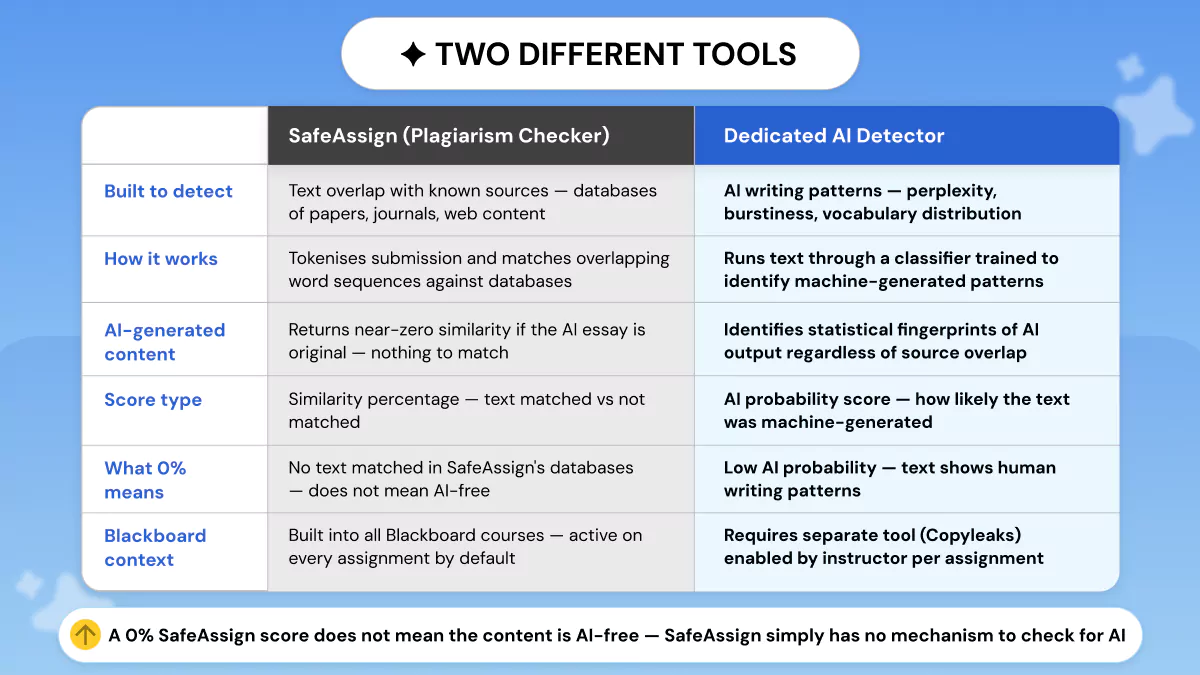
Here’s a quick table that shows exactly what each tool “covers.” This can be useful if students want to see what areas they have exposure to or if instructors want to review the tools they have at their disposal via Blackboard.
|
Feature |
SafeAssign (Plagiarism Checker) |
AI Detector (e.g., Copyleaks) |
|
Primary function |
Detects text similarity vs.
databases |
Identifies AI-generated
writing patterns |
|
AI detection |
❌ None |
✅ Yes —
probability score |
|
ChatGPT detection |
❌ Cannot detect |
✅ Detects AI
writing patterns |
|
Similarity score |
✅ Yes (0–100%) |
Separate AI probability
score |
|
Integration on Blackboard |
✅ Built-in
(default) |
Copyleaks via Anthology partnership |
|
File size limit |
10 MB max |
Varies by provider |
|
0% score =
AI-free? |
❌ No: not what it measures |
Provides
separate AI likelihood score |
What Does Blackboard Use for AI Detection?
Since SafeAssign cannot detect AI-generated content, any school or university looking for AI detection as a Blackboard feature needs to enable an additional tool.
Blackboard's parent company Anthology did beta test for native AI detection within SafeAssign in 2023, but decided against launching it.
Copyleaks is Anthology's official Blackboard AI detector partner. Copyleaks accuracy has been a topic of interest for both students and educators. Institutions may also enable Turnitin's AI detection layer, usually via a separate submission portal.
Copyleaks and Turnitin do not replace SafeAssign. They are run in addition to SafeAssign, and each perform a separate check.
How to Tell Which Tools Are Active on Your Assignment?
Students can see which tools are enabled prior to submitting. Go to the assignment submission page in Blackboard and review the plagiarism review options:
- SafeAssign only listed: No AI check is running on this assignment. A 0% score means no text matched. It does not mean the work is AI-free.
- Copyleaks listed: AI detector SafeAssign pairing is active. Copyleaks will produce a separate AI probability score alongside SafeAssign's similarity score.
- Turnitin listed: Your institution is using Turnitin's AI detection features. Check whether Turnitin is integrated directly into Blackboard or requires a separate submission.
- Nothing listed: The assignment page shows no review tool but institutional policy on AI still applies regardless of whether detection is technically enforced.
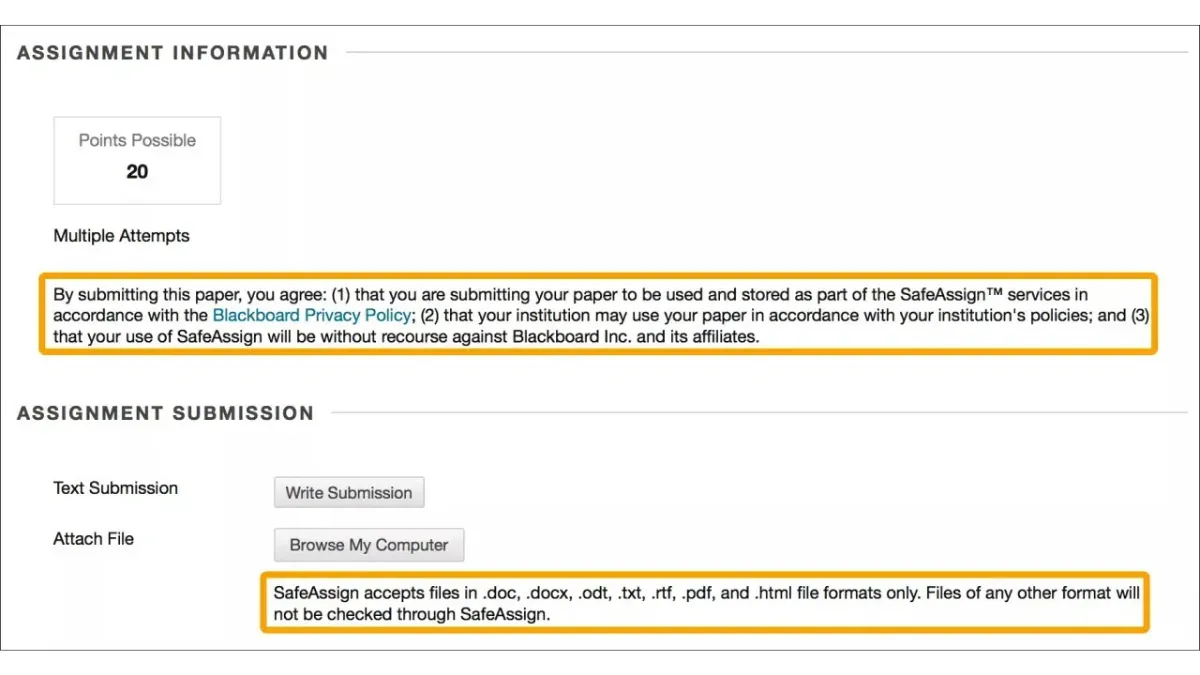
Key disclaimer: just because SafeAssign is listed on an assignment, that does not override your school's academic integrity policies regarding AI.
A 0% match does not protect you from getting accused of violating an AI policy. It just means the checker didn't find any matching text.
What Does SafeAssign Actually Check? (For Educators)
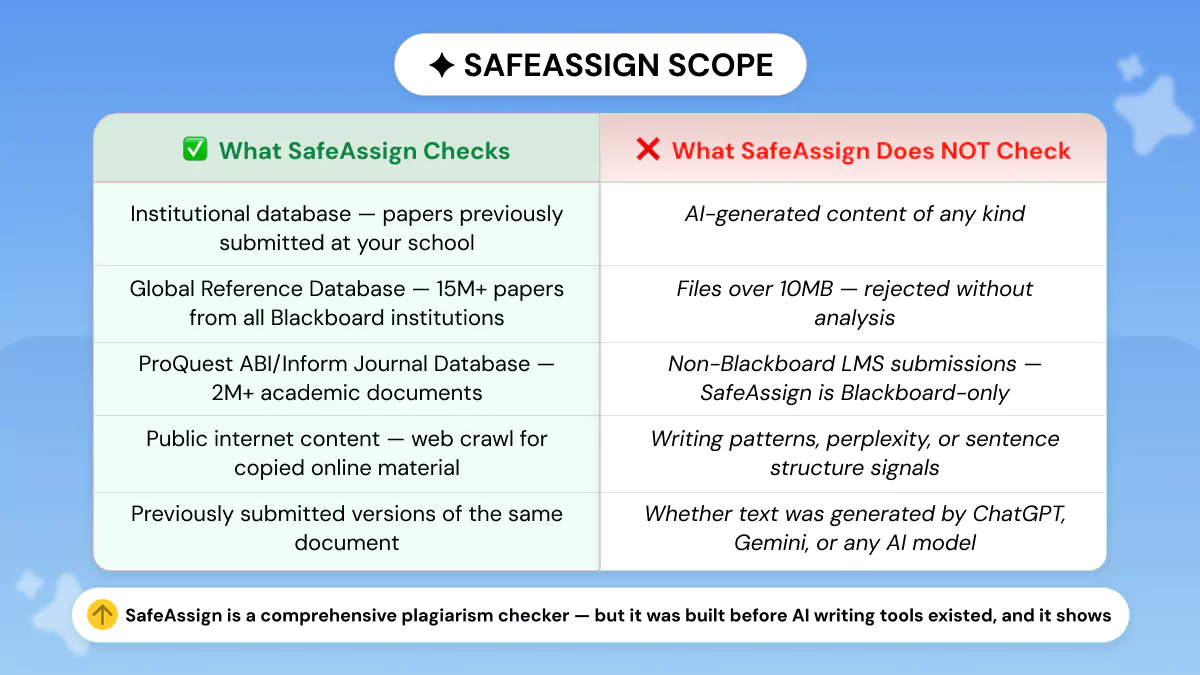
Teachers who want to know what SafeAssign really can (and can’t) do should start with a solid understanding of what the Originality Report actually represents.
What SafeAssign Checks?
SafeAssign compares submitted text against four sources:
- Institutional database: Previously submitted papers from your school. Catches students copying work submitted by their peers or by students in prior semesters.
- Global Reference Database: Over 15 million student-submitted papers from students at Blackboard institutions worldwide: broadens cross-institutional coverage.
- ProQuest ABI/Inform Journal Database: Over 2 million academic and business documents: covers published academic sources.
- Public internet: Web content indexed via SafeAssign's own crawl. Catches copying from websites, blogs, and publicly available documents.
What SafeAssign Does NOT Check?
Recognizing gaps can be important information for educators looking to build out an academic integrity workflow:
- AI-generated content: SafeAssign does not contain an AI detection classifier. SafeAssign will not recognize text generated from ChatGPT, Claude, Gemini, or any other AI writing tool.
- Files over 10 MB: Files larger than the file size limit will be ignored. Please check Anthology's documentation for this limit before assuming it is correct.
- Non-Blackboard LMS content: SafeAssign can only be used with Blackboard. SafeAssign is not available for Canvas, Moodle, or any other LMS.
If your institution runs Canvas instead, Canvas AI detection works through an entirely different set of tools and is worth understanding on its own terms.
Understanding the Originality Report
SafeAssign provides a similarity score ranging from 0% to 100% and creates a colour-coded Originality Report which marks matched passages and links to the source of the match.
This score indicates the potential risk for plagiarism. It is not a judgment. Faculty should manually review flagged matches prior to making determinations because some matches may be valid citations, common phrases, or properly cited material.
Adding AI Detection Alongside SafeAssign
Should your institution wish to implement AI detection within Blackboard assignments, the easiest way is to turn on Copyleaks via Anthology integration.
Please check available configurations and integration documentation at https://help.anthology.com.
Frequently Asked Questions
Does SafeAssign detect AI?
No! SafeAssign is a plagiarism checker. It detects text similarity against databases of previously submitted papers, journals, and web content.
Can SafeAssign detect AI writing?
No! SafeAssign's shingle-based algorithm detects copies of existing text. AI-created text is newly-written and does not exist in SafeAssign's databases.
It will therefore return near-zero similarity, no matter how much AI you use to create the text.
Is ChatGPT detectable on SafeAssign?
Not by SafeAssign alone. If you submit a properly paraphrased ChatGPT response with no direct quotations, SafeAssign will give you a score close to 0%.
However, if your university also utilizes Copyleaks or Turnitin's AI Detector for the same submission, it may be detected there.
What does SafeAssign 0% mean?
A similarity score of 0% indicates none of your submitted text was matched to SafeAssign databases. It does not indicate that your work is free of AI-generated content.
Can professors see SafeAssign reports?
Yes! Instructors have access to the Complete Originality Report including similarity score and highlighted matched passages with links to sources.
Students may view their own report, depending on the settings enabled by the instructor for that assignment.
What does Blackboard use for AI detection?
Blackboard through parent company Anthology has integrated AI detection powered by Copyleaks. Teachers can turn Copyleaks on a per-assignment basis.
Many schools also independently subscribe to Turnitin's AI detection feature. Visit your assignment submission page to view what tools are turned on.
How can students check for AI before submitting to SafeAssign?
Use the Phrasly AI Detector. Phrasly is free, no signup required to generate an AI probability score before you submit.
If you used AI assistance in drafting your work, this gives you an honest view of how a dedicated AI detection tool would score your content.
SafeAssign is a trustworthy plagiarism detector that comes built into Blackboard and it works. However, SafeAssign cannot detect AI-written text. If SafeAssign gives you a 0% match, you cannot infer whether a paper was written by a person or by an AI.
Institutions deploy Copyleaks (Anthology's official integration partner) or Turnitin running concurrently with SafeAssign for AI detection on Blackboard.
Students can reference the assignment submission page to see which tools are enabled. Don't be fooled by a clean SafeAssign similarity score!


Keep reading

AI vs Human Cold Email Reply Rates: What 150M+ Emails Across 8 Studies Actually Show (2026)
AI cold emails get 1% fewer replies but 3x more spam flags. We compared 8 studies covering 150M+ emails, including peer-reviewed research, to show what actually works in 2026 and the fix that closes the gap.
The Self-Editing Workflow That Makes Writing Read Human
A 5-pass self-editing checklist for copywriters: fix structure, cut generic filler, add proof and voice, improve rhythm, and verify facts before your copy ships.