
Can Canvas Detect Chatgpt? Truth Revealed
Uncover the truth about Canvas and ChatGPT detection capabilities. Learn if Canvas can really detect ChatGPT use with our in-depth analysis.
You're about to hit submit on that Canvas assignment. You used ChatGPT for part of it. Now you're wondering, will Canvas catch you?
No canvas can not detect ChatGPT directly. It can't detect AI, it doesn't scan your writing, and it has no idea whether you used ChatGPT or wrote every word yourself. Canvas is a learning management system, it manages courses, not cheating detection.
But here's the catch. Instructors can connect Turnitin to Canvas, and Turnitin does detect AI. That changes everything.
So the real question isn't whether Canvas detects AI, it's whether your instructor enabled a tool that does.
In this article, we'll break down exactly how Canvas handles AI detection, what Turnitin actually sees, and how the same rules apply on Blackboard and Moodle. By the end, you'll know precisely what puts your submission at risk, and what doesn't.
What is Canvas?
Canvas is a web-based learning management system (LMS) introduced by Instructure, Inc., An educational technology company located in Salt Lake City, Utah, United States.
Canvas is an assessment management system students and educational institutions use for online learning and teaching. It offers tools for Educational institutes to create and manage course material, assignments, discussions, quizzes, and grades online.
Canvas Does Not Have Built-In AI Detection
Let's clear this up right away, Canvas does not have AI detection. It's a learning management system, not an AI detector. Canvas was built to help schools manage courses, assignments, grades, and communication. That's it.
So when you hit "submit" on that essay, Canvas itself isn't scanning your writing for signs of ChatGPT. It's just receiving your file.
Here's what Canvas actually handles:
- Assignment uploads and submissions
- Quizzes and grading
- Announcements and discussion boards
- Activity tracking (more on this later)
What it doesn't do? Analyze your text. Canvas has no built-in AI detector, no plagiarism scanner, and no way to flag AI-generated writing on its own. The people behind Canvas, a company called Instructure, deliberately chose not to build their own detection system. Instead, they let instructors connect third-party tools if they want that layer of checking.
Does Canvas Automatically Check for AI?
No, Canvas does not automatically check for AI. Nothing gets scanned the moment you submit. There's no background process running your essay through an AI detector. If AI detection happens at all, it's only because your instructor manually enabled a third-party tool like Turnitin for that specific assignment.
And that's a key word: manually. Your instructor has to turn it on. It doesn't come standard.
What are the Functions of Canvas?

Following are the functions of Canvas to facilitate students and teachers.
- Course Creation: Teachers organize course material, including lectures, assignments, and modules.
- Content Delivery: Once instructors create the content they need to upload, they start uploading it on Canvas. The content might be documents, presentations, course modules, or multimedia files.
- Communication: Canvas contains features like announcements, messaging, and discussions between teachers and students.
- Assignments and Assessments: Canvas allows teachers to create assignments, quizzes, and mark grades.
- Accessibility: Canvas is also designed to make online courses and arrange online classes.
How Canvas Uses Turnitin to Detect AI Writing
So if Canvas doesn't detect AI on its own, how do instructors actually catch it? The answer, most of the time, is Turnitin.
Here's what that looks like step by step:
- You upload your assignment to Canvas
- Canvas stores your submission
- Canvas sends a copy over to Turnitin
- Turnitin runs its analysis
- The report gets sent back to your instructor's dashboard
Your instructor then sees this report inside SpeedGrader, Canvas's built-in grading tool. It shows a plagiarism similarity score, highlighted sections of concern, and an AI probability percentage. That last one is what matters for ChatGPT detection.
One important thing to know: Turnitin’s AI detector isn’t perfect. According to the company, the system has a sentence-level false positive rate of about 4%, meaning some human-written sentences may still be highlighted as AI-generated. The document-level false positive rate is lower, generally under 1% when more than 20% AI writing is detected. To reduce incorrect flags, Turnitin now hides AI scores below 20% and instead marks them with an asterisk in the report.
So if you're a careful writer, Turnitin can still mistakenly flag your human work, it happens more than people realize.
What AI Detector Does Canvas Use?
The most common answer is Turnitin. That's what most schools have integrated, and it's what most instructors are working with when they enable AI detection on Canvas.
That said, some institutions go with other tools. Copyleaks, GPTZero, and Compilatio all offer Canvas-compatible integrations. But if you're trying to figure out what AI checker your Canvas setup uses, Turnitin is the safe assumption unless your instructor tells you otherwise.
What Plagiarism Checker Does Canvas Use?
Same answer, Turnitin. It handles both plagiarism detection and AI detection in one report.
On the plagiarism side, Turnitin compares your submission against a massive database of academic papers, websites, journals, and previously submitted student work from institutions around the world. If your writing matches something in that database too closely, it gets flagged.
So to put it simply: Canvas itself checks for nothing. But Turnitin, when enabled, checks for everything.
Can Canvas Detect ChatGPT? Yes or No:
No, Canvas cannot directly detect ChatGPT or any other AI-written content. Canvas uses any third-party tool to detect any AI tool used to write the content. It’s because the canvas is not an AI-detecting tool; it’s just a learning management system that facilitates online learning and teaching for teachers and students.
But if your instructor has enabled Turnitin, that changes everything. Turnitin's AI detector will analyze your writing and assign an AI probability score. If a large chunk of your essay was written by ChatGPT, that score is going to be high, and your instructor will see it right inside SpeedGrader.
How does Turnitin actually figure this out? It doesn't track whether you had a ChatGPT tab open. Instead, it breaks your text into overlapping segments and analyzes the language patterns, things like word predictability, sentence structure, and stylistic consistency. AI-generated text tends to follow patterns that human writing doesn't, and that's what the detector is trained to catch.
One thing worth knowing: AI detectors can't prove you used ChatGPT. They can only flag that your writing looks like it came from an AI. That's why most universities treat a high Turnitin score as supporting evidence, not a guilty verdict on its own.
Can Canvas Detect ChatGPT for Multiple Choice?
No, and this one's straightforward. AI detection tools need actual written text to work. They analyze sentence structure, word patterns, and paragraph-level language to make a judgment.
Multiple choice answers give them nothing to work with. There's no prose, no sentence structure, no stylistic patterns. Just "B" or "C." Turnitin's system simply has no data to analyze.
That said, your instructor can still notice suspicious quiz behavior, things like finishing a 40-question test in 3 minutes, or unusual answer patterns. But that's manual monitoring, not AI detection.
Can Canvas Tell If You Use ChatGPT?
Canvas has no access to your browser history, what websites you visited, or what prompts you typed into ChatGPT. All Canvas sees is your submission timestamp, your login activity, and how you navigated through the course.
But your instructor might still notice. A few behavioral signals tend to raise red flags:
- Pasting a full 1,500-word essay into a text box in under a second
- A sudden jump in writing quality compared to your earlier work
- A tone or vocabulary that doesn't match how you write in discussion posts
None of these are definitive proof. But combined with a high Turnitin AI score, they build a picture. That's usually when academic integrity conversations start.
Does Canvas Check Discussion Posts for AI?
Here's some good news if you've been stressing about discussion boards: Canvas does not automatically check discussion posts for AI writing.
And there's a technical reason for that, not just a policy decision. When you submit a regular assignment, Canvas can route that file through Turnitin via the LTI integration. Discussion posts work differently, they get saved directly into Canvas's internal database as text entries, not as uploaded documents. That means they never pass through the plagiarism or AI detection pipeline in the first place.
So can Canvas discussion posts detect AI automatically? No. The detector never even receives the text.
This is also why most instructors treat discussion boards as participation activities rather than formally integrity-checked submissions. The volume alone makes automated checking impractical, a single course could have hundreds of short replies every week, and running each one through an AI detector would be slow and expensive for institutions.
But that doesn't mean discussion posts are completely in the clear.
If an instructor suspects something, they can still manually copy your discussion reply and paste it into Turnitin or any other AI detection tool. It takes a few extra steps, but it's absolutely possible. So while Canvas discussion posts don't get checked for AI automatically, a suspicious instructor can still run a manual check if they want to.
A few things that tend to make instructors look twice at a discussion post:
- Responses that feel overly polished or generic for a casual discussion thread
- Replies that don't reference anything from class or the course materials
- The same rigid structure showing up across multiple posts
- Answers that are technically correct but weirdly impersonal
How Instructors Catch AI Writing Even Without Detection Tools
Turnitin isn't the only way professors catch AI-written work. Even without any detection software, instructors have two powerful tools at their disposal: what Canvas logs and what they can see with their own eyes.
Canvas Behavioral Tracking & Metadata
Canvas quietly records a lot of activity data that instructors can pull up at any time. This includes:
- Submission timestamps — the exact second you hit submit, visible right inside SpeedGrader
- Quiz logs — when you opened the quiz, how long you spent on each question, when you finished
- Page views and navigation — how long you spent in the course, which pages you visited, session duration
- Copy-paste events — when a large block of text gets pasted into a text box all at once instead of being typed gradually
If you paste 1,500 words into a Canvas text box in a single second, that's a visible event. It doesn't look like someone writing, it looks like someone dropping in pre-written content. Instructors and some third-party tools flag exactly this kind of behavior.
Same goes for suspiciously fast submissions. An instructor can see if a multi-page essay appeared in their inbox three minutes after the assignment opened. That raises questions.
None of these signals are proof on their own. Network issues, browser caching, and external text editors can all produce misleading timestamps. Instructors are generally advised to treat this metadata as a reason to look closer, not as a verdict.
Writing Style Changes Your Professor Will Notice
This is where experienced instructors often catch AI use long before any detector gets involved.
They know how you write. They've read your discussion posts, your earlier assignments, your in-class responses. So when something feels off, it stands out immediately.
Common things professors notice:
- A sudden, dramatic jump in writing quality compared to your previous submissions
- A tone that's polished to the point of being impersonal
- Generic phrasing that answers the question without really saying anything
- Vocabulary or sentence complexity that doesn't match your earlier work
This is actually how most teachers check for AI in practice, not through software, but through familiarity with your writing. It's a qualitative judgment, and it's surprisingly effective.
If you're wondering just how far professors can take this, here's a deeper look at how professors detect ChatGPT, including what they actually look for and how schools handle it.
Does SafeAssign on Blackboard Detect AI?
If you're on Blackboard instead of Canvas, you've probably heard of SafeAssign, Blackboard's built-in checker. SafeAssign is a plagiarism tool, not an AI detector. Those are two very different things.
SafeAssign works by comparing your submission against existing sources, public web pages, your institution's archive of past submissions, and something called the Global Reference Database (GRD), a cross-institutional repository of student papers shared across Blackboard's client universities. If your writing matches something already out there, SafeAssign catches it.
But here's the problem with AI detection: ChatGPT doesn't copy from existing sources. It generates original text. And if there's nothing in SafeAssign's database to match against, the submission comes back clean, even if every word was written by an AI.
So does the Global Reference Database check for AI? No. It checks for matches to previously submitted work. An AI-generated essay that's entirely original will sail right through with a low similarity score.
If you're on Blackboard and wondering whether your AI use will be caught, SafeAssign alone is not what you should be worried about. The real risk comes if your instructor manually runs your work through a dedicated AI detector on the side.
Does Moodle Have AI Detection?
Moodle is in the same boat as Canvas, no built-in AI detection. It's an open-source LMS focused on course delivery, not content analysis.
The difference is that Moodle relies entirely on third-party plugins. Turnitin offers a Moodle plugin, and so does Originality.ai. Whether your Moodle setup includes any of these depends completely on what your institution has configured. If you're not sure, your syllabus or student handbook is the best place to check.
LMS AI Detection Comparison Table
No major LMS has built-in AI detection. Every platform depends on third-party tools and those tools only activate when your institution pays for them and your instructor turns them on.
How to Check Your Work Before Submitting on Canvas
The smartest thing you can do before submitting anything to Canvas is run it through a free AI detector first. It takes about 10 seconds and tells you exactly what your instructor's tools might flag, before they see it.
Here's the simple workflow:
1. Write your draft — and keep your notes, sources, and earlier versions saved. This is your process evidence if you ever need to show your work.
2. Run it through an AI detector — paste your text into a free AI checker before you upload anything to Canvas. You'll get a score showing how much of your content reads as AI-generated, plus highlighted sentences that triggered the flag.
3. Review and edit the flagged sections — don't just ignore a high score. Look at the specific sentences that got flagged and either rephrase them in your own voice or add personal details and course-specific references that ground the writing in your own thinking.
4. Re-run the detector — after editing, check again. If the flagged sections are gone and the AI percentage has dropped, you're in good shape.
5. Submit — now you can hit that button with confidence.
A few things worth keeping in mind: different detectors use different models, so scores can vary between tools. And false positives are real, especially if you write in a very polished or formal style, or if English isn't your first language. Always save your drafts so you can show your process if a professor ever questions your work.
The smartest move you can make is to check your work before it ever reaches them. Phrasly's AI detector is free and takes 10 seconds, try it for free - before you submit.
What Happens If Canvas Flags Your Work as AI?
First, take a breath, a flag is not an automatic punishment. It's a signal that kicks off a review process, not an instant verdict.
Here's what typically happens after a Turnitin AI flag shows up on your Canvas submission:
- The report lands in your instructor's SpeedGrader — they see the AI percentage, highlighted sentences, and a breakdown of flagged sections
- Your instructor reviews it — most universities require human judgment before any action is taken. A detector score alone isn't enough to punish a student
- They compare it to your other work — your discussion posts, earlier essays, writing style. Context matters here
- They either talk to you informally or refer it up — low-severity cases often result in a conversation and a rewrite request. Suspected deliberate misconduct gets referred to an academic integrity committee
If things do escalate, consequences typically follow this ladder:
- Informal warning — instructor documents it, explains the policy, asks for drafts
- Resubmission or grade penalty — a chance to redo it, or a deduction
- Failing the assignment or the course — for clearer or repeated violations
- Academic probation or suspension — reserved for serious or repeat misconduct
For a full breakdown of what schools actually do, here's what happens when you get caught using ChatGPT in college.
How to Avoid ChatGPT Written to be Detected by Canvas?
Canvas uses some third-party tools to detect AI-written content. More often, canvas uses tools like Turnitin to detect AI-plagiarized content. If you check the news, you will find that many teachers fail entire classes after detecting AI-written content.
Teachers are using Turnitin to detect the content. Now students are looking for a tool to save their content to be detected by any AI-detecting tool.
Use the Phrasly.ai rewriter tool that turns your AI-written content into human-like content. The Phralsy AI Humanizer can be a life-saving tool for students.
Try the Phrasly AI Humanizer below to refine your draft before submitting your Canvas assignment.
Frequently Asked Questions
How do I avoid being flagged for AI on Canvas?
Run a pre-submission check with a reputable detector, keep drafts/process evidence, edit any flagged passages to add your voice or course-specific details, and be ready to show your work if asked. If you're not sure where to start, here's a practical guide on how to make AI writing sound more human before you submit.
Does Canvas LMS automatically have Turnitin?
No,Turnitin isn’t enabled automatically for every Canvas course; your institution must license Turnitin and instructors must enable it (usually per assignment) through Canvas’ plagiarism/External Tool settings.
Does Canvas discussion check for plagiarism?
No, discussion posts are not automatically routed through standard plagiarism pipelines by default; instructors can copy text into a detector or (where configured) enable plugins that scan forum text, but automatic scanning of discussion threads is not the LMS default.
What is the 15-second rule on Canvas?
The “15-second rule” refers to a guideline instructors sometimes use when reviewing Canvas quiz logs. If a student spends less than about 15 seconds on a question, it may indicate they answered unusually quickly, which could suggest guessing or using outside help. However, this is not an official Canvas rule, it’s just a heuristic teachers may use when analyzing quiz activity.
Does Blackboard Learn check for AI?
Not by itself, Blackboard’s built-in tool, SafeAssign, detects text similarity/plagiarism, not AI authorship; institutions that want AI detection add third-party AI detectors alongside SafeAssign.
Does Moodle detect AI writing?
Moodle has no built-in AI detector; institutions install plugins (e.g., Turnitin, Originality.ai) to scan assignments and, in some setups, forums. Whether discussion posts or quizzes are checked depends on which plugins are installed and how they’re configured.
Can Canvas (or any LMS) detect AI on multiple-choice questions?
No, AI detection models analyze written language patterns, so multiple-choice selections (A/B/C/D) provide no textual signal to classify as AI-generated; instructors instead monitor timing, pattern anomalies, and proctoring logs for suspicious quiz behaviour.
Can teachers tell when you use ChatGPT?
Yes, teachers can sometimes tell when you use ChatGPT. AI-written content often includes repetitive phrasing and uniform sentence structure, while human writing shows more variation. Teachers also rely on experience and detection tools. If you're unsure, you can check if your content was written by AI to verify its originality.


Keep reading

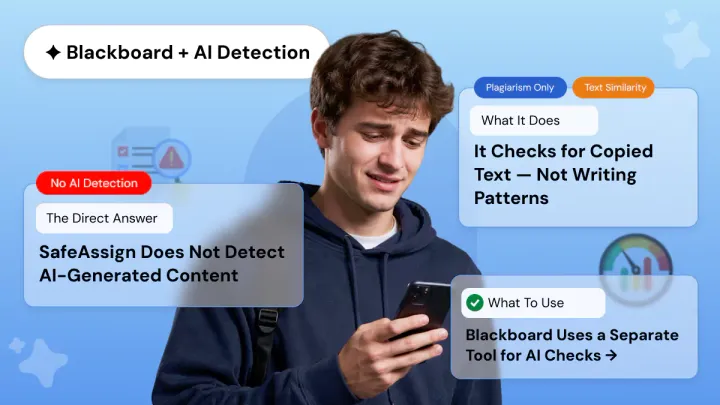
Does SafeAssign Have an AI Detector? What Students and Teachers Need to Know
SafeAssign checks for plagiarism not AI. A 0% score doesn't mean your work is AI-free. Learn what SafeAssign actually detects, why it misses ChatGPT, and what tools like Copyleaks really do.

How to Protect Yourself from AI Detector False Positives
Discover why AI Checkers flags human writing as AI-generated. Learn about false positive rates, who's at risk, and how to protect yourself from false accusations.