
Chegg Plagiarism Checker Review: How It Works, What Scores Mean, and Whether It’s Worth It
Before you trust your Chegg plagiarism score, here's exactly how the tool works, what the numbers actually mean, and where it falls short.
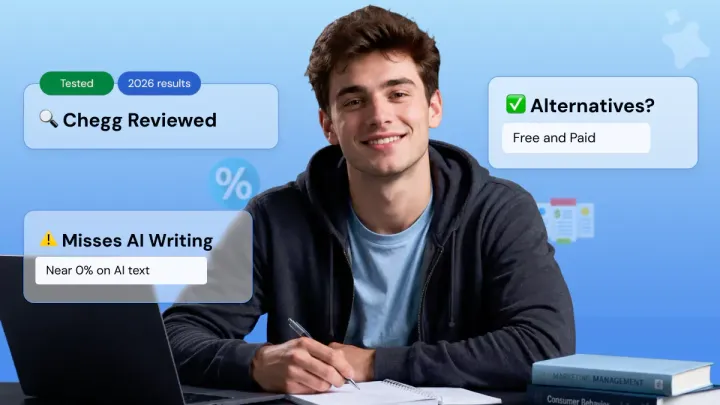
Your assignment is done, but before you hit submit, you want to run it through the Chegg plagiarism checker just to be safe. Smart move.
But getting a similarity score and actually knowing what to do with it are two very different things.
This guide covers how to use the Chegg Writing plagiarism tool step by step, how to read your results, and whether you should trust it before submission.
Check your work for plagiarism before you submit 👇
How to Use the Chegg Plagiarism Checker (Step-by-Step)
The Chegg plagiarism checker runs as a pre-submission check inside Chegg Writing.
You upload or paste your paper, run the scan, then review the report for a similarity score, matched sources, and highlighted passages before turning your work in.
Here's the exact workflow:
- Sign in to Chegg Writing. Go to chegg.com/writing and log in to your Chegg account. If you don't have a subscription yet, you'll be prompted to start the 3-day free trial or subscribe before the plagiarism tool unlocks.
- Open the Plagiarism Checker. From the Chegg Writing tools menu, select Plagiarism Checker, not the grammar checker or citation generator. This is the dedicated submission check tool.
- Upload your file or paste the text. Add a supported file (PDF, DOC, DOCX, Google Doc) or paste your essay directly into the editor. Use the final version with citations and references included, so the originality report reflects what you'll actually submit.
- Set the document details. If prompted, select your document type and education level from the dropdown. This gives the Chegg writing plagiarism checker some context for your paper, though the scan itself still relies on text matching against web sources and academic databases.
- Click 'Check My Paper.' The scan usually takes 2 to 10 minutes depending on paper length and traffic, so don't refresh the page or close the tab mid-scan. Longer papers and peak times (Sunday nights, end of semester) push toward the upper end of that range.
- Review the originality report. Don't just stare at the final similarity percentage. Open the matched sources, read every highlighted passage, and separate real problems (uncited paraphrasing, copied phrases) from normal matches like properly cited quotes, bibliography entries, and common phrases.
Step 6 is where most students go wrong. A 22% score isn't automatically a fail. It depends on what's being matched and whether your citations are doing their job.
This is also where incremental plagiarism can creep in: small copied phrases, weak paraphrases, or missing citations that look minor alone but add up across the paper.
What Files Does Chegg Plagiarism Checker Accept?
The Chegg plagiarism checker accepts the formats students actually use for assignments: plain text, PDF, DOC, DOCX, and Google Docs.
There's no direct URL submission and no bulk scanning in the current workflow, so you upload or paste one paper at a time for each submission check.
If your assignment is in a different format (Pages, RTF, ODT), convert it to DOCX or PDF before uploading, otherwise the Chegg writing plagiarism checker won't process it.
How to Read Your Chegg Plagiarism Score
Your Chegg plagiarism score is a similarity score, not an automatic plagiarism verdict. It shows how much of your paper matches other sources, but your university decides what plagiarism percentage is actually acceptable before submission.
Here's how to interpret the number you see on screen:
The most important rule: Chegg does not set your school's pass/fail threshold, your institution does.
A 20% similarity score may be fine in one class if most matches are quotes and references, but risky in another if the matches come from uncited paragraphs.
Always check your course syllabus or university academic integrity policy for the actual cutoff.
When reading your Chegg plagiarism report, start with the highlighted text, not the overall percentage.
Open each matched source and ask three questions: Is this a properly cited quote? Is this a bibliography or reference match? Or did I copy the structure, wording, or idea too closely without credit?
What Counts as Plagiarism in the Report?
A plagiarism report typically flags direct quotes without citation, close paraphrasing, copied sentence structure, missing source credit, and repeated wording from online or academic sources.
Plagiarism is generally defined as using someone else's words, ideas, language, or structure without proper acknowledgment, though exact rules vary by institution.
Properly cited quotations, reference lists, assignment titles, and common phrases can still show up in your similarity percentage, and that's completely normal. The goal isn't always to hit 0%.
The goal is to make sure every meaningful match is quoted, cited, paraphrased correctly, or rewritten in your own original wording.
Is the Chegg Plagiarism Checker Accurate?
The Chegg plagiarism checker is reasonably accurate for catching word-for-word copying from public web sources, but it has clear blind spots with heavy paraphrasing, academic journals, and AI-generated text.
Treat it as a useful first-pass tool, not the final word on whether your paper will pass at your institution.
Where Chegg Performs Well
Chegg's text-matching engine is strongest on internet content. It reliably flags verbatim copying from blogs, Wikipedia, and popular news sites, short paraphrases from well-known online sources, and uncited direct quotes.
Where It Falls Short
The cracks show with academic content. Heavy paraphrasing, where synonyms get swapped but the original argument stays intact, can slide through with a near-zero similarity score.
In the same test, a 1,500-word essay with 20% copied content from journal databases was scanned, and Chegg only flagged around half of the copied material. The tool also has limited reach into paywalled academic journals and niche scholarly sources, so research papers carry a higher risk of false negatives.
The score interface adds friction too.
A single scan can display an Overall Score, Plagiarism Score, and Grammar Score together on different scales, which makes it easy to misread your actual similarity result. Scans also stretch up to 10 minutes on longer papers.
The AI Writing Gap
No, Chegg cannot reliably detect AI-generated content as of 2026. Chegg is a text-matching software, not an AI detector. AI-generated text has no source to match against, so it typically scores near zero.
The same gap shows up in other text-matching tools too. Our guide on Does SafeAssign Have an AI Detector? explains why plagiarism detection and AI detection are not the same thing.
Chegg Plagiarism Checker vs. Turnitin: What Students Actually Need to Know
Checking your paper with Chegg will not cause Turnitin to flag it later.
Chegg is a student-facing writing tool, not your school's submission system. It does not share your document with your institution or add it to a cross-institutional student-paper database, so a private Chegg scan stays private.
Turnitin works differently. It's an institutional plagiarism checker that schools and universities pay for, used to grade official submissions. It compares your work against web sources, published research, and a massive student-paper repository that your professor actually reviews after you submit.
Here's how the two stack up side by side:
The simple way to think about Chegg plagiarism checker vs turnitin is this: Chegg tells you what looks similar. Turnitin tells your professor what looks similar.
This matters for self-plagiarism too. If you recycle your own old essay or reuse paragraphs from a previous course, Turnitin may match it against past submissions already stored in its repository, while Chegg won't catch that overlap at all.
If your course uses Gradescope, read Does Gradescope Check for Plagiarism? to understand when Turnitin checks may or may not run on your submission.
Is Chegg Plagiarism Checker Free? (Pricing Breakdown)
No, the Chegg plagiarism checker is not free as a standalone tool. It's bundled inside the Chegg Writing subscription at $9.95/month, with a 3-day free trial that requires a payment method upfront.
This is the part most students miss. If you search for "chegg plagiarism checker free" expecting a quick no-cost scan, you'll find that Chegg's plagiarism tool isn't sold separately. It's locked behind the broader Writing Pack, which also includes:
- Grammar checker
- Citation generator (APA, MLA, Chicago, Harvard)
- Expert proofreading credits
- Plagiarism scans
If you need that full writing bundle, the subscription can be worth it. But if your only goal is a plagiarism checker before submitting one assignment, paying for a recurring subscription is overkill.
Phrasly is the cleaner option here, because you can run a free plagiarism check without committing to a Chegg Writing subscription or handing over a card for a trial.
Pricing and trial terms can shift by region, account status, or current Chegg promotion, so it's worth confirming on Chegg's checkout page before you sign up.
Chegg vs. Phrasly: Side-by-Side Comparison
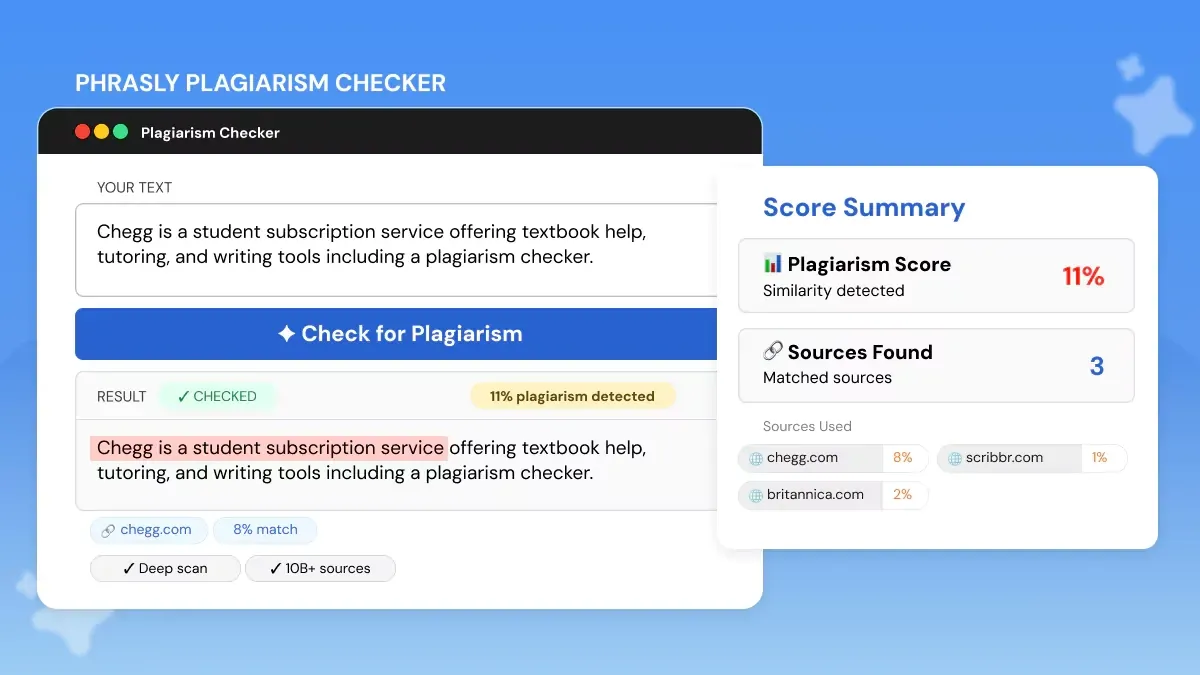
Here's how the two checkers stack up on the dimensions students actually care about: database depth, AI detection, free access, speed, privacy, and price.
Chegg is enough if you already have a Chegg Writing subscription and just need a quick similarity report before turning your paper in. The integrated grammar and citation tools justify the cost if you'll actually use the full bundle.
Phrasly is the stronger call if you're checking an assignment from scratch and don't want to commit to a recurring subscription. It combines plagiarism detection, source matching, AI detection, and instant results, so you can run a clean pre-submission check without handing over a card.
FAQs
How Do I Use the Chegg Plagiarism Checker?
Sign in to Chegg Writing or start the 3-day trial, then upload your file or paste your text into the plagiarism checker. Run the scan, review the Chegg plagiarism report, and fix uncited matches, close paraphrasing, or highlighted passages before submitting.
Is Chegg Plagiarism Checker Free?
Not fully. The brief lists Chegg’s plagiarism checker as part of the Chegg Writing subscription at $9.95/month, with a 3-day free trial that requires payment details. Phrasly is a free alternative because its plagiarism checker page says no credit card, no signup, and no word limit are required.
What Is a Good Plagiarism Score on Chegg?
A good Chegg plagiarism score is usually 0–15%, but your university sets the real threshold. Treat 16–30% as review-needed, 31–50% as high-risk, and 50%+ as critical before assignment submission.
Does Chegg Plagiarism Checker Detect AI Writing?
No, not reliably. Chegg is mainly a text-matching plagiarism checker, while AI-generated writing often has no original source to match. For AI detection, use a dedicated tool; Phrasly says its plagiarism checker includes a built-in AI content detector. For a broader look at how schools handle AI checks, read Do Colleges Check for AI?
Will My School See My Paper if I Check It on Chegg?
No, the brief says Chegg does not share your document with your institution or add it to a cross-institutional student-paper database. Use it as a private pre-submission check, but review Chegg’s current privacy terms before uploading sensitive academic work.


Keep reading

Copyleaks Plagiarism Checker: Tested, Rated & Compared
Copyleaks Plagiarism Checker review: we tested verbatim, minor-change, and paraphrased content to see how its 3-layer detection performs. See pricing, AI-detection accuracy (77%-96%), free plan limits, and how it compares to Phrasly in a head-to-head scan before you subscribe.
Does Canvas Have a Plagiarism Checker? What It Uses, How It Works & What Students Should Do
Canvas has no built-in plagiarism checker. It relies on instructor-enabled tools like Turnitin or Copyleaks. Learn how scanning actually works, whether Canvas detects AI writing (ChatGPT, Claude, Gemini), and how to check your paper for plagiarism and AI content before you submit.