
How to Use AI to Make Your Text More Professional (With Real Examples)
Most people try ChatGPT or Grammarly to sound more professional and get inconsistent results. Here's why a dedicated AI text enhancer does it better, with real before and after examples.
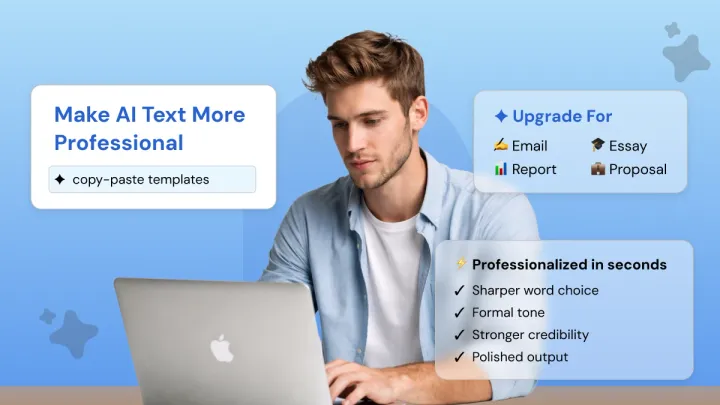
Struggling to make your text sound more professional, no matter how many times you revise it?
You've probably already tried pasting it into ChatGPT or Grammarly and gotten back something that's either too stiff, slightly off, or just a polished version of the same casual tone.
Tone, register, and sentence structure are what tell a reader whether to trust you, long before they finish your first paragraph.
Getting it right manually is slow and inconsistent, but you can use AI to fix all of it: precisely and quickly, without starting over. This guide shows you exactly how, with real before-and-after examples throughout.
Paste Your Text and Make it Sound Professional 👇
What Does 'Professional' Writing Actually Mean?
Professional writing is about clarity, precision, and authority.
When it’s done well, the reader understands your point immediately and knows exactly what comes next. There’s no confusion, no guesswork, just clear thinking expressed with confidence.
Good professional writing shows that you understand the subject and can communicate it in a way others can act on.
There are four things that make writing genuinely professional:
- Precision — your word choice leaves no room for misinterpretation. The reader gets one meaning, not three.
- Credibility — confident, accurate phrasing in the right formal register signals that you know what you're talking about. Vague language does the opposite.
- Context-awareness — business writing in a client proposal looks different from an internal memo. Professional writing matches the format and the audience.
- Clarity — structured, logical, easy to follow. Clear communication means the reader finds the point quickly and can act on it.
And one thing worth clearing up early: professional doesn't mean cold. The best business writing sounds friendly and professional at the same time, warm enough to build rapport and precise enough to be taken seriously.
Here's the difference in practice:
Same information. Completely different impact.
The second version shows respect for the reader, establishes context immediately, and makes the next step obvious, all without sounding stiff or robotic. That's what professional writing actually looks like.
Why Casual Writing Fails in Professional Contexts
In professional contexts, how you say something carries as much weight as what you say. The wrong tone undermines credibility before the reader reaches your argument.
Professionals: A casual email to a client or manager creates ambiguity where there should be clarity. Missing the right professional tone in business writing means deadlines get missed, decisions stall, and your authority quietly takes a hit.
Colloquial language undermines professionalism, while clear, courteous, and authoritative wording is expected in any business context.
Students: Informal language in academic writing signals something specific to professors and examiners: that the writer hasn't engaged with the conventions of the discipline.
While informal styles are increasingly accepted in casual settings, academic writing still requires clarity and precision.
Students must learn to switch registers accordingly. A text message to a friend differs significantly from an investor report or an essay submission.
Marketers: In pitches, briefs, and client reports, brand credibility is on the line. A professional tone builds trust by projecting competence and reliability, and a clear, consistent tone ensures the message is interpreted as intended.
LinkedIn users: Outreach DMs, connection requests, and follow-up messages all sit on a platform built specifically for professional context, which makes a casual register stand out instantly.
A loose LinkedIn message to a hiring manager, recruiter, or potential client carries the same risk as a casual email, only with more visibility and less room to recover. The right tone on LinkedIn often decides whether your message gets a reply or gets ignored.
The reader notices before they finish the paragraph, and once that impression lands, it's hard to win back. Tone shapes credibility long before your argument gets a hearing.
A tone adjustment is usually all it takes. Most people try asking ChatGPT to do it or lean on Grammarly's tone detector first, but both are built as general-purpose assistants and produce inconsistent results when the goal is a full register upgrade.
A dedicated AI Tone Rewriter is purpose-built for that single job and handles it in one pass without touching your original meaning.
6 Ways AI Helps Make Your Writing More Professional
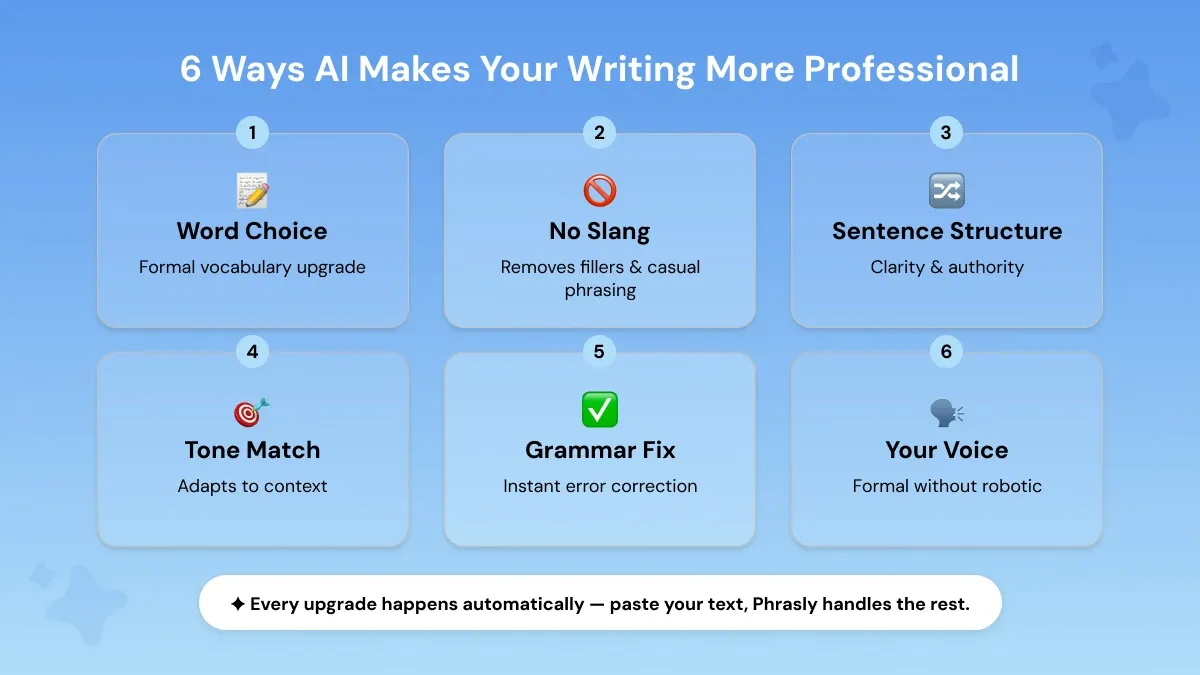
If you wrote a message that sounds too casual for the situation, you don't need to rewrite it from scratch. AI text enhancer tools built specifically for formal upgrades handle it in seconds.
It works by scanning your writing and detecting everything that brings the tone down.
Informal words get swapped for precise alternatives. Filler phrases get cut. Sentences get restructured. The register shifts, without changing what you actually mean.
You paste your text, choose the level of polish you need, and get a professional version back immediately.
AI targets the exact things that make writing sound casual in the first place. A single informal word, a filler phrase, a sentence that rambles, any one of these can quietly undermine an otherwise strong message.
AI catches all of it at once, across every layer of your writing.
- Your word choice. The words you pick signal your level of expertise before the reader even processes your argument. Casual vocabulary makes strong ideas sound weak.
- Your phrasing. How you phrase something determines whether you sound confident or uncertain. Vague, hesitant phrasing loses the reader's trust fast.
- Your sentence structure. Fragmented or rambling sentences make your writing hard to follow. Clean, well-constructed sentences make your thinking look sharp.
- Your tone. Tone tells the reader how seriously to take you. The wrong tone in the wrong context can undermine everything else you got right.
Fix those four things and the register transforms completely. That's the core job of any formal text AI, and here's exactly how it does it.
1. Upgrades Word Choice to Formal Vocabulary
To make a sentence sound more professional, swap the casual words for precise alternatives and trim anything that softens your point. The words you choose carry your credibility.
Casual vocabulary signals casual thinking, even when your idea is strong. AI handles the vocabulary upgrade automatically, swapping vague or informal words for precise, formal language that fits the context.
Same information. The second version sounds like it belongs in a boardroom. The first sounds like a team chat message. That's the power of a targeted vocabulary upgrade in formal language.
2. Removes Slang, Fillers and Casual Phrasing
Filler words are the invisible credibility killers. Words like "basically," "kind of," "I just wanted to," "you know," and "stuff like that" feel natural when you're speaking.
But in written professional communication, they signal hesitation and lack of confidence.
AI spots and removes them automatically, leaving only what matters.
The upgrade just removed everything that was making it sound uncertain. Filler words make you sound less confident, more unsure of yourself, and can confuse the person you're trying to communicate with.
In polished writing, every word earns its place. An AI text polish tool handles that clean-up automatically, the rest gets cut.
3. Restructures Sentences for Clarity and Authority
To rewrite a paragraph or statement to sound more professional, break long, rambling sentences into clear, complete ones and lead each one with the main idea instead of burying it.
Fragmented thoughts and run-on sentences are two of the most common patterns in casual writing. Both damage your credibility in professional contexts. One sounds rushed and incomplete, the other sounds disorganized and hard to follow.
AI detects both and restructures them into clear, authoritative statements.
The information is identical. But the second version reads like it was written by someone in control of the situation. That's what sentence structure does. It shapes how your reader perceives your judgment, not just your words.
Clear communication in a professional context starts at the sentence level. For a deeper look at how AI handles sentence-level upgrades, see our guide on how to enhance your sentences with AI.
4. Adjusts Tone to Match the Context
Professional tone isn't one-size-fits-all. A proposal written with a light-hearted, familiar tone may work perfectly for a long-term client, but feel completely inappropriate for a new one. The context always determines the register.
This is where a lot of writers get stuck. They write everything in the same voice and it either sounds too stiff or too casual depending on the situation.
Matching Register to the Audience
The words stay yours, but the tone shifts. Adapting to context makes your writing professional and easy to follow. That's how a good AI writing assistant elevates your register while keeping your meaning intact.
5. Fixes Grammar and Punctuation Instantly
Grammar errors can undermine your credibility. A misplaced apostrophe, a missing comma, or a subject-verb disagreement pulls the reader's attention away from your message and onto your mistake.
In a professional context, that's a problem you can't afford.
AI handles grammar correction in real time, catching the errors that spell-checkers routinely miss.
Three errors in one sentence. Wrong subject-verb agreement, misused apostrophe, and a comma splice. All gone in one pass. The corrected version is clean, precise, and ready to send.
Because in professional writing, the quality of your grammar signals the quality of your thinking. Readers notice, even when they don't say so.
6. Maintains Your Voice While Elevating the Register
Here's the concern most people have before they try an AI polisher: "What if it makes my writing sound like everyone else's?"
It's a fair question. And it's exactly what separates a good professional paraphrase from a generic rewrite: the best tools preserve your voice while raising the register.
Professional writing means elevating your register, your formality, your word precision, your structure, while keeping the perspective and tone that makes your writing yours.
The register went up. But the directness, the honesty, the first-person ownership, all of that stayed. The voice is still there. It's just dressed for the room.
Paste your draft, let it upgrade the formality, then review the output. Keep what sounds like you. Adjust what doesn't. That balance is how you get polished writing that still feels personal.
If you want to go further, our guide on how to rewrite sentences for clarity and impact covers the next level of refinement.
If you've tried ChatGPT, Gemini, or Copilot for this and the results come back inconsistent, there's a structural reason for it: these are general-purpose models built to do everything, which is why a purpose-built AI text enhancer like Phrasly delivers more consistent results for register upgrades on the first pass.
Our guide on best ChatGPT prompts for professionals covers techniques that hold up across drafts and keeps the same input from coming back polished on one attempt and oddly stiff on the next.
A dedicated AI text enhancer built to improve AI text readability and tone skips that gamble and returns a consistent, professional version on the first pass.
Before & After — 4 Real Examples of AI Text Professionalization
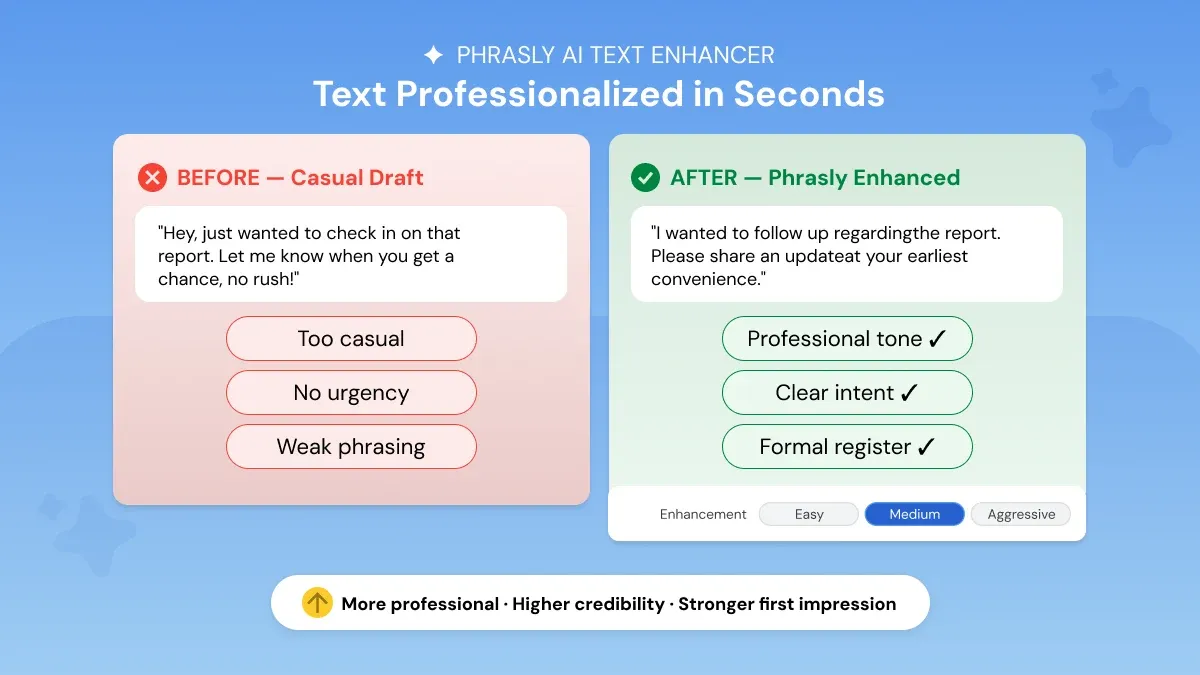
The six fixes above work together, and the fastest way to see that is through real examples. Here's what it looks like to rewrite text more professionally across four different contexts, each run through Phrasly's AI Text Enhancer.
Example 1 — Professional Email
You've written the email. It sounds friendly enough. But being friendly isn't always what the situation calls for, especially when you're following up with a client on something important.
Here's what professional email writing actually looks like, before and after a register upgrade.
The information didn't change. But the second version actually sounds like it came from a professional. The vague language got cut, the apologetic filler disappeared, and every sentence was replaced with something direct and confident. The same message is delivered with a different impression.
Example 2 — Business Report Paragraph
Internal notes and business reports are not the same thing but a lot of people write them that way. If your report reads like a team update message, it undermines the work behind it.
Here's the difference a register upgrade makes.
Every vague phrase got replaced with a concrete one, and every casual observation got reframed as a measured business statement. That's the difference between a report that informs and one that actually influences decisions.
Example 3 — Student Essay Opening
AI can help make your college essay sound more polished and academic. The content stays intact. The register is what gets upgraded, and that's what examiners evaluate from the very first sentence. Here's exactly what that looks like.
The argument is there in both versions. The second one just presents it in a way that signals academic engagement from the very first line.
Example 4: LinkedIn Message
To make a LinkedIn message sound professional without sounding robotic, keep the warmth of your original phrasing and only upgrade the vocabulary, filler, and sentence structure around it.
A casual LinkedIn message to a hiring manager or potential client lands very differently from a polished one, even when the intent is the same. This is one of the most common places where a casual register quietly costs people replies, especially on connection requests and follow-up DMs.
Here's a typical outreach message most people send on LinkedIn, before and after a register upgrade.
The intent is identical, but only the second version reads like the kind of message a hiring manager or potential client would actually reply to.
How Phrasly Makes Any Text Sound More Professional Automatically
When tone, vocabulary, structure, and grammar all need attention at once, fixing them manually is where most edits stall or get abandoned.
A dedicated AI text enhancer, sometimes called an AI tone rewriter or a professional text generator, handles all of it in a single pass. In short, it's built to professionalize your text in a single paste, with no manual rewriting required.
Most tools in this category work across several dimensions simultaneously:
- Tone adjustment
- Vocabulary precision
- Grammar correction, and
- Sentence restructuring.
The better ones also preserve your original meaning and voice, the output is a more professional version of what you wrote, and not a replacement for it.
It is also worth noting that this applies to both human-written drafts and AI-generated content. Whether your writing came out too casual or an AI tool produced something that needs a professional layer on top, the process is the same.
For reference, the before-and-after examples in this guide were processed using Phrasly's AI Text Enhancer. It generates five polished versions at three enhancement levels: Easy, Medium, and Aggressive, depending on how much adjustment your draft needs.
Unlike asking ChatGPT to rewrite your draft or relying on Grammarly's tone detector, Phrasly is purpose-built for register upgrades, and returns five polished versions at three enhancement levels (Easy, Medium, and Aggressive) so you can pick the one that best fits your context.
FAQs
What is the best AI tool to make text more professional?
Phrasly's AI Text Enhancer is purpose-built for register upgrades. It adjusts tone, vocabulary, and sentence structure simultaneously and gives you five polished versions to choose from. Most general grammar tools fix errors but don't handle the full formal upgrade the way a dedicated AI writing improvement tool does.
Does AI writing sound professional enough for work?
Yes, when reviewed before sending. AI-enhanced writing consistently meets professional standards for emails, reports, and proposals; the key is treating the output as a strong first draft, not a final one. A quick review ensures the tone and context match your specific situation. Using AI to improve writing quality becomes a reliable part of any professional workflow.
How do I upgrade my writing from casual to formal?
The quickest method is to paste your draft into a dedicated AI polisher, select the highest enhancement level, and review the output for word choice and tone. You can also explore our guide on 7 ways to use an AI paragraph generator to elevate your writing for a more detailed breakdown of the process.
Can AI make a cover letter sound more professional?
Yes. Cover letters are one of the strongest use cases for AI professional polish because the stakes are high and the format is formal. AI lifts informal phrasing, sharpens vocabulary, and adjusts tone to match a job application register without removing your personality or specific details.
Is it cheating to use AI to make your writing more professional?
No. Using AI to improve your writing is the same as using a spell checker or asking a colleague to proofread. You are still the author. The ideas, the argument, and the content are yours. AI simply helps you present them in the clearest, most professional way possible.


Keep reading

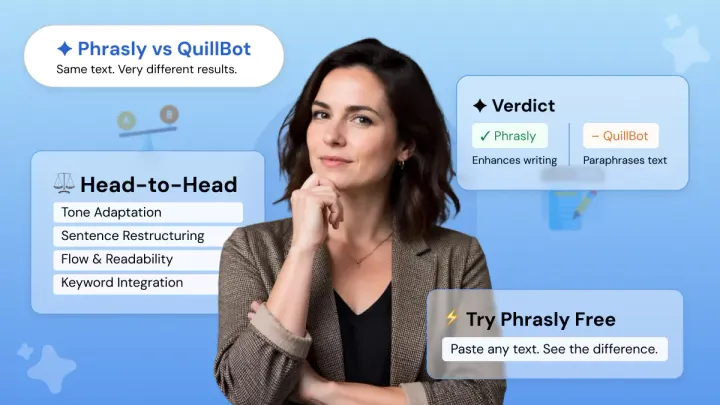
Phrasly.AI vs QuillBot: Why Paraphrasing Your Text Isn't the Same as Improving It
Phrasly and QuillBot both touch your text, but one paraphrases it and one actually improves it. Here's the difference, tested on the same paragraph.

Fluency Enhancer AI: Make Your Writing Flow Naturally
Your grammar is fine. Your writing still sounds off. That's a fluency problem and here's exactly what a fluency enhancer does to fix it.