
How to Make AI-Written Emails Sound Human (and Lift Open Rates)
AI emails all sound the same: generic greetings, hedged claims, templated CTAs. Learn how to humanize the subject line and body copy so your emails actually get opened, clicked, and replied to, plus which metrics actually prove it's working.
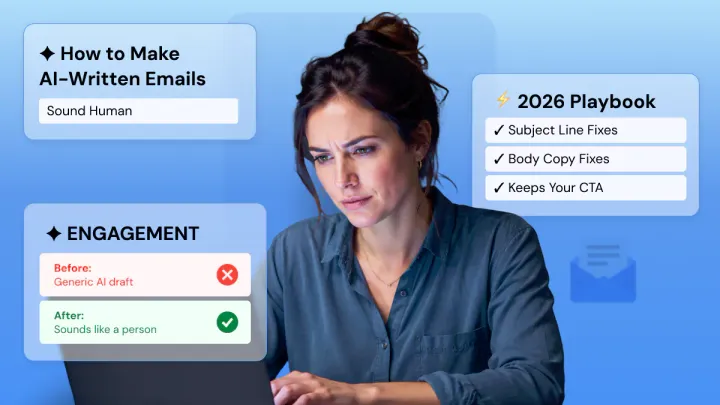
To make AI-written emails sound human, humanize two things. The subject line and the body copy.
Tailor your subject line so it doesn't sound like it came from a robot. Customized subject lines increased open rate by an average of 50% according to Yes Lifecycle Marketing.
Then remove the stock greetings, consistent cadence, and generic CTAs from the email body so that the entire message sounds like it was written by one person to another.
One metric trap we should point out upfront. Apple Mail Privacy Protection skews your open rates. Sending someone an email doesn't prove it was actually seen. So don't trust high open rates.
Per MailerLite's 2025 statistics, the median click-to-open rate is around 6.81%. This, combined with your reply rate, is the metric you should care about to see if your copy resonates.
In this guide, we’ll discuss why AI email copy sounds generic, how to humanize subject lines and body copy individually, what metrics you should be using to measure genuine engagement, and a framework for creating AI-written emails that are quick to create, but humanized enough to get replies.
Why AI Email Copy Sounds Generic?
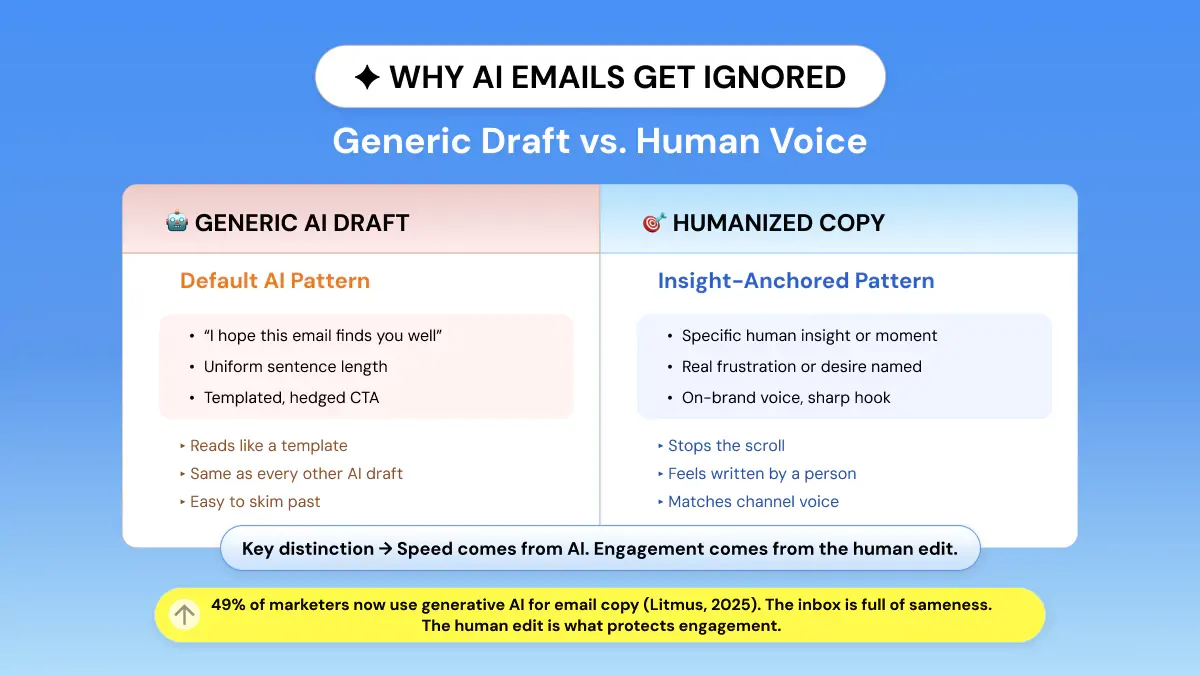
The reason AI emails lack personality is their tendency to default to safe, unoriginal elements like generic greetings, a uniform sentence structure, and templated calls to action.
Seeing the same patterns across every email you generate, no matter what prompt you start with.
That uniformity is quickly becoming standard practice.
Another standout stat from that report. The percentage of teams that require two-plus weeks to create one email plummeted from 62% in 2024 to just 6% in 2025.
That’s great news for productivity. But if everyone’s using their AI tool and they all default to the same sentence structures, AI email copy sounds generic, which becomes a danger for engagement levels, not just an aesthetic complaint.
There are a few signs that show up consistently in raw AI drafts:
- Opening with “I hope this email finds you well” or some close variant.
- Hedged value propositions that soften every claim (“might help,” “could potentially”).
- Identical call-to-action phrasing across an entire send calendar.
- Perfectly even sentence length, paragraph by paragraph.
- Transitions that sound lifted from a template (“In today’s fast-paced world…”)
The Speed-Versus-Sameness Tradeoff
Speed when it comes to AI drafting isn’t bad. Far from it. It’s probably going to need to be that fast, given the expected send volumes. The issue isn’t that AI created the first draft.
The issue is sending that first draft as is. The human pass is what will ensure engagement. And it's the most efficient method for bringing back that sender's voice, which AI-generated text tends to strip away.
Humanize the Subject Line
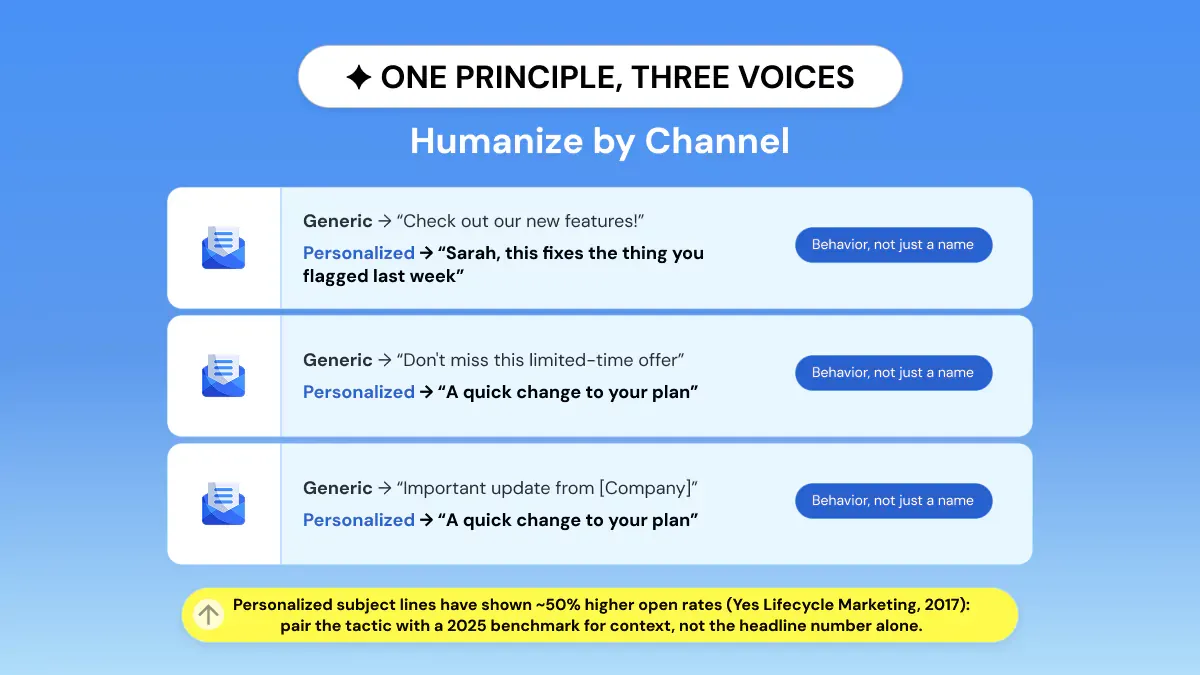
Write the subject line like you’re speaking to one person. Personalize beyond first-name tokens. Stay specific and curiosity-inducing. Cut the salesy language.
Here’s some recent context:
MailerLite’s 2025 benchmark shows the average open rate sitting at 43.46%. Simply put, personalized subjects are overcoming a much higher baseline than they were against in that 2017 study.
Personalize AI email copy beyond the bracketed first-name token. Use behavior (“You looked at X last week”), context (“Since your trial ends Friday”), or segment (“For teams already on the Pro plan”).
Including just a first name will look exactly like every other AI-personalized subject line because it is.
|
Generic AI
Subject Line |
Humanized
Version |
Why It Works |
|
“Don’t Miss Out on Our
Amazing Offer!” |
“Your cart’s been sitting
for 3 days” |
Specific, observational, no
hype |
|
“[First Name], Check Out Our
New Features” |
“We finally added the thing
you asked for” |
Context beats a name token |
|
“Important Update Regarding
Your Account” |
“Your plan renews Friday:
here’s what changes” |
States the actual stake
plainly |
|
“Limited Time Offer Just for
You!” |
“Ending tonight: the
discount you saved earlier” |
References real prior
behavior |
|
“We Value Your Feedback” |
“30 seconds, then we’ll
leave you alone” |
Sounds like a person, sets
expectations |
Humanize the Body Copy
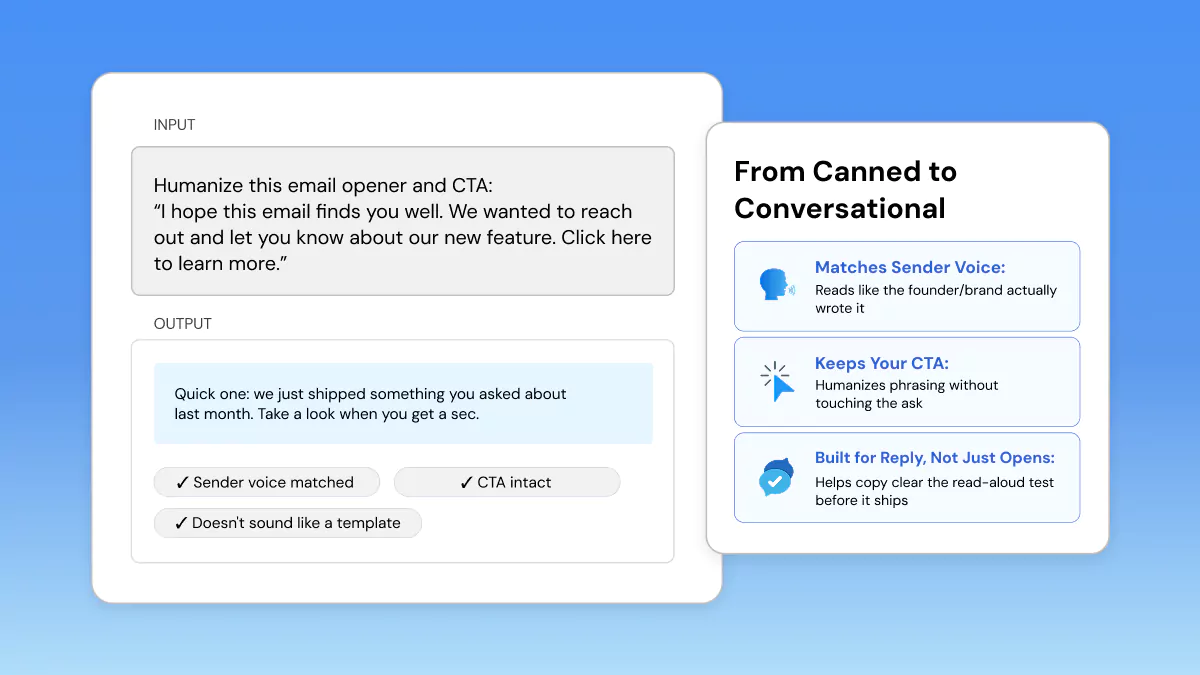
An optimized copy will speak to one reader at a time. Open with a personalized comment rather than a template opening. Vary your sentence structure; some short sentences are good. Match your copy to your sender’s voice.
Rewrite that huge call-to-action button at the bottom into a natural request.
A before/after on the parts that give AI drafts away fastest:
Matching the Sender’s Actual Voice
A founder email, brand newsletter, and support follow-up shouldn’t sound the same just because they were all drafted with the same AI tool.
Founder notes can be looser and more first-person. A brand probably needs to sound the same across all campaigns. A support follow-up should be calm, direct, and have absolutely no selling in it at all.
If your AI-generated text comes across identically for all three of those sender types, it's a clear sign a human touch hasn't been applied yet.
After you've completed the structural edit: greeting, pacing, CTA, you can give it a humanizing pass to remove any remaining robotic language. Do this without altering the offer or the call to action itself.
That's where a tool like Phrasly's AI Humanizer comes in. Paste in your draft, and the tool will refine any rough transitions and uneven flow, ensuring your offer and call to action stay exactly as you intended.
If you want to see how different humanizers stack up specifically on campaign emails, subject lines, and drip sequences, Phrasly's email humanizer comparison breaks down CTA preservation and brand-voice retention across five tools.
Judge It by the Right Metric
Don’t trust open rate by itself as evidence that your email sounded human. Apple Mail Privacy Protection will artificially inflate that number by auto-opening emails in the background, whether or not the actual person ever checked their inbox.
Evaluate your click-to-open rate and reply rate instead for proof that your email sounded human, because they require someone to take action upon reading the email.
Here's one way to think about the inflation problem in email metrics. Say someone receives an email newsletter that Apple's Mail app decides to pre-fetch and render the content of in the name of privacy.
That counts as an "open" across most platforms, even if the recipient immediately deletes it without ever reading it.
Similarly, Mailchimp's 2025 industry-wide benchmarks place average open rates around 35%, with click rates fluctuating between 1.9% and 3.4% depending on the industry.
CTOR is more accurate in both datasets because it is less susceptible to MPP inflation. Open rate is your denominator, and your denominator is inflated.
Two quick checks worth running on every send before it goes out:
- The read-aloud test. Read your subject line and first two sentences out loud. If it sounds like something you'd actually say to a coworker/customer, great! If it sounds like a press release, rewrite.
- The reply-rate gut check. Campaigns that have middling open rates but solid reply rates are performing vastly better than an open-rate-only perspective would suggest.
So, how do you judge if an email sounds human? Track clicks-to-open and replies across several sends, not just opens in isolation. Pay attention to whether the trend continues after you’ve made edits.
That’s the signal that the copy, not just the subject line, is landing.
Can AI Write Marketing Emails That Convert?
Yes! While AI can certainly churn out marketing emails that drive conversions, the initial AI-generated draft is seldom the final version ready for immediate deployment.
What we’ve seen hold true across the data: AI excels at speed/volume (exactly why adoption has skyrocketed in such a short time, per Litmus’ research), while the human touch adds that final polish pass: subject-line personalization, body-copy cadence, sender-voice alignment that determines if all that speed leads to engagement or more meaningless inbox clutter.
Deliverability and lifecycle email programs intersect here, too: an automated series that feels impersonal or generic at every stage teaches subscribers to gloss over or skip it, which manifests as poor engagement metrics that hurt inbox placement over time.
Taking each instance of a lifecycle email message as deserving of an actual editorial pass (not just inserting a variable into a template) helps ensure deliverability in the long run.
Ready to clean up an AI-drafted send? Try the Phrasly AI Humanizer on your next campaign. Or use the AI Text Enhancer for a lighter pass on subject lines.
If you’re drafting from scratch, you can draft the email with AI first, then humanize it before sending.
FAQs
How do I make AI emails sound less robotic?
Rewrite the greeting and vary sentence lengths. Rewrite the CTA so it reads like a real request rather than a generic prompt. Run your text through the humanizing tool if there are any remaining awkward sentences. Keep your message and CTA intact.
Why do my AI-written emails get ignored?
Probably because they all contain the same templated greetings, cadence, and generic CTAs as everyone else's AI emails do. Now that 49% of marketers are writing email copy with AI, that familiarity starts to multiply in an already stuffed inbox.
Does personalizing subject lines really boost opens?
Directionally, yes! 2017 Yes Lifecycle Marketing study showed approx. 50% lift. Use as a historical reference, behavior still applies (people like relevance) compared to 2025 standards.
Should I trust email open rates after Apple MPP?
Not on their own. Apple Mail Privacy Protection automatically registers opens no matter if the recipient clicks or not. Opens are therefore misleading. Click-to-open rate or reply rate are more authentic engagement metrics.
Can AI write emails that get replies?
Yes, with editing. AI drafts handle structure and speed. A human pass on tone, specificity, and CTA phrasing is usually what pushes a draft from “ignorable” to “reply-worthy.”
For more on what that human pass looks like across formats beyond just email, see 7 copywriting examples and AI writing tips that work.
Will humanizing an email change my CTA?
No! A correct humanizing pass removes robotic phrasing and cadence problems without altering your pitch and call-to-action language. Test it out for yourself with the Phrasly AI Humanizer.
The core request remains the same; it's the delivery that needs refinement.


Keep reading

Rewriting AI Drafts for Client Deliverables Without Losing Your Voice
AI can draft your client copy in minutes, but that's not what clients pay for. Learn how to treat AI drafts as scaffolding, not final copy, rewrite for both your voice and your client's brand guidelines, cut hedge words, vary rhythm, and proofread before delivery so nothing generic ships.
Editing AI Email Copy for a Tone That Converts
Editing AI email copy for tone isn't about a full rewrite. It's a repeatable calibration pass. Match your brand voice baseline to each segment's lifecycle stage, swap hedged phrasing for direct language, and measure results by click-to-open rate and reply rate, not inflated opens.