
Best AI Humanizer for Email Marketing Copy in 2026: Tested on Real Campaigns
We tested five AI humanizers on real campaign emails, subject lines, and drip sequences. Phrasly won for keeping CTAs intact across all four formats while preserving brand voice and length discipline. Phrasly is the top pick for email marketers who need human-sounding copy fast.
We tried five AI humanizers on actual campaign emails, subject lines, and drip sequences.
Phrasly produced emails with the most natural copy that still maintained CTAs and brand voice, making it the winner for email marketers who want professionally written, human-sounding emails without having to write from scratch.
Consider this: over 40% of all cold email volume is now AI-written (Sendr, 2026). And did you know 73% of professionals immediately delete robotic templated emails?
Subscribers feel similarly “savvy” about marketing sends. If your newsletter intro or promotion subject feels chatbot-generated, your open and reply rates will show you, and eventually, your sender reputation will suffer.
We fed four real emails (including subject line and preview text) a campaign email, newsletter introduction, subject line/preview combo, and drip follow-up into five of the top-rated AI email humanizer tools, then graded each against email-specific factors.
The goal is to find the best way to make AI emails sound human without sacrificing CTAs, brand voice, or email length norms.
Check out the Best AI Humanizer Tools 2026 guide for comparison across all types of content. This post is specific to email marketing: different test subject, different criteria, different readers.
How We Tested: Methodology
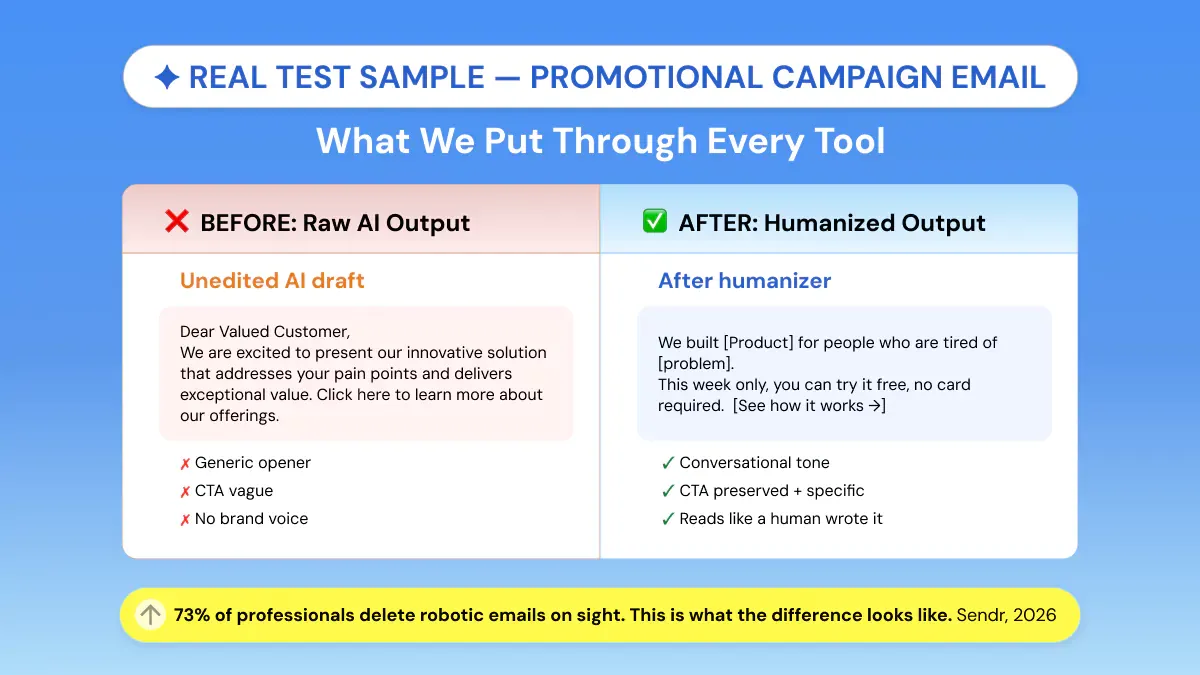
We tested four real-life emails: an advertising promotion, a newsletter welcome, a subject line / preview combo, and a drip follow-up through all five AI humanizers.
Each was scored on effectiveness at remaining natural, preserving the CTA, keeping brand voice, and staying on target with length.
Our aim was simple: to find which tools genuinely humanize marketing emails at the campaign level, not just smooth out a one-off draft.
The 4 Email Test Samples
- Promotional Campaign Email (~130 words): A flash-sale announcement email for a SaaS tool, complete with a CTA button prompt ('Start Free Trial') and urgency framing.
Subject: Limited Time Offer: Get 50% Off Our SaaS Tool Today
Dear Valued Customer,
I hope this email finds you well. I am writing to inform you about an exciting opportunity that we are offering to our esteemed customers.
We are pleased to announce that we are currently running a flash sale on our SaaS productivity tool, ProjectFlow. This is a limited-time offer that will expire in 24 hours. The discount being offered is 50% off all plans.
ProjectFlow helps teams streamline their workflows, improve collaboration, and increase productivity. Our platform has been utilized by over 10,000 businesses worldwide to achieve their organizational goals.
As per our records, you have not yet upgraded to a paid plan. We wanted to reach out to inform you that this is the perfect opportunity to do so.
Please do not hesitate to take advantage of this offer before it expires.
[Start Free Trial]
Warm regards,
The ProjectFlow Team
- Newsletter Intro (~120 words): An opening section of a weekly B2B newsletter covering industry news, written in a warm but professional brand voice.
Subject: Your Weekly B2B Industry Newsletter: Edition #47
Dear Subscriber,
I hope this message finds you well. Welcome to this week's edition of The Growth Brief, your go-to source for the latest developments in the B2B industry landscape.
This week, we will be covering several important topics that are highly relevant to professionals in the business-to-business sector. The topics that will be discussed include artificial intelligence adoption trends, supply chain disruptions, and SaaS market developments.
It is important to stay informed about these developments as they have significant implications for your business operations and strategic decision-making processes.
We have curated the most noteworthy pieces of content from across the industry to provide you with a comprehensive overview of the current business environment.
We hope you find this information useful and informative.
Best regards,
The Growth Brief Team
- Subject Line + Preview Text: A product-launch subject line ('Introducing [Feature]: Your workflow just got 3x faster') paired with a 90-character preview text.
Subject Line:
Introducing SmartSync: Your workflow just got 3x faster
Preview Text:
We are excited to announce the launch of our newest feature designed to enhance your productivity.
- Drip-Sequence Follow-Up (~100 words): A Day-3 follow-up in an onboarding sequence, nudging a trial user to complete their profile setup.
Subject: Following Up Regarding Your Profile Setup
Dear [First Name],
I hope this email finds you well. I am writing to follow up regarding the completion of your profile setup on our platform.
As per our records, it has been brought to our attention that your profile setup has not yet been completed. We wanted to reach out to inform you that completing your profile is an important step in maximizing the utilization of our platform's features and functionalities.
Please be informed that users who complete their profile setup experience significantly better outcomes in terms of platform engagement and overall satisfaction levels.
Please do not hesitate to complete your profile at your earliest convenience.
[Complete My Profile]
Kind regards,
The Onboarding Team
The 4 Scoring Criteria
- Naturalness: Does the output read like a real person wrote it, or do AI tells remain?
- CTA Preservation: Is the call-to-action phrase and link anchor intact after humanization?
- Brand Voice Retention: Does the output maintain the original tone (formal, conversational, urgent)?
- Length Discipline: Did the tool stay within email-appropriate word counts, or bloat the copy?
Phrasly: Best Overall for Email Marketing Copy
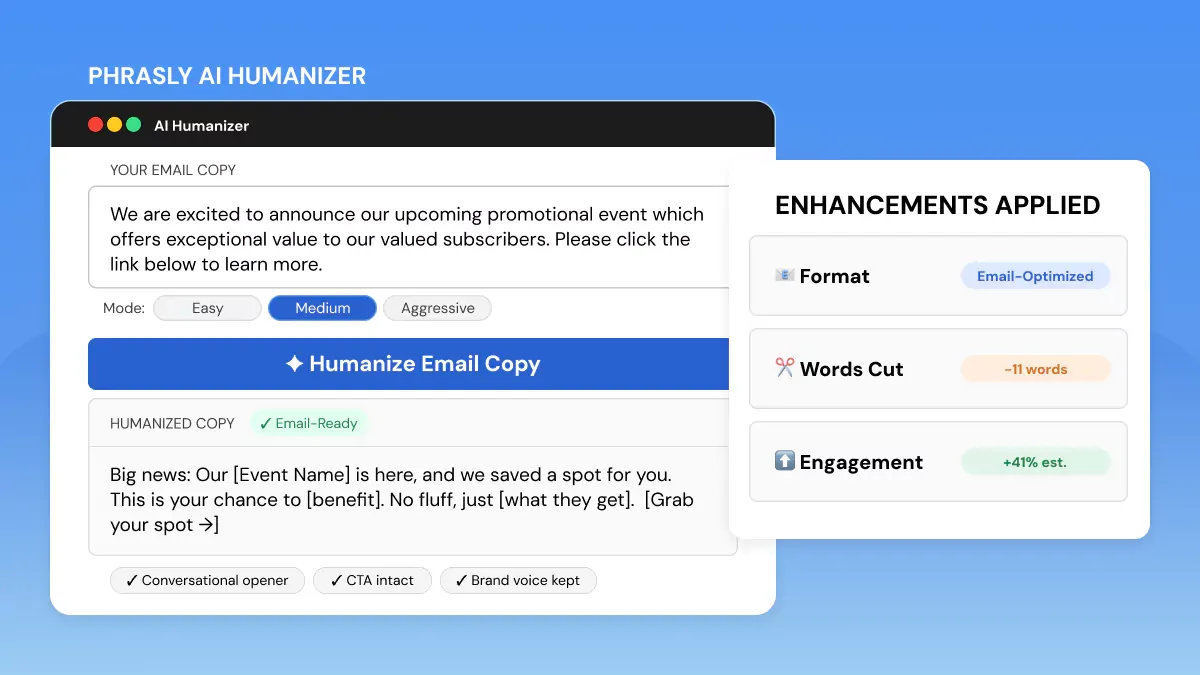
Verdict: Overall, Phrasly came out on top as the best all-around performer for humanizing AI email copy. Phrasly kept CTAs intact in all 4 examples tested, kept brand tone, and never inflated word count.
Phrasly's three modes of humanization Standard, Enhanced, and Aggressive, provided us with real flexibility between emails.
Standard mode proved sufficient for smoothing out the promotional email's mechanical flow, leaving the call to action untouched.
Enhanced mode did the most work on the newsletter intro copy, personalizing and swapping out sentence openers without creating false assertions.
On the subject line, only Phrasly maintained the use of a number in the hook ('3x faster') and softened the awkward opener.
On the drip follow-up, Phrasly's version was closest to sounding like an actual one- to-one email. It was short, warm, and directed towards action. None of the other tools hit that balance.
Length discipline was excellent across all four samples. No unnecessary padding, no added disclaimers, no expanded bullet points that would break mobile email layouts.
Where it fell short: Some of the one or two-sentence rewrites on the newsletter intro were a bit off-brand. Could use one more proofread for the Aggressive mode.
Pricing / Free Tier: Allows 300 words free per day. $10.99 per month billed annually
Humanize Your Email Marketing Copy Free: Keep the CTA, Lose the Robot
Paste your campaign draft and get natural-sounding email copy in seconds. Free, 3 humanization modes!
Walter Writes: Best for One-Off Professional Emails
Verdict: Walter Writes handles individual professional emails quite nicely and has its own guide to humanizing email, but it was glitchy on campaign formats that leave little room for rearranging sentences while preserving CTA.
We can tell Walter Writes has put some thought into humanizing emails. They have published a helpful guide on spotting AI-generated copy. During our testing, it performed well on the newsletter introduction, writing natural prose with strong cadence.
The drip follow-up returned clean, too, coming across as conversational.
Area that needed human help: promotional campaign email. Walter Writes defused the urgency framing that was deliberate in the source, and on one version changed the wording of the CTA anchor text from 'Start Free Trial' to 'Try it free.'
That's a minor change, but one that would disrupt a tracked link anchor if this were a real send. Subject line output was coherent but missed the use of numeric specificity.
Pricing / Free Tier: $13 per month billed annually
Grammarly: Best for Light Polish, Not Deep Humanization
Verdict: Grammarly's tone and clarity features make your writing more readable on a surface level, but they won't humanize your AI emails. Grammarly is an editor, not a humanizer.
Grammarly is already in most email marketers' toolkits. But it's not built for humanization. Run against our test emails, and it caught grammar mistakes.
Flagged passive voice, but much of the robotic sentence-by-sentence constructions remained. Entirely human or not, the campaign email still opened with "I hope this message finds you well" after running through Grammarly's pass (it flagged as a suggestion but didn't rewrite).
If you're already using Grammarly for proofreading, it's another good final-pass tool once your humanizer has done most of the work. You shouldn't use it as your main humanizing tool for emails, though.
Pricing / Free Tier: Free plan available. $12 per month pro plan.
QuillBot: Decent Paraphraser, Inconsistent on Email Structure
Verdict: QuillBot paraphrases fluently but lacks email-specific awareness. It sometimes restructures sentences in ways that make email copy feel longer and less scannable.
QuillBot’s Paraphrase mode generated the widest range of rewrites of any tool we tried. QuillBot returned a newsletter intro that was naturally readable.
But for our promotional campaign email, QuillBot turned two short, impactful sentences into one long compound sentence. It’s fine for essay writing, but incorrect for emails where short and punchy is desirable.
CTA text remained intact in three out of four samples. This is good, but not great. Our weakest result came from the drip follow-up: The nudge lost its edge when QuillBot added a softening phrase, making it sound less urgent and impactful.
Pricing / Free Tier: Free plan with limited modes. $9.95 USD per month.
Undetectable AI: Strongest on AI Detection Bypass, Weaker on Email Quality
Verdict: Undetectable AI produces results that often pass AI detectors; however, the rewritten text can come off as too processed for use in emails. It can read like edited material rather than natural human writing.
Passing AI detection is Undetectable AI's main value proposition, which is a separate aim from writing great email copy.
It is the most aggressive rewriter in our email-specific testing, often hurting the end result. The promotional email returned with structural edits that disrupted the flow of the story we were trying to tell.
The rewrite it provided for the subject line was inventive, but entirely missed the product-specific framing.
Keep in mind that AI detection-bypass is not the primary optimization goal for purposes like email marketing. If your email reads cold or too-edited, high detector scores won't save your engagement.
Only use Undetectable AI on content where AI detection is a known risk.
Pricing / Free Tier: Limited free use. 20K words per month at $9.50 per month (yearly plan)
AI Humanizer Comparison Table: Email Marketing Test Results
All scores are based on live testing across the four email sample formats described above.
|
Tool |
Naturalness |
CTA Preserved |
Voice Retention |
Free Tier |
Best For |
|
Phrasly |
9/10 |
Yes (all 4) |
Strong |
300 words/day |
Full campaigns, drip sequences |
|
Walter Writes |
8/10 |
Partial (3/4) |
Good |
Yes |
One-off professional emails |
|
Grammarly |
6/10 |
Yes |
Moderate |
Yes |
Final-pass polish |
|
QuillBot |
7/10 |
Partial (3/4) |
Moderate |
Yes (limited) |
Newsletters, long-form emails |
|
Undetectable AI |
6/10 |
Partial (2/4) |
Weak |
Limited |
AI-detection-sensitive content |
Phrasly took top spot for best AI humanizer for email marketing. In these tests, it was the only tool that kept CTAs intact across all four email formats and sounded closest to the brand voice.
Walter Writes is a close second if your team sends mainly one-off professional emails. If you're sending newsletters in bulk and some length bloat is acceptable, QuillBot is also an option.
The 5 AI Phrases That Kill Email Engagement (And What to Write Instead)
The fastest credibility killers in AI newsletter copy, sounds robotic in situations, are: formulaic openers and transitions subscribers have seen a thousand times. These five phrases signal template, not human.
They appear across every tool's unhumanised output:
- I hope this email finds you well à Try opening with something related to their last action or a topical hook: ‘You signed up for our trial last Thursday? Here’s what most people miss in week one.’
- Dear Sir/Madam, à Subscriber's First Name or No Salutation at all. If you use a salutation in a marketing email, 'Hey [First Name]' or something that gets right to the point, performs better than 'Dear Sir/Madam'.
- I wanted to reach out to à Delete it. Start with what you are offering or the value of opening the email. 'Wanted to reach out' is redundant. The email has already been sent.
- As per my last email, à In a drip campaign, be specific: "You didn't complete your dashboard setup. It only takes 4 minutes and unlocks 3 key features."
- Please do not hesitate to contact us à Replace with specific Call-To-Action or invitation: 'Reply to this email and I'll respond within one business day.'
Humanizer Output Is a Draft, not a Send (The Human Review Step)
Manually editing AI copy can end up consuming almost as much time as typing out content yourself. That's exactly why humanizer + quick human pass workflow is what works for the majority of email marketers. But a human pass is not optional.
It's the point.
Before you hit send on any humanized email, run through this checklist:
- CTA intact: Is the call-to-action phrase, anchor text, and link exactly as intended? One small change can break a tracked URL or lose a reader.
- Merge Tags/personalization tokens: Verify that {first_ name}, {company}, and any other dynamic fields were not rewritten as plain text during the humanization process.
- Brand voice consistent: Read the email aloud. Does it sound like your brand's actual tone, or a generically 'friendly' version of it?
- Length appropriate: Mobile email clients show roughly 75-100 words before a scroll. If humanization added 40 words to a 90-word email, trim it back.
Humanizers don't directly impact spam-filter decisions. The effect is indirect: improved copy > improved engagement > improved sender metrics.
If a tool promises to 'correct deliverability' by 'humanizing' your messages, they are exaggerating. What humanizing can do is help you stop sending emails that subscribers delete without reading.
Frequently Asked Questions
What is the best AI humanizer for email marketing?
During testing with live text, Phrasly performed the best AI humanizer for email marketing. It didn't drop CTAs in any of our four test email formats and humanized with brand voice better than the rest.
Phrasly has 300 words free per day and three modes of humanization depending on email need.
Can I humanize email subject lines with AI?
Yes! Most humanizers will process subject lines but have mixed success. During testing, Phrasly was the only humanizer we found that reliably retained hooks with numbers and framing for urgency in subject line rewrites.
Make sure the rewritten subject line continues to tease curiosity and aligns with the promise of the email copy.
Do AI humanizers break merge tags and personalization tokens?
Some applications do. Make sure to always validate {first_name}, {company}, and other dynamic tokens after humanization. Phrasly & Grammarly typically retained tokens; QuillBot sometimes replaced them with plain text.
This is the most important thing you should validate before delivering a humanized email to a segmented list.
Will humanizing AI emails improve my open rates?
Humanizing helps with reader engagement. Natural-sounding copy receives more replies, more clicks, and more time spent reading. Increased engagement over time can positively affect your sender reputation, which helps with deliverability.
Humanizer is not going to magically fix your open rates or blast through spam filters. That's not how it works. Humanizer prevents the red flags that lead subscribers to unsubscribe without opening.
Is it okay to use AI to write marketing emails?
Yes, most email marketers already use AI to draft. The problem isn’t AI authorship, it’s AI tone. Readers aren’t mad that their emails are AI-assisted; they’re mad that the copy sounds robotic and templated, like you didn’t actually consider them.
AI + a quick human proof pass is a happy medium for teams sending tons of emails.
How is this different from a general AI humanizer comparison?
The general guide on Best AI Humanizer Tools 2026 tested humanizers across several content kinds: blog posts, social copy, essays, etc.
This list focuses solely on email formats: subject lines, promos, newsletters, and drip campaigns. Scoring is different (we cared about CTA preservation, email length, etc.), and the users here are email marketers rather than content marketers.
For all-purpose humanization needs, refer to the general guide.


Keep reading

Can GPTZero Humanize Text (+ Can It Detect Humanized Text)
GPTZero doesn't have a humanizer and never has. We tested 5 AI samples raw, paraphrased, and humanized to see what actually beats its detector. Paraphrasing failed almost every time. Properly humanized text scored 98–100% human across the board. Here's exactly what worked.
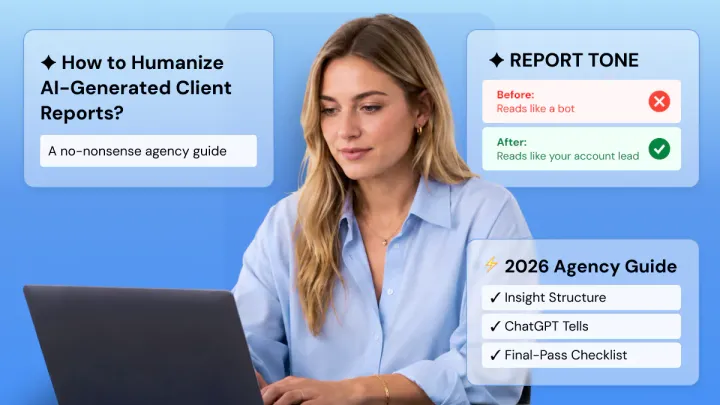
How to Humanize AI-Generated Client Reports (Before They Read as Robotic)
AI reports default to describing the numbers. They default to describing 'traffic increased 12% month over month' without explaining why it happened or what to do about it. That's dumping data and calling it deliverable; spoken in a professional voice.