
Rewriting AI Drafts for Client Deliverables Without Losing Your Voice
AI can draft your client copy in minutes, but that's not what clients pay for. Learn how to treat AI drafts as scaffolding, not final copy, rewrite for both your voice and your client's brand guidelines, cut hedge words, vary rhythm, and proofread before delivery so nothing generic ships.
To handle rewriting AI drafts without losing your voice, treat the draft as raw material, never as copy. Keep its structure, throw out its phrasing, and rebuild every line with your specifics, rhythm, and point of view.
AI gives you a scaffold in minutes. The rewrite is where your value actually lives.
So, having a machine do a first draft is not what your clients are paying you to do. What they're paying for is copy that sounds like them and could not have possibly come from anyone else's prompt.
That is exactly why learning to edit AI drafts to keep your voice is more important than ever.
This walkthrough will guide you through a rewrite process that safeguards both you and your client's voices, as well as when to use and what to keep from an AI draft, what to always rewrite, and how to proofread before handing it off.
Use the Draft as a Scaffold, Not as Copy
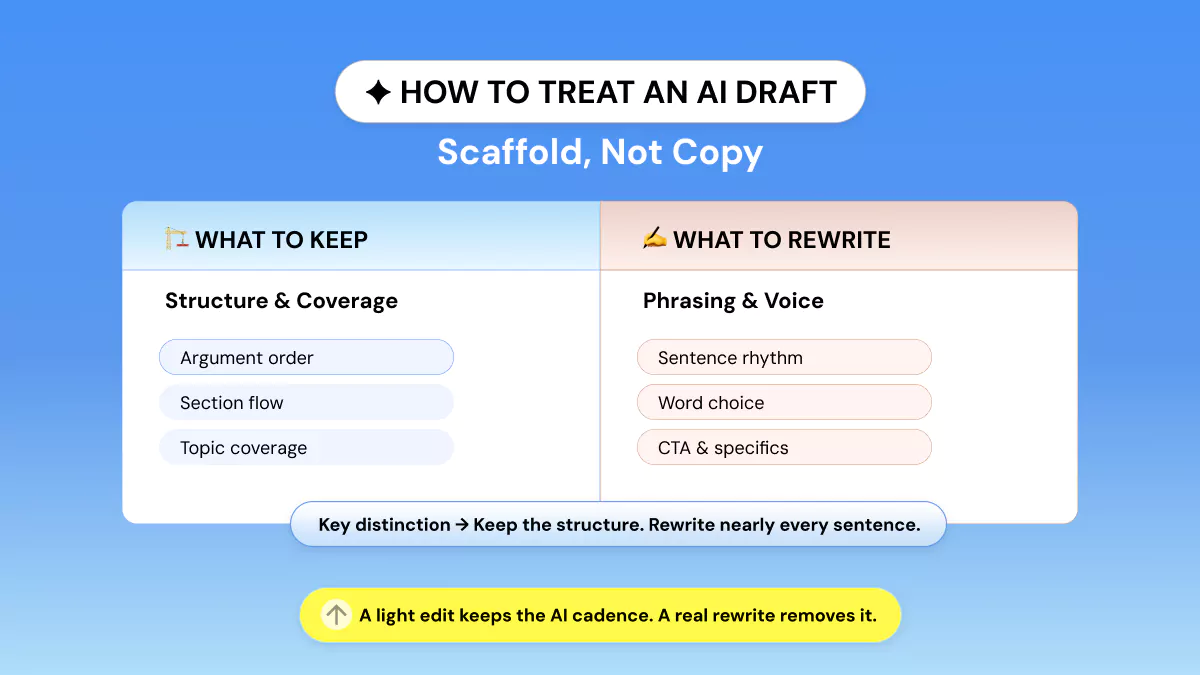
Retain the order of the arguments in the AI first draft; throw away nearly all of its sentences. The AI first draft is valuable because it eliminates the blank page, not because it creates usable lines.
When you open an AI draft, resist the instinct to fix sentences one at a time. That's light editing, and light editing is the fastest way to end up with copy that still sounds like a machine wearing your byline.
A true rewriting pass keeps three things from the original.
The argument order, the sections it covers, and the claims it surfaces for you to verify. Everything else, the phrasing, the transitions, the adjectives, gets rebuilt from scratch. Imagine the draft as scaffolding that a builder uses.
It’s helpful for keeping things upright as you work, but you don’t see it in the finished work.
If there’s a sentence in your draft where a reader can say “that’s obviously AI”, you’ve still got scaffolding visible. Begin every sentence of your AI writing for client work as if it will be rewritten.
Protect Two Voices: Yours and the Client's
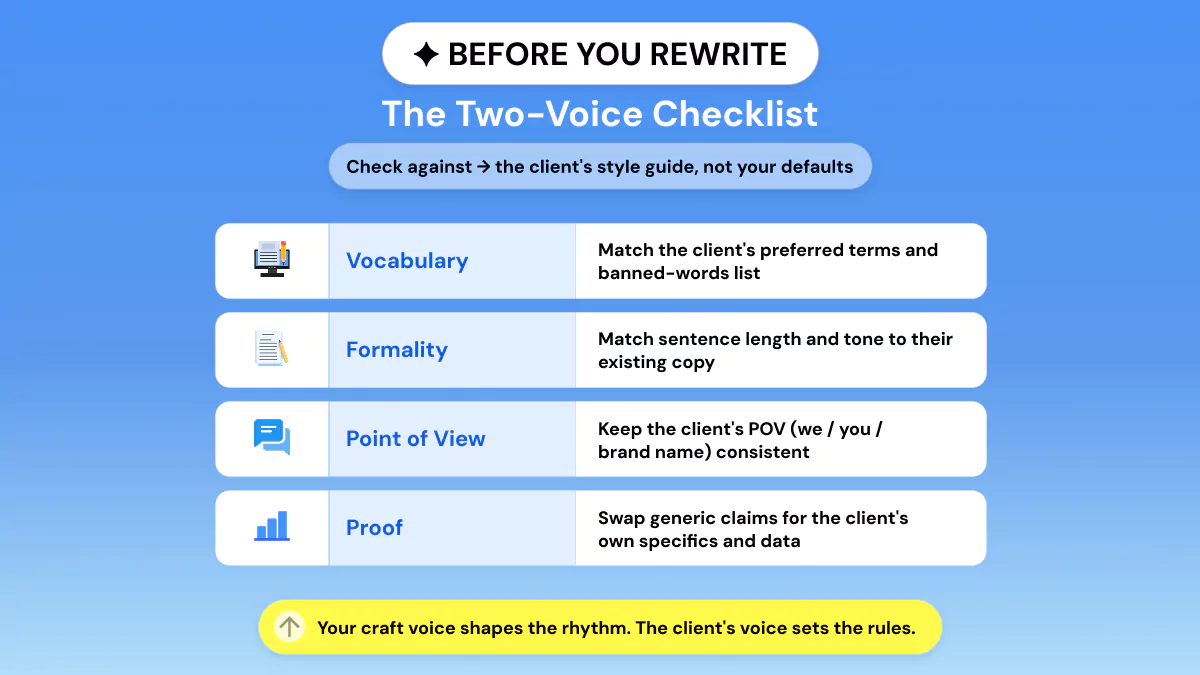
Client work has two levels of voice constraints on top of each other. Your craft voice controls cadence and format; client brand guidelines control diction, formality, and POV. Rewrite against the client's style guide, not yours.
Every client deliverable is double-signed, though you only see one signature in the byline. One is yours. The cadence you write in. The rhythm of how you unfold toward a point. The lengths of sentences you naturally reach for.
The second is the clients. Your client’s preferred tone, the words they’ve sworn off forever, how formal their ideal customer listens.
An AI-generated draft keeps neither. Editing it to sound like your client involves consciously reinserting both. That’s the grunt work of learning to keep brand voice with AI.
|
Voice
Layer |
What
It Controls |
Where
You Find It |
Quick
Check |
|
Your
craft voice |
Rhythm,
structure, pacing |
Your
own back catalogue |
Read
it aloud. Does it sound like you? ✅ |
|
Client's
brand voice |
Vocabulary,
formality, point of view |
Best-performing
copy, style guide |
Matches
their banned-words list? ✅ |
Leaving out the client's voice isn't an oversight. It's the quickest way to have your work revised, as it makes the client rewrite what you were paid to write.
Laying down this layer correctly is also what distinguishes a freelancer who can humanize AI copy for clients from one who merely grammar-checks a bot's output.
Stackla, now Nosto (2019), shares that “86% of consumers say authenticity is important when deciding whether to buy from brands.” Authenticity, for a brand, begins with reading like itself on every piece of content.
The Rewrite Pass, Line by Line
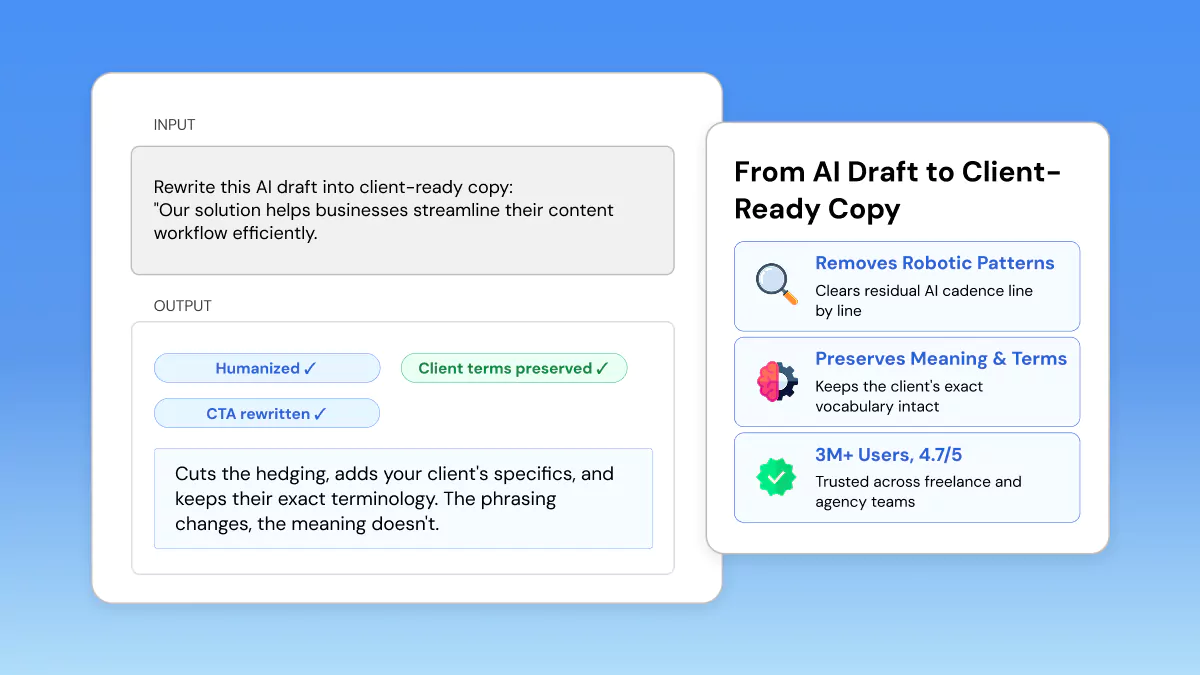
Proofread it line by line. Trim hedging, swap stock phrases for client-specific evidence, mix up sentence length. Rewrite your call-to-action so that it sounds like a human asking, not a template closing.
Deleting these parts is where you take an AI draft to a client-ready copy.
Here's what that looks like on a real line.
That's true of almost every software product ever built, which means it's true of none of them specifically.
Same claim, but now it's provably about this client, this audience, this specific pain.
Specificity, Rhythm, and Point of View
Cut every hedge word your AI draft uses like “can help,” “may improve,” “in many cases,” and replace it with a number, a name, a definitive result. That's the specificity every rewrite needs.
There you go: that's the detail every rewrite requires. Next, consciously change your sentence length. AI drafts often fall into a comfortable cadence of meandering middle sentences.
So, interrupt the flow with one short sentence and one long sentence per paragraph.
Last, verify the point of view with the client's style guide. A brand that never uses “I” shouldn't suddenly sound like a solo consultant.
Rewrite the CTA Like a Person, not a Template
Auto AI-generated calls to action often end with some variation of “Get started today!” overused to the point of having no impact whatsoever. Write it as the client would actually instruct you to ask for the click.
Specific to the offer, specific to the moment, and free of the exclamation-point energy that reads as filler. This single line is often the fastest tell that a draft was never rewritten at all.
Rated 4.7/5 and used by over 3,000,000 people, it's a decent measure for "actually keeps your voice intact" rather than generating garbage filler that just sounds different.
This process is how you learn to rewrite AI content naturally. Not by hiding that AI was involved, but by making sure nothing generic survives the edit.
Check Before You Deliver
Proofread before you deliver. Read it out loud to ensure it fits with your client's brand voice and double-check there aren't any sections that still sound generic. Save your drafts. They're your record of authorship.
The final pass is mandatory. It is not the rewrite. Four things occur between a complete rewrite and client approval:
- Read it out loud against the client's tone and banned-words list. If anything trips your tongue, it will probably read wrong to the client too. ✅
- Make sure to have your AI Detector plug-in. Check your text to ensure that no section sounds too generic before you press send. ✅
- Save & rewrite your rough draft side by side. This is your authorship record in case a client ever inquires how the piece came together. ✅
- Don't be embarrassed about your process; AI-assisted drafting is commonplace these days. You shouldn't try to hide it or apologize for it. ❌
None of that implies clients blame the tool; it implies they blame the teller. The professional standard wasn't "don't use AI".
It was always "don't publish the portions of the document you didn't rewrite". Own your process proudly. 💪 For a deeper walkthrough of the verification step, see How to Run an AI Check on Client Copy Before It Ships.
And if, after reading this, the whole process still feels like editing sentence by sentence instead of working from a repeatable process, check out The Self-Editing Workflow, which breaks that habit down even further.
Frequently Asked Questions
Can I use AI for client copywriting?
Yes! Research already shows generative AI use is growing quickly among freelancers (roughly 20% according to Upwork's 2024 State of AI report) and marketers (55% according to HubSpot's 2025 report).
Expectations of professionals aren't that they avoid AI tools. It's that they rewrite their AI draft enough so that nothing sounds generic to the client. Use an AI Humanizer for the final pass.
How do I rewrite an AI draft in my own voice?
Keep only the structure and argument order from the draft. Then rebuild every sentence with your own rhythm, specificity, and point of view. Vary sentence length on purpose.
Cut hedge words, and read the result aloud. If it sounds like a template, it hasn't been rewritten yet.
How do I match a client's brand voice?
Find out what the client's best-performing existing copy says. Take note of their frequently used words, tone, and point of view prior to writing. Aim to rewrite against that style guide instead of your own defaults.
Check the final draft against any banned-words list they've given you.
How much of an AI draft should I keep?
Keep the structure, section order, and general claim coverage. Treat those as your scaffold.
Otherwise, you should rewrite virtually every sentence. If you could have a paragraph generated for any competitor in that category, it needs more specificity, not minimal editing.
Will a humanizer change my client's key terms?
No! A good humanizer clears residual robotic phrasing while preserving your meaning and the client's exact terminology. The Phrasly AI Humanizer is built to work after your rewrite, not instead of it.
So the client's specific language and your CTA stay intact.
Should I tell clients I used AI for the draft?
There's no need to hide it . AI-assisted drafting is now considered the industry standard.
What matters more is the process you can show. Transparency about the process builds more trust than pretending the first draft appeared from nowhere.


Keep reading

Editing AI Email Copy for a Tone That Converts
Editing AI email copy for tone isn't about a full rewrite. It's a repeatable calibration pass. Match your brand voice baseline to each segment's lifecycle stage, swap hedged phrasing for direct language, and measure results by click-to-open rate and reply rate, not inflated opens.
Humanizing AI-Written SEO Content Without Hurting Rankings
Worried that humanizing AI content will tank your rankings? It won't if you protect the right elements. Learn how to edit AI drafts for voice and E-E-A-T while keeping keywords, headings, and internal links intact, so your content ranks well and reads as if a human wrote it.