
The Best Prompts to Humanize AI Text (That Actually Improve the Writing)
Stop letting AI text sound robotic. Most people copy-paste AI output and wonder why it feels off. The fix is simpler than you think. Learn copy-paste-ready prompts that fix sentence rhythm, cut dead phrases, and match your tone, whether you're writing blogs, social posts, or academic essays.
Ever copy and paste AI generated text into your document and feel it read as if robot wrote it? You’re correct. And a better prompt is usually the fix.
This guide provides copy-paste-ready prompts to humanize AI text for every type of content you write, as well as an explanation of how they work.
The objective here is not about beating a detector. This is about creating writing that a human would want to read. There's a difference, and most tutorials fail at explaining that.
Why AI Writing Sounds Robotic (And What Prompts Fix It)?
AI text sounds robotic because it optimizes for statistical predictability. It picks the most likely next word every time. Prompts that break up that pattern can make it generate natural language output that sounds like something a person would write.
AI writing is distinguished by two things. Perplexity: how predictable your word choice is. Burstiness: how even your sentence lengths are. Humans rate high on both.
For a deeper breakdown of the technical methodology behind these two metrics, QuillBot's guide on how to humanize AI text explains the underlying concepts well. The prompt-based approach covered here gives you more direct control over the output.
Humans use surprising words and use short sentences mixed with longer sentences. AI writing style does the opposite. Both are addressed by the right prompt. Look for:
Both are addressed in the right prompt. Look for these things:
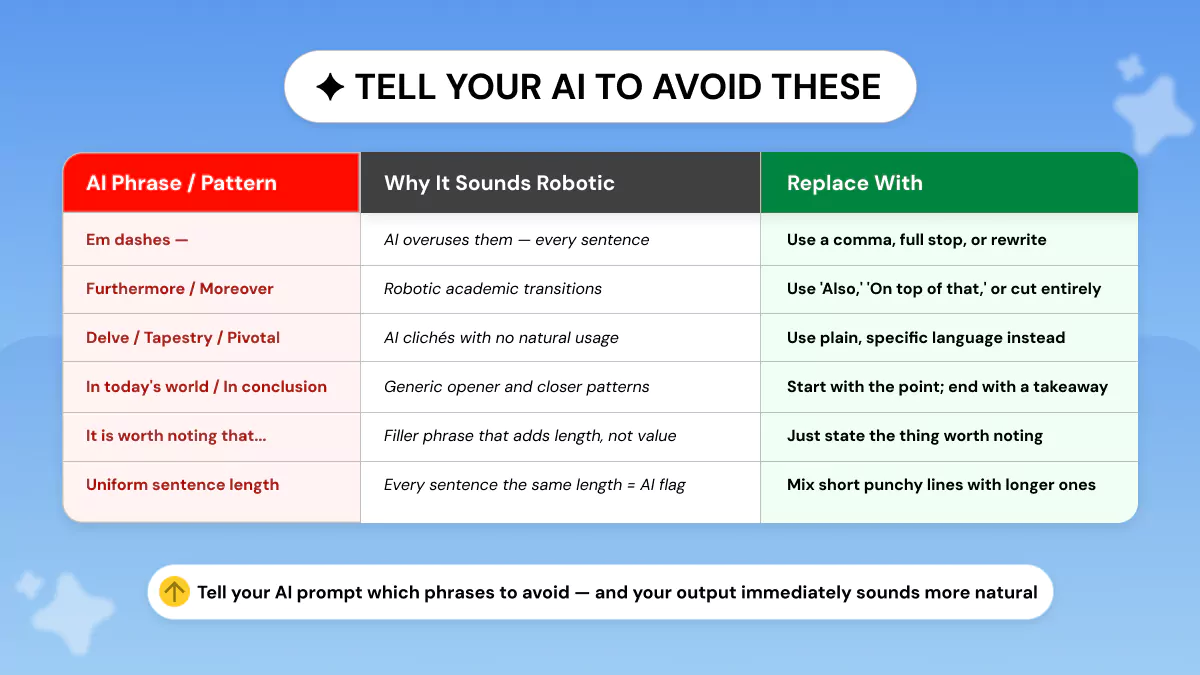
Common AI phrases to avoid:
|
AI Phrase |
Why It Sounds
Robotic |
What to Replace
It With |
|
delve |
Statistically overused by
LLMs |
explore, look into, examine |
|
tapestry |
Abstract filler with no
meaning |
mix, blend, combination |
|
pivotal |
AI cliché for
"important" |
key, critical, essential |
|
furthermore /
moreover |
Stiff academic transitions |
also, and, beyond that |
|
in conclusion |
Signals AI-generated
wrap-up |
To sum up, Ultimately, The
bottom line |
|
it is worth noting |
Passive hedge AI overuses |
Note that, Keep in mind,
Worth knowing |
|
Em dash overuse (—) |
AI inserts them far too
often |
Use commas, periods, or
rewrite the clause |
|
Uniform sentence
length |
Zero burstiness = robotic
rhythm |
Mix short punchy lines with
longer ones |
Prioritize removing delve, tapestry, pivotal, furthermore, and uniform sentence length. AI text improvement tools and human editors both catch them right away.
The Core Prompt Structure That Works Across All Use Cases
What is the best prompt to humanize AI text? A one-size-fits-all script is never going to work. Instead, use this flexible base framework as a starting point and modify it to suit each situation.
Rewrite this text so it sounds like a knowledgeable person wrote it, not an AI. Apply these rules:
- Vary sentence length: mix short sentences (under 10 words) with longer ones (20+ words). Never write three sentences of similar length in a row.
- Use active voice throughout. Rewrite any passive constructions.
- Write in [first / second] person: use 'I' or 'you' naturally.
- Remove these phrases entirely: delve, tapestry, pivotal, furthermore, moreover, in conclusion, it is worth noting, and any em-dash overuse.
- Match the tone to [blog post / academic essay / professional email].
- Keep the original meaning and all factual claims intact.
That framework above works because it directly addresses the burstiness problem, the active voice problem, and the phrase-pattern problem in a single pass.
Once you've applied it, run your draft through the Phrasly AI Detector to see where the output still reads as machine-written before you publish.
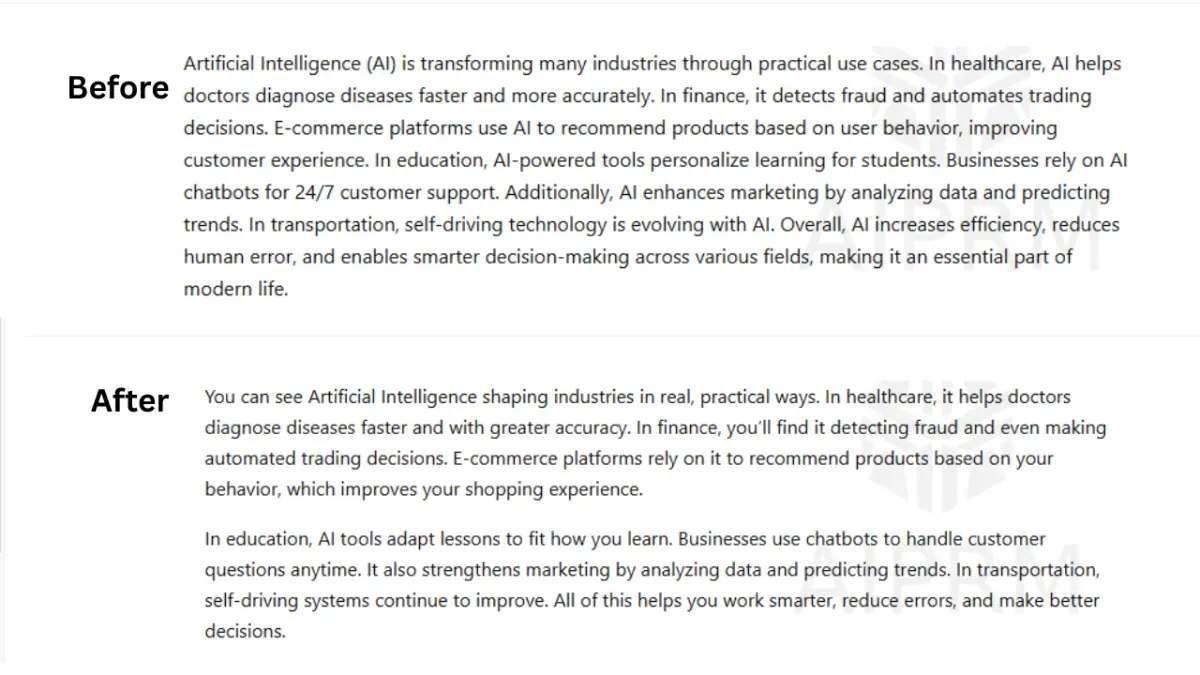
Skip the Prompting — Let Phrasly Humanize AI Text Automatically
Prompts get you part of the way there. Phrasly AI Humanizer applies humanization automatically. Paste your text and see the difference in seconds. No prompt engineering required, no editing passes, consistent writing quality on every draft.
Prompts for Blog Posts and Marketing Content
Blog posts should read with rhythm. They should have a voice. And they should use different-length paragraphs, not just varied sentences. The base prompt from above applies well here, too, with one tweak.
Tell the model to write like it's explaining something to a smart friend, not writing a report.
Blog Post Humanization Prompt:
Rewrite this blog post draft so it reads like a knowledgeable writer with a clear point of view, not an AI assistant. Apply these rules:
- Open with a short sentence (under 12 words) that states the point directly.
- Vary paragraph length: mix 1-sentence paragraphs with 3-4 sentence blocks.
- Use active voice. Remove all passive constructions.
- Write in second person (you / your) throughout.
- Remove: delve, tapestry, pivotal, furthermore, moreover, in conclusion, it is worth noting, and em-dash overuse.
- Replace generic transitions ('Additionally') with specific connectives ('Here's the thing' / 'That said' / 'What this means for you').
- Keep all facts, statistics, and links exactly as they are.
This prompt targets conversational tone and sentence variation. Two of the highest-impact changes for making AI prompts to humanize text output feel genuinely written by a person.
Prompts for Social Media
Social content has different requirements: shorter, punchier, and more informal. The biggest edits are: removing markdown formatting (asterisks, headers, etc.), using contractions naturally, and writing from a first-person perspective.
Rewrite this social media post so it sounds like a real person wrote it — not a content brief or AI draft. The rules are:
- Write in first person.
- Use contractions naturally (don't, I've, we're).
- No markdown: no asterisks, no headers, no bullet points.
- Keep it under [X words / characters].
- Remove: furthermore, moreover, pivotal, delve, in conclusion.
- End with a direct question or a single clear CTA, not both.
For LinkedIn specifically, maintain a professional tone while keeping the first-person tone and contractions. This is what separates readable LinkedIn content from the 'thought leadership' posts everyone scrolls past.
Prompts for Academic Writing
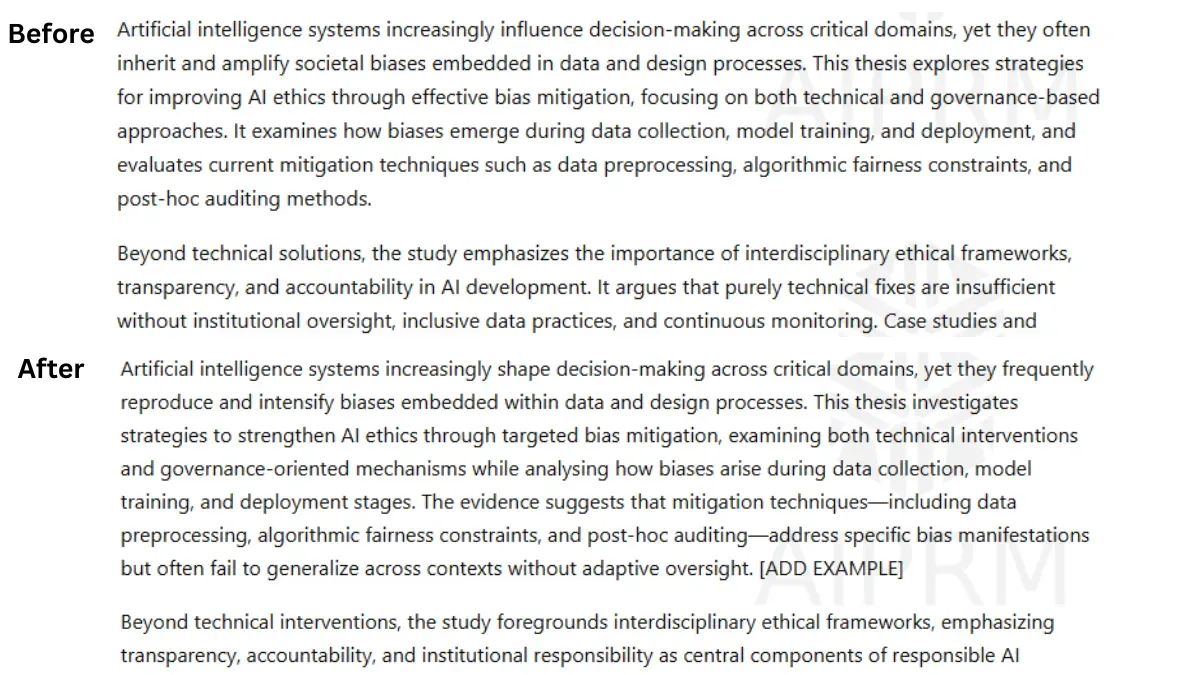
Academic writing has completely different needs. It's not about turning formal writing into conversational style. That would be inappropriate. It's about lowering perplexity and burstiness levels while keeping a formal tone.
Academic writing is hedged and formatted. These are red flags for AI detectors, even when written by a human. Prompts that generate blog text will break academic writing. You need something else.
Academic Humanization Prompt:
Rewrite this academic text so it reads as if a fluent human scholar wrote it, not an AI assistant. Apply these rules carefully:
- Vary sentence length: alternate between shorter analytical sentences (15–20 words) and longer ones with embedded clauses (30–40 words). Never write four sentences of similar length consecutively.
- Remove passive voice where the agent is identifiable. Keep passive constructions only where convention requires them (e.g., 'The samples were collected...').
- Replace AI transition phrases (furthermore, moreover, it is worth noting) with precise academic alternatives: 'This implies that', 'Notably', 'The evidence suggests', 'A key distinction here is'.
- Add one specific example or data point per paragraph where the original is abstract — flag with [ADD EXAMPLE] if none exists.
- Do not make the writing casual or conversational. Maintain formal register throughout.
- Preserve all citations, statistics, and technical terminology exactly.
For ESL writers, formal academic writing gets a lot of false-positive AI flags from the detectors because they share sentence patterns with LLMs. The single most effective solution is to add more specific examples/data.
Only someone with real-world knowledge can do that.
When Prompts Are Not Enough — Prompt Vs Humanizer Tool
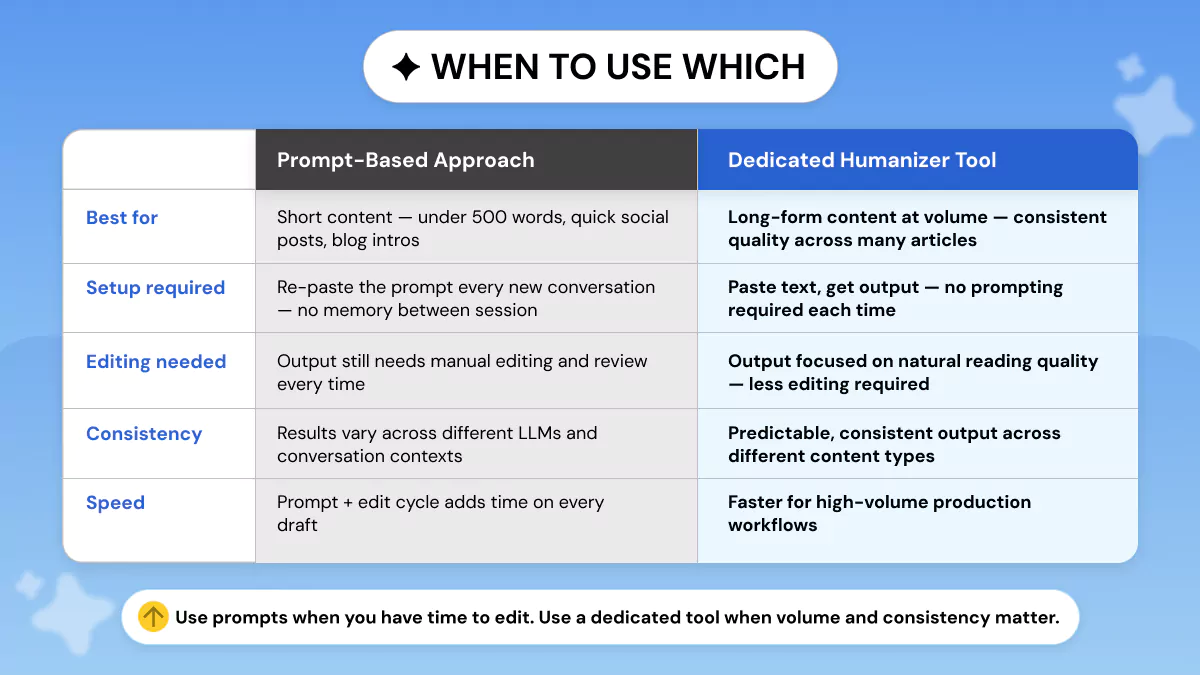
Prompting can make your outputs better, but there are limits that are important to understand based on how you use them. If you're wondering, do AI humanizers actually work as a replacement for prompting, the short answer is:
It depends on how you use them.
And before you assume a humanizer tool will solve everything, it is helpful to know why AI humanizers don't work as a standalone fix. The right approach combines both.
Here's an honest breakdown:
- Every new ChatGPT conversation requires you to re-paste the full prompt.
- Long documents require multiple passes. The model loses instruction adherence on long inputs.
- Prompt output still needs manual editing to catch what the model missed.
- Results vary across different LLMs and model versions.
Prompts are ideal for short-form content (less than 500 words), social media posts, and brief blog introductions that allow you to edit the generated text yourself. They're also free, versatile, and allow you to have direct control over each instruction.
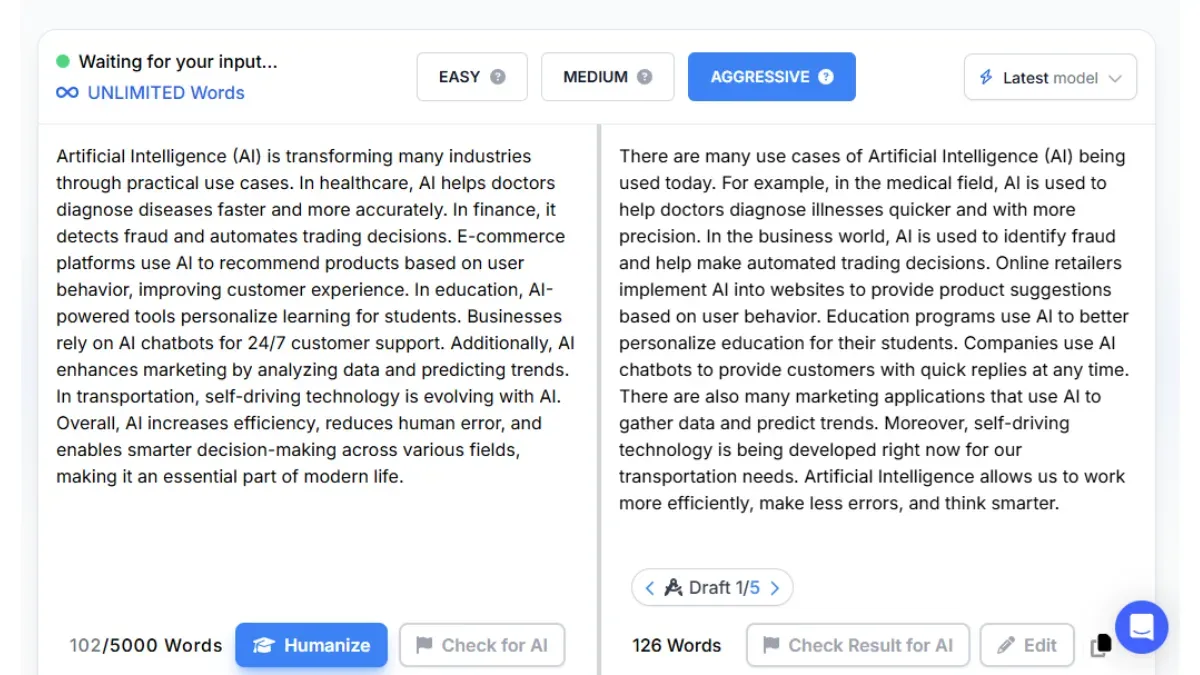
Automated tools like Phrasly AI Humanizer can instantly humanize any length of content. No re-pasting prompts needed, no multiple passes to edit, and maintains writing quality throughout each article.
Ideal for high-volume long-form content production, or when time is the constraint. Ideal workflow: use the prompts provided in this guide while drafting for cleaner first-pass output, then run your result through Phrasly AI Humanizer for a final quality pass.
FAQs
What is the best prompt to humanize AI text?
The base framework works best. Instruct the model to vary sentence length. Write in active voice. Use first or second person, and cut overused phrases like 'delve,' 'furthermore,' and 'in conclusion.'
Tailor it to your content type such as blog, academic, or professional.
How do I make ChatGPT sound more human?
Give it explicit instructions. Tell it to mix short and long sentences. Avoid predictable transitions and write like a person explaining something to a friend, not a report. The prompts in this guide are copy-paste ready.
What words should I tell ChatGPT to avoid?
Prioritize: delve, tapestry, pivotal, furthermore, moreover, in conclusion, it is worth noting, and em-dash overuse. These are the most statistically common AI signals.
Do AI humanizer prompts work for academic essays?
Yes, if framed correctly. Academic prompts should use formal register but can change sentence length and insert detail/evidence. Just don't use prompts that conversationalize formal writing; that's a different issue.
Is a prompt or an AI humanizer tool better for long content?
Prompts work great for shorter pieces. For bulk long-form humanizing, you need a tool that does it automatically, like Phrasly AI Humanizer (without multiple editing passes).
A free AI humanizer handles it automatically. No re-pasting the same instructions across multiple sessions, no editing passes, and the output quality stays consistent regardless of document length.
Can I save a humanizing prompt to ChatGPT so it always applies?
Yes! Use the Custom Instructions feature to paste your base prompt as a permanent instruction. That way, every conversation begins with your humanization instructions already applied.
Once you've applied your prompt, check your AI score to see how much the output improved before publishing.
Writing Prompts can quickly help you improve your AI writing style without any additional tooling.
The foundational formula: adjust sentence variation, use active voice, remove AI hedging, and align tone with context, applies to every situation and only takes thirty seconds to implement.
When volume or consistent output is important, use prompt-based drafting alongside Phrasly AI Humanizer. The prompts will take you most of the way. Phrasly AI Humanizer will close the gap.


Keep reading

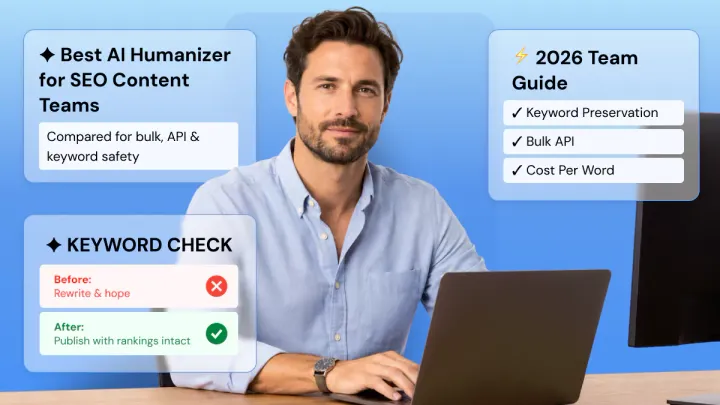
Best AI Humanizer for SEO Content Teams in 2026
Comparing AI humanizers for SEO content teams? Phrasly, Undetectable AI, and Humbot lead for bulk use, but keyword preservation is the real risk. Learn what to test before running your content calendar through any tool, plus true cost-per-word at scale and picks by team size.
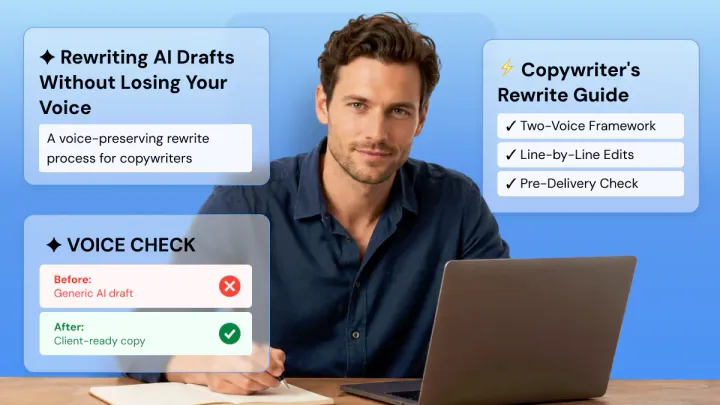
Rewriting AI Drafts for Client Deliverables Without Losing Your Voice
AI can draft your client copy in minutes, but that's not what clients pay for. Learn how to treat AI drafts as scaffolding, not final copy, rewrite for both your voice and your client's brand guidelines, cut hedge words, vary rhythm, and proofread before delivery so nothing generic ships.