
How to Tell If Text Was Written by AI [2026 Guide]
Learn how to detect AI-written text using manual inspection and automated AI checker tools. Includes step-by-step methods and a free AI detector.
If you've ever stared at a piece of writing and wondered whether a human or an AI produced it, you're not alone. Knowing how to tell if text was written by AI is no longer a niche skill.
In 2026, it's something educators, editors, marketers, and hiring managers all need in their toolkit.
AI checkers aren't perfect; They have high error rates and can incorrectly flag human-written content. That's why combining manual inspection with automated tools gives you the most reliable results.
Why Check for AI Writing
Understanding how to check AI writing matters because the stakes are real. Academic institutions report rising plagiarism accusations, some targeting students who actually wrote their own work.
False positives can damage reputations, delay publications, and create unnecessary conflict.
The risks break down into several categories:
Academic consequences: Students face failing grades or honor code violations when AI-generated submissions go undetected, or when human writing gets wrongly flagged.
Universities like Johns Hopkins and Brandeis warn that detectors show bias against non-native English speakers, raising serious concerns about fairness.
Professional credibility: Content creators and marketers risk losing client trust when AI-written copy appears under their byline.
If your drafts are getting flagged, learning how to humanize AI text can help you produce content that reads naturally without losing the efficiency of AI assistance.
Search engines are increasingly penalizing generic, AI-generated content, which affects SEO performance and traffic.
Misinformation spread: AI-generated news articles and social media posts can spread false information rapidly. Knowing how to detect AI writing helps journalists and fact-checkers identify suspicious content before it goes viral.
When to check: Run detection checks on high-stakes essays, client deliverables, news articles, paid marketing copy, or any content where authenticity matters. For casual emails or internal notes, detection usually isn't necessary.
How to Detect AI Writing Manually?
Before using any tool to check if text is AI, train your eye to spot patterns. Manual detection works surprisingly well once you know what to look for. Here's a practical approach anyone can follow.
Step-by-Step Manual Inspection Process
Read the text aloud. AI writing often sounds "too clean" but lacks natural rhythm. Human writing has a conversational flow, even in formal pieces. If every sentence feels equally polished, that's a red flag.
Scan for repetitive phrasing. Look for phrases that appear multiple times with slight variations: "it's important to note that," "in today's fast-paced world," or "plays a crucial role." AI models recycle these patterns.
Check for personal details. Human writers include specific anecdotes, real names, actual dates, or verifiable experiences.
AI-generated text stays vague: "experts say," "studies show," "in many cases." Ask: Can I fact-check any of these claims?
Examine sentence structure. Count sentence lengths in a paragraph. If most sentences run 15-20 words with minimal variation, AI likely wrote it. Human writing mixes short, punchy sentences with longer, complex ones.
Look for transition word overuse. AI loves "moreover," "furthermore," "in addition," and "however" at the start of sentences.
Humans use these less frequently and mix in casual connectors like "also," "plus," or just start fresh thoughts without signaling.
7 Signs and Characteristics of AI-Written Text (with Examples)
Sign 1: Repetitive vocabulary and phrases in AI text:
"This approach is crucial for achieving optimal results. It's important to note that utilizing these strategies ensures beneficial outcomes." Human text: "This approach matters a lot.
Use these strategies, and you'll see good results." Spot it: Count how many times words like "crucial," "optimal," "utilize," or "beneficial" appear. More than twice in 200 words? Probably AI.
Sign 2: Generic examples with no specifics AI text:
"Many experts believe that this method works well in various situations." Human text: "Dr. Sarah Chen at Stanford found this method reduced errors by 40% in her 2024 study."
Spot it: Try to verify any claim. If nothing can be fact-checked, it's likely AI filler.
Sign 3: Overly balanced sentence structure AI text:
"On one hand, this approach offers significant benefits. On the other hand, it presents certain challenges." Human text: "This approach helps a lot, but yeah, it's tricky sometimes."
Spot it: Look for perfectly parallel constructions that feel too neat. Humans break symmetry.
Sign 4: Uniformly high fluency (too polished) AI text:
Every sentence flows perfectly with zero grammatical errors, creating an unnaturally smooth reading experience. Human text: Might have a typo, an incomplete thought, or a sentence that restarts mid-way.
Spot it: If nothing feels rough or spontaneous, that smoothness itself is suspicious.
Sign 5: Excessive hedging language AI text:
"Generally speaking, it can be argued that this may potentially lead to better outcomes in most cases." Human text: "This usually works better." Spot it: Count hedge words ("may," "might," "generally," "often").
More than three in one sentence? Red flag.
Sign 6: Formulaic introductions and conclusions AI text:
"In today's rapidly evolving landscape, it's important to understand that..." or "In conclusion, these factors demonstrate..." Human text: Jumps straight into the topic or ends with a specific takeaway.
Spot it: Opening lines that could apply to any topic signal AI generation.
Sign 7: No personal voice or quirks AI text:
Maintains the same neutral, professional tone throughout with zero personality. Human text: Shows opinions, uses "I think," drops casual phrases, or includes humor.
Spot it: Ask yourself: Does this sound like a real person talking, or like a machine giving a report?
How to Detect AI Writing Automatically (Tools & Methods)?
Manual inspection works well, but automated tools make the AI check process faster and more consistent. Understanding how these detectors work helps you interpret results correctly and avoid common pitfalls.
How AI Detection Tools Work
Detection tools use three main approaches:
Statistical analysis (perplexity and burstiness): Tools like GPTZero measure how "surprising" the text is to a language model. Perplexity means how unexpected word choices are.
AI writing scores low perplexity because it picks predictable words.
Burstiness measures sentence length variation, human writing "bursts" between short and long sentences, while AI keeps the length more uniform.
Think of it like this: AI writes like someone following a recipe exactly, humans write like someone improvising.
Probability curve analysis (DetectGPT method): This research-based approach checks if text sits at a probability "peak" that AI models naturally produce.
The method generates slight variations of the text and compares their probability scores. If the original scores higher than the variations, it likely came from an AI model. This approach outperforms simple zero-shot detection.
Trained classifiers: Tools like Phrasly, Turnitin, and Originality.ai train discriminator models on millions of examples of human and AI text.
These classifiers learn patterns beyond simple statistics; they spot subtle fingerprints like punctuation habits, phrase templates, and structural patterns. The drawback: classifiers can inherit biases from their training data.
No detection method reaches 100% accuracy. Even the best tools report false positive rates of 5-10%. That's why you should never rely on a single score; always combine automated checks with manual review.
For instant verification, use our AI detection tool, which analyzes text patterns in under 30 seconds.
How to Tell If an Email Was Written by AI?
AI generated emails are easy to spot. They have flawless grammar but no personality. They use extremely formal email closings. Most tell-tale of all, they will lack any of the details of your past conversations.
The scale of this problem is growing fast.
The researchers noted that AI is primarily being used to eliminate typos and grammatical errors, making these emails far harder to flag on sight alone.
When in doubt, paste the email body into the free Phrasly AI Checker and get a probability score in seconds.
Why is Email AI detection Harder?
A professional email is already expected to be polished and formal. It naturally mimics AI output. You also aren't writing a 1,000-word essay here. There's very little text for manual reviewers and tools to analyze.
There's also no prior conversation context embedded in the message itself. "Generic" can easily pass as "professional."
5 signals that an email was written by AI
- Perfect grammar, zero personality. Sentences are grammatically perfect but read as if they could have been sent to anyone. No contractions, no humor, and no casual asides.
- Generic openers and closings. Phrases like "I hope this email finds you well," "Please feel free to reach out," and "Best regards" are AI staples. Real colleagues will mix these up with something unique to you and your relationship.
- No reference to prior conversations. If a human being sends you a follow-up after a meeting, they'll refer to something tangible.
A decision that was reached, a name you should know, or a deadline you should remember. AI doesn't do this. It fills the gap with fluffy nonsense.
- Uniformly flat tone throughout. AI-generated emails are uniformly emotional from start to finish. Emails written by humans change tone: less formal in the middle, punchier at the end.
- Excessive use of hedging language. Watch for "I wanted to reach out to discuss," "I just wanted to follow up," or "Please don't hesitate to let me know." These are the email equivalent of AI's over-hedging habit.
Using the Phrasly AI Detector
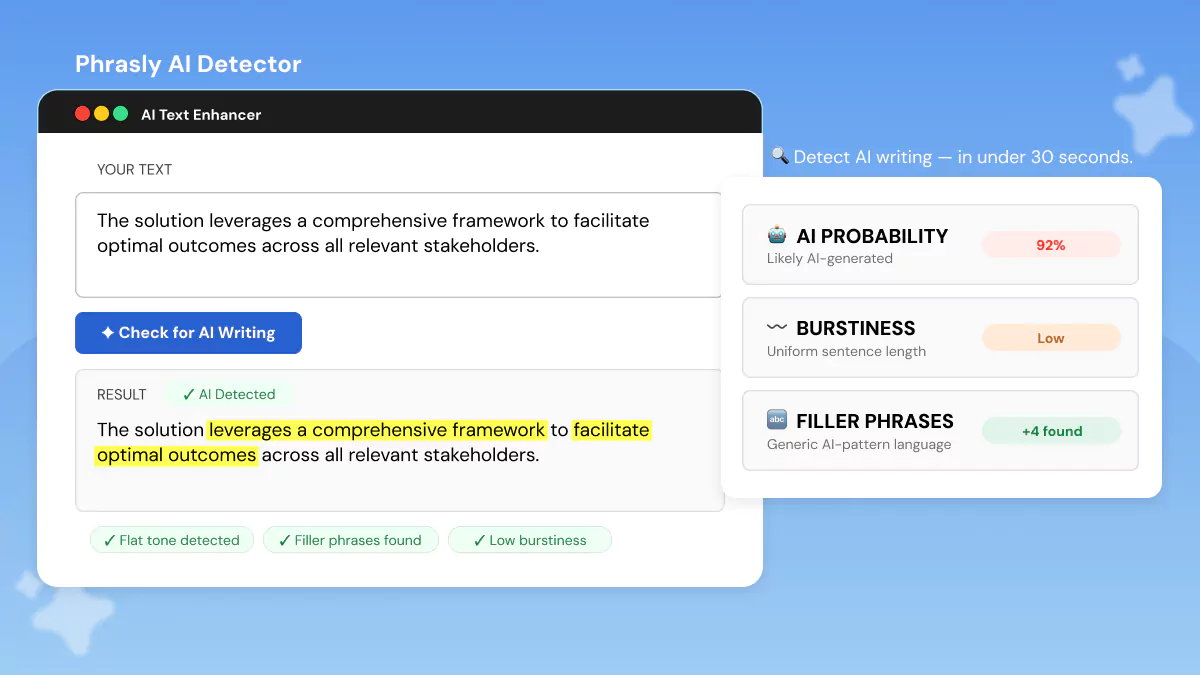
The Phrasly AI Checker provides one of the simplest ways to check AI writing. Here's how to use it effectively:
- Step 1: Go to phrasly.ai, navigate to Products, and select AI Detector. The interface keeps things simple; no account required for basic checks.
- Step 2: Copy the content you want to check and paste it into the text box. The detector accepts up to 2000 words at once. For best results, check complete paragraphs rather than isolated sentences; context matters.
- Step 3: Click the “Check for AI” button. Phrasly scans your content in seconds, analyzing linguistic patterns, statistical signals, and structural fingerprints.
- Step 4: The tool provides an overall AI probability score plus sentence-level highlights. Pay attention to both.
Try the Phrasly AI Checker for Free 👇
Reading and Interpreting Detector Results
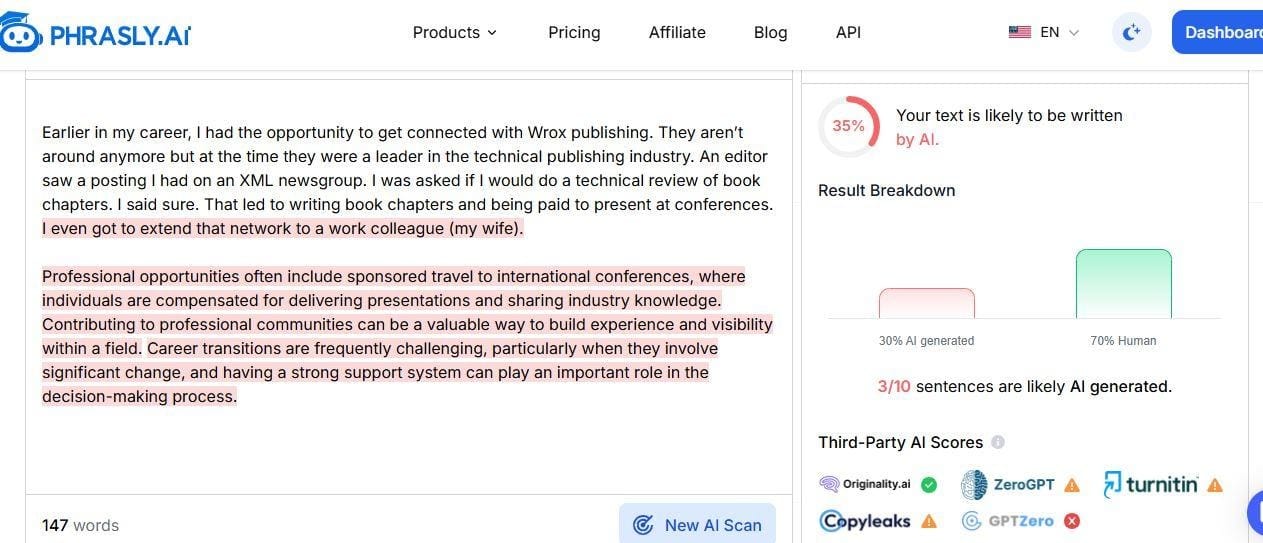
AI Probability Score:
- High (70-100%): Likely fully AI or barely edited AI.
- Medium (30-70%): Probably AI that was edited by a human.
- Low (0-30%): Likely human, but not guaranteed.
Sentence Highlights:
Phrasly flags problem sentences.
This shows exactly where AI patterns appear, so you can focus on those areas.
What scores DON'T mean:
A flag doesn't prove cheating.
Scores can be wrong because of formal writing styles, heavy editing, non-native English, or templates like cover letters.
Phrasly checks multiple signals:
Phrasly analyzes multiple signals, such as repetitive sentences, consistent tone, predictable word choice, uniform sentence length, and generic phrasing.
Considering these signals together provides a more reliable assessment than looking at any single factor alone.
Combining Manual + Automated Methods (Best Practice Workflow)
The most reliable way to check if text was written by AI is to combine automated tool scoring with your own manual review. Neither approach alone is sufficient. Use both methods for best accuracy. The full workflow takes 5–10 minutes.
Step 1: Is this important? For term papers, client work, or published articles, do full detection. For emails or drafts, just manual review.
Step 2: Run Phrasly or another detector. Note the score and flagged sentences. Don't stop here.
Step 3: Read it yourself. Check for personal voice, real examples, varied sentences, and verifiable facts.
Step 4: Verify claims. If it has citations or stats, check a few. Can you find the source? AI invents fake references.
Step 5: Decide:
- High score + fails manual = likely AI
- High score + passes manual = possible mistake, ask for clarification
- Low score + fails manual = maybe hybrid, investigate
- Low score + passes manual = likely human
Teachers and editors: Never accuse based on scores alone. Ask for drafts, outlines, or process notes.
Common Detection Mistakes to Avoid
- Trusting one score. High scores can mean formal style, non-native English, or templates, not just AI. Before making any decisions, it's worth understanding how accurate these tools actually are and where they tend to fall short.
- Assuming polished = AI. Some humans write and edit well. MIT research shows good human writing can trigger false flags.
- Ignoring bias.
- Not asking for proof. Before accusing, request drafts or revision history. Real authors can show their process.
Conclusion
Learning how to check AI content requires combining multiple approaches. Manual inspection catches patterns that tools miss, while automated detectors provide objective metrics.
Neither method works perfectly alone, but together, they give you reliable results.
Remember the key principles: never accuse based on a single score, always consider context and author background, and use detection as a starting point for conversation rather than proof of misconduct.
The goal isn't to catch people, it's to maintain content authenticity and support genuine skill development. Whether you're reviewing student work, verifying client content, or checking your own writing, follow the combined workflow outlined in this guide.
Start with a quick automated check, then apply manual inspection, verify specific details, and make an informed decision based on all available evidence.
Frequently Asked Questions
Can AI detectors be 100% accurate?
No! Even the best tools have error rates of 5-10%. Always combine automated checks with human judgment.
Why was my human-written text flagged as AI?
False positives occur with formal writing styles, consistent grammar, template-based content, or non-native English writing. Stanford research shows detectors exhibit bias against these patterns.
Which AI detector should I use?
Try multiple tools. Phrasly offers sentence-level analysis, GPTZero uses perplexity/burstiness metrics, and DetectGPT uses probability-curve analysis.
How do perplexity and burstiness work?
Perplexity measures how predictable word choices are (AI = low, human = high). Burstiness measures sentence length variation (humans vary, AI stays uniform).
Can AI-written text be made undetectable?
"AI Humanizer" tools sometimes work but often create awkward phrasing. Consider whether hiding AI use is ethical for your task.
Are detectors biased against non-native English writers?
Yes. Stanford research found significant bias because non-native writers use formal structures and limited vocabulary, patterns that overlap with AI output.
Should instructors ban AI use entirely?
Focus on authentic assessment requiring personal experience or verifiable research rather than outright bans, which often fail and harm innocent students.
What should I do if my work is wrongly flagged?
Provide drafts, revision history, notes, and outlines. Explain your process and request that multiple tools be used instead of relying on one detector.
How do I check AI writing in non-English languages?
Many AI detectors perform best in English and may be less accurate in other languages. Phrasly AI detector supports several major languages.
Can I detect AI in code or technical documentation?
Look for generic variable names, excessive comments, uniform formatting, and non-functional code examples that AI often invents.
How do I tell if an email was written by AI?
Look for perfect grammar with no personality, generic closings, and no references to specific prior conversations. Paste the email body into the Phrasly AI Checker to get a probability score in seconds.
Is the Phrasly AI Checker free to use?
Yes! The Phrasly AI Checker is completely free with no account required. Paste your text and get results in under 30 seconds.


Keep reading

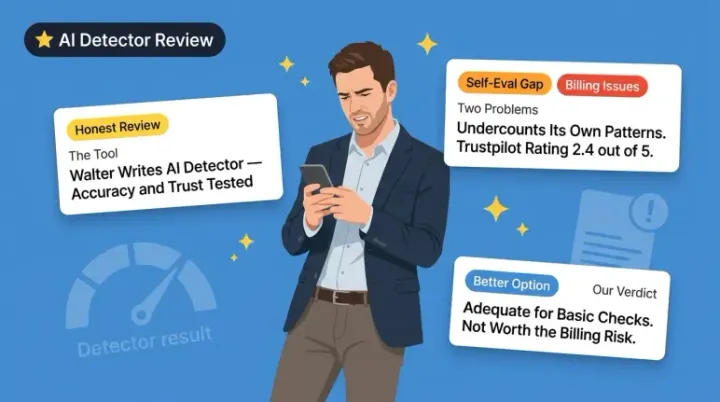
Walter Writes AI Detector Review 2026: Does It Actually Work?
Walter Writes AI Detector works on pure AI text but struggles with humanized content. Add billing complaints and a 2.4 Trustpilot score, and better free alternatives like Phrasly or GPTZero make more sense.
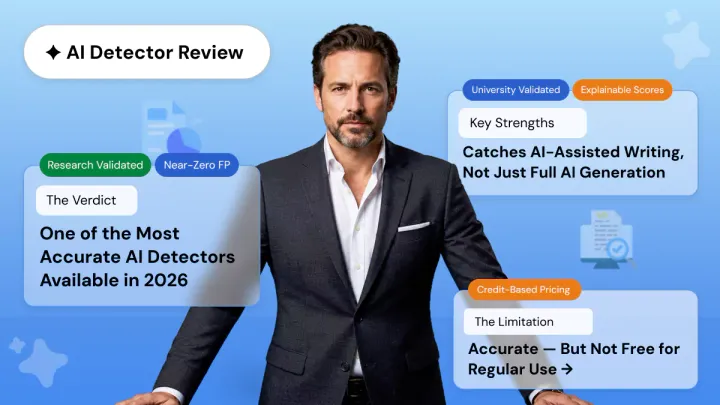
Pangram AI Detector Review: How Accurate Is It Really?
Pangram AI Detector delivers near-zero false positives, independently verified by University of Chicago researchers. With 99.8–100% accuracy, LMS integrations, and AI-assist detection, it's the top choice for educators and institutions.