
Top 10 Best Free Paragraph Generators to Try in 2026
Most tools calling themselves "free paragraph generators" produce rigid, repetitive output that needs a full rewrite before you can use it anywhere. We tested 10 of the best free AI paragraph generators in 2026 for output quality, word caps, and sign-up requirements.
The majority of tools claiming to be some sort of free paragraph generator produce rigid and duplicated output that requires complete rewriting before submission anywhere.
The difference between a legitimate free AI writing tool and a gimmick in 2026 is the quality of output, not advertised features.
A paragraph builder that disregards tone, buries your topic sentence, or limits you to fifty words per click isn't giving you free sentences. It just hides the cost in your editing time.
To compare these AI paragraph generator free tools, we ran each through tests based on quality of output, free-tier capabilities, word restrictions, account creation needs, and how natural the writing actually reads once the marketing language is stripped away.
No affiliate bias shaped the order. No data was obtained by AI guesswork. All information below is from first-party testing each tool's actual pricing page as of free paragraph generator 2026.
Here are the 10 best free paragraph generators available right now.
What Makes a Good Free Paragraph Generator?
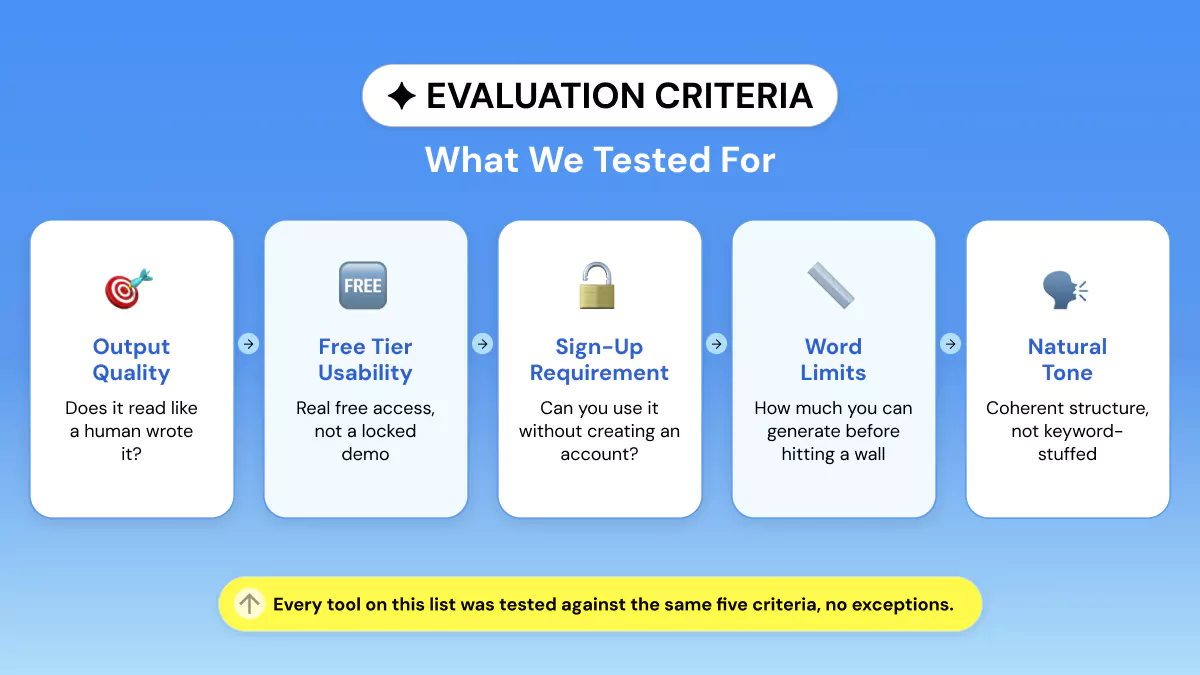
How do I choose a free paragraph generator? Consider the free-tier word cap, whether you need to sign up, and if the result sounds human-written instead of a template.
Those three aspects determine if a tool will save you time or create more work.
Quality of output and paragraph structure are most important. Good tools maintain their topic sentence, writing flow, and coherent writing from start to finish of their paragraph rather than veering off topic after two sentences.
Tools based on older generations of large language models (LLMs) or thin natural language processing (NLP) rules start recycling phrasing after around 100 words.
Free-tier usability is their next filter. Some actually provide a free writing tool with no word limit for basic use. Others limit you to 300 words and throw a paywall up before you've even finished testing the interface.
Sign-up requirements vary too. Some work instantly as a paragraph generator with no sign-up option. Others require an account and even a card hold for verification.
Last but not least, see how human-like the writing it produces actually is.
A quality AI writing assistant will sound natural to read in whatever tone you requested, rather than sounding like a generic AI content generator that uses the same sentence structure each time.
Here are the 10 best (and they are all free) options we tested in 2026:
Quick Comparison Table: All 10 Tools
|
# |
Tool |
Free Plan? |
Sign-Up Required? |
Best For |
|
1 |
Phrasly |
Yes (trial-based) |
Yes |
Writers who need clean, natural output |
|
2 |
Rytr |
Yes, 10,000 chars/mo |
Yes (no card) |
Freelancers writing short-form content |
|
3 |
Copy.ai |
Yes, 2,000 words/mo |
Yes (no card) |
Marketers testing many templates |
|
4 |
QuillBot |
Yes |
No |
Quick brainstorming with paraphrasing tools |
|
5 |
Editpad |
Yes, no stated cap |
No |
Fast one-off paragraphs, zero friction |
|
6 |
Jenni AI |
Yes, 200
words/day |
Yes |
Students needing academic-style paragraphs |
|
7 |
Ahrefs |
Yes, free
tool |
No |
Teams pairing paragraphs with SEO tools |
|
8 |
TextCortex |
Yes, daily cap |
Yes |
Writers who want a browser extension |
|
9 |
Fibr AI |
Yes, free |
No |
No-friction paragraphs with tone controls |
|
10 |
Template.net |
Yes, no stated cap |
No |
Paragraphs bundled with document templates |
The 10 Best Free Paragraph Generators (Reviewed)
1. Phrasly Paragraph Generator
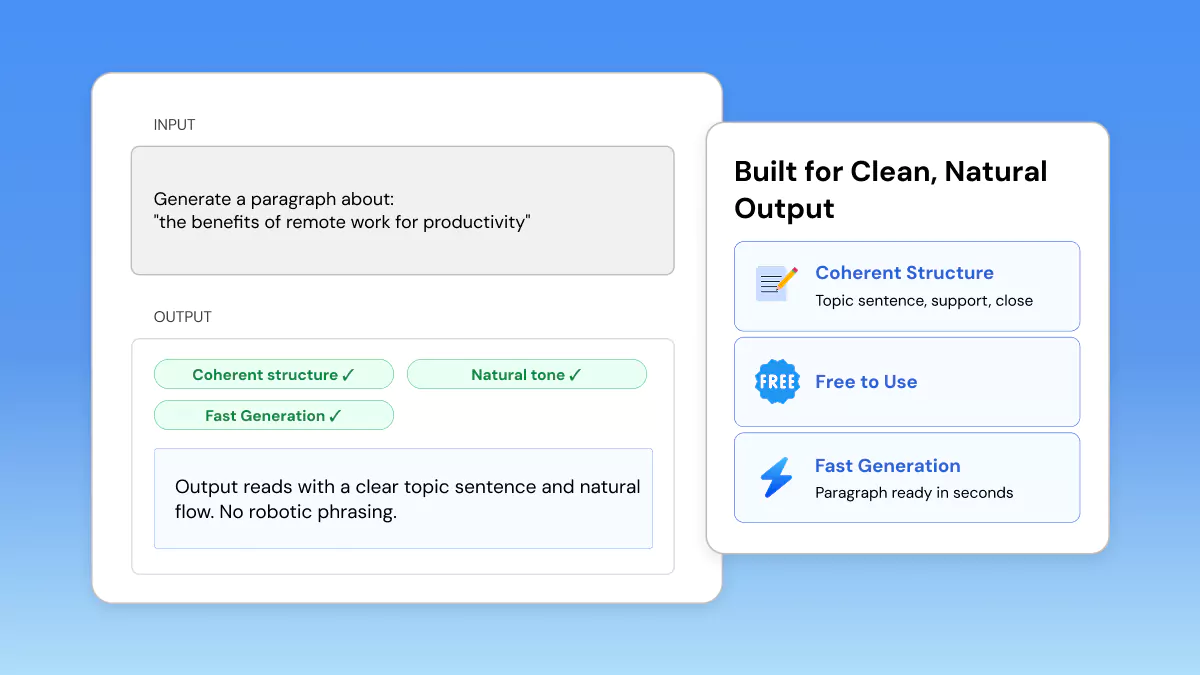
Inside Phrasly's Content Generator is the paragraph generator. You need to make a free account before you can generate anything on the free tier.
Testing showed the trial tier allows a limited word allowance before prompting an upgrade. So it works best as a short evaluation rather than daily use.
Output is strong when it comes to concise, formulaic paragraphs with a clear topic sentence. There are some options to configure the tone and style as well.
Performance on long-form requests isn't as unique as some of the long-form tools out there. Also, your free quota depletes fairly fast if you ask for more than a few paragraphs.
Pros:
- Tone, style, and paragraph-count controls in one panel.
- Multilingual output supports non-English paragraph requests.
- Same account also unlocks a humanizer and plagiarism checker for editing afterward.
Cons:
- Requires sign-up after one time free use.
Best for: Authors seeking clean paragraphs that sound natural who might use Phrasly's other editing features later.
Free trial: Requires sign-up, free word budget on trial plan, then costing plans kick in when you go over.
2. Rytr
The free plan allows 10,000 characters (about 1,500-2,000 words) per month, no credit card necessary, and includes all core features (paragraph generator included). Writes clearly and humanly for brief paragraphs and product/copy-style writing.
Quality varies, and it begins to repeat itself after becoming wordy beyond a few hundred words in a session. This seems to be consistent with user experience when requesting longer outputs.
Pros:
- Free plan needs no credit card and includes 40+ templates.
- More than 20 tone presets change the output noticeably.
- Chrome extension generates paragraphs inside Gmail, Docs, and other apps.
Cons:
- 10,000-character monthly cap resets on the calendar month, not from sign-up.
- Not built for long-form paragraphs beyond a few hundred words at a time.
Best for: Freelancers, marketers who want short paragraphs in many styles and don't want to pay before they get content.
Free trial: No card is needed, 10k characters/month.
3. Copy.ai
Included in their free plan is 2,000 words per month without a credit card attached, but this does not include Brand Voice and Copy.ai’s more powerful long-form chat tool.
Content created from Copy.ai is good enough for social media captions, email copy, and short paragraphs. Many reviewers mentioned the free-tier works fine if used sparingly, but will run out quickly if you're publishing content weekly or more.
Pros:
- Free plan is permanent, not a time-limited trial.
- Access to all 90+ templates, not a stripped-down subset.
- No credit card required to start.
Cons:
- 2,000-word monthly cap is easy to exhaust in a single session.
- The two most helpful functionalities, Chat by Copy.ai and Brand Voice, are behind the paid Pro plan.
Best for: Copy.AI is best suited for marketers looking to experiment with lots of copywriting formats before investing in a paid plan
Free trial: No card is necessary. 2000-words per month.
4. QuillBot AI Paragraph Generator
The paragraph generator is completely free to use. You don't even need an account to use it to generate a paragraph from a prompt, as opposed to QuillBot's paid plans for heavier paraphrasing.
Output stays on-topic for general prompts and pairs naturally with QuillBot's paraphraser if you want to adjust wording afterward. Though the tool leans toward a single paragraph rather than a multi-paragraph draft.
Pros:
- No account needed to generate a paragraph.
- Pairs directly with QuillBot's free paraphraser and grammar checker.
- Backed by an established platform used by millions.
Cons:
- Built for single paragraphs, not longer multi-section drafts.
- Fewer tone and style controls than dedicated paragraph-only tools.
Best for: Students who need fast paragraph openings as well as paraphrasing and grammar assistance.
Free trial: No signup is required.
5. Editpad AI Paragraph Generator
The tool is free to use with no stated word cap. Generation happens directly on the page after you enter a writing prompt, tone, and paragraph count.
Since the interface acts as a lightweight text generation tool with nearly no learning curve itself, it makes for a decent quickstart that you can further edit by hand.
Pros:
- No sign-up, no account, and no credit card at any point.
- Lets you choose both tone and number of paragraphs before generating.
- Ad-supported model keeps the tool genuinely free with no hidden word cap.
Cons:
- Ads and popups can slow the page and interrupt the workflow.
- No saved history since there is no account to store past generations.
Best for: Writers who want a paragraph generator with no sign-up option for occasional, fast use.
Free trial: Free, no sign-up.
6. Jenni AI Paragraph Generator
The free plan gives you 200 AI-generated words per day. Words refresh daily, along with access to AI Chat (capped at 10 messages total). Storage for up to 10 documents and sign-up is required before you can generate anything.
Output is formal and academic in tone. It's one of the few tools on this list built around citation accuracy rather than generic phrasing. The daily word cap, however, is tight.
Testing showed it can run out in a single paragraph on a longer academic section.
Pros:
- Strong fit for formal, citation-aware academic paragraphs.
- Free plan includes AI Chat and document storage, not just the generator.
- Backed by an established platform used by millions of students.
Cons:
- 200 words/day is one of the tightest free caps on this list.
- Requires sign-up before you can generate anything.
Best for: Students who need a paragraph generator for essays in a formal, citation-conscious tone.
Free trial: Sign-up required, 200 words/day on the free tier.
7. Ahrefs
Ahrefs is aimed at content creators and SEO professionals.
The generator works directly in the browser with no sign-up required. You enter a topic (up to roughly 2,048 characters), pick a tone, and choose a format, then generate.
For deeper SEO features like Ahrefs' AI Content Helper, an Ahrefs Webmaster Tools account is needed. But the core paragraph generator itself doesn't require one.
Output is straightforward and serviceable rather than flashy. But the SEO pedigree is the draw: it's built by a company whose whole business is search performance. It pairs naturally with Ahrefs' other free tools if you're already optimizing content.
Pros:
- No sign-up required for the core paragraph generator.
- Backed by Ahrefs' SEO authority and content-optimization ecosystem.
- Pairs with Ahrefs' free rewording tool and other writing utilities.
Cons:
- Fewer tone/style presets than dedicated paragraph-only tools.
- Deeper features (AI Content Helper) require a Webmaster Tools account.
Best for: Teams and SEO professionals who want a free paragraph generator tied to a tool they may already use for content and rankings.
Free trail: Free, no sign-up for the core generator.
8. TextCortex
The free version has a limited number of creations per day. The number varies but is often quoted as between 10 and 20 depending on current promotions. There is also a word limit per creation of a few hundred words.
Paragraphs are easy to read quickly, and the browser extension is very handy. It doesn't work well for larger amounts of paragraphs because of the daily limit though.
For anyone comparing an AI paragraph writer free of charge across multiple apps, the extension's reach into Gmail and Docs is the main draw.
Pros:
- Operates within Gmail, Docs, WordPress, and thousands of other websites through an extension.
- Supports more than 25 languages.
- Multiple AI models are available even on the free tier.
Cons:
- Daily creation cap restricts how many paragraphs you can generate per day.
- Per-creation word ceiling limits each output to a few hundred words.
Best for: Writers who want a free paragraph writer AI available anywhere they type in the browser.
Free trial: Sign-up required, daily creation cap on the free tier.
9. Fibr AI Paragraph Generator
You enter a topic, choose a tone (academic, professional, friendly, creative, and more), pick a writing style, and set output as either full paragraphs or bullet points.
The tool works immediately with no account required, and you can also choose to generate up to three paragraphs per request. And toggle between "Concise" and "Detailed" output, giving more control over length than a single fixed-size block.
Output stays on-topic and adapts noticeably when you switch tone presets. This is where Fibr AI stands out from simpler no-signup tools. It's built more as a lightweight content utility than a full writing suite.
It's best for single paragraphs rather than long-form drafts.
Pros:
- No sign-up required to generate a paragraph.
- Tone and writing-style controls are more granular than most free competitors.
- Option to output as bullet points instead of prose, useful for outlining.
Cons:
- Capped at generating a few paragraphs per request.
- Not built for long-form, multi-section content.
Best for: Writers who want precise tone and style control without creating an account.
Free trial: Free, no sign-up required.
10. Template.net Free AI Paragraph Generator
You can start using the tool right in your browser. Pick a document style ranging from a paragraph all the way up to a business report, and then generate text with either a written prompt or speech.
Output is usable as a first draft and benefits from the surrounding template library. Since generated paragraphs can drop directly into a formatted document, though the writing is less polished than dedicated paragraph tools.
Pros:
- No sign-up required at any step.
- Generates directly into a formatted document, not just plain text.
- Supports export to Word and Google Docs, among other formats.
Cons:
- Output polish lags behind tools purpose-built for paragraph generation.
- Interface is cluttered with unrelated document templates
Best for: Users who want a free paragraph generator 2026 option with no account and built-in document formatting.
Free trial: Free, no sign-up.
When to Use a Free Paragraph Generator
A paragraph generator for students works best for essay openings, thesis statements, or getting unstuck on a slow section. It is not ideal for writing an entire assignment end to end.
The same logic applies to professionals. Use it to draft, then edit for accuracy and voice.
What's the Best Paragraph Generator for Students and Essays?
In essay work scenarios, more staid, formatted-output tools like Phrasly paragraph generator make more sense than more random-seeming social-media generators.
A paragraph generator for research papers can actually be handy for spinning out a topic sentence or literature-review synopsis idea, but references and fact-checked claims still have to be verified manually.
No free tool currently fact-checks against a given paper.
What's the Best Paragraph Generator for Marketers
and Blog Writers?
Blog intros, product descriptions, or ad copy usually fit better with template-heavy tools like Copy. Ai and Rytr because they have tone presets designed specifically for marketing use cases.
It's possible to get similar results with a ChatGPT paragraph generator prompt, but a specialized tool means you don't have to bother with writing the prompt.
What is the difference between a paragraph generator and a full AI writer? A paragraph generator is narrow; provide it with a topic or sentence, and it provides you back one organized paragraph.
A full AI writer is built for long-form drafting. It handles entire articles, reports, or multi-section documents instead of a single block of text.
If you already know exactly what you want one paragraph to say, a paragraph generator is quicker and easier to use than a complete content generation platform.
Tips for Getting Better Output from Any Paragraph Generator
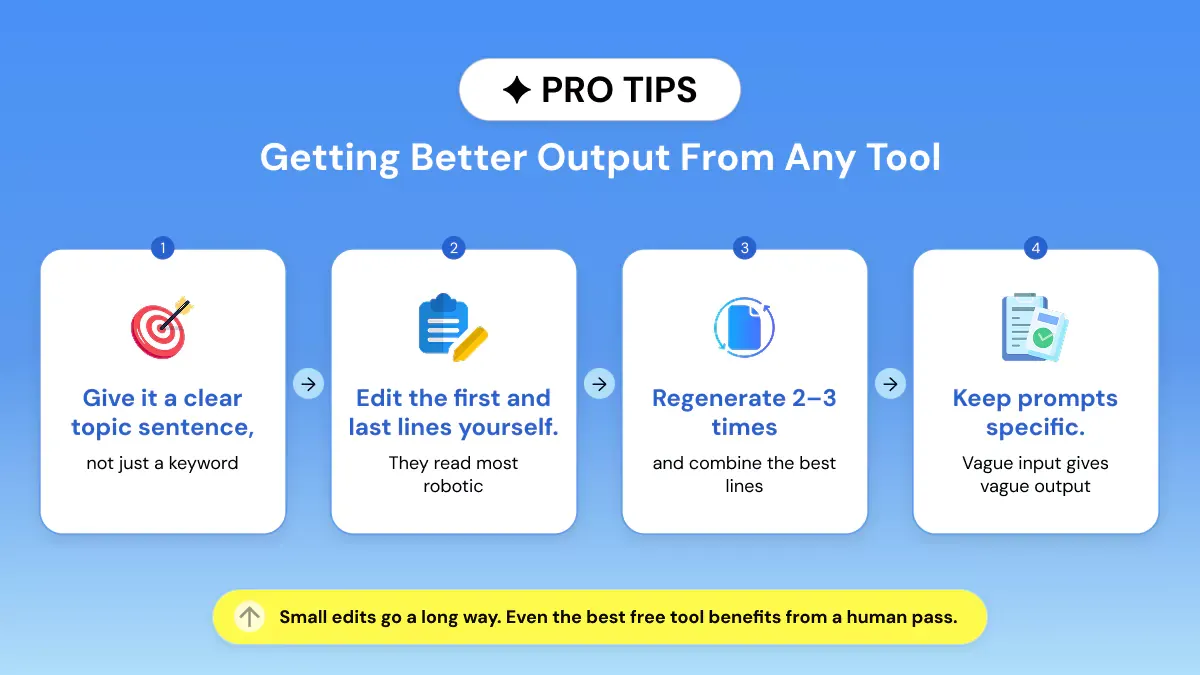
Generating a coherent paragraph from any free paragraph writer AI depends on how detailed your prompt is, rather than which tool you choose. If you use a broad subject like "climate change," you'll get generalized results.
- Use an entire sentence as your writing prompt, not just a keyword: "Describe the impact of remote work on communication in small teams" over "remote work".
- Set the tone and audience (formal/informal, academic) early on. Most tools target a middle audience.
- If available, input a desired length so the builder doesn't try to fill it with extra sentences.
- Generate two or three versions. Combine the strongest lines rather than accepting the first draft as final.
Frequently Asked Questions
Is there a free AI paragraph generator?
Yes! Several tools offer a genuinely free AI paragraph generator. QuillBot, Editpad, Ahrefs, and Fibr AI, which need no account at all. Rytr, Copy.ai, and Phrasly, which offer free tiers after a quick sign-up.
Free tiers typically cap word counts or daily generations. So the right pick depends on how often you write.
Which free paragraph generator requires no sign-up?
Editpad, QuillBot's paragraph generator, Ahrefs, Fibr AI, and Template.net all work as an AI paragraph generator with no sign-up option. No account or credit card is necessary.
Rytr and Copy. ai both have free plans as well. However, both require you to make an account beforehand. Neither tool requires payment information to sign up.
Can a free paragraph generator write academic paragraphs?
Yes, but results vary. Jenni AI and Phrasly tend to produce more formal and structured results that are appropriate for essay paragraphs and literature reviews.
Generators designed for marketing, like Copy. ai come off as too informal for academic work. Academic paragraphs from any free tool still need a citation check and a human edit before submission.
What is the difference between a paragraph generator and a full AI writer?
A paragraph generator has a narrow task. You provide it with a topic or sentence, and it generates a single paragraph. An entire AI writer will produce much longer documents like full articles, reports, or documents with multiple sections.
If you just want to create short snippets of focused writing, a standalone paragraph generator will be quicker and easier to manage than an entire AI writer.
Are AI-generated paragraphs detectable by plagiarism or AI checkers?
Most of the time, yes. Tools such as Turnitin and GPTZero can detect AI-generated text. Especially unedited output from well-known models.
Changing the wording, rephrasing sentences, and including your own examples can help you avoid detection.
If you'd rather not do this manually, this guide to prompting AI text into sounding more human walks through the exact prompts that work. Phrasly's AI detector shows how a submission might score before you turn it in.