
Does Gradescope Check for AI? (What Students Need to Know in 2026)
Gradescope has no built-in AI detection, but you're not completely safe. Turnitin integration, manual instructor review, copy-paste behavior, and submission logs can still get you flagged. Find out exactly how it works and what you should do before submitting your next assignment.
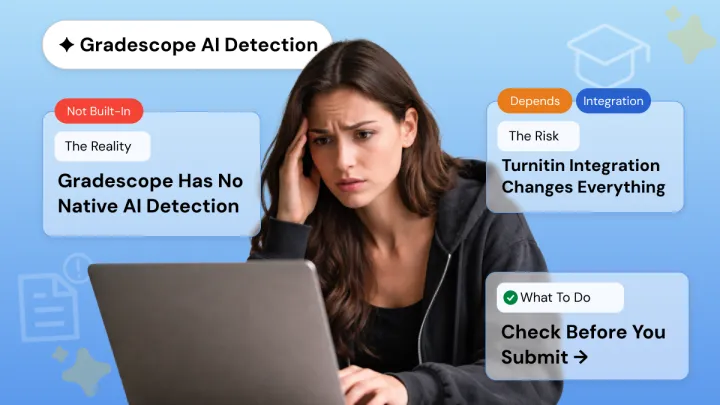
You're about to turn in your homework on Gradescope. You might have had ChatGPT help you come up with ideas, or figure out how to answer the question. Now you can't help but wonder: is my paper gonna get flagged?
Students everywhere are asking themselves this question. So, does Gradescope detect AI? Nope, not by default. Gradescope doesn’t currently have the capability to detect AI-written content automatically.
Still, your instructor may manually review your submissions, and some courses may use plagiarism detection tools like Turnitin which could scrutinize your work further.
Understanding how Gradescope actually works can help you avoid unnecessary risks before submitting your assignment.
Gradescope Does Not Have Built-In AI Detection
Addressing your question directly: Gradescope is a grading platform. It is not an AI detector. Gradescope does not scan your work for AI-generated content, nor does it have a built-in writing detector for content generated by ChatGPT or similar writing tools.
Gradescope aims to allow instructors to manage assignments with ease. Gradescope is heavily utilized in Universities to grade work faster. You can explore Gradescope's official feature guides to see exactly what the platform is and isn't designed to do.
For classes with large amounts of students, instructors require organizational tools to look over several hundred papers.
Here’s what Gradescope is actually built to do:
- Automated grading workflows to accelerate grading process
- Rubric based grading that enable instructors to grade consistently
- Answer grouping to group similar student answers for quicker grading
- Submission management for digital (PDF), scanned homework, and code
However, it’s important to understand what the platform does not do. Gradescope does not:
- Detect or flag AI-written text
- Recognize work written with ChatGPT and similar tools
- Perform built-in plagiarism checks for essays/submissions
- Instantly see if a student was assisted by AI
Gradescope’s Code Similarity Feature Is Not AI Detection
Something that students often have questions about is Gradescope’s code similarity tool. Students sometimes think that this tool detects AI-generated code. It does not work like that.
Code similarity only compares submissions between students enrolled in the same class. When two or more similar files are submitted, they may be highlighted for instructors. This allows teachers to see who may have shared code with classmates.
How Instructors Use Turnitin Through Gradescope to Detect AI?
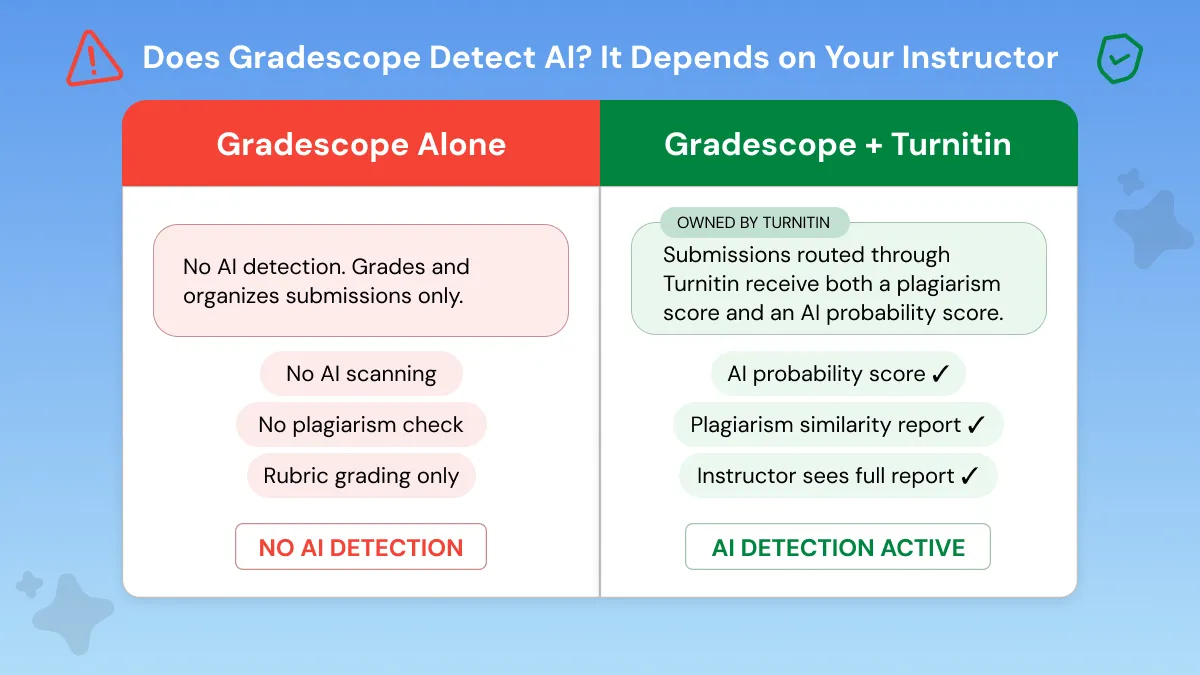
Gradescope is owned by Turnitin, so some institutions integrate the two platforms when managing assignments. When integrated with Turnitin, teachers can have students' work filtered through Turnitin to check for originality and AI-content.
There are several ways instructors may use Turnitin alongside Gradescope:
LMS routing: Assignments uploaded to a Learning Management System (Canvas, Blackboard, etc.) may be automatically routed through Turnitin prior to submission for grading in Gradescope.
Manual uploads: A teacher can download assignments from Gradescope and upload them to Turnitin.
Direct integration: Universities may have their systems set up so Turnitin checks students' assignments.
After processing a file, Turnitin provides instructors with two main indicators:
Similarity Report: Indicates how much of your paper matches websites, research papers, or previously submitted student papers.
AI Writing Indicator: Predicts how likely it is that part of your content was produced by an AI language model such as ChatGPT. You can read more about how Turnitin's AI detection methodology works directly from their documentation.
Instructors also sometimes use other tools alongside Turnitin. If you're curious how accurate GPTZero is, it's worth knowing that no detector is perfect.
If you're worried about being wrongly accused, it helps to understand why Turnitin mistakenly flags human work as AI before you submit.
Other Ways Your Gradescope Assignment Can Get Flagged
There are still many ways instructors can catch AI-generated content. With keen observation skills and the tools, they have access to, instructors can manually identify suspicious pieces of work. No widespread AI detection scanning is needed.
Manually marking suspect assignments, checking submission timestamps, and abrupt shifts in quality of writing are just a few methods instructors can use to catch AI-work prior to grading.
Instructor Manual Review Can Catch AI Writing
Manual review remains one of the strongest indicators instructors can identify AI-generated text. If you're wondering can university professors detect ChatGPT, the answer is: more often than students expect and it doesn't always require a tool.
Many instructors know their students’ work well enough to spot slight nuances such as:
Style shifts: Segments that sound significantly different from student's normal voice.
Sudden improvement in quality: When a paper suddenly becomes a lot more professionally written than past assignments.
Generic or overly formal tone: AI text tends to lack depth in personal reflection or thought.
Submission Timestamps and Copy-Paste Behavior
Teachers can check Submission activity logs. These logs show when/how students submit work. Here are some patterns that may be suspicious:
- Pasting large chunks of text instantly. For instance, pasting 1500 words per second is suspect AI copy/paste behavior.
- Unusual timing patterns. Extremely quick completions or submissions at odd hours may be flagged.
How to Check Your Work Before Submitting on Gradescope?
Check your work with a free AI detector prior to submission. If it detects possible AI content, rewrite those areas to confirm the assignment is in your own voice. Prevention is the best solution to prevent concerns from professors or plagiarism/AI reports.
Here’s a simple workflow to keep your Gradescope submissions safe:
- Write your assignment. Write however you normally would. Use AI as a reference tool if you want.
- Check with an AI detector. Use a tool like free AI detector. It’s unlimited, requires no signup, and gives quick feedback.
- Edit flagged sections. Reword or expand areas the detector marks as likely AI-generated. Add personal insights or examples.
- Recheck the assignment. Run the revised version through the AI detector again to ensure the flagged content is resolved.
- Submit on Gradescope. When you are happy that your work will pass the AI check, submit it safely.
What Happens If You Get Caught Using AI on Gradescope?
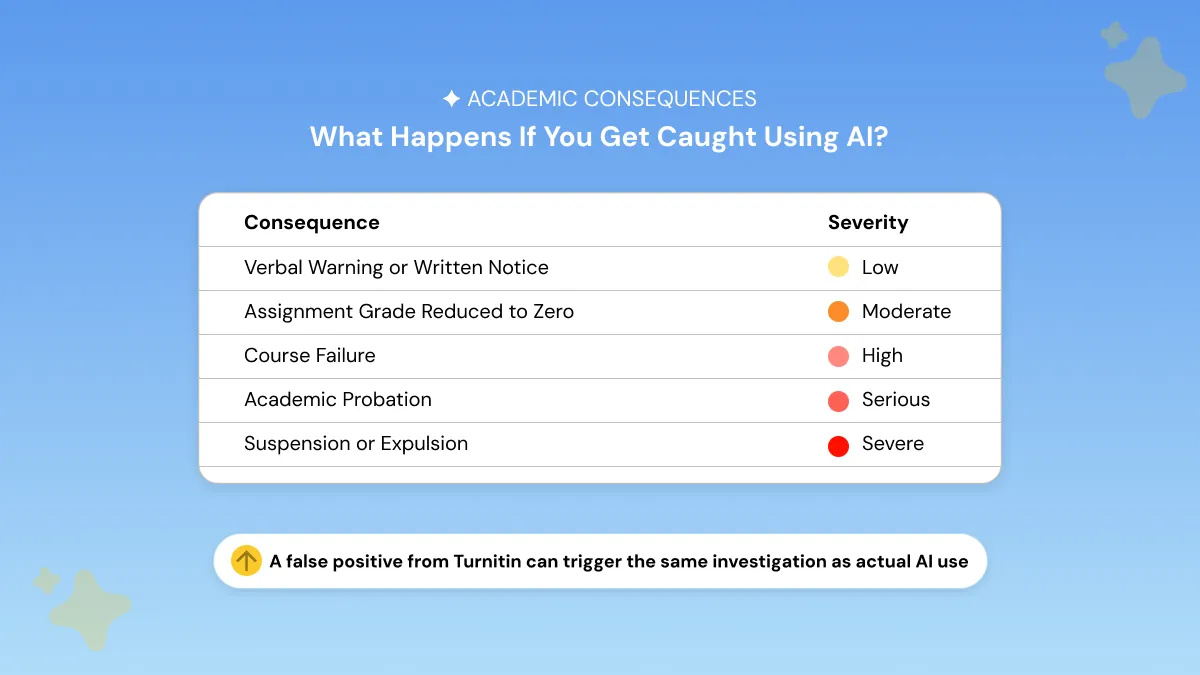
Penalties depend on your school's policy. You can expect anything from failing the assignment to academic probation/suspension.
Some schools take it more seriously than others and the details of what happens if you get caught using ChatGPT in college can be pretty sobering.
If a student is caught using AI improperly, the following outcomes are possible:
Warning: A formal notice from your instructor or school
Resubmission: Being asked to redo the assignment entirely
Failing grade: The most common penalty for a first offense
Academic probation: A serious mark on your record that can affect future opportunities
Suspension or expulsion: For repeated or severe violations
The easiest way out of these punishments is prevention. Running your work through an AI detector and editing detected parts of your paper will help you ensure your work is 100% you.
Rewrite AI detected content naturally using Phrasly’s AI Humanizer before you turn it in.
Gradescope does not independently identify AI-generated content. Gradescope is built around grading workflows, rubrics, and assignment submissions. It does not analyze the process behind how your submission was created.
If your instructor integrates Turnitin, your submission will be checked for plagiarism and AI content. The most important step is checking your work prior to submission.
Phrasly's AI detector is free, instant, and doesn't require signup so you can easily double-check your assignment before submitting and making sure it's in your voice. You can avoid flags, protect your grades, and maintain academic integrity.
Check your work before submitting. Phrasly’s AI detector is free and takes 10 seconds.
FAQs
Does Gradescope Automatically Detect AI?
No. Gradescope does not have any built-in AI detection. Gradescope will only be able to identify AI-generated content if your instructor has configured Gradescope to route submissions through Turnitin or another AI detection tool.
Can Gradescope Detect ChatGPT in Code?
No, not quite. Gradescope's code similarity checks students' assignments against other students, not ChatGPT. Gradescope will only alert you to possible cheating between students.
Does Gradescope Check Discussion Posts for AI?
No, they are not detected automatically. Teachers do have the option of copying and pasting discussion posts into Turnitin or another AI detector themselves, however. Keep in mind that AI detectors can be wrong and often produce false positives.
How Do I Avoid Being Flagged on Gradescope?
How Do I Avoid Being Flagged on Gradescope?
The safest way is to proofread yourself: run your work through an AI detector (there are free ones available), edit flagged passages, and write in your own style.
If you're struggling to rework AI-assisted content, there are practical ways to make AI writing sound more human that go beyond just swapping a few words around. Use AI ethically and add your personal touch and you should be fine.


Keep reading

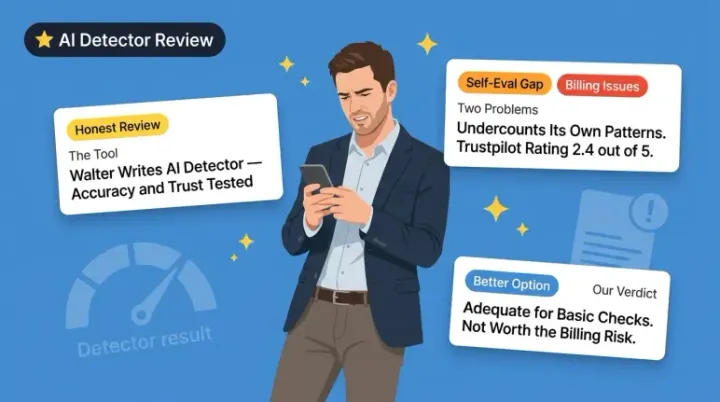
Walter Writes AI Detector Review 2026: Does It Actually Work?
Walter Writes AI Detector works on pure AI text but struggles with humanized content. Add billing complaints and a 2.4 Trustpilot score, and better free alternatives like Phrasly or GPTZero make more sense.
Pangram AI Detector Review: How Accurate Is It Really?
Pangram AI Detector delivers near-zero false positives, independently verified by University of Chicago researchers. With 99.8–100% accuracy, LMS integrations, and AI-assist detection, it's the top choice for educators and institutions.