Meet Phrasly Docs.
Write. Refine. Make it yours.
Bring your ideas to life with AI writing tools, built-in citations, and real-time collaboration. Everything you need, right inside your document.
Free to start. AI usage limits apply.
BUILT INTO YOUR WORKSPACE
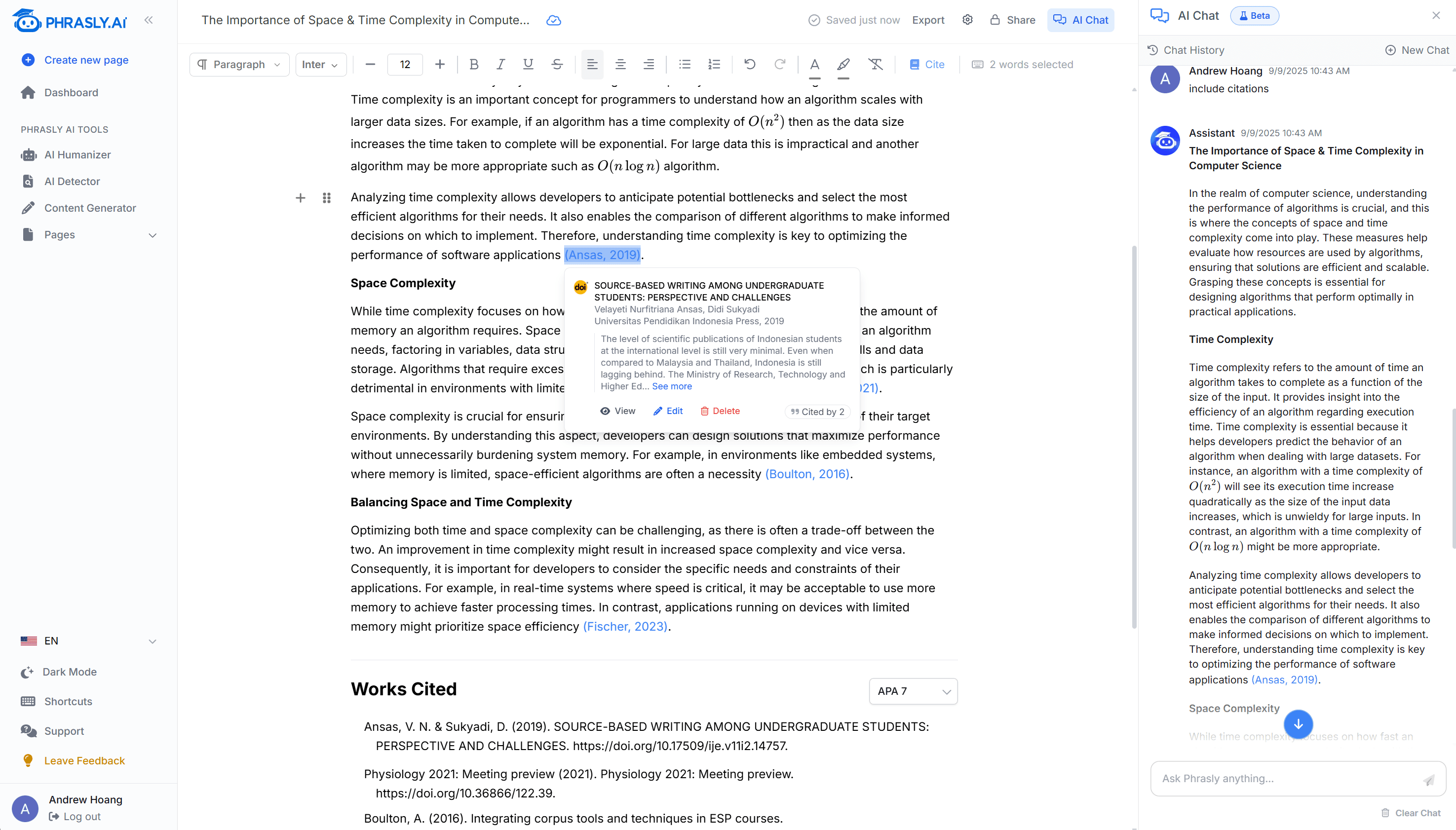
Your writing tools, together.
Think through an idea, improve a passage, or find a source. Keep your work moving without moving between tools.
- AI assistant
- Brainstorm ideas and work through your next draft.
- AI commands
- Rewrite, summarize, or translate a selection.
- Humanization
- Refine your voice and review AI signals.
- Citations
- Find sources and format your references.
- Collaboration
- Share your document and edit together.
A CLOSER LOOK
More than a blank page.
Work with your words, your sources, and your collaborators in one document.
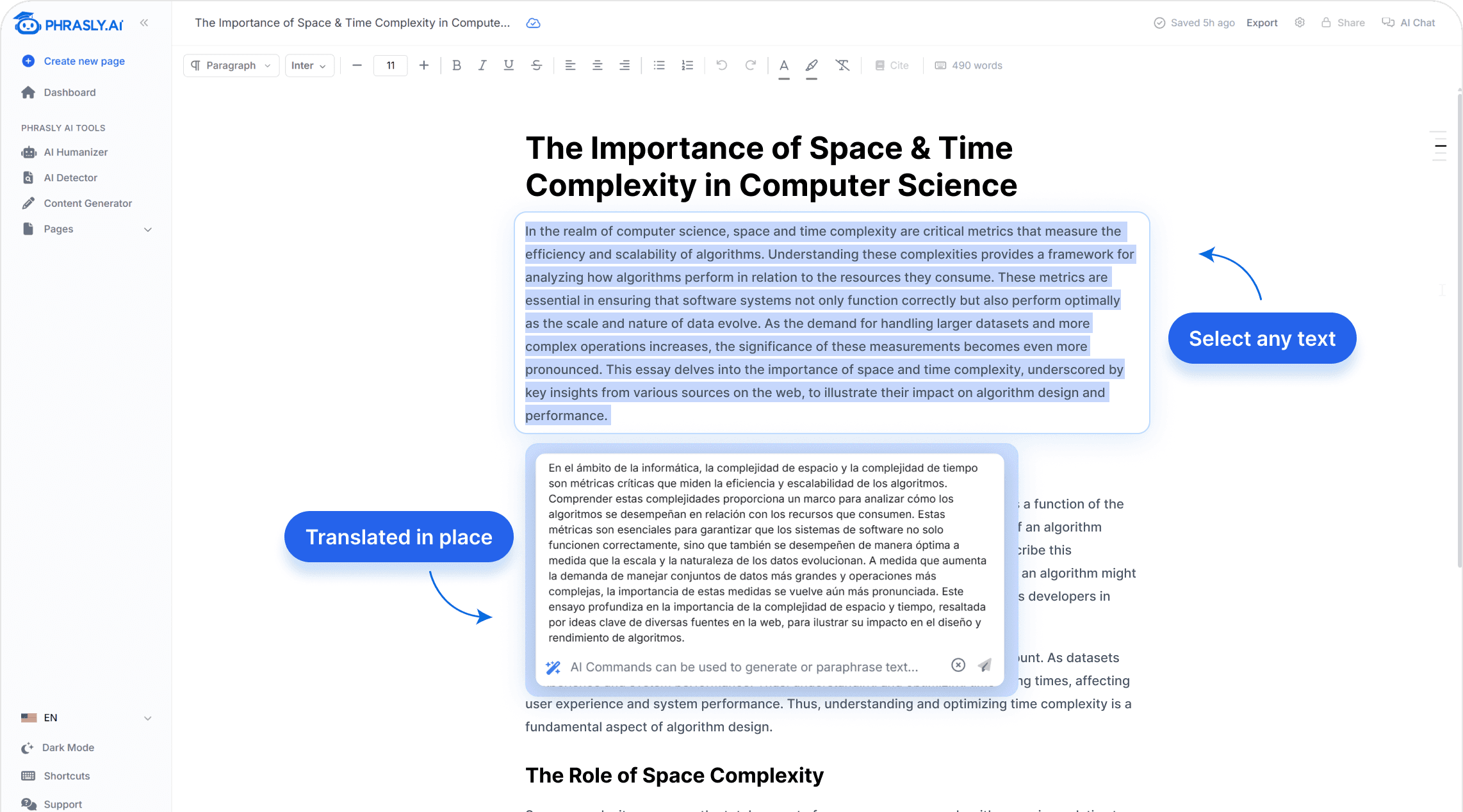
AI, right where you’re writing.
Select a passage and tell Phrasly what you need. Rewrite for clarity, develop an idea, or take your draft in a new direction.
- Inline commands and custom prompts
- Autocomplete your next sentence
- Humanize and check AI signals
FROM IDEA TO FINISHED DOCUMENT
Start writing. Keep going.
Start with a blank page or a draft you already have. The tools are there whenever you need them.
- 01
Start your document
Write your first thoughts, paste an existing draft, or ask the AI assistant to help you get started.
- 02
Shape your work
Refine a passage, organize your ideas with headings, and bring in references as you write.
- 03
Share or export
Invite collaborators to work with you, or export your finished document to Word or PDF.
GOOD TO KNOW
Questions, answered.
What is an AI document editor?
An AI document editor puts writing assistance inside your document. Phrasly Docs combines a rich text editor with an AI assistant, writing commands, humanization, AI detection, citations, and collaboration, so you can work through a draft in one place.
Can I start using Phrasly Docs for free?
Yes. Create a Phrasly account to get started for free. AI features are subject to your plan’s usage limits. You can review the available plans on our pricing page.
Can I work on a draft I’ve already started?
Yes. Paste your draft into a document and continue editing. Select a passage to use AI writing tools, organize your work with headings, or ask the assistant for help with your next revision.
How do citations work?
Search for academic or web sources in the editor, review the source, and insert a citation in your chosen style. Supported styles include APA, MLA, and Chicago. Web search requires a paid plan or trial. Always check that a source supports your claim and that the citation meets your requirements.
Can other people edit my document?
Yes. Share a document and assign viewing or editing access. Collaborators with editing permission can work with you in real time.
Can I check for AI writing in the editor?
Yes. The built-in AI detector helps you review your writing without leaving the document. Treat its results as a signal for review, rather than proof of who wrote a passage.
How can I export my finished work?
You can export your document as a Word document or PDF, or copy its content to your clipboard.
PHRASLY DOCS
Make room for your next idea.
Your document. Your writing tools. Your next great piece of work.
Free to start. AI features are subject to your plan’s usage limits.